LG TV
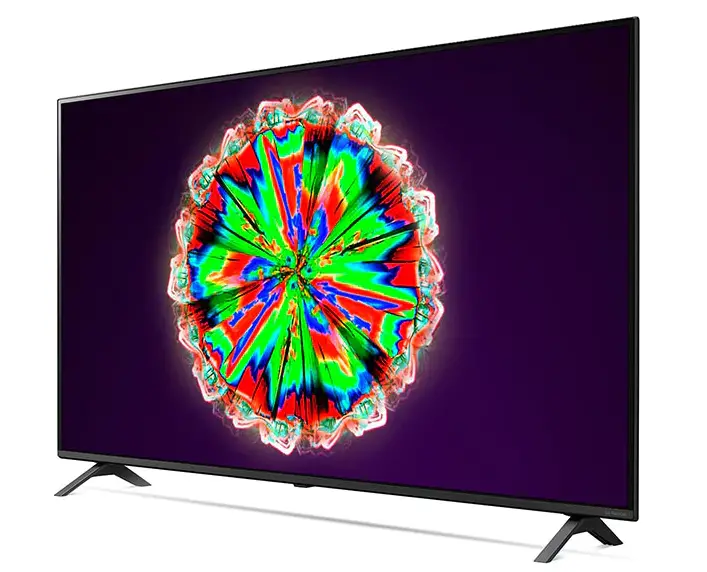
LG TV
WHATS IN THE BOX?
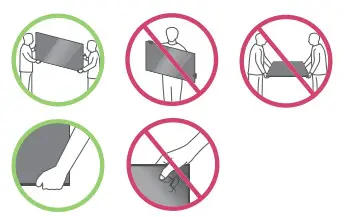 | 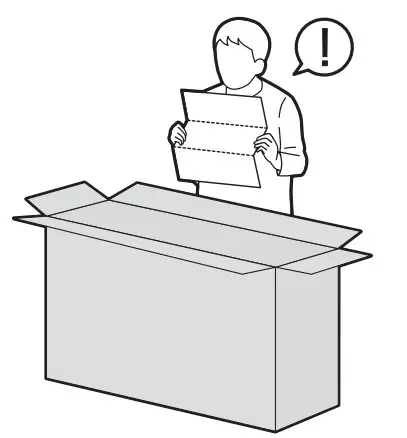 |
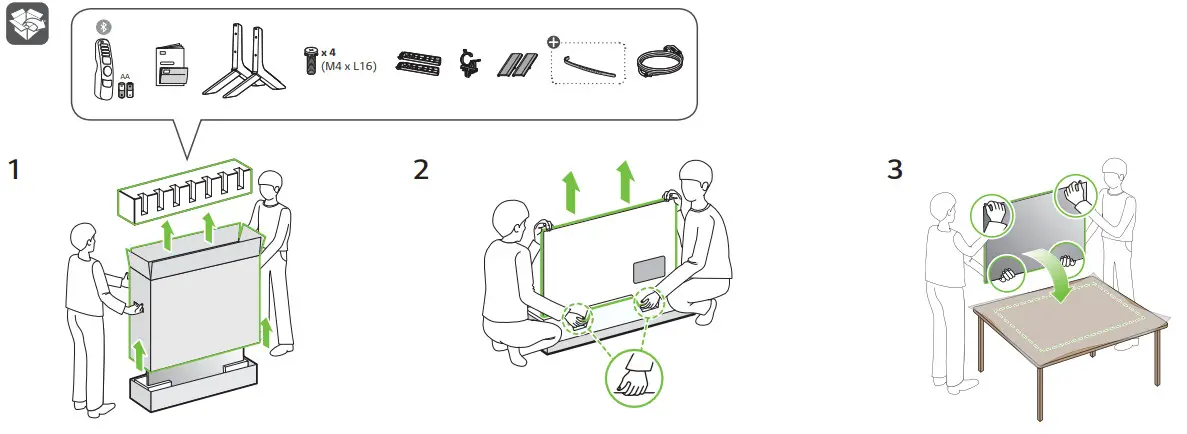
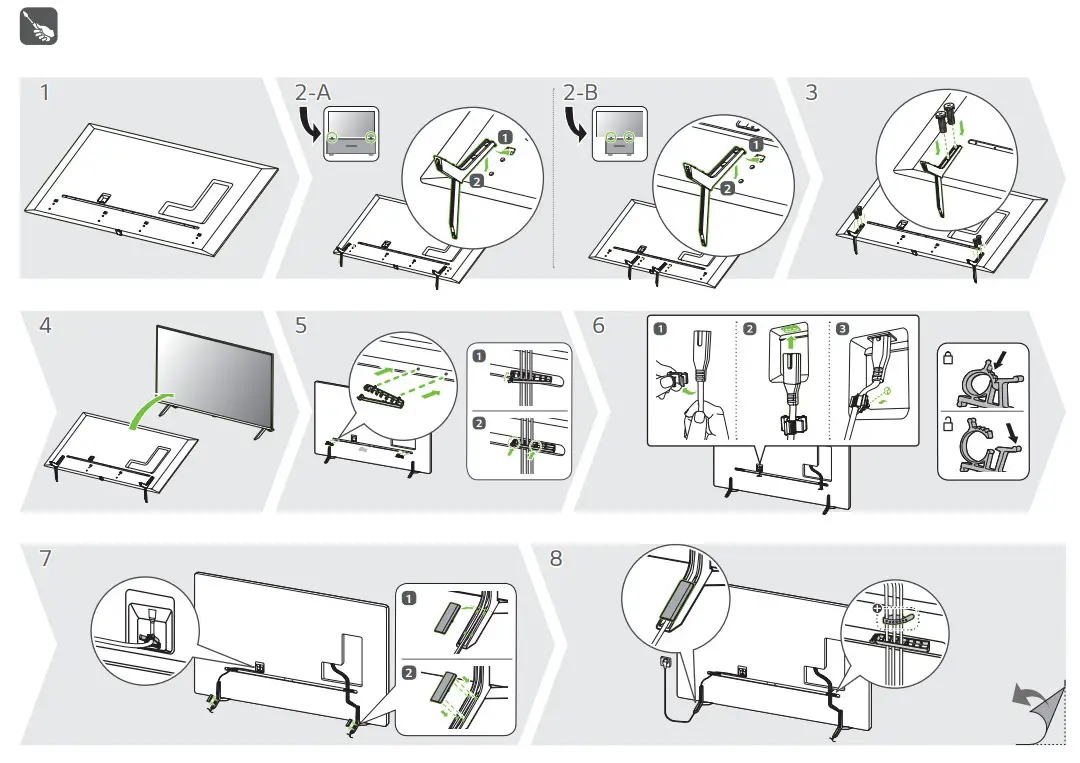
INSTALLATION INSTRUCTIONS
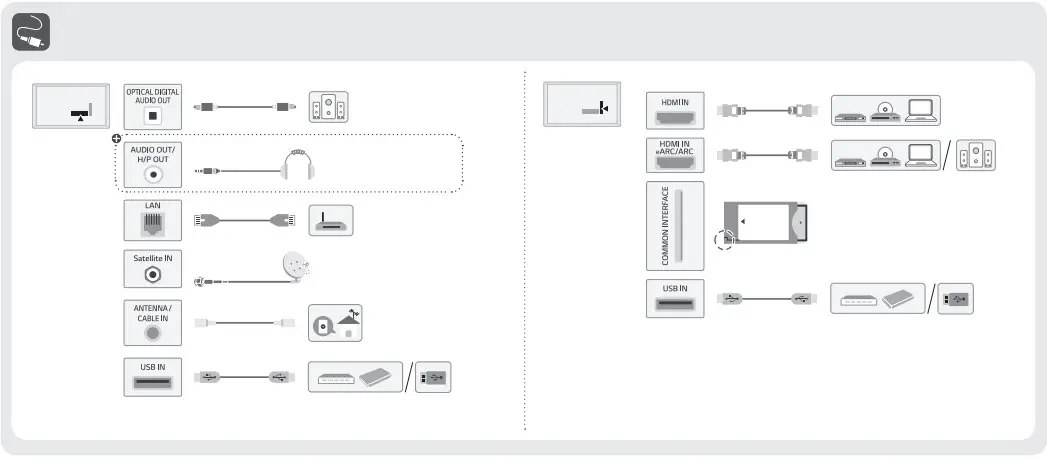
CONNECTIONS
 |
 |
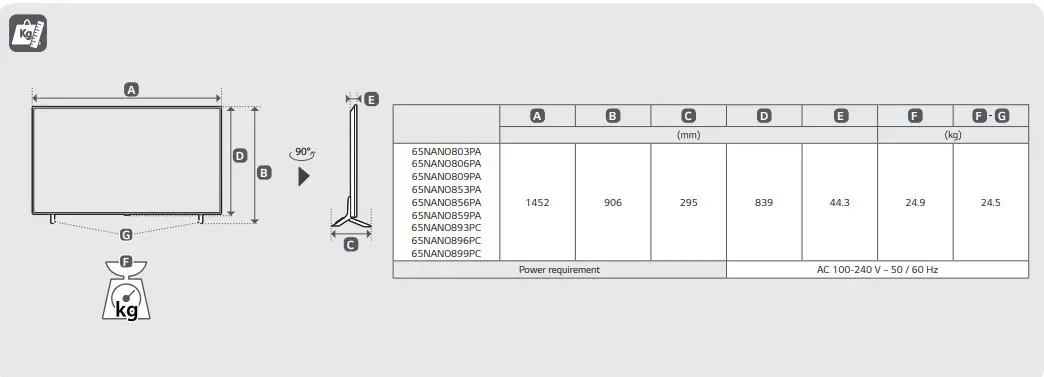 |
 • Read Safety and Regulatory.
 Depending on model
(2104-REV03)
DOWNLOAD RESOURCES
- LG LG TV [pdf] User Guide LG, NANO80, NANO85, NANO89
- Read more: https://#manualsee.com/_lg/lg-tv-manual#ixzz7da1Zeq2t
FAQ’S
It has incredibly low input lag and a decent response time, but you may notice image duplication because of the backlight’s 120Hz flicker.
The LG NANO90 2020 is much better than the LG NAN080 2020. The NANO90 gets brighter, has a full-array local dimming feature, VRR support, and a 120Hz panel. It also has a quicker response time and better reflection handling. However, the NANO80 has a lower input lag and slightly better gradient handling.
Please contact the LG Customer Service Centre in your country or region.
Please press the reset button on the back of your TV, and then select “Yes” when prompted to confirm if you want to reset your TV settings. Note that this procedure will delete all stored channels and user settings.
The number of devices that can be connected depends on your model. Please check the specifications for your product at www.lg.com.
Their anti-reflective top screen layer copes with ambient light well. Low input lag is good news for gamers. Upscaling in most NanoCell TVs is very good too, while higher-end models have 120Hz refresh rates and support for features like VRR.
NanoCell TV with the Quad core processor 4K eliminates noise and creates more dynamic color and contrast. Low-resolution images are up-scaled and reproduced at close to 4K quality images.
Their anti-reflective top screen layer copes with ambient light well. Low input lag is good news for gamers. Upscaling in most LG TVs is very good too, while higher-end models have 120Hz refresh rates and support for features like VRR.
Gaming Standard. A higher frame rate, VRR (Variable Refresh Rate), ALLM (Auto Low Latency Mode) and eARC (Enhanced Audio Return Channel) all meeting HDMI 2.1 specifications.
With the support of both Dolby Vision and Atmos, LG NanoCell TV is the first TV of its kind. Dolby in your home.
Right now you can see the Wi-Fi symbol there and it’s moving back and forth in about. 15 or 20 seconds it will connect. And right now you can see that my phone is now mirrored on the TV.
Share using Phone built-in feature.
Ensure that your mobile device and the TV are connected to the same Wi-Fi. From your phone, go to SETTINGS, then select SHARE AND CONNECT. Under SCREEN SHARE category, select SCREEN SHARING or MIRROR SCREEN.
VIDEO
www://lg.com/
 LG Electronics & Home Appliances | Shop Now | LG USA