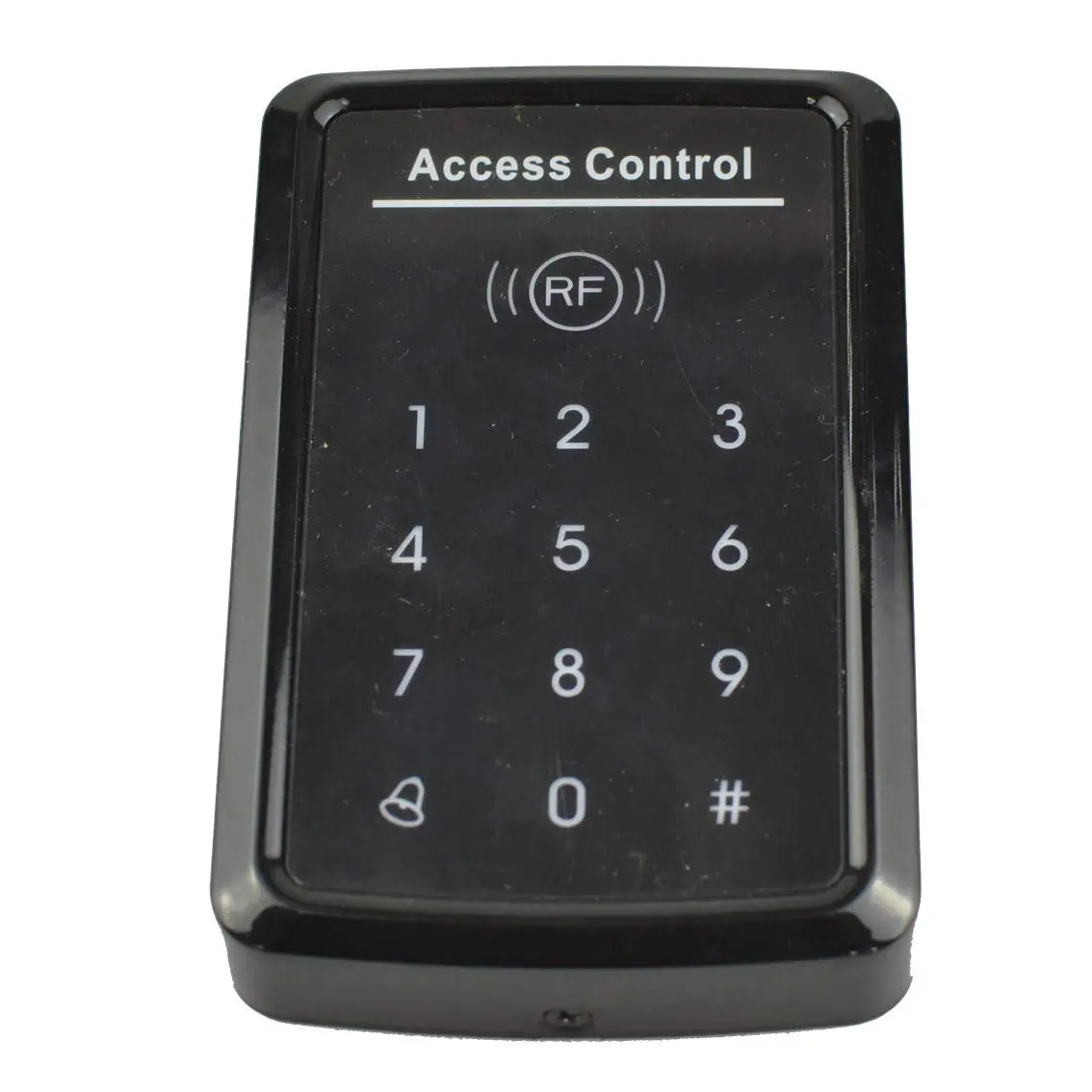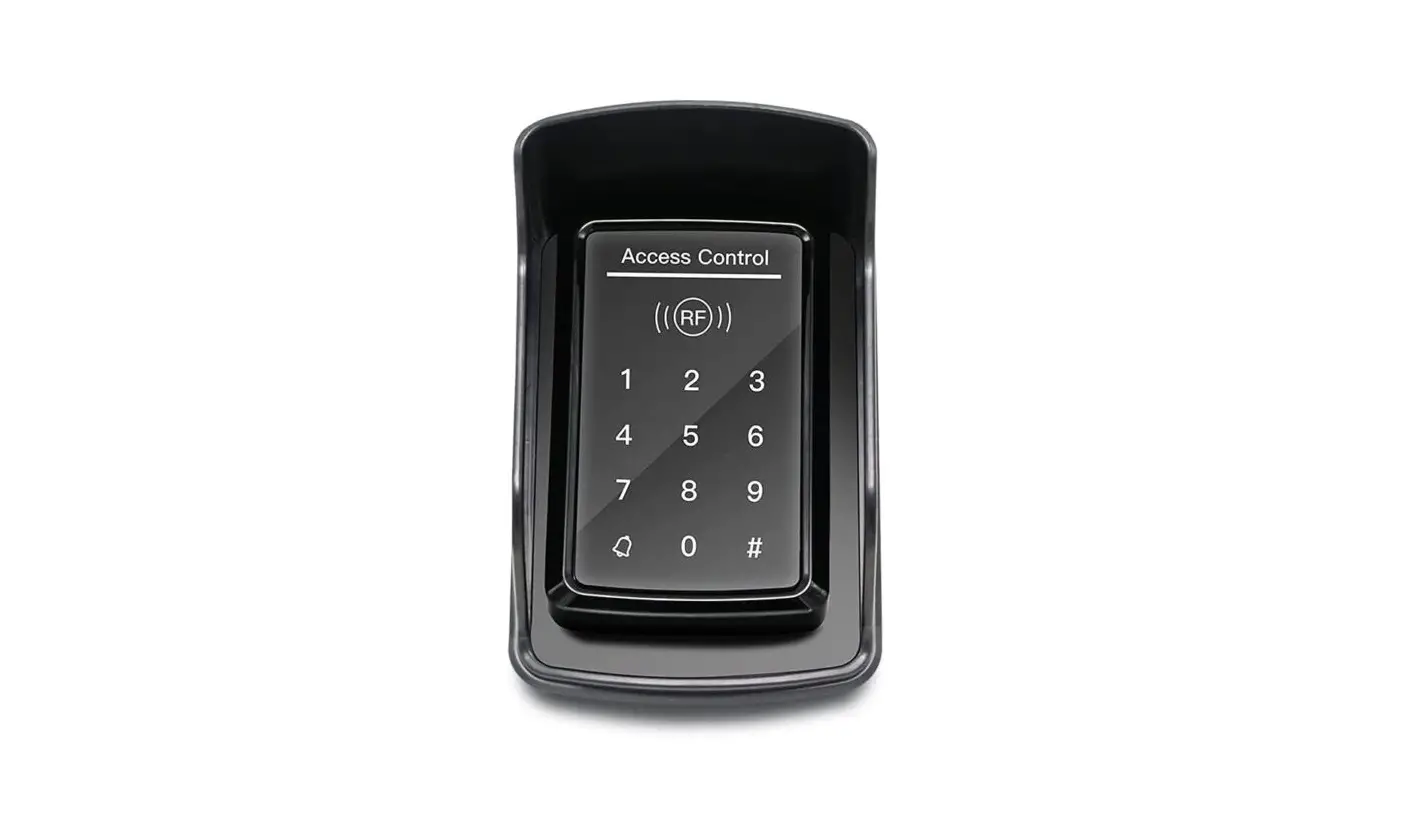
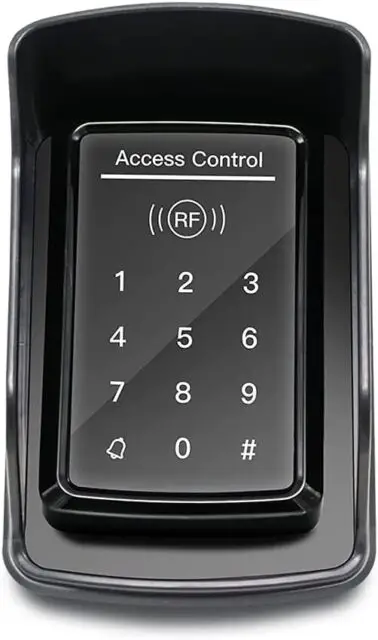
TOPENS TC175P Touch Panel Wired Keypad User Manual
Specifications
- Operating voltage: 12-24VDC ±10%
- Operating current: < 100mA
- User Capacity: 1000 users
- Card type (alternative): EM(ID) card
- Card reading distance: 1-15CM
- Working temperature: -20℃-+50℃
- Relay output: SPDT, 3A 120VAC/24VDC
Factory default settings
- Programming Password: 123456
- Common Access Password: None
- Backlight: Auto (for options)
- Relay Unlock output: 5 Seconds
- W26 port: Input (for options)
- Security mode: OFF
- Open mode: Card or Access Password, Access Password include Private Access Password (PIN) and Common Access Password
Light and Sound indicates
Light: red and green| Light Description | Access control status |
| Red light flash every 1 sec (Slow flash) | Standby state |
| Red light is always ON | Programming state |
| Green light is always ON within Open time | Unlocking state |
| Green light flash every 0.5sec (Fast flash) | Pending further action |
| Description | Indicates |
| 1 short buzz | Valid input |
| 3 short buzz | Invalid input |
| 1 long buzz | Programming success |
| Continuous long buzz | Restoring factory programming passwords |
Definition of the output wires
JP1 terminal:| NO | Mark | Color | Function |
| 1* | +12V | X | This wire has been cut off |
| 2 | GND | Black | Power-(12-24VDC negative) |
| 3 | PUSH | BLUE | Low level output |
| 4 | OPEN | Yellow | Door Release |
| 5 | BELL | Grey | BELL |
| 6 | BELL | White | BELL |
| NO | Mark | Color | Function |
| 1* | +12V | X | This wire has been cut off |
| 2 | GND | Black | Power-(12-24VDC negative) |
| 3 | DATA0 | Green | WG DATA0 |
| 4 | DATA1 | White | WG DATA1 |
| 5 | NC | Brown | Relay NC output |
| 6 | COM | Blue | Relay Com output |
| 7 | NO | Purple | Relay NO output |
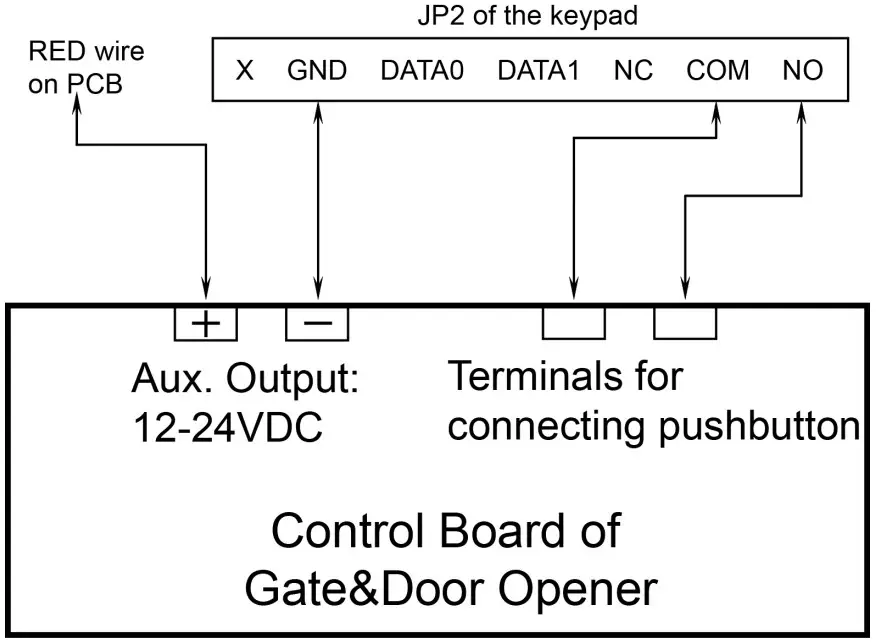
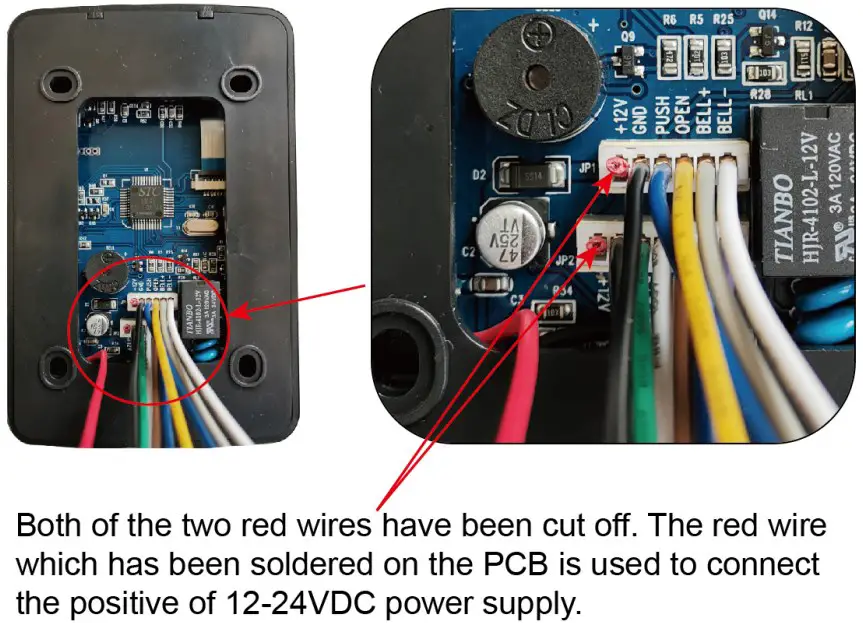 Wire connection of the keypad to the gate & door opener
NOTE: Below wiring diagram is a universal wiring diagram of the connection between the keypad and the opener. You can refer to the user manual of the TOPENS gate opener for detailed wiring diagram.
Wire connection of the keypad to the gate & door opener
NOTE: Below wiring diagram is a universal wiring diagram of the connection between the keypad and the opener. You can refer to the user manual of the TOPENS gate opener for detailed wiring diagram.
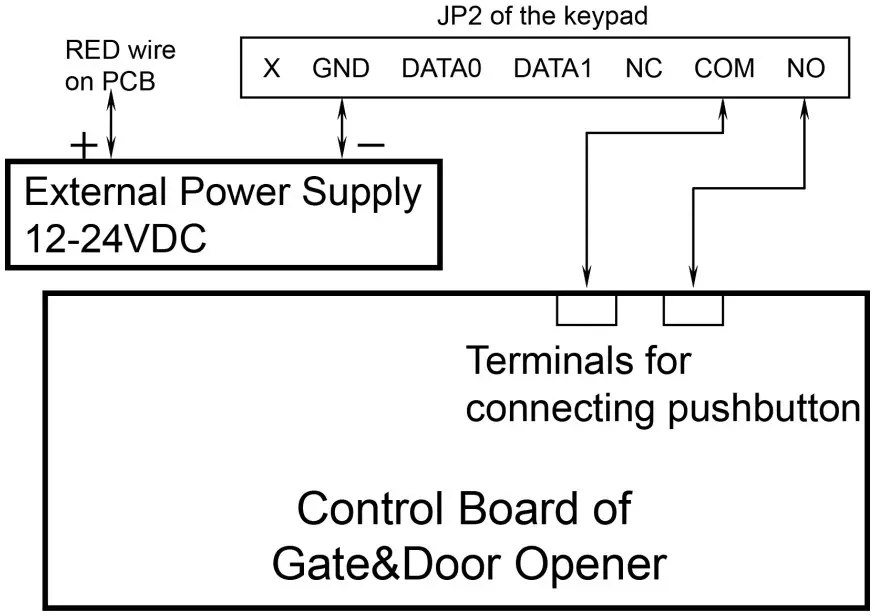
 Connect the keypad to the Gate/Door opener without power on the board, when using external power supply for TC175P.
In this situation, you need an external 12-24VDC power source to make the keypad to work with the gate & door opener.
Connect the keypad to the Gate/Door opener without power on the board, when using external power supply for TC175P.
In this situation, you need an external 12-24VDC power source to make the keypad to work with the gate & door opener.
Programming
- There are three kinds of passwords while programming: programming password, access password, card password.
- User ID is auto-generating 4-digit number started at 0001. The number increases with adding user one by one and ignores deleting user. Common Access Password has no ID.
- All passwords can be 3-6 digits in length.
- Programming password is used for programming.
- Access password is used to activate the gate when the keypad has been set to “password” or “password or card” mode.
- Card password is needed to enter after swipe the card when the keypad has been set to “password + card” mode.
- Factory default program password is 123456.
FAQ
Old Programming Password # 0 New Programming Password # New Programming Password
Programming Password # 21 new Common Access Password
Programming Password # 22 (3-6 digits access password)
Programming Password # 1 read card
Programming Password # 40 0000
Programming Password # 41 read card
Programming Password # 23 input card number
Programming Password # 24 input start card No. card Qty
Programming Password # 3 read card PIN
Programming Password # 42 input User ID No.
Programming Password # 43 input card No.
Programming Password # 44 (3-6 digits access password) #
Programming Password # 45 1111
Programming Password # 5 XX #
Programming Password # 6 XX
6 Reader Setting (For options) Programming Password # 6 04
Programming Password # 7 XX
Programming Password # 8 XX #
Programming Password # 8 99 #
Step1: Power off the keypad and connect pin 2&3 of RST together. ep2: Power on the keypad and buzzer will give 3 long buzz with green light flashes fast. Step3: Power off the keypad and disconnect pin2&3 and connect pin 1&2 of RST together. Step4: Turn on power again.
Reset to Factory Programming Password(123456)
Step1: Power off the keypad and connect pin 2&3 of RST together. Step2: Power on the keypad and buzzer will give 3 long buzz with green light flashes fast. Step3: Power off the keypad and disconnect pin2&3 and connect pin 1&2 of RST together. Step4: Turn on power again.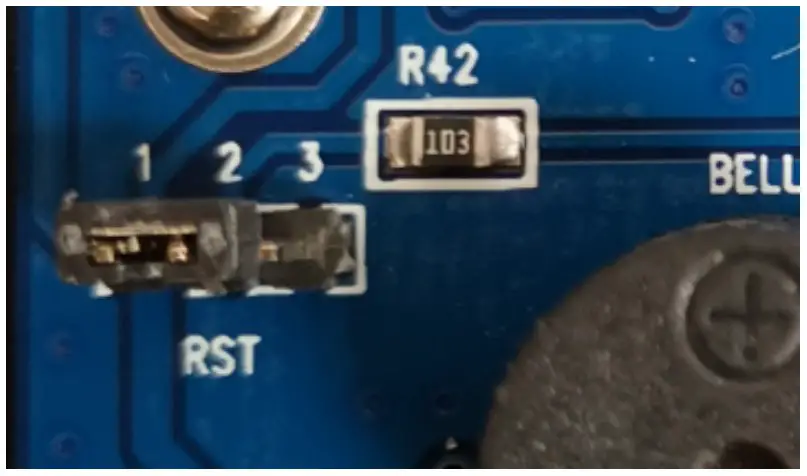
Support
TOPENS Website http://www.topens.com/
Any question, please do not hesitate to contact us:
E-mail: [email protected]
Kindly include your Product Model, Purchasing Date & Site, Order #, and your contact information. All your concerns will be replied within 24 hours.
Tel: +1 (888) 750 9899 (Toll Free USA & Canada)
http://www.topens.com/
Any question, please do not hesitate to contact us:
E-mail: [email protected]
Kindly include your Product Model, Purchasing Date & Site, Order #, and your contact information. All your concerns will be replied within 24 hours.
Tel: +1 (888) 750 9899 (Toll Free USA & Canada)  TOPENS Gate Opener Automatic Swing Gate Operator & Sliding Gate Motor