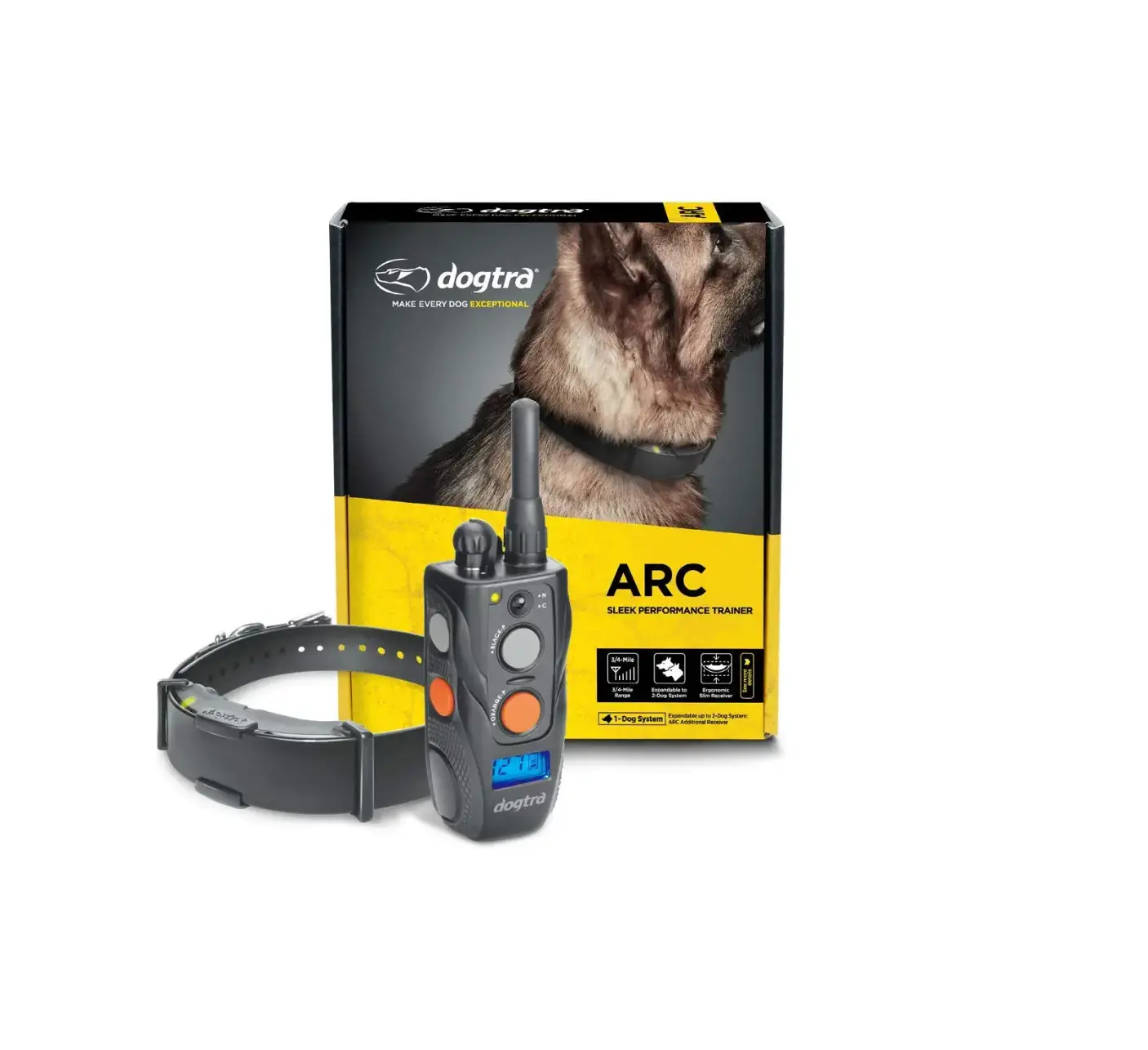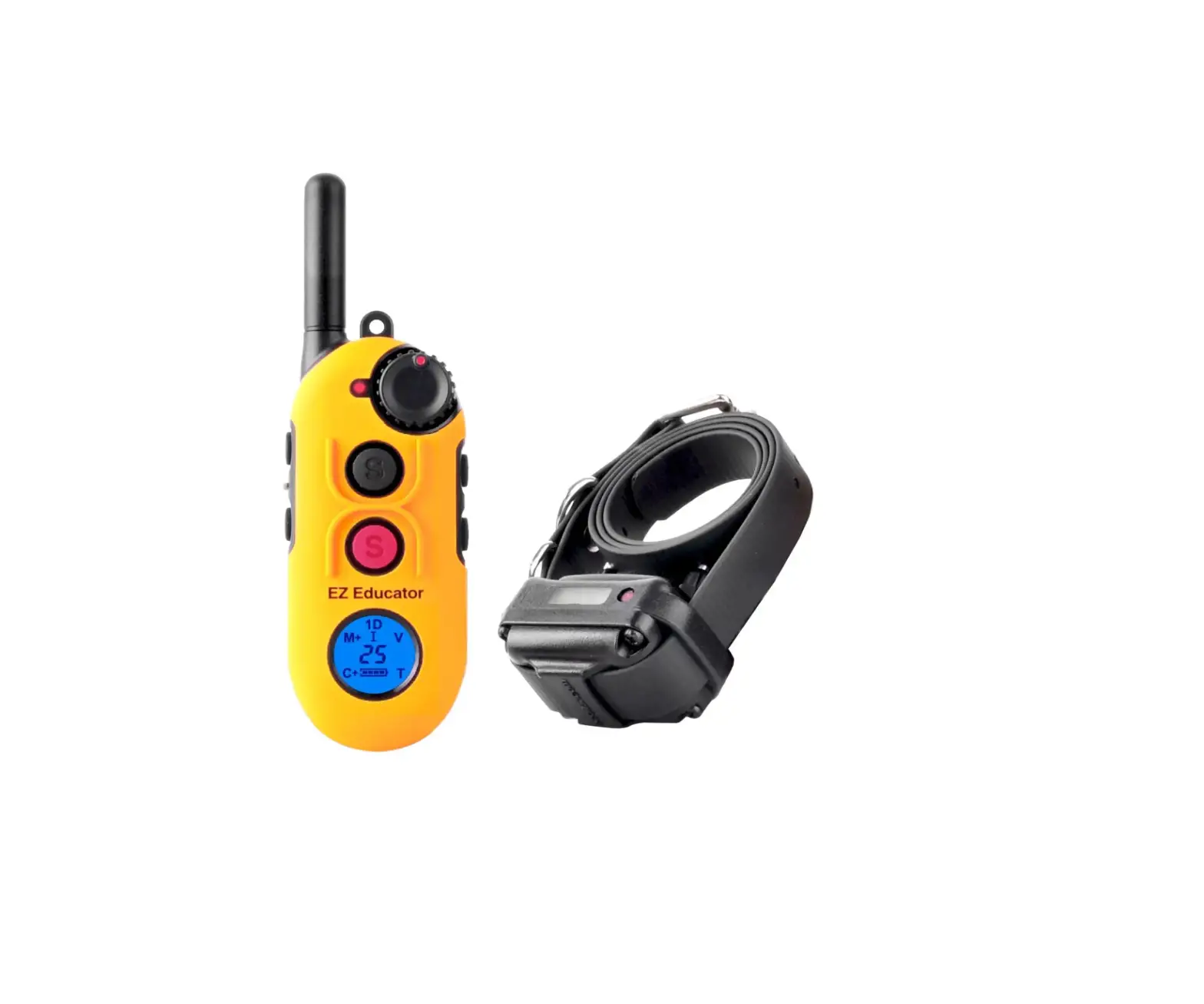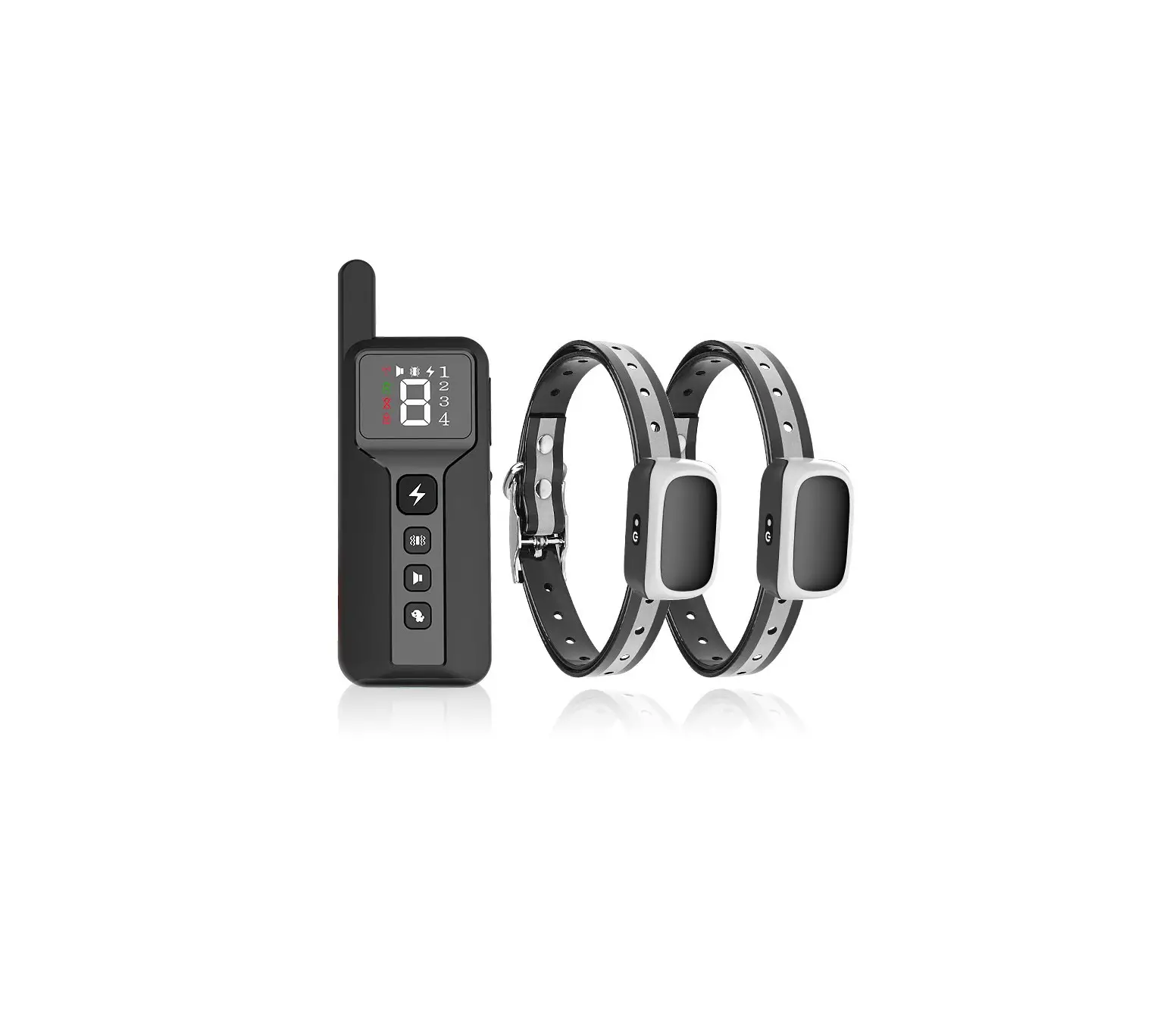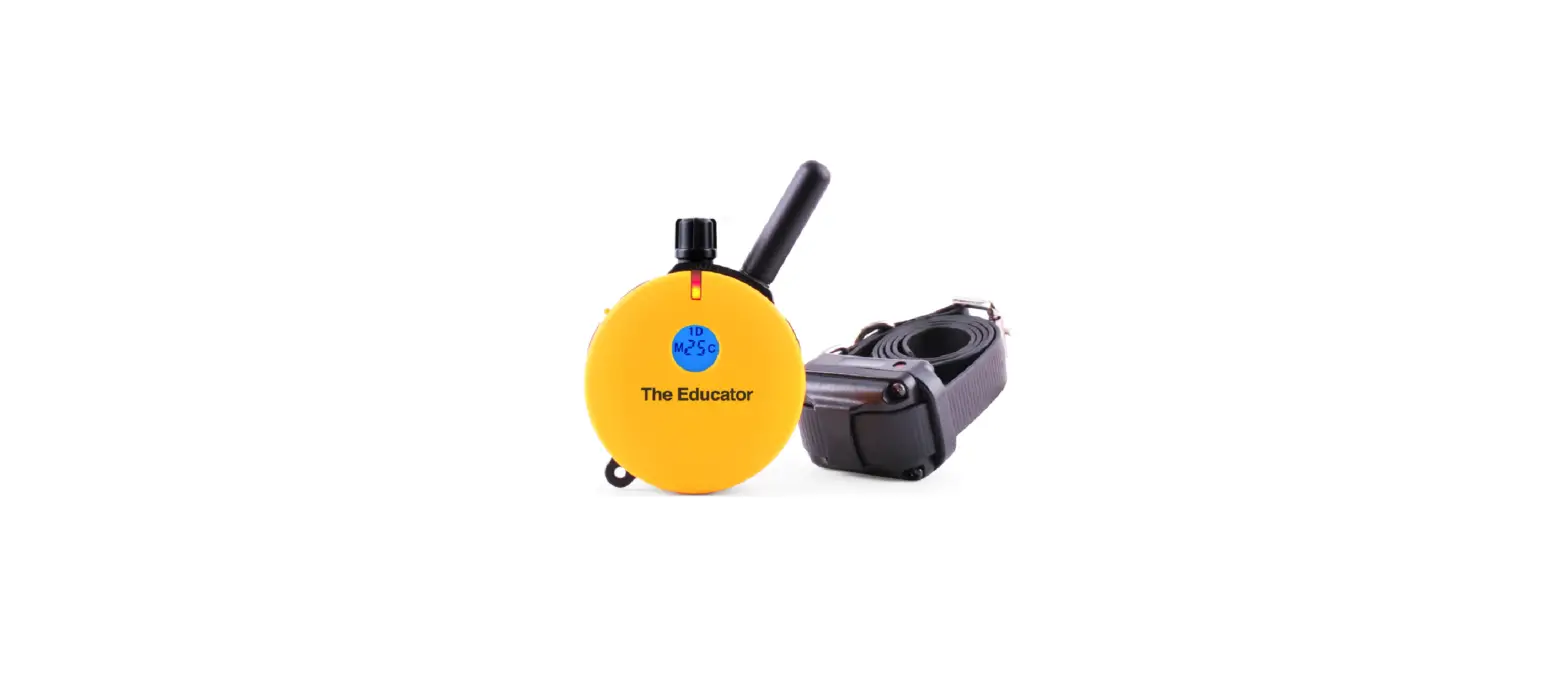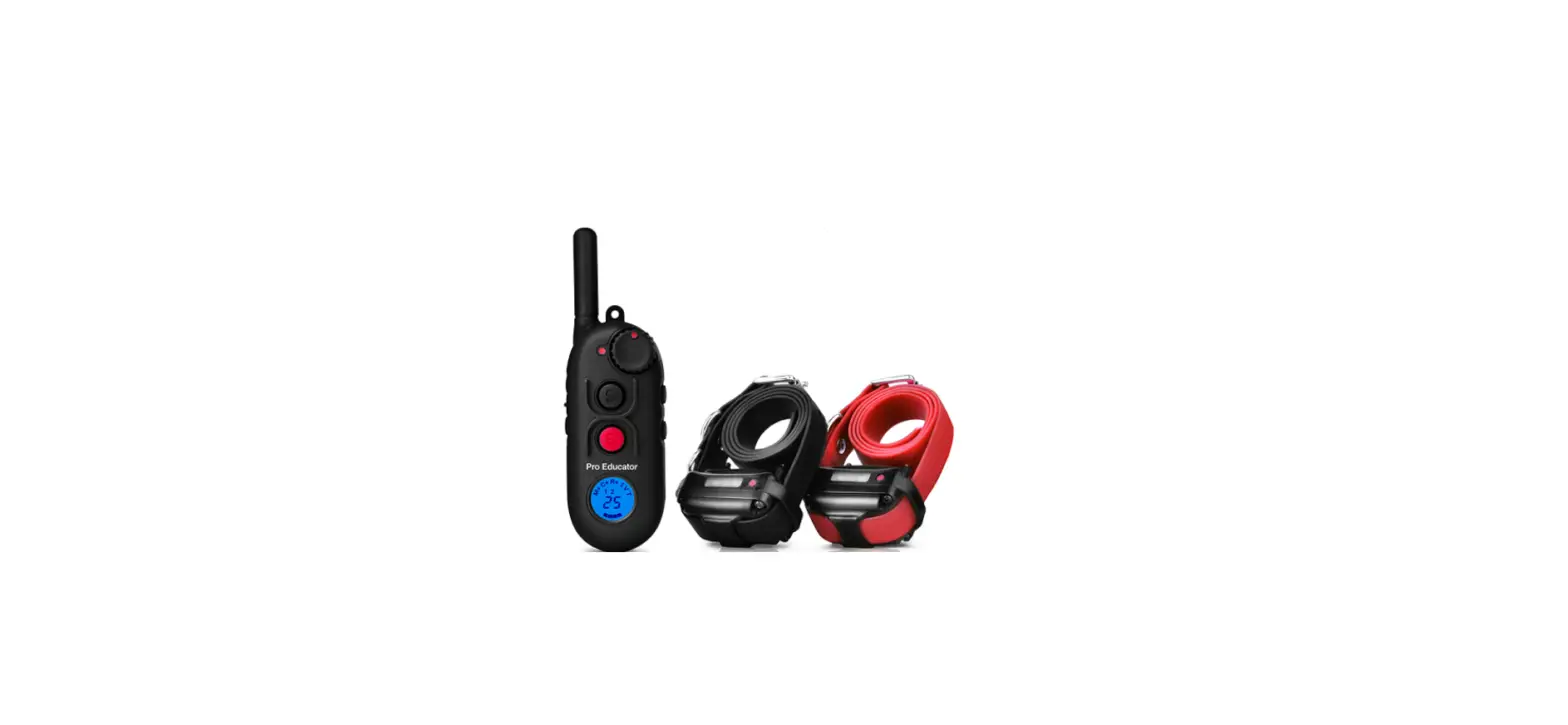
 Educator EZ-900 Remote Waterproof Dog Trainer
 Educator EZ-900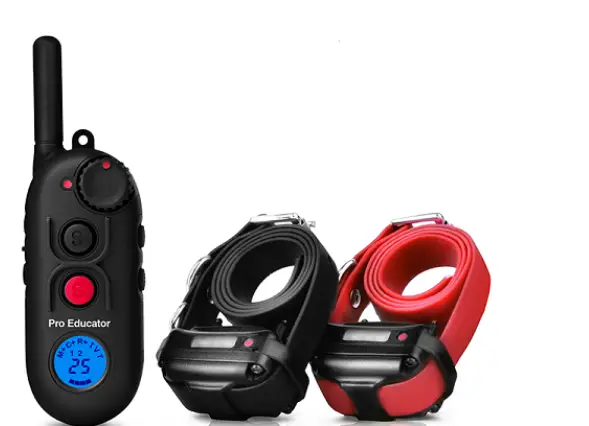
CHARACTERISTICS
- 1/2 mile Range
- Employs Quick Charge Li-Polymer Batteries
- Convenient Intensity Dial for Quick Adjustment
- Stimulation Levels Adjustable from 0 to 100
- Collar Receiver Light for Night Tracking
- “Lock and Set” Stimulation Safety Feature
- User Adjustable Boosting Levels
- Patented “I” Mode Provides Instant Stimulation
- Waterproof and Shock Resistant Collar Receiver
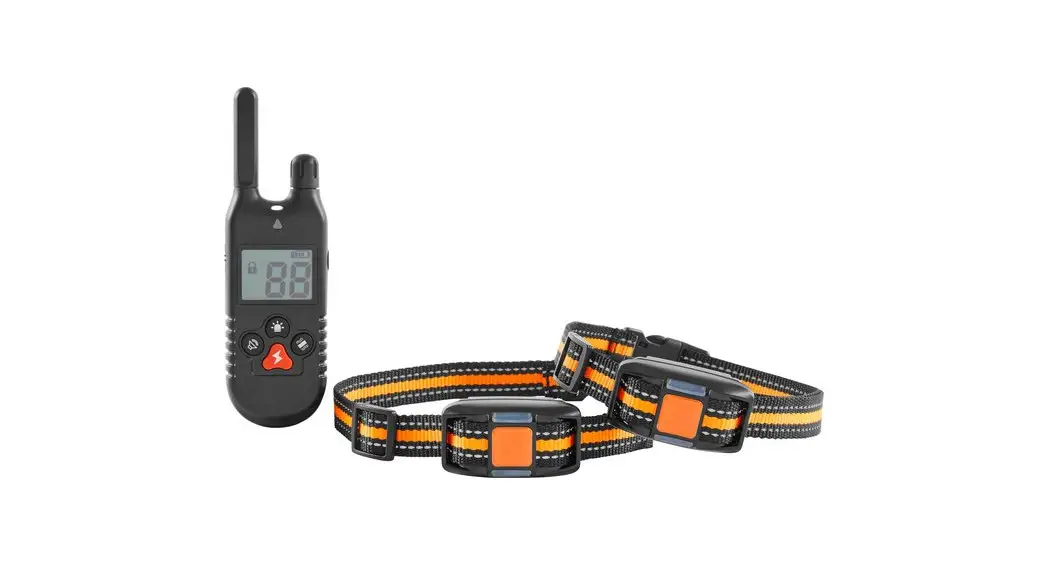
- Easily Expandable to 2 Dogs
- Water Resistant Handheld Transmitter
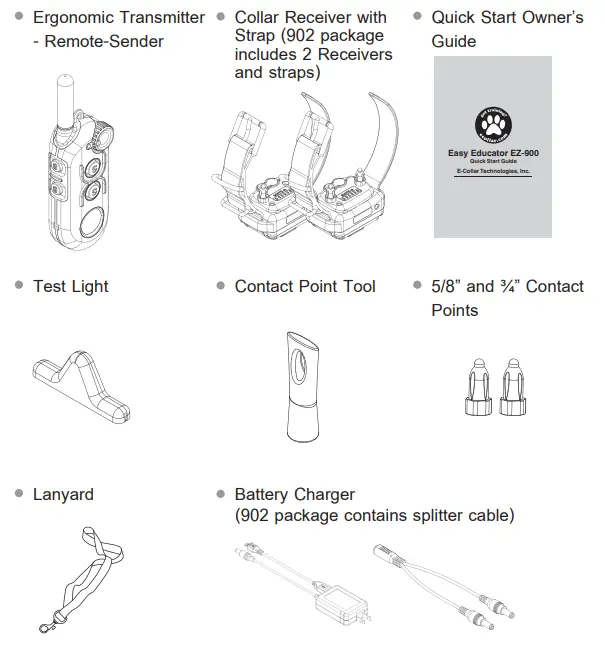
PACKAGE CONTENTS
Turning ON/OFF the EZ-900/902 System
Turn ON/OFF the transmitter by pressing the lower right button for 1 second.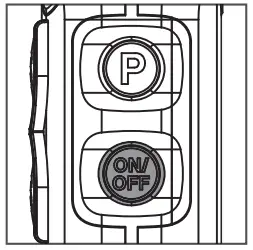
Turn ON/OFF the collar receiver by placing the red dot on the transmitter on the red dot on the collar receiver for 1 second.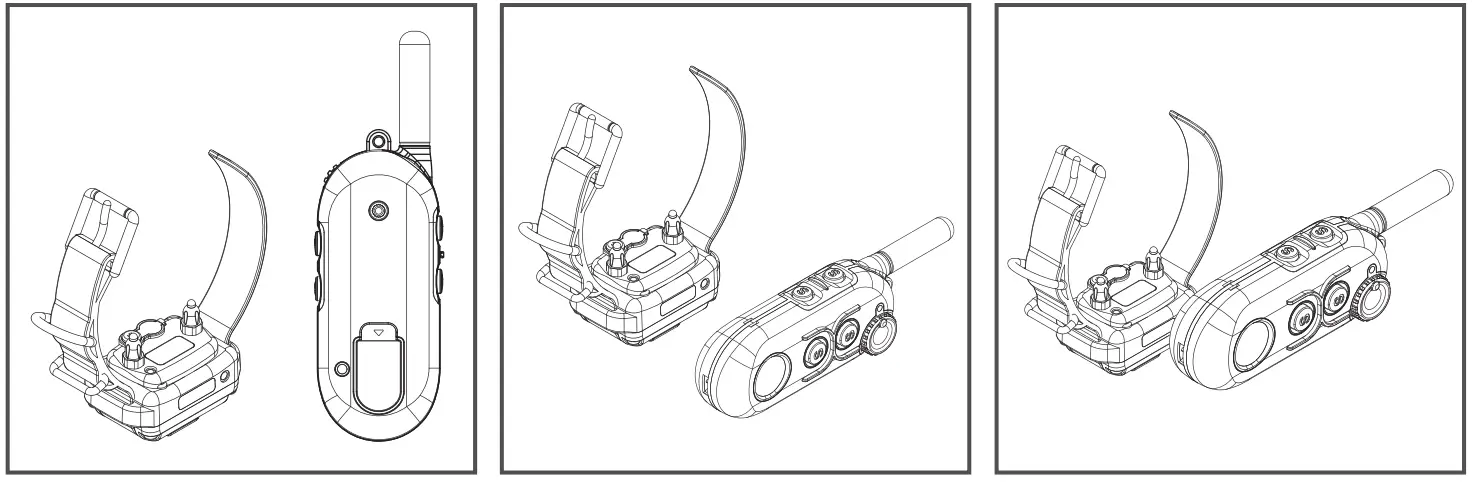
Charging Instructions
Please charge the units on or before the low battery indication. It is best not to wait to charge until the batteries are fully discharged to avoid irreversible damage. To charge the transmitter, insert the micro USB into the transmitter and the charger plug into the collar receiver as pictured.
Transmitter Indicator Light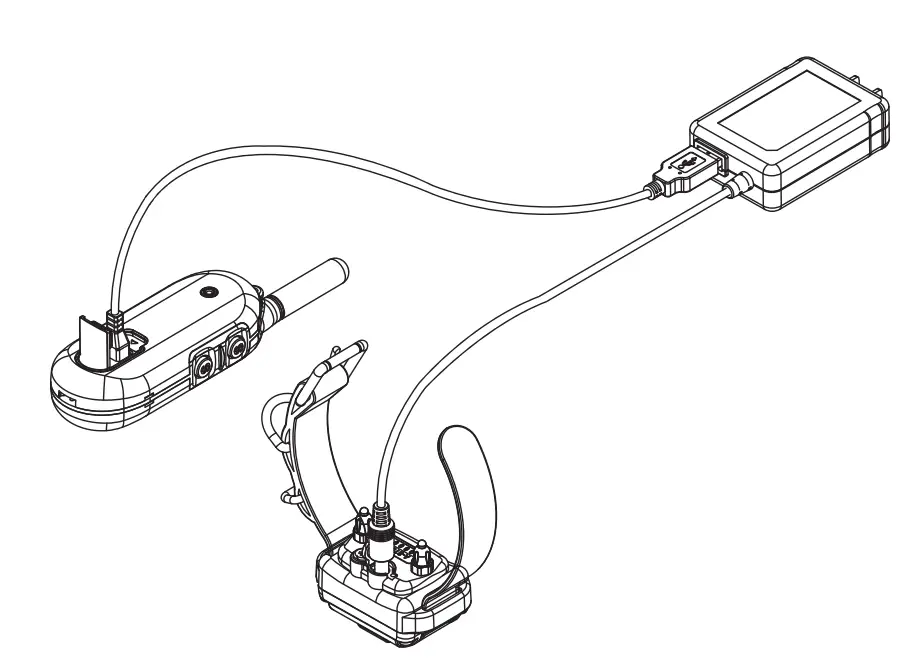
One bar remaining on the LCD display indicates charging is needed. Solid “Red” when stimulation/tone/vibration is applied.
Collar Receiver Indicator Light Blinking “Green” under normal operation. Solid “Red” when stimulation/tone/vibration is applied.
Blinking “Amber” when battery life is getting low. Blinking “Red” when recharging is required. Do not allow the batteries to get hot or be fully discharged, store at room temperature and 50% capacity charge.
* The indicator light will turn solid red during charge cycles and turn green when it is fully charged. (approximately 2 hours)
Special Note About Battery Care: Your e-collar is outfitted with Li Polymer batteries which requires specific care to assure longevity. It is best not to let the battery be fully discharged and if it does recharge immediately or irreversible damage may occur. Keep the units away from extreme heat and cold temperatures.
We suggest charging when you see the blinking “amber” color, typically between 24-48 hours of use to maximize the longevity of your battery life.
EZ-900/902 Functions
Easy Educator 900 provides 5 types of stimulation sensations, tone, and vibration.
| Stimulation | ||
| Icon | Function | Description |
| M | Momentary Stimulation | Send momentary stimulation (volume level) |
| M+ | Momentary Boost Stimulation | Send momentary boosting stimulation (volume + boost Level) |
| C | Continuous Stimulation | Send continuous stimulation (max 10 sec, volume level) |
| C+ | Continuous Boost Stimulation | Sends continuous boosting stimulation
(max 10 sec, volume + boost level) |
| I | Instant Mode | Without pressing any button, it will send continuous
stimulation by rotating volume dial. (max 45 sec) |
LCD Display 1 DOG Mode
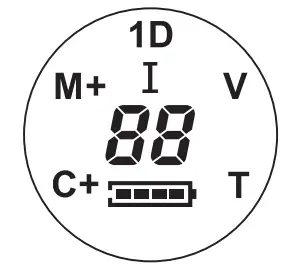
| Icon | Description | Remarks |
| M | Momentary Stimulation | Short Pulse of Stimulation |
| M+ | Momentary Boost Stimulation | Short Pulse of Boosted Stimulation |
| C | Continuous Stimulation | Up To 10 Seconds of Stimulation |
| C+ | Continuous Boost Stimulation | Up to 10 Seconds of Boosted Stimulation |
| I | Instant Stimulation Mode | Stimulation Level Displayed on the LCD, Must Start From “0” |
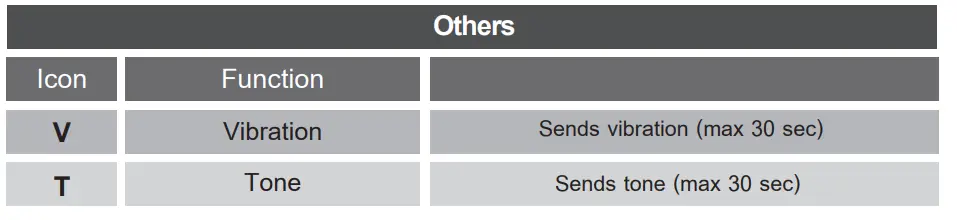
| V | Vibration | Non Stimulation Sensation Similar to a Vibrating Cell Phone |
| T | Tone | Audible Tone |
| Number | Stimulation Level | 0 to 100(HI) level |
The 900/902 Easy Educator has 4 control buttons which are assigned to stimulation, vibration, and tone. It also has 2 program buttons for changing modes (P) and turning the unit ON and OFF. The convenient dial provides for easy and sight-free control of the stimulation level.
factory setting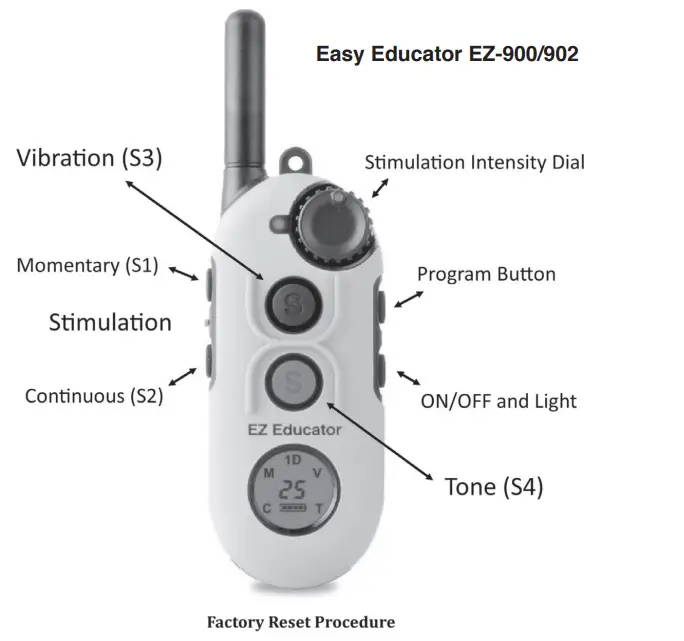
- Rotate the intensity dial to “0”
- Press the ON/OFF button and then press the $3 button and then press the S4 button simultaneously for 5 seconds, (ON/OFF + S3 + S4) Sequence is important!
- Three short beeps will confirm reset.
| Program Buttons | Function | Description | ||
|
ON/OFF | Power ON/OFF | Press more than 1 sec to turn ON Press more than 2 sec to turn OFF | ||
| Night Light | Press ON/OFF quickly to activate Light Toggles (Blinking → Solid → OFF) | |||
|
P | Volume Lock
Stimulation Lock Level | Press more than 1 sec to Lock/Unlock Stimulation Level | ||
|
Mode Buttons | Set Stimulation to Level “0“ | |||
| S1 mode change: P+S1 (M C V T)
S2 mode change: P+S2 (C V T M) S3 mode change: P+S3 (V T M C) S4 mode change: P+S4 (T M C V) | ||||
| Control Buttons | Function Possibilities |
| S1-Button | M / C(I) / V / T |
| S2-Button | M / C(I) / V / T |
| S3-Button | M / C(I) / V / T |
| S4-Button | M / C(I) / V / T |
| LCD Display | M / C / V / T |
| Booster Function | S1+S2, S2+S1 S3+S4, S4+S3
It is only activated when first button is M or C |
- To start Instant mode, rotate the volume to level 0 and press a button set to continuous “C” mode activates the “I” mode when pushed on level “0”
- To exit from Instant mode, press any button or wait for the 45 second time out.
I Mode / Lock and Unlock Stimulation Level
I mode must be activated using the computer interface tool. Works best with Windows 32 bit Java.
“I” Instant Stimulation Mode
The “I” mode is a patented feature which allows the stimulation to increase gradually as determined by the user. The gradual introduction of stimulation provides a more gentle sensation and removes the startling effect sometimes associated with applying a constant level of stimulation. The dog produces less cortisol and learns to avoid the higher levels by responding quickly to the command. The user has the flexibility of increasing the stimulation fast if the situation warrants a quick response from the dog.
How Instant Stimulation “I” Mode Works
- Change the mode of any S button to Continuous if not already programmed to “C” mode : The stimulation dial must be turned to “0” to enter the “I” mode.
- To start the “I”, push the assigned Continuous button. The display will flash On to indicate it is on and ready to begin stimulation.
- Turning the stimulation will now activate the stimulation at the setting of the dial and continue for 45 seconds. Returning to “0” will reset the 45 second safety timer.
- If you do not rotate the dial for 45 seconds the “I” mode will turn off and the control button will need to be pushed again.
- Pushing any of the other control buttons will turn off the “I” mode and therefore require the “I” mode control be pushed again to reactivate it.
- Again, to exit the Instant Mode, press any control button or wait for 45 seconds.
Lock and Unlock Stimulation Level
* Important Note: Blinking “1D” Indicates Unlocked Stimulation / Solid “1D” Indicates Locked Stimulation
- Set the desired stimulation level to be locked by rotating volume dial.
- Press P (Upper Left) button for more than 1 second.
- Check LCD display to confirm “1D” icon changes blinking to solid.
- To unlock, press P button for more than 1 second.
Booster Level Setup / Lost Transmitter Activation
Booster Level Setup
- Change the mode of any S button to Momentary if not already programmed to “M” mode.
- Change the Stimulation level to “0” (Stimulation level should be unlocked)
- Press the Momentary button for more than 5 sec and enter into Booster Level Change Mode.
- Check LCD displays M+ / C+ icon
- Rotate the dial to change the booster level. (The range of booster level is from 1 to 60, default is 5)
- Press Momentary Button again to exit from Booster Level Change Mode.
Lost Transmitter Activation (6 Hour Timer)
- Change the Stimulation level to “0”
- Press ON/OFF button and then press P button simultaneously.
- One short beep will sound confirming the activation of the locator timer.
- To deactivate, press ON/OFF button and P button one more time.
- Two short beeps will sound confirming the deactivation of the locator timer.
- The transmitter will start beeping 6 hours from activation so plan your excursion accordingly.
EZ-900/902 One Dog Default Settings
Factory default setting of EZ-900/902 is as below. You can change Tone Mode, Vibration Mode, and Instant Mode by using computer interface tool which can be downloaded at http://www.ecollar.com
| Factory Default Setting | |
| S1-Button | Momentary |
| S2-Button | Continuous |
| S3-Button | Vibration |
| S4-Button | Tone |
| Boost Level | 5 |
| Tone Mode | Mode – 2 |
| Vibration Mode | Mode – 4 |
| Instant Mode | Normal Mode |
Pairing/Syncing
When you change transmitters or collar receivers they will need to paired/ synced to each other for them to communicate with each other. Pairing/Syncing (ON/OFF + S3)
- Turn on the Transmitter.
- rotate the intensity dial to “0”.
- Turn off the collar receiver. Put the red dot on the transmitter against the red dot on the collar receiver for more than 5 seconds till the solid green light starts blinking on and off rapidly.
- Press the ON/OFF button and then press the S3 button (Front Top) simultaneously.
- Listen for confirmation sound from the Collar Receiver.
- Test the collar receiver to make sure it accepted the new transmitter.
Expand to Two Dog
(Press On/Off+S3+S4 for 5 sec)
EZ-900 can be easily expanded to two dog EZ-902. When you purchase additional Collar Receiver,you can change EZ-900 Transmitter to operate lke an EZ-902, see website for owner’s manual.
- Rotate the intensity dial to “0”.
- Press the ON/OFF button and then press S3 button (Front Top) & S4 button (Front Bottom) simultaneously for 5 sec.
- Three short beep sounds will confirm that S/W is changed to EZ-902 Mode successfully. (2D icon will be appeared at LCD Display)
- If you want to change back to an EZ-900, press ON/OFF button + S1 + S2 for 5 sec.
Pairing/Syncing
When you change transmitters or collar receivers they will need to be paired/ synced to each other for them to communicate with each other.
Pairing for Dog 1 (ON/OFF + S3)
- Turn on the Transmitter.
- Rotate the volume dial to “0”.
- Turn off the collar receiver. Put the red dot on the transmitter against the red dot on the collar receiver for more than 5 seconds until the solid green light starts blinking on and off rapidly.
- Press the ON/OFF button and then press the S3 button (Front Top) simultaneously.
- Listen for confirmation sound from the collar receiver.
- Test the collar receiver to make sure it accepted the new transmitter code.
Pairing for Dog 2 (ON/OFF + S4)
- Turn on the transmitter.
- Rotate the intensity dial to “0”.
- Turn off the collar receiver. Put the red dot on the transmitter against the red dot on the collar receiver for more than 5 seconds until the solid green light starts blinking on and off rapidly.
- Press the ON/OFF button and then press the S4 button (Front Bottom) simultaneously.
- Listen for confirmation sound from the collar receiver.
- Test the collar receiver to make sure it accepted the new transmitter code.
The 900/902 Easy Educator has 4 control buttons which are assigned to stimulation, vibration and tone. S1 / S3 buttons are programmed for Dog 1 and S2 / S4 buttons are programmed for Dog 2. It also has 2 program buttons for changing modes (P) and turning the unit ON and OFF. The conven-ient volume dial provides for easy and sight free control of the stimulation level.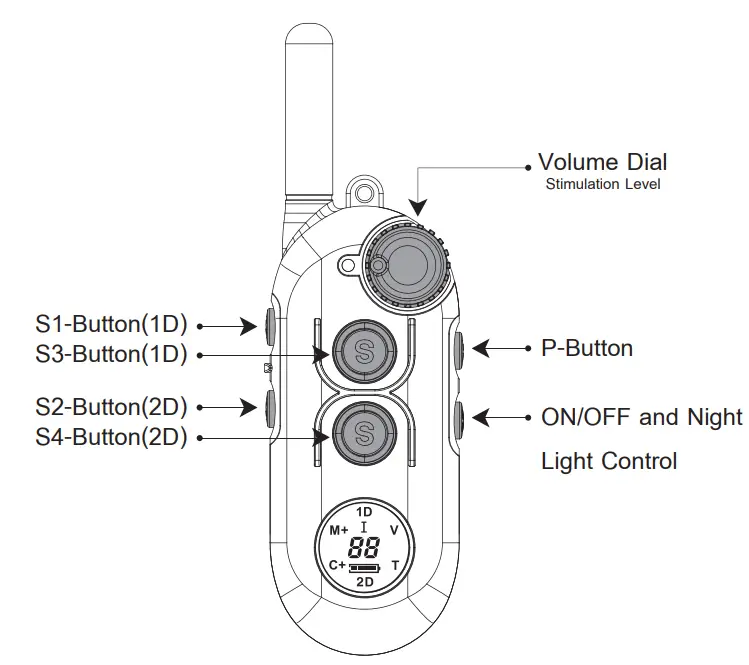
| Program Buttons | Function | Description |
|
ON/OFF | Power ON/OFF | Press more than 1 sec to turn ON Press more than 2 sec to turn OFF |
|
Night Lights | 1D light : ON/OFF + S1 (toggling : blink solid off) 2D light : ON/OFF + S2 (toggling : blink solid off) | |
|
P | Volume Lock
Stimulation Level Lock | 1D Volume lock : P+S3 (more than 1 sec) 2D Volume lock : P+S4 (more than 1 sec) |
|
Mode Buttons | Set Stimulation to Level “0“
S1(Dog1) mode change: P+S1 (M C V T) S2(Dog2) mode change: P+S2 (M C V T) S3(Dog1) mode change: P+S3 (V T M C) S4(Dog2) mode change: P+S4 (V T M C) |
| Control | Function Possibilities | |
| Buttons | 1Dog | 2Dog |
| S1-Button | M / C(I) / V / T | N / A |
| S2-Button | N / A | M / C(I) / V / T |
| S3-Button | M / C(I) / V / T | N / A |
| S4-Button
LCD Display | N / A | M / C(I) / V / T |
| M / C / V / T / 1D / 2D | ||
| Booster Function | 1D Booster : S1+S2, S3+S4
It is only activated when first button is M or C | 2D Booster : S2+S1, S4+S3
It is only activated when first button is M or C. |
- To start Instant mode, rotate the volume to level 0 and press a button set to continuous, “C” mode activates the “I” mode when pushed on level “0”
- To exit from Instant mode, press any button or wait for the 45-second time out.
EZ-902 Two Dog Default Settings
Factory default setting of EZ-902 is as below. You can change Tone Mode, Vibration Mode, and Instant Mode by using computer interface tool which can be downloaded on our website www.ecollar.com.
| Factory Default Setting | |
| S1-Button | 1D Momentary |
| S2-Button | 2D Momentary |
| S3-Button | 1D Vibration |
| S4-Button | 2D Vibration |
| Boost Level | 5 |
| Tone Mode | Mode – 2 |
| Vibration Mode | Mode – 4 |
| Instant Mode | Normal Mode |
Booster Level Setup
Boost Level Setup for Dog 1
- Change the mode of S1 or S3 button to Momentary if not already programmed to “M” mode.
- Change the Stimulation level to “0” (Stimulation level should be unlocked)
- Press the Momentary button for more than 5 sec to enter the Boost Level Change Mode.
- Check LCD displays M+ / C+ icon
- Rotate the dial to change the boost level. (The range of boost level is from 1 to 60, the default is 5)
- Press Momentary Button again to exit from Boost Level Change Mode.
Boost Level Setup for Dog 2
- change the mode of S2 or S4 button to Momentary if not already programmed to “M” mode.
- change the Stimulation level to “0” (Stimulation level should be unlocked)
- Press the momentary button for more than 5 sec to enter the Boost Level Change Mode.
- Check LCD displays M+ / C+ icon
- Rotate the dial to change the boosted level. (The range of boosted level is between 1 and 60, the default is 5)
- Press Momentary Button again to exit from Boost Level Change Mode.
Lock and Unlock Stimulation Level
Lock and Unlock Stimulation Level for Dog 1
- Check LCD display to confirm 1D icon is blinking.
- Set the desired stimulation to lock by rotating the volume dial.
- Press P button and S3 simultaneously and hold one second to lock.
- Check LCD display to confirm 1D icon changes blinking to solid
- To unlock press P button and S3 simultaneously and hold for one second.
- Check LCD display to confirm 1D icon changes from solid to blinking.
Lock and Unlock Stimulation Level for Dog 2
- Check LCD display to confirm 2D icon is blinking.
- Set the desired stimulation to lock by rotating volume dial.
- Press P button and S4 simultaneously and hold one second to lock.
- Check LCD display to confirm 2D icon changes blinking to solid
- To unlock press P button and S4 simultaneously and hold one second.
- Check LCD display to confirm 2D icon changes from solid to blinking.
* Important Note: Blinking “1D” or “2D” Indicates Unlocked Stimulation Solid “1D” or “2D” Indicates Locked Stimulation.
Warranty and Registration
To register your EZ Educator please select one of the following procedures
- Go to the “Products” section on www.ecollar.com and click the “Register Your e-Collar Products” tab and complete the form
- Call us at (260) 357-0051 and one of our customer service representatives will register your products for you, please have your serial number available.
Two-Year Full Warranty:
Your product is covered by our full two-year warranty. During the warranty period, we will repair and or replace your product for any reason due to workmanship and component failures. Dog chews and misuse are not covered by the warranty and are subject to a repair/replacement fee.
Contact Information

E-Collar Technologies, Inc. 2120 Forrest Park Drive Garrett, IN 46738
Toll-Free 1-855-326-5527
Toll-Free Fax 1-855-226-5527
International : 001-260-357-0051
www.ecollar.com
[email protected]
[email protected]
This product is covered by various patents including but not limited to patents 8757098 and 8833309. Patent is pending on the Instant Stimulation Feature on this device.
Copyright 2014 E-Collar Technologies, Inc. All Rights Reserved.
Important NOTICE
About Contact Points:
Many dogs in our modern society have developed sensitivity to nickel which is a metal in all stainless steel products. Keep a watchful eye on your dogs skin where the contact points are touching his/her skin for redness or any signs of irritation. This should be done hourly at first and slowly transition to once every four hours after a month of daily wearing of the e-collar. At first notice of redness immediately switch to one of our hypoallergenic contact points, we offer both nickel-free stainless steel and titanium contact points. Dogs with sensitive skin and certain breeds with known skin sensitivities like Pit Bull Terriers and Boxers should be switched early in the process as a precautionary move.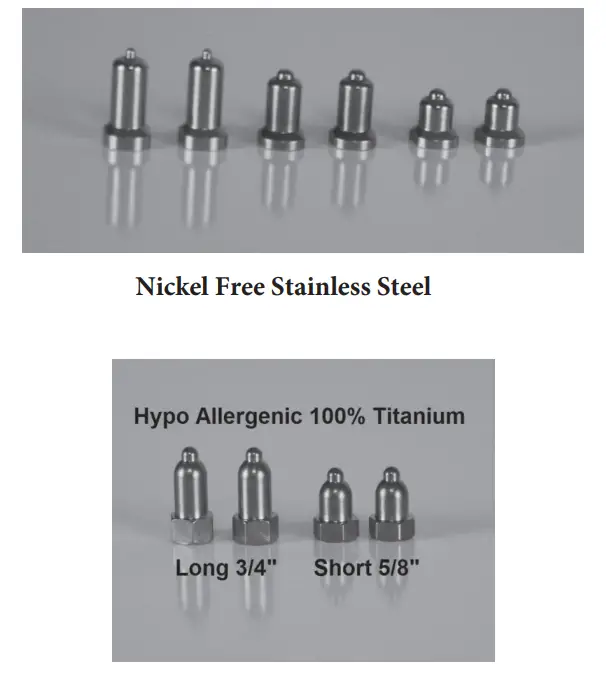
Available on www.ecollar.com or by calling 1-855-326-5527
Accessories
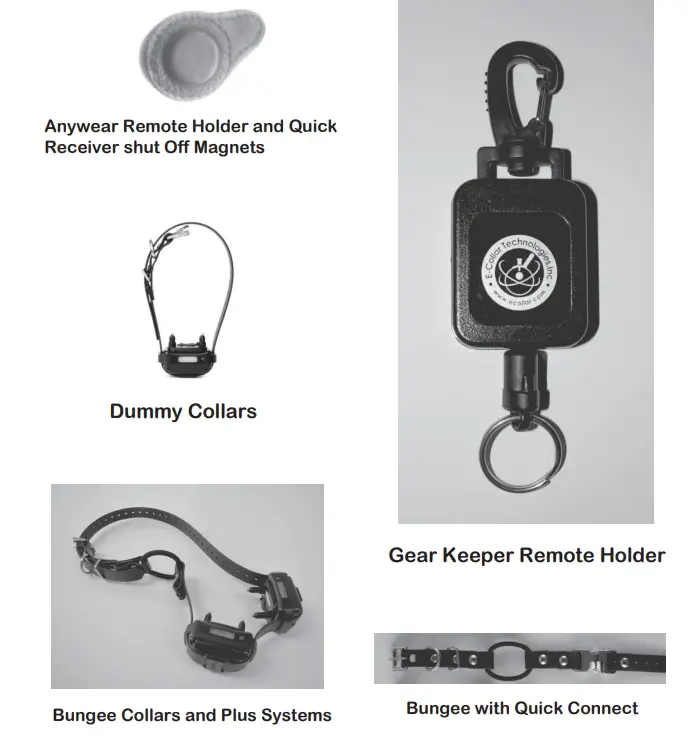
Many more available on
Note
Item should be placed out of the reach of children.
This product is not intended for use by persons (including children) with reduced physical, sensory or mental capabilities, or lack of experience and knowledge unless they have been given supervision or instruction concerning used of the product by a person responsible for their safety. This includes cleaning and maintenance. Item is only to be used with the power supply (charger) provided with this product.
NOTICE TO PREVENT WATER DAMAGE
If the Receiver is exposed to water on a regular basis, tighten screws once or twice a month depending on the frequency of water exposure. Please make sure screws are snug but not overly tight. This will help prevent internal water damage.
Possible Metal Allergy
Dogs vary in sensitivity and may develop symptoms of a metal allergy. Which may include irritation, redness, hair loss, sores, etc.
Please rotate the collar receiver from side to side daily to check for allergies. If allergies occur, hypoallergenic contact points are available for purchase at www.ecollar.com or 260-357-0051
E-Collar Technologies, Inc.
2120 Forrest Park Drive Garrett, IN 46738-9471
1-260-357-0051 (US & Internationa) 1-855-326-5527 (US Toll Free)
1-855-226-5527 (US Toll-Free Fax)
[email protected] www.ecollar.com
FAQS
It should work just fine with Boston Terrier.
We really like this E-collar, we initially used it when our Boston Terrier was a puppy and still use it 2 years later to keep the dog in check,
You can check it in but do not bring it in the cabin with you.
Yes it is programable
We received two collars and one receiver that you program for each collar. Works great!
Yes. As luck would have it, I have the book with me. Page 14 explains how to expand the program to two dogs.
No, additional collars can not be synced together. Each color has to work independently.
Yes,
No
Yes, we bought one on Amazon. It works great. Search: Educator Additional Receiver and Collar for Pro Advanced Dog Training.
We purchased this item twice at the beginning of 2019, both with bad batteries (didn’t hold a charge).
We, therefore, purchased SportDOG Brand SportTrainer Remote Trainers – Bright, Easy to Read OLED Screen – Waterproof, Rechargeable Dog Training Collar with Tone, Vibration, and Static https://www.amazon.com/SportDOG-Brand-SportTrainer-Remote-Trainers/dp/B077PZF7H5, and love it. The controller and the neck collars hold a charge FOREVER! We obediently train our dogs, so they wear it daily. The neck collars could be on for 8 hours a day for a week before I think about charging them. We hardly charge the controller. There is an on/off the neck collars (which we turn them off when we take them off the dogs), but there’s no on/off controller. It’s always on. We have taken our dogs hiking when the battery on the neck collar was low, so the vibrate/shock function didn’t working, but the “beep” function still worked. Highly recommend!
When I emailed the manufacturer in March 2019, they responded that instant mode was it disabled on all remotes by default, but could be enabled if the customer used the software provided on the flash drive that comes with every kit. You have to run the software on the flash drive and plug the remote into the computer at the same time oh, and use the software to “update” the firmware on the remote with instant mode enabled. if you have more questions about this process, contact their technical support personnel.
Adjustable between 0-100. My 65-pounders cannot feel anything below 5 and I got them both to stop dead in their tracks once with 50. I cant see me going much over that ever. Unless there are other aggressive, barking dogs around, the usual setting I use is 10-15. It does get their attention for sure.
It all came in a cardboard box, with a manual.
yes, it will. I have a boxer that has grown into his e-collar that I purchased, it has fit her throughout her training by simply adjusting the collar as she has grown, there is more than enough power going to the prongs to help out with your training needs.