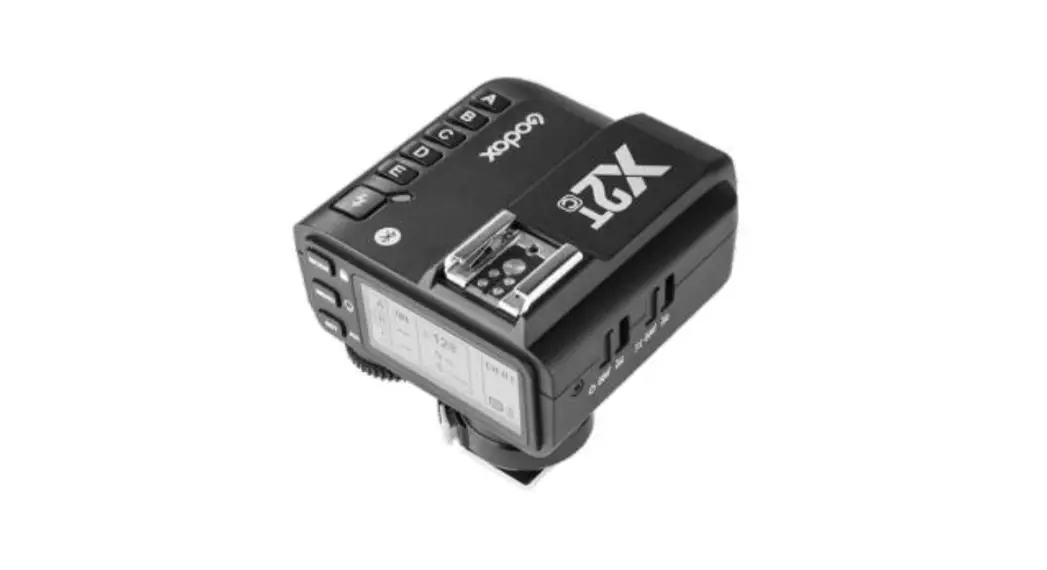
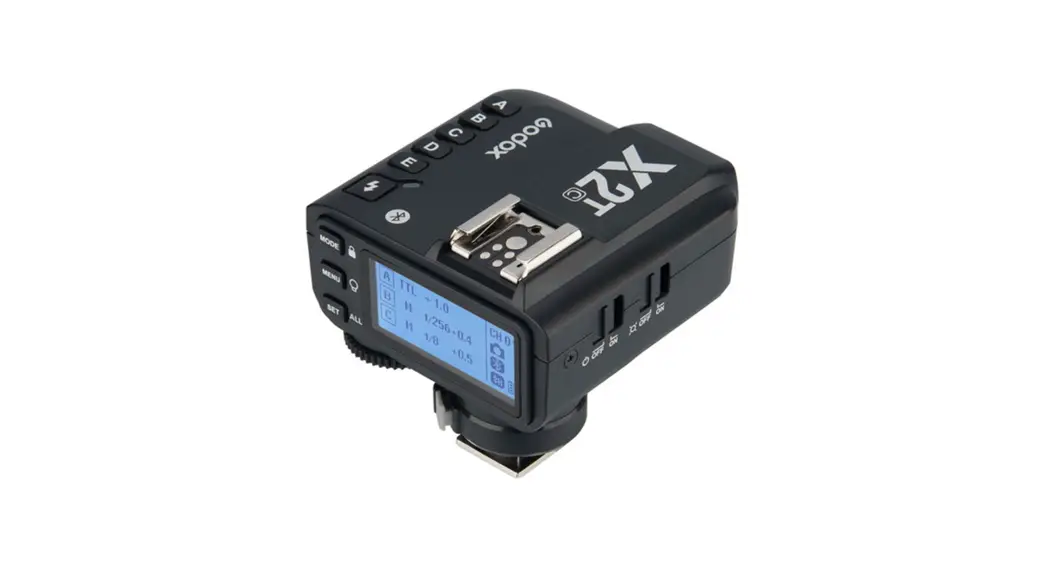
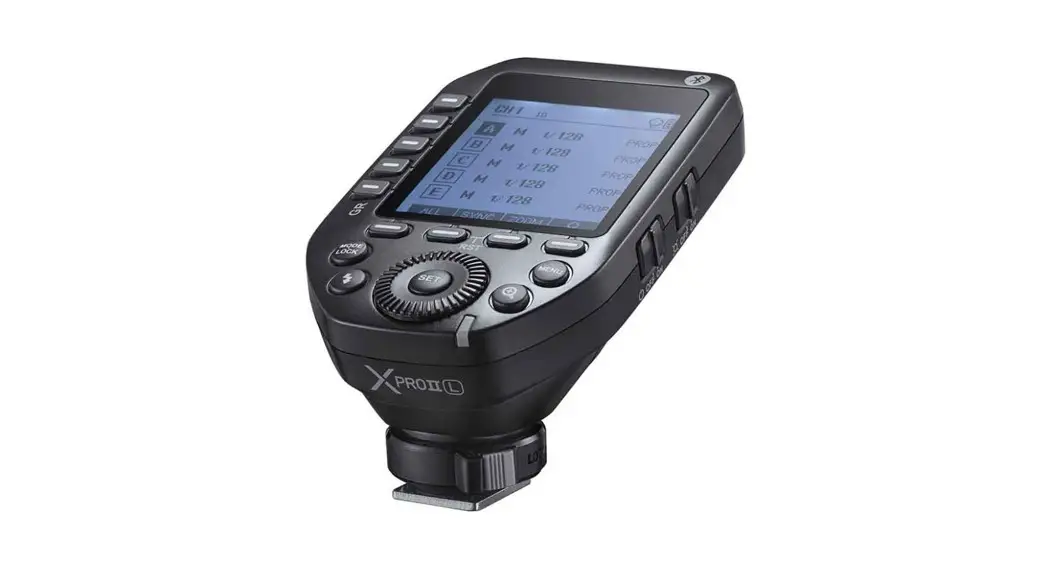
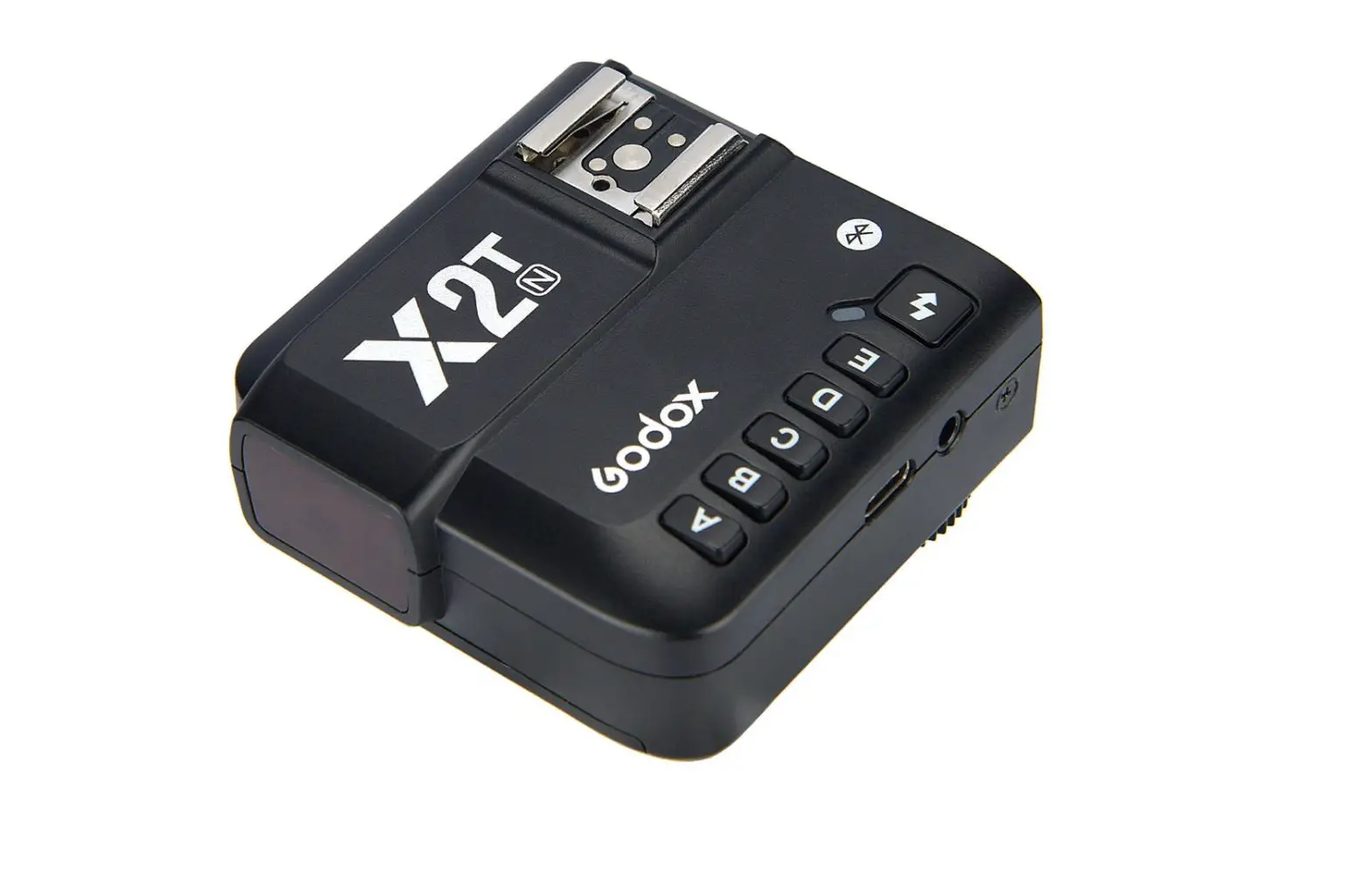
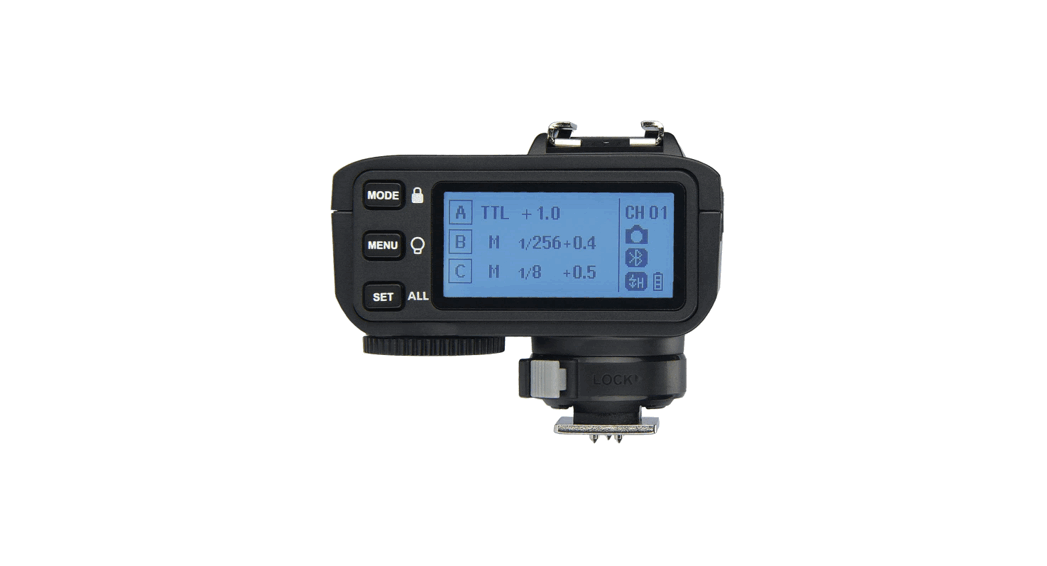
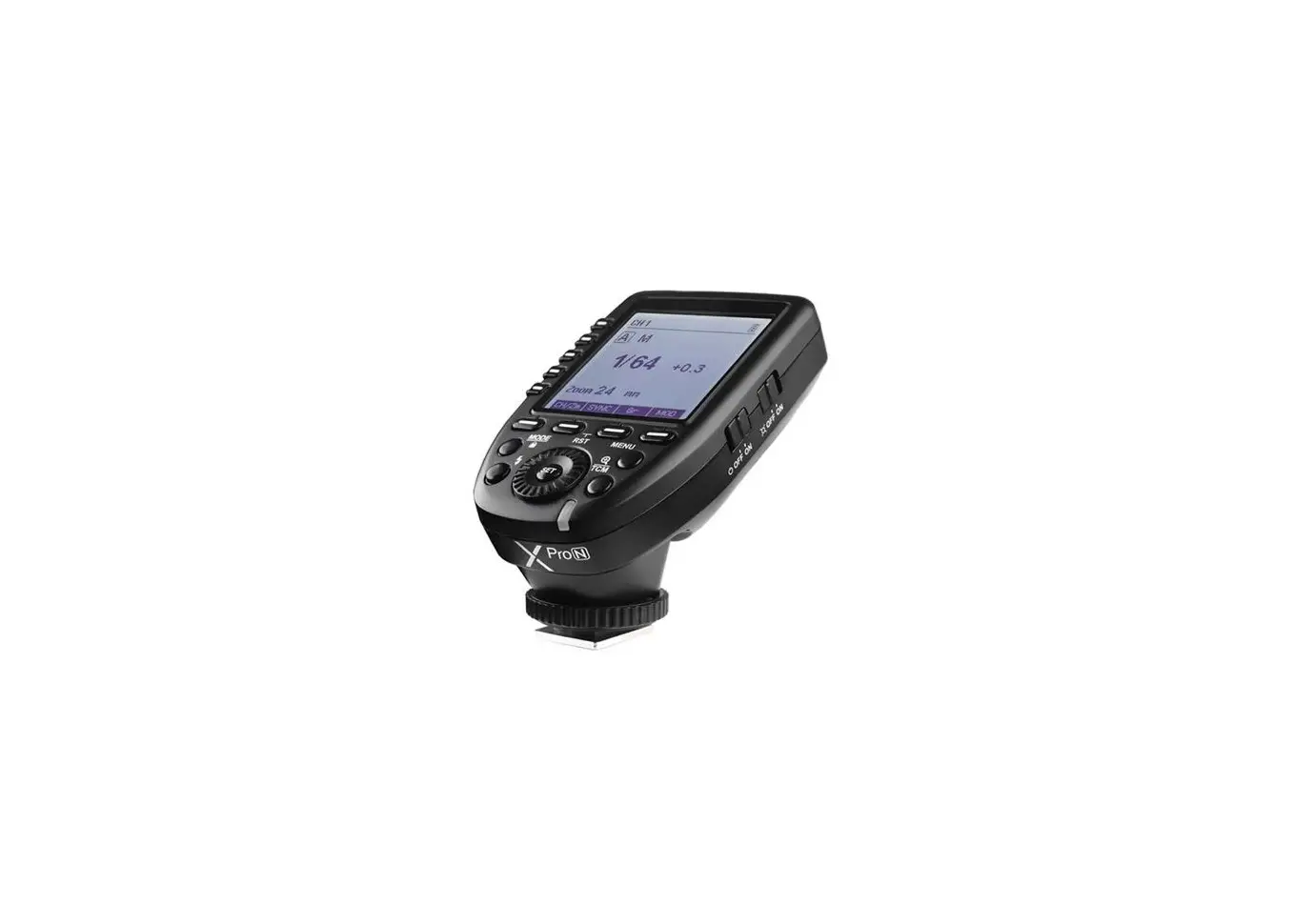
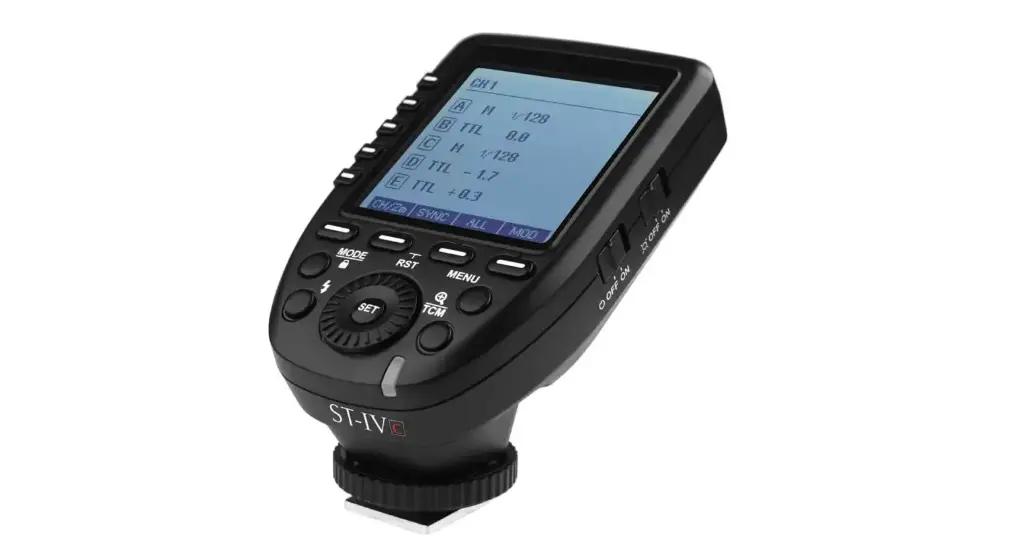
X2T-P Wireless Flash Trigger
Product Information:
Product Name: TTL Wireless Flash Trigger
Model Number: 705-X2TP00-07
Manufacturer: GODOX Photo Equipment Co., Ltd.
Country of Origin: China
Product Usage Instructions:
To use the TTL Wireless Flash Trigger, follow the instructions
below:
- Make sure the device is powered on and the batteries are
inserted correctly. - Set the desired mode using the MODE button.
- Use the MENU button to navigate through the settings.
- Adjust the various parameters such as channel, group, and zoom
using the SET button. - The LCD screen displays important information and settings.
Refer to the user manual for detailed explanations of the displayed
icons and symbols. - Connect the TTL Wireless Flash Trigger to your camera using the
appropriate cable or wireless connection. - Adjust the flash settings on your camera according to your
needs. - Ensure that the flash trigger is properly synchronized with
your flash unit. - You can use the TTL/MULTI switch to switch between TTL
(Through-The-Lens) and MULTI (Multiple) flash modes. - Make use of the various features such as AF assist, FEC (Flash
Exposure Compensation), and zoom control to achieve the desired
lighting effects. - Refer to the user manual for detailed instructions on advanced
features and settings.
Note: For any further assistance or troubleshooting, please
refer to the user manual or contact the manufacturer at the
provided contact details.
705-X2TP00-07
QC PASS
TTL
TTL Wireless Flash Trigger
: : 0755-29609320(8062)
2 : 0755-25723423
GODOX Photo Equipment Co., Ltd. Add: Building 2, Yaochuan Industrial Zone, Tangwei Community, Fuhai Street, Bao’an District, Shenzhen, China Tel: +86-755-29609320(8062) Fax: +86-755-25723423 E-mail: [email protected]
godox.com
Made in China
Instruction Manual
02
02
SHOOT
03
C.Fn
12
LCD
04
3.5mm
05
16
16
AF
17
18
ID
19
19
20
20
()
ZOOM
– 01 –
X2T-P X
PENTAXPC TTL1/8000s *—-1/8000s
50
– 02 –
MODE/ MENU/ SET/ALL/
A M 1/128 CH 01 B C
A B C D E /
Type-C USB 3.5mm
STATUS –: ()+() — : ()+()
– 03 –
AF –ON –OFF
–ON –OFF
LCD
8
9
1
4
11
7 A M 1/128 CH 01 2 SYNC
V0.2
B
5 BLUE.T.
3
BEEP
C
10 ZOOM
1/4
46
1.(32) 2. 3. 4./ 5. 6. 7. 8. 9. 10.ZOOM 11.
2AA ()
LCD
– 04 –
LCD 3 2 1
< 2.5V( )
* AA
“ON”
1. 60LCD 2. PENTAX
<MENU>STBYOFF
AF
AF”ON” AF
– 05 –
1. <MENU>CH 2. 3. 321-32
ID
ID ID <MENU>C.Fn ID, <SET>OFF01-99 *IDOFF
1. <MODE> TTL/M/- – A/B/C TTL M/-
2. <MODE> MULTI<MODE> MULTI”ON” “–”
A M 1/128 B C
A ON 1/128
B ON 1Hz
C
1Times
– 06 –
CH 01 CH 01
M 1 Min~ 1/1 0.10.3
<SET> 2 <ALL>Min~ 1/1
0.10.3 <ALL> Min. MMultiC.Fn-STEP 1/128 0.3, 1/256 0.3, 1/128 0.1, 1/256 0.1, 3.0(0.1), 2.0(0.1) 1/1281/256AD600 1/256
TTL FEC -3 ~ 3 0.3 <SET> FEC
1. (TTLM) 2. Hz()
Times() 3. <SET>, Min. ~
1/4
A ON 1/128
B ON 1Hz
C
1Times
CH 01
– 07 –
4. <SET>Hz 5. <SET>Times
6.
<SET> 7.
<MODE> *:
1. <MENU> 2
ZOOM
1. <MENU>ZOOM <SET>ZOOM AUTO/24-200
ZOOMAuto(A)
SYNC BLUE.T. BEEP ZOOM
V0.2
24
1/4
– 08 –
1. <MENU>
SYNC
V0.2
SYNC, ,
BLUE.T.
BEEP
ZOOM
1/4
<MENU>BEEP,<SET>
ONOFF
SYNC BLUE.T.
OFF
V0.2
<MENU>
BEEP ON
ZOOM
1/4
1. <MENU> PC SYNC,
SCAN
V0.2
<SET>INOUT <MENU>
CH
IN
ID OUT
PC SYNC 1.1 INX2T-P
2/4
1.2 OUT
– 09 –
SHOOT
<MENU> SHOOT, <SET><MENU> MMulti APP(APP )
DELAY SHOOT DIST STEP
V0.2
APP 3/4
– 10 –
C.Fn
SYNC
BLUE.T.
OFF
ON
BEEP
ON
OFF
ZOOM
ZOOM 24
AUTO/24-200
SCAN
OFF
START
CH
01
01-32
ID
ID
OFF
01-99
01-99()
PC SYNC
IN
X2T-P
OUT
DELAY
OFF
0.1ms-9.9ms
SHOOT
M&Multi
APP
APP
(APP)
DIST
0-30m
0-30m
1-100m
1-100m
STEP
1/128(0.3) 1/128(0.3)
1/256(0.3) 1/256(0.3)
1/128(0.1) 1/128(0.1)
1/256(0.1) 1/256(0.1)
3.0(0.1)
3.0(0.1)
2.0(0.1)
2.0(0.1)
– 11 –
GROUP
STBY
LIGHT LCD
LCD
5 (A-E) 3 (A-C) 60sec 30min 60min OFF 12sec OFF ON -3-+3
5A/B/C/D/E 3A/B/C 60 30 60 -12 -3+3
TT685C
1.1
SCAN
V0.2
CH 19
1.2 <MENU> ()
ID PC SYNC
2/4
– 12 –
1.3 < > < ><SLAVE>
M
M Zoom 24mm
<CH> <Gr> (
CH19 SLAVE A
1/128
)
Zm/C.Fn ± Gr CH
1.4 ”
”
AD600B 2.1
2.2 <MENU>
() 2.3 < >
< > <GR/CH> < GR/CH > ( ) 2.4 ” ”
– 13 –
GS400II
CH
3.1
3.2 <MENU>
%
3.3 <GR/CH><S1/S2>
< > <GR/CH> <GR/CH>
3.4 “”
1/32 1/32 TTLM
3.5mm
4.1 ”
” “” 4.2 ,
<MENU>C.FnPC SYNC OUT 4.3
– 14 –
APP
5.1 <MENU>BLUE.T.
ON 5.2 APP Store”GodoxPhoto”
APP
5.3 APP
5.4 ID (“000000”)
5.5 APP
5.6 5.7
APP,, 5.8 APP APP 30min.
SYNC
V0.2
BLUE.T. OFF
BEEP ON
ZOOM GDBH A7BC 1/4
“GodoxPhoto”
– 15 –
()
iPhone 6S iPhone 6S Plus iPhone 7 Plus iPhone 7 iPhone 8 Plus iPhone 8 iPhone 6 Plus iPhone 6 iPhone X P9 P10 P10 Plus Mate 9 Pro Mate 9 Mate 10 Pro Mate 10 P20 P20 Pro galaxy S8 galaxy Note8 galaxy S9 1. 2.
X2T-P —
AD600/AD400/AD360II/AD200/
V860II/V850II/V350N/TT685/TT600/
TT350N/TT585/II/QTII/SK II/
DP II/GSII
XTR-16 AD360/AR400
USB
/SK/DP/
GT/GS
XTR-16S V860N/V850
*X2T-P
– 16 –
XTX2
XT-16
ON
ON
ON
ON
ON
ON
ON
ON
()
X2 CH01
CH02
CH03
CH04
CH05
CH06
CH07
CH08
XT-16 ON
ON
ON
ON
ON
ON
ON
ON
()
X2 CH09
CH10
CH11
CH12
CH13
CH14
CH15
CH16
PENTAX
K-1
645Z
K70
K50
KP
K-S2
K-3II
1. 2.
– 17 –
:
(M) TTL ZOOM
X2T-P PENTAX PC iphone,( 2*AA
±31/3 3.5mm Type-C USB 2
– 18 –
ID /
X2T-P
0-100 2.4G MSK 32 01-99 5
72x70x58mm/90g
MODE
USB
USBUSBType-C USB Type-C USB Godox G3 “Godox G3”
:CMIIT ID:2019DP9857
– 19 –
1.
2. MF AF
3. 4. 2.4G 1. 2.4G(2.4Gwifi)
CH(+10) 2.4G 2. ( ) TTLM(TTL) 3. (<0.5m) “”: C.Fn-DIST0-30m 4. (1.5V)
– 20 –
Contents
22 Foreword
23 Warning
24 Names of Parts
Body
35
LCD Panel
26 Battery
Installing Batteries
Battery Level Indication
27 Setting the Flash Trigger
Power Switch
Automatically Enter Power Saving Mode 41
Power Switch of AF Assist Beam
42
Channel Settings
43
Wireless ID Settings
44
Mode Settings
45
Output Value Settings
45
Flash Exposure Compensation Settings 46
Multi Flash Settings (Output Value, Times 47 and Frequency)
Modeling Lamp Settings
ZOOM Value Settings
Shutter Sync Settings
Buzz Settings
Sync Socket Settings SHOOT Function Settings C.Fn: Setting Custom Functions Using the Flash Trigger As a Wireless Camera Flash Trigger As a Wireless Outdoor Flash Trigger As a Wireless Studio Flash Trigger As a Flash Trigger
with 3.5mm Sync Cord Jack Connect to Smartphone through Bluetooth Compatible Smartphone Models Compatible Flash Models Compatible Camera Models Technical Data Restore Factory Settings Firmware Upgrade Attentions Caring for Flash Trigger
– 21 –
Foreword
Thanks for your purchase of this X2T-P wireless flash trigger. This wireless flash trigger is suitable for using Pentax cameras to control Godox flashes with X system e.g. camera flash, outdoor flash, and studio flash. Featuring multi-channel triggering, stable signal transmission, and sensitive reaction, it gives photographers unparalleled flexibility and control over their strobist setups. The flash trigger applies to hotshoe-mounted Pentax series cameras, as well as the cameras which have PC sync sockets. With X2T-P wireless flash trigger, high speed synchronization is available for most of camera flashes in the market which support TTL. The max flash synchronization speed is up to 1/8000s *. *: 1/8000s is achievable when the camera has a max camera shutter speed of 1/8000s.
– 22 –
Warning
Do not disassemble. Should repairs become necessary, this product must be sent to an authorized maintenance center. Always keep this product dry. Do not use in rain or in damp conditions. Keep out of reach of children. Do not use the flash unit in the presence of flammable gas. In certain circumstance, please pay attention to the relevant warnings. Do not leave or store the product if the ambient temperature reads over 50. Turn off the flash trigger immediately in the event of malfunction. Observe precautions when handling batteries
– Use only batteries listed in this manual. Do not use old and new batteries or batteries of different types at the same time.
– Read and follow all warnings and instructions provided by the manufacturer. – Batteries cannot be short-circuited or disassembled. – Do not put batteries into a fire or apply direct heat to them. – Do not attempt to insert batteries upside down or backwards. – Batteries are prone to leakage when fully discharged. To avoid damage to the
product, be sure to remove batteries when the product is not used for a long time or when batteries run out of charge. – Should liquid from the batteries come into contact with skin or clothing, rinse immediately with fresh water.
– 23 –
Names of Parts
Body
Hot Shoe Speedlight Connection
Mode Selection/Locking Button
Menu Button/ Modeling Lamp Control
ALL Settings Selection/ All Selection
A M 1/128 CH 01 B C
Hot Shoe Camera Connection Note: All the buttons have backlight, which is convenient for usage in dark environment.
AF Assist Beam Switch –ON (AF Assist Beam outputs)
–OFF (AF Assist Beam do not output)
Power Switch –ON (Power On) –OFF (Power Off)
AF-assist Lamp Battery Compartment
Group Button A Group Button B Group Button C Group Button D Group Button E TEST/Shutter Button
Type-C USB Port
3.5mm Sync Cord Jack
Status Indicator Lamp –Green: Trigger (Flash) + Focus (Camera) –Red: Trigger (Flash) + Shutter (Camera)
– 24 –
Select Dial
Names of Parts
LCD Panel
8
9
1
4
11
7 A M 1/128 CH 01 2 SYNC
V0.2
B
5 BLUE.T.
3
BEEP
C
10 ZOOM
1/4
4 6 Group Display
Menu
1. Channel (32) 2. Camera Connection 3. Modeling Lamp Master Control 4. High-Speed/Rear Curtain Sync 5. Sound 6. Battery Level Indication 7. Group 8. Mode 9. Power 10. ZOOM Value 11. Version
– 25 –
Battery
AA alkaline batteries are recommended. Installing Batteries As shown in the illustration, slide the battery compartment lid of the flash trigger and insert two AA batteries separately. Battery Indication Check the battery level indication on the LCD panel to see the remaining battery level during the usage.
Battery Level Indication Meaning
3 grids
Full
2 grids
Middle
1 grid
Low
Blank grid
Low battery, please replace it.
Blinking
< 2.5V The battery level is going
to be used out immediately (please
replace new batteries, as low power
leads to no flash or flash missing in
case of long distance).
The battery indication only refers to AA alkaline batteries. As the voltage of Ni-MH battery tends to be low, please do not refer to this chart.
– 26 –
Setting the Flash Trigger
Power Switch
Slide the Power Switch to ON, and the device is on and status indicator lamp will not reveal. Note: In order to avoid power consumption, turn off the transmitter when not in use.
Automatically Enter Power Saving Mode
1. The system will automatically enter standby mode after stop operating the transmitter over 60 seconds. And the displays on the LCD panel disappear now.
2. Press any button to wake up. If the flash trigger is attached to the hot shoe of Pentax camera, half press the camera shutter can also wake the system up. Note: If do not want to enter power saving mode, press the <MENU> button to enter C.Fn custom settings and set STBY to OFF.
Power Switch of AF Assist Beam
Slide the AF-assist beam switch to ON, and the AF lighting is allowed to output. When the camera cannot focus, the AF assist beam will turn on; when the camera can focus, the AF assist beam will turn off.
Channel Setting
1. Short press the <MENU> button and choose CH to set the channel value. 2. Turn the select dial to choose the appropriate channel. The channel value will be
confirmed after exiting the menu. 3. This flash trigger contains 32 channels which can be changed from 1 to 32. Set the
transmitter and the receiver to the same channel before usage. – 27 –
Setting the Flash Trigger
Wireless ID Settings
Change the wireless channels and wireless ID to avoid interference for it can only be triggered after the wireless IDs and channels of the master unit and the slave unit are set to the same. Press the <MENU> button to enter C.Fn ID. Press the <SET> button to choose OFF channel expansion shutdown, and choose any figure from 01 to 99. Note: It can only be used when the slave units have the wireless ID settings functions. If they do not have, please set the ID to OFF.
Mode Setting
1. After pressing the group button to select one group, press the <MODE> button and all the current group’s mode will be changed by the order of TTL/M/–. Note: Only A/B/C group can be set to TTL mode, the rest two groups can only be set to M/– mode.
2. In normal situation, press the <MODE> button to switch the multi-group mode to MULTI mode. Press the group selection button and then press the <MODE> button can set the MULTI mode to ON or OFF.
A M 1/128 B C
A ON 1/128
B ON 1Hz
C
1Times
CH 01 CH 01
– 28 –
Setting the Flash Trigger
Output Value Settings
In the M mode 1. Press the group button to choose the group, turn the select dial, and the power
output value will change from Min to 1/1 in 0.3 stop increments. Press the <SET> button to confirm the setting. 2. Press <ALL> button to choose all groups’ power output value, turn the select dial, and all groups’ power output value will change from Min to 1/1 in 0.3 stop increments. Press <ALL> button again to confirm the setting.
Note: Min. refers to the minimum value that can be set in M or Multi mode. The minimum value can be set to 1/128 0.3, 1/256 0.3, 1/128 0.1, 1/256 0.1, 3.0(0.1) and 2.0(0.1) according to C.Fn-Min. For most of camera flashes, the minimum output value is 1/128 and cannot be set to 1/256. However, the value can change to 1/256 when using in combination with Godox strong power flashes e.g. AD600, etc.
Flash Exposure Compensation Settings
In the TTL mode Press the group button to choose the group, turn the select dial, and the FEC value will change from -3 to ~3 in 0.3 stop increments. Press the <SET> button to confirm the setting.
– 29 –
Setting the Flash Trigger
Multi Flash Settings (Output Value, Times and Frequency)
1. In the multi flash (TTL and M icon are not displayed).
2. The three lines are separately displayed as power
A ON 1/128 B ON 1Hz
C output value, Hz(flash frequency) and Times(flash
times).
1Times
3. Press the <SET> button and turn the Select Dial to
change the power output value from Min. to 1/4 in
integer stops.
4. Press the <SET> button again and choose Hz to
change flash frequency. Turn the select dial to
change the setting value.
5. Press the <SET> button again and choose Times to
change flash times. Turn the select dial to change
the setting value.
6. Until all the amounts are set. Or during any value
setting, short press the <SET> button to exit the
setting status.
7. In the multi flash setting submenu, short press the
<MODE> button to return to main menu when no
values are blinking.
CH 01
Note: As flash times are restricted by flash output value and flash frequency, the flash times cannot surpass the upper value that permitted by the system. The times that transported to the receiver end are a real flash time, which is also related to the camera’s shutter setting.
– 30 –
Setting the Flash Trigger
Modeling Lamp Settings
1. Long press the <MENU> button for 2 seconds to control the ON/OFF of the modeling lamp.
ZOOM Value Settings
Short press the <MENU> button to enter the ZOOM menu. Short press the <SET> button and turn the select dial, and the ZOOM value will change from AUTO/24 to 200. Choose the desired value and back to the main menu. Note: The flash’s ZOOM should be set to Auto (A) mode before responding.
SYNC BLUE.T. BEEP ZOOM
V0.2
24
1/4
Shutter Sync Settings
1.
High-speed sync: short press the <MENU>
SYNC
V0.2
BLUE.T. button to enter the SYNC menu. Choose high-speed
sync icon and is displayed on the LCD panel.
BEEP
Then, set the camera shutter.
ZOOM
1/4
– 31 –
Setting the Flash Trigger
Buzz Settings
Press the <MENU> button to enter C.Fn BEEP and
SYNC
V0.2
BLUE.T. OFF press the <SET> button. Choose ON to turn on the
BEEP while OFF to turn off it. Press the <MENU>
BEEP ON
button again to back to the main menu.
ZOOM
1/4
Sync Socket Settings
1. Press the <MENU> button to enter C.Fn SYNC
SCAN
V0.2
and press the <SET> button to choose IN or OUT.
CH IN
Press the <MENU> button again to back to the
ID OUT
main menu.
PC SYNC
2/4
1.1 When choosing IN, this sync socket will
enable X2T-P to trigger flash.
1.2 When choosing OUT, this sync socket will
send trigger signals to trigger other remote
control and flash.
– 32 –
Setting the Flash Trigger
SHOOT Function Settings
Press the <MENU> button to enter C.Fn SHOOT. Press the <SET> button to choose one-shoot or multishoots, and press the <MENU> button again to back to the main menu. One-shoot: When shooting, choose one-shoot. In the
M and Multi mode, the master unit only sends triggering signals to the slave unit, which is suitable for one person photography for the advantage of power saving. Multi-shoots: When shooting, choose multi-shoots, and the master unit will send parameters and triggering signals to the slave unit, which is suitable for multi person photography. However, this function consumes power quickly. APP: Only send triggering signal when camera is shooting (control the flash’s parameters by smartphone APP).
DELAY SHOOT DIST STEP
V0.2
APP 3/4
– 33 –
Setting the Flash Trigger
C.Fn: Setting Custom Functions
The following table lists the available and unavailable custom functions of this flash.
Custom Function Function
Setting Signs Settings and Description
SYNC
Shutter sync
Front curtain
setting
High speed
BLUE.T.
Bluetooth
OFF
Off
status setting ON
On
BEEP
Beeper
ON
On
OFF
Off
ZOOM
ZOOM setting 24
AUTO/24-200
SCAN
Scan the spare OFF
Off
channel
START
Start to find the spare channel
CH
Wireless
01
01-32
ID
Channel setting OFF
Off
Wireless ID 01-99
Choose any figure from 01-99 (the old version
flashes cannot use this function temporarily)
PC SYNC
Sync cord jack IN
Trigger X2T-P to fire flash
OUT
Output signal to trigger other remote control and flash
DELAY
Delay setting OFF
Off
0.1ms-9.9ms Set the firing delay in high-speed sync
SHOOT
One-shoot Only send triggering signals in the M & Multi mode when
camera is shooting
All-shoot
Send parameters and triggering signal when camera is
shooting(suitable for multi person photography)
APP
APP
Only send triggering signal when camera is shooting
(control the flash’s parameters by smartphone APP)
DIST
Triggering
0-30m
0-30m triggering
distance
1-100m
1-100m triggering
– 34 –
Setting the Flash Trigger
Custom Function Function
Setting Signs Settings and Description
STEP
Power output 1/128(0.3) The minimum output is 1/128(change in 0.3 step)
value
1/256(0.3) The minimum output is 1/256(change in 0.3 step)
1/128(0.1) The minimum output is 1/128(change in 0.1 step)
1/256(0.1) The minimum output is 1/256(change in 0.1 step)
3.0(0.1)
The minimum output is 3.0(change in 0.1 step)
2.0(0.1)
The minimum output is 2.0(change in 0.1 step)
GROUP
Group
5 (A-E)
5 groups(A/B/C/D/E)
3 (A-C)
3 groups(A/B/C)
STBY
Sleep
60sec
60 seconds
30min
30 minutes
60min
60 minutes
OFF
—
LIGHT
Backlighting 12sec
Auto off in 12 seconds
time
OFF
Always off
ON
Always lighting
LCD
Contrast ratio -3-+3
The contrast ration can be set as integral number from
of LCD panel
-3 to +3
Using the Flash Trigger
1. As a Wireless Camera Flash Trigger
SCAN
V0.2
Take TT685C as an example: 1.1 Turn off the camera and mount the transmitter on camera hotshoe. Then, power on the flash trigger and the camera.
CH ID PC SYNC
19
2/4
– 35 –
Using the Flash Trigger
1.2 Short press the <MENU> button to set channel, group, mode and parameters (refers to the
M M Zoom 24mm
contents of “Setting the Flash Trigger”).
1.3 Turn on the camera flash, press the < >
CH19 SLAVE A
wireless setting button and the < > wireless
1/128
icon and <SLAVE> slave unit icon will be
displayed on the LCD panel. Press the <CH> Zm/C.Fn ± Gr CH
button to set the same channel to the flash
trigger, and press the <Gr> button to set the
same group to the flash trigger (Note: please refer
to the relevant instruction manual when setting the
camera flashes of other models).
1.4 Press the camera shutter to trigger and the
status lamp of the flash trigger turns red synchronously.
– 36 –
Using the Flash Trigger
2. As a Wireless Outdoor Flash Trigger Take AD600B as an example: 2.1 Turn off the camera and mount the transmitter on camera hotshoe. Then, power on the flash trigger and the camera. 2.2 Short press the <MENU> button to set channel, group, mode and parameters (refers to the contents of “Setting the Flash Trigger”). 2.3 Power on the outdoor flash and press the < > wireless setting button and the < > wireless icon will be displayed on the LCD panel. Long press the <GR/CH> button to set the same channel to the flash trigger, and short press the < GR/CH> button to set the same group to the flash trigger (Note: please refer to the relevant instruction manual when setting the oudoor flashes of other models). 2.4 Press the camera shutter to trigger and the status lamp of the flash trigger turns red synchronously.
– 37 –
Using the Flash Trigger
3. As a Wireless Studio Flash Trigger
CH
Take GS400II as an example:
3.1 Turn off the camera and mount the transmitter
on camera hotshoe. Then, power on the flash
trigger and the camera.
3.2 Short press the <MENU> button to set
%
channel, group, mode and parameters (refers
to the contents of “Setting the Flash Trigger”).
3.3 Connect the studio flash to power source and
power it on. Synchronously press down the
<GR/CH> button and <S1/S2>button and the
< > wireless icon will be displayed on the
LCD panel. Long press the <GR/CH> button to
set the same channel to the flash trigger, and
short press the < GR/CH > button to set the
same group to the flash trigger (Note: please
refer to the relevant instruction manual when
setting the studio flashes of other models).
3.4 Press the camera shutter to trigger. And the
status lamp of the camera flash and the flash
trigger both turn red synchronously.
Note: As the studio flash’s minimum output value is
1/32, the output value of the flash trigger should
be set to or over 1/32. As the studio flash do not
have TTL and stroboscopic functions, the flash
trigger should be set to M mode in triggering.
– 38 –
Using the Flash Trigger
4. As a Flash Trigger with 3.5mm Sync Cord Jack Operation method: 4.1 The connection method please refers to the contents of “As a Wireless Studio Flash Trigger” and “As a Wireless Shutter Release”. 4.2 Set the transmitter end’s sync cord jack as an output port. Operation: press the <MENU> button on the transmitter end to enter C.Fn settings. Then, set PC SYNC to OUT mode. 4.3 Press the shutter normally and the flashes will be controlled by sync cord jack’s signal.
5. Connect to Smartphone through Bluetooth Using method: 5.1 Short press the <MENU> Button to enter BLUE.T. to open the Bluetooth. The Bluetooth ID will displayed under the ON. 5.2 Search”Godox Photo”in iPhone’s APP Store and download the APP. Or install the APP by scanning the QR Code with your smartphone. 5.3 Open the APP and choose . 5.4 Connect the transmitter to the responded Bluetooth ID and enter the password to match(the initial password is “000000”).
SYNC
V0.2
BLUE.T. OFF
BEEP ON
ZOOM GDBH A7BC 1/4
“GodoxPhoto”
– 39 –
Using the Flash Trigger
5.5 Full match and back to APP main interface. 5.6 When started the Bluetooth function, the
Bluetooth icon will be displayed on the transmitter’s panel. 5.7 Set the channels of the slave flash and the transmitter to the same, and parameters e.g. slave flash mode, power value, modeling lamp and beep can be controlled on the APP of the smartphone. 5.8 Use the APP of the smartphone for shooting after setting all the parameters. Note: When successfully connected the flash trigger and smartphone APP, the auto sleep of the flash trigger can be set to 30 min.
– 40 –
Compatible Smartphone Models
This flash trigger can be used on the following Smartphone models: iPhone 6S iPhone 6S Plus iPhone 7 Plus iPhone 7 iPhone 8 Plus iPhone 8 iPhone 6 Plus iPhone 6 iPhone X HUAWEI P9 HUAWEI P10 HUAWEI P10 Plus HUAWEI Mate 9 Pro HUAWEI Mate 9 HUAWEI Mate 10 Pro HUAWEI Mate 10 HUAWEI P20 HUAWEI P20 Pro Samsung galaxy S8 Samsung galaxy Note8 Samsung galaxy S9
1. This table only lists the tested Smartphone models, not all Smartphone. For the compatibility of other Smartphone models, a self-test is recommended.
2. Rights to modify this table are retained.
Compatible Flash Models
Compatible Flash Models
Transmitter Receiver Flash
Note
X2T-P
—
AD600 series/AD400 series/AD360II series
AD200 series/V860II series/V850II
V350N/TT685 series/TT600/TT350N
QuickerII series/QTII/SK II series DP II series/GSII XTR-16 AD360/AR400 Quicker series/SK series/DP series/
The flashes with Godox wireless USB port Can only be triggered
GT/GS series/Smart flash series XTR-16S V860N
V850
Note: The range of support functions: the functions that are both owned by X2T-P and flash.
– 41 –
– 42 –
Compatible Flash Models
The relationship of XT wireless system and X2 wireless system:
XT-16
ON
ON
ON
ON
ON
ON
ON
ON
(Code Switch)
X2 (Display Screen) CH01
XT-16
ON
(Code Switch)
CH02
ON
CH03
ON
CH04
ON
CH05
ON
CH06
ON
CH07
ON
CH08
ON
X2 (Display Screen) CH09
CH10
CH11
CH12
CH13
CH14
CH15
CH16
Compatible Camera Models
This flash trigger can be used on the following Pentax series camera models:
K-1 645Z K70 K50
KP
K-S2
K-3II
1. This table only lists the tested camera models, not all Pentax series cameras. For the compatibility of other camera models, a self-test is recommended.
2. Rights to modify this table are retained.
– 43 –
Technical Data
Model
X2T-P
Compatible cameras Pentax cameras (TTL autoflash)
Support for the cameras that have PC sync socket.
Compatible smartphone iphone, Huawei, Samsung(see the compatible smartphone models for details)
(sync flash in M mode)
Power supply
2*AA batteries
Flash Exposure Control
TTL autoflash
Yes
Manual flash
Yes
Stroboscopic flash
Yes
Function
High-speed sync
Yes
Flash exposure
Yes, ±3 stops in 1/3 stop increments
compensation
Flash exposure lock Yes
Focus assist
Yes
Modeling lamp
Yes
Beeper
Yes
Wireless shutter
Control the beeper by the flash trigger The receiver end can control the
camera shooting through the 3.5mm sync cord jack
ZOOM setting
Adjust the ZOOM value by the transmitter
Firmware upgrade
Upgrade through the Type-C USB port
Memory function
Settings will be stored 2 seconds after last operation and recover
after a restart
– 44 –
Technical Data
Model Wireless Flash Transmission range (approx.) Built-in wireless BT Frequency Range Max. Transmitting Power Modulation mode Channel Wireless ID Group Other Display Dimension/Weight 2.4G Wireless Frequency Range Max. Transmitting Power of 2.4G Wireless
X2T-P
0-100m 2.4G 2402.0-2480.0MHz 5dbm MSK 32 01-99 5
Large LCD panel, backlighting ON or OFF 72x70x58mm/90g 2413.0MHz-2465.0MHz 5dbm
Restore Factory Settings
Hold the MODE button and power the flash trigger on, and all the parameters will restore the factory settings.
Firmware Upgrade
This flash trigger supports firmware upgrade through the Type-CUSB port. Update information will be released on our official website.
USB connection line is not included in this product. As the USB port is a Type-C USB socket, please use Type-C USB connection line. As the firmware upgrade needs the support of Godox G3 software, please download and install the “Godox G3 firmware upgrade software” before upgrading. Then, choose the related firmware file.
– 45 –
Attentions
1. Unable to trigger flash or camera shutter. Make sure batteries are installed correctly and Power Switch is turned on. Check if the transmitter and the receiver are set to the same channel, if the hotshoe mount or connection cable is well connected, or if the flash triggers are set to the correct mode.
2. Camera shoots but does not focus. Check if the focus mode of the camera or lens is set to MF. If so, set it to AF.
3. Signal disturbance or shooting interference. Change a different channel on the device.
4. Operating distance limited or flash missing. Check if batteries are exhausted. If so, change them.
The Reason & Solution of Not Triggering in Godox 2.4G Wireless 1. Disturbed by the 2.4G signal in outer environment (e.g. wireless base
station, 2.4G wifi router, Bluetooth, etc.) To adjust the channel CH setting on the flash trigger (add 10+ channels) and
use the channel which is not disturbed. Or turn off the other 2.4G equipment in working. 2. Please make sure that whether the flash has finished its recycle or caught up with the continuous shooting speed or not(the flash ready indicator is lighten) and the flash is not under the state of over-heat protection or other abnormal situation. Please downgrade the flash power output. If the flash is in TTL mode, please try to change it to M mode(a preflash is needed in TTL mode). 3. Whether the distance between the flash trigger and the flash is too close or not Please turn on the “close distance wireless mode” on the flash trigger (0.5m):
Please set the C.Fn-DIST to 0-30m. – 46 –
4. Whether the flash trigger and the receiver end equipment are in the low battery states or not
Please replace the battery(the flash trigger is recommended to use 1.5V disposable alkaline battery).
Caring for Flash Trigger
Avoid sudden drops. The device may fail to work after strong shocks, impacts, or excess stress. Keep dry. The product isn’t water-proof. Malfunction, rust, and corrosion may occur and go beyond repair if soaked in water or exposed to high humidity. Avoid sudden temperature changes. Condensation happens if sudden temperature changes such as the circumstance when taking the transceiver out of a building with higher temperature to outside in winter. Please put the transceiver in a handbag or plastic bag beforehand. Keep away from strong magnetic field. The strong static or magnetic field produced by devices such as radio transmitters leads to malfunction.
– 47 –
FCC Statement
This device complies with part 15 of the FCC Rules. Operation is subject to the following two conditions: (1) This device may not cause harmful interference, and (2) this device must accept any interference received, including interference that may cause undesired operation. Any Changes or modifications not expressly approved by the party responsible for compliance could void the user’s authority to operate the equipment. Note: This equipment has been tested and found to comply with the limits for a Class B digital device, pursuant to part 15 of the FCC Rules. These limits are designed to provide reasonable protection against harmful interference in a residential installation. This equipment generates uses and can radiate radio frequency energy and, if not installed and used in accordance with the instructions, may cause harmful interference to radio communications. However, there is no guarantee that interference will not occur in a particular installation. If this equipment does cause harmful interference to radio or television reception, which can be determined by turning the equipment off and on, the user is encouraged to try to correct the interference by one or more of the following measures: – Reorient or relocate the receiving antenna. – Increase the separation between the equipment and receiver. – Connect the equipment into an outlet on a circuit different from that to which the
receiver is connected. – Consult the dealer or an experienced radio/TV technician for help. The device has been evaluated to meet general RF exposure requirement. The device can be used in portable exposure condition without restriction.
– 48 –
(
)
(
)
:
() 12 3 12
0755-29609320-8062
Warranty
Dear customers, as this warranty card is an important certificate to apply for our maintenance service, please fill in the following form in coordination with the seller and safekeep it. Thank you!
Product
Model
Information
Customer Name Information
Product Code Number Contact Number
Address
Seller Information
Name Contact Number Address
Note:
Date of Sale
Note: This form shall be sealed by the seller.
Applicable Products
The document applies to the products listed on the Product Maintenance lnformation (see below for further information). Other products or accessories (e.g. promotional items,giveaways and additional accessories attached,etc.) are notincluded in this warranty scope.
Warranty Period
The warranty period of products and accessories isimplemented according to the relevant Product Maintenancelnformation. The warranty period is calculated from the day(purchase date) when the product is bought for the first time,And the purchase date is considered as the date registered onthe warranty card when buying the product.
How to Get the Maintenance Service
If maintenance service is needed, you can directly contact the product distributor or authorized service institutions. You can also contact the Godox after-sale service call and we will offer you service. When applying for maintenance service, you should provide valid wananty card. If you cannot provide valid warranty card, we may offer you maintenance service once confirmed that the product or accessory is involved in the maintenance scope, but that shall not be considered as our obligation.
Inapplicable Cases
The guarantee and service offered by this document are not applicable in the following cases: . The product or accessory has expired its warranty period; . Breakage or damage caused by inappropriate usage, maintenance or preservation, such as improper packing, improper usage, improper plugging in/out external equipment, falling off or squeezing by external force, contacting or exposing to the improper temperature, solvent, acid, base, flooding and damp environments, etc; . Breakage or damage caused by non-authorized institution or staff in the process of installation, maintenance, alternation, addition and detachment; . The original identifying information of product or accessory is modified, alternated, or removed; . No valid warranty card; . Breakage or damage caused by using illegally authorized, nonstandard or non-public released software; . Breakage or damage caused by force majeure or accident; . Breakage or damage that could not be attributed to the product itself. Once met these situations above, you should seek solutions from the related responsible parties and Godox assumes no responsibility. The damage caused by parts, accessories and software that beyond the warranty period or scope is not included in our maintenance scope. The normal discoloration, abrasion and consumption are not the breakage within the maintenance scope.
Maintenance and Service Support Information The warranty period and service types of products are implemented according to the following Product Maintenance Information:
Product Type Name
Parts
Circuit Board Battery Electrical parts e.g.battery charger, power cord, sync cable, etc.
Other Items Flash tube, modeling lamp, lamp body, lamp cover, lockingdevice, package, etc.
Maintenance Period(month) 12 3
12
No
Warranty Service Type Customer sends the product to designated site
Without warranty
Godox After-sale Service Call 0755-29609320-8062
 GODOX Photo Equipment Co.,Ltd.