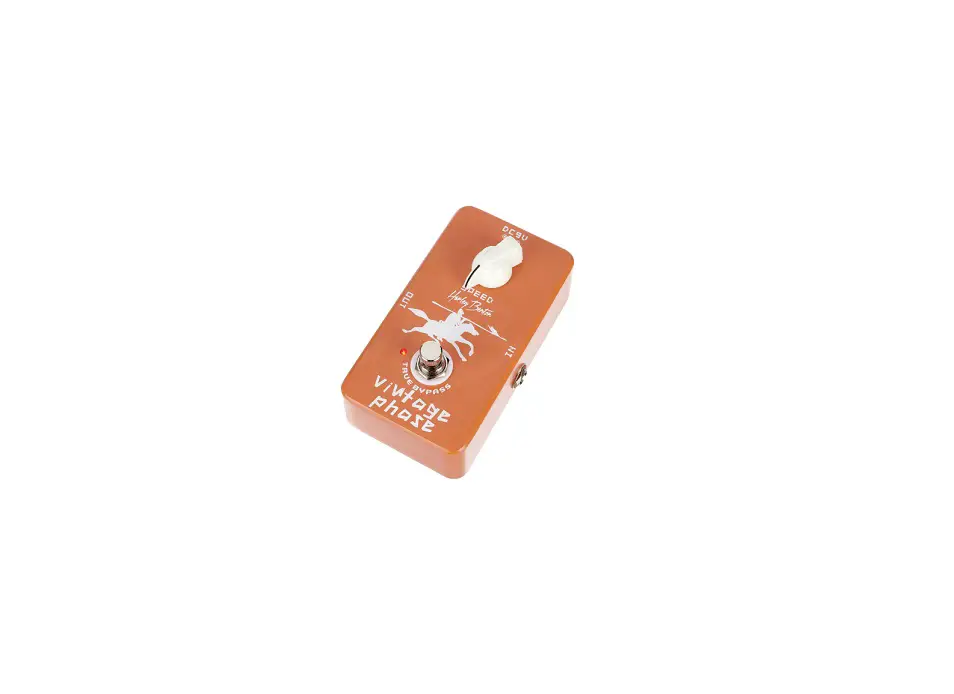
Classic Chorus Pedal Demo
Product Information
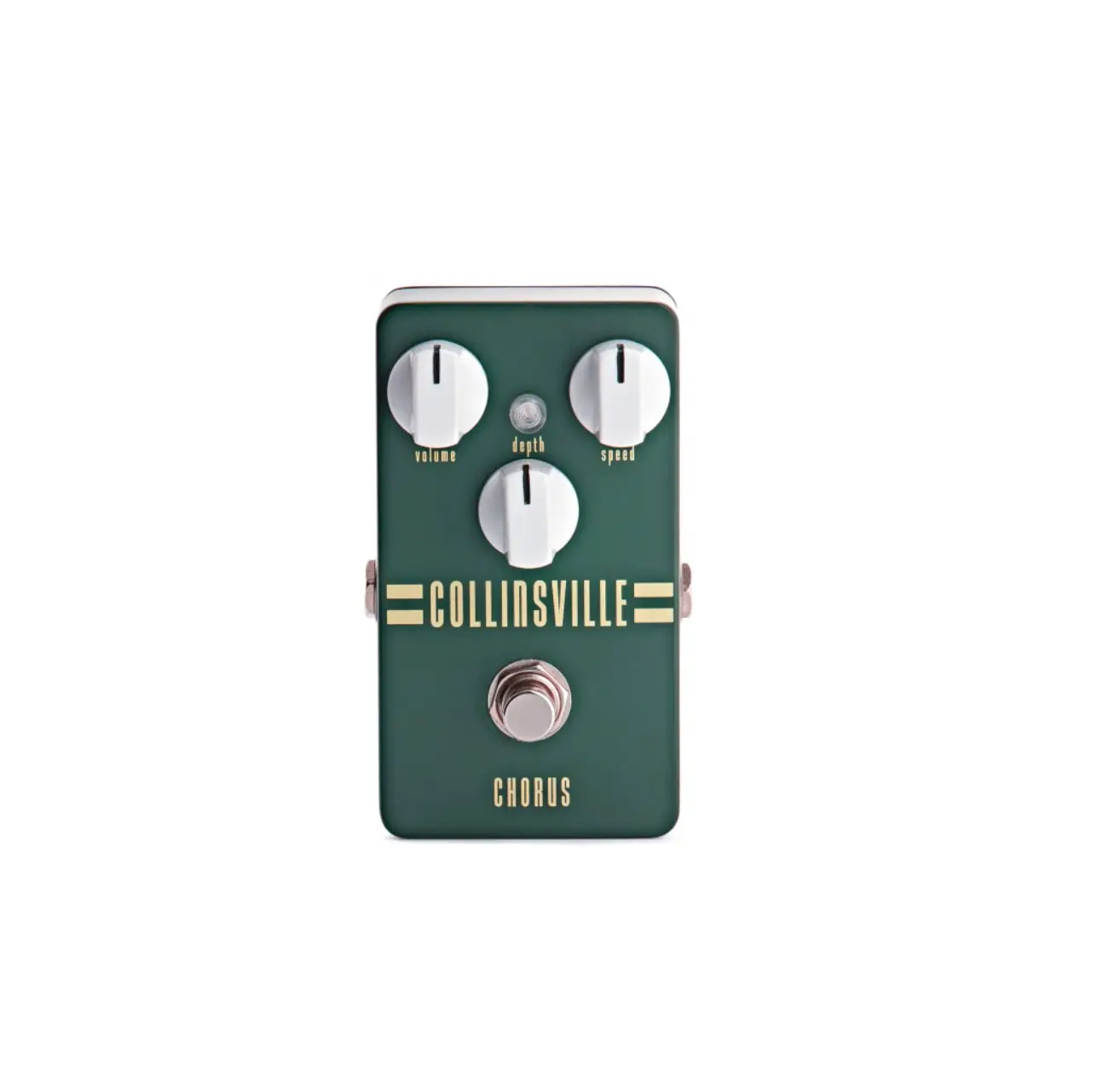
The Classic Chorus is a sound processing device designed for use
with musical instruments that have electromagnetic pickups. It
features controls for adjusting the speed and sound width of the
effect. The device can be powered by an external power supply or
batteries. The pedal function can be enabled or disabled using the
True Bypass foot switch. The device has input and output jack
sockets for connecting instruments and an amplifier. Detailed
technical specifications and a user manual can be found on the
product website.
Product Usage Instructions
Safety Instructions
- Ensure proper disposal of plastic bags, packaging, etc. to
prevent choking hazards for children. - Do not let children detach small parts from the product as they
may swallow them and choke. - Never leave children unattended while they are using electrical
devices. - Before connecting the external power supply, ensure that the
input voltage matches the device’s voltage rating and that the AC
outlet is protected by a residual current circuit breaker. - Unplug the external power supply during electrical storms or
when the device is unused for long periods to reduce the risk of
electric shock or fire. - Ensure proper polarity when inserting batteries to avoid damage
to the device or batteries. - Remove batteries from the device if it will not be used for an
extended period to prevent damage from leaking batteries.
Product Handling
- Avoid using liquid cleaners such as benzene, thinners, or
flammable cleaning agents on the device.
Controls and Connections
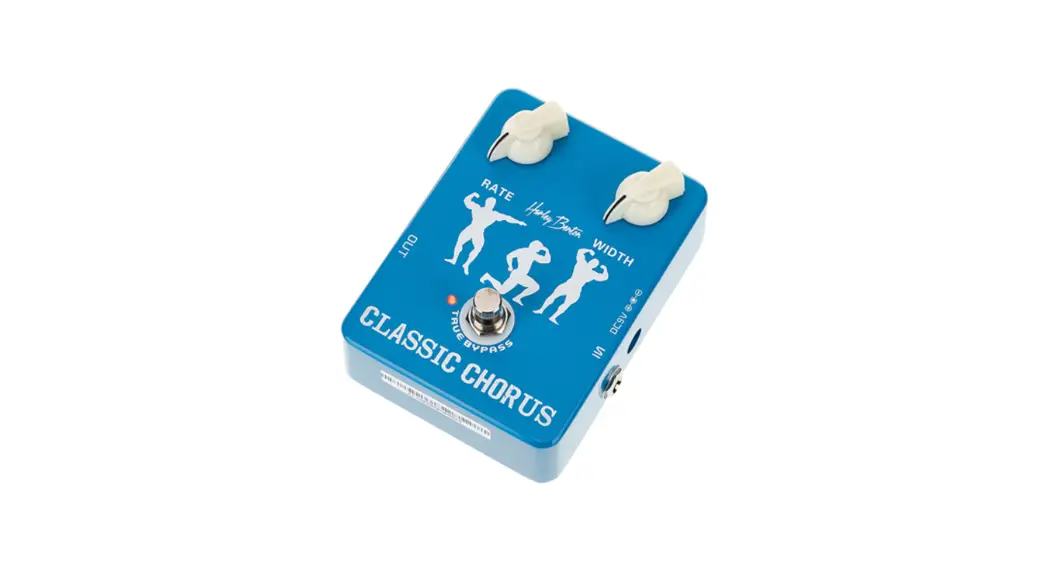
- 1 RATE: Turn clockwise to increase the speed
of the effect. - 2 WIDTH: Turn clockwise to increase the sound
width of the effect. - 3 DC 9V: Connect the external power supply
with 9V DC. When an external power supply is used, the battery
supply is automatically cut off. - 4 IN: Use the 1/4 jack socket to connect
instruments. - 5 TRUE BYPASS: Foot switch for enabling or
disabling the pedal function. - 6 LED: Lights up when the effects pedal is
used. If the LED is off or dim while using the effects pedal, the
battery needs to be replaced. - 7 OUT: Use the 1/4 jack socket to connect an
amplifier.
Technical Specifications
- Power Adapter Socket: 1/4 jack socket
- Input Jack Socket: 500 k
- Output Jack Socket: 1/4 jack socket
- Current Consumption: 14 mA
- External Power Adapter: 100 – 240 V ~ 50/60
Hz, Secondary current 200 mA, Secondary voltage 9 V, Polarity:
center negative - Operating Conditions: Temperature:
non-condensing
For proper disposal of the transport and protective packaging
materials, follow the recycling instructions provided on the
packaging. Do not dispose of these materials with regular household
waste.
Classic Chorus
Quick Start Guide
This quick start guide contains important information on the safe operation of the product. Read and follow the safety advice and instructions given. Retain the quick start guide for future reference. If you pass the product on to others please include this quick start guide.
EN
Safety instructions
Intended use
This device is intended to be used for sound processing of signals from musical instruments with electromagnetic pickups. Any other use or use under other operating conditions is considered to be improper and may result in personal injury or property damage. No liability will be assumed for damages resulting from improper use.
Danger for children
Ensure that plastic bags, packaging, etc. are disposed of properly and are not within reach of babies and young children. Choking hazard! Ensure that children do not detach any small parts from the product. They could swallow the pieces and choke! Never let children unattended use electrical devices.
External power supply
The device is powered by an external power supply. Before connecting the external power supply, ensure that the input voltage (AC outlet) matches the voltage rating of the device and that the AC outlet is protected by a residual current circuit breaker. Failure to do so could result in damage to the device and possibly the user. Unplug the external power supply before electrical storms occur and when the device is unused for long periods of time to reduce the risk of electric shock or fire.
Risk of fire due to incorrect polarity
Incorrectly inserted batteries may destroy the device or the batteries. Ensure that proper polarity is observed when inserting batteries.
Possible damage by leaking batteries
Leaking batteries can cause permanent damage to the device. Take batteries out of the device if it is not going to be used for a longer period.
Where to use the product
Never use the product · in conditions of extreme temperature or humidity · in extremely dusty or dirty areas · at locations where the unit can become wet
General handling
· To prevent damage, never use force when handling the product. · Never immerse the product in water. Just wipe it with a clean dry cloth. Do not use
liquid cleaners such as benzene, thinners or flammable cleaning agents.
Features
· Effects pedal for electric guitars · Chorus · Rate and Width controls
· Power supply via 9-V block battery (not included, item no. 417473) or power adapter (not included, item no. 409939)
Controls and connections
1 RATE
Turn this control clockwise to increase the speed of the effect.
2 WIDTH
Turn this control clockwise to increase the sound width of the effect.
ö
3 DC 9V
Connection for the external power supply with 9 V DC.
When an external power supply is used, the battery supply is cut
#
off automatically.
4 IN
1/4″ jack socket to connect instruments
5 TRUE BYPASS Foot switch for enabling or disabling the pedal function
$
6
This LED lights when the effects pedal is used. When the LED is
off or dim while the effects pedal is used, the battery is exhaust-
(
ed and must be replaced.
‘
%
7 OUT
1/4″ jack socket to connect an amplifier
&
Technical specifications
· Input connections
· Input impedance · Output connections · Output impedance · Current consumption · Power supply · Power adapter
Socket for power adapter
1/4″ jack socket
500 k
1/4″ jack socket
10 k
14 mA
External power adapter, 100 – 240 V ~ 50/60 Hz
Secondary current 200 mA
Secondary voltage 9 V
Polarity
centre negative
· Battery · Degree of protection · Dimensions (W × H × D) · Weight · Ambient conditions
A detailed user manual is available to download on the product website on our homepage www.thomann.de.
9-V block battery IP20 87 mm × 38 mm × 118 mm 390 g Temperature range 0 °C…40 °C Relative humidity 20 %…80 %
(non-condensing)
For the transport and protective packaging, environmentally friendly materials have been chosen that can be supplied to normal recycling. Ensure that plastic bags, packaging, etc. are properly disposed of. Do not just dispose of these materials with your normal household waste, but make sure that they are collected for recycling. Please follow the notes and markings on the packaging.
Batteries must not be disposed of as domestic waste or thrown into fire. Dispose of the batteries according to national or local regulations regarding hazardous waste. To protect the environment, dispose of empty batteries at your retail store or at appropriate collection sites.
This product is subject to the European Waste Electrical and Electronic Equipment Directive (WEEE) in its currently valid version. Do not dispose of your old device with your normal household waste. Dispose of this product through an approved waste disposal firm or through your local waste facility. Comply with the rules and regulations that apply in your country. If in doubt, consult your local waste disposal facility.
Thomann GmbH · Hans-Thomann-Straße 1 · 96138 Burgebrach · www.thomann.de · [email protected] DocID: 256806_10.08.2022
 Welcome – Thomann United States