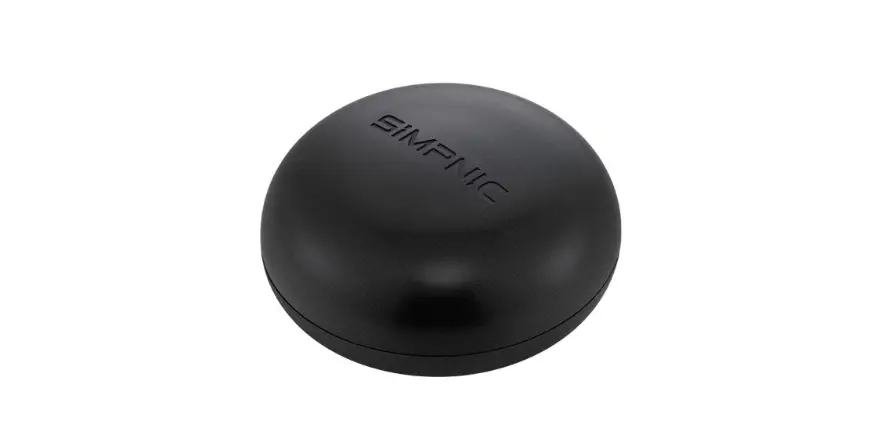
Portal Smart Target System
Product Information:
| Component | Description |
|---|---|
| LED LIGHT | An LED light feature on the product. |
| EYE HOLE | A hole used for aiming or targeting. |
| HIT PAD | A pad that registers when it is hit by a gellet. |
| SUPPORT LEG | A leg used to support the product when set up. |
| USB-C PORT | A port used for direct USB connection. |
| WALL MOUNT HOLE | A hole used for mounting the product on a wall. |
| POWER SWITCH | A switch to power on/off the product. |
| BATTERY DOOR SCREW | A screw used to secure the battery compartment door. |
| THUMB CLIP | A clip used to open the battery compartment door. |
| TARGET | The main target component of the product. |
Product Usage Instructions:
Step 1: Provide Power
Your Portal Smart Target can be powered by direct USB connection
or 4 AA batteries.
- Locate the battery compartment on the back of the target and
remove the battery door screw using a Phillips screwdriver. - Continue opening the battery compartment door using the thumb
clip and install 4 AA batteries as shown in the diagram below. - Replace the battery compartment cover and tighten the screw
using a Phillips screwdriver. Do not over-tighten.
Battery Tips:
- When this product stops working or works erratically, it’s time
to replace the batteries! - Do not mix old and new batteries.
- Do not mix different types of batteries: alkaline, standard
(carbon-zinc) or rechargeable (nickel-cadmium). - Remove the batteries during long periods of non-use. Always
remove exhausted batteries from this toy. Battery leakage and
corrosion can cause damage. Dispose of batteries safely. - Do not dispose of batteries in a fire. The batteries may
explode or leak. - Non-rechargeable batteries are not to be recharged.
Your Gel Blaster Portal Smart Target System also has a USB-C
connection that can be used to directly connect to an alternate
power source of your choice. (i.e. external battery packs or direct
AC power connection)
Step 2: Turn On the Target
Flip the power switch to “I” to power on the unit. When the
Target is powered up, it will go through a booting and diagnostic
sequence.
When all lights blink white, the target is ready to play or
connect. Continue to connect to a device or blast a gellet at the
target to start playing.
Step 3: Ready to Connect
After a successful boot sequence, the Target LEDs will pulse
white, indicating that the device is now in listening mode.
Download the Gel Blaster app from the app store and follow the
on-screen instructions. Be sure your Bluetooth is enabled and allow
access when asked.
Troubleshooting: When there is low power or
other issues with the device, the booting and diagnostics sequence
will complete. Try changing the batteries or power source and reset
the target by turning it on again.
If no smart device is connected, the Portal will go into basic
gameplay mode, and a rainbow LED pattern will appear. To reattempt
connection, restart the target by turning it off then on again.
Step 4: Set It Up – Start Blastin’
Use the eye holes, the wall mount hole, or the legs to set up
your Portal and start playing!
Contact Information:
If you have any questions or comments, you can contact Gel
Blaster support via email at [email protected] or call
1-844-GELLETS.
For more information, visit www.gelblaster.com/patents.
Your Portal Smart Target is an revolutionary new part of your Gel Blaster® gameplay. Use this guide to see how you can get the most out of your latest gear.
LED LIGHT
EYE HOLE
HIT PAD
SUPPORT LEG
USB-C PORT
WALL MOUNT HOLE POWER SWITCH
4×1.5V(AA)
BATTERY DOOR SCREW
THUMB CLIP
CONTENTS
TARGET
2023 Gel Blaster, Inc. All Rights Reserved
6 FT USB-C THIS MANUAL
STEP 1 PROVIDE POWER
Your Portal Smart Target can be powered by direct USB connection or 4 AA batteries.
Locate the battery compartment on the back of the target and remove the battery door screw using a Phillips screwdriver. Continue opening the battery compartment door using the thumb clip and install 4 AA batteries as shown in the diagram below.
Replace the battery compartment cover and tighten the screw using a Phillips screwdriver. Do not over-tighten.
BATTERY DOOR SCREW
1.5V(AA) 1.5V(AA)
1.5V(AA) 1.5V(AA)
THUMB CLIP
BATTERY TIPS
When this product stops working or works erratically, it’s time to replace the batteries!
Do not mix old and new batteries.
Do not mix different types of batteries: alkaline, standard (carbon-zinc) or rechargeable (nickel-cadmium).
Remove the batteries during long periods of non-use. Always remove exhausted batteries from this toy. Battery leakage and corrosion can cause damage. Dispose of batteries safely.
Do not dispose of batteries in a fire. The batteries may explode or leak.
Non-rechargeable batteries are not to be recharged.
USB-C
USB
CABLE
PORT
Your Gel Blaster Portal Smart Target SystemTM also has a USB-C connection that can be used to directly connect to an alternate power source of your choice. (i.e. external battery packs or direct AC power connection)
STEP 2 TURN ON THE TARGET
Flip the power switch to “I” to power on the unit. When the Target is powered up it will go through a booting and diagnostic sequence.
POWER SWITCH
When all lights blink white, the target is ready to play or connect. Continue to connect to a device or blast a gellet at the target to start playing.
STEP 3 READY TO CONNECT
After a successful boot sequence, the Target LEDs will pulse WHITE, indicating that the device is now in listening mode. Download the Gel Blaster app from the app store and follow the on-screen instructions. Be sure your Bluetooth iS enabled and allow access when asked.
TROUBLESHOOTING: When there is low power or
other issues with the device, the booting and diagnostics sequence will complete. Try changing the batteries or power source and reset the target by turning it on again.
If no smart device is connected, the Portal will go into basic gameplay mode and a rainbow LED pattern will appear. To reattempt connection, restart the target by turning it off then on again.
STEP 4 SET `ER UP – START BLASTIN’
Use the eye holes, the wall mount hole or the legs to set up your Portal and go play!
Warning: Changes or modifications to this unit not expressly approved by the partyresponsible for compliance could void the user’s authority to operate the equipment. NOTE: This equipment has been tested and found to comply with the limits for aClass B digital device, pursuant to Part 15 of the FCC Rules. These limits aredesigned to provide reasonable protection against harmful interference in aresidential installation. This equipment generates, uses and can radiate radiofrequency energy and, if not installed and used in accordance with theinstructions, may cause harmful interference to radio communications.However, there is no guarantee that interference will not occur in a particularinstallation. If this equipment does cause harmful interference to radio ortelevision reception, which can be determined by turning the equipment off andon, the user is encouraged to try to correct the interference by one or more of thefollowing measures: – Reorient or relocate the receiving antenna. – Increase the separation between the equipment and receiver. – Connect the equipment into an outlet on a circuit different from that towhich the receiver is connected. – Consult the dealer or an experienced radio/ TV technician for help.
LIMITED WARRANTY, SUBROGATION WAIVER, WAIVER AND RELEASE, BINDING AGREEMENT TO ARBITRATE, CLASS ACTION WAIVER
Gel Blaster, LLC warrants this Gel Blaster® for a period of one month from the date of consumer purchase to be free from defects in material and workmanship. Gel Blaster, LLC’s obligation under this warranty is limited to repair or replacement of the purchased product only (although Gel Blaster, LLC may determine to issue a refund, in its sole and exclusive discretion), and under no circumstances shall Gel Blaster, LLC be liable for any loss, damage, injury, cost of repair, consequential damages, incidental damages, or punitive, treble, or exemplary damages of any kind in connection with the sale, use, failure, or repair of any product purchased from Gel Blaster, LLC, even if such damages are caused by the negligence of the released party, whether sole or in combination with others. You hereby waive any claim by an insurance carrier or other person or entity by way of subrogation, and you hereby assign any and all such subrogation claims to Gel Blaster, LLC.
Gel Blaster, LLC disclaims any warranty of fitness for a particular purpose and any implied warranty of merchantability. All implied warranties are hereby disclaimed, and you agree that the only warranty provided by Gel Blaster, LLC to you is the above.
Gel Blaster, LLC’s liability for any and all claims arising out of or connected with the Gel Blaster® shall be limited to the amount paid by consumer for the product plus the sum of $100.00.
You and Gel Blaster, LLC agree to mandatory, binding arbitration for any and all claims or causes of action between the parties arising out of or in connection with your purchase or use of the Gel Blaster®, its accessories, or otherwise with respect to any claims between you and Gel Blaster, LLC. The arbitration shall take place under the rules of the American Arbitration Association, Consumer Arbitration Rules, before a single arbitrator. The Arbitration shall take place in Dallas, Texas. You understand and agree that you are waiving your rights to a trial by jury. You agree that any claim you have or may ever come to have against Gel Blaster, LLC must be submitted on an individual basis, and you hereby waive the right to assert such claim collectively, such as in a class or mass action. As a condition precedent to filing arbitration, you must contact Gel Blaster, LLC with any claim or dispute, which must be mediated before a mutually agreeable mediator in Dallas, Dallas County, Texas.
You agree to the foregoing terms when you first charge or otherwise seek to use your Gel Blaster® or its accessories.
Questions or comments? Contact: [email protected] or call 1-844-GELLETS
WWW.GELBLASTER.COM/PATENTS