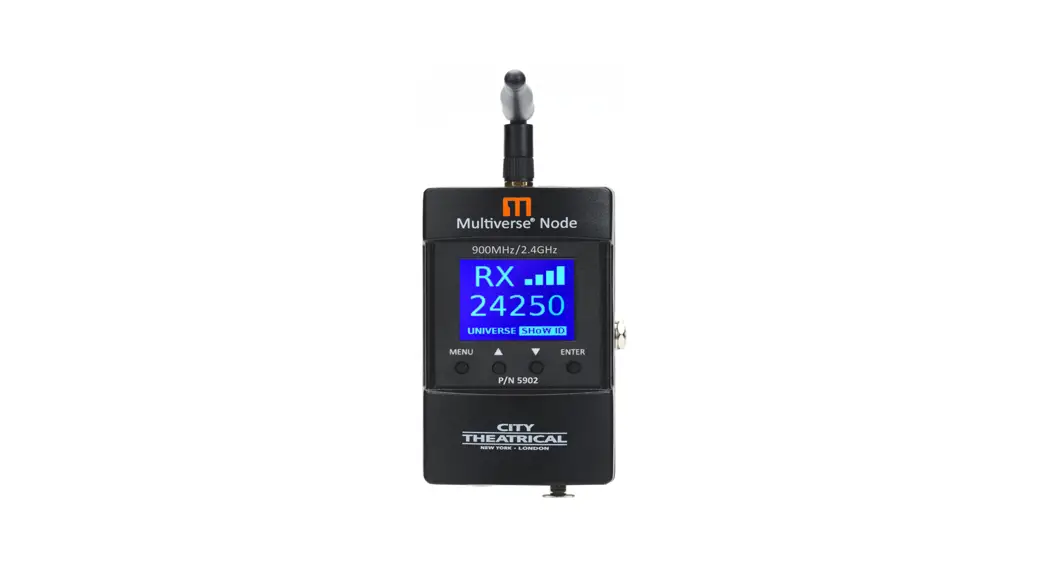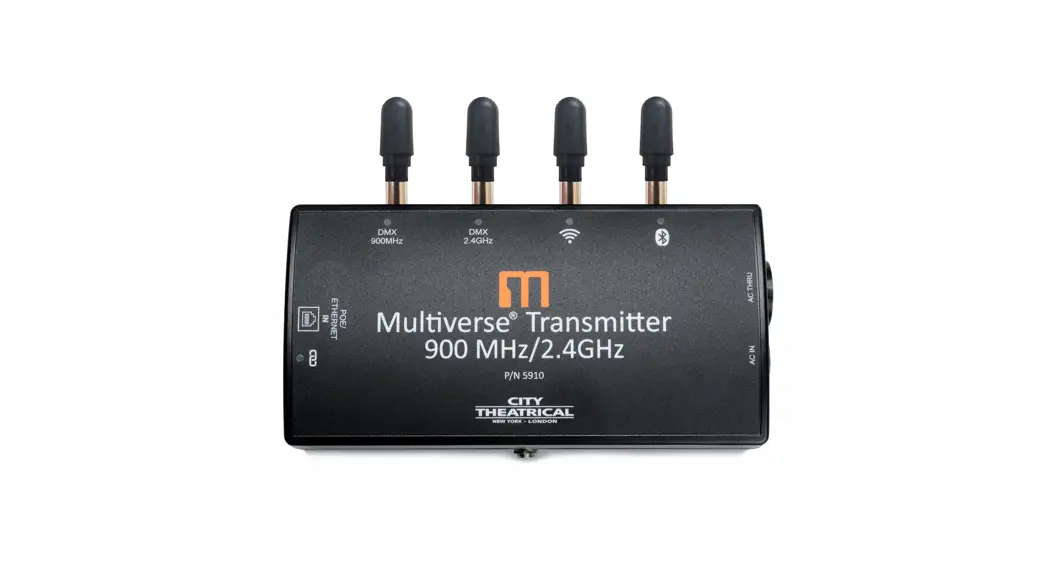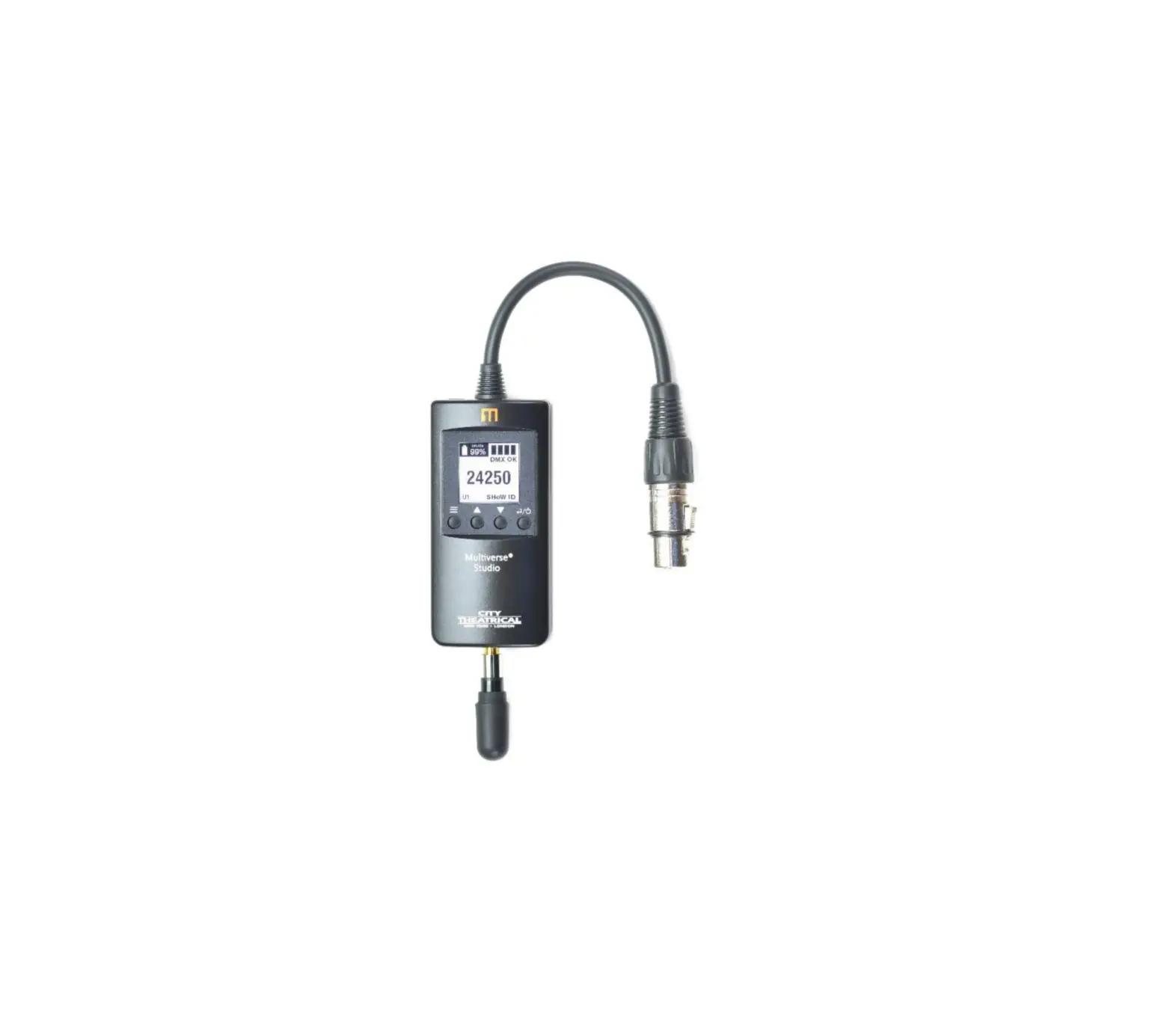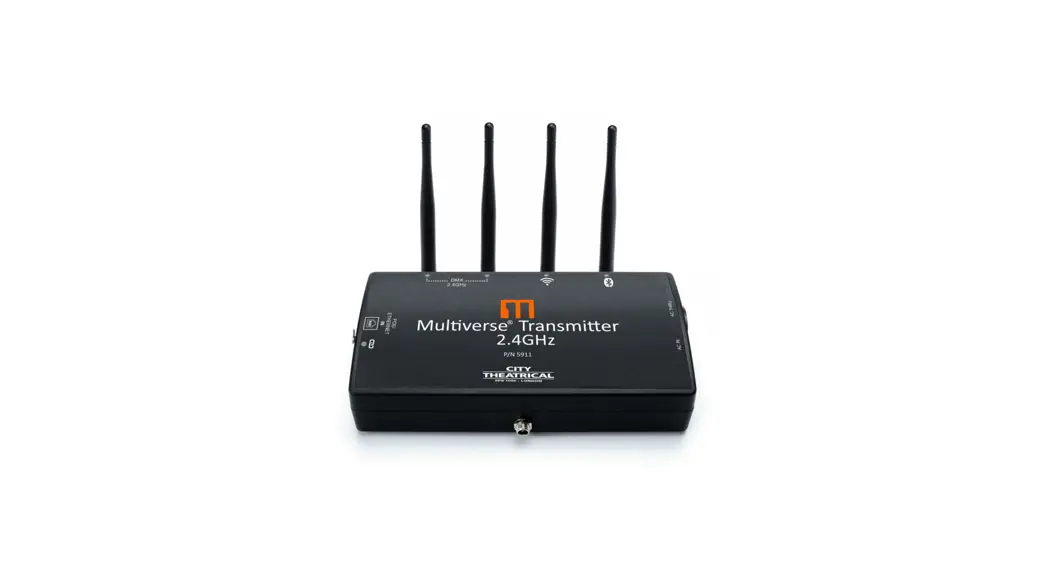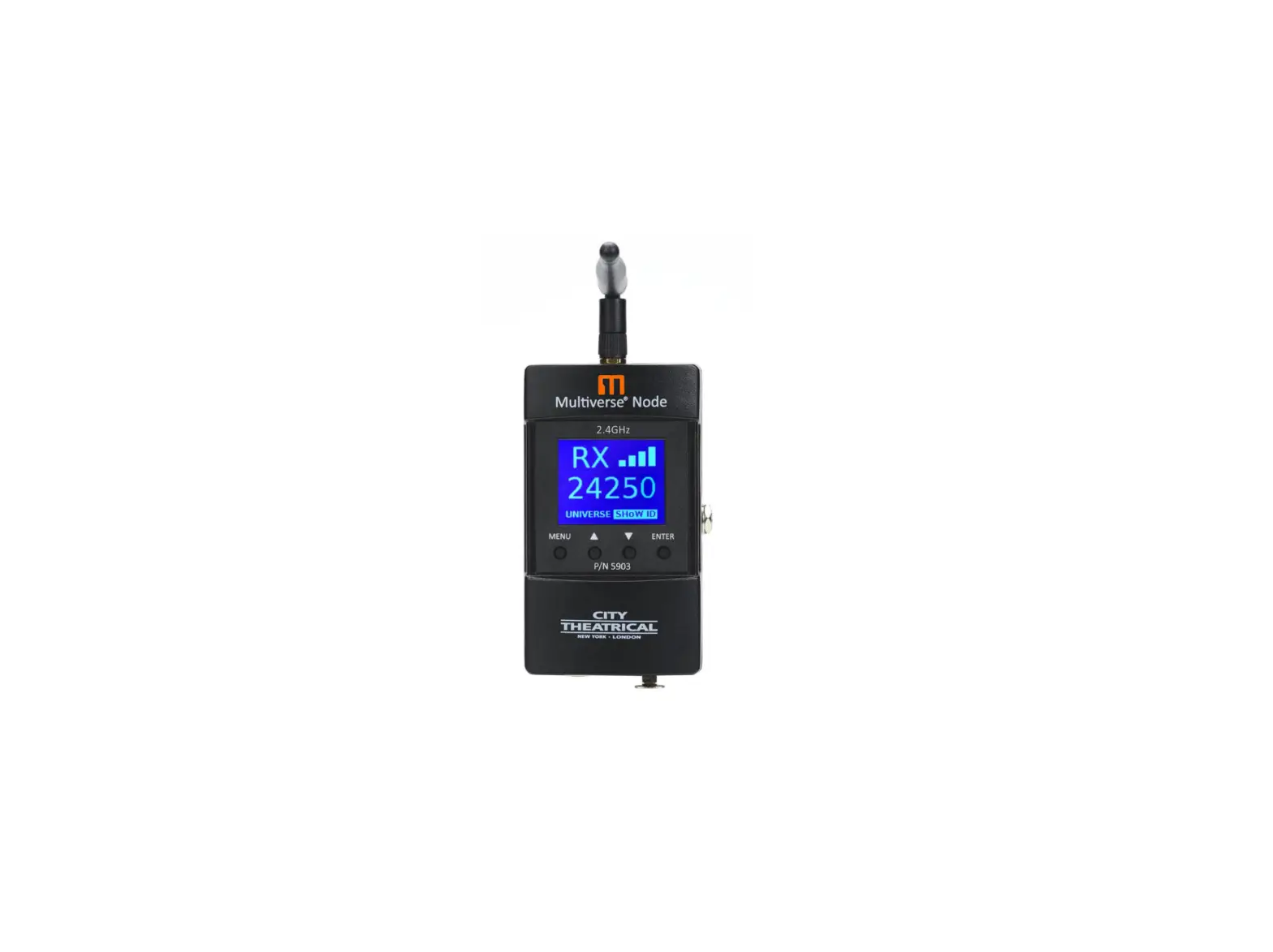
CITY THEATRICAL 5903 Multiverse Node Wireless DMX Transceiver
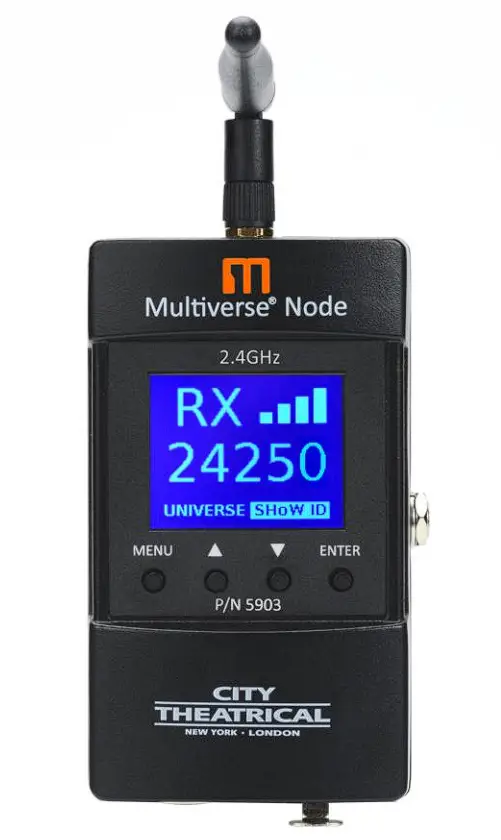
Multiverse Transmitters are covered by U.S. Patents #7,432,803 B2, #10,129,964 B1, and other patents pending.
Compliance
FCC Compliance Statement (United States)
This device complies with Part 15 of the Federal Communications Commission (FCC) Rules.
Operation is subject to the following two conditions:
- This device may not cause harmful interference.
- This device must accept any interference received, including interference that may cause undesired operation.
CAUTION: Changes or modifications to this unit not expressly approved by the party responsible for compliance could void the user’s authority to operate this equipment.
IC Statement
This device complies with Industry Canada’s license-exempt RSSs. Operation is subject to the following two conditions:
1. This device may not cause interference; and
2. This device must accept any interference, including interference that may cause undesired operation of the device.
Safety Notices
Please read this entire manual before using your new equipment. Please keep the manual in a safe place so you can refer to it in the future as required.
The Multiverse wireless DMX/RDM System is intended for use only by qualified professionals. Connection, installation, and hanging of this equipment must be performed in accordance with all pertinent local, regional, and national safety codes and regulations.
Multiverse wireless DMX/RDM equipment is intended for indoor use only unless specified for outdoor use.
Keep the equipment dry! Do not operate the equipment if it gets wet!
Do not operate in excessive heat/direct sunlight. Be sure installation provides adequate ventilation.
There are no user-serviceable parts inside! Refer to qualified service personnel!
RF Exposure: The antenna(s) used for this transmitter must be installed to provide a separation distance of at least 20cm from all persons and must not be collocated or operating in conjunction with any other antenna or transmitter.
Introduction
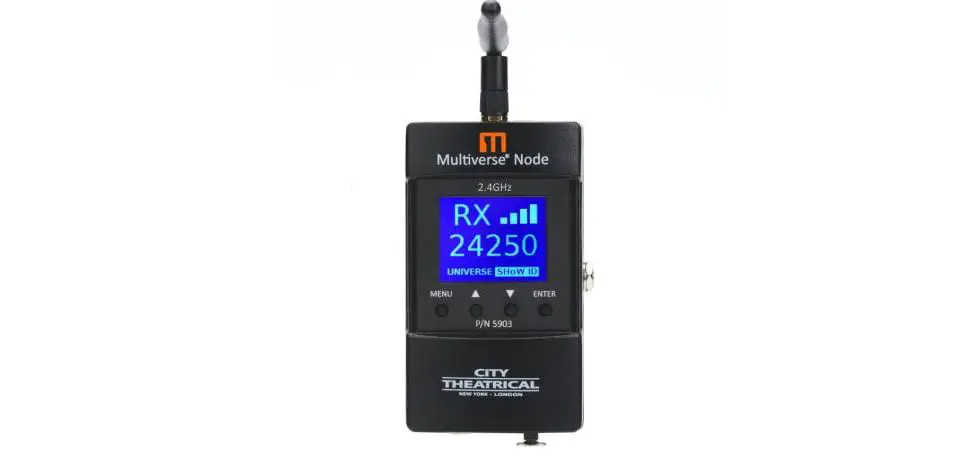
City Theatrical’s 5903 Multiverse® Node 2.4GHz is the first building block of the Multiverse system. Each Multiverse Node 2.4GHz is a transceiver. As a single universe transmitter, it functions in a similar plug and play manner to our SHoW DMX SHoW Baby® and a full user interface. As a receiver, it is the primary single universe standalone receiver in the Multiverse system, and can be part of a larger multi-universe setup.
5903 Multiverse Node Features
- mDMX (Multiverse SHoW IDs only)
mDMX is a form of DMX optimized for wireless broadcast that dramatically reduces data being broadcast, thereby reducing unneeded radio energy. - mRDM (Multiverse SHoW IDs only)
Multiverse is able to broadcast RDM information without disrupting the DMX broadcast. This feature is not available even in wired RDM systems. (Not available on SHoW DMX Neo SHoW IDs.) - SHoW Key Security (Multiverse SHoW IDs only)
SHoW Key is an additional three-digit code that can be added to the Multiverse SHoW ID that will prevent any other system set on the same SHoW ID from interfering with your system. - Forward Error Correction (Multiverse SHoW IDs only)
Allows the Receiver to detect and correct errors that may occur in the wireless transmission of data. - Ultra Low Latency
Total average system latency of 4ms - User Selectable Adaptive Spread Spectrum Frequency Hopping
Adaptive Spread Spectrum Frequency Hopping identifies and masks off hopping channels that contain interference, replacing them in the hop sequence with alternate channels. - Adjustable Output Power
Sometimes an application calls for the most available broadcast power, but many entertainment systems can utilize lower output power to reduce detrimental effects on other radio systems in the venue, reduce reflections, and improve performance. - User Selectable SHoW IDs
City Theatrical has always produced wireless DMX products that allowed the user to select the optimum transmission method. Users may select full bandwidth hopping, hopping limited to a section of the spectrum (including areas of the spectrum outside of the Wi-Fi range), or adaptive hopping. - Protocols supported: ANSI E1.11 DMX512-A; E1.20 RDM
- Built-in Multiverse 2.4GHz Frequency Hopping Spread Spectrum radio
- Compatible with all Multiverse and SHoW DMX Neo products
- User can select a single universe to receive
- A very simple user interface to set SHoW ID and universe
- RDM proxy and responder functions
- DMX 5-pin in and out/thru ports
- Rugged cast aluminum enclosur
- Antenna: Omni Broadband, 2.4GHz, 4dBi
- Auto-selection of transmit or receive mode
- Firmware updateable via USB port
- CL2 power supply with locking connector
- Built-in auto select DMX512 termination
- Selectable display timeout and brightness level
- A hanging bracket for hanging from pipe or truss
Installation
Multiverse Node 2.4GHz requires standard DC power from 5-30VDC, and draws 45mA maximum.
Power is provided through the on-board DC Jack and can be driven from the included 12VDC locking power supply.
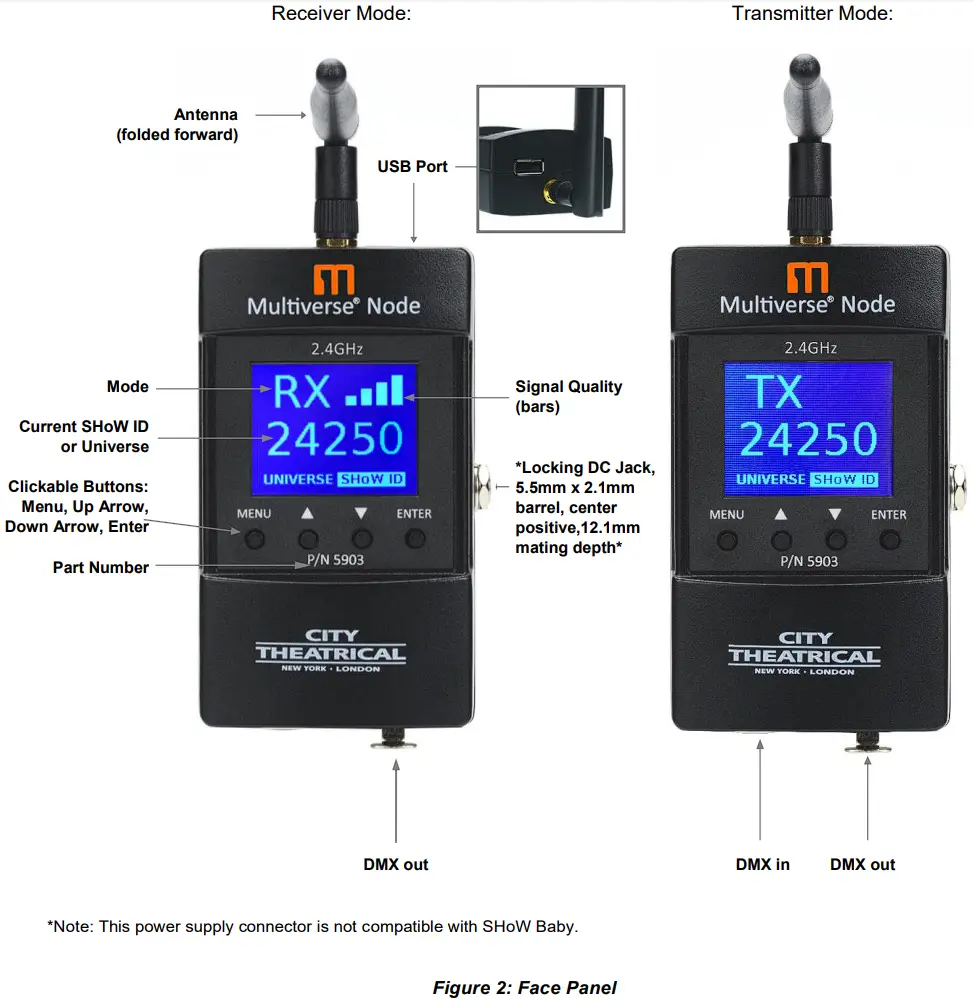
Transmit mode is automatically selected when a DMX 5-pin cable is inserted into the input (male) port of the Multiverse Node 2.4GHz. Without it, the Multiverse Node 2.4GHz acts as a receiver.
A mounting plate is included to provide mounting with a c-clamp and includes a tie off hole for power strain relief and a hole for a safety cable.
The Multiverse Node 2.4GHz is self-terminating if it is the last unit in the DMX512 chain. If the Multiverse Node 2.4GHz is not the last device in the chain, ensure that the end device is properly terminated with a 120Ω ½ watt resistor between pins 2 and 3. A DMX connector with a built-in terminating resistor is available from your local distributor.
User Interface Screen
Upon power up, the Multiverse Node 2.4GHz will boot into the main screen, which displays the SHoW ID and connection status. Pressing the “Up” or “Down” button will take you to the universe selection screen. Pressing “Enter” will select SHoW ID or universe for editing and will commit the change when done.
Pressing the “Menu” button will take you to the Menu screen. Holding the Menu button will cancel the current edit.
SHoW ID
Select the SHoW ID(s) for your system. In a single universe system with a Multiverse Node 2.4GHz used as a transmitter and one or more Multiverse Nodes used as receivers, simply choose a SHoW ID and enter that SHoW ID into the user interface of the transmitter and all receivers. The universe number must match on transmitter and all receivers.
SHoW DMX SHoW IDs may be used with the 2.4GHz radio for single universe systems. See page 13 for a list of SHoW DMX Neo SHoW IDs.
In a multi-universe system utilizing a Multiverse Transmitter or Multiverse Gateway as a transmitter, once you have selected the universes that you want to broadcast from the incoming Ethernet data, assigned SHoW IDs to your two radios, and have assigned universes to those SHoW IDs, you will need to set each Multiverse Node to match the same universe number and SHoW ID that it will be receiving.
Let’s take a closer look at the SHoW ID numbering system:
Table 1: Selecting Your Multiverse SHoW ID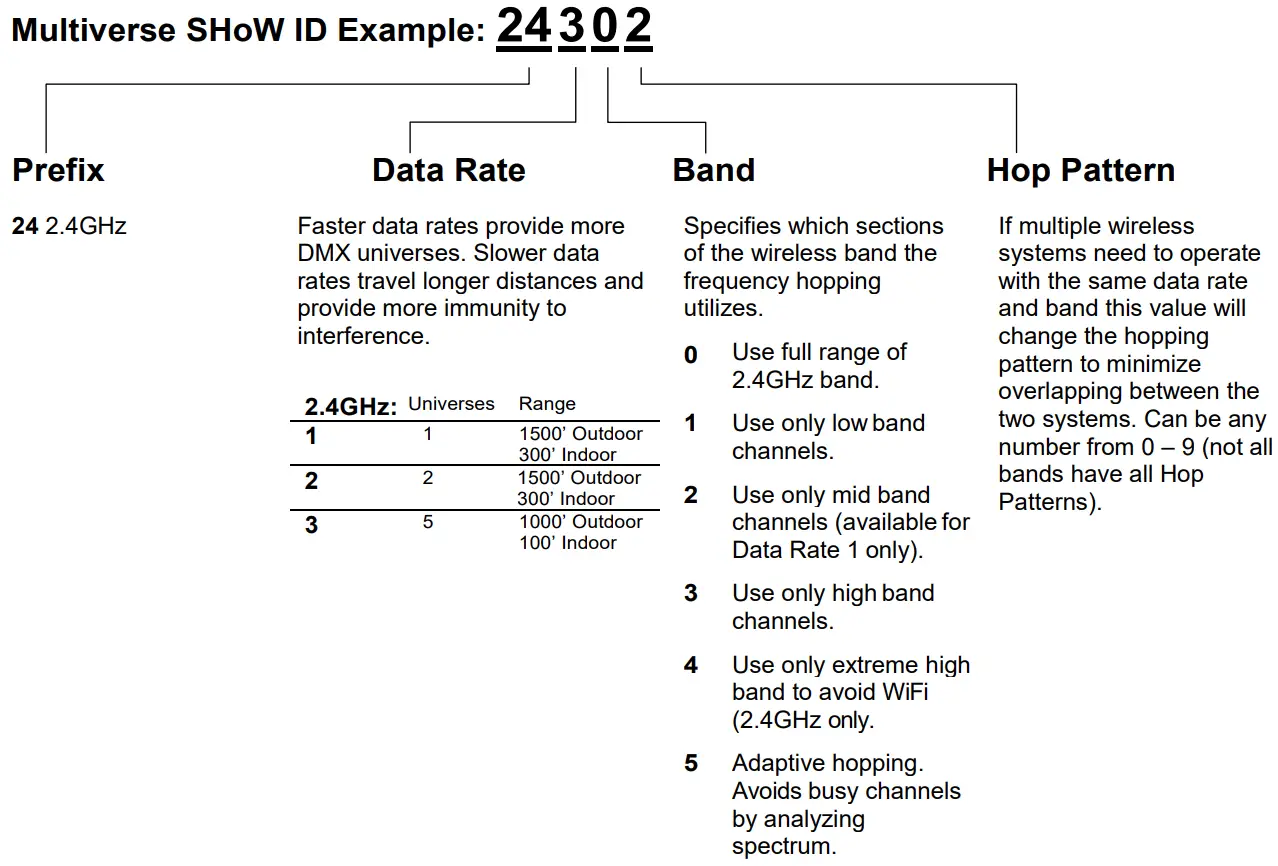
Note: Not all combinations of digits are possible and unused numbers are reserved for future use.
Universe
When the Multiverse Node 2.4GHz is configured as a receiver in a system where there is a multiuniverse transmitter (Multiverse Transmitter or Multiverse Gateway) you can select the universe the Multiverse Node 2.4GHz will receive and output on its DMX output port. The selected universe must match a valid universe being transmitted.
Note: Any Multiverse Node acting as a receiver that is set on a universe that Is not being broadcast by a Multiverse transmitter (either a Transmitter or Node) will show its universe in a yellow color.
User Interface Icons
At the top of the main screen are several icons that indicate Multiverse Node 900MHz/2.4GHz status. These include:
- “TX” or “RX”
Each unit will display either “TX” (transmitter) or “RX” (receiver) depending on which mode the unit has detected. The Node is automatically set as a transmitter when there is a connector plugged into the DMX In (male) port. The “TX” or “RX” symbol remains solid when DMX data is detected, and blinks if no DMX data is being received. - Signal Quality Bars
The signal quality bars give a visualization of signal quality as seen at the receiver.
The bars are not present when the unit is a transmitter. Signal quality of 85% or higher will achieve good fidelity, and signal quality of even 40-50% will often provide adequate fidelity. Four bars is 80% or better signal quality, three bars is 50% or better, two bars is 30% or better, and one bar is 10% or better. - Restore Factory Defaults
Factory defaults can be restored by holding the “Menu” and “Enter” buttons while on the main screen. Screen will flicker to signal when default process is complete. Default settings are listed below.
Menu Screen
Pressing the “Menu” button takes you to the Menu screen.
- Power
Output power may be user selected as Low, Med, Hi, or Maximum. It is a best practice to use the least amount of output power to achieve a successful show. This helps to reduce reflections which can reduce signal fidelity and to reduce any potential negative effect on other radio users in the area. You can monitor signal strength via RDM.
Default is Maximum. - Antenna
If a panel (P/N 5981) or Yagi (P/N 5982) antenna is used instead of the default omni antenna, choose it on this menu for optimum performance and to remain in compliance with FCC and other radio compliance regulations. An (P/N 5638) adapter cable is required to use a panel or Yagi antenna. - SHoW Key Security (Multiverse SHoW IDs only)
The SHoW Key setting allows a user to enter a key to privatize their SHoW ID from another system on the same SHoW ID. SHoW IDs and SHoW Keys need to match in order for receivers and transmitters to talk to each other. Keeping your SHoW Key private will provide a level of security to your Multiverse system from unauthorized use.
It is not recommended to use different SHoW Keys in a system that uses multiple Multiverse Nodes as Transmitters on the same SHoW ID. The range is 0 (Default) to 500.
Table 2: SHoW IDs and SHoW Keys
| Situation | Condition | Outcome | |
| Same SHoW Key | with | Different SHoW IDs | OK |
| Different SHoW Keys | with | Same SHoW IDs | Not OK |
| Different SHoW Keys | with | Different SHoW IDs | OK |
- Forward Error Correction (Multiverse SHoW IDs only)
High noise environments can affect wireless DMX performance. Enabling Error Correction adds additional information to the data packets to correct errors in slot data that would have otherwise been lost, restoring DMX delivery back to near perfect levels. The extra data reduces the number of slots that can be transported, Max reduces slots by 50%, Med by 33%, Min by 25%. Only needs to be set at the Transmitter. Default is Off. - mDMX (Multiverse SHoW IDs only)
Improves fidelity while dramatically reducing radio energy broadcast into the spectrum.
Only needs to be set at the Transmitter. Default is On. - RDM Traffic
The RDM Traffic setting determines whether RDM data is passed downstream of the Multiverse Node 2.4GHz. It does not affect whether the Multiverse Node 2.4GHz is detectable by devices upstream. It is recommended that RDM be turned off before production situations as many DMX devices do not correctly handle RDM data and may exhibit flickering or other undesired behavior. Default is Off. - Backlight Timeout
The Backlight Timeout setting determines how long the LCD backlight will remain on after the last button press. The timeout can be set to off (backlight will never timeout) or any interval from 10 seconds to 1 hour. Default is 00:30. After a screen timeout, pushing any button will wake up the screen without changing the screen selection. - Backlight Level
Controls Backlight brightness. Range is 1%-100%. Default is 100%. - Information
The Information screen shows the RDM UID, firmware versions present, connection status, and the number of devices (receivers and fixtures) downstream.
RDM Settings
The Multiverse Node 2.4GHz can be configured with a compatible RDM controller, such as DMXcat®. All of the settings available through the menu can be set via RDM. Aside from settings, you can also view the Device Model, Manufacturer, Firmware Versions, RDM UID, RF Signal Quality, and quantity of active Tx slots. You can also give each device a unique RDM Device Label to help with identification for configuration and troubleshooting.
Updating Firmware
Firmware updates and instructions for performing them are available on the product pages of the City Theatrical website.
Table 3: Troubleshooting Guide
| Symptom | Solution(s) |
| Unit does not power up. | Check that power cable is properly installed. |
| Test power outlet with another device. | |
| Fixtures connected to the receiver are not responding. | Check that the Tx and Rx symbols on transmitters and receivers are solid. |
| Check that SHoW ID and SHoW Key match on transmitters and receivers. | |
| Check that Universe setting matches on Tx and Rx. |
Specifications
Table 4: Physical Characteristics
| Product Information | |
| Product Name | Multiverse Node 2.4GHz |
| Part Number | 5903 |
| Maximum Concurrent Universes | 1 |
| Frequency Range: | 2400 – 2480 MHz |
| Physical Specifications | |
| Length | 102.8mm (4.05 in) |
| Width | 60mm (2.36 in) |
| Height | 36.47mm (1.44 in) |
| Weight | 0.4 Kg (0.4 lb) |
| Construction | Die Cast Aluminum, Black |
| Connection Specifications |
| *Locking DC Jack, 5.5mm x 2.1mm barrel, center positive,12.1mm mating depth |
| 5-Pin XLR DMX512 in and out/thru ports |
| RP-SMA female antenna connector |
| USB Type-A port |
| Functionality | |
| User Interface | 4 Button/Backlit LCD display |
| RDM Features | RDM Proxy, RDM Responder |
| Power | |
| Input Power | 5-30VDC, 0.6W |
| Max Draw | 45mA max draw at 12V |
| AC Adapter Voltage | 100VAC to 240VAC 50/60Hz |
| Radio Technology | |
| Latency | 4 ms average |
| RF Sensitivity | -95dBm |
| Loss of Data Behavior | Output stops |
| Broadcast Power | 3.2mW, 10mW, 32mW, 100mW EIRP |
| Broadcast Modes | Adaptive, Full, Low, Mid, High, Max |
| DMX Burst Modes | Auto Dynamic |
| Show IDs | 217 (World) |
| Radio Technology | |
| Latency | 4 ms average |
| RF Sensitivity | -95dBm |
| Loss of Data Behavior | Output stops |
| Broadcast Power | 3.2mW, 10mW, 32mW, 100mW EIRP |
| Broadcast Modes | Adaptive, Full, Low, Mid, High, Max |
| DMX Burst Modes | Auto Dynamic |
| Show IDs | 217 (World) |
*Note: This power supply connector is not compatible with SHoW Baby.
What’s Included
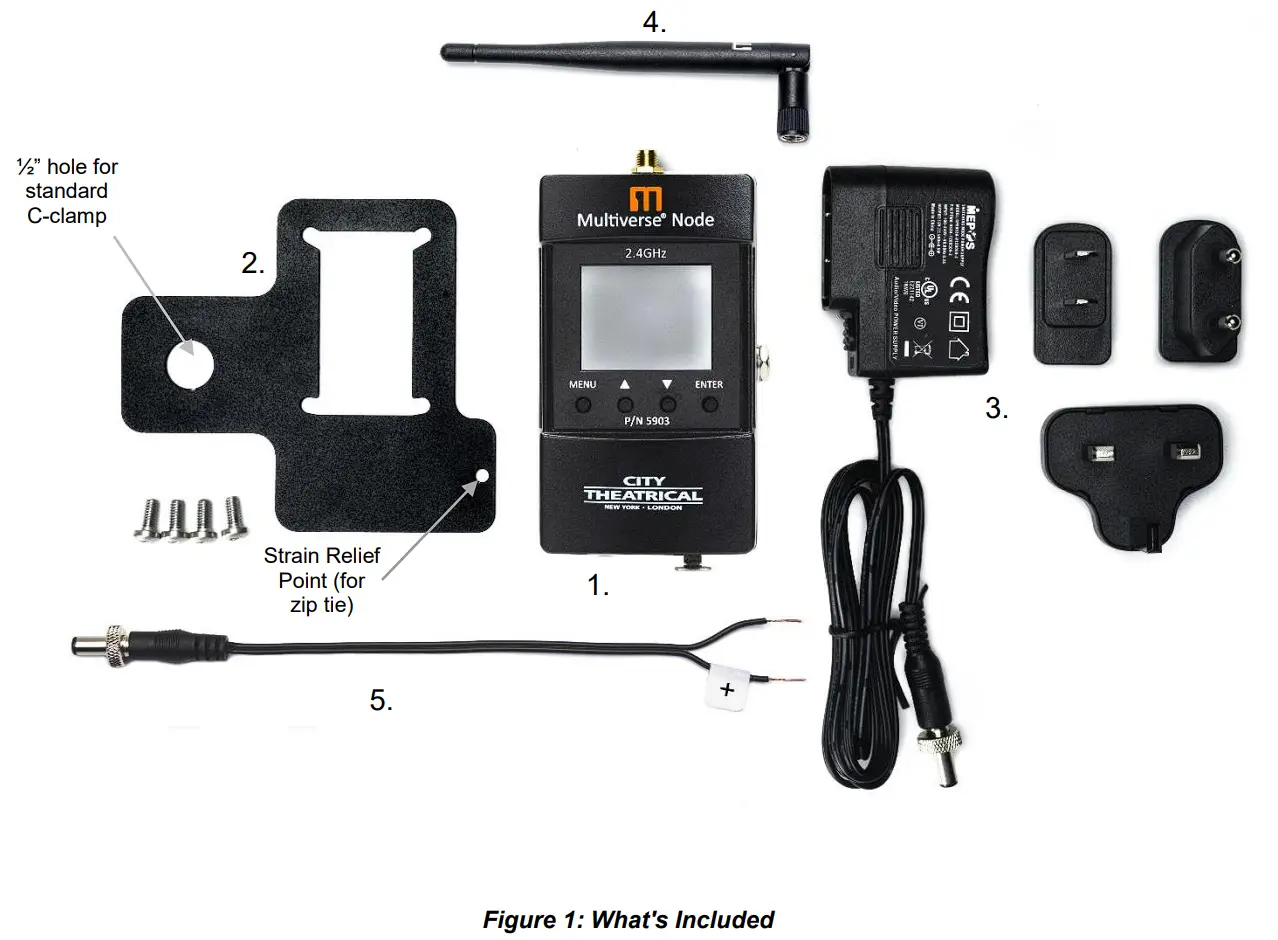
Table 5: Included Item Descriptions and Part Numbers
| Label in Figure | Item Description | Part Number |
| 1 | Multiverse Node 2.4GHz | 5903 |
| 2 | Mounting Plate with hardware | 5975 |
| 3 | 12VDC Power Supply with locking connector and plug kit | 5972 |
| 4 | Antenna, Omni Broadband, 2.4GHz, 4dBi | 5980 |
| 5 | Multiverse Locking Barrel Connector Lead, 6” | 5970 |
Face Panel
Mounting
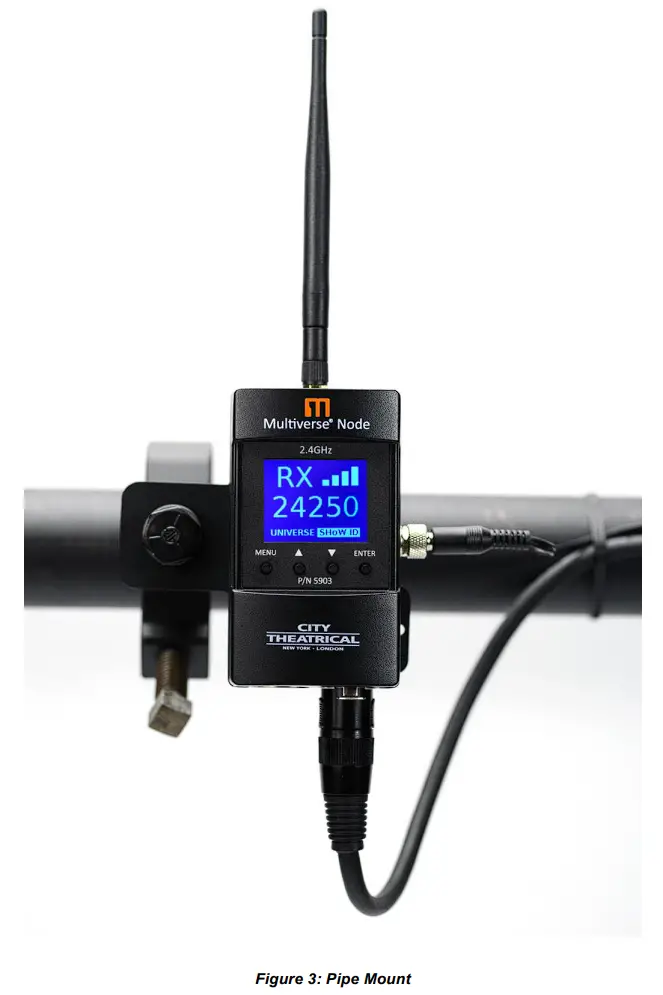
Table 6: SHoW DMX Neo SHoW IDs for Use with the 2.4GHz Radio in Single Universe Systems
| SHoW ID | Mode | Hopping Pattern | Bandwidth |
| 101 | Neo | 1 | Full |
| 102 | Neo | 2 | Full |
| 103 | Neo | 3 | Full |
| 104 | Neo | 4 | Full |
| 105 | Neo | 5 | Full |
| 106 | Neo | 6 | Full |
| 107 | Neo | 7 | Full |
| 108 | Neo | 8 | Full |
| 109 | Neo | 9 | Full |
| 110 | Neo | 10 | Full |
| 111 | Neo | 11 | Full |
| 112 | Neo | 12 | Full |
| 113 | Neo | 13 | Full |
| 114 | Neo | 14 | Full |
| 115 | Neo | 15 | Full |
| 116 | Neo | 16 | Full |
| 117 | Neo | 1 | Limited Low, Wi-Fi 1-6 |
| 118 | Neo | 2 | Limited Low, Wi-Fi 1-6 |
| 119 | Neo | 3 | Limited Low, Wi-Fi 1-6 |
| 120 | Neo | 4 | Limited Low, Wi-Fi 1-6 |
| 121 | Neo | 5 | Limited Low, Wi-Fi 1-6 |
| 122 | Neo | 6 | Limited Low, Wi-Fi 1-6 |
| 123 | Neo | 7 | Limited Low, Wi-Fi 1-6 |
| 124 | Neo | 8 | Limited Low, Wi-Fi 1-6 |
| 125 | Neo | 9 | Limited Low, Wi-Fi 1-6 |
| 126 | Neo | 10 | Limited Low, Wi-Fi 1-6 |
| 127 | Neo | 11 | Limited Low, Wi-Fi 1-6 |
| 128 | Neo | 12 | Limited Low, Wi-Fi 1-6 |
| 129 | Neo | 13 | Limited Low, Wi-Fi 1-6 |
| 130 | Neo | 14 | Limited Low, Wi-Fi 1-6 |
| 131 | Neo | 15 | Limited Low, Wi-Fi 1-6 |
| 132 | Neo | 16 | Limited Low, Wi-Fi 1-6 |
| 133 | Neo | 1 | Limited Mid, Wi-Fi 5-9 |
| 134 | Neo | 2 | Limited Mid, Wi-Fi 5-9 |
| 135 | Neo | 3 | Limited Mid, Wi-Fi 5-9 |
| 136 | Neo | 4 | Limited Mid, Wi-Fi 5-9 |
| 137 | Neo | 5 | Limited Mid, Wi-Fi 5-9 |
| 138 | Neo | 6 | Limited Mid, Wi-Fi 5-9 |
| 139 | Neo | 7 | Limited Mid, Wi-Fi 5-9 |
| 140 | Neo | 8 | Limited Mid, Wi-Fi 5-9 |
| 141 | Neo | 9 | Limited Mid, Wi-Fi 5-9 |
| 142 | Neo | 10 | Limited Mid, Wi-Fi 5-9 |
| 143 | Neo | 11 | Limited Mid, Wi-Fi 5-9 |
| 144 | Neo | 12 | Limited Mid, Wi-Fi 5-9 |
| 145 | Neo | 13 | Limited Mid, Wi-Fi 5-9 |
| 146 | Neo | 14 | Limited Mid, Wi-Fi 5-9 |
| 147 | Neo | 15 | Limited Mid, Wi-Fi 5-9 |
| 148 | Neo | 16 | Limited Mid, Wi-Fi 5-9 |
| 149 | Neo | 1 | Limited High, Wi-Fi 7-11 |
| 150 | Neo | 2 | Limited High, Wi-Fi 7-11 |
| 151 | Neo | 3 | Limited High, Wi-Fi 7-11 |
| 152 | Neo | 4 | Limited High, Wi-Fi 7-11 |
| 153 | Neo | 5 | Limited High, Wi-Fi 7-11 |
| 154 | Neo | 6 | Limited High, Wi-Fi 7-11 |
| 155 | Neo | 7 | Limited High, Wi-Fi 7-11 |
| 156 | Neo | 8 | Limited High, Wi-Fi 7-11 |
| 157 | Neo | 9 | Limited High, Wi-Fi 7-11 |
| 158 | Neo | 10 | Limited High, Wi-Fi 7-11 |
| 159 | Neo | 11 | Limited High, Wi-Fi 7-11 |
| 160 | Neo | 12 | Limited High, Wi-Fi 7-11 |
| 161 | Neo | 13 | Limited High, Wi-Fi 7-11 |
| 162 | Neo | 14 | Limited High, Wi-Fi 7-11 |
| 163 | Neo | 15 | Limited High, Wi-Fi 7-11 |
| 164 | Neo | 16 | Limited High, Wi-Fi 7-11 |
| 165 | Neo | 1 | Max, Wi-Fi 13-14 |
| 166 | Neo | 2 | Max, Wi-Fi 13-14 |
| SHoW ID | Mode | Universe | Bandwidth |
| 201 | Neo Adaptive | A | Full |
| 202 | Neo Adaptive | B | Full |
| 203 | Neo Adaptive | C | Full |
| 204 | Neo Adaptive | D | Full |