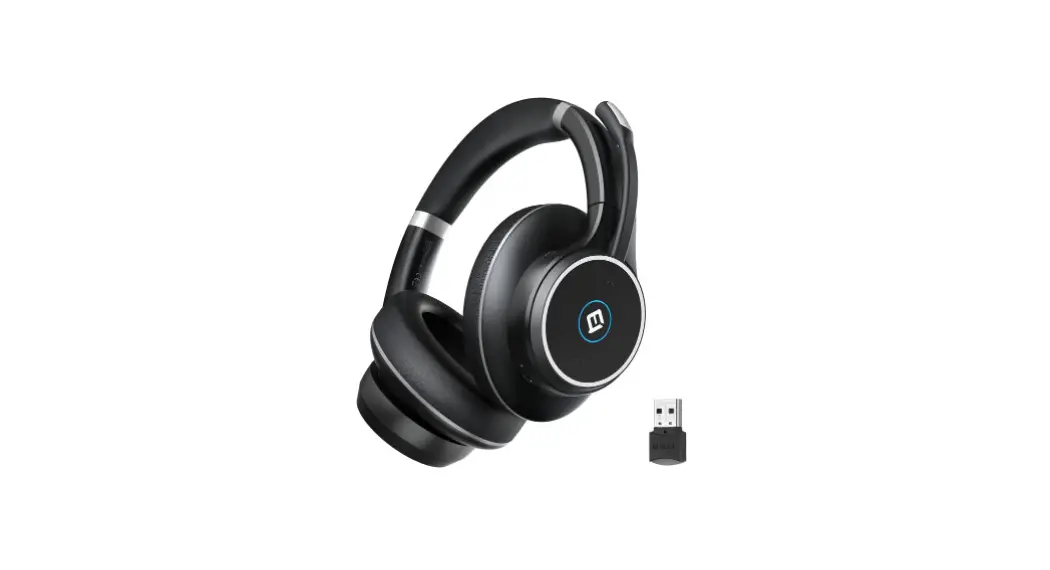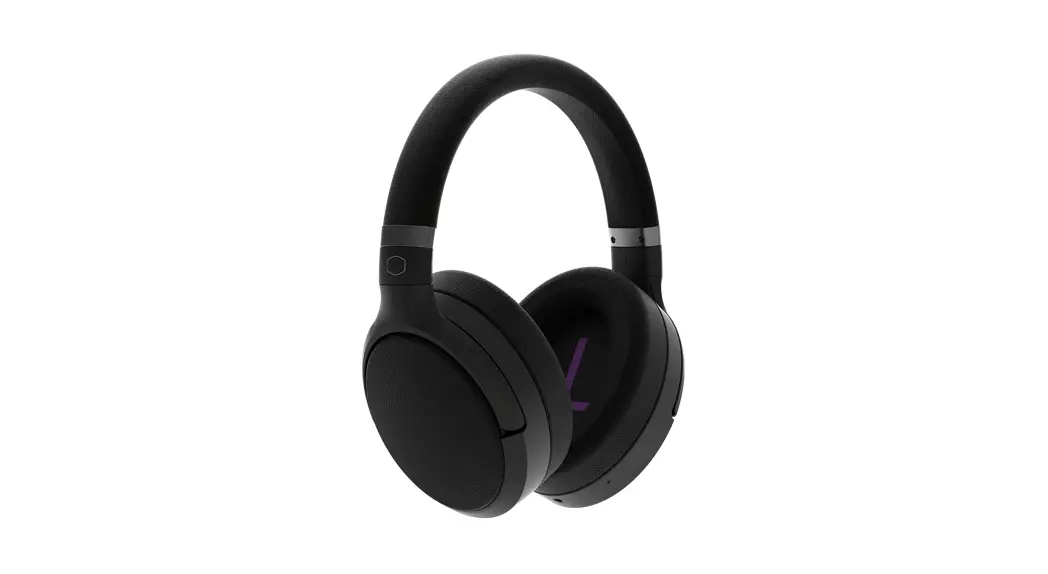
 SH711
SH711
NO NOISE JUST MUSIC
SETUP GUIDE
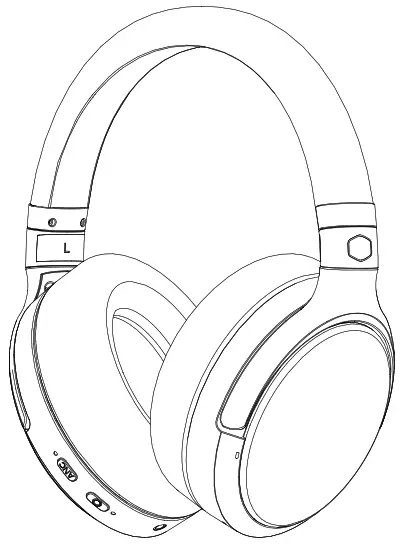
OVERVIEW
 ANC Mode Indicator
- ANC Mode Selection
- Multi-Function Button (MFB)
- Bluetooth Status Indicator
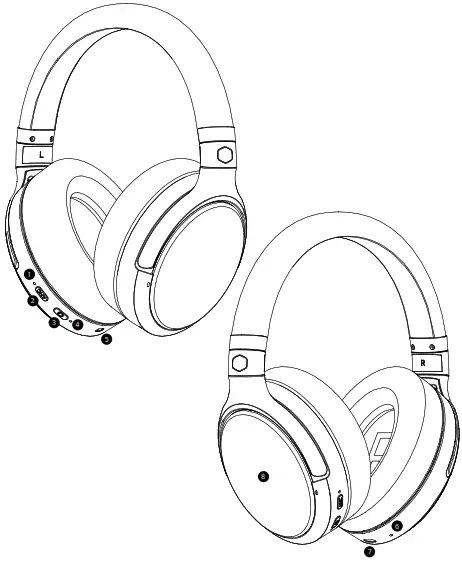 ANC Mode Indicator
BLUETOOTH CONNECT
Please power on the headset to activate Bluetooth and ANC Connect Bluetooth via the “MFB” button
- Bluetooth Status Indicator
- Multi-Function Button (MFB)
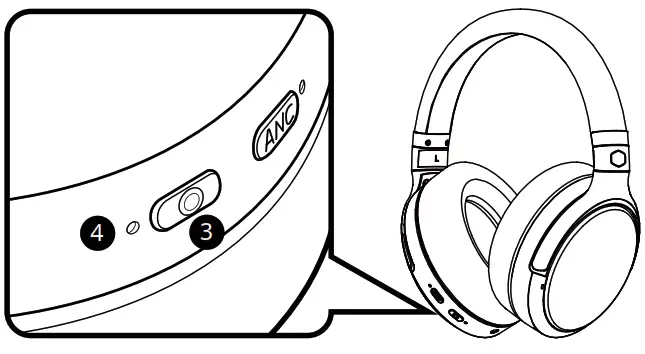
| Function | Instruction / Description | LED Status | Voice Prompt |
| Power On | Press “MFB” for 2 Seconds |  Blue LED Flashes Once Blue LED Flashes Once | POWER ON |
| Pairing | After Power On, DO NOT release “MFB” and keep pressing for 2 seconds more. |  Blue LED and Red LED Flash alternately Blue LED and Red LED Flash alternately | PAIRING |
| Pairing Successful | While in Pairing Mode |  Blue LED Steady Blue LED Steady | PAIRING SUCCESSFUL, CONNECTED |
| Reconnect | With Pairing completed successfully, power on and connect automatically. | Blue LED Steady | CONNECTED |
| Reconnect Fail | Will enter pairing mode automatically. | Blue LED and Red LED Flash alternately | PAIRING |
| Connect and Pairing Fail | Connect fail and will enter Pairing Mode automatically. Auto power off if pairing fails for 5 minutes. | PAIRING FAILED, POWER OFF | |
| Disconnected | Will enter standby mode, please press “MFB” to reboot the connection or to enter pairing mode |  Blue LED flashes twice every 1s interval Blue LED flashes twice every 1s interval | DISCONNECTED |
| Reboot Connection | Double press “MFB” | Blue LED Steady | CONNECTED |
| Eliminate HeadsetPairing Record | Under connected mode (before playing any media), triple press “MFB” to eliminate saved pairing devices and then enter pairing mode. | Blue LED and Red LED Flash alternately | DISCONNECTED, PAIRING |
| Power Off | Press “MFB” for 4 Seconds. |  Red LED to flash once Red LED to flash once | POWER OFF |
MFB CONTROL
For Bluetooth access, please refer to Bluetooth Connect Section
3 Multi-Function Button (MFB)
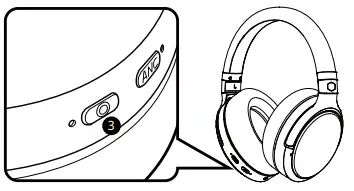
| Function | Instruction / Description |
| Audio Play / Pause | Press once to play or pause music |
| Call Answer / End | Press once to answer or end the call |
| Call Decline | Double press to decline the incoming call |
| Redial Last Phone Call | Double press to redial your last phone call |
ANC CONTROL
ANC Mode Sequence:
- ANC On
- Ambient Sound
- ANC Off
1 ANC Mode Indicator
2 ANC Mode Selection
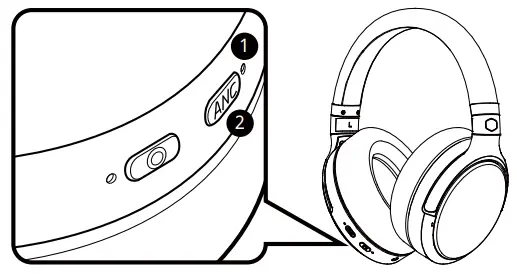
| Function | Instruction / Description | LED Status |
|
| ANC On | When ANC is off, press once to switch |  Green LED steady Green LED steady | ANC ON |
| Ambient Sound | When ANC is on, press once to switch |  Green LED slow flash Green LED slow flash | AMBIENT SOUND ON |
| ANC Off | When Ambient Sound is on, press once to switch | ANC OFF | |
| Active Voice Assistant | Double press to activate voice assistant *Voice assistant support depends on the capabilities of the connected device and varies by region |  Blue LED flashes 3 times Blue LED flashes 3 times*Bluetooth status indicator* | BEEP SOUND |
TOUCH CONTROL
The touch panel is on the Left Side
Touch Panel is controlled by Bluetooth Mode
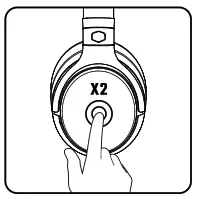 | 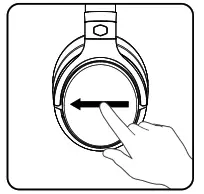 |
| Audio Play/Pause Double-tap to play or pause music | Next Track Slowly swipe forward for the next song |
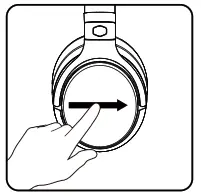 | 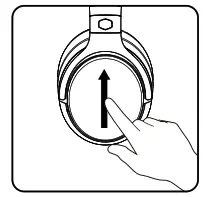 |
| Previous Track Slowly swipe backward for the previous song | Volume Up Slowly swipe up to increase the volume |
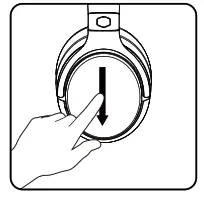 | 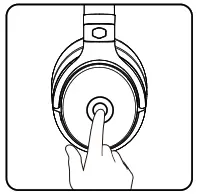 |
| Volume Down Slowly swipe down to decrease the volume | Call Answer / End Single tap to answer or end the call |
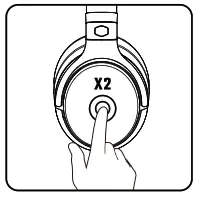 | Call Decline Double Tap to decline the incoming call |
CHARGING LED
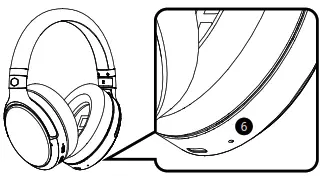
The charging indicator is on the RIGHT side
6 Charging Indicator
| Function | LED Status | Voice Prompt |
| Low Battery |  Red LED slow flash Red LED slow flash | BATTERY LOW “Every 3 Minutes” |
| Charging “Auto Power Off while charging, able to power on Manually” | Under Power Off Red LED Steady | |
| Charging Complete |  Under Power Off Blue LED Steady Under Power Off Blue LED Steady |
LINE IN
ANC is disabled while Headset is powered off MIC function is disabled while lining in
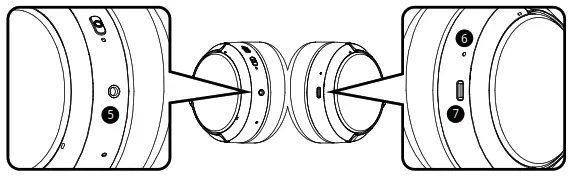
5. 3.5mm Audio Jack
6. Charging Indicator
7. USB Type C Input
| Connect | Instruction/Description | ANC Function |
| Analog Listen | Connect with a 3.5mm audio cable | Disabled Power On Headset to enable ANC |
| Digital Listen “NB/PC Support Only” | Not paired with any devices: 1. Power on and pair to your BT device 2. Power off 3. Connect with Type-C data cable 4. Power on the headset to active digital listen | Enable |
| Already Paired with devices: 1. Connect with Type-C Data Cable 2. Power On Headset to Active Digital Listen | Enable | |
| Charging | Connect with Type-C Cable and Headset will Power Off Automatically | Disabled |
Safety instructions
- Read these operating instructions carefully and completely before using the product.
- Do not use the product when it is damaged.
Preventing damage to health and accidents
- When you use the headphones, please make sure that the volume level is set to a minimum. Adjust the volume level only after putting on the headphones. To avoid possible hearing damage, do not use your headphones for extended periods of time at high volume.
- High volumes and long listening times can damage your hearing. Hearing damage is irreversible.
- If you suffer from tinnitus, do not use headphones or reduce the volume.
- Always ensure an adequate volume level. It is advisable to keep listening times as short as possible at high volume levels.
Danger to your person
- Headphones drastically reduce the perception of external sounds. Using headphones in road traffic can be potentially dangerous. The user’s hearing must not be impaired to the extent that it causes road safety risks. For your safety, please do not use the headphones in traffic, especially within an area of potentially dangerous machines and tools.
- Furthermore, avoid using headphones in situations where hearing must not be affected, especially at railway crossings or construction sites.
ANC function
- The function of Active Noise Cancellation (ANC) prevents users from hearing ambient noise. In road traffic, this can be extremely hazardous.
- Never use headphones with Active Noise Cancellation (ANC) in situations where hearing may not be impaired and may present a risk to yourself or others, such as when cycling, driving a car, crossing a road, or walking near traffic, construction site, etc.
- Remove the headphones or use the headphones without noise cancellation and adjust the volume to make sure that you can hear ambient noise such as alarms or warning signals.
- Please note that sounds that you rely on as alarms or warning signals may sound different when using headphones.
Liability / intended use
- Do not use the product for any application which is not described in this product information. Cooler Master is not liable for improper use of the product and its accessories.
- Cooler Master is not liable for damages to USB devices that do not comply with USB specifications.
- Cooler Master is not liable for damages resulting from transmission breakdowns due to empty or old batteries or exceeding the Bluetooth® transmission range.
- Please observe the respective country-specific regulations before using the product.
Unit usage warning
- Use only a USB 2.0/3.0 compliant 5V power supply to charge the battery via the integrated USB type-C port (power consumption is max. 1.0 A).
- WARNING: The batteries (battery pack or batteries installed) shall not be exposed to excessive heat such as sunshine, fire or the like.
- CAUTION: Please do not open the housing. The danger of explosion if the battery is incorrectly replaced.
Battery warning
- Do not disassemble.
- Do not use the battery after soaking.
- Do not expose to high temperatures (60 °C/140 °F). High temperatures, particularly in association with a high charging status, result in irreversible damage to the battery.
- If you are not intending to use the battery for an extended period or are planning to put it into storage, it is advisable to lower the battery’s charging level to around 50% and to store it at temperatures of a maximum of 30 °C.
- Never expose the battery to excessive heat such as sunshine, fire, or the like.
- Misuse or improper use could damage the battery. In extreme cases, there is a risk of explosion, heat, fire, smoke, or gas.
Notes on battery life for Li-ion batteries
- After fully charging, disconnect the charging cable from the charger and the headphones.
- High temperatures, especially when fully charged can lead to irreversible damage.
- If the battery is not used for extended periods of time, it is recommended to charge it to approx. 50 % and store it at temperatures no more than 20 °C.
- Turn off the battery-powered product after use.
Battery disposal
When this product reaches its end of life, take it to a collection point designated by local authorities. The separate collection and recycling of your product and/or its battery at the time of disposal will help conserve natural resources and ensure that it is recycled in a manner that protects human health and the environment.
- Old batteries may contain substances that are harmful to your health and environment.
- Dispose of used batteries always according to the applicable disposal regulations. Please do not throw used battery packs into the fire (danger of explosion) or your household rubbish, take them to your local collection points.
Technical specifications
RF frequency range . . . . . . . . . . . . . . . . . . . . . . . . . . . .2.402 – 2.480 GHz
Transmission power . . . . . . . . . . . . . . . . . . . . . . . .. . . . . . . . . .8-10 dBm
Operating temperature range . . . . . . . . . . . . . .. . . . . . . . . . . .0 to 60 °C
Charging temperature range . . . . . . . . . . . . . . . . . . . . . . .. . . . . . .0 to 45 °C
Trademarks
The Bluetooth® word mark and logos are registered trademarks of Bluetooth SIG, Inc. and all use of these trademarks by Cooler Master is licensed. Other trademarks and trade names are the property of the respective owners.
Qualcomm aptX™ is a product of Qualcomm Technologies, Inc. and/or its subsidiaries. Qualcomm® is a registered trademark of Qualcomm Incorporated in the USA and in other countries. aptX™ is a registered trademark of Qualcomm Technologies International, Ltd.
|This device complies with part 15 of the FCC Rules. Operation is subject to the following two conditions: (1) This device may not cause harmful nterference, and (2) this device must accept any interference received, including interference that may cause undesired operation.
Any Changes or modifications not expressly approved by the party responsible for compliance could void the user’s authority to operate the equipment.
Note: This equipment has been tested and found to comply with the limits for a Class B digital device, pursuant to part 15 of the FCC Rules. These limits are designed to provide reasonable protection against harmful interference in a residential installation.
This equipment generates uses and can radiate radio frequency energy and, if not installed and used in accordance with the instructions, may cause harmful interference to radio communications. However, there is no guarantee that interference will not occur in a particular installation. If this equipment does cause harmful interference to radio or television reception, which can be determined by turning the equipment off and on, the user is encouraged to try to correct the interference by one or more of the following measures:
- Reorient or relocate the receiving antenna.
- Increase the separation between the equipment and receiver.
- Connect the equipment into an outlet on a circuit different from that to which the receiver is connected.
- Consult the dealer or an experienced radio/TV technician for help.