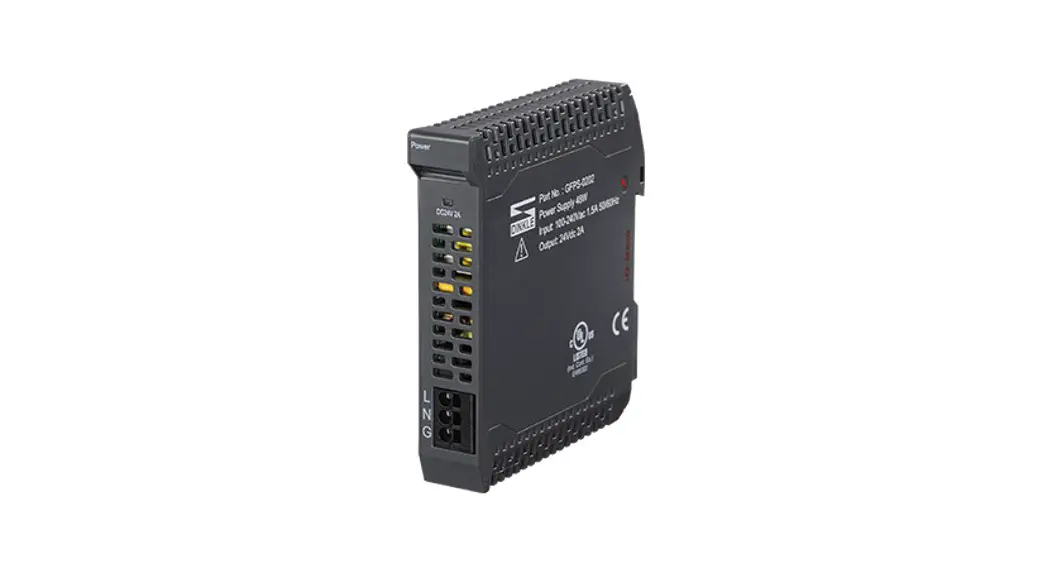
 GFPS-0202 Power Module
User Manual
Power Module List
| Product No. | Description | Remarks |
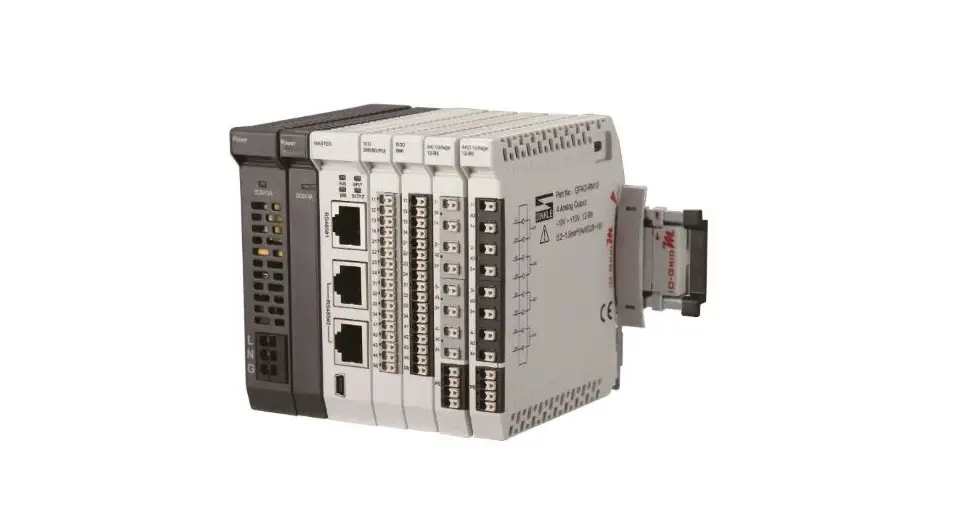
| GFPS-0202 | 100~240 VAC to 24 VDC Power Module | |
| GFPS-0303 | 24 VDC to 5 VDC Power Module |
Power Module Specification
2.1 GFPS-0202
| Technical Specification | |
| Rated Input Voltage | 100-240 VAC (rated) |
| Inrush Current (Cold Start) | 34 A |
| Rated Power | 48 W / 2 A |
| Output Voltage | 24 VDC ± 1% |
| Overload Protection | Hiccup Mode |
| Overload | 120% – 185% Rated Output Power |
| Overvoltage Protection | Carper Overvoltage Protection |
| Overvoltage | 30-34 VDC |
| General Specification | |
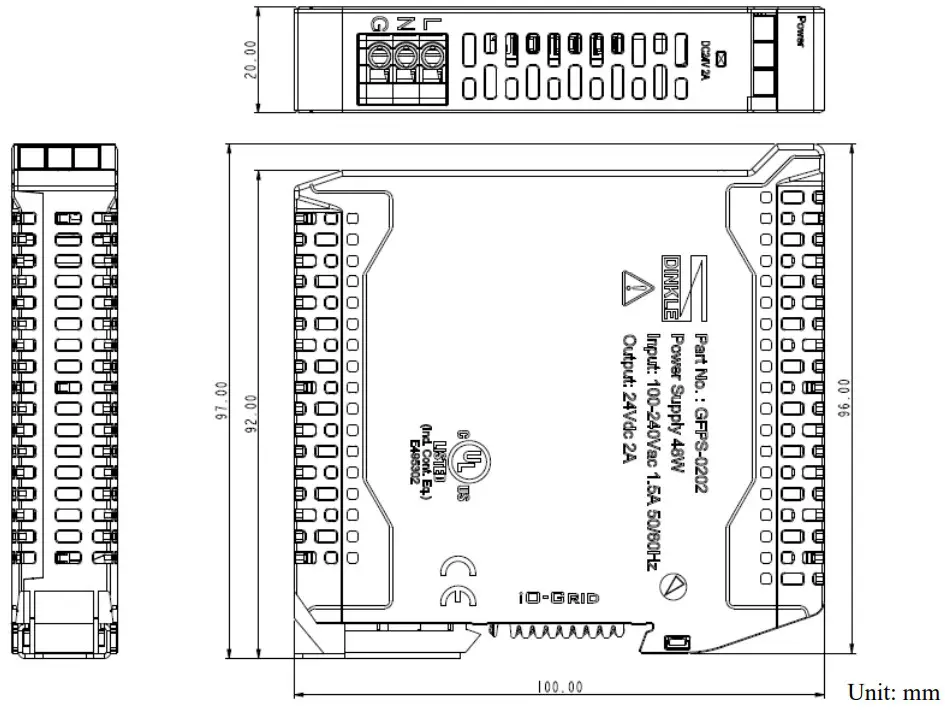
| Dimension (W*D*H) | 20 x 100 x 96mm |
| Weight | 126g |
| Ambient Temperature (Operation) | -20°C…+60°C |
| Ambient Humidity | RH 20%…90% |
| Altitude Limit | < 2000 m |
| Ingress Protection (IP) | IP 20 |
| Pollution Severity | II |
| Safety Approval | CE |
| Wiring Range (IEC / UL) | 0.2 mm2-2.5 mm2 / AWG 26-12 |
| Wiring Ferrules | DN00508D – DN00708D – DN01508D |
2.2 GFPS-0303
| Technical Specification | |
| Rated Input Voltage | 21 — 28.8 VDC |
| Max Input Current | < 1.3 A |
| Rated Output Power | 20 W / 4 A |
| Output Voltage | 5 VDC ± 5% |
| Overload Protection | Clamper Overvoltage Protection (Latching) |
| Overload | 127% — 170% Rated Output Power |
| Overvoltage Protection | Camper Overvoltage Protection |
| Overvoltage | 6.5 VDC — 6.7 VDC |
| General Specification | |
| Dimension (W*D*H) | 12 x 100 x 96mm |
| Weight | 68g |
| Ambient Temperature (Operation) | -20°C…+60°C |
| Ambient Humidity | RH 20%…90% |
| Altitude Limit | < 2000 m |
| Ingress Protection (IP) | IP 20 |
| Pollution Severity | II |
| Safety Approval | CE |
Power Module Information
3.1 Power Module Dimensions
I. GFPS-0202
II. GFPS-0303
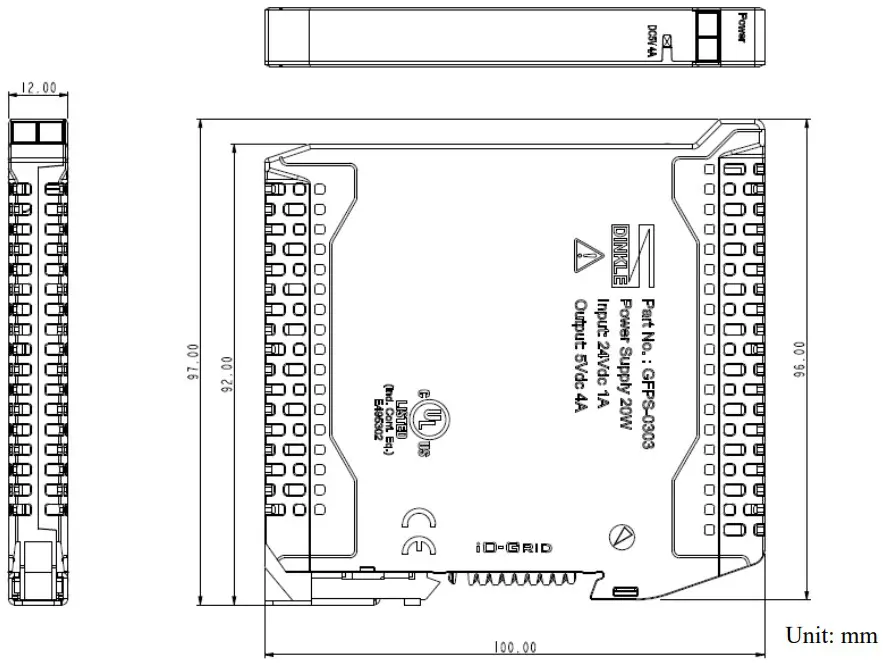
3.2 Power Module Panel Information
I. GFPS-0202
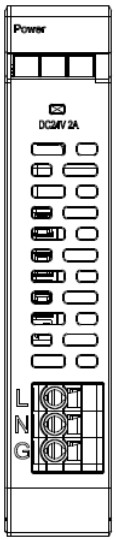
LED Indicator Light
| LED | Color | Status |
| DC24V 2A | Green | Power Convey Rerunning |
I. GFPS-0303

LED Indicator Light
| LED | Color | Status |
| DC5V 4A | Green | Power Converter Running |
Module Installation/Disassembly
4.1 Installation
- Align the red arrow on the side of the module to the arrow on the DIN rail.
- Press the module down and the metal clamp will slide (thanks to its spring mechanism) and grab on the other side of the DIN rail. Continue to push down until the metal clamp “clicks”.
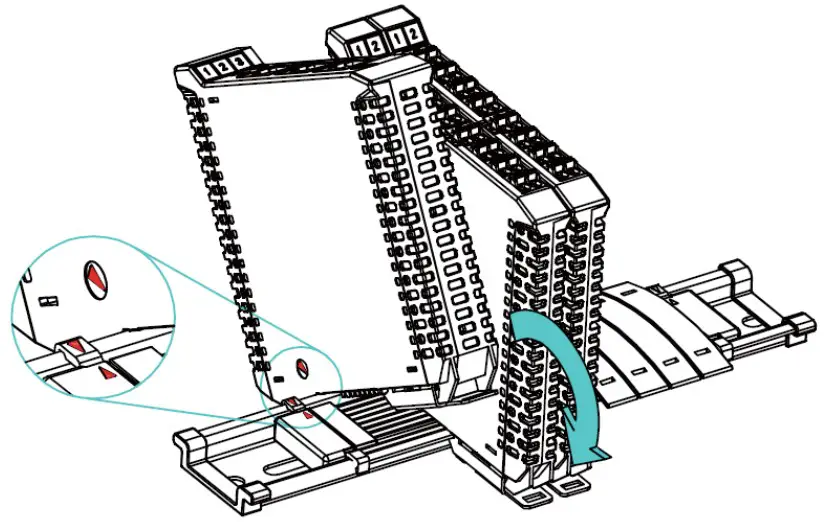
*Note: Make sure the red arrows on the module and the rail are pointing the same direction.
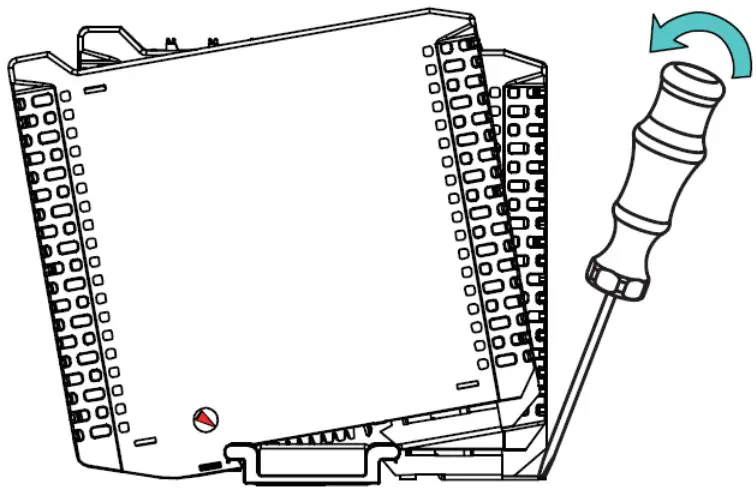
4.2 Removal
- Use a screwdriver to pull the metal hook sideways and detach the module from the DIN rail.
- Remove all modules from the DIN rail in reverse order of installation.
iO-GRID M Series Introduction
iO-GRID M series utilizes the standard Modbus communication protocol and supports Modbus RTU/ASCII and Modbus TCP. Please choose products and factory controllers to figure your system based on your communication protocol.
5.1 iO-GRID M Components
I. DINKLE Bus
Rail 1 to 4 are defined for power supply and rail 5 and 7 are defined for communication.
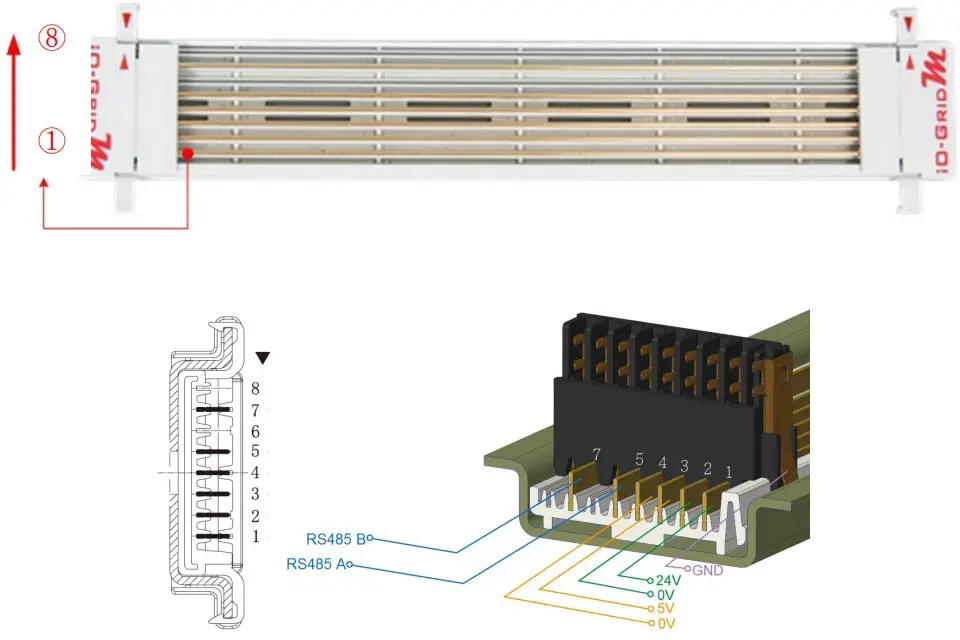
DINKLE Bus Rail Definitions:
| Rail | Definition | Rail | Definition |
| 8 | — | 4 | 0V |
| 7 | RS485B | 3 | 5V |
| 6 | — | 2 | 0V |
| 5 | RS485A | 1 | 24V |
Power Module Instructions
6.1 Power Module Assembly and Connections
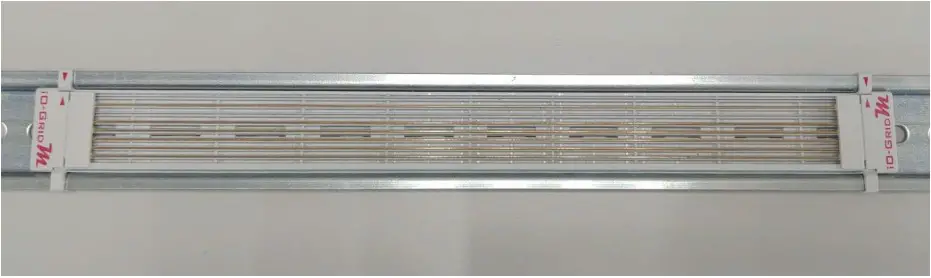
- Install the fieldbus to the DIN rail

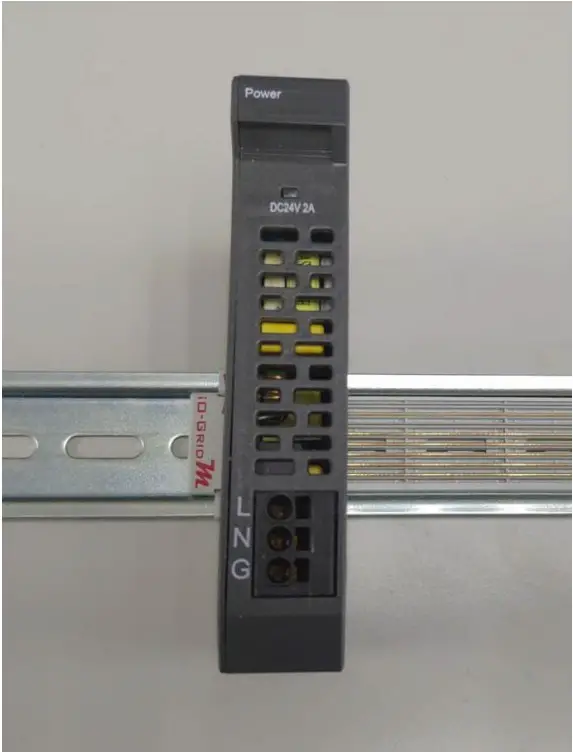
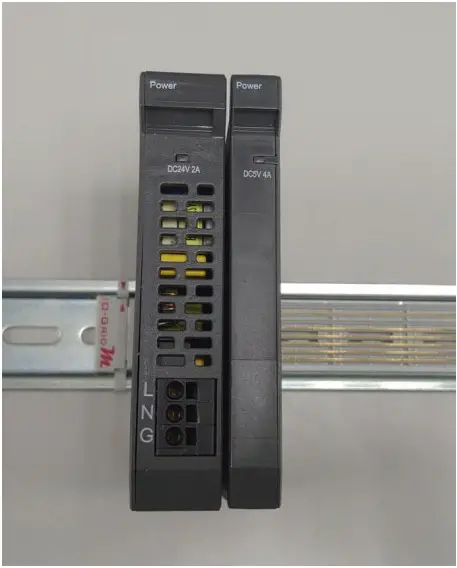
- Install GFPS-0202 to the fieldbus and GFPS-0202 will convert the alternating current from the external power supply into 24V direct current and feed it to the fieldbus

- Install GFPS-0303 to the fieldbus and GFPS-0303 will convert the 24V direct current from the fieldbus into 5V direct current before feeding it to the fieldbus

- Plug the external alternating current power supply to the “L”, “N” and “G” connectors on GFPS-0202 accordingly

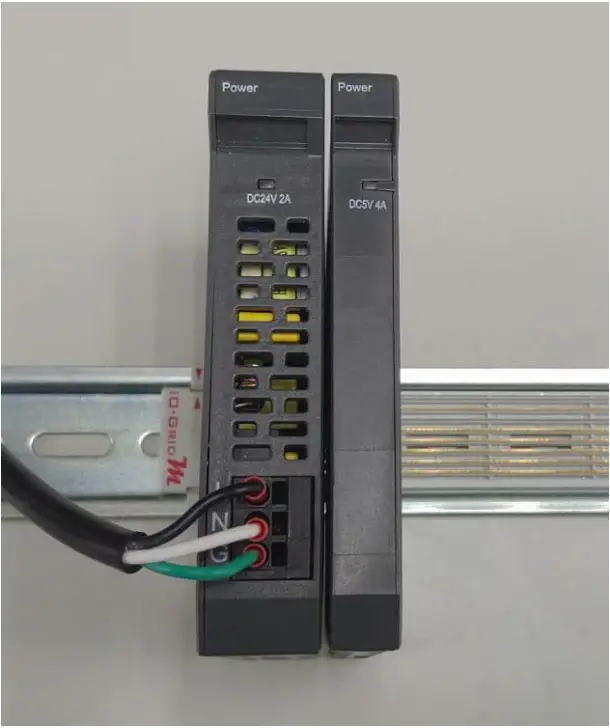
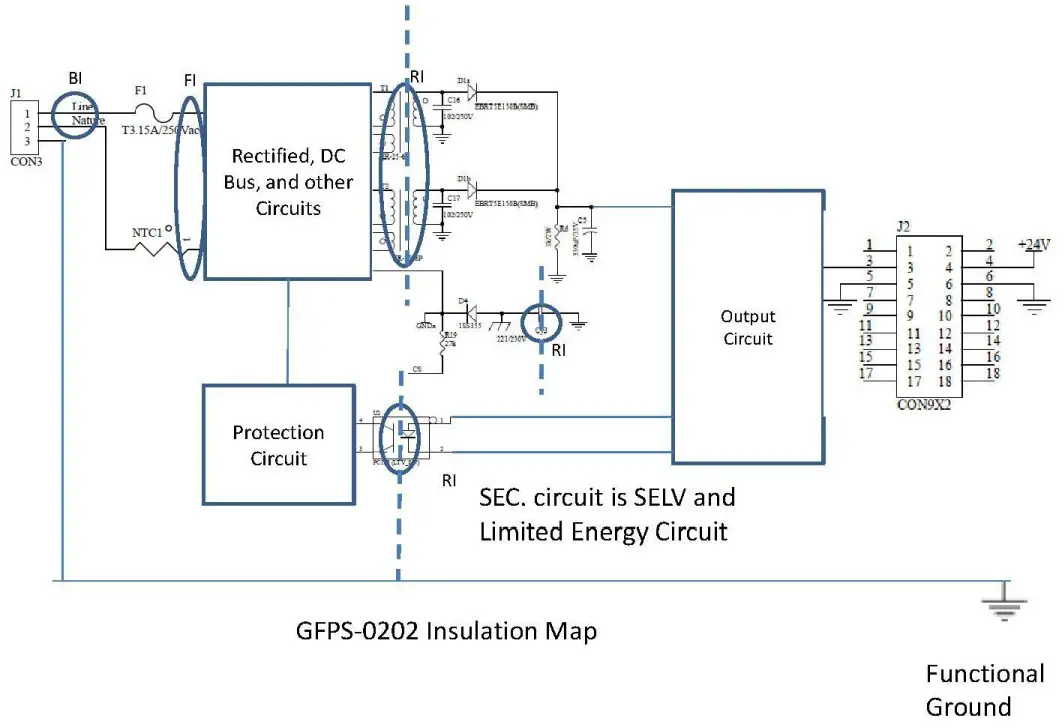
6.2 Power Module Insulation Map
I. GFPS-0202
II. GFPS-0303
All Circuit designed Function Insulation
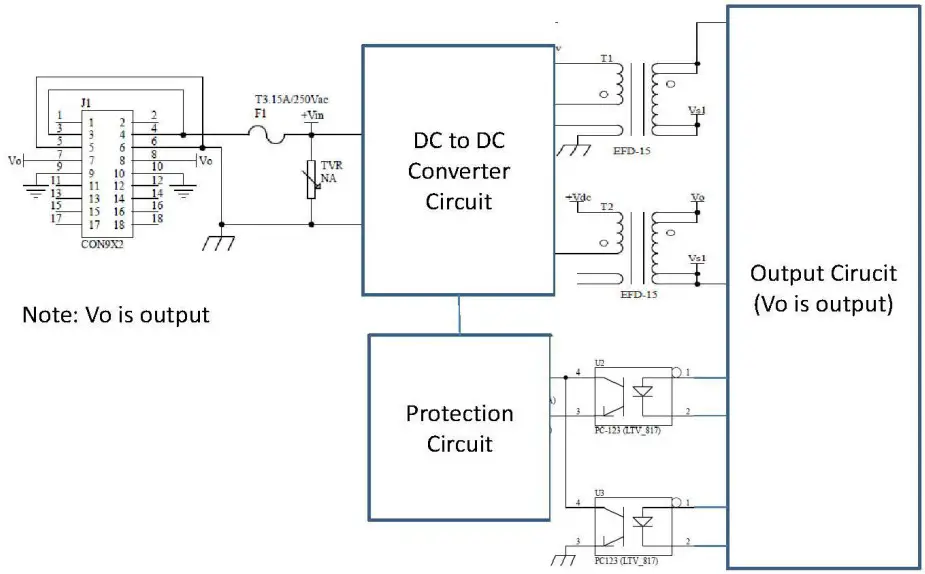
GFPS-0303 Insulation Map