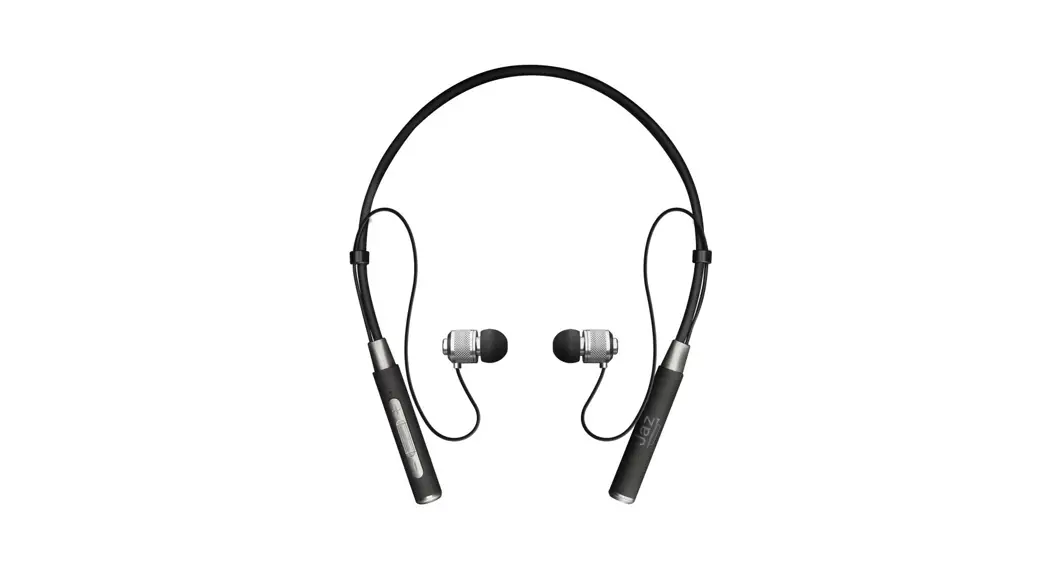
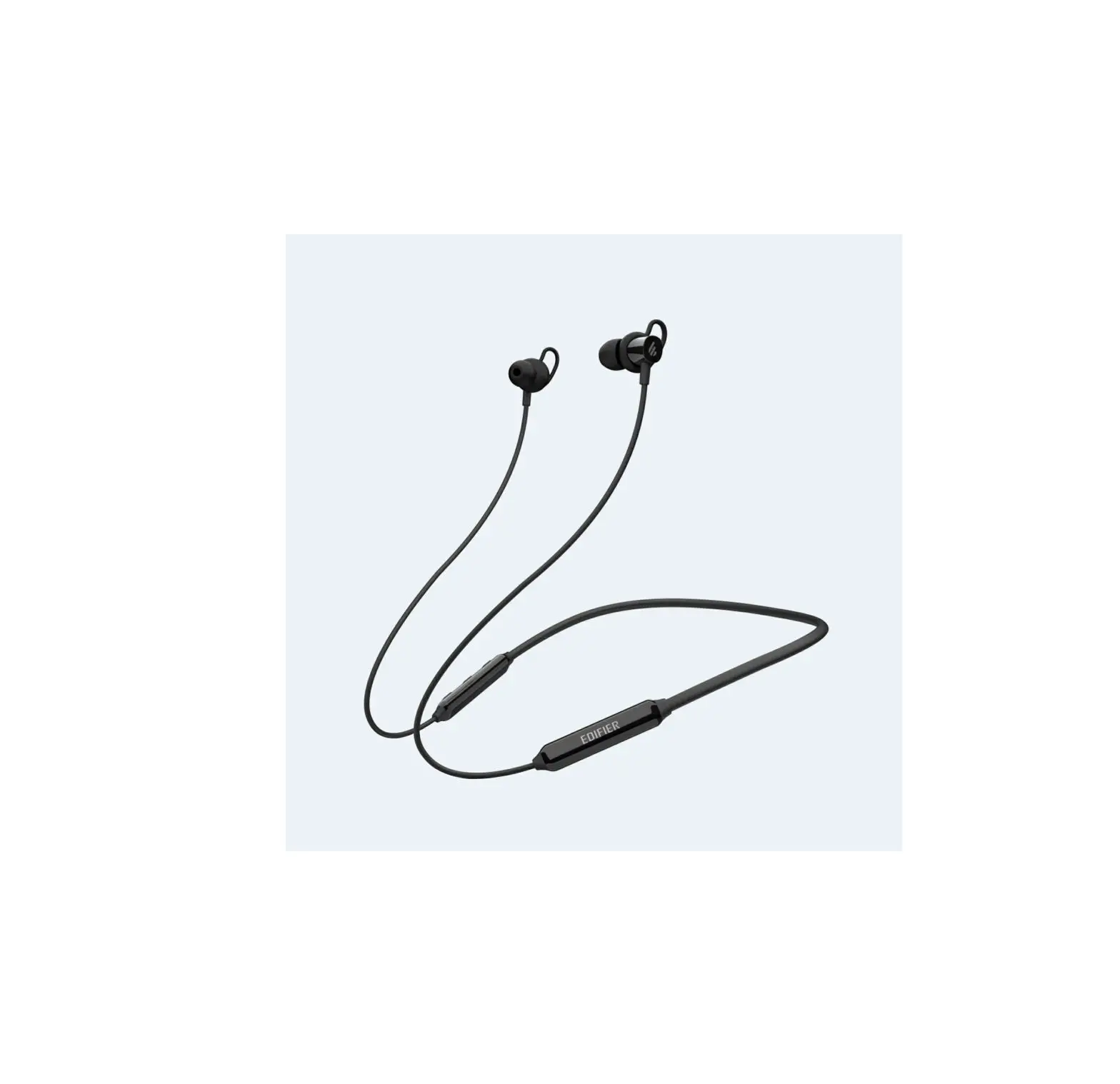
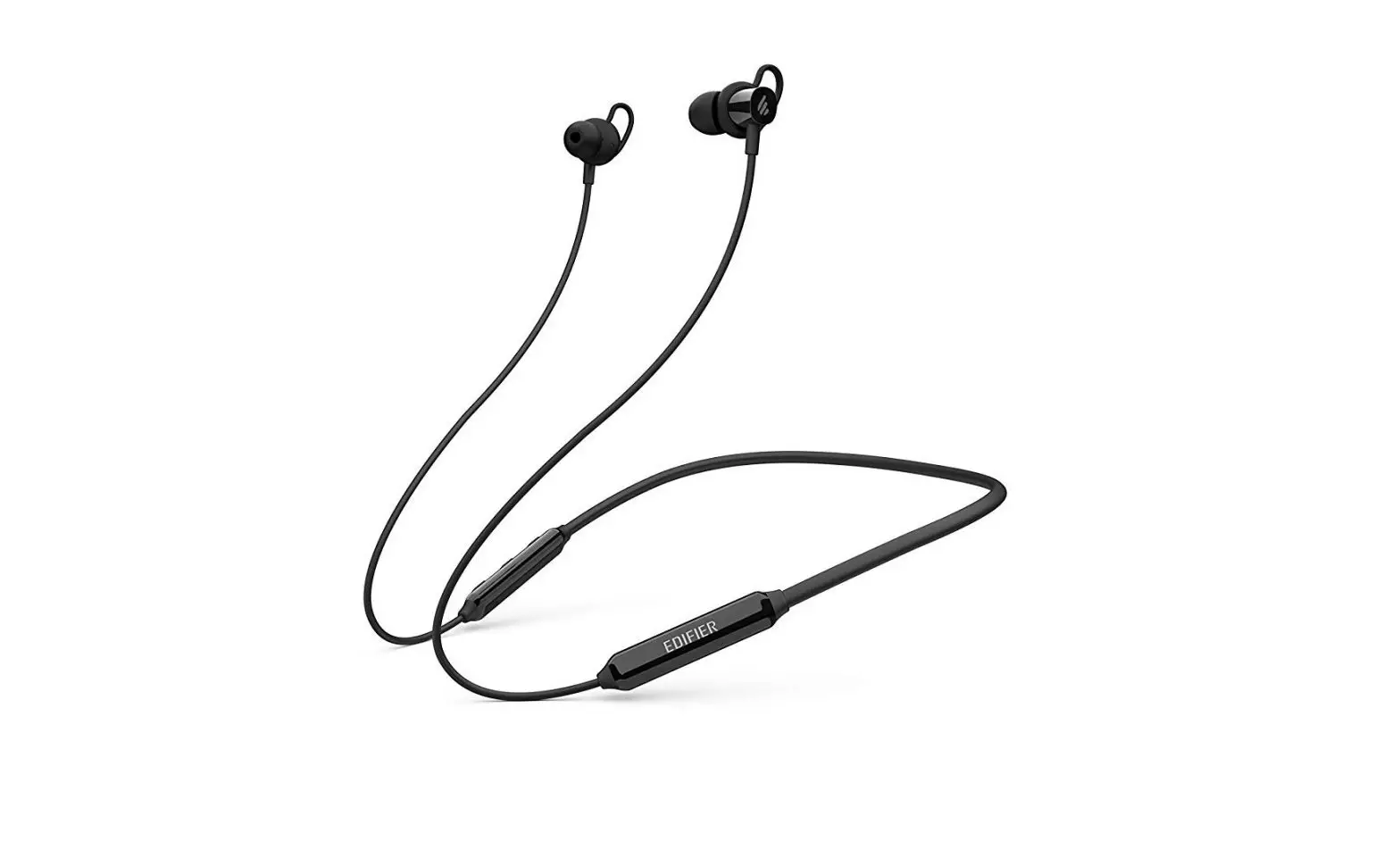
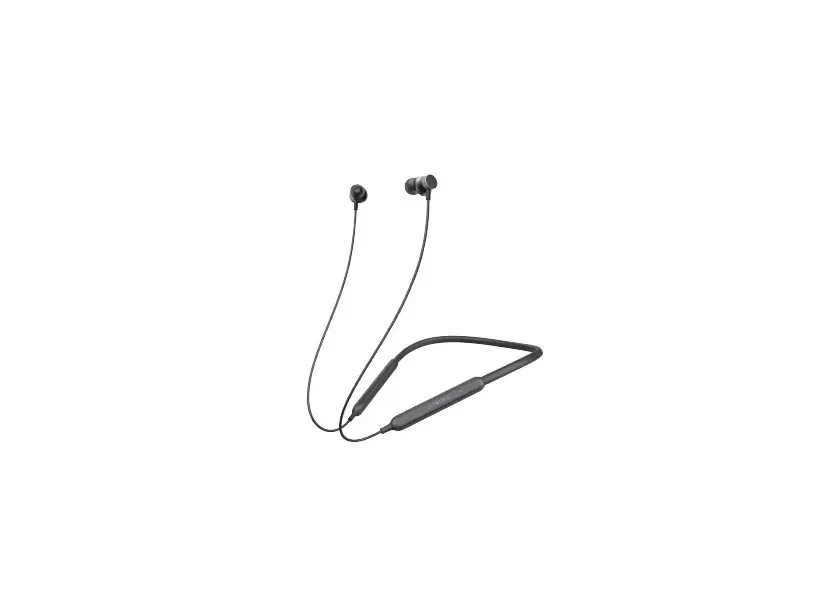
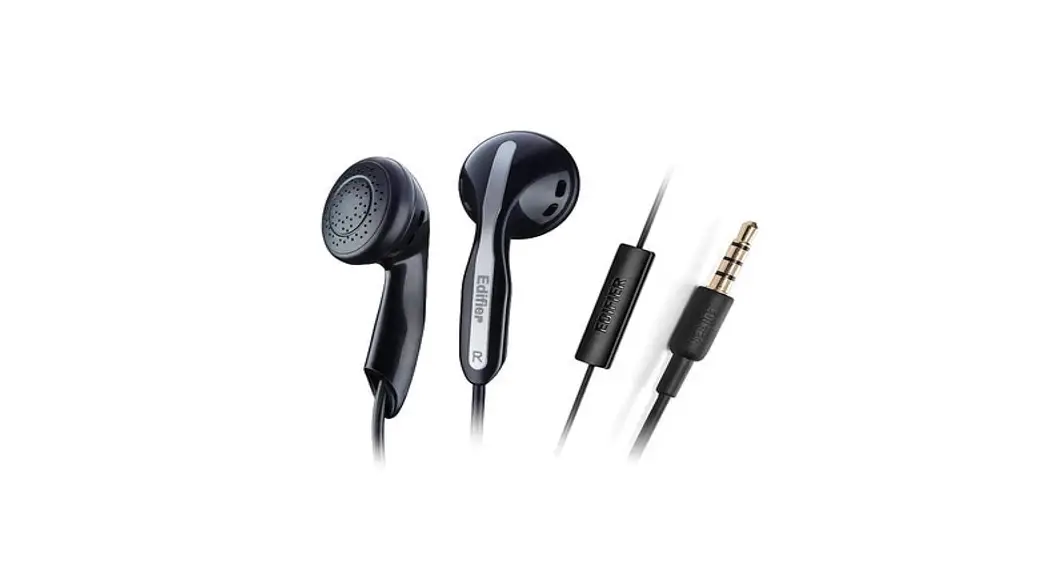
W210BT Wireless Neckband Headphones
Product Information
Product Name: W210BT Wireless Neckband Headphones
Manufacturer: Edifier International Limited
Model Number: EDF200104
Website: www.edifier.com
Product Usage Instructions
1. Power ON/OFF
To power on the headphones, press and hold the power button for
3 seconds.
To power off the headphones, press and hold the power button for
3 seconds.
2. Pairing
First Pairing:
- Make sure the headphones are powered off.
- Press and hold the power button for 5 seconds. The green and
red LEDs will blink rapidly. - Select “EDIFIER W210BT” in the Bluetooth settings of your
device to connect.
Subsequent Pairing:
After the first pairing, the headphones will automatically
connect to the last device used.
3. Reset
- Make sure the headphones are powered on and disconnected from
all devices. - Press and hold the “+” and “-” buttons simultaneously for 5
seconds. - The status light will blink green until the reset is
completed. - Once the headphones are reset, they will enter pairing mode
automatically.
4. Controls
The headphones have the following controls:
- Power Button: Press and hold for 3 seconds to power
on/off. - Volume Buttons: Press to adjust the volume.
- Playback Control Buttons: Press to control playback (e.g.,
play, pause, skip).
Note: The images shown in the manual are for illustrative
purposes only and may differ from the actual product.
For more information, please visit the Edifier website.
W210BT
Wireless Neckband Headphones
Manual
EN 1. Power ON/OFF
3s Press and hold the power button for 3s. Indicator
2. Pairing
5s
1. When they’re power off, press and hold the power button for 5s. Green and red LED will blink rapidly.
2. Select “EDIFIER W210BT” in your device setting to connect. 1st Pairing 1. Once the headphones are power on, they will enter Bluetooth
pairing automatically. Green and red LED will blink rapidly. 2. Select “EDIFIER W210BT” in your device setting to connect. Note: For subsequent use, the headphones will auto-connect to device used last time.
3. Reset
5s
1. The headphones are power on and disconnected from all devices. 2. Press and hold the ” ” and “v” at the same time for 5s. 3. The status light blinks green until reset is completed. 4. Once the headphones are reset, they enter pairing mode
automatically.
4. Controls
3s
5s
x1
x1
x1
x3
x1
x1
x2
x2
Note: 1. : Press and hold 2. Images are for illustrative purposes only and may differ from the
actual product.
For more information, please visit our website:
www.edifier.com
@Edifierglobal @Edifier_Global @Edifier_Global
Model: EDF200104 Edifier International Limited P.O. Box 6264 General Post Office Hong Kong www.edifier.com
2023 Edifier International Limited. All rights reserved. Printed in China NOTICE: For the need of technical improvement and system upgrade, information contained herein may be subject to change from time to time without prior notice. Products of EDIFIER will be customized for different applications. Pictures and illustrations shown on this manual may be slightly different from actual product. If any difference is found, the actual product prevails.
FR 1. Allumer/Éteindre
3s
Maintenez le bouton Allumer/Éteindre appuyé pendant 3 secondes.
Indicateur
2. Appairage
5s
1. Lorsqu’ils sont éteints, maintenez le bouton Allumer/Éteindre appuyé pendant 5 secondes. Les voyants LED vert et rouge clignoteront rapidement.
2. Sélectionnez «EDIFIER W210BT» dans les paramètres de votre appareil pour vous connecter.
1ère Association 1. Lorsque le casque audio est allumé, il entre en mode d’association
Bluetooth automatiquement. Les voyants LED vert et rouge clignoteront rapidement. 2. Sélectionnez «EDIFIER W210BT» dans les paramètres de votre appareil pour vous connecter. Remarque : Le casque se connectera automatiquement au dernier appareil associé lorsque vous l’allumerez dans le futur.
3. Réinitialiser
5s
1. Les écouteurs sont allumés et déconnectés de tous les appareils. 2. Maintenez le bouton « » et « » simultanément pendant 5
secondes. 3. Le voyant d’état clignote en vert jusqu’à ce que la réinitialisation
soit terminée. 4. Lorsque le casque audio est réinitialisé, il entre en mode
d’association Bluetooth automatiquement.
4. Commandes
3s
5s
x1
x1
x1
x3
x1
x1
x2
x2
Remarque : 1. : Maintenir enfoncé 2. Les images utilisées servent de référence uniquement, et peuvent
ne pas correspondre au produit.
Pour plus d’informations, consultez notre site web:
www.edifier.com
@Edifierglobal @Edifier_Global @Edifier_Global
Modèle: EDF200104 Edifier International Limited P.O. Box 6264 General Post Office Hong Kong www.edifier.com
2023 Edifier International Limited. Tous droits réservés. Imprimé en China AVIS: Pour les besoins du progrès technique et la mise à niveau du système, les informations contenues dans ce document peuvent être sujets à changements à tout moment sans préavis. Les produits d’EDIFIER seront modifiés pour certaines applications. Les photos, illustrations et spécifications montrées ici peuvent être légèrement différentes du produit réel. Si aucune différence n’est trouvée, le produit réel prévaut.
ES 1. Encendido/Apagado
3s Mantenga pulsado el botón de encendido durante 3s.
Indicador
2. Emparejamiento
5s
1. Cuando esté apagado, mantenga pulsado el botón de encendido durante 5s. Los LED verde y rojo parpadearán rápidamente.
2. Seleccione “EDIFIER W210BT” en la configuración de su dispositivo para conectar.
1r Emparejamiento 1. Cuando los auriculares estén encendidos, pasarán a modo de
emparejamiento Bluetooth automáticamente. Los LED verde y rojo parpadearán rápidamente. 2. Seleccione “EDIFIER W210BT” en la configuración de su dispositivo para conectar. Nota: Para usos posteriores, los auriculares se conectarán automáticamente al último dispositivo usado.
3. Restablecer
5s
1. Los auriculares están encendidos y desconectados de todos los dispositivos.
2. Mantenga pulsado ” ” y ” ” simultáneamente durante 5s. 3. El testigo de estado parpadea en verde hasta que finalice el
reinicio. 4. Cuando los auriculares se hayan reiniciado, pasarán a modo de
emparejamiento Bluetooth automáticamente.
4. Controles
3s
5s
x1
x1
x1
x3
x1
x1
x2
x2
Nota: 1. : Presionar y mantener 2. Las imágenes aparecen con un fin meramente ilustrativo y pueden
variar del producto final.
Para más información, visite nuestro sitio web:
www.edifier.com
@Edifierglobal @Edifier_Global @Edifier_Global
Modelo: EDF200104 Edifier International Limited P.O. Box 6264 General Post Office Hong Kong www.edifier.com
2023 Edifier International Limited. Todos los derechos reservados. Impreso en China NOTIFICACIÓN: Debido a la necesidad de mejorar técnicas y actualizaciones del sistema, la información aquí contenida puede estar sujeta a cambios ocasionales sin previo aviso. Los productos EDIFIER se personalizan para distintas aplicaciones. Las imágenes e ilustraciones mostradas en este manual pueden ser ligeramente distintas del producto real. Si se encuentra alguna diferencia, prevalece el producto real.
DE 1. Einschalten/Ausschalten
3s
Halten Sie die Einschalttaste 3 Sekunden lang gedrückt.
Anzeige
2. Kopplung
5s
1. Wenn sie ausgeschaltet sind, halten Sie die Einschalttaste 5 Sekunden lang gedrückt. Die grüne und rote LED blinken schnell.
2. Wählen Sie ,,EDIFIER W210BT” in Ihren Geräteeinstellungen, um eine Verbindung herzustellen.
Kopplung (erste) 1. Sobald die Kopfhörer eingeschaltet sind, wechseln sie automatisch
in den Bluetooth-Kopplungsmodus ein. Die grüne und rote LED blinken schnell. 2. Wählen Sie ,,EDIFIER W210BT” in Ihren Geräteeinstellungen, um eine Verbindung herzustellen. Hinweis: Für die spätere Verwendung werden die Kopfhörer mit dem zuletzt verwendeten Gerät verbunden.
3. Zurücksetzen
5s
1. Der Kopfhörer ist eingeschaltet und von allen Geräten getrennt. 2. Halten Sie die Tasten ,, ” und ,, ” gleichzeitig 5 Sekunden lang
gedrückt. 3. Die Statusleuchte blinkt grün, bis der Reset abgeschlossen ist. 4. Sobald der Kopfhörer zurückgesetzt worden ist, tritt er automatisch
in den Bluetooth-Kopplungsmodus ein.
4. Steuerelemente
3s
5s
x1
x1
x1
x3
x1
x1
x2
x2
Hinweis: 1. : Gedrückt halten 2. Die Abbildungen dienen ausschließlich zur Veranschaulichung und
können vom tatsächlichen Produkt abweichen.
Für weitere Informationen besuchen Sie bitte unsere Website:
www.edifier.com
@Edifierglobal @Edifier_Global @Edifier_Global
Modell: EDF200104 Edifier International Limited P.O. Box 6264 General Post Office Hong Kong
www.edifier.com 2023 Edifier International Limited. Alle Rechte vorbehalten.
Gedruckt in China
HINWEIS: Aufgrund notwendiger technischer Verbesserungen und Systemaktualisierungen können die hierin enthaltenen Informationen jederzeit und ohne vorherige Ankündigung geändert werden. Produkte von EDIFIER werden für verschiedene Anwendungen entsprechend angepasst. Die in dieser Bedienungsanleitung verwendeten Fotos und Abbildungen können sich von denen des tatsächlichen Produkts geringfügig unterscheiden. Bei vorhandenem Unterschied ist das tatsächliche Produkt maßgeblich.
IT 1. Accensione/Spegnimento
3s
Premere e tenere premuto il pulsante di accensione per 3 secondi.
Indicatore
2. Accoppiamento
5s
1. Quando sono spenti, tenere premuto il pulsante di accensione per 5 secondi. I LED verde e rosso lampeggiano rapidamente.
2. Selezionare “EDIFIER W210BT” nel proprio dispositivo per effettuare la connessione.
Prima Associazione 1. Una volta accese, le cuffie accederanno automaticamente
all’associazione Bluetooth. I LED verde e rosso lampeggiano rapidamente. 2. Selezionare “EDIFIER W210BT” nel proprio dispositivo per effettuare la connessione. Nota: Al prossimo utilizzo, le cuffie si connetteranno automaticamente al dispositivo utilizzato l’ultima volta.
3. Ripristino
5s
1. Le cuffie sono accese e scollegate da tutti i dispositivi. 2. Premere e tenere premuti il ” ” e ” “contemporaneamente per 5
secondi. 3. La spia di stato lampeggia in verde fino al completamento del
reset. 4. Una volta resettate, le cuffie entreranno automaticamente in
modalità di associazione Bluetooth.
4. Comandi
3s
5s
x1
x1
x1
x3
x1
x1
x2
x2
Nota: 1. : Premere e tenere premuto 2. Le immagini sono solo a scopo illustrativo e possono differire dal
prodotto reale.
Per maggiori informazioni, visitate il nostro sito web:
www.edifier.com
@Edifierglobal @Edifier_Global @Edifier_Global
Modello: EDF200104 Edifier International Limited P.O. Box 6264 General Post Office Hong Kong www.edifier.com
2023 Edifier International Limited. Tutti i diritti riservati. Stampato in China
COMUNICAZIONE: Per necessità di miglioramenti tecnici e aggiornamenti del sistema le informazioni qui contenute possono essere soggette a modifiche periodiche senza preavviso. I prodotti EDIFIER verranno personalizzati per applicazioni diverse. Le immagini mostrate in questo manuale possono differire leggermente dal prodotto reale. In caso di eventuali differenze, prevale il prodotto reale.
PT 1. Ligar/Desligar
3s
Pressione e mantenha o botão de energia pressionado por 3s.
Indicador
2. Pareamento
5s
1. Quando eles estiverem desligados, pressione e mantenha o botão de energia pressionado por 5s. O LED verde e vermelho piscará rapidamente.
2. Selecione “EDIFIER W210BT” na configuração do seu dispositivo para conectar.
1º Emparelhamento 1. Uma vez que os fones estiverem ligados, eles entrarão no
pareamento Bluetooth automaticamente. O LED verde e vermelho piscará rapidamente. 2. Selecione “EDIFIER W210BT” na configuração do seu dispositivo para conectar. Nota: Para uso posterior, o fone de ouvido se conectará automaticamente ao dispositivo utilizado na última vez.
3. Reiniciar
5s
1. Os fones estão ligados e desconectados de todos os dispositivos. 2. Pressione e mantenha pressionado o ” ” e ” ” ao mesmo tempo
por 5s. 3. A luz de status irá piscar na cor verde até a redefinição ser concluída. 4. Uma vez que os fones estiverem redefinidos, eles entrarão no
pareamento Bluetooth automaticamente.
4. Controles
3s
5s
x1
x1
x1
x3
x1
x1
x2
x2
Nota: 1. : Manter premido 2. As imagens são apenas ilustrativas e podem diferir do produto real.
Para mais informações, por favor, acesse nosso site:
www.edifier.com
@Edifierglobal @Edifier_Global @Edifier_Global
Modelo: EDF200104 Edifier International Limited P.O. Box 6264 General Post Office Hong Kong www.edifier.com
2023 Edifier International Limited. Todos os direitos reservados. Impresso na China AVISO: Para a necessidade de melhoramento técnico e atualização do sistema, as informações contidas neste documento poderão ser sujeitas a alteração, periodicamente, sem aviso prévio. Os produtos da EDIFIER serão personalizados para aplicações diferentes. As imagens e ilustrações apresentadas nesta manual poderão ser ligeiramente diferentes do produto real. Se for encontrada qualquer diferença, prevalece o produto real.
JP 1. /
3s 3s
2.
5s
1. 5sLED
2. EDIFIER W210BT 1. Bluetooth
LED 2. EDIFIER W210BT : 2
3.
5s
1.
2. 5s 3. 4. Bluetooth
4.
x1 x1
: 1. : 2.
3s
5s
x1
x1
x3
x1
x2
x2
:
www.edifier.com
@Edifierglobal @Edifier_Global @Edifier_Global
: EDF200104 Edifier International Limited P.O. Box 6264 General Post Office Hong Kong www.edifier.com
2023 Edifier International Limited.
EDIFIER
 Headphones, Speakers | A Passion for Sound -【Edifier】