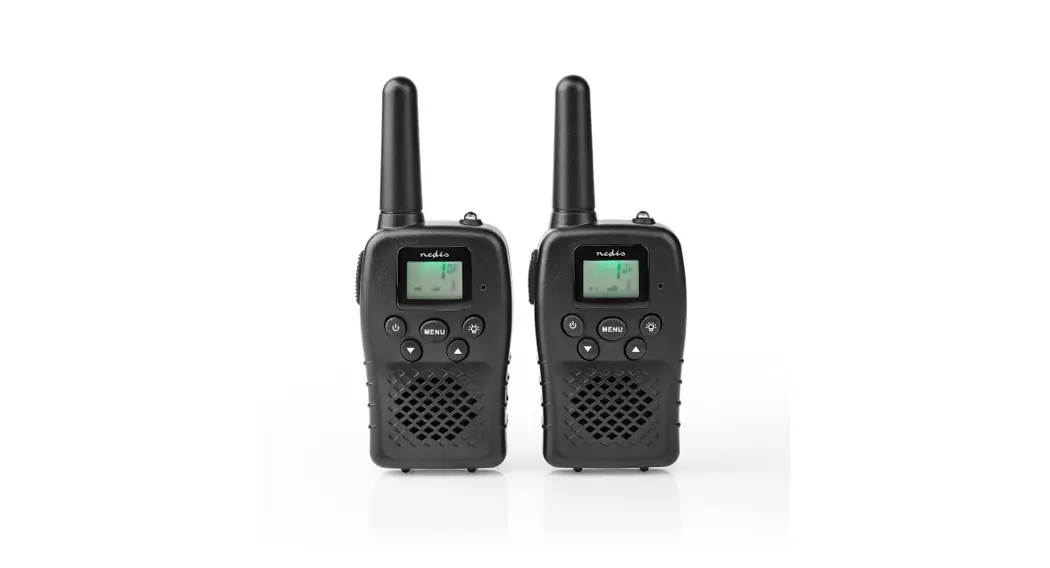

Walkie Talkie for wireless,
long-distance communication
WLTK1000BK
Quick start guide
Walkie Talkie
 For more information see the extended manual online: ned.is/wltk1000bk
Intended use
This product is exclusively intended as a two-way communication system over large distances of up to 10 km.
The product can be charged via the Micro-USB port on the side of the product.
The WLTK1000BK is intended for indoor and outdoor use.
Any modification of the product may have consequences for safety, warranty and proper functioning.
Specifications
| Product | Walkie Talkie |
| Article number | WLTK1000BK |
| Input | Micro USB |
| Transmission distance | Up to 10 km (depending on terrain and conditions) |
| Frequency channels | 8 |
| Automatic channel scan | Yes |
| Operating frequency | 446 MHz |
| Maximum transmission power | 5 0.5 W |
| CTCSS Codes (for private talking) | 38 |
| VOX | 3 levels |
| Battery life | Up to 3 hours |
| Standby time | Up to 24 hours |
| Charging time | Up to 6 hours |
| Automatic battery saving | Yes |
| Battery type | AAA 1.2 V, 800 mAh (6x) |
| Maximum SAR values | 0.333 W/kg for FM 12.5 KHz |
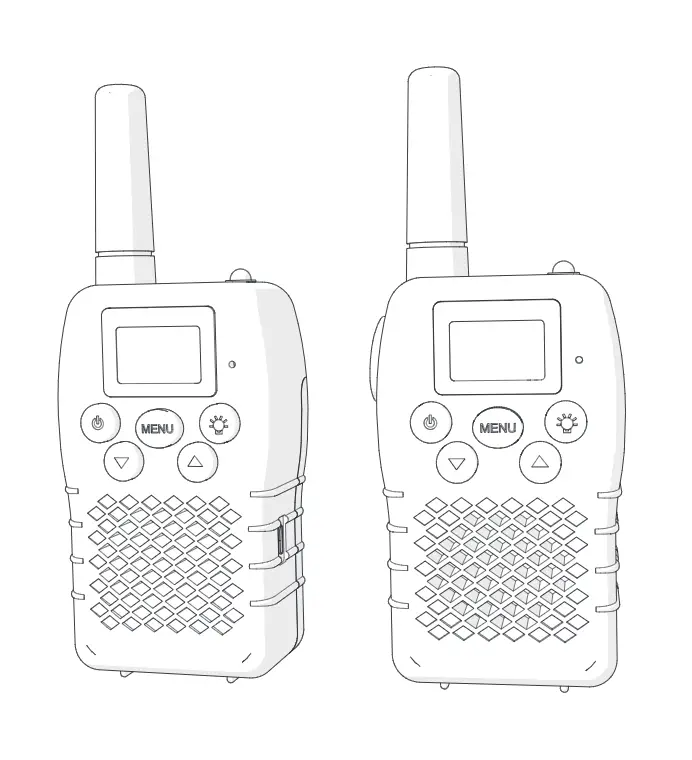
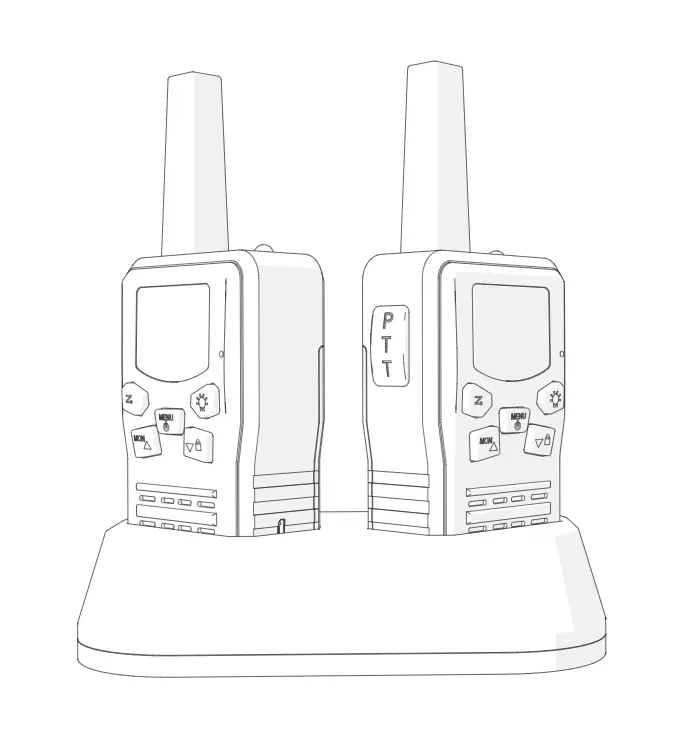
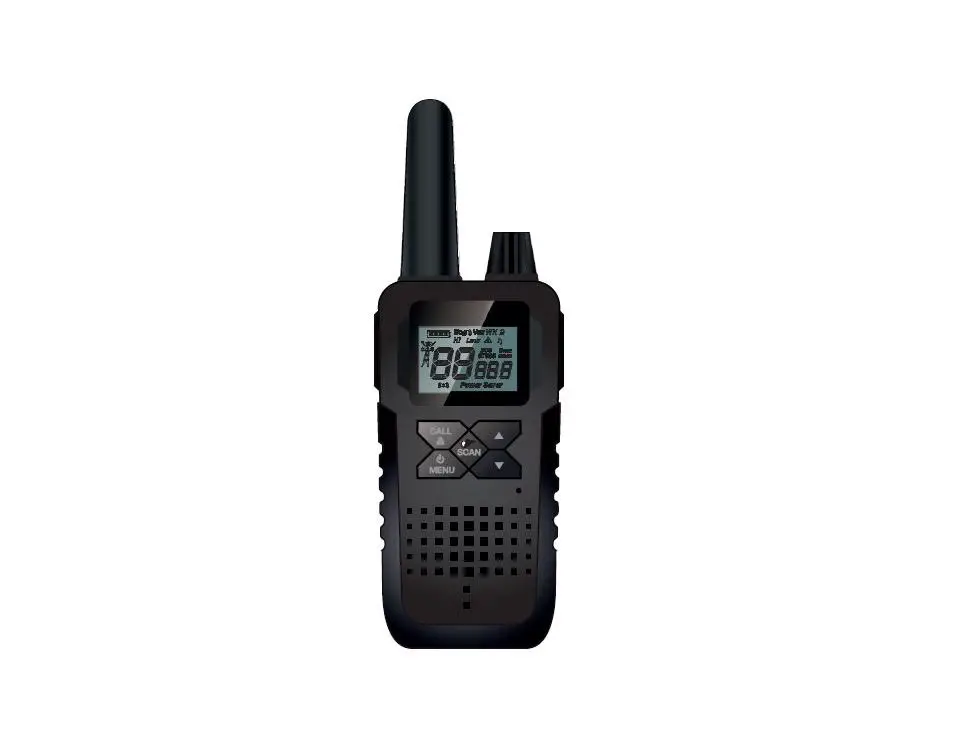
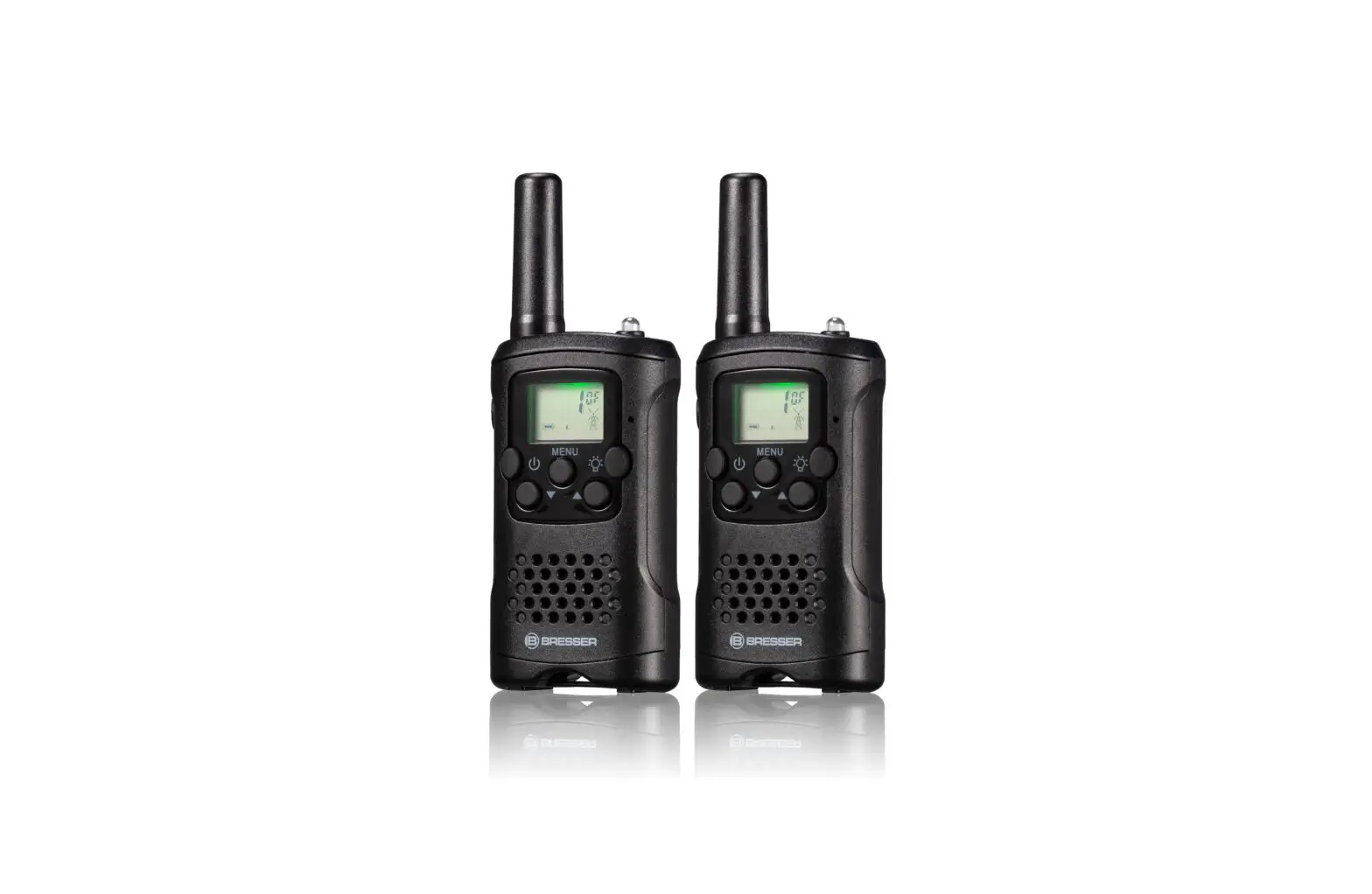
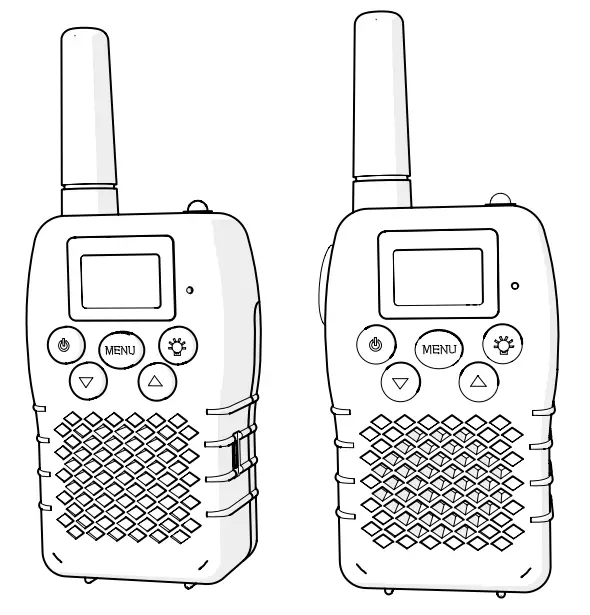
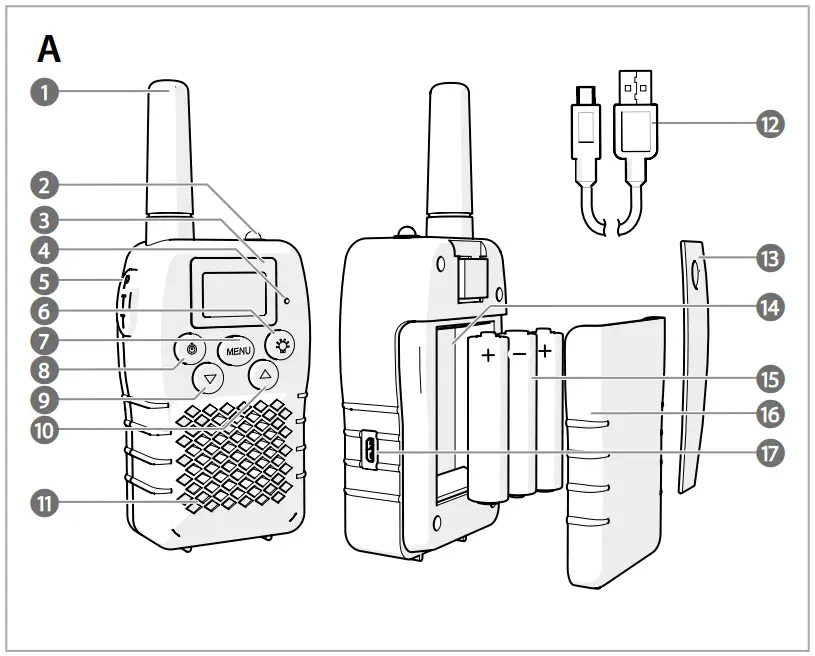
Main parts (image A)
| 1 Antenna 2 Lamp 3 Display 4 Microphone 5 PTT button 6 Lamp button 7 Menu button / Lock button 8 Power button 9 Down button / Monitor button | 10 Up button / Scan button 11 Speaker 12 Micro USB cable (2x) 13 Belt clip 14 Battery compartment 15 AAA Batteries (2×3) 16 Battery cover 17 Micro USB port |
Safety instructions
 WARNING
- Only use the product as described in this manual.
- Read the manual carefully before use. Keep the manual for future reference.
- Do not use the product if a part is damaged or defective. Replace a damaged or defective product immediately.
- The product cannot be used to contact the emergency services.
- Do not expose the product to direct sunlight, naked flames or heat.
- Do not expose the product to water or moisture.
- Do not drop the product and avoid bumping.
- Do not open the product.
- Keep the product out of reach from children.
- Do not store cells or batteries haphazardly in a box or drawer where they may short-circuit each other or be short-circuited by other metal objects.
- Keep cells and batteries clean and dry.
- Do not remove a battery from its original packaging until required for use.
- Do not subject cells or batteries to mechanical shock.
- In the event of a battery leaking, do not allow the liquid to come in contact with the skin or eyes. If contact has been made, wash the affected area with copious amounts of water and seek medical advice.
- Seek medical advice immediately if a cell or a battery has been swallowed.
- Do not install the battery in reverse polarity.
- Observe the plus (+) and minus (–) marks on the cell, battery and equipment and ensure correct use.
- Do not short circuit.
- Do not use any battery which is not designed for use with the equipment.
- Battery usage by children should be supervised.
- Always purchase the battery recommended by the product manufacturer for the equipment.
- Wipe the cell or battery terminals with a clean dry cloth if they become dirty.
- Use only the battery in the application for which it was intended as described in this manual.
- Non-rechargeable batteries are not to be recharged.
- Do not use the battery if any part is damaged or defective. Replace a damaged or defective battery immediately.
- Do not dismantle, open or shred batteries.
- When possible, remove the battery from the equipment when not in use.
- Do not expose batteries to heat or fire. Avoid storage in direct sunlight.
- Do not repair the product. If damaged, it must be properly disposed of.
Use
| Power button A8 | Press and hold for 3 seconds to switch the product on or off. A beep will sound. |
| Menu button A7 | Press lx to select the channel. Press bc to select the CTCSS code. Press 3x to select the VOX settings. Press 4x to select the call tone. (CA) Press 5x to switch the key tone on or off. (TO) Press 6x to switch the roger beep on or off. (RO) |
| Lodc button 117 | Press and hold for 3 seconds to lock or unlock the product. |
| MT button /15 | Press to send a call tone. The tone will be transmitted over the set channel. Press and hold to talk. |
| Down button A9 | Press to decrease the volume. |
| Monitor button A9 | Press and hold for 3 seconds to activate the monitor. |
| Up button A10 | Press to increase the volume. |
| Scan button A10 | Press and hold for 2 seconds to scan for radio channels. |
| Display A3 | Press A5A7A9 or A10 to switch on the display light |
| Lamp button A6 | Press and hold to switch on the lamp. |
| Belt dip A13 | Hold the latch and move the belt clip upwards, to remove the belt clip. Slide the belt clip in to fasten the belt clip. |
| Battery Compartment A14 | If the battery Is low, the battery icon will flash and a beep will sound to indicate that the batteries must be recharged. Remove the belt clip A13 from the product before opening the battery compartment A 14. Remove the batteries, if you do not use the product for an extended period of time. |
| Micro USB port A17 | The product can be charged in the charging base or via the Micro-USB port on the side of the product It is recommended to switch off your radio during charging. 1.Plug the micro USB cable Al2 into the micro USB port A17. 2.Plug the other end of Al2 into a computer or power adapter. 3.Plug the power adapter into a power outlet. The battery icon on the display flashes to indicate the product is being charged. |
Frequency channel
The product meets all required standards for radio equipment using PMR 446 frequencies as authorized. The use of this two-way radio product involves the public airways and its use may be subject to local laws or regulations. Contact your radio licensing authority for more information.
Europe (8CHS)
| Frequency channel | |||
| 1. | 446.00625 | 5. | 446.05625 |
| 2. | 446.01875 | 6. | 446.06875 |
| 3. | 446.03125 | 7. | 446.08125 |
| 4. | 446.04375 | 8. | 446.09375 |
Declaration of Conformity
We, Nedis B.V. declare as manufacturer that the product WLTK1000BK from our brand Nedis®, produced in China, has been tested according to all relevant CE standards and regulations and that all tests have been passed successfully. This includes, but is not limited to the RED 2014/53/EU regulation.
The complete Declaration of Conformity (and the safety datasheet if applicable) can be found and downloaded via webshop.nedis.com/wltk1000bk#support
For additional information regarding the compliance, contact the customer service:
Web: www.nedis.com
E-mail: [email protected]
Phone: +31 (0)73-5991055 (during office hours)
Nedis B.V., de Tweeling 28
5215 MC ’s-Hertogenbosch, the Netherlands
References
 Smart solutions for your daily needs | Nedis
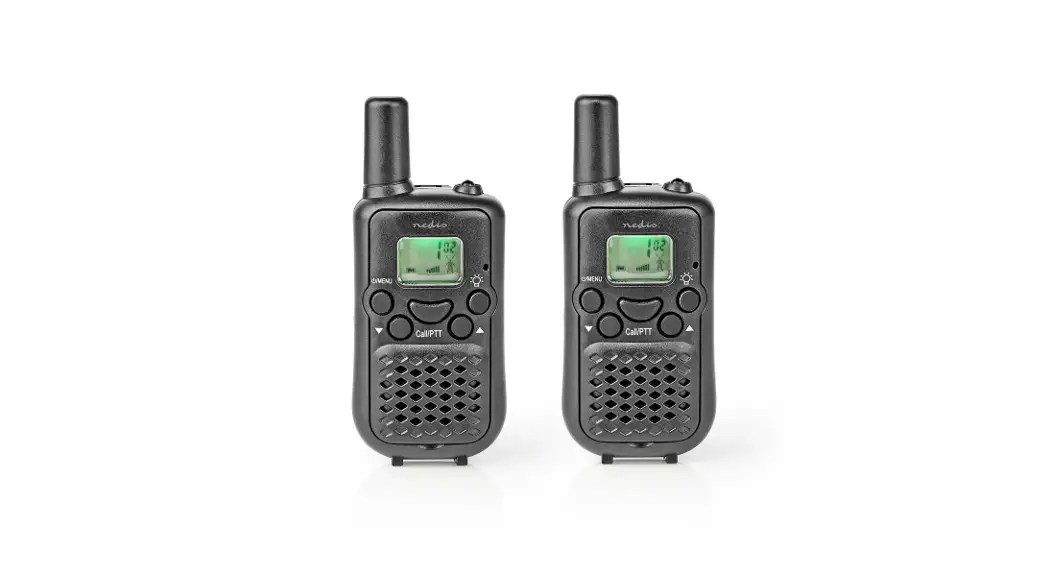
 Walkie talkie Set | 2 Handsets | Tot 10 km | Frequentiekanalen: 8 | PTT / VOX | tot 3 uur | Zwart
-
Walkie-Talkie Set | 2 Handsets | Up to 10 km | Frequency channels: 8 | PTT / VOX | up to 3 Hours | Black
-
Nedis | Your wholesaler of consumer electronics
-
Nedis | Your wholesaler of consumer electronics
-
Nedis | Your wholesaler of consumer electronics
-
Set de Talkie-Walkie | 2 combinés | Jusqu'à 10 km | Canaux de fréquence: 8 | PTT / VOX | Jusqu'à 3 heures | Noir
-
Nedis | Your wholesaler of consumer electronics
-
Strona domeny nedis.pl
-
Walkie-talkie conjunto | 2 auriculares | Hasta 10 km | Canales de frecuencia: 8 | PTT / VOX | Hasta 3 horas | Negro
-
Nedis | Your wholesaler of consumer electronics
-
Nedis | Your wholesaler of consumer electronics
 Smart solutions for your daily needs | Nedis
 Walkie talkie Set | 2 Handsets | Tot 10 km | Frequentiekanalen: 8 | PTT / VOX | tot 3 uur | Zwart
 Walkie-Talkie Set | 2 Handsets | Up to 10 km | Frequency channels: 8 | PTT / VOX | up to 3 Hours | Black
 Nedis | Your wholesaler of consumer electronics
 Nedis | Your wholesaler of consumer electronics
 Nedis | Your wholesaler of consumer electronics
 Set de Talkie-Walkie | 2 combinés | Jusqu'à 10 km | Canaux de fréquence: 8 | PTT / VOX | Jusqu'à 3 heures | Noir
 Nedis | Your wholesaler of consumer electronics
 Strona domeny nedis.pl
 Walkie-talkie conjunto | 2 auriculares | Hasta 10 km | Canales de frecuencia: 8 | PTT / VOX | Hasta 3 horas | Negro
 Nedis | Your wholesaler of consumer electronics
 Nedis | Your wholesaler of consumer electronics