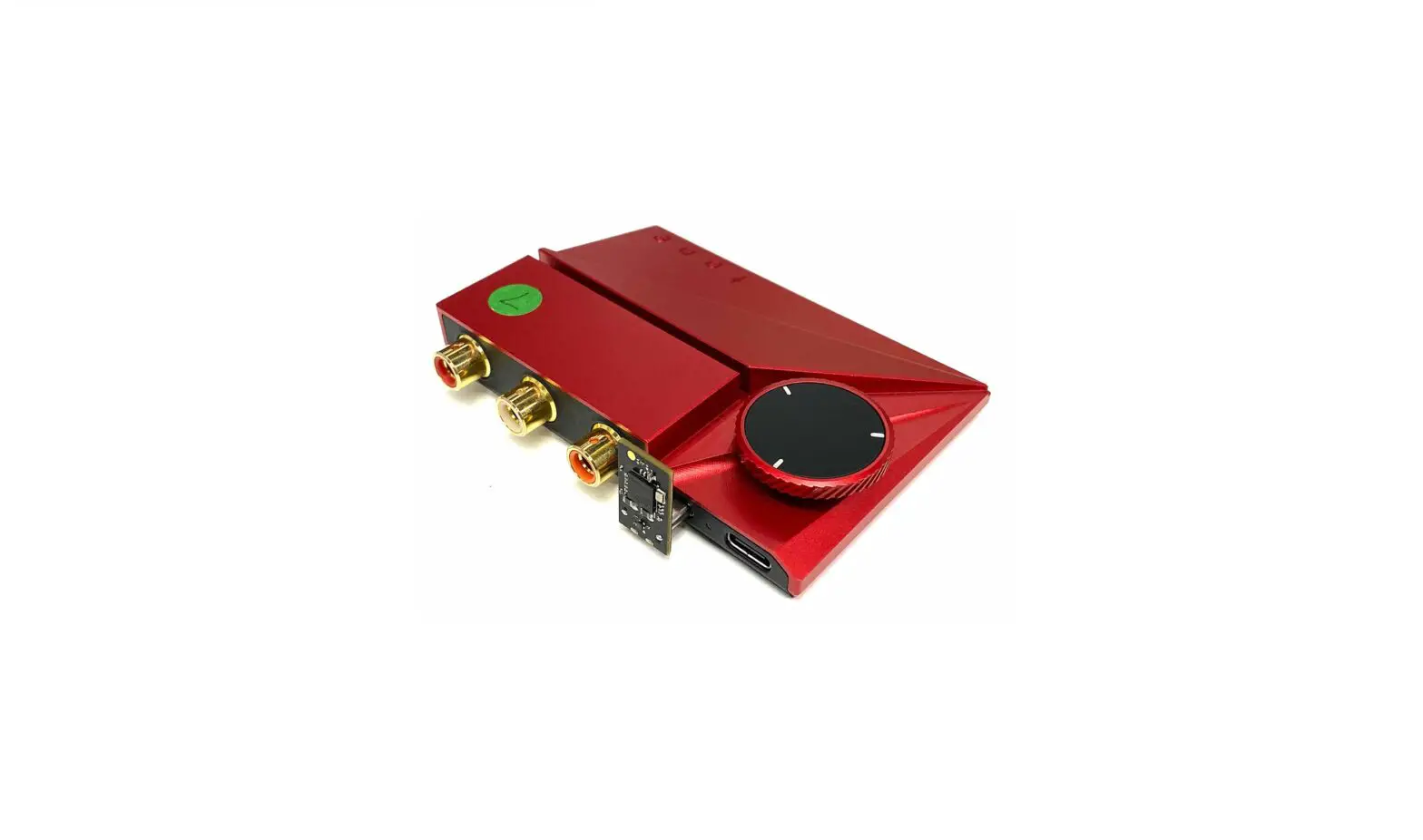

Tone2
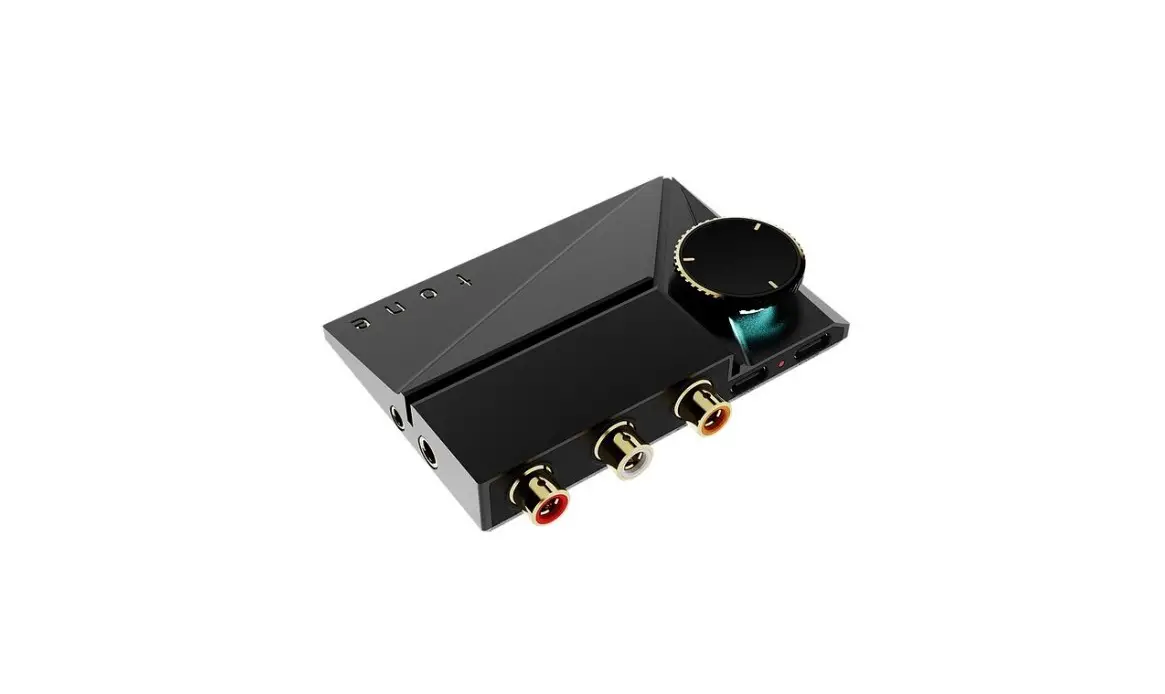
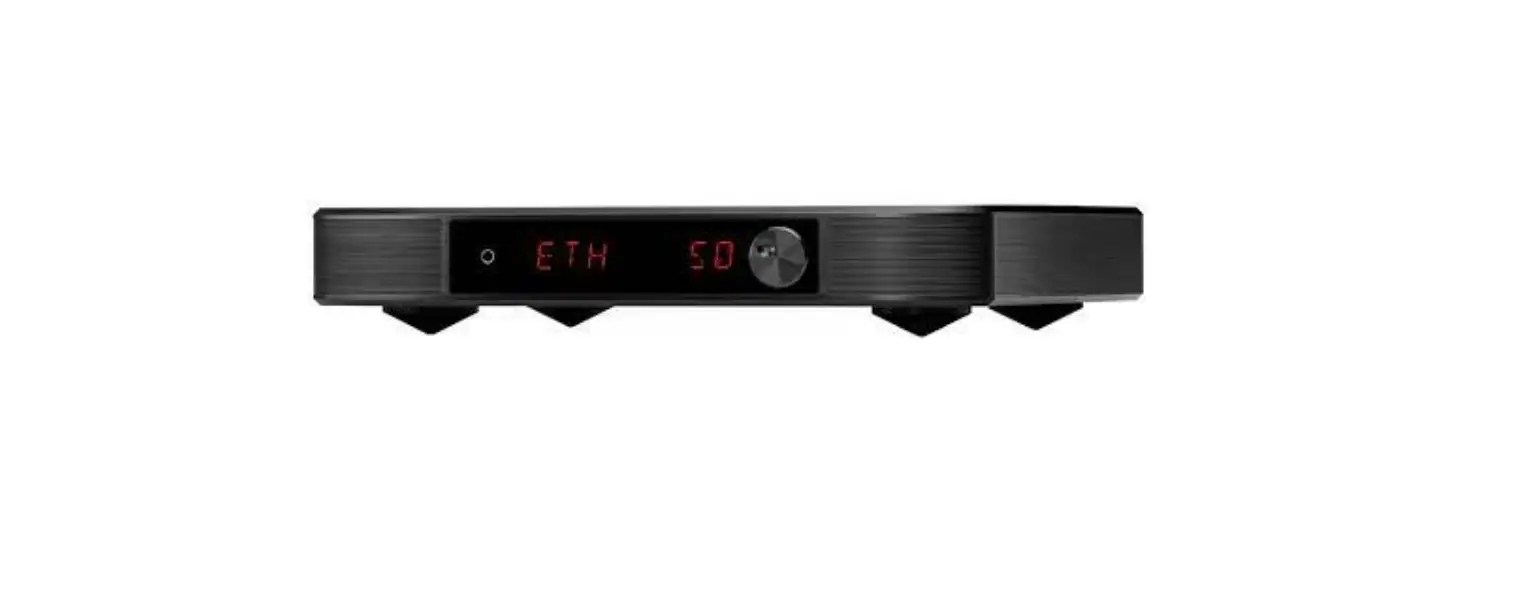
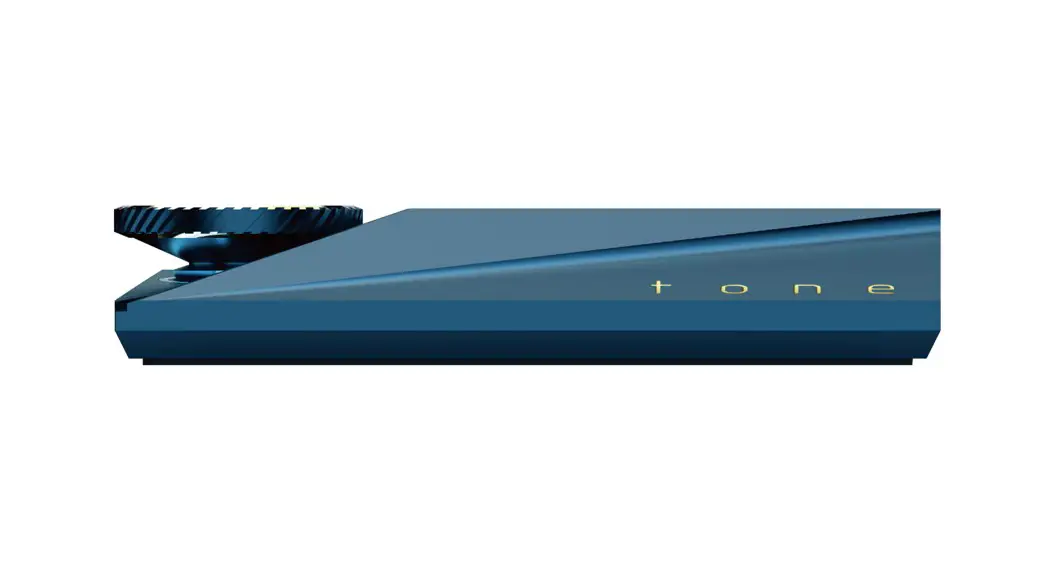
Hi-Fi Mini Desktop DAC
Quickstart

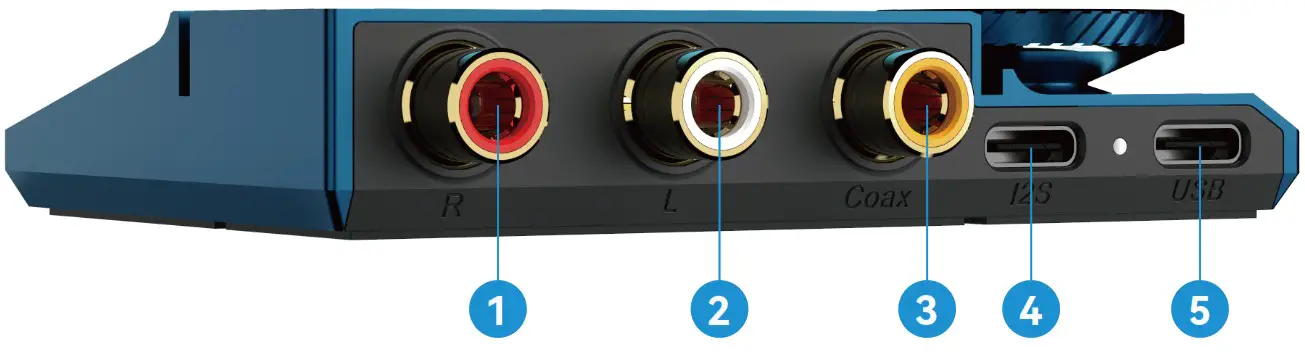
Interface Diagram
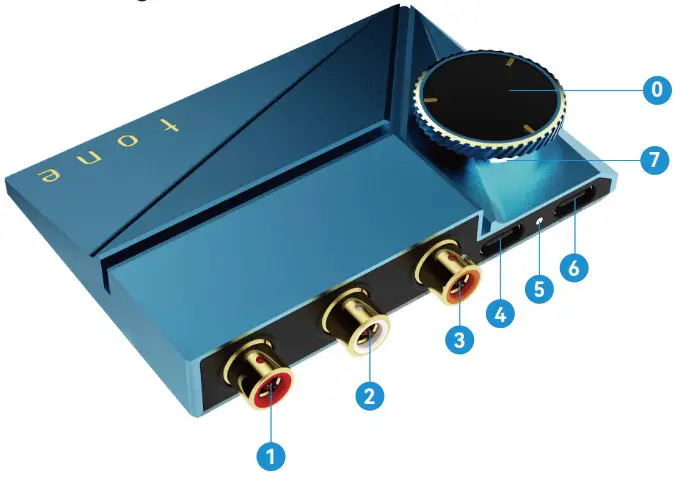
- Balanced RCA-L
- Balanced RCA-R
- S/PDIF (Coaxial)
- USB-C (I2S)
- Power LED
- U SB-C (U SB)
- RGB LED Light
- Volume Knob
Driver Installation
- Install the Khadas ASIO USB driver
Download the latest driver from dl.khadas.com/products/tone2/driver - Restart your Windows PC
The Khadas ASIO USB driver will activate after your PC restarts.
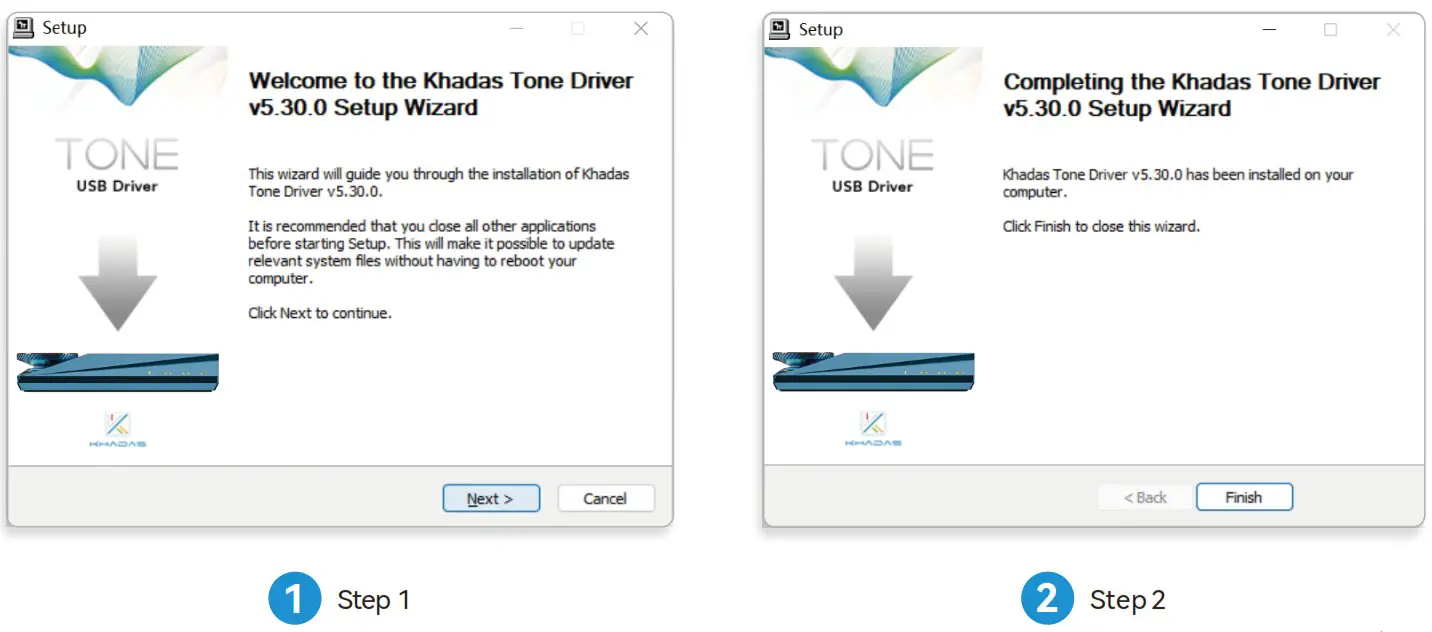
* Windows’ default USB audio driver has high latency, low sampling rates, and does not support ASIO.
For a better user experience, please install the Khadas ASIO USB driver.
Firmware Upgrade
- Open the Khadas DFU Upgrade Tool
Download the latest tool from dl.khadas.com/products/tone2/dfu_tool - Download the latest Tone2 firmware
Download the latest firmware from dl.khadas.com/products/tone2/firmware - Flash new firmware to Tone2
Connect your Tone2 via a USB-C cable to your PC, and use the DFU tool to burn the new firmware. - Power off and restart your Tone2
After the firmware update is completed, Tone2 needs to be powered off and restarted to activate the new firmware.
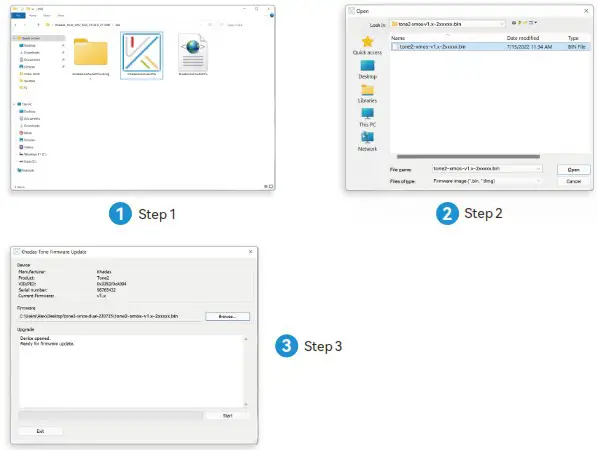
* For more details, visit docs.khadas.com/tone2
Input / Output Sources
 ……………Pre-amp (analog out) -> Amp -> Hi-Fi speaker
- …………..Pre-amp (analog out) -> Amp -> Hi-Fi speaker
 ………….CD player (S/PDIF coax-in)
 ………….‘Khadas BT Magic’ Bluetooth audio receiver module / USB-C 5V linear power supply (power-in)
 …………Computer / Smartphone/ SBC (data-in and power-in)
 ……………Pre-amp (analog out) -> Amp -> Hi-Fi speaker
 ………….CD player (S/PDIF coax-in)
 ………….‘Khadas BT Magic’ Bluetooth audio receiver module / USB-C 5V linear power supply (power-in)
 …………Computer / Smartphone/ SBC (data-in and power-in)
* The ‘Khadas BT Magic’ Bluetooth audio receiver module needs to be purchased separately.
RCA Usage Modes
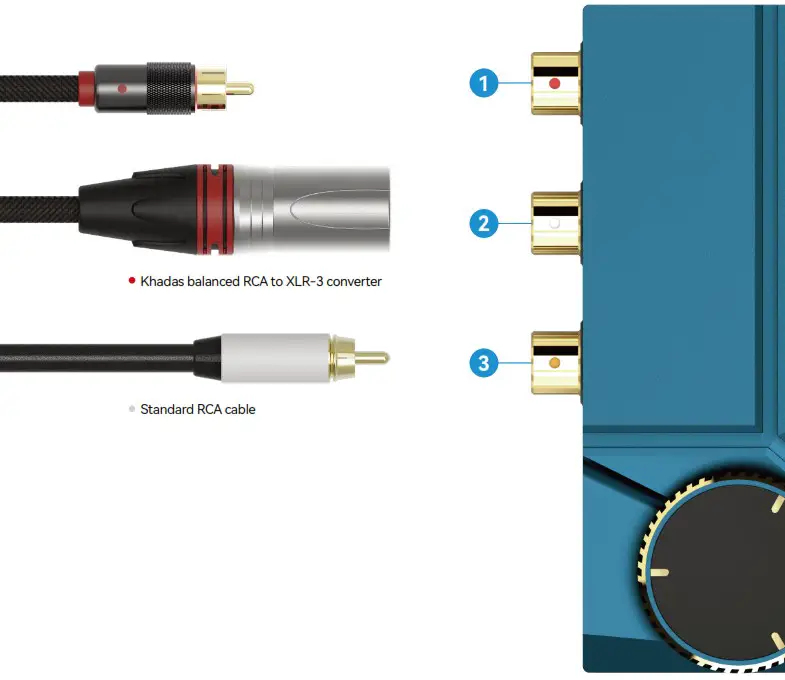
| RCA port | Standard RCA cable | Balanced RCA cable | |
| 1 | Balanced RCA-R | Unbalanced signal-R | Balanced signal-R |
| 2 | Balanced RCA-L | Unbalanced signal-L | Balanced signal-L |
| 3 | S/PDIF coaxial input | Input S/PDIF signal R+L |
* Attach RCA cables first, before powering on Tone2.
Power Priority
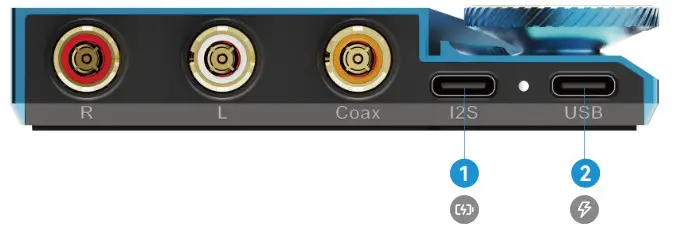
- USB-C (I2S)
Linear power supply - USB-C (USB)
Smartphone/PC/SBC
* The USB-C (I2S) interface is not standard.
Only specific cables (sold separately) can be used for linear power supplies connected to the USB (I2S) port.
Volume Knob
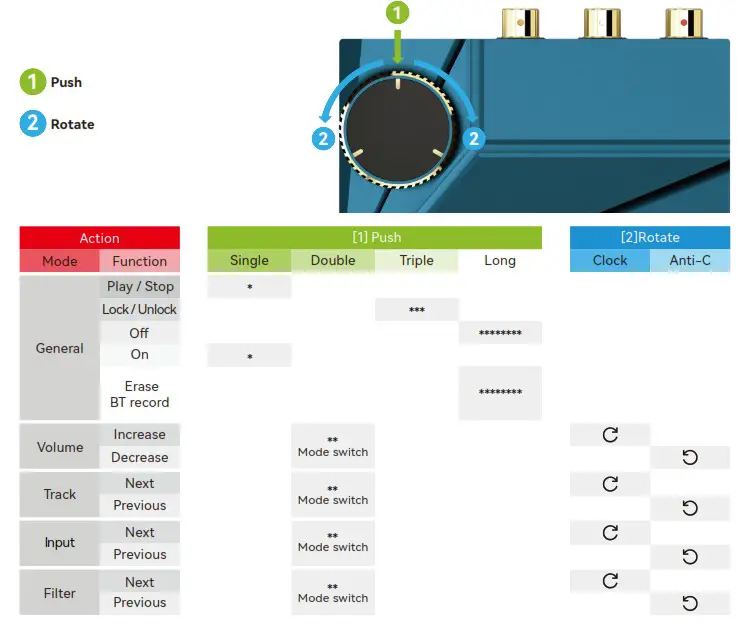
* With the external Bluetooth Module plugged-in and Tone2 powered off (USB cable with 5V power still plugged-in), long-press the volume knob for 5s to clear the Bluetooth pairing record.
LED Lights
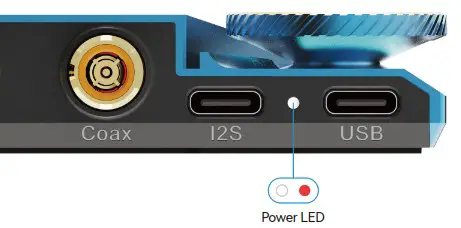
 White
White
USB-C (I2S)power supply Light red
USB-C (USB) power supply
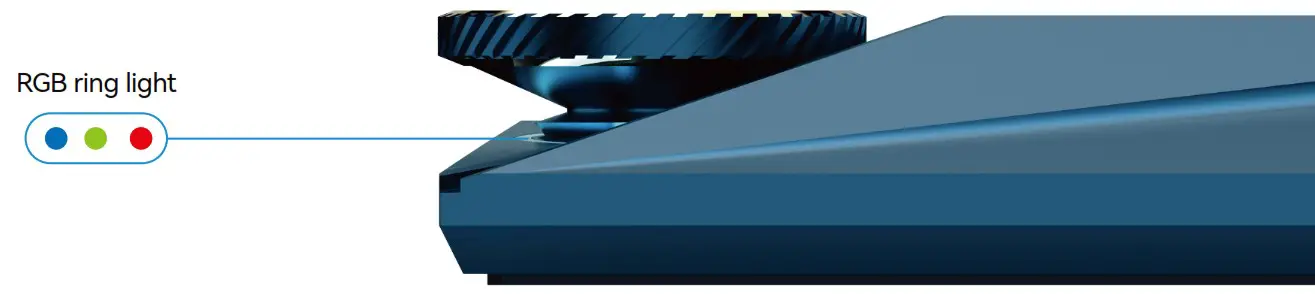
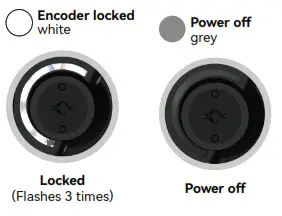
* For a more detailed explanation of the RGB ring light, turn to the next page.
RGB Ring Light Interpretation
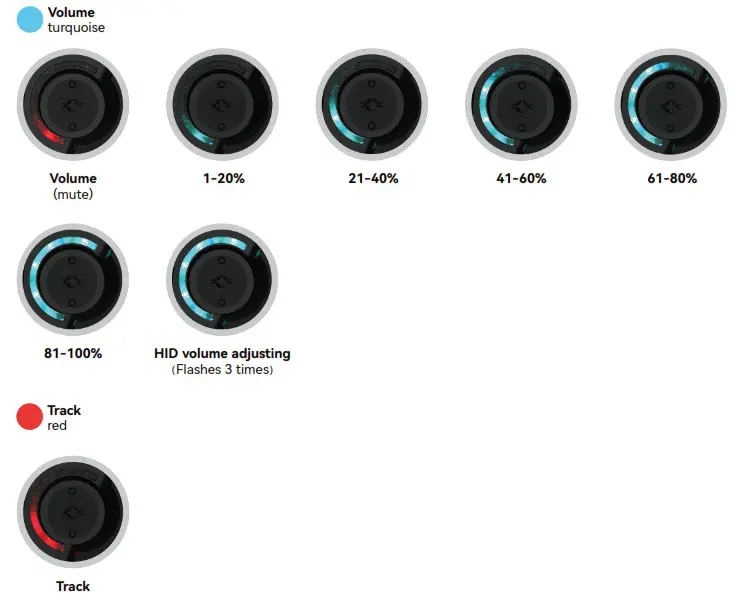
* HID volume adjusting refers to the ‘system volume’ of the playback device, e.g. PC, Smartphone, Tablet.
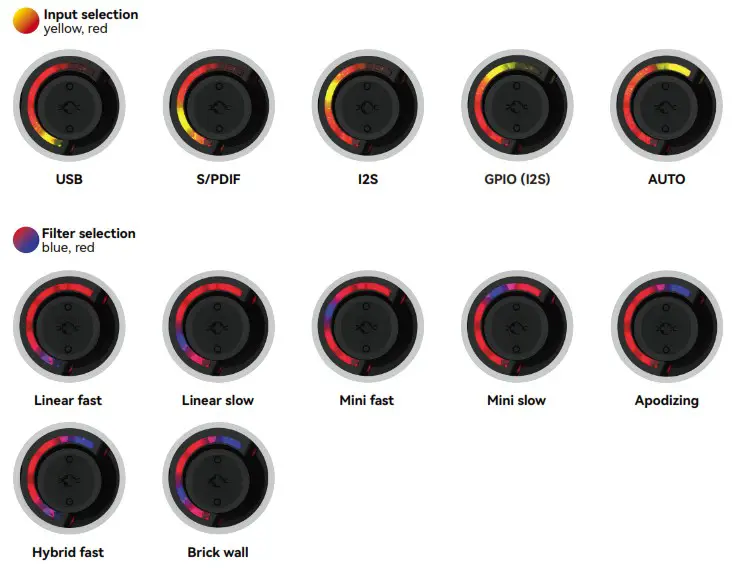
- GPIO (I2S) input refers to input I2S signal via GPIO interface, it’s only supported in the Tone2 Maker Kit.
- In ‘S/PDIF’ input mode, playing, pausing, skipping tracks and adjusting HID volume are not supported.
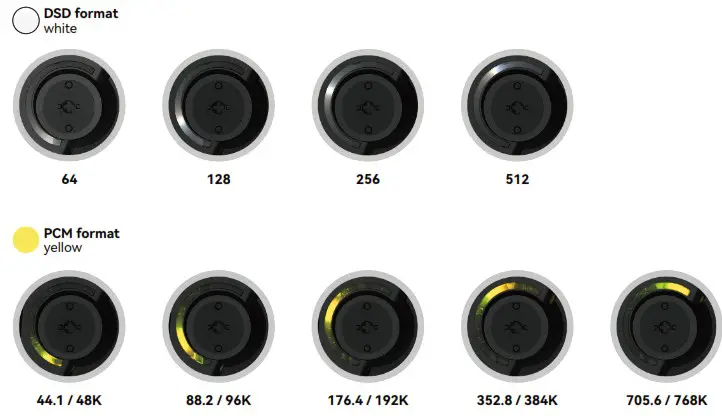
- The audio format is only indicated by the RGB ring light when Tone2 is in ‘USB’ input mode.
FAQ
– The Khadas USB driver provides ASIO support and removes the latency and sample rate conversion issue experienced with the default Windows USB driver for DACs.
– A new balanced audio connector standard, designed by Khadas for small form-factor desktop DACs. It is backwards compatible with standard RCA plugs and cables, more details visit https://khadas.com/balanced-rca
– Purchase the Khadas Balanced-RCA to XLR-3 adapter; it is a male Balanced-RCA plug connected to a male XLR-3 plug.
– Attach a standard RCA cable to the orange-coloured RCA jack, and set the input mode to ‘S/PDIF’. – — — Alternatively, set the input mode to ‘AUTO’ and stop music playback from other sources.
– Attach a Khadas bluetooth module to the USB-C (I2S) port, and set input mode to ‘I2S’.
– Can the USB-C input be used with the USB-C output of Android phone?
– Yes, Tone2 can be powered by most Android smartphones via USB-C.
– When connecting both USB-C (USB) and S/PDIF interface in ‘Auto’ input mode, ‘USB’ input has the highest priority.
– When music playback over USB is stopped (you do not need to remove the USB cable), input will switch to the ‘S/PDIF’.
– Apple’s iPhone does not support the Tone2. You can still connect Tone2 to your iPad using a USB-C to C cable, but the
– Tone2 device information will not appear on your iPad.
– Yes, DSD512 native decoding can be enabled by installing the Khadas USB driver.
– 4.0Vrms for balanced RCA mode, and 2.0Vrms for standard RCA mode (single-ended).
– Can I use the Tone2 to receive a signal from the TV via coaxial and send it to the amplifier via RCA?
– Yes. Set the input mode as ‘S/PDIF’ or ‘Auto’, Tone2 will output to the RCA.
– No. Please instead connect a linear power supply or battery bank to the USB (I2S) interface.
– When Tone2 is not at or above maximum volume, turning the volume knob clockwise will increase the device’s hardware volume. Once Tone2 is at maximum volume, continuing to turn the knob clockwise will cause the RGB indicator to flash turquoise 3 times. Continuing to turn the knob clockwise after this point will instead increase the HID (system) volume of your PC.
– Tone2 does not support HID volume adjustment whilst playing DSD formatted audio.
* For the latest FAQ, visit khadas.com/tone2-faq
Troubleshooting Guide
The Volume Knob is unresponsive and flashing full-white when I turn it.
It has been locked, triple-press it to unlock.
My Android phone can’t detect Tone2, the power LED remains off, and USB-C is plugged-in correctly.
Go to ‘Settings’ and enable the ‘USB-OTG’ feature, most phones have this off by default.
My Tone2 is connected to my PC and I’m playing a song but there’s no sound!
Check your computer’s sound-output device, switch from ‘Speakers’ to the ‘Tone2’. Secondly, check that your Tone2’s input mode is set to ‘USB’ or ‘Auto’.
Help! I’ve connected my PC to the Tone2 and the lights are on, but my computer cannot detect it!
Ensure that you’ve plugged your USB-C cable into the USB-C port labelled ‘USB’.
I cannot hear any sound from Tone2 when playing music through the S/PDIF input.
Check to ensure that your music is not DSD formatted. The ‘S/PDIF’ input does not support playback of DSD music.
HID volume control does not work when playing non-DSD formatted audio and the input source is set to USB input.
Please check if there is more than one audio player running simultaneously on your playback device. In such cases, the HID volume control command will only be sent to one of the audio players. Close additional audio players, only open one audio player when using your Tone2.
Specifications
Balanced RCA Line-Out Performance
THD+N:0.000126% (-118dB)
DNR:121dB
Crosstalk, 200KΩ:> 120dB
Noise level:3.5uVrms
Output, 200KΩ:4.0Vrms
Single End RCA Line-out Performance
THD+N:0.000158% (-116dB)
DNR:118dB
Crosstalk, 200kΩ:>118dB
Noise Level:2.3uVrms
Output, 100KΩ:2.0Vrms
What’s In The Box
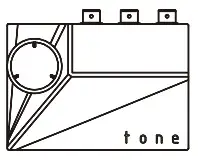


Tone2 * 1pcs
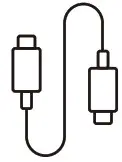
USB-C Cable (Type-C to C) * 1pcsInstruction Manual * 1pcs
Warranty Card * 1pcsManufacturer: Khadas Technology Co., Ltd.
Tel: +86 755 2307 6626 E-mail: [email protected]
Address: Room 2709, Floor 27, Qiancheng Center, Haicheng Road,
Xixiang Street, Bao’an District, Shenzhen
www.khadas.com
 dl.khadas.com - Index of /products/tone2/dfu_tool/
 products:audio:tone2:start [Khadas Docs]
 Audio - Khadas Community
 Tone2 FAQ | Khadas
 Amazing Khadas, Always Amazes You!