
kvm-tec USB Mouse Driver
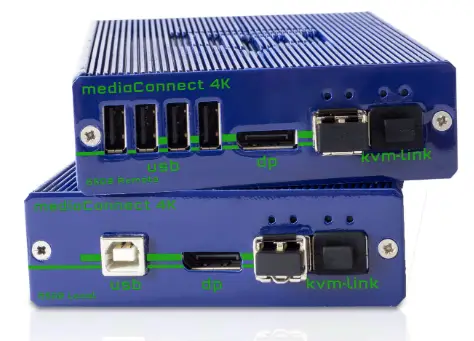
USB Mouse Driver Installation Guide
Mouse driver installation
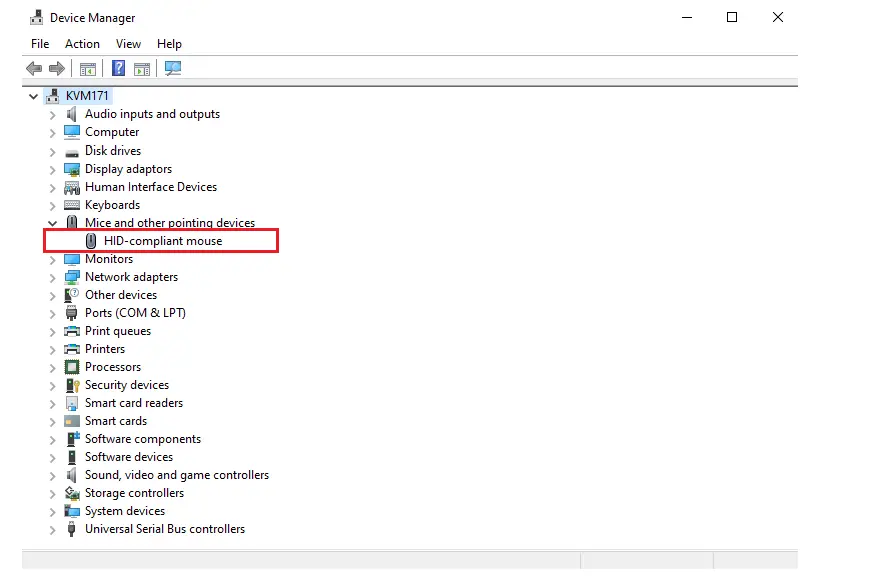
- Open Device Manager
- Select the required Mouse to use from this list

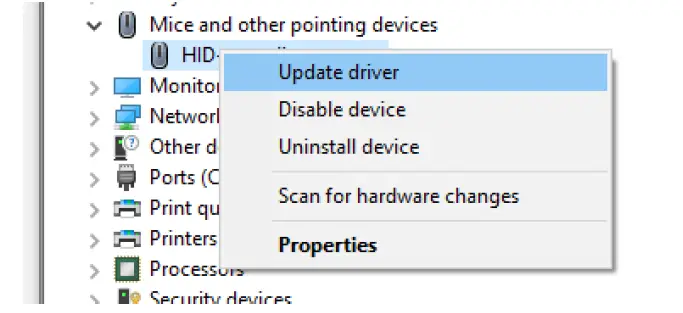
- Right click then choose update driver

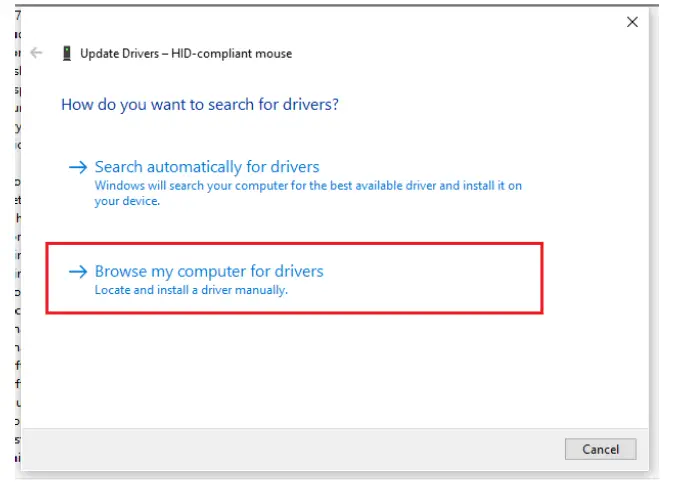
- Select “Browse my computer for drivers

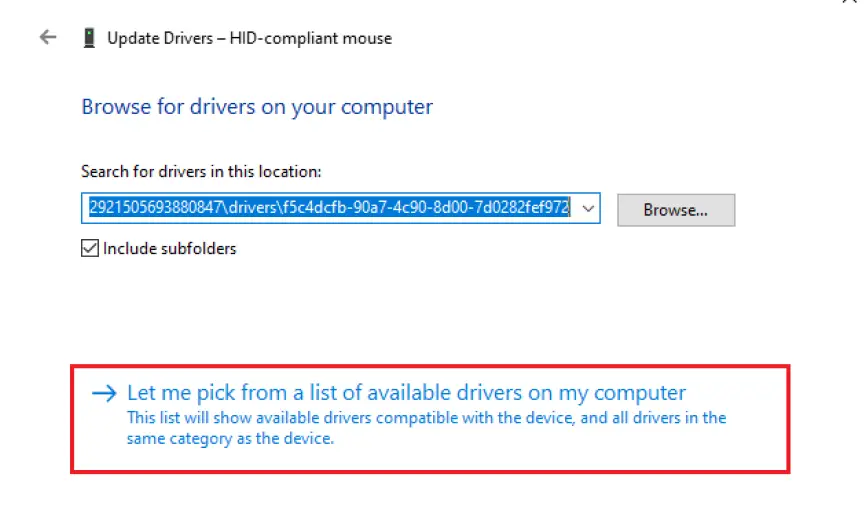
- Select “Let me pick from a list of available drivers on my computer

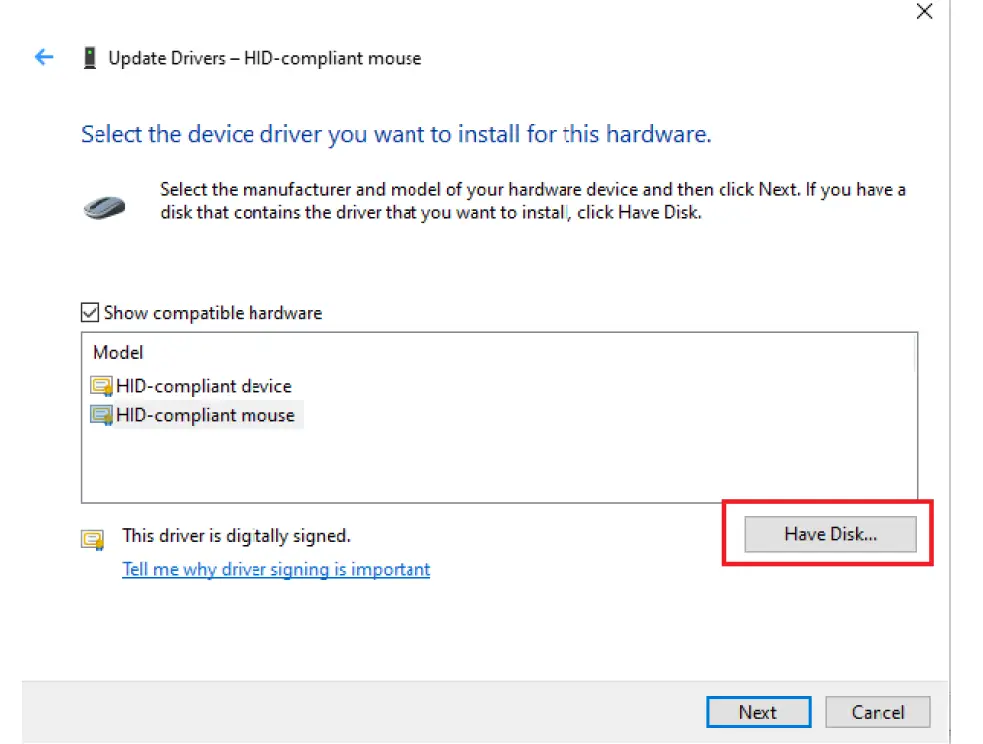
- Select “Have Disk”

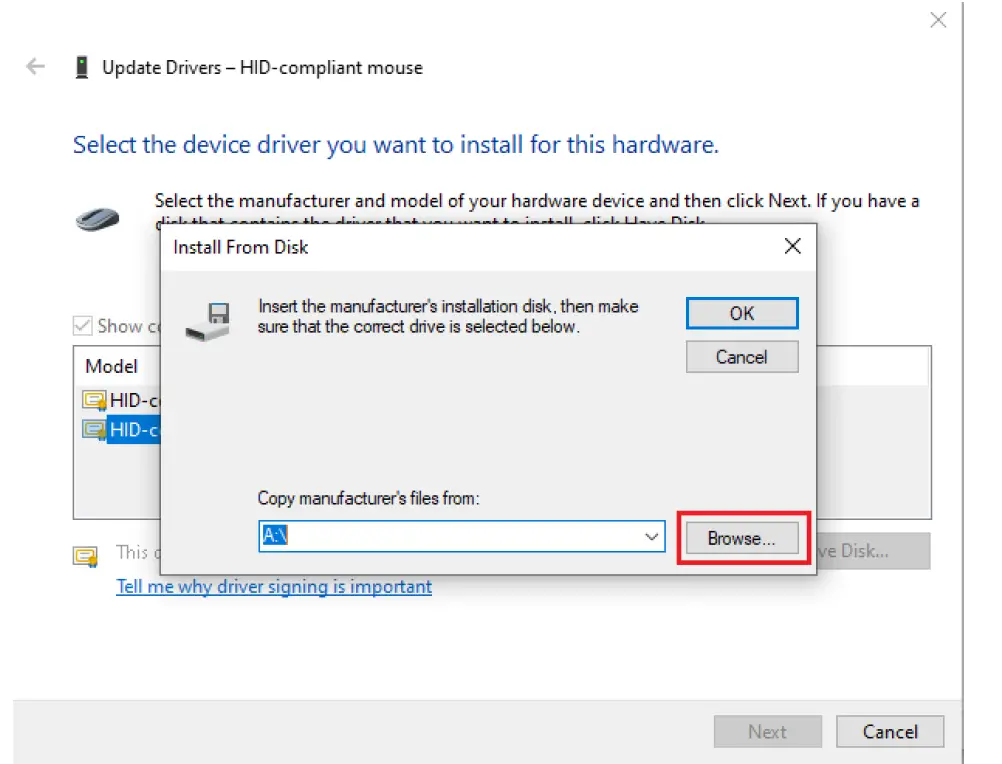
- Select “Browse”

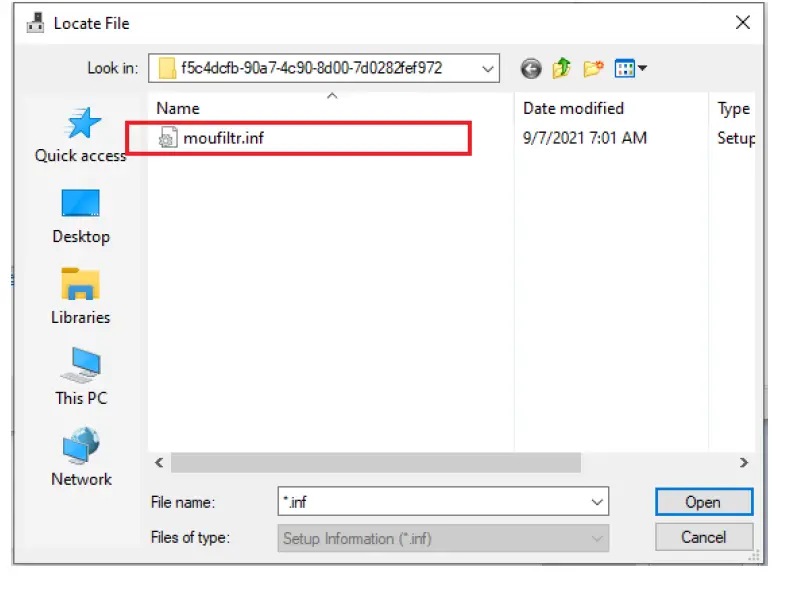
- Browse to the driver folder and select the “moufiltr.ini” file3

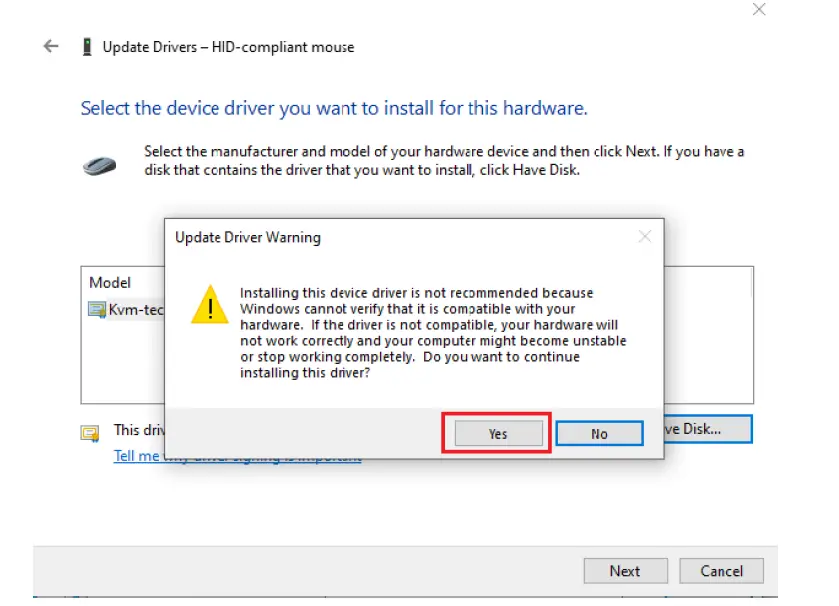
- A warning will pop up, just select “Yes”

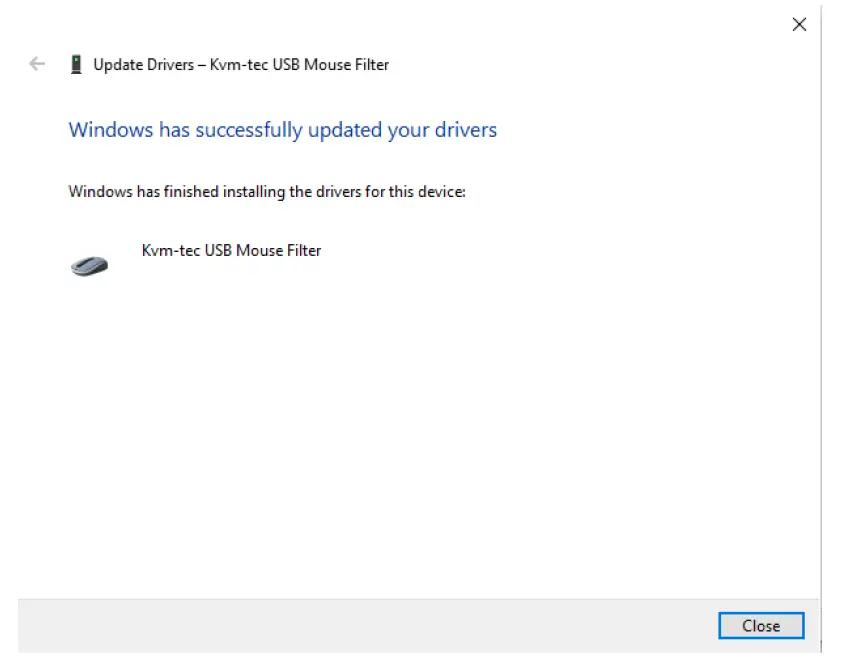
- A confirmation message will be shown that the diver is installed