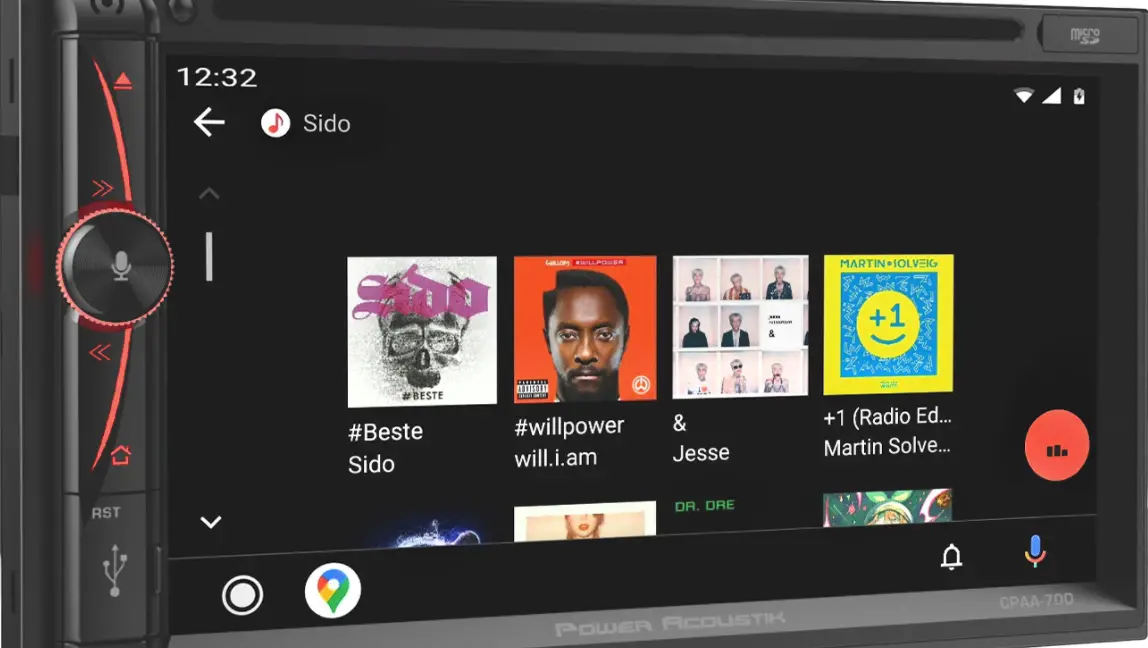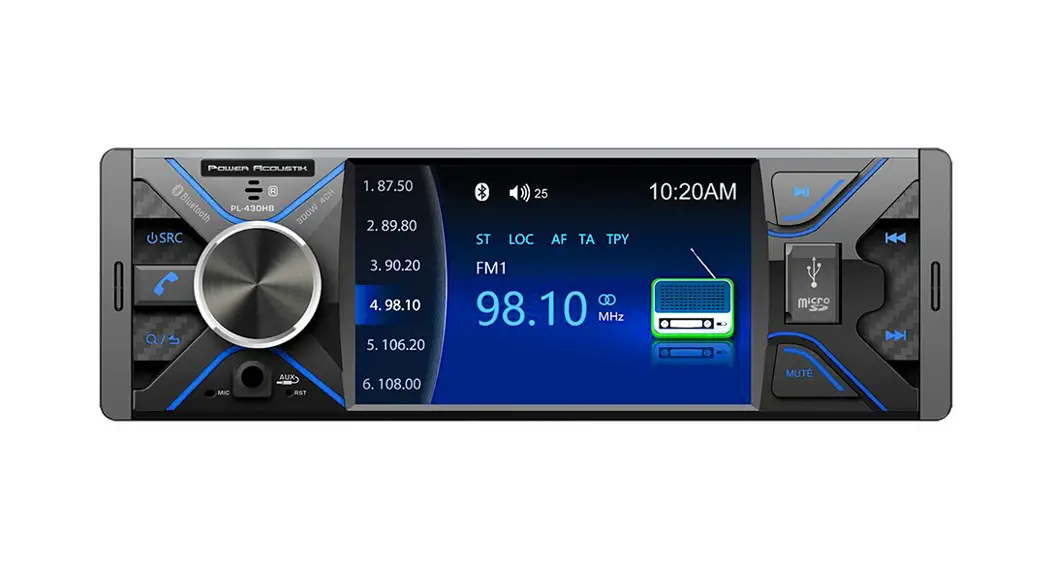

2 DIN 4.3′ Monitor
MP3/MP4 Player
AM/FM Radio
Support Bluetooth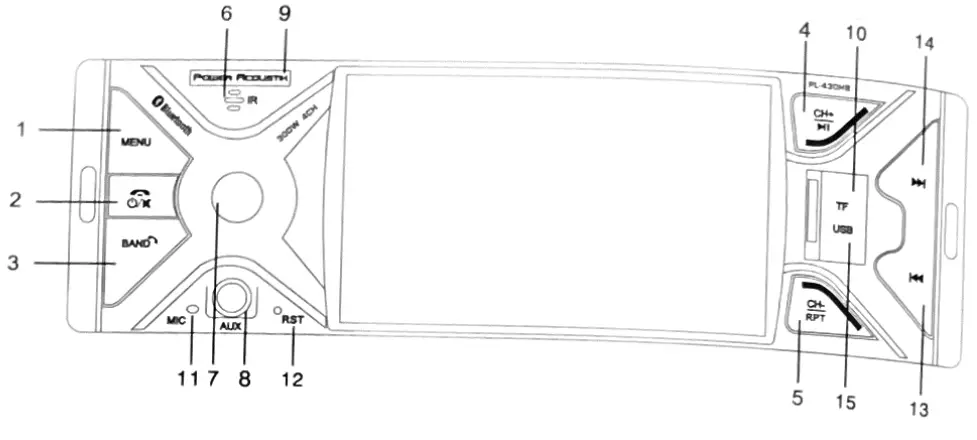
Owner Manual
Take the time to read through this owner manual.
Familiarity with installation and operation procedures will help you obtain the best performance from your new Player-receiver.
WARNING
To promote safety, certain functions are disabled unless the parking brake is on. The Unit is designed to detect parked status and must be connected to the power supply side of the parking brake switch. Improper connection or use of his connection may violate applicable law and may result in serious injury or damage. To avoid the risk of damage and injury and the potential violation of applicable laws, this unit is not for use with a video screen that is visible to the driver.
- To avoid the risk of accident and the potential violation of applicable laws, the front Video image feature should never be used while the vehicle is being driven. Also, other video displays should not be in a location where it is a visible distraction to the driver. In some countries or states, the viewing of images on a display inside a vehicle even by persons other than the driver may be illegal. Where such regulations apply, they must be obeyed and this unit Player features should not be used.
- Please remember to wear your seat belt at all times while operating your vehicle. If you are ever in an accident, your injuries can be considerably more severe if your seat belt is not properly buckled.
- The supplier waives any and all liability when these warnings are not followed.
PEFtATION PRECAUTIONS
- Only connect to a 12VDC battery and negative grounding.
- Avoid placing the product in direct sunlight, in areas with high levels of dust, high temperatures (over 40) or high humidity (over 90%). In case of high temperatures, cool down the car interior by means of ventilation or air-conditioning.
- Operate in well-ventilated areas.
- Do not turn on or off the product in short intervals. When turning the unit off, wait for at least 10 seconds prior to turning the unit on again. Do not operate the player with scratched,
- Do not watch video playback while driving which will cause serious danger and risks of traffic accidents It may violate the laws and regulations.
(There may be the exceptional case they, using rearview camera)
- Do not install the unit where the operation for safe driving is restrained.
- Do not disassembly the unit by yourself, if need repairing, please take the unit to the after-service center
- Do not open and close the monitor manually, it may damage the monitor tilt system.
- Do not touch the LCD screen with hard objects, it may damage or give scratch the LCD
- If the back of the monitor touches the dashboard or air–conditioner inlet etc after opening the monitor, then set up the TILT level in the monitor TILT menu to prevent damage from repeat touching.
- Car parking under direct sunlight may increase the temperature inside the car and the unit may not be in proper operation, please try it again after the temperature returns to normal.
- Do not replace the fuse on the power cable without professional guidance, using an improper fuse may cause damage to the unit or even cause burn the unit.
- Do not use irregular-shaped Disks.
- IR remote control operation may be hindered by the monitor when the monitor is opened, thus please use the remote control at a similar level of remote control receiver.
- Do not install the unit where the cooling fan is blocked.
ACCESSORIES
The package contains the following accessories for the installation and operation of the unit
| Bracket | 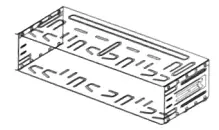 |
| Key | 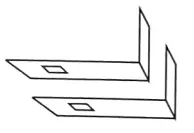 |
| Remote Control | 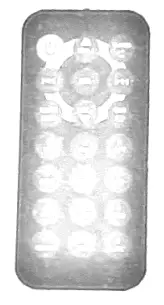 |
| Warranty card |  |
| User Manual |  |
| cable | 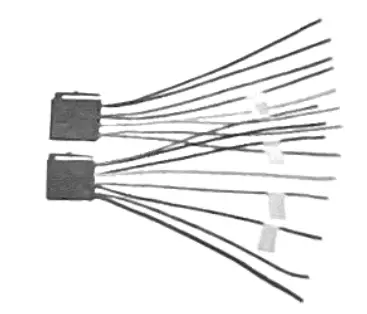 |
UNIT INSTALLATION
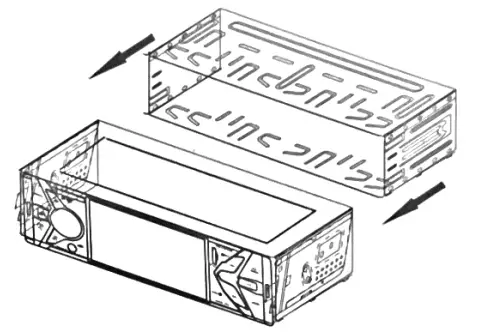
Put the loading iron frame into the machine from the rear and use standard left and right buckles.
- make sure the ignition is turned off, and then disconnect the cable from the vehicle battery’s negative (-) terminal. You never want electricity running while you install this double-DIN car receiver.
- Before installation, remove the transport screws, disconnect the wire harness and the antenna
- Attach the” 12 brackets(2pcs) on the other sides of the car receiver with screws(M5’813M) as shown in the below figure. The others fixing screws that fix the other terminal of the L metal bracket please buy from your dealer according to the drilling of holes size
- Consult with your nearest dealer If the installation requires the drilling of holes or other modifications to the vehicle
- Install the car receiver in the dashboard.
- Connect the wire harness & the antenna to the car receiver (see “Electrical Connection–) being careful not to pinch any wires or cables.
- Install the plastic outer trim ring onto the car receiver
- Reconnect the battery and run through all of the options on this car receiver to ensure that everything is working correctly.
- Particulars will vary widely depending upon the kind of your car and the car you intend to install it In Please choose the correct installation method according to the actual situation of your car. Always contact the car dealer or manufacturer if you have any questions
WIRING CONNECTIONS
Make sure you have good chassis ground. A good ground connection will eliminate most electrical noise problems. A good chassis ground requires a tight connection to the vehicle metal chassis. The area around the ground connection should be clean, bare metal without rust paint, plastic, dust, or dirt for a good electrical connection.
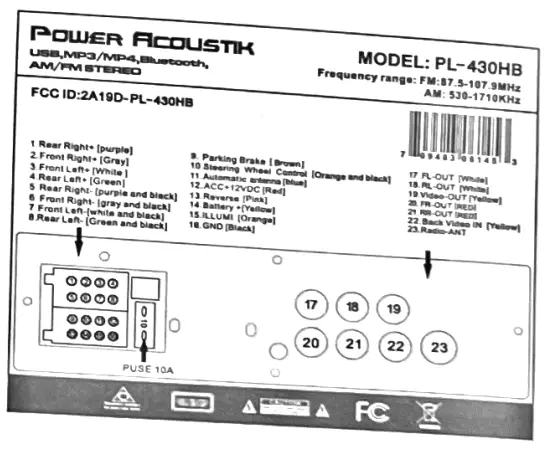
Caution: Do not Interchange the connection of the wiring
For some car models, you may need to modify the winning of the supplied power cord. Contact your authorized car dealer before installing this unit
Using the ISO Connector
- If your car is equipped with the ISO connector, then connect the ISO connectors as illustrated.
- For connections without the ISO connectors, check the wiring in the vehicle carefully before connecting, incorrect connection may cause serious damage to this unit.
- Cut the connector, connect the colored leads of the power cord to the car battery as shown in the color code table below for speaker and power cable connections
NOTE: Never connect the cable to the system while it is connected to the battery power. Whenever the unit is disconnected from the battery, the preset memory will be erased and the unit will go back to its factory defaults.
When the brown cable for steering wheel control is connected to the steering wheel, we can use the steering wheel to control some unit
SWC Interface Connections
To use the built-in SWC function, connect SWC-1 (Blue) and SWC-2 ( Brown) to the corresponding SWC wires of the vehicle. Follow the SWC settings described in the SWC
Settings section To use an external universal ASWC module, connect only SWC-IR (GreenANhite)to the output of the module.
Power supply 5V uses SWC when it is first activated
Note: To watch the video the parking wire should be connected to the brake signal. 2 cables are connected to a Hands-Free device (not included).
Parking wire
Note: The parking wire is connected with a brake signal; for safety, the programs can be seen on the monitor after braking the car.
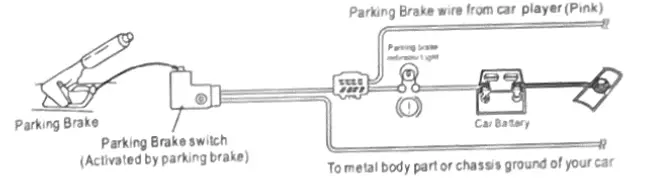
Connecting the reversing line to a taillight on the car

After connecting, when you start up the reverse gear, the unit will receive the picture from the car rearview camera.
Note:
-Only use groundless loudspeakers.
-Use only loudspeakers of minimal 40Watt, using fewer watts may result in damaging your loudspeakers at higher volumes.
-Use 4-80 (Ohm impedance) loudspeakers only; using higher or lesser impedance may damage the unit.
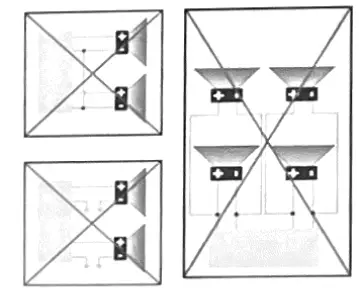
-Do not use 3-cable loudspeakers and do not connect the loudspeakers minus to the car body (GND). The unit is using a BTL circuit and each loudspeaker must be connected with insulated cables according to the diagram.
-Loudspeaker cables and/or optional external power amplifiers must always be about 30cm away from the antenna and/or antenna extension parts.
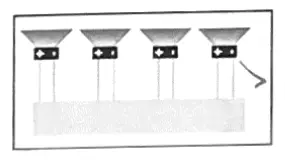
Connect the speakers according to the following diagram, incorrect connections will damage the unit or your loudspeakers
Correct connection
Left front – Right front I Left rear – Right rear
Incorrect connections
FRONT PANEL
- MENU Press this button in any mode to pop up menu options.
In USB/SD mode, long-press the menu button to enter the folder selection.
- Power/Mute/Hang up
After turning off the machine, click to turn it on; when turning on the machine, click to mute it. long press to turn it off. During a Bluetooth call, click to hang up.
- BAND / V-OUT / Answer/AMS
In radio mode: short press to switch frequency; video output: when playing video, long press this button to output image, when outputting image, the front panel is black. there is no image, you need to press this button to restore the image;
answer: press when there is an incoming call This key can answer calls.
In broadcast mode, long-pressing the BAND button will change to the AMS function, which will automatically search for broadcast stations. After the search is completed, each radio station will be previewed for 5 seconds.
- Play/Pause/CH+ When playing video or music, you can pause or play;
CH +: In radio mode, you can select the next channel. - RPT /CH- Repeat, repeat once, or repeat all; CH-: In radio mode, you can select the previous channel.
- IR Remote control signal receiving window
- KnobThe knob is the volume addition and subtraction function, in the folder mode it is the up and down selection function. The middle button is the equalizer or confirmation function.
- AUX
Put the audio plug into the AUDIO jack which was marked on the front panel - Nameplate
Customer brand logo. - TF Card
To play MP3/ MP4/ WMA/JPEG files on a TF card, insert the card into the card slot (you should Open the cover on the front panel and insert the TF card into the card slot.) The unit will play automatically MP3/MP4/ WMA/JPEG files. Or repeatedly press the MODE or Card to select SD mode. - MIC
- RST
Press it with a thin, sharp object, the device will then be reset to factory default settings - +
- Select up and down
the previous/next chapter/track; In USB/SDrnode select t in radio mode, search tor lower/higher frequencies; in folder mode, select left and right functions. - USB Slot
USB slot, for multimedia playback files only. Insert a USB into this a USB into this slot and the unit will automatically start reading and playback the card. Supported Music file format.
REMOTE CONTROL
VII. Remote Control
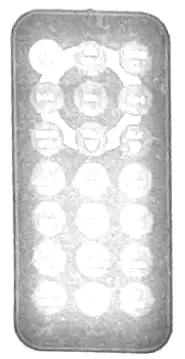
Precaution:
- Under normal conditions, the battery life of the remote control is about 6 months. When the remote control doesn’t work well, check and replace it with a new battery timely.
- When the remote control Is not to be used for a long time, please remove the battery to avoid liquid leakage which may damage the remote control
- Prevent falling from a height to avoid damage.
- The battery is forbidden to be disassembled nor heated nor put into fire nor placed together with other metals.
- Place the battery in a safe place to prevent the kid from swallowing it. In case the kid swallowed the battery, immediately send him/her to see a doctor.
| Button Name | Button Function |
 | Power ON/OFF |
VOL-/VOL+/ | Decrease/increase volume/Select up and down in folder mode. |
| In radio mode, select bands, Answer the call in Bluetooth mode. |
 | In USB/SD mode, select the previous/next chapter/track; in radio mode, search for lower/higher frequencies; in folder mode, select left, and right functions. |
SEL | Enter EQ setup menu /OK key |
MUTE/Delete | Mute key/Delete |
| In Bluetooth mode, hang up the calling, Clock display_ |
1,2,3,4,,5,6,7,8,9,0 | Select current band, section, or preset stations. |
| Play/pause |
INT | Temporary preview |
RPT | Loop playback, repeat playback. |
RDM | Shuffle Playback. |
ST | Stereo switch |
LOUD | Loudness switch. |
AIMS | Short press to preview / long press to search |
MODE | Mode conversion. |
EQ | Sound effect switching. |
LOC | Local signal broadcasting. |

 /BAND
/BAND
REMOVE BATTER
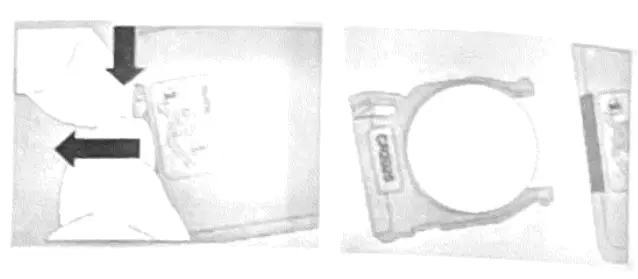
Note:
- The distance may vary according to the brightness of ambient light.
- If the remote is not used for an extended period of time, remove the battery to prevent possible damage from battery leakage and corrosion.
- Do not place any objects between the remote control unit and the sensor on the unit.
- Do not drop the remote control onto the floor; it will damage it beyond repair.
- Do not use the remote control unit, while simultaneously operating the remote control unit of any other equipment; they may interfere resulting in improper operation.
- The battery normally lasts for about one year although depending on how often the remote control is used. If the remote control unit is t working even when it is operated near the unit, replace the battery with a new battery of the same make and use only a lithium cell battery type: CR2025 (3V).
- Dispose of empty batteries in accordance with your local governmental regulations.
- Do not short-circuit, disassemble, heat, or dispose of fire or flames the battery.
- Keep the battery out of reach of children, should the battery be swallowed, immediately consult a doctor.
Press MENU on the panel to pop up the menu interlace, and then use the knob to select the corresponding function. Press the middle button of the knob to confirm, or it can be controlled by the remote control.
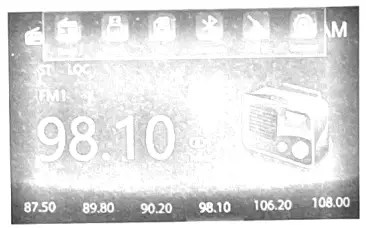
Main menu functions: radio, USB, SD, Bluetooth, AUX, settings.
♦ Radio Interface
To start broadcasting. select Broadcast in the main menu screen.
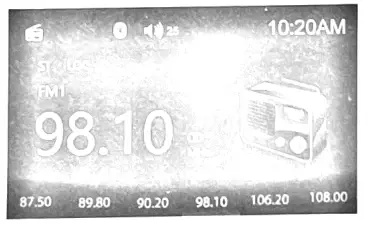
 Frequency band switching: Press (BAND) on the panel to switch; or press (BAND) on the remote control to switch.
 Mono/stereo switching: When receiving FM, it can be switched through the panel button (ST) or through the remote control.
 Receive local signal broadcast.
 The highlight is stereo.
 Highlight the connected Bluetooth.
 Volume display.
 Clock display.
- USB/SD card display interface

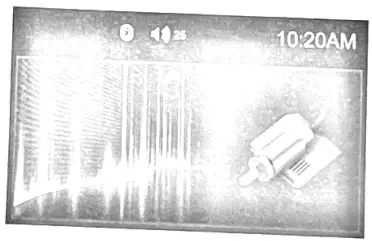
- AUX display interface

- Bluetooth music display interface

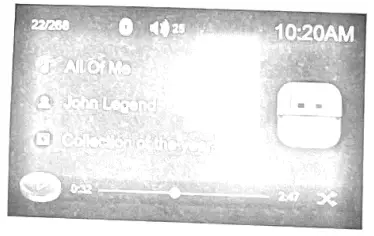
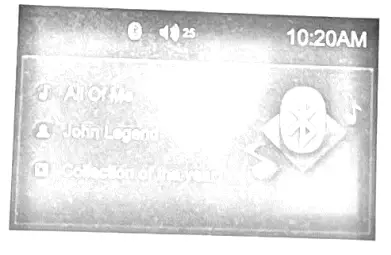
To start SETTING, tap the SETUP icon on the main menu
- Language
 Language: Press it chooses English.Indonesia and act.
 - Radio
 Area: Press it chooses U.S.Aor S.Amenca
 - Time
 Adjust the time.
 - Time mode
 Display Format: you can choose 12H/24H.
 - Date
 Display Mode Month/Day/Year.
 - PAL/NTSC
 The output image system is switched.
 - Led Colour
 Colorful light color switching automatically switch various colors,green /blue/red/yellowicyan/purple!white.
 - Steering wheel controls
 Steering wheel control. Make the cursor correspond to the function to be adjusted, and then press the steering wheel button to highlight the button icon of the device. After learning in order, press Exit to complete the operation.
 - Video Warning
 By default, the handbrake switch is turned on, and the car must pull the handbrake to watch the video
 - Factory default
 Restart and return to factory settings.
 - Version
 Version information.
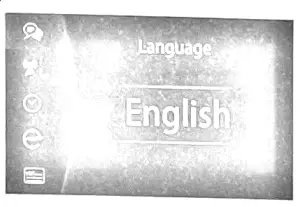 Language: Press it chooses English.Indonesia and act.
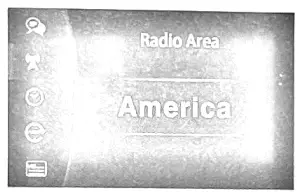 Area: Press it chooses U.S.Aor S.Amenca
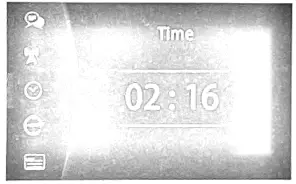 Adjust the time.
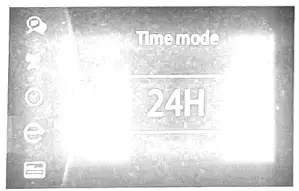 Display Format: you can choose 12H/24H.
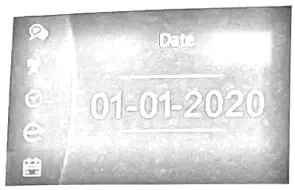 Display Mode Month/Day/Year.
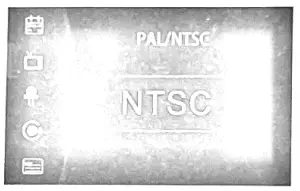 The output image system is switched.
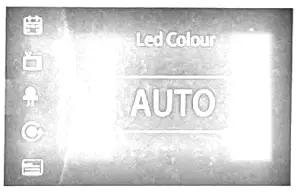 Colorful light color switching automatically switch various colors,green /blue/red/yellowicyan/purple!white.
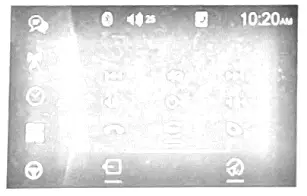 Steering wheel control. Make the cursor correspond to the function to be adjusted, and then press the steering wheel button to highlight the button icon of the device. After learning in order, press Exit to complete the operation.
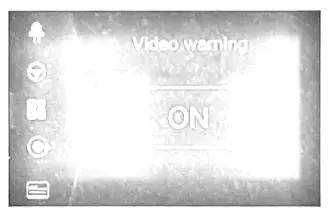 By default, the handbrake switch is turned on, and the car must pull the handbrake to watch the video
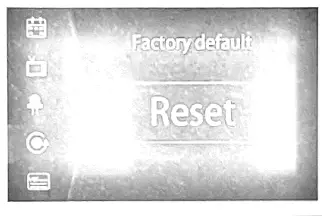 Restart and return to factory settings.
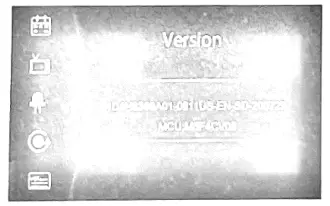 Version information.
BLUETOOTH SECTION
Warning: Driving and having a Telephone conversation at the same time is dangerous, please park your car before having a telephone conversation, The supplier waives any and all liability when this warning is not followed.
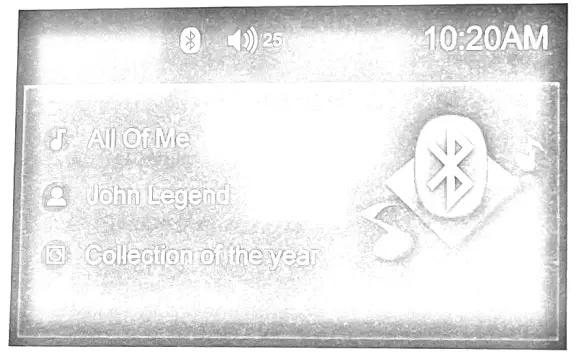
 The song name is displayed.
 Show singer name.
 Show artist album.
Bluetooth Connection Instructions
- To enter Bluetooth mode you can tap the Bluetooth icon
 on the Main menu.
 - The 1 st time when using BLUETOOTH, you need to pair the mobile phone with Bluetooth whose name is “Power Acoustik”.
- Place your Bluetooth Enabled cell phone in pairing mode.
(A2DP) Music Mode
Tap the Music button to listen to Bluetooth mode.
You can select the function with the key for previous, play or pause, stop, and next. A2DP (Advanced Audio Distribution Profile) Music Player A2DP is a function that can receive The audio frequency signal from the mobile phone, amplified by the car audio, and played out by the car speakers.
Notice: your mobile phone need to support A2DP. Tap the buttons on the screen as shown, or press corresponding buttons (PAUSE/PLAY, STOP, PREVIOUS/NEXT) on the remote control to play, pause, play the previous, or next music file.
AUX MODE
To start AUX Mode, tap on the AUX button from the main menu screen. Connect the external audio signal source to this unit. Select Aux mode in the main menu.
Note: If there is no external audio input, the TFT displays”Warning”.
OTHER FUNCTIONS
Parking
When the car is stopped and the parking brake is working, the screen can display the video image, otherwise, the screen can’t display the video image
Back View Camera
This unit is equipped with back view camera output. The camera is used to observe the situation behind the vehicle when you are backing the car.
Please connect your back view camera with the back car video input. And connect the reverse wire for the back of a car with the rear gear light. Rearview camera pictures will be enabled when you are backing the car.
TROUBLESHOOTING
| Symptom | Cause | Remedy | |
| General | The power does not turn on. (No sound is produced.) | Fuse is blown | Replace with a fuse of the same amperage. if the fuse blows again, consult your store of purchase |
| Incorrect wiring | Consult your local retailer. | ||
| No sound output when operating the unit with amplifiers or power antenna attached. | Power antennal lead is shorted to ground excessive current is required or remote on the amplifiers or power antenna. |
| |
| Nothing happens when buttons are pressed.The display is not Accurate | The microprocessor has malfunctioned due to noise, etc. | Turn off the power, Then press the [no open] button and remove the DCP Press the reset button for about 2 seconds with a thin rod. | |
| Panel or main unit Connectors are dirty | Wipe the dirt off with a soft cloth moistened with cleaning alcohol. | ||
| LCD | Small LCD display error massage | When deck mechanism error, show ERROR 1 | Reset the unit. |
| When disc or servo error, it shows ERROR 2 | Change the disc or reset the unit. | ||
| WhenUSB error, show ERROR 3 |
| ||
|
NO POWER | THE CAR IGNITION IS NOT ON. | IF THE POWER SUPPLY IS PROPERLY CONNECTED TO THE CAR ACCESSORY SWITCH THE IGNITION KEY TO CC? | |
| THE FUSE IS BLOWN. | REPLACE THE FUSE. | ||
|
NO SOUND | VOLUME IS AT A MINIMUM. | ADJUST VOLUME TO THE DESIRED LEVEL. | |
| THE WIRING IS NOT PROPERLY CONNECTED. | CHECK WIRING CONNECTION. | ||
| THE WIRING IS NOT PROPERLY CONNECTED. | THE BUILT-IN MICROCOMPUTER IS NOT OPERATING PROPERLY DUE TO NOISE. | PRESS THE POWER BUTTON FOR ABOUT 10 SECONDS TO RESET THE UNIT. | |
| THE FRONT PANEL IS NOT PROPERLY FIXED IN ITS PLACE. | |||
| SOUND SKIPS. | THE INSTALLATION ANGLE IS MORE THAN 30 DEGREES. | ADJUST THE INSTALLATION ANGLE TO LESS THAN 30 DEGREES. | |
| THE DISC IS EXTREMELY DIRTY OR DEFECTIVE. | CLEAN THE COMPACT DISC/TRY TO PLAY A NEW ONE | ||
| THE RADIO DOES NOT WORK, THE RADIO STATION AUTOMATIC SELECTION DOES NOT WORK. | THE ANTENNA CABLE IS NOT CONNECTED THE 1 SIGNAL IS TOO WEAK. | INSERT THE ANTENNA CABLE FIRMLY SELECT A STATION MANUALLY.. | |