CirrusPROTM Central Control System
Product Information
The CirrusPROTM Central Control System by Central Control
Technologies is a state-of-the-art golf irrigation control system
that offers intuitive user interface (UI) and precise water
management features. It is designed to save time and money,
providing real-time responses to changing conditions and
simplifying irrigation management. The system is compatible with
Rain Bird software and its future updates, ensuring timeless
compatibility with existing field hardware. With CirrusPRO, users
can have full central control from a mobile device, making
irrigation changes directly from the map and watching updates
happen in real time.
Features:
- Intuitive user interface (UI)
- Real-time responses to changing conditions
- Timeless CompatibilityTM with Rain Bird software
- Mobile control from any location
- Precise water management
- Customizable dashboards
- Optimization features for efficient irrigation
- Diagnostics and troubleshooting capabilities
WS-PRO2 Weather Station:
Rain Bird offers the WS-PRO2 weather station as an optional
component for the CirrusPRO system. This weather station provides
evapotranspiration (ET) management and reporting capabilities, as
well as intelligent alarm and irrigation control responses through
Rain Bird’s Smart WeatherTM software.
Product Usage Instructions
1. Mobile Control:
To access full central control from a mobile device, follow
these steps:
- Download and install the CirrusPRO mobile app on your mobile
device. - Login to the app using your credentials.
- Select the desired map view for your irrigation area.
- To make irrigation changes, select the desired rotor on the
map. - In the station window, execute irrigation actions like
starting, stopping, pausing, or resuming a station.
2. Custom Map Layer Icons:
To check high-level information without selecting a station,
follow these steps:
- Select the desired map view for your irrigation area.
- Identify stations with irrigation adjustments, stations
programmed for Cycle+SoakTM, and see remaining station time using
the custom map layer icons.
3. Multi-Station Selection:
To complete tasks faster in fewer clicks by selecting multiple
stations, follow these steps:
- Select the desired map view for your irrigation area.
- While on the course, select multiple stations.
- Perform irrigation actions such as starting, stopping, pausing,
or resuming the selected stations.
4. Find Me:
To pinpoint your current location and irrigate nearby areas with
ease, follow these steps:
- Select the desired map view for your irrigation area.
- Use the “Find Me” feature to locate your current position on
the map. - Perform irrigation actions in the nearby areas as needed.
5. Troubleshoot Directly from the Map:
To eliminate the need for separate applications and quickly run
irrigation or diagnostics in real time directly from the map,
follow these steps:
- Select the desired map view for your irrigation area.
- Access the irrigation or diagnostics features from the map
interface. - Execute the necessary actions to troubleshoot and manage
irrigation.
6. Irrigate with Precise Control:
To have precise control over irrigation using patented watering
by rotations, follow these steps:
- Select the desired map view for your irrigation area.
- Choose the rotor or station you want to irrigate.
- Execute irrigation actions with unparalleled precision.
7. Customize Dashboards:
To customize your dashboard and display the data that matters to
you, follow these steps:
- Access the dashboard customization feature in the user
interface. - Drag and drop the desired data elements onto your
dashboard. - Arrange and organize the data elements as per your
preference.
8. Optimize Your Irrigation with DryrunTM:
To preview the efficiency of your irrigation schedule and make
adjustments prior to irrigation events, follow these steps:
- Access the DryrunTM feature in the user interface.
- Review the irrigation schedule and analyze its efficiency.
- Make necessary adjustments to optimize water usage, pump
efficiency, and electricity savings.
Whispering Pines
Central Control Technologies
Make Your Investment Work Smarter.
Level up your game with the CirrusPROTM Central Control System. With real-time responses to changing conditions, you’ll simplify irrigation management. Timeless CompatibilityTM lets you rest assured that any Rain Bird software and its future updates will work with your existing field hardware.
4
CENTRAL CONTROL TECHNOLOGIES
5
Central Control Technologies CirrusPROTM
CENTRAL CONTROL TECHNOLOGIES
CirrusPROTM
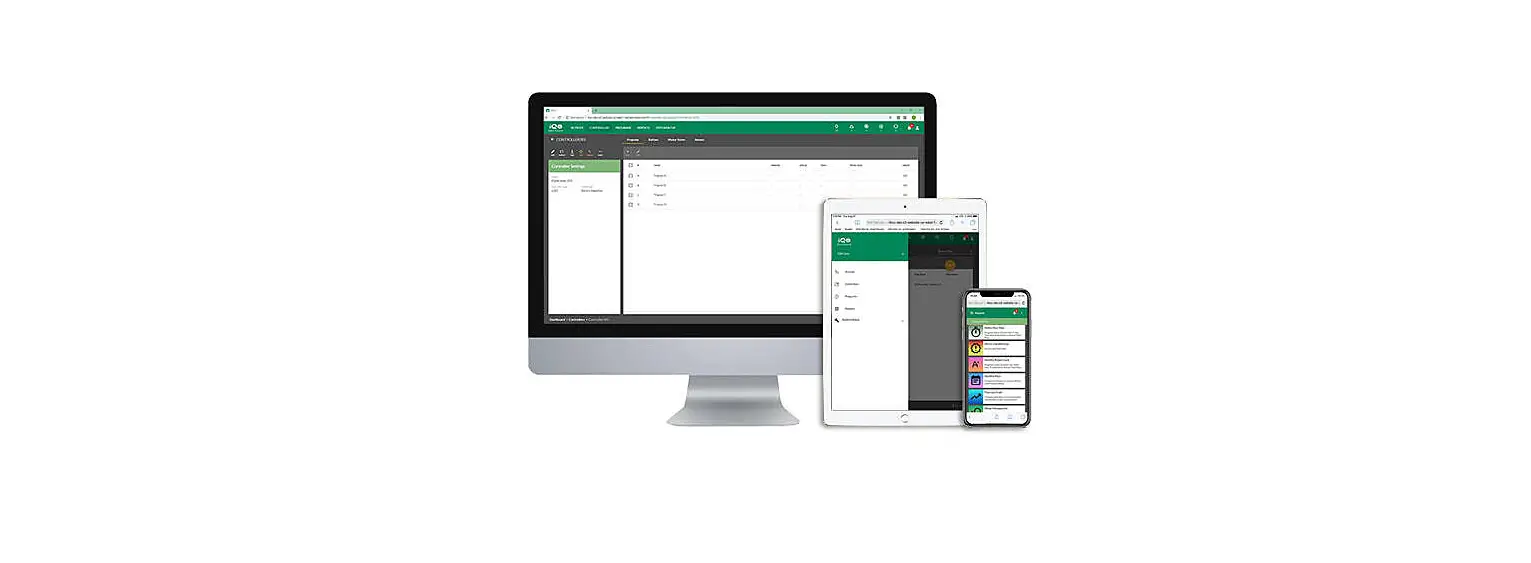
Go completely mobile with CirrusPRO and get full central control from a mobile device anytime, anywhere, any place. With CirrusPRO you can make any irrigation changes directly from the map and watch your updates happen in real time. No matter what the day brings, you’ll be ready with CirrusPRO.
FEATURES & BENEFITS
Engineered to help you save time and money, CirrusPRO offers a state-of-the-art golf irrigation control system with an intuitive user interface (UI) and precise water management features.
· Irrigation That Goes Where You Go: As the only mobile-first irrigation control system on the market, you get a high level of performance from anywhere, on any device.
· More Freedom: Add unlimited users, choose from multiple languages and adjust settings for multiple stations all at once.
· Better Data: Irrigate precisely with real-time data that monitors and notifies about course conditions.
· Complete Control: Water through patented Rotation, Application, ET and Runtime.
SOFTWARE HIGHLIGHTS
· Custom course, hole and station names
· Programming in seconds, minutes and hours
· Runtime control through System Level Water Budget, Program Adjust, Schedule Adjust, Schedule Level Temporary Adjust, Program Level Temporary Adjust, Station Level Temporary Adjust as well as Station Adjust
· Detailed reports including: Station Runtime, Alarms and Warnings, Monthly Report Card, Monthly Flow, Flow Log Graph, Water Management, Yearly Water Consumption and Rainfall
· Weather data communication
· Automated email and texts for alarms
· Automatic weather-based adjustment from a wide range of weather source options
· User-selectable languages
· Configurable settings by user
· Make irrigation adjustments directly from the map
· Compatible with Rain Bird Golf Irrigation Systems
6
Central Control Technologies CirrusPROTM
rainbird.com/golf
CUSTOM MAP LAYER ICONS Check high-level information without selecting a station.
Identify stations with irrigation adjustments View stations programmed for Cycle+SoakTM See remaining station time
STATION WINDOW
Map access offers important station information quickly and easily. Select any rotor on your map to access the station window. Then execute irrigation actions like starting, stopping, pausing and resuming a station. Users will see the time remaining, last time a station was irrigated, any active station adjustments, run and view diagnostics.
CENTRAL CONTROL TECHNOLOGIES
MULTI-STATION SELECTION
Complete tasks faster in fewer clicks. Select multiple stations while on the course to perform irrigation actions with ease.
FIND ME
Pinpoint current location to irrigate nearby areas with ease.
TROUBLESHOOT DIRECTLY FROM THE MAP Eliminate the need for separate applications like MI or Freedom and quickly run irrigation or diagnostics in real time directly from the map.
IRRIGATE WITH PRECISE CONTROL Patented watering by rotations gives you control of irrigation with unparalleled precision.
CUSTOM DASHBOARDS Customize your dashboard with drag-and-drop functionality to display the data that matters to you.
OPTIMIZE YOUR IRRIGATION WITH DRYRUNTM Quickly preview the efficiency of your irrigation schedule allowing for adjustments prior to irrigation events to shorten water windows, optimize pump efficiency and save electricity.
DRYRUNTM
After all the adjustments a user makes to their programs during the 7
day, Dryrun enables users to see what will run in their irrigation event,
Central Control Technologies Rain Can | WS-PRO2 Weather Station
Rain Can
A rain can working in tandem with our patented Rain Bird® Rain WatchTM technology responds in real time to rain events; reducing wear and tear and creating a more efficient, intelligent system.
FEATURES AND BENEFITS
· The only system designed to automatically react to rainfall and adjust sprinkler application rates to take full advantage of natural rain, thereby eliminating over-watering.
· Saves water and electricity, while keeping the course drier and more playable, by pausing, adjusting or canceling irrigation in the event of rainfall.
· Results in reduced wear and tear on irrigation system components.
HOW RAIN WATCH MANAGES RAINFALL
· Stationed throughout the course, up to four (4) high-resolution Rain Watch rain cans collect rainfall data.
· Each irrigation program can be set to react to any one of the available rain cans.
· The central control system continuously polls each rain can.
· Rainfall data received by the system is used to make intelligent decisions based on user-defined responses.
CENTRAL CONTROL TECHNOLOGIES
WS-PRO2 Weather Station
Rain Bird offers the WS-PRO2 weather station to help meet your course’s unique irrigation management needs. WS-PRO2 provides evapotranspiration (ET) management and reporting capabilities and optional intelligent alarm and irrigation control responses through Rain Bird’s powerful Smart WeatherTM software.
HOW TO SPECIFY
WS PRO2 XX
CONNECTION SH = Short Haul
X
POWER Blank = User Supplied S = Solar Powered
FEATURES AND BENEFITS
Superior ET Model. Rain Bird Central Control systems use weather sensor input to determine ET rates based upon a field-proven proprietary equation for ET.
Automatic ET Download/Selective Usage. Automatically download weather data daily and calculate ET to determine irrigation times for the entire system or by specific areas, holes or stations.
ET Override. Allows you to easily set certain programs to ignore ET values when determining run times.
Rain Bucket. Allows rainfall from one day to be carried over to the following day(s) for more accurate ET calculations.
Multiple Station Capacity. Connect up to five (5) weather stations to one central control system for more precise ET values based upon different weather conditions and micro climates around the golf course.
Max Rainfall. User-defined maximum rainfall can be set to limit the amount of acceptable rainfall for specific soil types or other areas that are subject to high run-off.
Weather Data Reports. Generate reports to show current or past weather conditions by the hour, day, week, month or year. Along with Rain Bird’s Smart Weather Software, it supports alarms when thresholds are exceeded in: rain, high or low ambient temperatures, high winds or rainfall intensity.
When any of these alarms exceed user-defined thresholds in a programmed time period, the system will initiate an alarm condition. The alarms will automatically reset when temperature, rain or wind conditions are again within acceptable ranges for irrigation.
Automatic Shut Off/Turn On and Pause/Resume. Rain Bird Central Control systems automatically shut OFF or suspend irrigation operation for the entire system or in specific areas of the course (tee box, fairway, green, etc.) when alarm conditions are detected at the weather station. They also automatically turn ON or resume irrigation when weather conditions return to the acceptable range for irrigation.
Automatic Notification. Using Rain Bird® MessengerTM, it can automatically notify you wherever you are — at the central control, via text messaging or e-mail — when alarm conditions exist.
8
Central Control Technologies The FREEDOM SystemTM
rainbird.com/golf
The FREEDOM SystemTM
The FREEDOM System handheld provides reliable, two-way communication with your Rain Bird system. Use it to choose from command-based or schedule-based operations, making irrigation adjustments a snap. Either way, The FREEDOM System puts you in control of your irrigation management system wherever you are.
SYSTEM FEATURES AND BENEFITS
· Two-way Communication with Rain Bird Centrals. Audio response at radio indicates command received by central.
· Station- and Program-Based Commands. Provides the flexibility to turn ON or OFF any station or an entire area with the click of a few buttons.
· FREEDOM-Based Commands Recorded at Central. Irrigation activity logged at the central whether stations turned ON with FREEDOM System or with central.
· Optional Flo-Manager® Bypass. Permits FREEDOM user to bypass Flo-Manager.
· Optional Operating Window. Allows user to define FREEDOM usage hours, which helps superintendents to control irrigation activity.
· Two-Way Voice Communication.
· Telephone Operation. All FREEDOM commands can be activated using a telephone connection.
HOW TO SPECIFY
FREEDOM SP
MODEL
CONTROL TYPE
FREEDOM
SP
RADIO FEATURES AND BENEFITS
Weather-resistant and reliable. The NX-3320-k3 handheld radio is built to survive the drops, hard-knocks and weather environments of its users. The NX-3320-k3 meets or exceeds the demanding MIL-STD “driven rain” standard, which guarantees water-resistant performance even in wet weather.
· LCD Display. 4-line basic (2-line main/sub-LCD, icon & key guide) with 14 characters; 5-line text message frame (3 lines of text, icon & key guide).
· Extra-Long Battery Life. 1400 mAh batteries deliver more than nine (9) hours of operating time on a single charge (5-5-90 duty).
· One-Year Warranty.
· MIL-STD 810 C/D/E/F Environmental Tests. Meets or exceeds the stringent IP/54/55 dust and IP67 water intrusion standards and full range of tough MIL-STD 810 C, D, E, F and G environmental standards in categories such as vibration, shock, dust, humidity, rain, temperature, solar radiation and atmospheric pressure.
S P E C I F I C AT I O N S
Frequency: 450 470 MHz (Narrowband)
NOTE: Site survey and license required
Power: 100 V/110 V: 60 Hz
CENTRAL CONTROL TECHNOLOGIES
9
Central Control Technologies Central Control
CENTRAL CONTROL TECHNOLOGIES
CirrusPRO
Our most advanced option, CirrusPRO controls many of golf’s most sophisticated irrigation systems. As a fully mobile central control, you can adjust irrigation in real time from anywhere at any time, via a mobile device.
NimbusTM II
Nimbus delivers advanced features with simple administration, ideal for saving time and effort while maintaining premier playing conditions. ET-based scheduling, precise flow management and real-time adjustments help you get the most out of every drop of water.
StratusTM II and StratusLTTM
Offering two options, the Stratus platform is an excellent choice for simple-time or ET-based scheduling. Choose to start with the basics, or upgrade to more advanced capabilities. With either system, Rain Bird delivers the ease and convenience you want in a Central Control system, aiding superior turf and playing conditions throughout the year.
Specifications
Map-Based Control Programs Schedules Interfaces
Satellite Stations IC Stations
Pump Stations Weather Stations Hybrid Communication
Nimbus II Up to 3 Courses (54 Holes)
Unlimited Up to 50 per Program
Up to 8 Up to 21,504 Up to 24,000
Up to 6 Up to 5 Up to 8 Interfaces
10
Stratus II Up to 2 Courses (27 Holes)
500 Up to 25 per Program
Up to 2 Up to 5,376 Up to 6,000
Up to 6 1
Up to 2 Interfaces
StratusLT Up to 18 Holes
250 Up to 25 per Program 1 (Not expandable)
Up to 672 Up to 750 Up to 2 1 (WS-PRO LT only)
—
CENTRAL CONTROL TECHNOLOGIES
Central Control Technologies MI SeriesTM Mobile Controllers
rainbird.com/golf
MI SeriesTM Mobile Controllers
Remote access to your central control is now as convenient as the Internet, with mobile control. This software runs on your central control computer to provide remote irrigation control via a web-enabled device or smartphone.
Rain Bird® MI Series mobile controllers are designed to work on a smartphone or tablet with Internet connectivity and offer greater remote operation capabilities than anything else available.
When connected to the Internet, up to nine (9) remote users can simultaneously control sprinklers and programs, review system activity or directly change settings on both sprinklers and irrigation programs. All activity is logged and viewable in MI at the central control for convenient review.
MI Series mobile controllers also include the MI FREEDOM user interface. MI FREEDOM provides two smartphone interfaces for users to implement traditional FREEDOM commands: 1) Handheld radio keypad for users with handheld radio keypad experience. 2) Soft keyboard interface for use of The FREEDOM SystemTM commands on a standard smartphone virtual keyboard.
MI Series Mobile controllers now include the Command Console input method. Combining the speed of MI FREEDOM keypad input with the convenience of drop down action menus, Command Console is the most powerful and fastest activity control method available for manual activation, deactivation, status checks and remote programming.
SYSTEM REQUIREMENTS
· Compatible with Cirrus, Nimbus II, Stratus II, StratusLT. · Requires an Internet connection to the central control. · Requires a web-enabled smartphone or tablet with a data plan.
Feature Comparison
Link Name
Advanced
Satellites (Areas)/Stations
X
Programs/Schedules
X
Diagnostics
Accessories
Alarm Log
Cancel All
X
Accessories
Link Name Water Budget Demand Flow Smart PumpTM Smart WeatherTM Activity Log Online Users
Advanced X
X X
Available Options
PROGRAMS Execute Get Status Edit Data SCHEDULES Execute Get Status Edit Data
Advanced
X X X
X X X
HOW TO SPECIFY
MI
MODEL MI
XXXX(X)
CONTROL TYPE ADVAN = Advanced PROF = Professional
Software license only — phone or tablet not included.
Professional X X X X X X
Professional X X X X X X
Professional
X X X
X X X
11