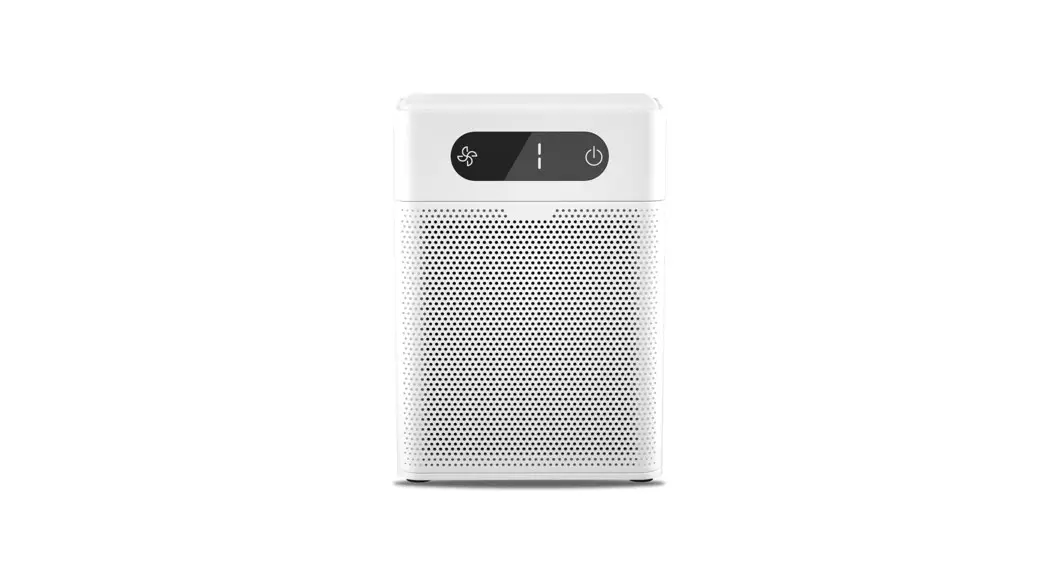
 Air Purifier
QUICK START GUIDE
A150 A250 A350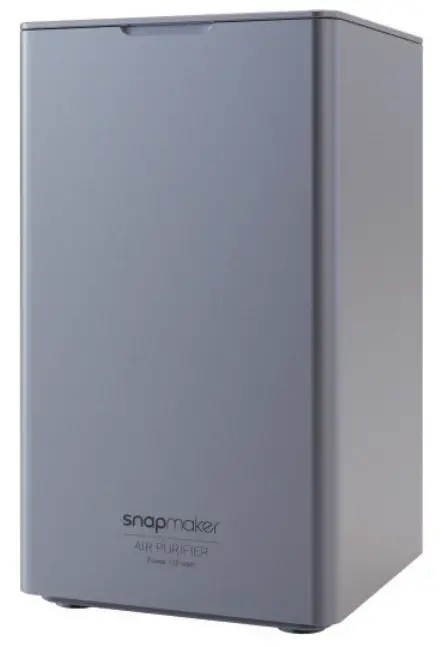 MAKE SOMETHING WONDERFUL
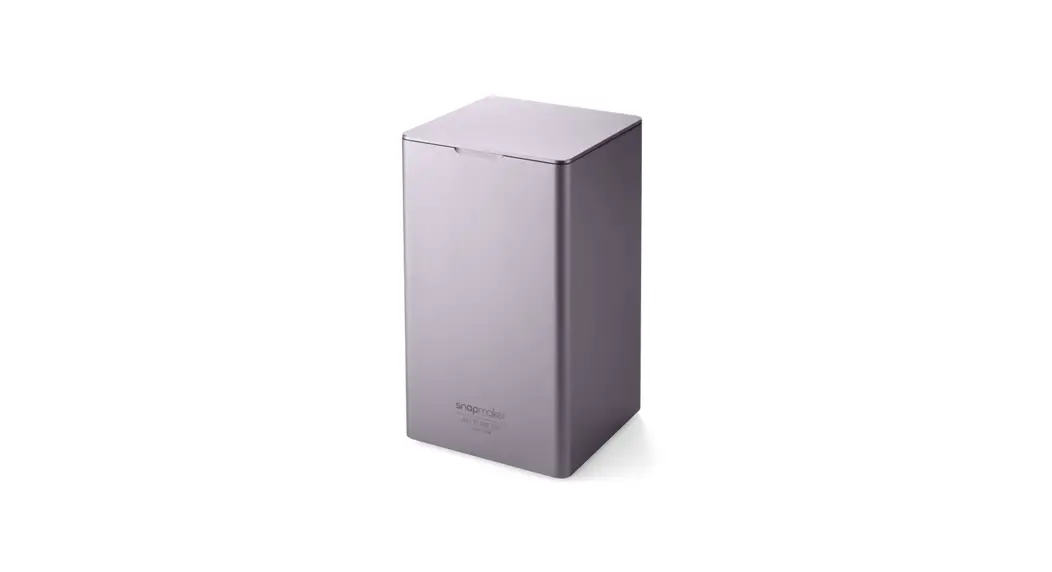
A150 Portable Air Purifier
© 2021 Snapmaker. All rights reserved. This language version of the guide is verified by the manufacturer (Original Instruction). No part of this publication, including pictures, may be reproduced or made public, whether by printing, photocopying, and microfilm or by any other means whatsoever, without the prior written permission of Snapmaker.
Before You Start
1.1 Disclaimer
Ensure anyone who uses this product has read and understood this guide before operation. Failure to do so is likely to result in personal injury, inferior results, or damage to Snapmaker products, for which we assume no liability. This guide is for reference use only, and Snapmaker doesn’t in any way make any warranty, express or implied, or assume any legal responsibility for the accuracy, completeness, or currency of the information provided. We reserve the right to revise this guide at any time without notice.
Snapmaker shall not be held responsible for any loss, injuries, damage, or expense arising out of or in connection with the assembly, handling, storage, use, maintenance, or disposal of this product, as they are beyond our control. When using Snapmaker products, users are responsible for fair use of intellectual properties and compliance with laws and regulations applicable.
1.2 Intended Use
The Snapmaker Air Purifier catches, traps, and cleans the suspended particles and fumes, and is intended to deliver clean air in machining. Users should follow the guidelines provided in this guide. Do not use the Air Purifier for purposes other than intended. While we provide information on using the Air Purifier in three scenarios including laser engraving, 3D printing, and CNC carving, users are advised to exercise their own further informed judgment in whether to turn on the Air Purifier.
1.3 Safety and Compliance
- Use this product together with the Enclosure for Snapmaker 2.0.
- Stop using immediately if you notice unusual smells, sounds, flames, or sparks inside or in the immediate vicinity of this product, the Enclosure, or the machine.
- Stop using the product immediately if its interior and exterior, the hoses, or the connecting cable is damaged in any way.
- Persons with cardiac pacemakers and cardioverter defibrillators implanted should avoid prolonged exposure to this product.
- Do not plug in or plug out any cables when the machine is turned on.
- Do not put any liquids, food, metal, or combustibles on this product.
- Do not put any object in the air inlet or outlet.
- Do not expose the product to rain or wet conditions.
- Do not place the product on an unsound or uneven table or workbench. Keep this product upright at all times.
- Do not twist, press the connecting cables too much, run them under carpeting or rugs, or put them near a heat source.
- Do not attempt to service this product yourself.
- Keep children and pets away from the product.
1.4 Specifications
| Dimensions | Air Purifier Unit Hose Filter Cartridge | 240 (W) × 240 (Depth) × 420 (H) mm 75 (Diameter) × 2,000 (L) mm 191 (W) × 229 (Depth) × 308 (H) mm | |
| Weight | Air Purifier Unit Filter Cartridge | 8.5 kg (excluding the hose and hose clamps) 2.4 kg | |
| Clamp Diameter | 65–89 mm | Cable Length | 2,000 mm |
| Air Inlet Diameter | 70 mm | Power Cord Length | 2,000 mm |
| Rated Power | 120 W | Maximum Noise | 65 dB |
| Operating Temperature | 0℃–35℃ | Rated Current | 5:00 AM |
| Storage Temperature | -4℃–45℃ | Input Voltage | 100–240 V AC |
| Rated Voltage | 24 V DC | ||
Note: Different from the Enclosure, the Air Purifier is for all three models of Snapmaker 2.0. As such, even if this guide uses Snapmaker 2.0 A350 and the A350 Enclosure for illustration, the content applies to the other two models.
1.5 Parts List
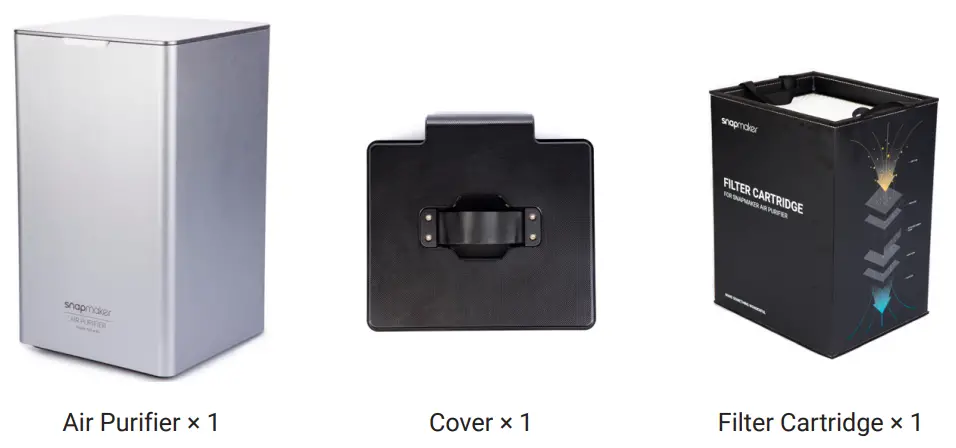
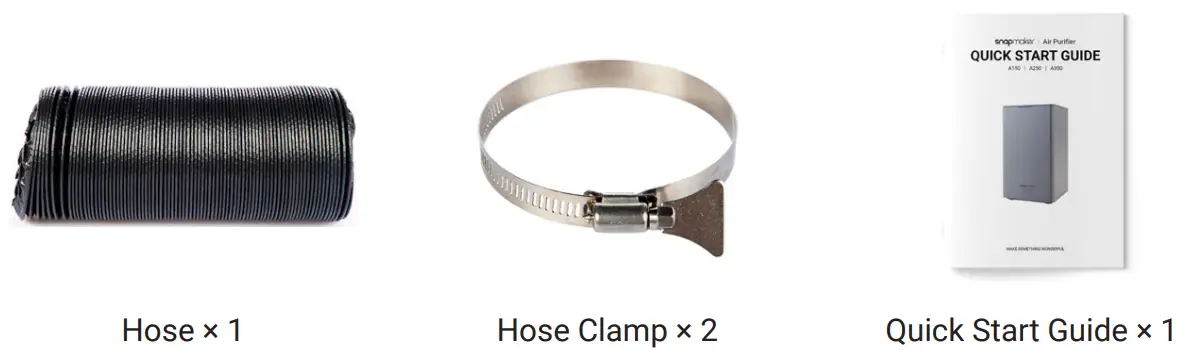
 1.6 Used Symbols
 | Warning | Failure to follow this instruction might result in severe personal injury. |
 | Caution | Failure to follow this instruction might result in malfunction, damage to the machine or workpiece, or slight personal injury. |
 | Tip | Tells you practical advice. |
 | Direction | Ensure the highlighted part is facing the right way. |
Assembly
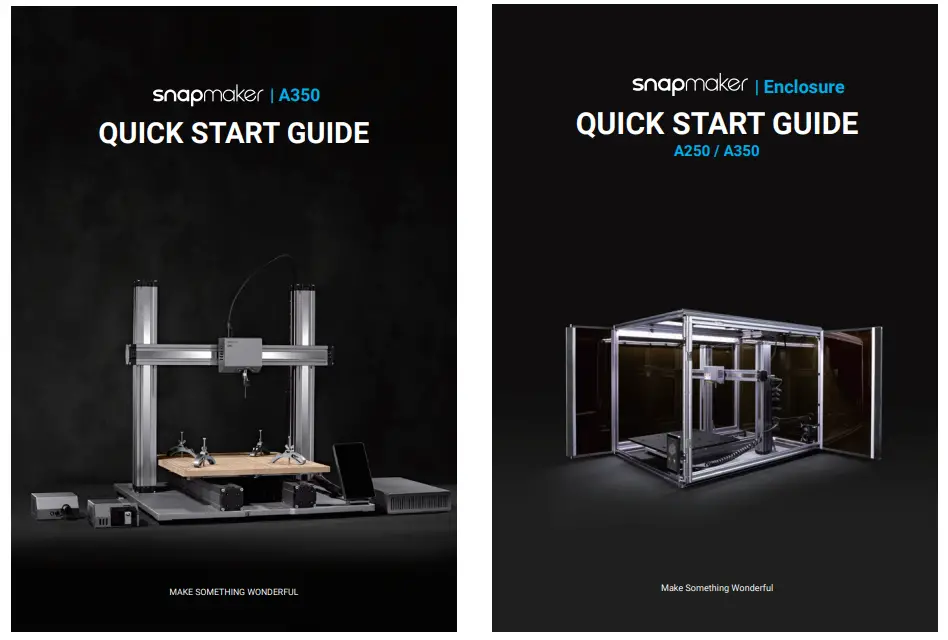
Make sure you have read the Quick Start Guides for the machine and the Enclosure. For the latest versions, visit our website: https://snapmaker.com/product/snapmaker-2/downloads.
 Do not turn on the machine.
1. Connect one end of the cable to the Air Purifier, and thread the other end into the snap bushing of the Enclosure.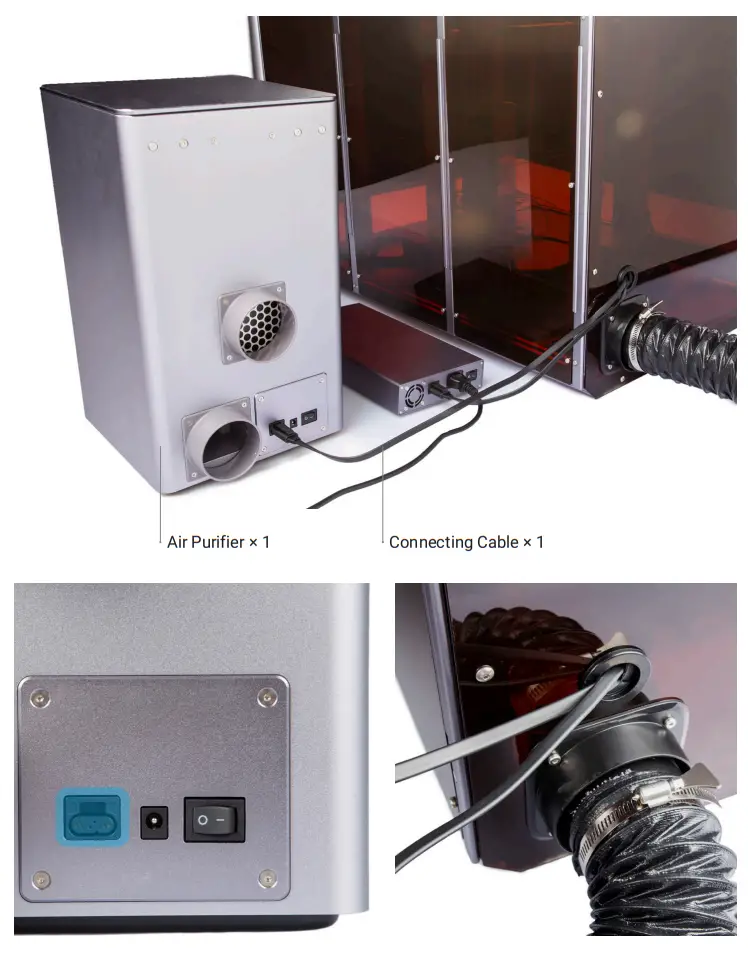 2. Connect the other end of the cable to the Enclosure Converter.
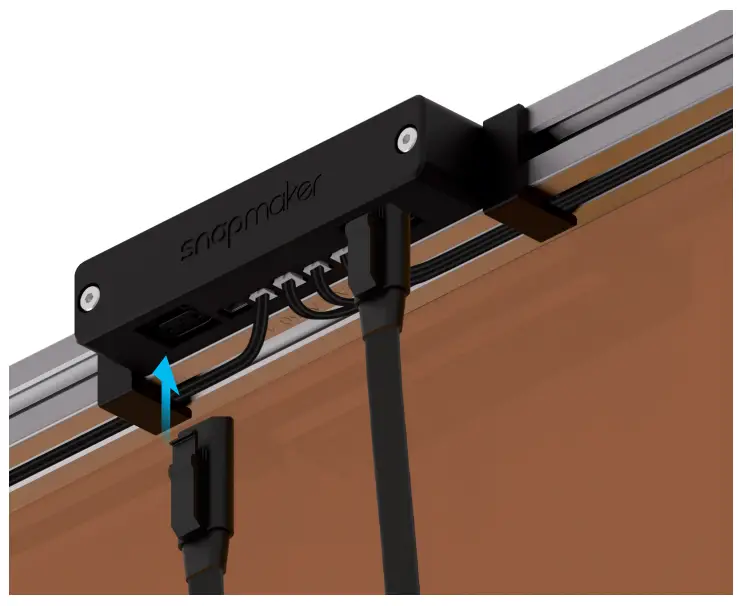 Do not connect or disconnect any cables when the machine is turned on. Should you use the Emergency Stop Button with the Air Purifier, you will need a CAN Hub; otherwise you won’t be able to use them at the same time. For how to connect the cables when you have a CAN Hub, see its Quick Start Guide.
3. Connect the hose on the Enclosure to the Air Inlet, and the new hose to the Air Outlet. Secure all hose clamps. Put the unattached end of the hose outdoors.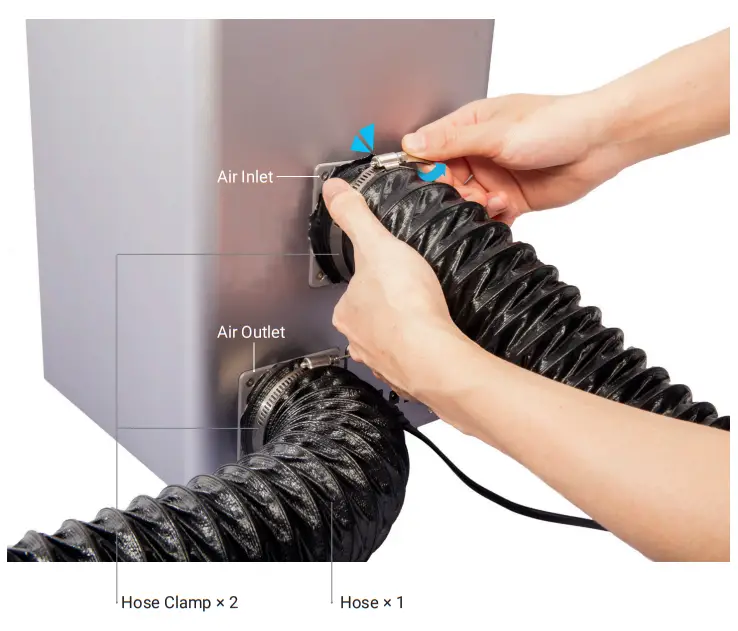 Note: Snapmaker has no control over how our users use our machines, and what materials users choose to print with or machine on. In order to ensure the ultimate safety of all users in all situations, we recommend that you exhaust outdoors.
Using the Air Purifier
3.1 Scenarios
3.1.1 Laser Engraving
The Air Purifier is on by default because laser engraving will produce toxic chemicals such as formaldehyde.
3.1.2 3D Printing
The Air Purifier is off by default because turning it on is likely to affect printing temperature and therefore affect the quality of the print.
3.1.3 CNC Carving
The Air Purifier is off by default because CNC machining produces a large volume of dust particles, which reduces the filter life. To auto turn on the Air Purifier, tap Settings > Air Purifier Settings > Auto Turn on on the Touchscreen.
3.2 Connect to Power
Connect the power adapter for the Air Purifier as illustrated. Then turn on the machine and the Air Purifier.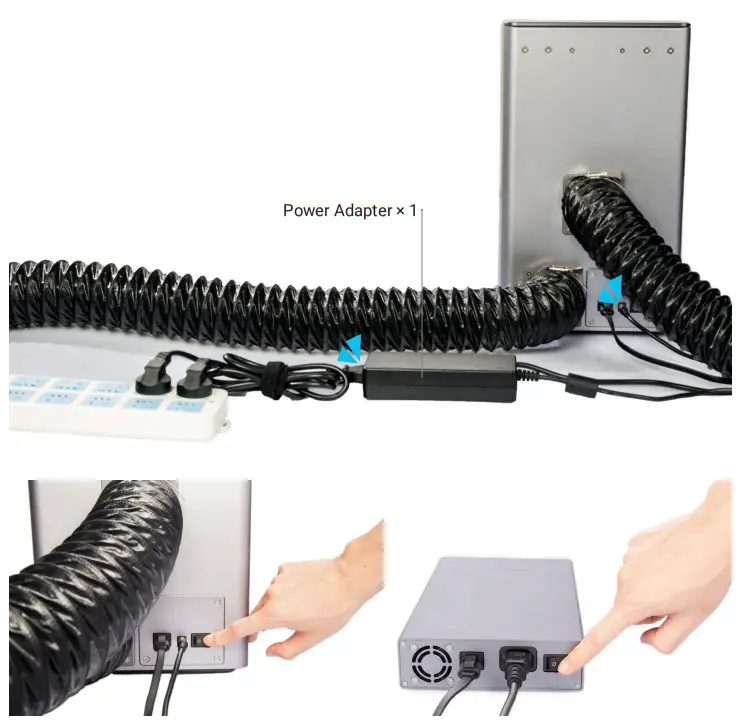 3.3 Check the Assembly
Ensure the machine, Enclosure, and Air Purifier are assembled and connected properly as illustrated.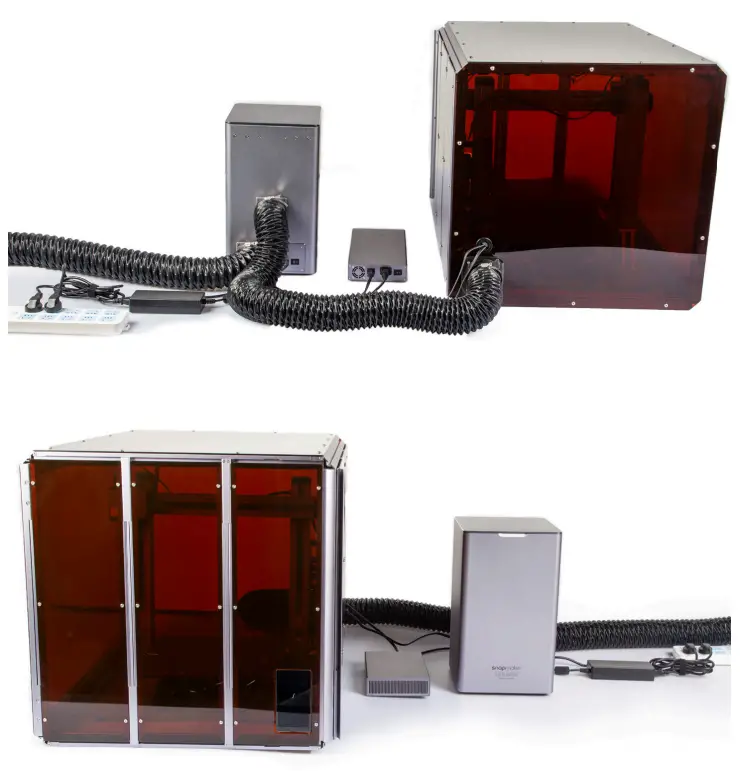 3.4 Update Firmware
Update your firmware to V1.13.0 or later, and you will be able to check the status of the Air Purifier on the Touchscreen.
Wi-Fi: Turn on the machine > Connect your machine to a Wi-Fi network > Swipe left on the Touchscreen > Tap Settings > Firmware Update > Check for Updates > Update Now > Complete.
USB Flash Drive: From https://snapmaker.com/product/snapmaker-2/downloads download firmware > Insert the USB flash drive into the Controller > Turn on the machine > Swipe left on the Touchscreen > Tap Files > USB > Tap the firmware file to update.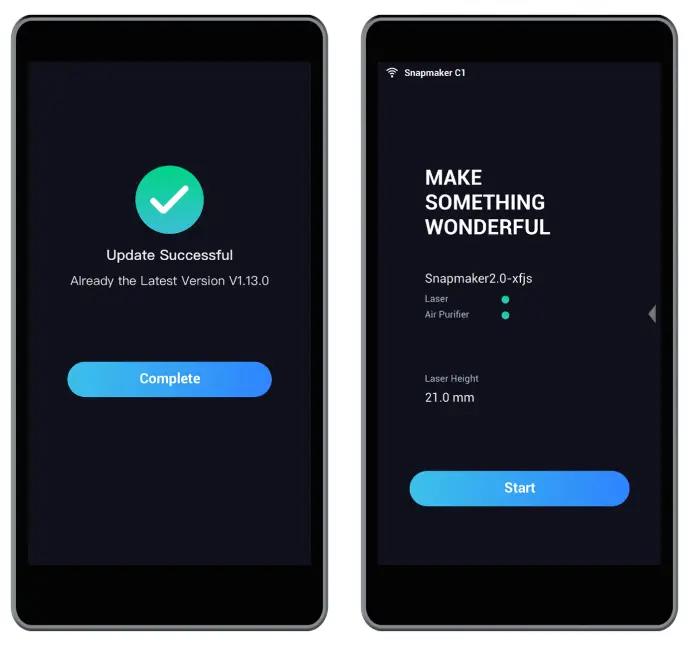 3.5 Operation
3.5.1 Before Use
On the Touchscreen, swipe left to view the App List, tap Air Purifier > Power and you will be able to turn the Air Purifier on or off.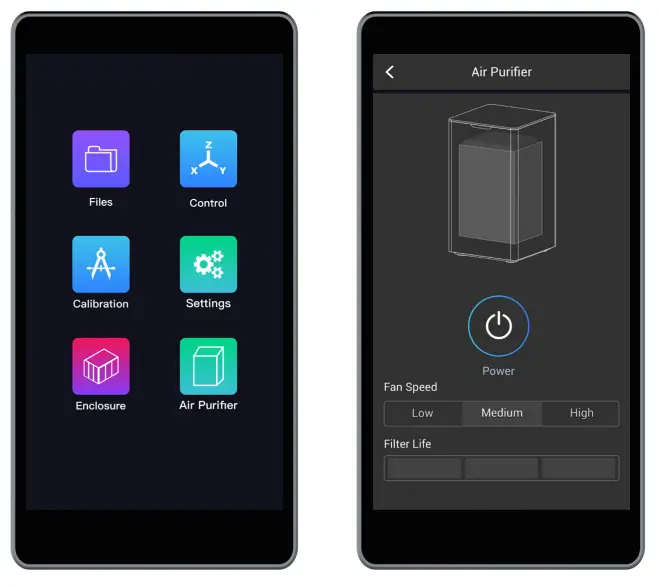 3.5.2 While Using
Swipe left, tap Air Purifier at the bottom right, and you will be able to turn the Air Purifier on or off, and adjust the fan speed.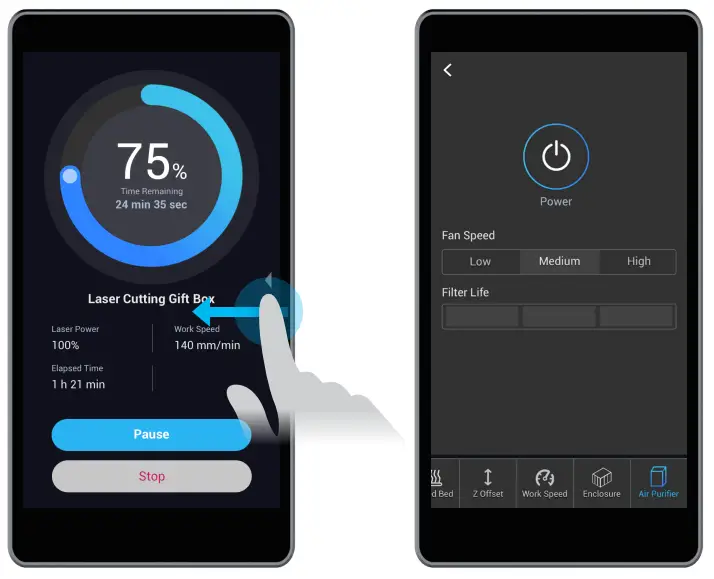 The higher the fan speed, the higher the exhaust rate.
3.5.3 After Use
By default, the Air Purifier will keep running after you finish machining or printing, as long as it is connected to power. To change this setting, tap Settings > Air Purifier Settings > Auto Turn off. When the switch is toggled on, the Air Purifier will keep running for five minutes upon finishing each session, and then automatically turn off. 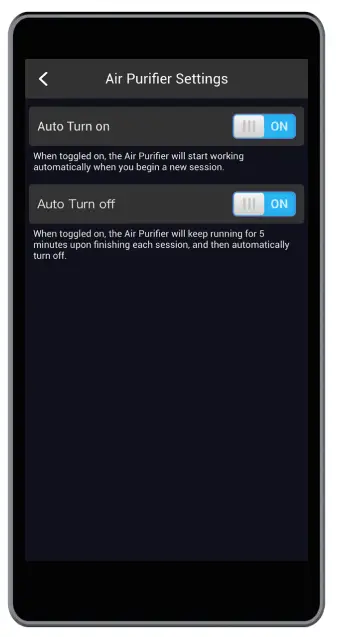 3.6 Read the Status
The Air Purifier features smart detection. If the Filter Cartridge is taken out, or if anything is wrong with the Air Purifier itself, it will alert you through light change.
No observable light
- The Air Purifier is not connected to power.
- The Emergency Stop Button is activated.
- Something is wrong with the power source.
Red light flashing (DANGER)
- The blower is not working.
- The power adapter is not compatible.
- Inner parts are broken.
Orange light on
- Filter life is running low and the Filter Cartridge should be replaced.
- The air inlet or air outlet is blocked by foreign objects.
Yellow light flashing
- The Filter Cartridge is taken out.
White light flowing
- The Air Purifier is connected to power but not connected to the Controller.
White light breathing
- The Air Purifier is connected to power and working normally.
Filter Cartridge Replacement
How It Works: the Snapmaker Filter Cartridge
The Pre-filter and the Activated Carbon Filter captures larger particles passing through the Air Purifier. The HEPA Filter traps fine particles, and then releases filtered air to the outside. 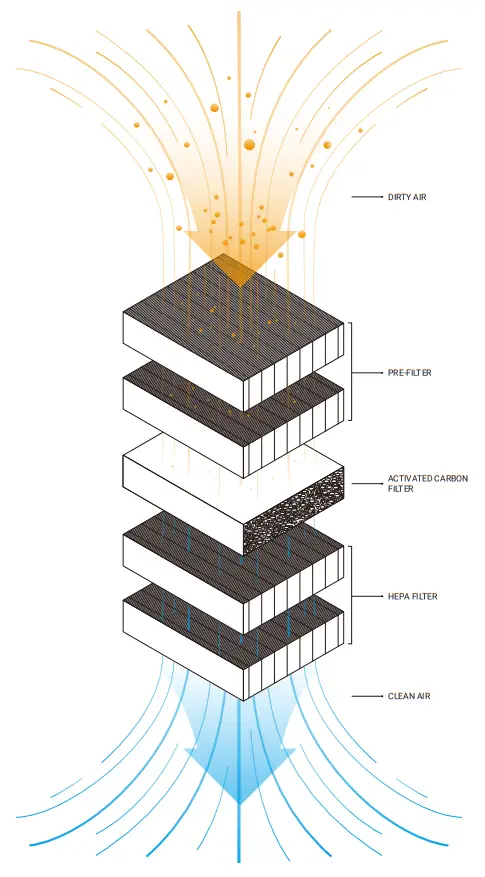 How It Works: Filter Life Detection
Accumulated particles will eventually clog the filter, and will cause the current flowing through the blower to change. The firmware then judges where the electric current value falls into among three of the pre-defined value ranges, thus knowing the filter life. The machine will prompt you to replace the cartridge when its life is running low. 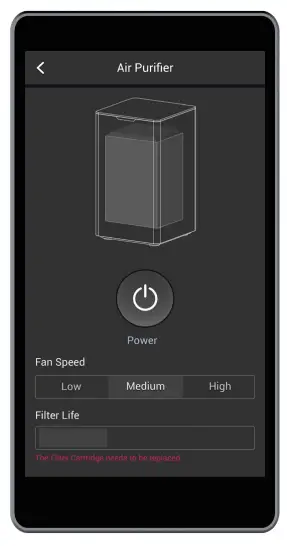
 The filter life is influenced by time of use, fan speed, the power of the toolhead, and the material you choose.
- Stop using the Filter Cartridge when its exterior is damaged and granules begin to leak out.
- When the red light illuminates, replace your Filter Cartridge to ensure filtration efficiency.
- When replacing, replace with genuine Snapmker Filter Cartridge, and do not add any foreign filters to the cartridge, as they can affect Filter Life Detection.
- Do not grip the lid with your fingers when replacing the Filter Cartridge, otherwise they can get caught and injured when the lid comes down.
- Do not wash the Filter Cartridge.
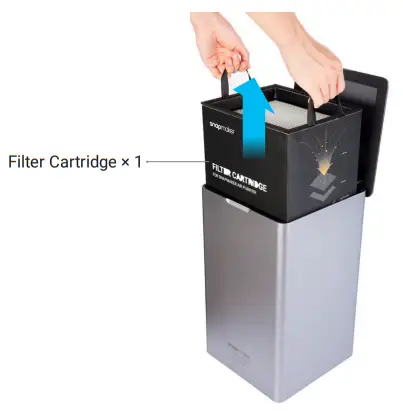
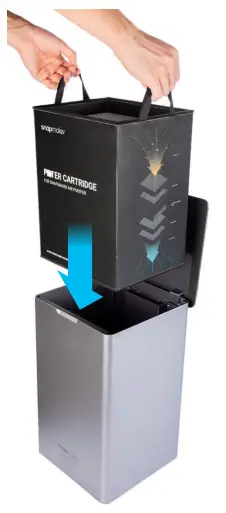
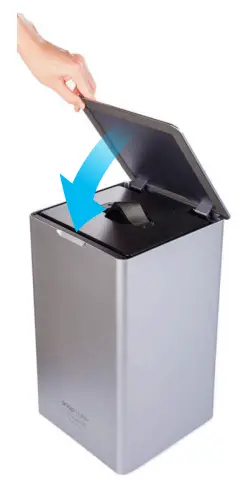
How to Replace
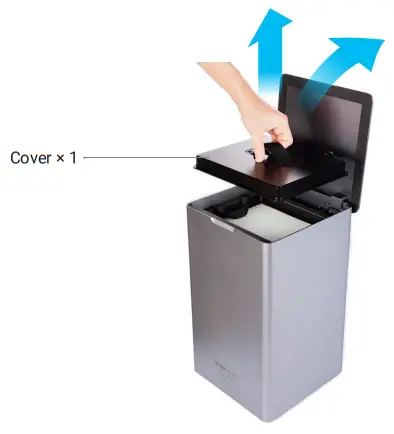
- Open the lid, and take out the cover.

- Remove the Filter Cartridge.

- Put in the replacement cartridge and ensure the handle strings face upward.

- Put the cover back and close the lid.

Resources
This guide is subject to change without notice.
For Quick Start Guides and User Manuals:
https://support.snapmaker.com/hc/en-us/categories/360005617793-Download.
For general information or technical support:
[email protected].
For sales inquiries:
[email protected].
For product purchases:
https://shop.snapmaker.com.
Share anything you want in our forum:
https://forum.snapmaker.com.
Share anything you want via the following channels:
“You don’t need a weatherman to know which way the wind blows.” ― Bob Dylan
Original Instruction
Y.3.B.A.0043-01 V1.0.0
 Snapmaker: where creation happens
 Snapmaker - Best 3D Printer, Laser Engraver, CNC Carver for Sale
 Snapmaker 2.0 – Downloads