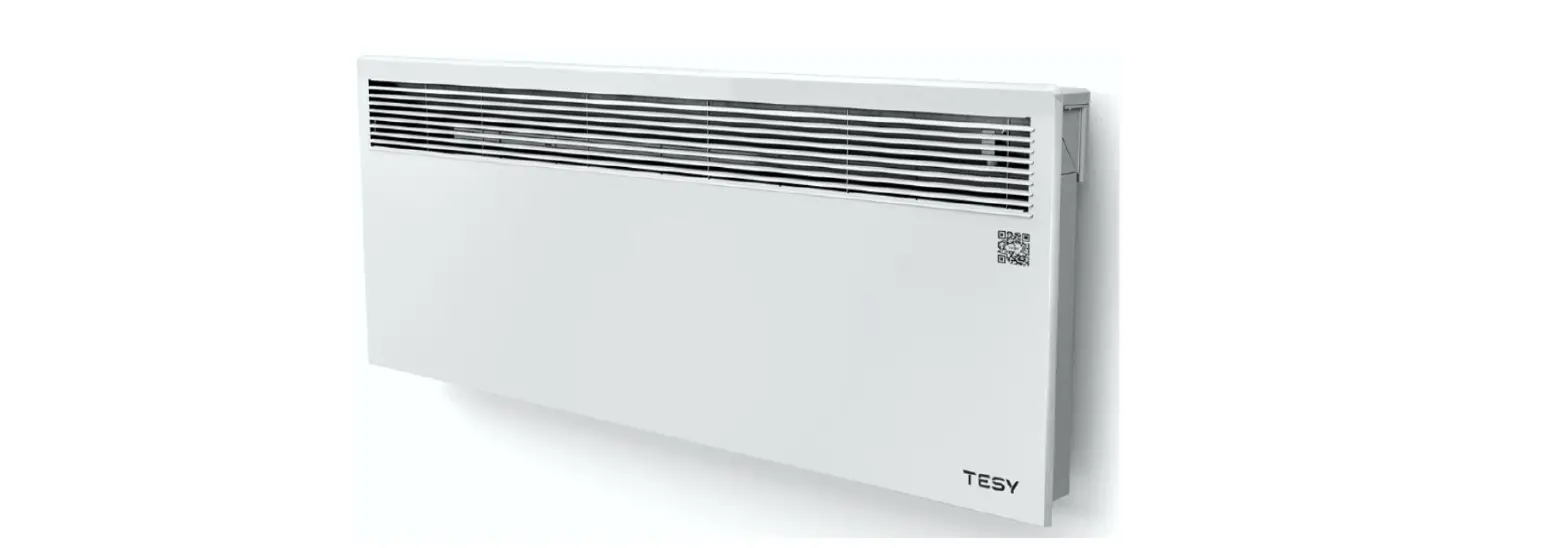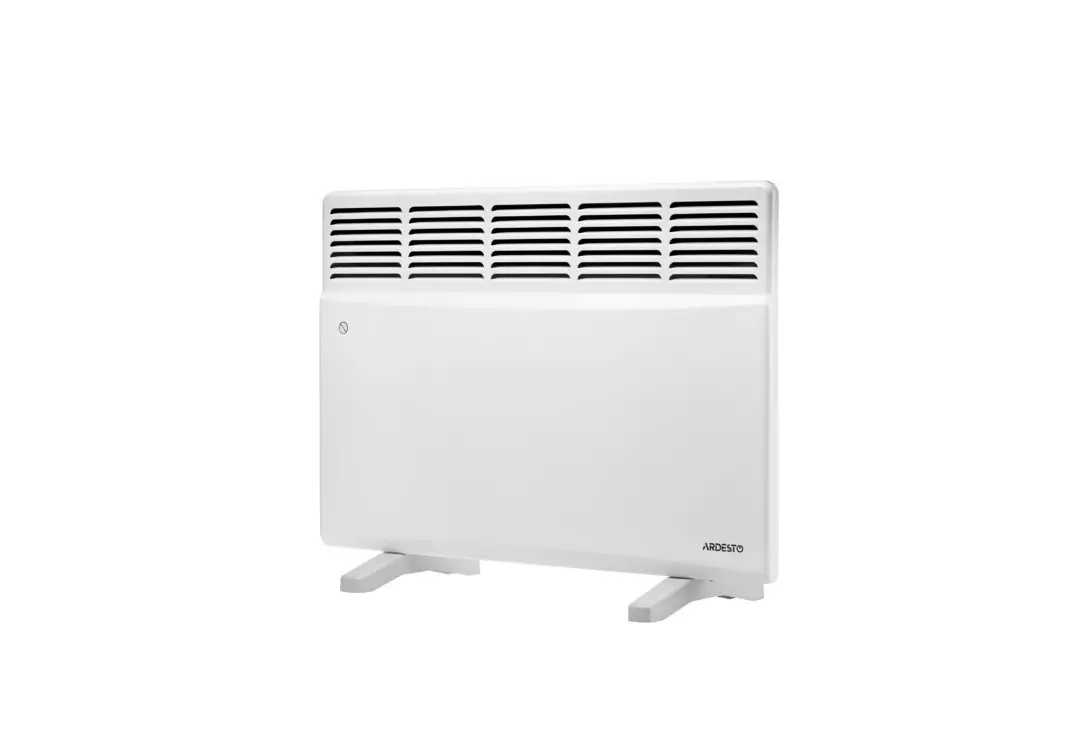
EBECO Wallflex 500 Electric Convector Instruction Manual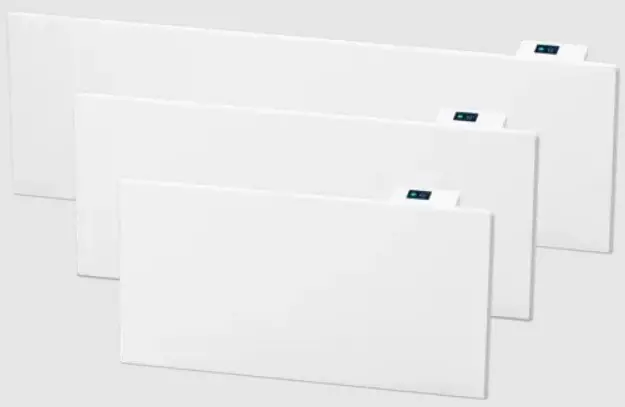
Welcome!
Thank you for choosing Ebeco. We hope that you will enjoy your electric convector for a long time to come. For the guarantee to apply, the product must be installed and used as described in this manual. It is therefore important that you read the manual.
If you have any questions, please contact us at Ebeco. Call +46 (0)31-707 75 50 or send an email to [email protected]. You’ll find more information at ebeco.se.
Guarantee
Ebeco AB provides a 5-year product guarantee for material defects for Wallflex 500. 
For more detailed guarantee terms, see ebeco.se.
 Important!
 Do not cover the appliance.
- Some parts of the appliance may become very hot during operation, outgoing air is heated during use of the appliance and can thus cause burns to users. Special attention should be paid if there are children and vulnerable people in the room.
- This appliance can be used by children aged 8 years and above and persons with reduced physical, sensory or mental ability or lack of experience and knowledge if they have received supervision or instructions on the safe use of the appliance, and understand the hazards involved.
- Cleaning and user maintenance must not be carried out by children without supervision.
- Children must be monitored so that they do not play with the appliance.
- If the power cord is damaged, it must be replaced by the manufacturer, its service agent or similar qualified persons to avoid risk.
- Before connecting the appliance to the mains, check whether the voltage indicated on its rating plate corresponds to the voltage referred to.
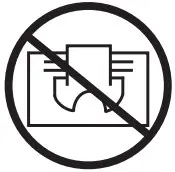 Do not cover the appliance.
Unpacking
After unpacking the appliance, make sure that the contents are intact and not damaged. Contact the dealer in case of damage or incomplete delivery. Feel free to save the original packaging and use for storage and transport to avoid transport damage. Dispose of the packaging material appropriately.
Installation
Keep in mind that the convector is designed to be used indoors and wall mounted.
Do NOT install the convector:
- immediately below an electrical socket or power connection box.
- in “Zone 1” for bathrooms.
- in “Zone 2” if the control card can be accessed by a person in a shower/bathtub. When installing the convector, the safety distances must be followed.
Install as follows:
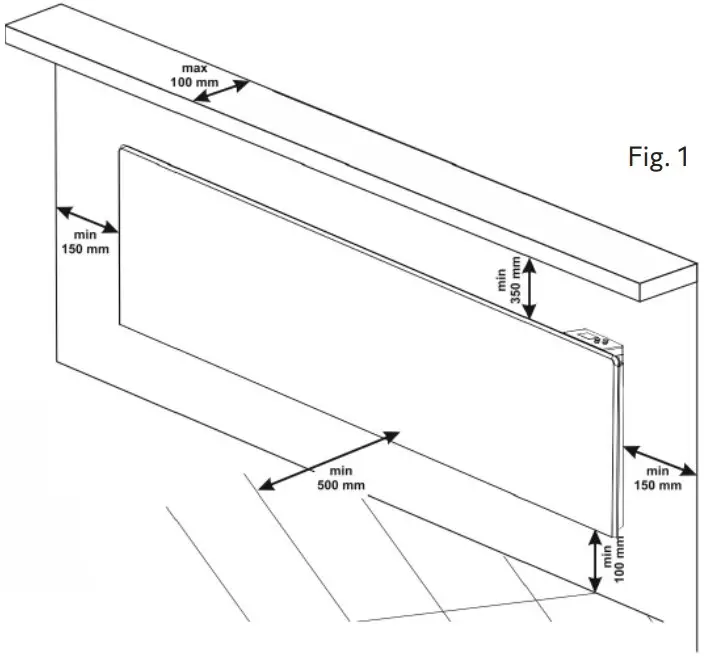
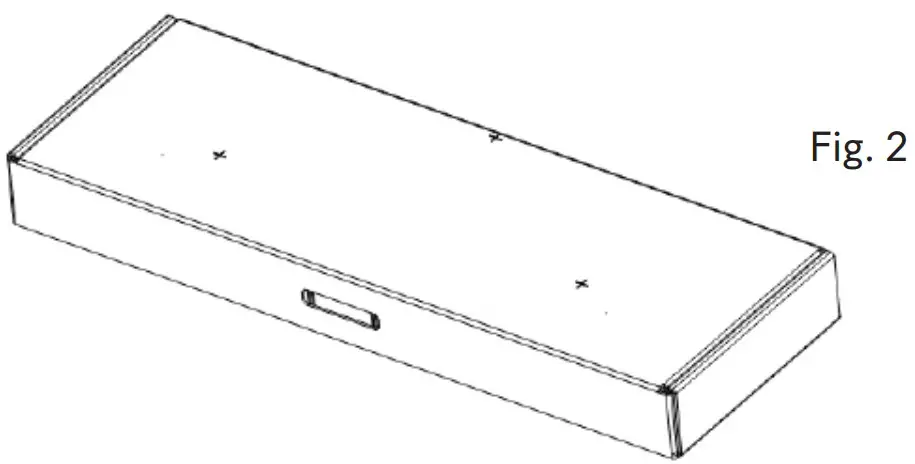
- Select the location and mark up its three points for drilling, then drill using an Ø 6 mm drill bit at the marked places on the wall. (Fig. 1). As an aid, use the prepared holes in the packaging, marked + (Fig. 2).


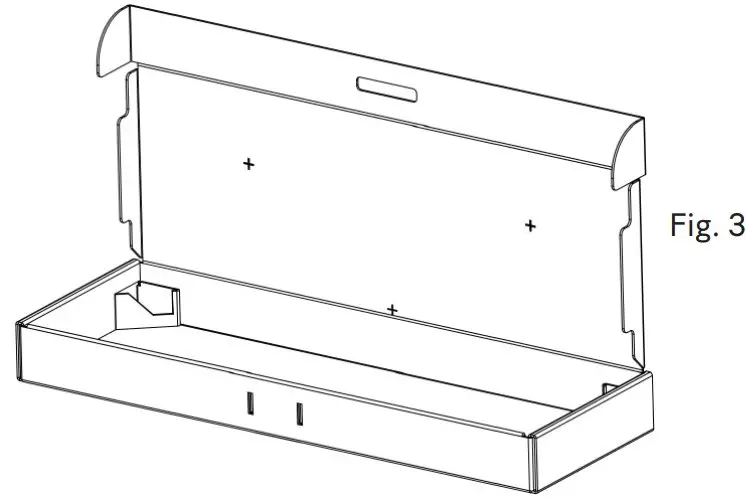
- Select the position on the wall according to the dimensions stated in Figure 1. Open the box and place it against the wall (Fig. 3). Then transfer the marked holes to the wall.

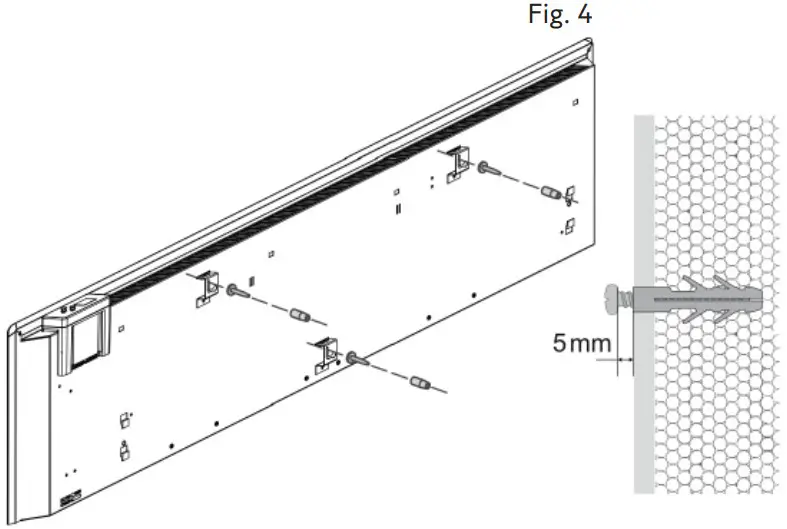
- Insert plastic plugs into the holes or other applicable fastening devices. (Fig. 4)

- Screw in the screws and let them protrude about 5 mm. (Fig. 4)
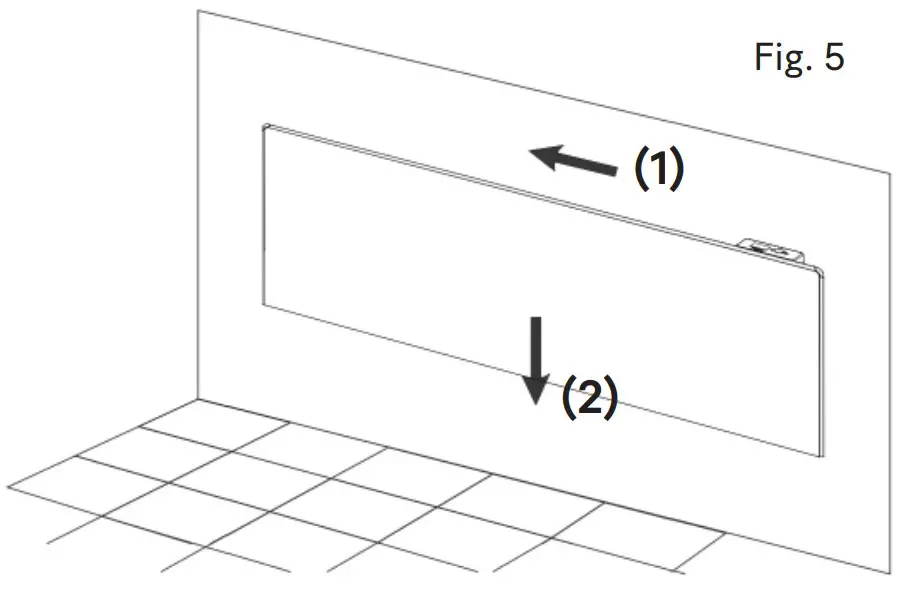
- To attach the unit: move the convector to the left (1) and downwards (2), so that the screws end up in the top position. (Fig. 5).

Wet rooms
In wet rooms, the convector must be installed in accordance with EU directives and national regulations.* enclosures IEC60364-7-701.
If the convector is to be used in wet rooms, the following installation requirements must be followed:
The convector has IP24 protection (protection against water droplets) and can therefore be installed in “Zone 2” (see Fig. 6). The distance between the control panel and the water source must be at least 1 metre, in order to avoid the risk of the control panel (thermostat) being reached by a person who is in a shower/bathtub. If you do not feel confident about the installation, it is recommended that an authorised electrician is consulted.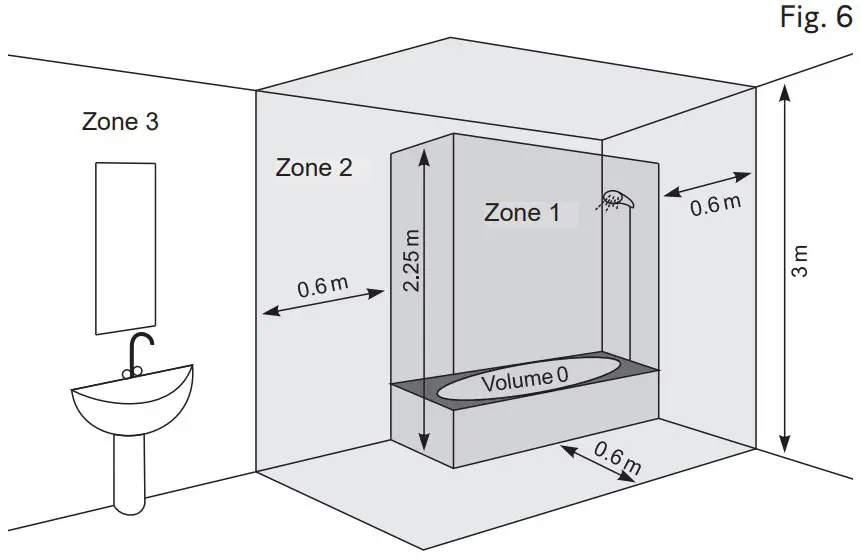
If the above instructions cannot be implemented, it is recommended the appliance is installed in “Zone 3”.
In wet rooms, the power source must be installed at a height of at least 25 cm above the floor
* EU electrical directives and regulations for special installations and workplaces including bathrooms, shower
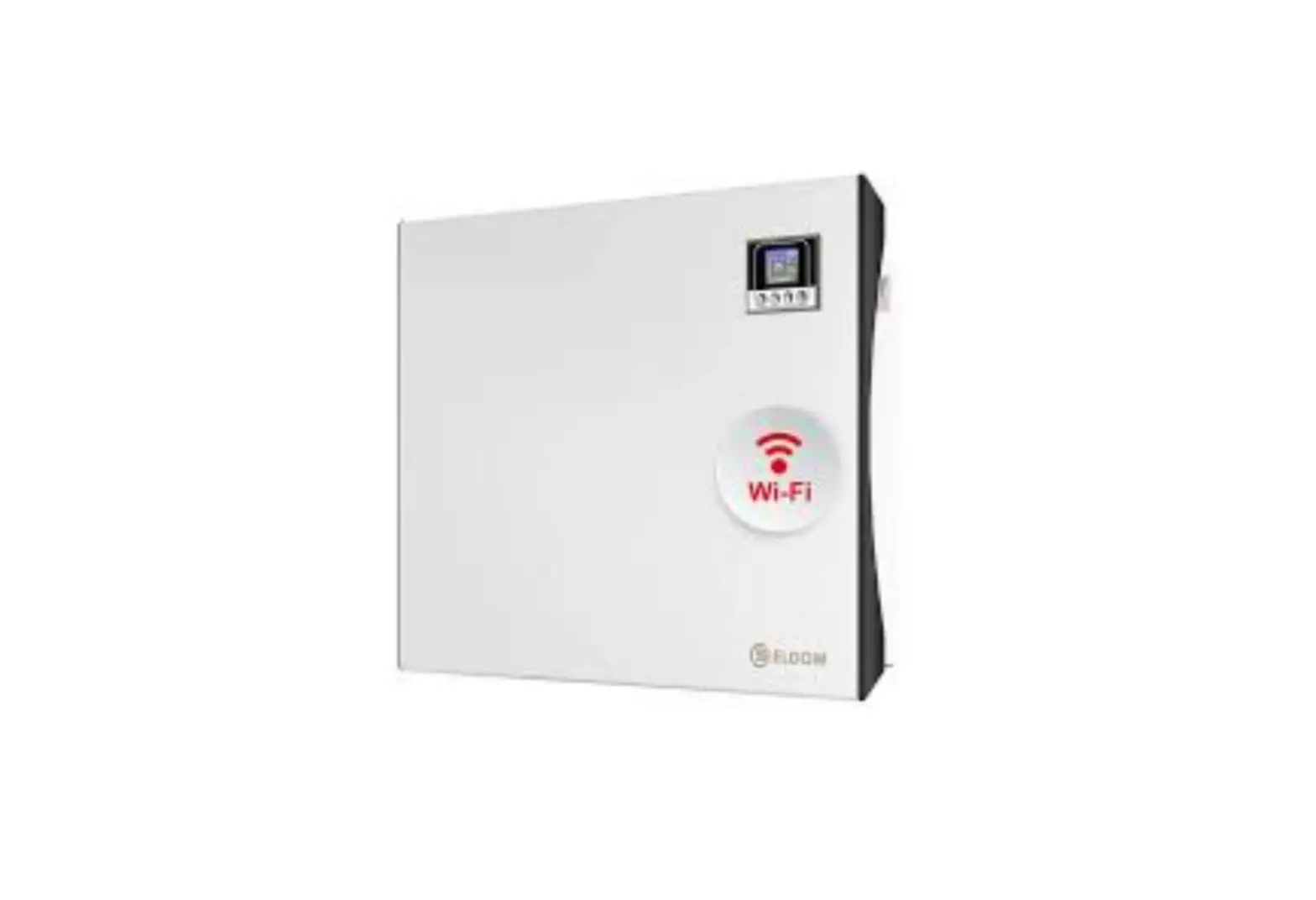
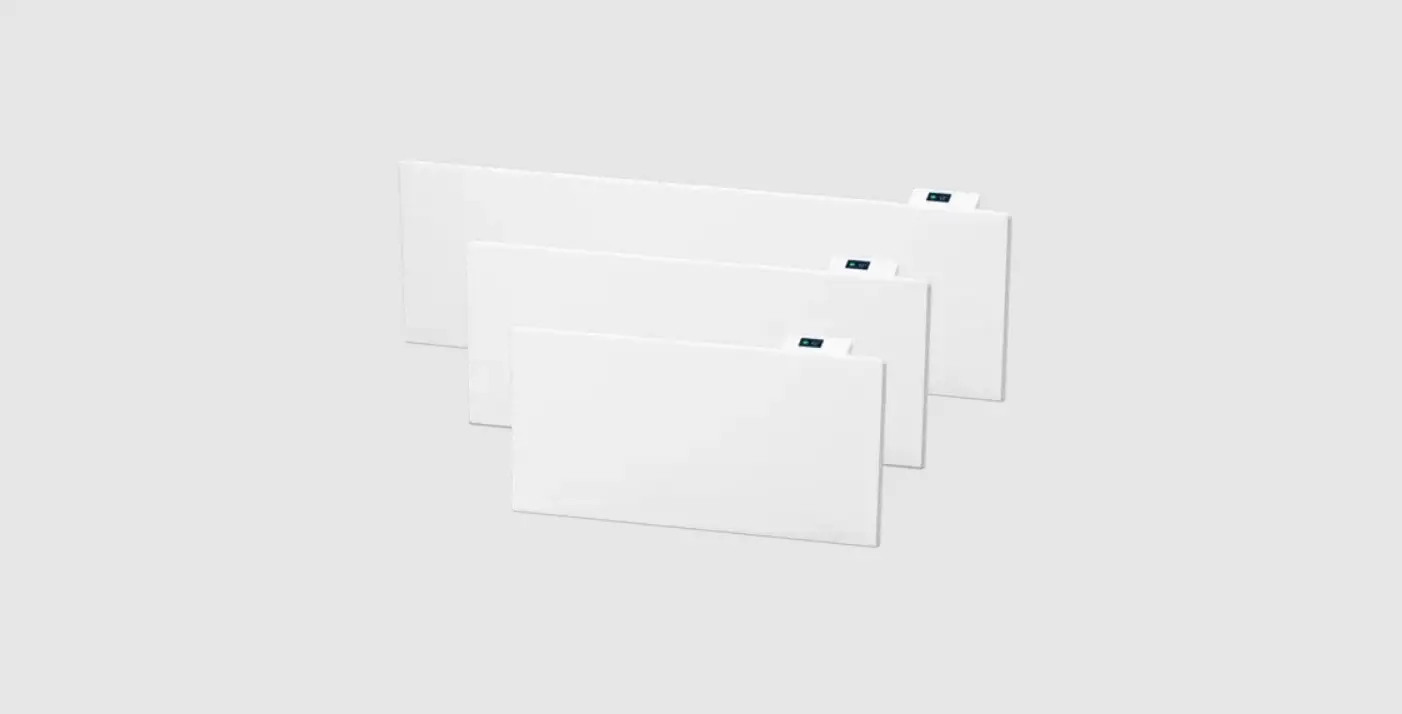
This is Wallflex 500
Wallflex 500 is a thermostat that is equipped with a 1.8″ TFT colour display and capacitive touch surfaces for easy and clear navigation. It has several energy saving programs with individually adjustable times and temperatures. The adaptive function means that the thermostat collects data from the time it is started and uses this to calculate when to switch on. A PI controller keeps temperature fluctuations to a minimum, which gives an even heat.
It includes a ventilation function that switches off the heat for 15 minutes if it detects that the temperature drops by more than three degrees in less than one minute.
Wallflex 500 is WiFi-ready. By purchasing the EB-Connect WiFi accessory, you can easily control the heat with our app Ebeco Connect or via the open API. The WiFi module is available at your nearest retailer. The app can be downloaded from Google Play and the App Store.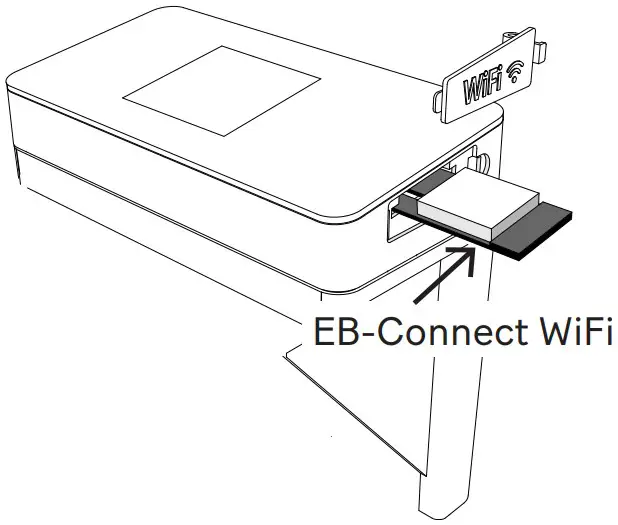


Getting started
Wallflex 500 has a built-in start-up guide that takes you through each step in a simple way. When commissioning the convector for the first time, the system will guide you through the most common and important settings that are required.
The thermostat touch surfaces
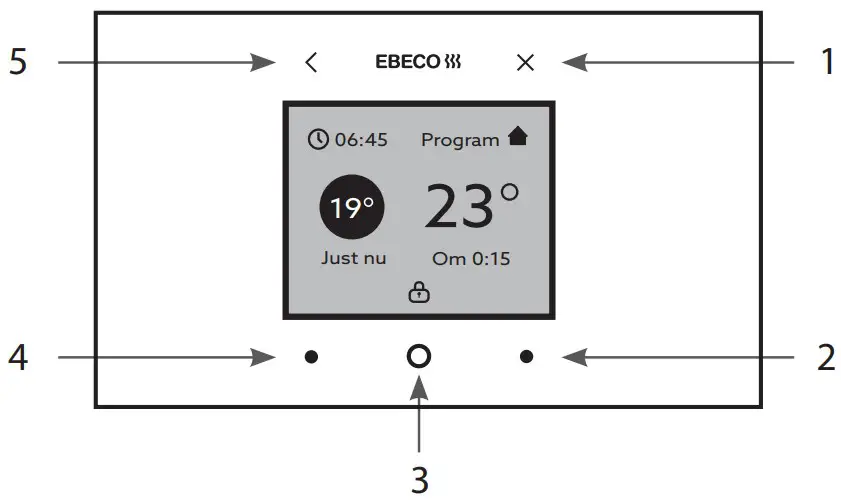
The thermostat has a number of touch surfaces on the front of the thermostat. These surfaces are marked and are outside the screen itself.
- On/off/to home screen
- Scroll up/to the right
- Menu/confirm
- Scroll down/to the left
- Back a step
| Main menu: Programme | ||
| Not selected | If no program is selected, the ther- mostat provides constant heat. | Preset to 22° C. Adjustable 5–35°C. |
| Week | Preset times and temperatures. Indi- vidually adjustable. | Mon-FriWake up 06:00, 22°C Leave 08:00, 17° CReturn 15:00, 22° CSleep 23:00, 17°C.Sat – SunWake up 07:00, 22°C Sleep 23:00, 17°C |
| Active | Preset to 22° C. Adjustable 5–35°C | |
| Timer | Standby(can be deactivat- ed) | Preset to 17°C Adjustable (Off) 5–35°C |
| Operating time | Preset to 4 h Adjustable 0–99 h | |
| Resetting | Software reset | |
Main menu: Energy consumption
| Main menu: Energy consumption | ||
| WeekTime & kWh | Shows the week, kWh and number of hours. | |
| Month Time & kWh | Shows the month, kWh and number of hours. | |
| YearTime & kWh | Shows the year, kWh and number of hours. | |
| Operation (14 days) | Displayed as a bargraph. | The bars indicate the op- erating period per day. |
Main menu: Settings
| Main menu: Programme | ||
| Not selected | If no program is selected, the ther- mostat provides constant heat. | Preset to 22° C. Adjustable 5–35°C. |
| Week | Preset times and temperatures. Indi- vidually adjustable. | Mon-FriWake up 06:00, 22°C Leave 08:00, 17° CReturn 15:00, 22° CSleep 23:00, 17°C.Sat – SunWake up 07:00, 22°C Sleep 23:00, 17°C |
| Active | Preset to 22° C. Adjustable 5–35°C | |
| Timer | Standby(can be deactivat- ed) | Preset to 17°C Adjustable (Off) 5–35°C |
| Operating time | Preset to 4 h Adjustable 0–99 h | |
| Resetting | Software reset | |
Main menu: Fitter
| Main menu: Fitter | |||
| System info | Displays the settings and calibrations. | ||
| Sensors | Calibration | Room sen- sor | If required |
| Features | Adaptive function | On/Off (preset On) | |
| Ventilation function | On/Off (preset On) | ||
| Reset | Reset all | ||
| Save data | Saving energy consumption. Other settings will be reset. | ||
Operating information
The thermostat display displays operational information.
Operating information
| Right now | Display of the current temp. | Room |
| Set | Set point reached. | |
| After X:XX (time in hours until setpoint is reached) | Ventilation | The ventilation function switches off the heat for 15 minutes if it detects that the temperature drops by more than three de- grees in less than one minute. |
| Circle | Green Red | Heating ON Heating OFF |
Error codes
When a fault occurs, the thermostat switches off the heating. The display will then display an error code.
E1 Short circuit room sensor.
E2 Interruption room sensor
Technical facts
Connection voltage 230 VAC ±10% 50-60 Hz
| Connection voltage | 230 VAC ±10% 50-60 Hz |
| Setting range | +5°C to +35°C |
| Power reserve | 36 hrs, date and time |
| Colour | White RAL 9003 |
| Enclosure class | IP24 |
| Approval | CE, S |
Overheating protection
The appliance is equipped with a safety device that switches off the heater automatically at extreme temperatures i.e. overheating of the appliance. The unit automatically resets the operation of the heater when the temperature drops below the permissible values.
Cleaning
It is mandatory to first switch off the appliance and, if possible, disconnect it from the power socket before cleaning. You should then wait until the convector has cooled down in the disconnected position. Clean the appliance and its ventilation openings with a damp cloth, vacuum cleaner or brush. In order not to damage the coating, solvents, thin or hard abrasive products should never be used when cleaning. Never immerse the appliance in water as this poses a risk to your life due to electric shock.
Storage
Disconnect the convector from the power socket and then allow it to cool down. Use the original packaging of the appliance when storing for prolonged periods. Store the convector in a dry and dark place and protected from direct sunlight. It must not be stored in damp and wet premises.
Maintenance of the appliance
Contact your dealer in case of malfunction.
Heated surface
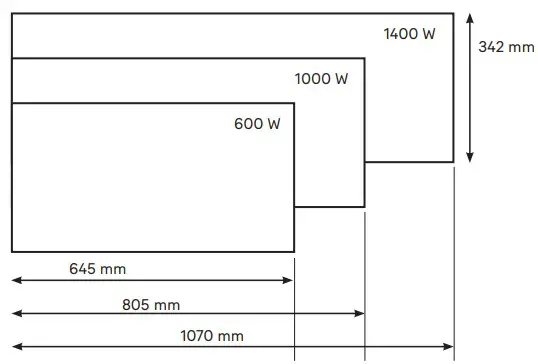
Guaranteed minimum heated room volume at the average heat transfer factor λ = 0.5 W/(m2K), at a ceiling height of 2.5 metres.
| Part no. | Watt | < m2 | mm* |
| 85 012 01 | 600 | 9 | 342 x 645 x 80 |
| 85 012 03 | 1000 | 13 | 342 x 805 x 80 |
| 85 012 05 | 1400 | 18 | 342 x 1070 x 80 |
* Dimensions including wall bracket.
Environment protection instructions
Obsolete electric appliances contain valuable materials and consequently they should not be treated as domestic waste! We ask for your cooperation and your active contribution to protect the resources and the environment. Please submit your out-of-use appliances to the organized buy-back stations (if there are such)
EBECO AB
Lärjeågatan 11
415 02 Göteborg, SWEDEN
Phone +46 31 707 75 50
ebeco.se
[email protected]
EBECO OY
Knitter Business Park
Kutojantie 6-8
02630 Espoo, FINLAND
Phone +358 42 49 351
ebeco.fi
[email protected]

 Heating solutions for the whole home
 Lämmitysratkaisut koko kotiin
 Ebeco - Vi har värmelösningar för hela hemmet