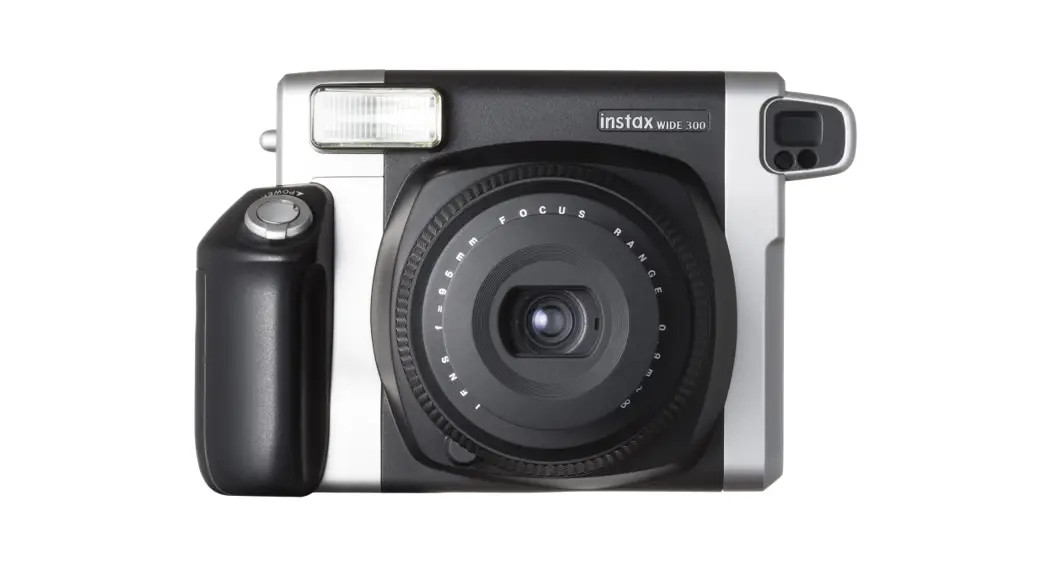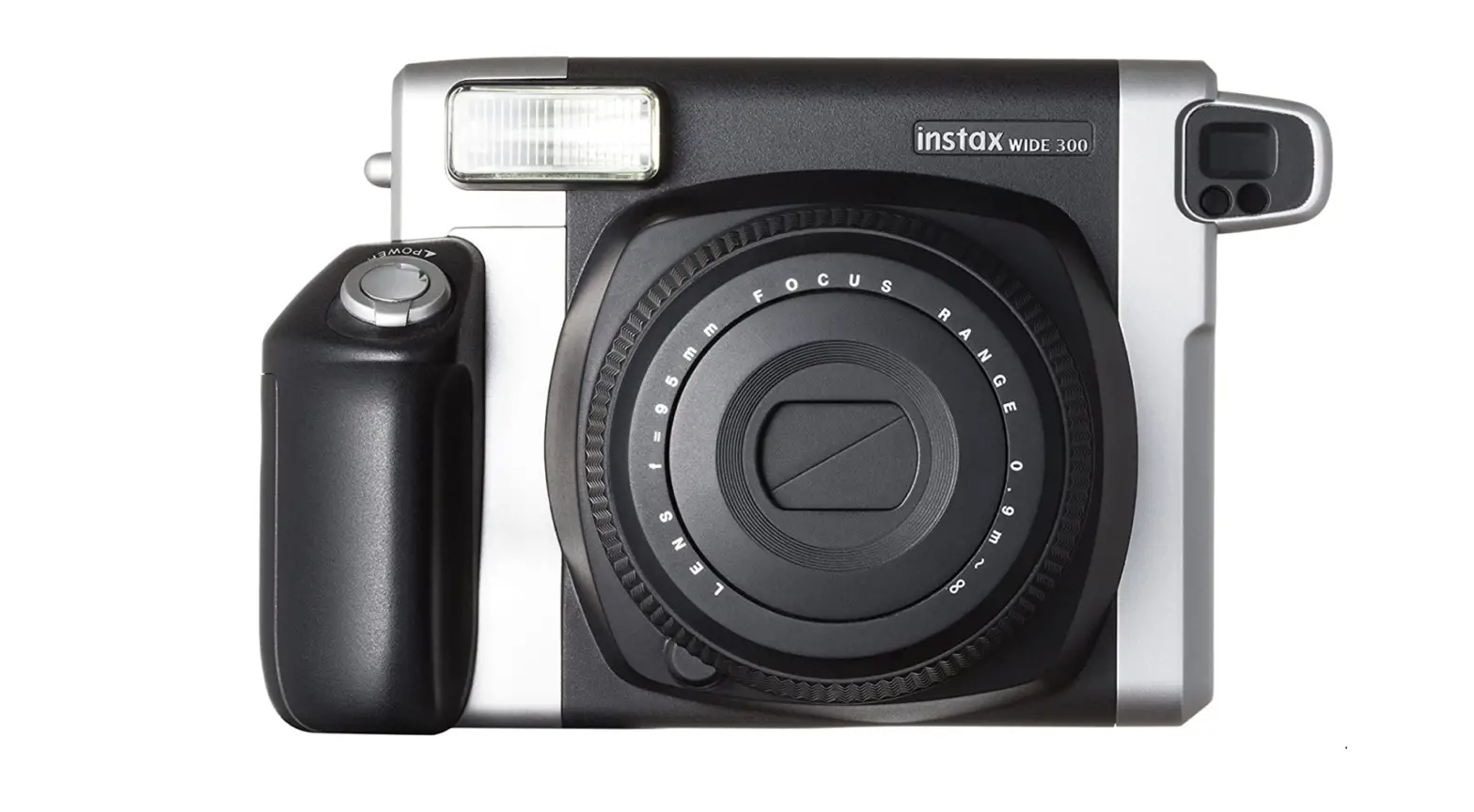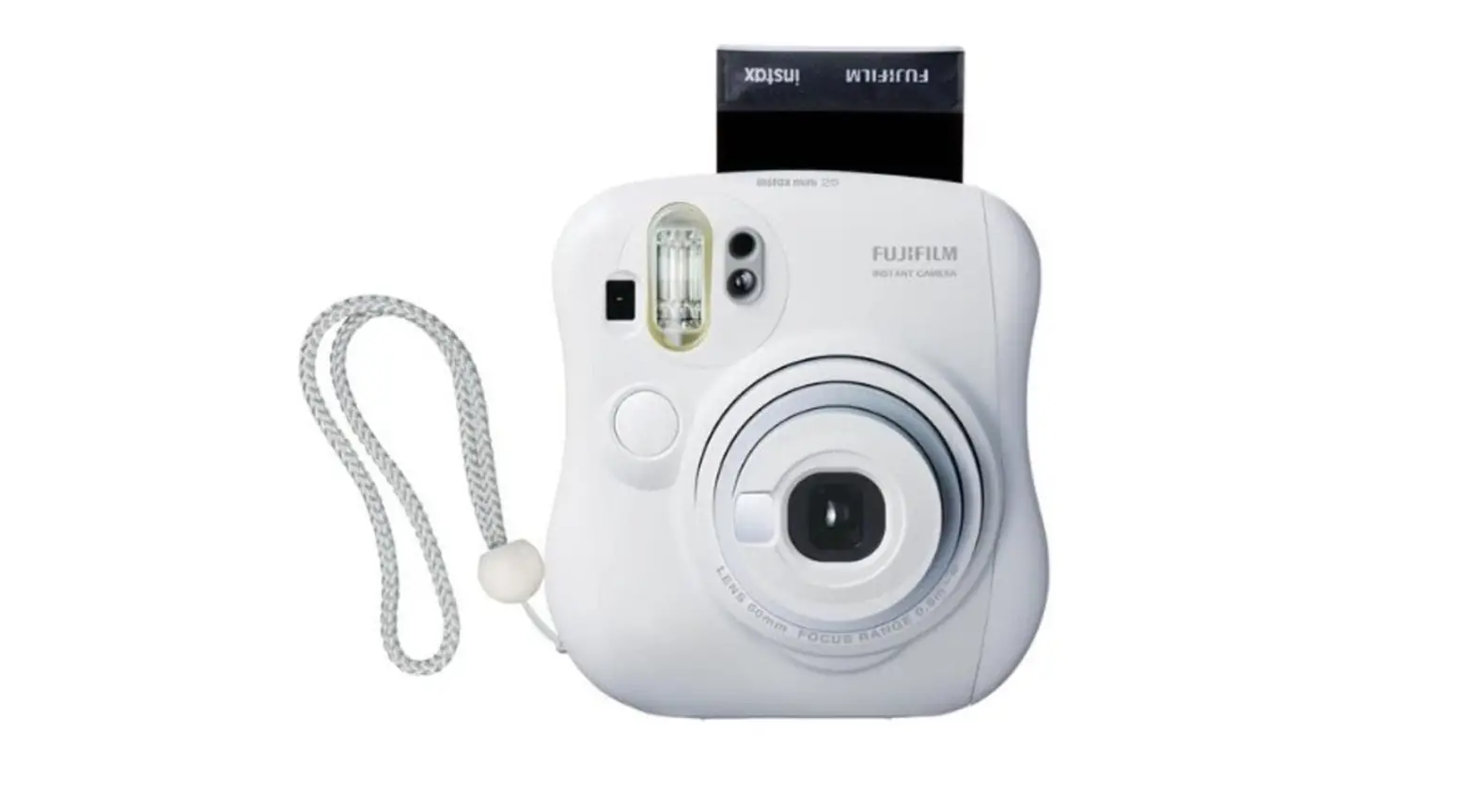

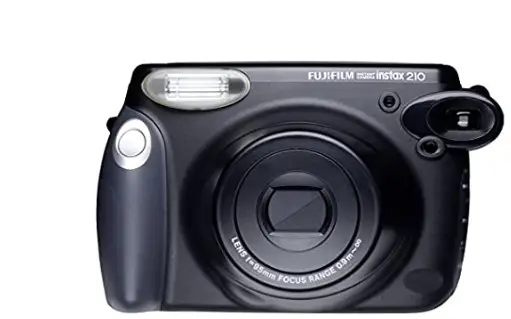
Fujifilm INSTAX 210 Instant wide Photo Camera
SPECIFICATIONS
- Film: Fujifilm Instant Color Film “Instax”
- Picture Size: 62 × 99 mm
- Lens :Move in/out type Lens, 2 components, 2 elements, f=95mm, 1:14
- Viewfinder: Inverted Galilean finder 0.52× with target spot
- Focusing: Motor-driven 2-range switching: 0.9 to 3m/3m to ∞, shooting range: 0.9m to ∞
- Shutter Release: Programmed electronic shutter release, 1/64 – 1/200 sec. shutter speeds
- Exposure Control: Automatic, Interlocking range (ISO 800): LV10.5 to LV15, Exposure compensation (Lighten-Darken Control): ±2/3EV
- Film feeding out Automatic
- Flash: Built-in, Automatic electronic flash, 0.2 to 4 sec. recycle time (when new batteries are used), with flash charging lamp (red), forced firing possible, effective flash lamp range: 0.9 to 3 m
- Liquid Crystal Display (LCD): Exposure counter (number of unexposed films), shooting range index, lighten-darken control index, fill-in flash
- Power supply : Four LR6/AA-size 1.5V alkaline batteries, Capacity: 10 film packs (Based on our test conditions)
- Others: With film pack confirmation window With the strap and the Close-up Lens
- Dimensions & Weight:178.5 × 94.5 × 117.5 mm/610 g (without the batteries, the strap, the film pack and the Close-up Lens)
✽ Specifications are subject to change without notice.
WHAT WENT WRONG AND HOW TO AVOID PROBLEMS During operation
| Error | Possible Causes | Remedies |
| The shutter won’t trip. | 1 The batteries are nearly spent.
2 The batteries are not loaded correctly. 3 The flash charging lamp is lighting.
4 You have left your camera for five minutes or longer without operating it after turning on the power. 5 The exposure counter is showing “ ” sign. | 1 Replace the batteries with new ones.
2 Load the batteries correctly. 3 Wait till the flash charging lamp goes out. Replace the batteries when the lamp stays on for 30 seconds or longer. 4 Press in the POWER button to turn on the power. When the flash charging lamp lights once and goes out, you can take pictures. 5 Unload the film pack, and load a new film pack. |
| The film pack won’t get into your camera, or won’t get into your camera smoothly. | 1 The film pack is not for your camera.
2 You are not loading the film pack correctly. | 1 Use Fujifilm Instant Color Film “instax” only. (No other films can be used.)
2 Match the yellow line on the film pack with the yellow positioning mark in your camera. |
| The film cover or film does not come out of your camera. | ● The batteries are nearly spent. | ● Replace the batteries with new ones. |
Printed pictures
| Error | Possible Causes | Remedies |
| The finished print is whity. | 1 The lighten-darken control button is set to [LIGHTEN].
2 The ambient temperature is low (below +10°C). 3 The background is too dark in comparison with the object. 4 The AE light sensor window or flash sen- sor window was blocked. | 1 Press the lighten-darken control button and set to [NOR- MAL].
2 Before taking pictures, place your camera in a warm place. When the picture comes out from your camera, warm it up in your breast pocket. 3 Press the lighten-darken control button and set to [DARKEN]. 4 When holding your camera, be careful not to block the AE light sensor window or flash sensor window with your finger or strap. |
| The finished print looks dark. | 1 The lighten-darken control button is set to [DARKEN].
2 The ambient temperature is high (above +35°C). 3 The picture was taken against the light. | 1 Press the lighten-darken control button and set to [NOR- MAL].
2 Before taking pictures, place your camera in a cool place. Further, do not place the pictures come out from the cam- era on or near hot things. 3 Take pictures with the light behind you, or take pictures using fill-in flash mode. 4 When holding your camera, be careful not to block the flash lampface with your finger or strap. 5 Press the lighten-darken control button and set to [LIGHTEN]. 6 Take pictures within 0.9 to 3m range. 7 Take pictures obliquely against the mirror or window glass. |
| The picture is out of focus. | 1 The shooting range was too close.
2 The subject was not properly focused. 3 The lens is not clean. 4 Your camera was shaken. | 1 Leave away from the object 0.9m or more and take pic- tures.
2 Set the distance depending on how far the subject is from the camera. 3 Clean the lens. 4 Hold your camera firmly and press in the shutter release button gently. |
| The picture is blurred. | 1 A pressure was applied to the picture im- mediately after coming out from the cam- era. 2 The picture did not come out smoothly. | 1 Do not push or fold the picture. 2 Do not block the film exit with your finger. |
The “CE” mark certifies that this product satisfies the requirements of the EU (European Union) regarding safety, public health, environment and consumer protection.(“CE” is the abbreviation of Conformité Européenne.) This product is in conformity with Directive 89/336/EEC.
Flash Charging Lamp (red)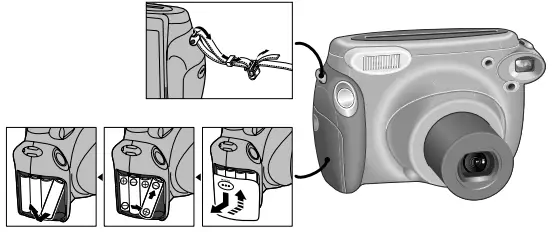
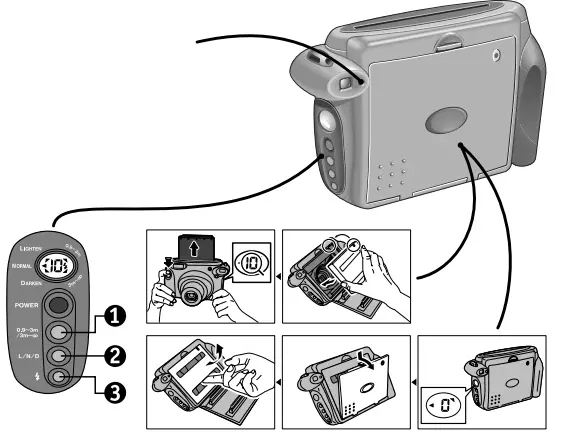
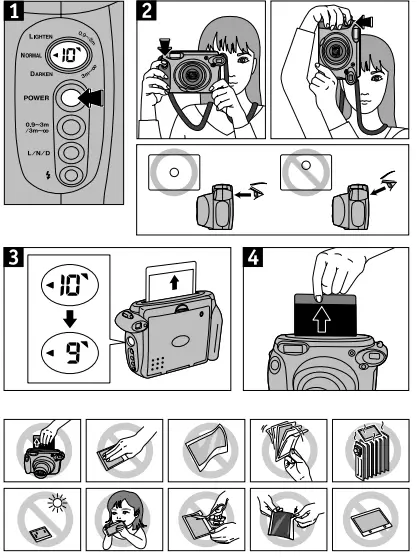
TAKING PICTURES
Shooting Range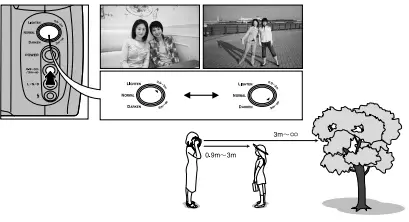
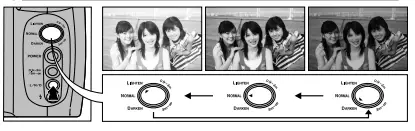
Lighten-Darken Control_
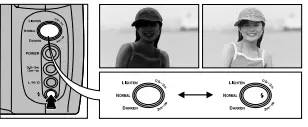
Fill-in Flash
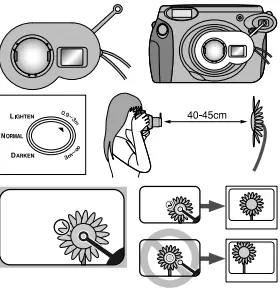
Close up Lens
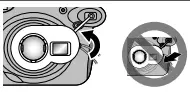
Self Shot
Always install/remove the Close-up Lens with the power turned on.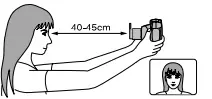
TECHNIQUE
- When you shoot a subject against a reflective surface such as a window or mirror, position yourself at an angle to the subject to prevent the reflected light from entering the camera.
- When you shoot pictures of two or more people, make sure that they are positioned at an equal distance from the camera so that they get the same exposure.
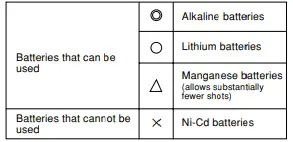
Batteries
- Four size AA 1.5 V alkaline batteries (LR6)
- (All the batteries must be new and be the same type and size.)

- Insert the batteries before you load the film pack.
- It is time to replace the batteries.
- when the lens does not move as the power is turned on.
- when it takes more than 30 sec. to charge the flash.
- when the shutter cannot be released.
- Replace all four batteries.
Film
- Use Fujifilm Instant Color Film “instax” only.
- (No other type of film can be used.)
- A film pack contains 1 black film cover and 10 film sheets.
- Do not remove the film pack from its inner bag until immediately before loading it into the camera.
CAMERA CARE AND CAUTIONS
CAMERA CARE
- Your camera is a precision instrument. Do not get it wet or drop it down, and avoid shock. Also, do not expose to sand.
- If you are not using your camera for a long interval, unload the batteries and keep it where it will be safe from heat, dust, and moisture.
- Remove soil and dust from the lens, viewfinder window, etc. with an air blower and by wiping gently with a piece of soft cloth.
- Do not use solvent such as thinner and alcohol to remove soil.
- Keep the film chamber and camera interior clean to avoid damaging films.
- In hot weather, do not leave your camera in a closed car or on an ocean beach, and do not leave it in moist places for many hours.
- Moth repellent gas such as naphthalene adversely affects your camera and films. Avoid keeping your camera or films in a chest.
- Your camera is computer-controlled so it seldom, if ever, will operate erroneously. If you should experience erroneous operation, remove the battery and then reload it.
- Note that the temperature range within which your camera can be used is +5°C to +40°C.
FILM AND PRINT CARE
- Keep films in a cool and dry place. Do not leave films in a place where the temperature is extremely high (e.g., in a closed car) for many hours.
- When you load a film pack, use all the films as soon as possible.
- When taking pictures after placing the films in a place where the temperature is extremely high or low, place them under the normal temperature for a while before starting to take pictures.
- Be sure to use the films within the validity period.
- It is recommended that undeveloped film and cameras containing film be carried as hand luggage when flying. If included in checked-in baggage, X-ray inspections may cause over-printing or other effects.
- Avoiding strong light, keep the prints in a cool and dry place.
FAQS
Fujifilm instax Wide Instant Film 8 Pack (80 Exposures) for use with Fujifilm instax Wide 300, 200, and 210 Cameras
June 17, 2003 Instax 210 come out?
Although the Instax Wide 300 makes larger prints than our top pick, its image quality is not as good as that of the Instax Square SQ6, which delivers more vibrant colors and better contrast
Low energy X-ray will not cause noticeable damage to films under ISO800 such as Fujifilm Instax mini, Instax wide, Polaroid Originals 600 (ISO640) and SX-70 (ISO160) films
Instax (stylized as instax) is a brand of instant still cameras and instant films marketed by Fujifilm. The first camera and accompanying film, the Instax Mini 10 and Instax Mini film, were released on November 10, 1998.
All Fujifilm Instax Mini instant cameras use the same size film. This includes the Instax Mini 90, Mini 70, Mini, 40, Mini 7s, Mini 8, Mini 9, Mini 11, Mini Liplay, and more. There are even some portable printers that connect to your smartphone that use Instax Mini instant film
Wide Format – 10.6 x 8.4 cm (film size) – The unique super-wide format film allows you to fit more in your frame to capture large group shots, clear macro close-ups and far away landscapes.
The recommended time frame is up to 30 days. This is to allow the chemical processes to halt so you won’t damage it further by touching the photo. When you do handle to the photos, make sure you are cautious about where you hold them.
But, if you’re after character, simplicity and most of all fun, then the Instax Mini 11 is unbeatable for the money and a recommended buy. Its ease of use means that pretty much anyone can get up and running within seconds, making it a great option for social situations and kids
Fuji’s Instax Mini is the cheapest and most common instant film format. This film has total dimensions of 86 x 54mm, similar to a credit card, and an actual image size of 62 x 46mm
X-ray machines and instax film – pack your camera and film in your carry-on. Check-in bags go through x-rays that are much stronger than the radiation used for carry-on luggage and can ruin film. If you’re still concerned, you can ask for your film to be hand-checked
loaded instant film cartridge in your checked baggage (empty INSTAX cameras/Smartphone printers can be checked with no negative effect). baggage and always ask for hand inspection. special baggage inspection. that will certify that the film won’t be x-rayed
Basically, anything under ISO 800 is fine to pass through the X-ray machine. Everything ISO 800 or above should be hand checked. This includes Instax film. In general, if film does somehow go through the scanners, going through it once or twice is unlikely to affect the film significantly.
Note: if you do cover the flash outdoors, do not cover the exposure sensor (the two holes beside the flash). If you do, the camera won’t be able to read the light conditions properly or suggest the correct brightness setting
It’s instax film, just use it with proper camera, after the shot, just put it aside then it’ll develop automatically in 5-8 minutes. 0 of 3 found this helpful