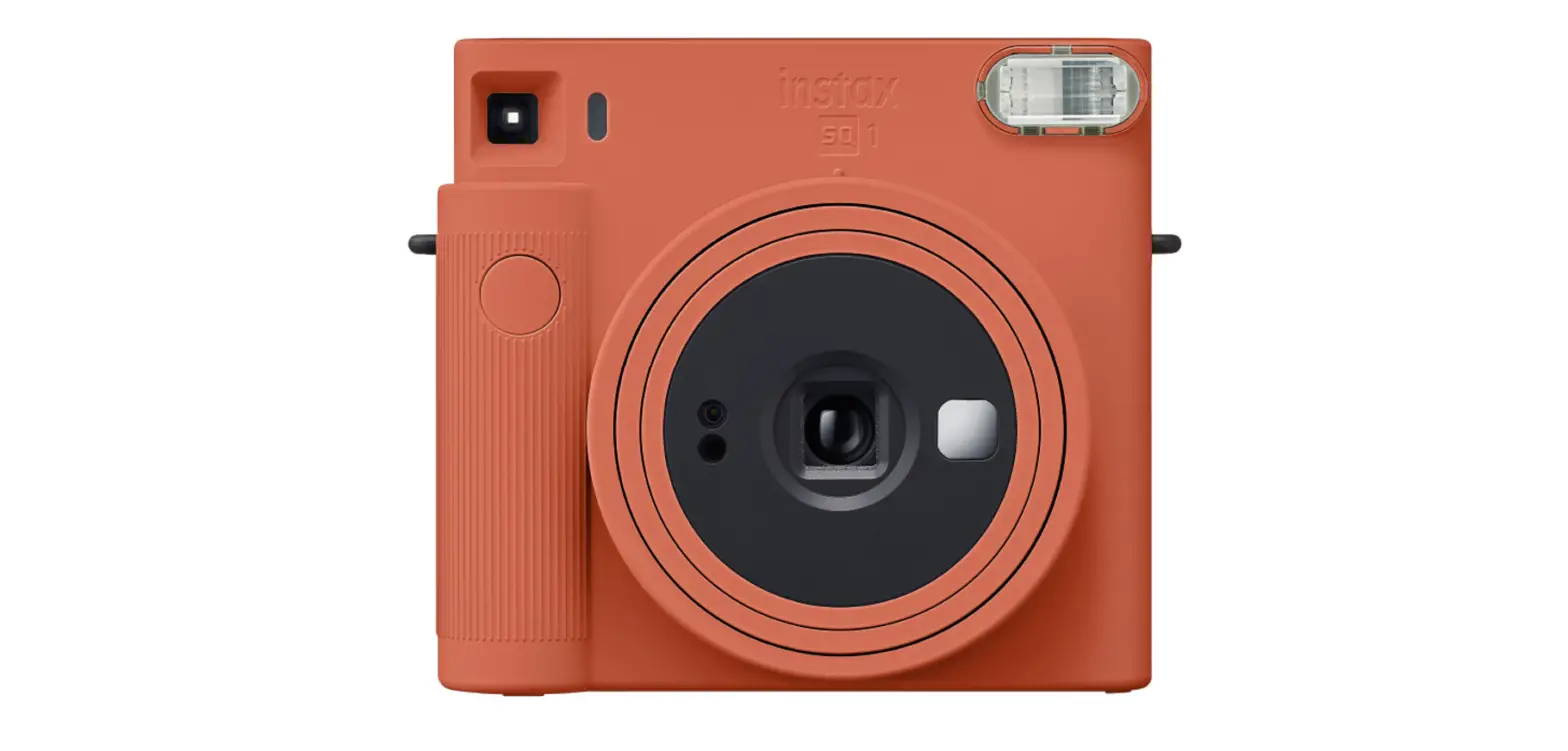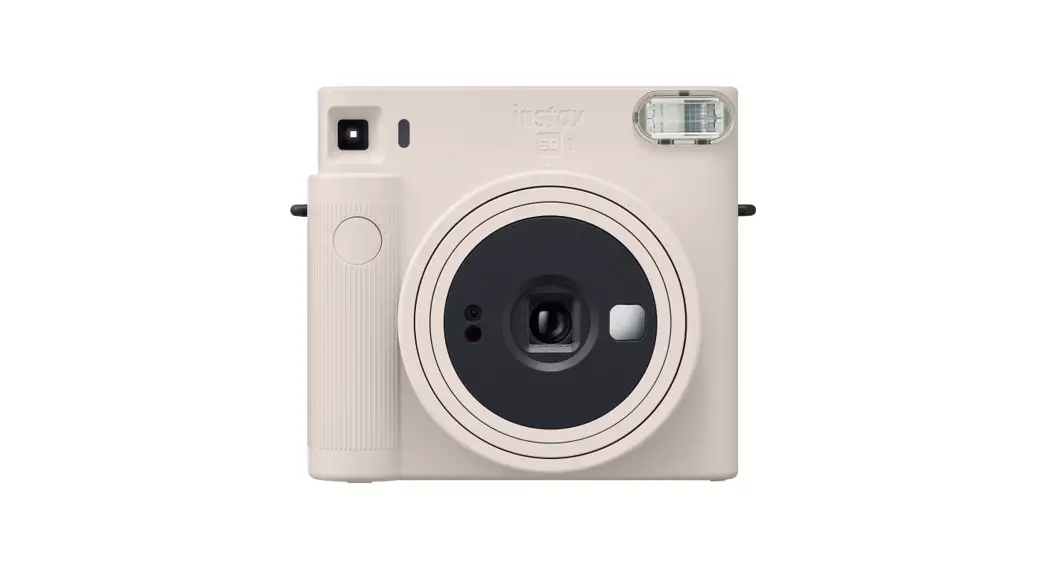
 CPL15B702-501 Instax Square SQ1
Instant Camera
User Guide
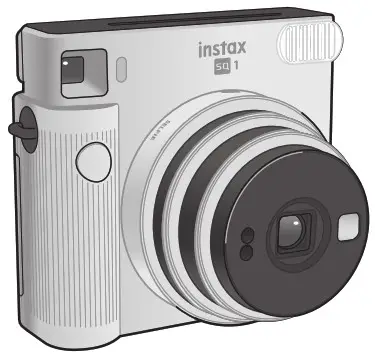
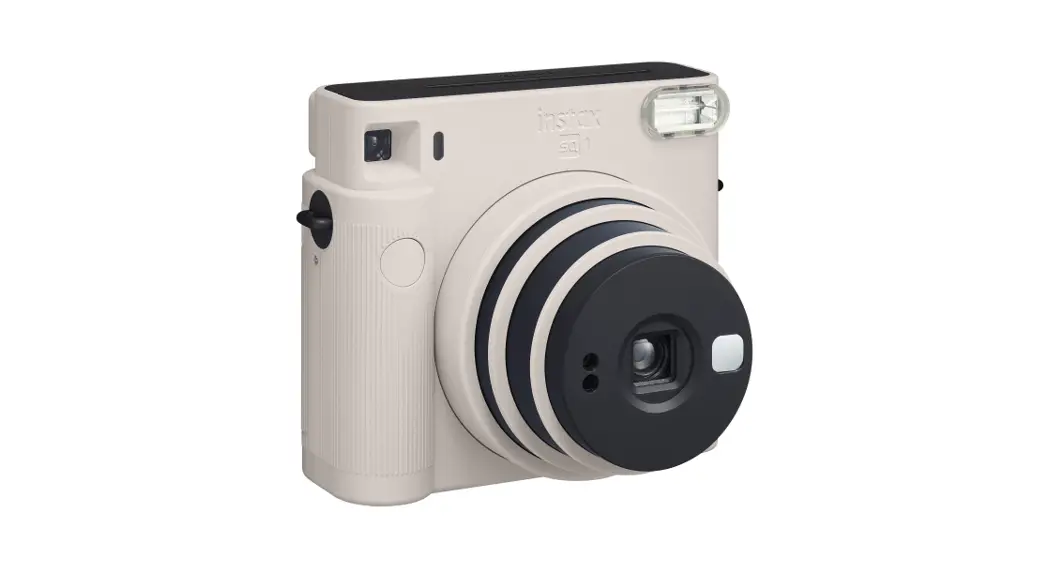
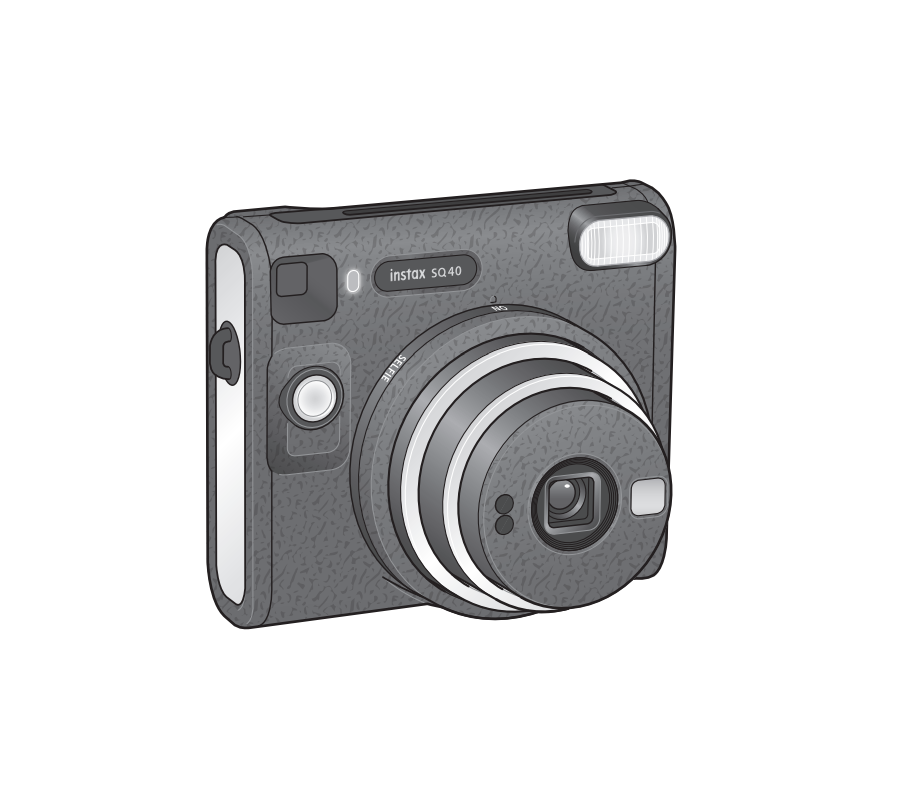
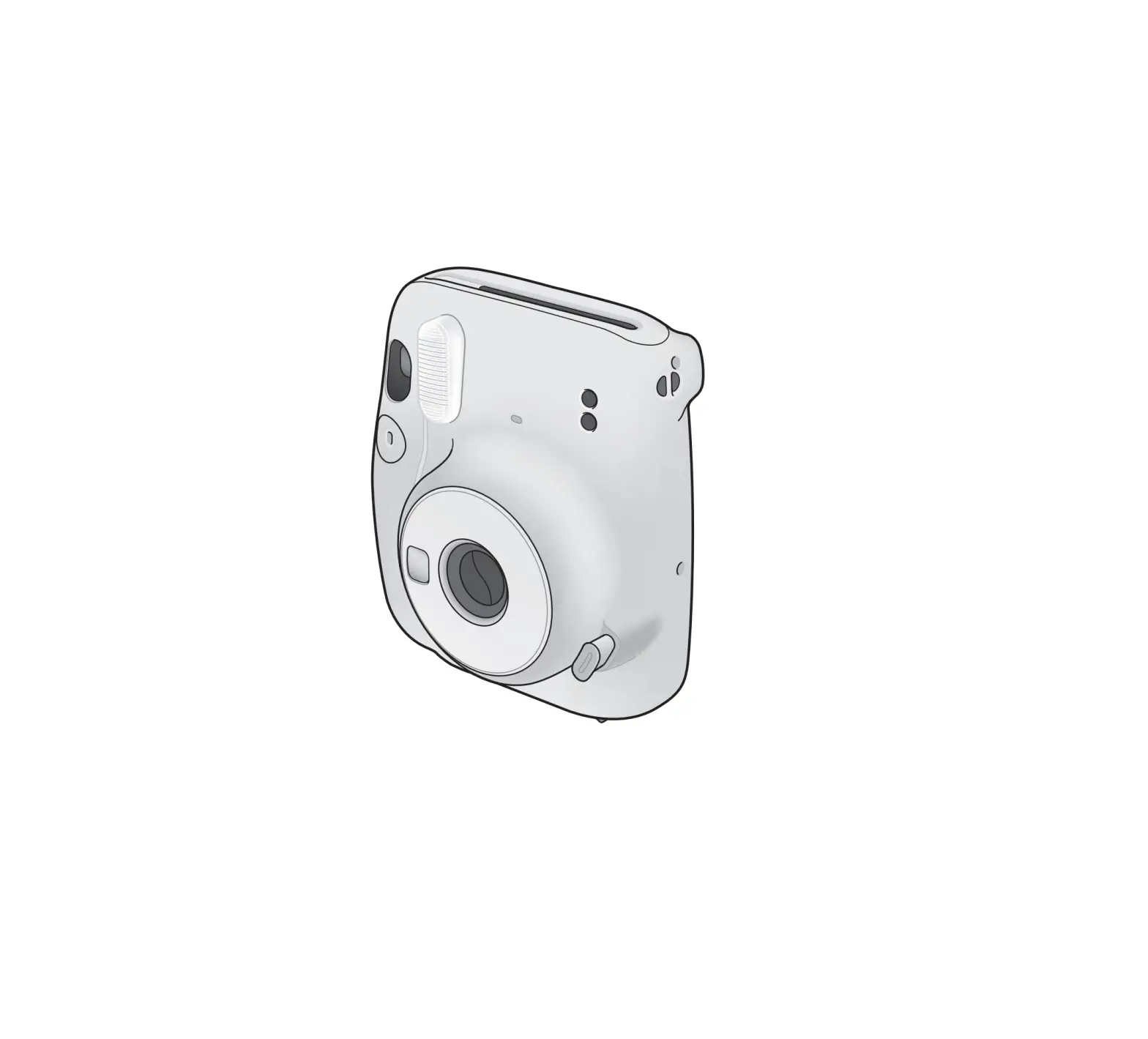
Names of Parts
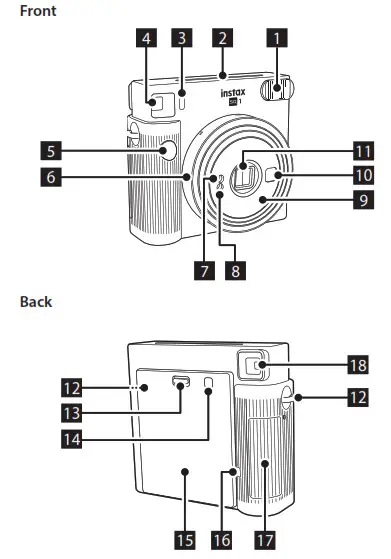
| 1. Flash lamp face 2. Film ejection slot 3. Flash charging lamp 4. Viewfinder 5. Shutter button 6. Lens ring / Power 7. AE light sensor 8. Flashlight sensor 9. Lens barrel | 10. Selfie mirror 11. Lens cover / Lens 12. Strap eyelet 13. Back cover lock 14. Film confirmation window 15. Back cover 16. Film counter 17. Battery lid 18. Viewfinder eyepiece |
Taking Pictures
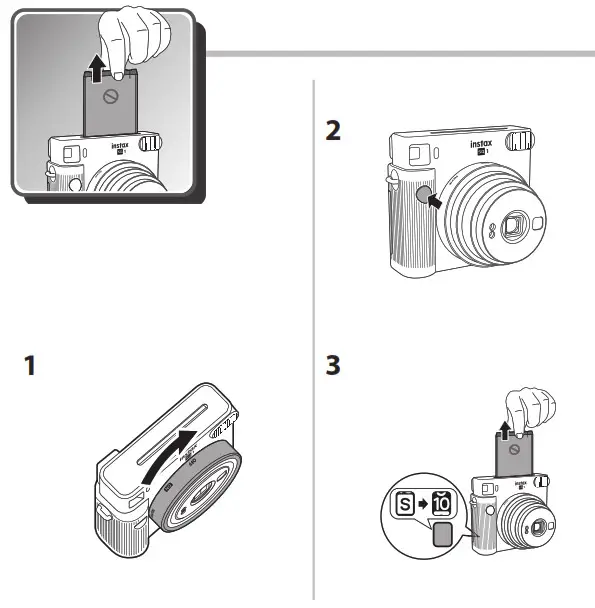
Do not open the back cover until you have used up the film. Otherwise, the rest of the film will become exposed and turn white, and can no longer be used.1. Turn on the camera by rotating the lens ring to ON.
The lens barrel extends and the flash charging lamp blinks and then lights up. (Blinking indicates that the flash is charging.)
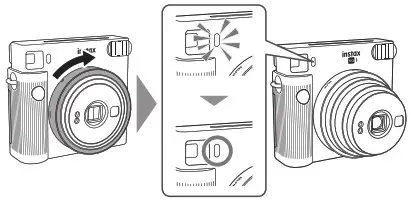
2. Hold the camera, look through the viewfinder of the camera to frame your desired composition, and press the shutter button.
* The shutter button cannot be pressed while the flash is charging.

3. When the sound of the film being ejected stops, grasp the edge of the ejected film and take the film out.
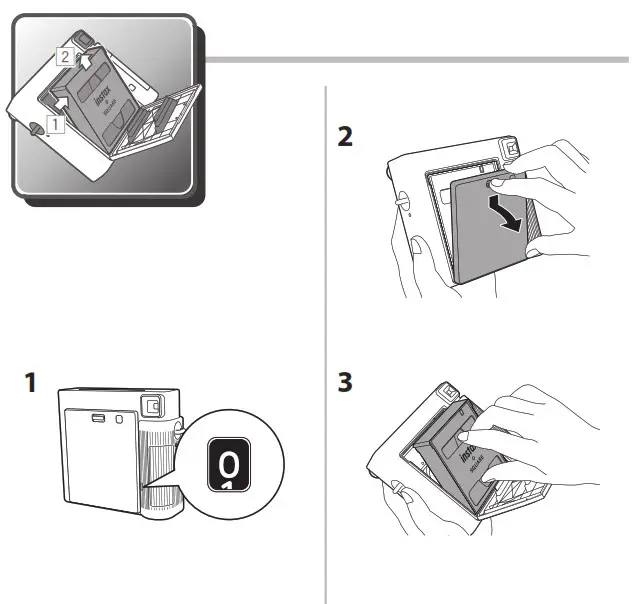
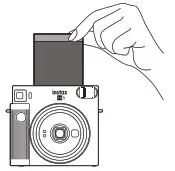 The film counter decreases in numerical order, counting down from “10” with each photo taken. “0” will be displayed when the film is finished and after the last photo has been taken.
4. When you have finished taking photos, turn off the camera by rotating the lens ring to OFF.
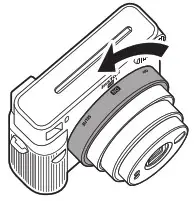 If the camera malfunctions, remove the batteries while the power is on and then reinsert them to reset the camera.
Taking a Photo in Selfie Mode
Taking a picture of yourself
If you shoot in selfie mode, you can take a picture of yourself using the selfie mirror on the front of the camera to confirm your exposure.
1. Rotate the lens ring to SELFIE and pull out the lens to the selfie mode.
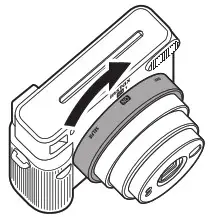
2. Hold the camera securely with both hands so that your face is 30 to 50 cm away from the end of the lens.
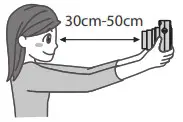
3. Confirm the composition using the selfie mirror, then push the shutter to take the photo.
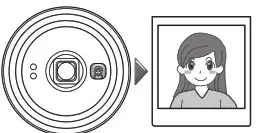
Taking a closeup
If you shoot in selfie mode, you can move the camera close to the subject and take a closeup.1. Rotate the lens ring to SELFIE and pull out the lens to the selfie mode.2. Hold the camera so that the Ο mark in the viewfinder sits slightly to the upper right of the center of the subject, then press the shutter button to take a photo.
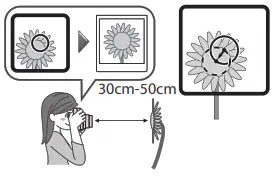
Precautions for Taking Photos
Precautions for Holding the Camera
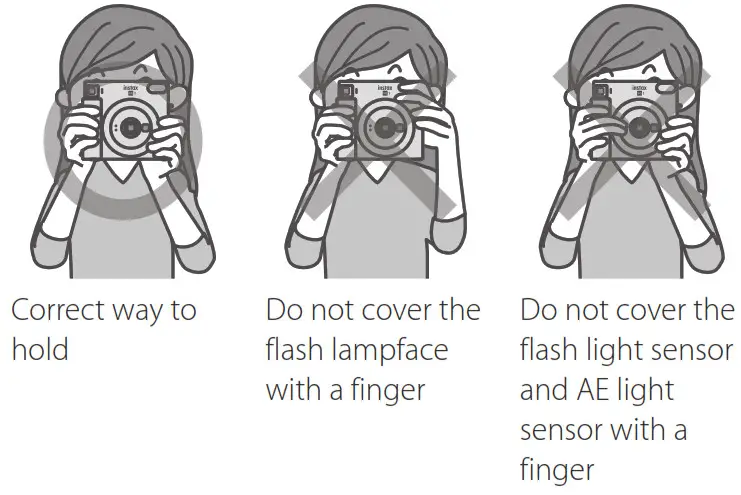
- Take care that a finger or the strap does not cover the flashlight sensor, AE light sensor, flash lamp face, lens, or film ejection slot.
- Hold the camera so that the flash lamp face is at the top when taking a horizontal picture.
- Do not take pictures in locations where flash photography is forbidden.
- Do not grasp the lens barrel when holding the camera. The finished photos may be adversely affected.
- Look into the viewfinder so that the Ο mark in the viewfinder appears in the center.
- Be careful not to touch the lens when you press the shutter button.
Distances for Normal Mode and Selfie Mode
- In normal mode, take a picture at a distance of at least 0.5 m from the subject. The effective flash range is up to approximately 2.7 m.
- When holding the camera closer than 0.5 m from the subject, use the selfie mode. Use the selfie mode to capture a closeup within the range of 30 to 50 cm.
Flash charging lamp states and error solutions
| Flash charging lamp state | Description |
| Lit | Ready to take a photo. |
| Off | The camera is off. |
| Flashing slowly | Charging the flash. Please wait until the flash charging lamp lights. Charging normally takes 3 to 10 seconds to complete. |
| Flashing quickly | An error has occurred. |
| Main errors | Cause and solution |
| Battery check failed | The flash cannot be charged because the battery voltage is insufficient. Replace the batteries with new ones. |
| Film jammed | Do not forcibly pull out the film. Removing and reinserting the batteries while the power is on may enable the film to be ejected. |
Safety Precautions
- Do not use this product and its accessories for a purpose other than taking photos.
- This product has been designed with safety in mind, but please read the following safety precautions carefully and then use the product correctly.
- After reading this User’s Guide, be sure to keep it in an easy-to-access place where you can refer to it whenever necessary.
 WARNING
This indicates a matter that may lead to death or serious injury if ignored or incorrectly handled. Do not disassemble this product. Electric shock may occur.
 Do not touch this product if the inside of it becomes exposed due to dropping, etc. This product has high-voltage circuitry that may cause electric shock.
 If you notice anything abnormal, such as the camera (batteries) becoming hot, emitting smoke, or making a burning smell, remove the batteries immediately. Fire burns may occur (be careful not to burn yourself when removing the batteries).Never take flash photographs of people riding bicycles, driving cars, skateboarding, riding a horse, and the like. The flash can be startling, distract, frighten animals, and otherwise cause an accident.If you drop the camera in water or if water or a piece of metal or other foreign object gets inside, remove the batteries immediately. Heat generation or fire may occur.Do not use this camera in places where there is flammable gas or near open gasoline, benzene, paint thinner, or other unstable substances which can give off dangerous vapors. Failure to do this could result in an explosion or fire.Keep the product out of the reach of infants and small children. Injury may occur.
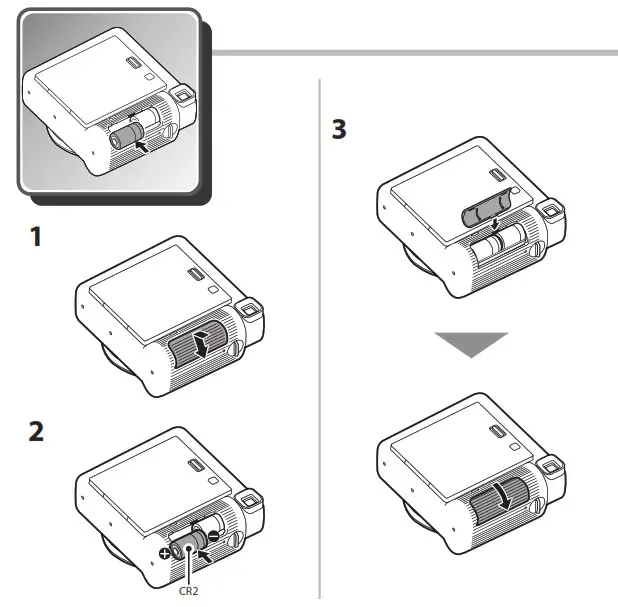
 Do not disassemble, heat the batteries, throw them in a fire, or put them in an electrical short circuit. The batteries ay rupture.Use only CR2 batteries. eat generation or fire may occur if other batteries are used.
Keep batteries out of the reach of infants. An infant may accidentally swallow a battery. In the event that a battery is swallowed, seek medical attention immediately.CAUTION
This indicates a matter that may lead to injury or physical damage if ignored or incorrectly handled.Do not get this product wet or handle it with wet hands. Electric shock may occur.Using a flash too close to a person’s eyes may for the short term affect their eyesight. Take care when taking pictures of infants and young children.Take care not to make a mistake with the + and – polarities when inserting the CR2 batteries. Damages to the surroundings may occur due to the camera being damaged or its battery fluid leaking out.Do not touch moving parts inside the camera. You may be injured.
Handling
Handling of Camera
- The camera is a precision instrument, so do not get it wet, drop it, or subject it to shock. Also, do not place the camera where it will be exposed to sand.
- Before using a commercially available strap, check the strength of the strap. Be especially careful when using a strap for mobile phones and smartphones because such straps are made for lightweight devices.
- If you are not using your camera for a long interval, unload the batteries and keep it where it will avoid heat, dust, and moisture.
- Remove soil and dust from the viewfinder window, etc. with an air blower and by wiping gently with a piece of a soft cloth.
- Do not use solvents such as thinner or alcohol to wipe off the dirt.
- Do not leave the camera in a closed motor vehicle, another hot place, a humid place, on the beach, etc. for any period of time.
- Moth repellent gas such as naphthalene will adversely affect the camera and film. Avoid keeping the camera and film in a chest of drawers, etc. with mothballs.
- The operating temperature range of this camera is +5°C to +40°C.
- This camera may occasionally malfunction because it is controlled by a microcomputer. If it malfunctions, remove and then reinsert the batteries to reset the camera.
Handling of Instax SQUARE Film and Photos
For details on the handling of film and photos, see the instructions of FUJIFILM Instax SQUARE instant film.
- Keep film a cool place. In particular, do not leave a film in an extremely hot place, such as in a closed motor vehicle, for a long period of time.
- Use film as soon as possible after inserting it in the camera.
- If the film has been kept in a place where the temperature is extremely low or high, allow it to become accustomed to a normal temperature before taking pictures.
- Use film before the film expiration date referenced on the package.
- Avoid airport checked luggage inspection and other strong X-ray exposure. The unused film is susceptible to the effect of fogging, etc. We recommend that you carry film onto aircraft in carry-on luggage (check with the relevant airport for more information).
- Avoid exposing photos to strong light, and store them in a cool and dry place.
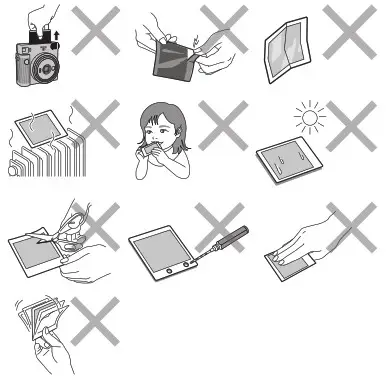
- Do not make a hole in film or tear or cut film. Do not use film that is damaged.
- Do not cut or disassemble the film for this camera as it contains black caustic alkali paste. Be especially careful not to let infants or pets put the film into their mouths. Also, take care that the paste does not come into contact with skin and clothes.
- If you accidentally touch the paste of unused film, immediately wash it off with plenty of water. If the paste comes into contact with the eyes or mouth, wash the area and then seek medical attention. The alkalinity of this film will weaken approximately 10 minutes after the photo is ejected from the camera.
Cautions on Handling of Film and Finished Photos
For details, see the instructions of FUJIFILM Instax SQUARE instant film.
 The “CE” mark certifies that this product satisfies the requirements of the European Union (EU) regarding safety, public health, environment, and consumer protection. (“CE” is the abbreviation of Conformité Européenne.)
Legally required regulation compliance displays are located on the inside of the back cover of the camera.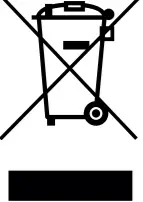 Disposal of Electric and Electronic Equipment in Private Households Disposal of used Electrical & Electronic Equipment (Applicable in the European Union and other European countries with separate collection systems)
This symbol on the product, or in the manual and in the warranty, and/or on its packaging indicates that this product shall not be treated as household waste. Instead, it should be taken to an applicable collection point for the recycling of electrical and electronic equipment.
By ensuring this product is disposed of correctly, you will help prevent potential negative consequences to the environment and human health, which could otherwise be caused by inappropriate waste handling of this product. The recycling of materials will help to conserve natural resources. For more detailed information about the recycling of this product, please contact your local city office, your household waste disposal service, or the shop where you have purchased the product.
In Countries outside of the EU: If you wish to discard this product, please contact your local authorities and ask for the correct way of disposal. This Symbol on the batteries or accumulators indicates that those batteries shall not be treated as Household waste.
For customers in Turkey: EEE Complies with Directive.
Specifications
| Film | FUJIFILM Instax SQUARE instant film |
| Photo Picture Size | 62 mm x 62 mm |
| Lens | 2 components, 2 elements, f =65.75 mm. 1:12.6 |
| Viewfinder | Reverse Galilean finder, 04x, with target spot |
| Shooting Range | 0.3 m and beyond (use seine mode for 0.3 m to 0.5 m) |
| Shutter | Programmed electronic shutter 1/2 to 1/400 sec. Slow synchro for low light |
| Exposure Control | Automatic. Lv 5.0 to 15.5 (ISO 800) |
| Film Ejection | Automatic |
| Film Developing Time | Approx. 90 seconds (varies depending on the ambient temperature) |
| Flash | Constant firing flash (automatic light adjustment), recycle time: 7.5 seconds or less (when using new batteries), effective flash range:0.3 to 22 m |
| Power Supply | Two lithium batteries (CR2), capacity: approx. 30 Instax SQUARE film packs (under FUJIFILM test conditions) |
| Auto Power Off Time | After 5 minutes |
| Other | Includes film counter and film pack confirmation window |
| Dimensions | 130.7 mm x 118.6 mm x 575 mm |
| Weight | 390 g (without batteries, strap, and film) |
Information for traceability in Europe
Manufacturer: FUJIFILM Corporation
Address, City: 7-3, Akasaka 9-Chome, Minato-ku, Tokyo
Country: JAPAN
Authorized representative in Europe:
FUJIFILM EUROPE GMBH
Address, City: Dusseldorf Heesenstrasse 31, 40549
Country: Germany
If you have any inquiries about this product, please contact a FUJIFILM authorized distributor or dealer, or access the website below.
http://www.fujifilm.com/
FUJIFILM Corporation
7-3, AKASAKA 9-CHOME, MINATO-KU, TOKYO 107-0052, JAPAN
 Fujifilm [Global]
 富士フイルム [日本]
 Перенаправление домена не осуществляется