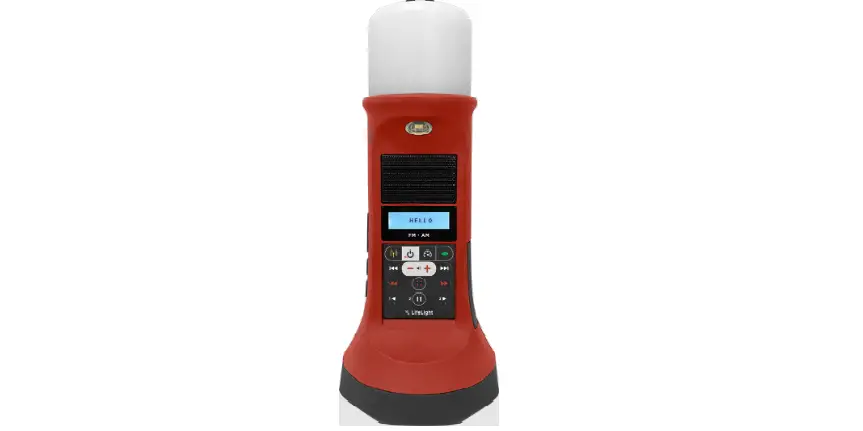

MEGAVOICE LifeLight Bibles Solar Powered Audio
Product Information
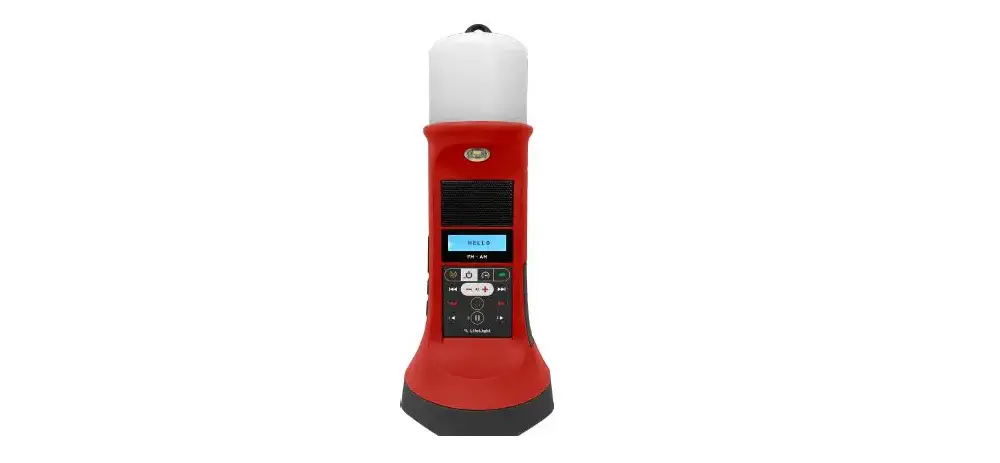
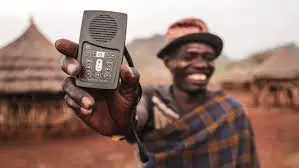
LifeLight is a versatile product that combines a lantern, flashlight, night/reading light, speaker, and radio. It offers multiple modes and features for various lighting and audio needs. The product can be charged using solar power or through a computer/wall charger using the Micro USB port.
Product Usage Instructions
- Solar Charging:
- Place the product in bright sunlight for optimal charging results.
- Position the solar panel facing towards the sun.
- Ensure the solar charging face is exposed to direct sunlight.
- Computer/Wall Charging:
- Plug one end of the cable into the Micro USB port on the product.
- Connect the other end of the cable to a computer or wall charger.
- The product will start charging.
- Reset:
- Locate the reset switch centered in the bottom corner of the product.
- Press the reset switch to reset the device if needed.
- Turning On/Off:
- To turn on the LifeLight, press and hold the PLAYER/RADIO button until a chime plays and the LCD screen turns on.
- To turn off the LifeLight, press and hold the PLAYER/RADIO button again until a chime plays and the LCD screen turns off.
- Player/Radio Buttons:
- The front and back of the product have various buttons for different functions.
- Refer to the full user manual for detailed information on each button’s purpose.
- Lantern, Night/Reading Light, and Flashlight Intensity:
- The product offers adjustable intensity levels for the lantern, night/reading light, and flashlight.
- Use the corresponding buttons to increase or decrease the light intensity as desired.
- MicroSD Slot:
- The product has a MicroSD slot for inserting a compatible MicroSD card.
- Note that the MicroSD card is not included as an accessory.
- Stereo Earphones:
- The product features a Micro USB port that can be used to connect stereo earphones for private listening.
- AM/FM Antenna Jack:
- The product has separate AM and FM antenna jacks for improved radio reception.
- Note that the antennas are not included as accessories.
For more detailed instructions and information on using the LifeLight, please refer to the full user manual available at: [LifeLight User Manual](https://kvisit.com/VQ/ueC0AQ/Bg)
Quick Start Guide
BOTTOM
- 14 Hanging Hook
- 15 Flashlight
CHARGING + RESET
- Solar Charging
Face bright sunlight for best results - Computer/Wall Charging
Plug cable into the Micro USB port - Reset
Press Reset switch centered in the bottom/corner Antenna Jack
PLAYER/RADIO – TURN ON/OFF
- Press and hold
 until the LifeLight turns On (a chime will play and the LCD screen will turn On).
 - Press and hold again until the LifeLight turns off (a chime will play and the LCD screen will turn off).
 until the LifeLight turns On (a chime will play and the LCD screen will turn On).
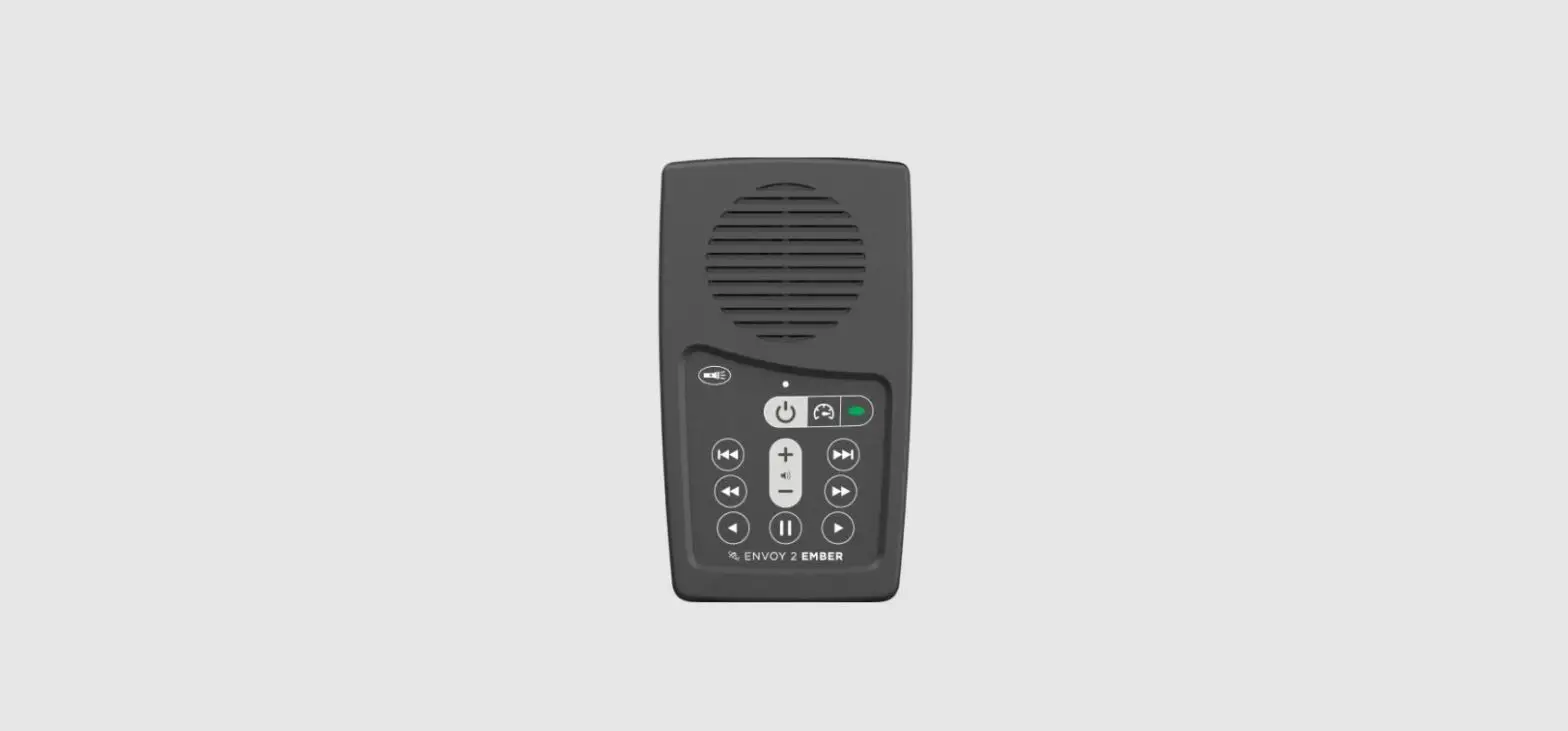
- Power – Press and hold to turn the LifeLight On/off
 Radio – Press and hold to enter Radio mode
 Speed Control – Click to enter Speed Control mode
 Channel Select – Click to navigate to the next Section, press and hold to navigate to the next Channel
 Volume Down – Click/press and hold to lower the volume level
 Volume Up – Click/press and hold to raise the volume level
 Menu – Click to enter the Main Menu and adjust settings (like clock)
 Play/Pause – Click to Play/Pause playback
 Previous Book – Click/press and hold to skip to previous Book(s)
 Next Book – Click/press and hold to skip to next Book(s)
 Previous Chapter – Click/press and hold to skip to previous Chapter(s)
 Next Chapter – Click/press and hold to skip to next Chapter(s)
 Fast Rewind – Click/press and hold to fast rewind
 Fast Forward – Click/press and hold to fast forward
 Radio – Press and hold to enter Radio mode
 Speed Control – Click to enter Speed Control mode
 Channel Select – Click to navigate to the next Section, press and hold to navigate to the next Channel
 Volume Down – Click/press and hold to lower the volume level
 Volume Up – Click/press and hold to raise the volume level
 Menu – Click to enter the Main Menu and adjust settings (like clock)
 Play/Pause – Click to Play/Pause playback
 Previous Book – Click/press and hold to skip to previous Book(s)
 Next Book – Click/press and hold to skip to next Book(s)
 Previous Chapter – Click/press and hold to skip to previous Chapter(s)
 Next Chapter – Click/press and hold to skip to next Chapter(s)
 Fast Rewind – Click/press and hold to fast rewind
 Fast Forward – Click/press and hold to fast forward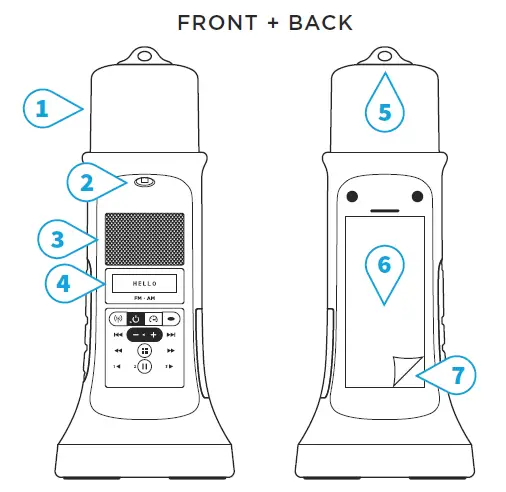
- Lantern
- Night/Reading Light
- Speaker
- LCD Screen
- Lanyard Hole
- Solar Panel
- Protective Film (removable)

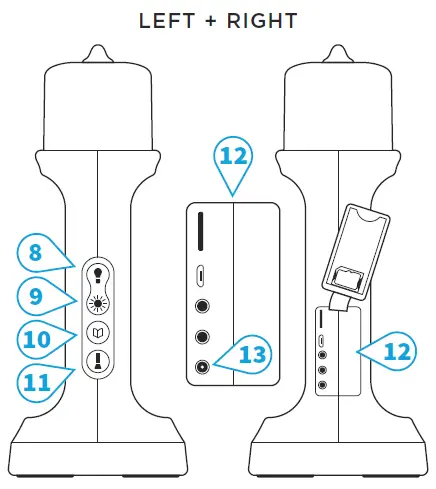
- Lantern Select/SOS Mode1
- Lantern Intensity
- Night/Reading Light Intensity
- Flashlight Intensity
- MicroSD Slot2
- Micro USB Port
- Stereo Earphones
- AM Antenna Jack3
- FM Antenna Jack3
- Reset Switch
- 2-Seconds Press to de/activate
- MicroSD card not included
- Accessory not included
To see the full user manual, please visit: https://kvisit.com/VQ/ueC0AQ/Bg
 Keep&Share