 Mpress Bluetooth Push Button
Instruction Manual
Installation instructions Mpress
Properties
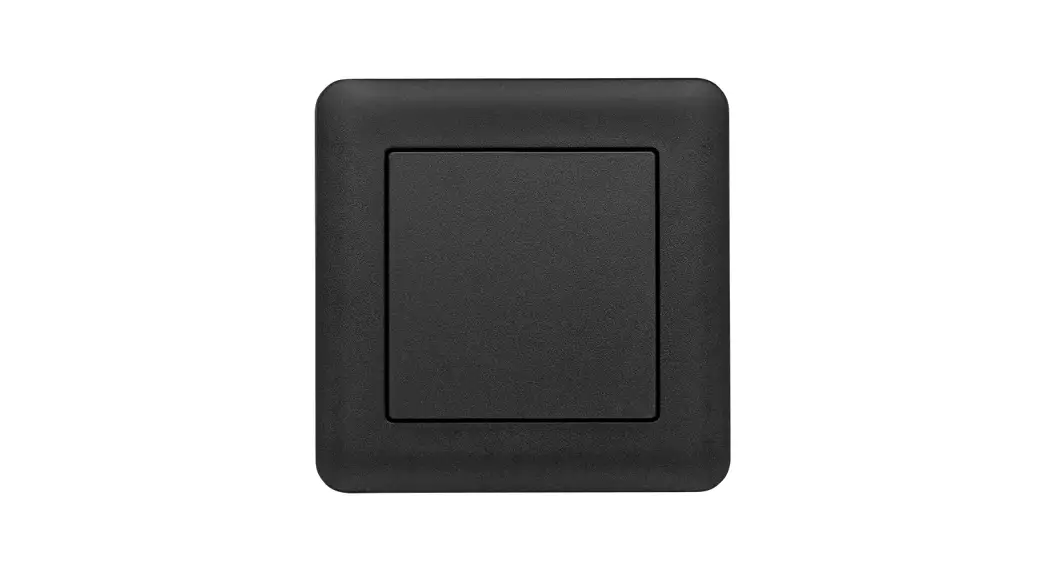
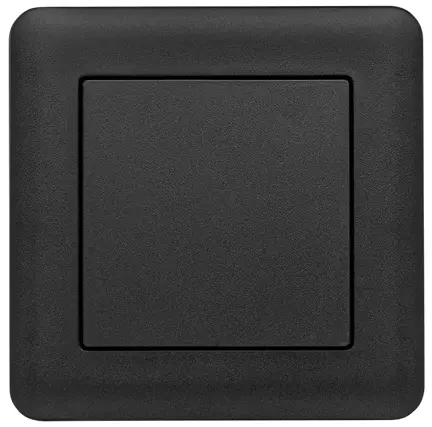
Mpress is a battery-free and power-extracting Bluetooth switch with one or more push buttons, which can be paired with a Casambi-network. It works by extracting power from
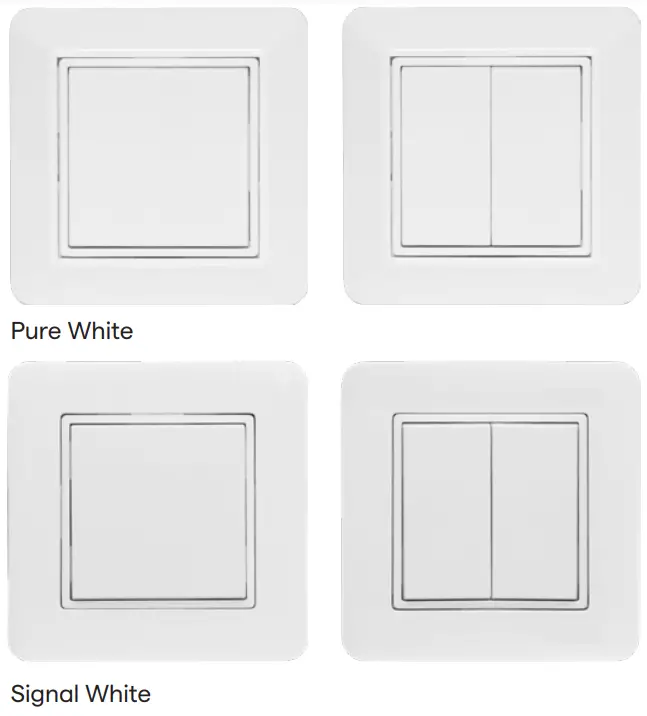
button pushes and by sending a low-energy Bluetooth signal. With Mpress, no power source nor cables are needed to send control signals to your chosen light fittings. There are also three different ways of mounting the up-switch. This can either be done in a device box or by mounting the locking plate to a wall by placing screws in each of the four corners. Alternatively, the supplied double-sided adhesive sheet can be used to mount the locking plate on a smooth surface. The packaging includes two different push-button designs. You can choose between a simple push button with two terminals or dual push buttons with a total of four terminals. Mpress push button(s) can control individual luminaires/light sources, groups of luminaires/light sources, all luminaires/light sources in a network, scenes, and animations. It is also possible to hold a push button to dim luminaires/light sources.
Programming
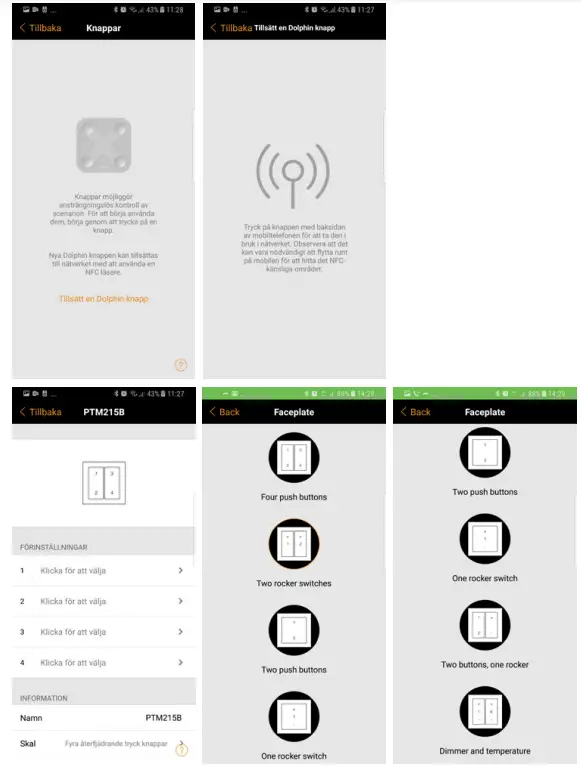
- To connect Mpress to a network. Tap “Switch” under the “More” tab in the Casambi application. Scroll down until the option “Add a Dolphin-switch/ EnOcean-switch” appears. Click.
- Activate the NFC feature on your mobile/tablet. Move the back of your mobile/tablet closer to the Mpress switch to obtain a connection. The NFC chip needs to pair with Mpress, which means that you may have to try a number of positions to obtain a connection, as it is very sensitive. The NFC chip is located in different places on different devices. Remove any cover or magnetic protector to facilitate pairing.
- Change the faceplate on Mpress to suit the unit that is to be programmed. There are several different faceplates to choose from depending on the intended function or the number of push buttons. This is done by scrolling down until the option “Faceplate” appears and clicking on it. Mpress

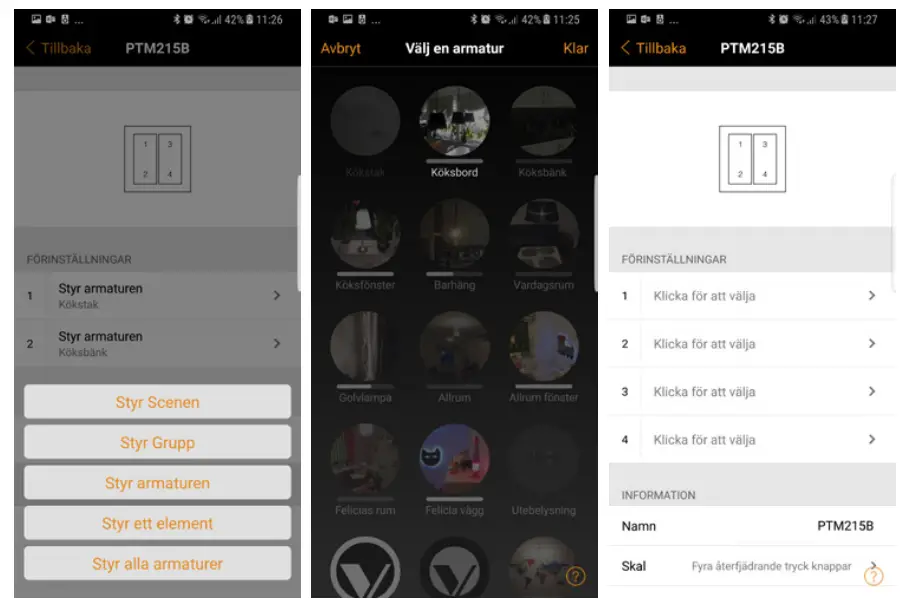
- The push button is programmed by clicking on the desired button and then selecting the desired function. Select whether to control individual luminaires/light sources, groups of luminaires/light sources, all luminaires/light sources in a network, scenes or animations.

Technical data
| Label | Mpress |
| Power supply | Generates energy through an electrodynamic power generator by pressing the switch. |
| Antenna | Integrated PCB-antenna |
| Frequency range | 2,4GHz |
| Range | Up to 15 m indoor under ideal conditions |
| Data speed | 125kbps |
| Channels | 2 with 4 active positions (up/down/engaged/released) |
| Range of movement for power generation | 1.8mm |
| Impact on the power required for power generation | 9N at room temperature |
| Number of cycles at 25°C (service life) | 100,000, tested according to EN 60669/VDE 0632 |
| Operational temperature | -25°C to +65°C |
| Size | Signal white 87x87x14mm Pure white 84x84x14mm |
| Weight (complete product) | 57g |
| Color | Signal White and Pure White |
Safety Regulations
The radio module should not be used on or with equipment that directly or indirectly maintains human health or life. It should also not be used for equipment that may result in danger to humans, animals or items of value.
The radio module should not be used in mechanical or environmentally challenging environments including (but not limited to) or be subjected to vibrations, mechanical shocks, high humidity or an explosive atmosphere. Risk of suffocation. Keep loose parts and plastic bags out of the reach of children.
Incorrect cleaning can damage the product. Cleaning should be carried out with a soft, damp cloth.
Management & User Instructions
Apply the necessary provisions that apply to handling electrostatically sensitive devices.
The radio module should not be exposed to large variations in temperature immediately prior to or during operation.
Condensation of moisture on the radio module must be avoided as this could damage the module.
Do not modify the product or use the product otherwise than in accordance with the product specification.
Do not bend or apply mechanical stress to the module.
Mounting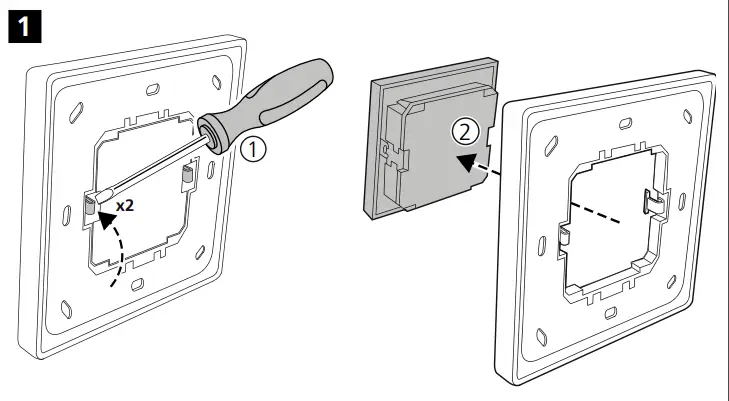
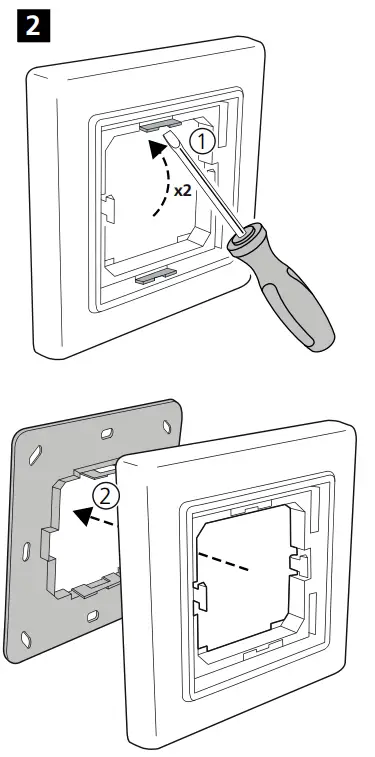
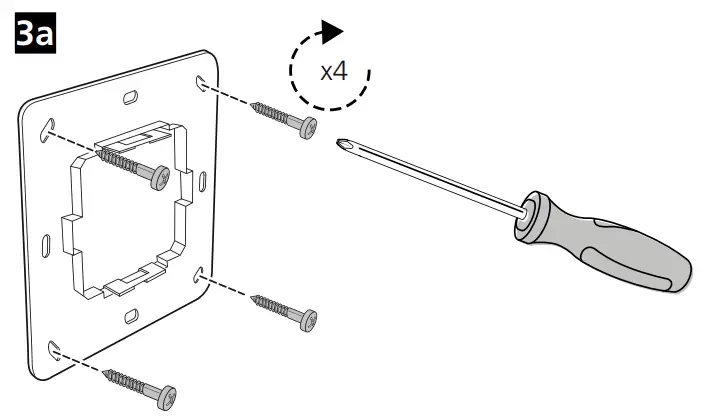
3b Mounting in a device box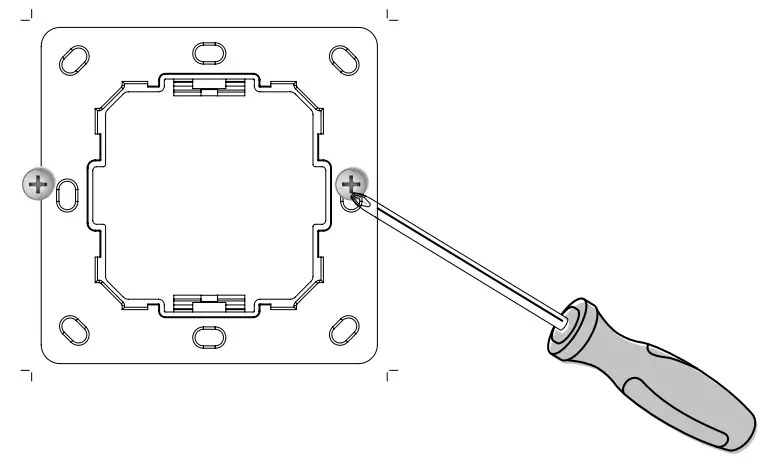 Removal:
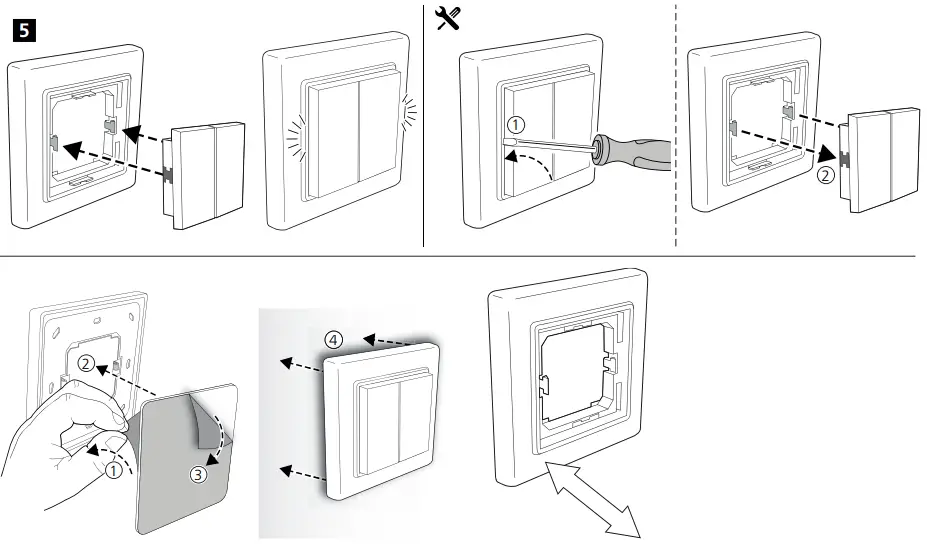
Start by removing the push button(s) with a screwdriver. Then remove the locking plate clamps from center portion by pushing them away from the locking mechanism.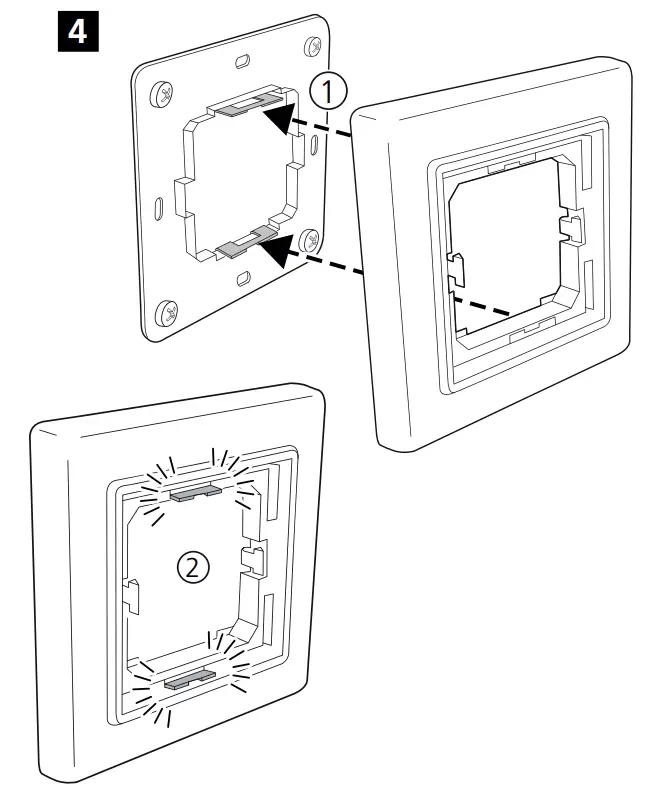
| ELKO | RS, PLUS |
| BERKER | Si , Bl, B3, B7 Glas |
| GIRA | Standard55, E2, Event, Esprit |
| Jager Direkt | OPUS Inform, Kubus, Fusion |
| JUNG | A500, Aplus |
| MERTEN | M-Smart, M-Arc, Mplan |
Installation instructions Mpress
2020-10-28 Version 4
 Vadsbo LightTech AB – Vi utvecklar, designar och säljer trådlösa ljusstyrningslösningar för stora & smarta projekt.