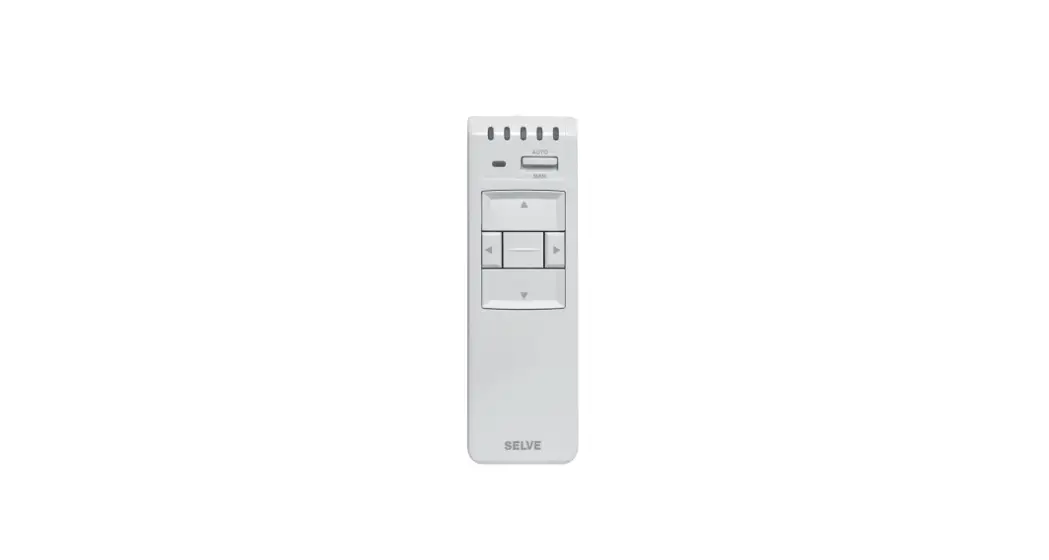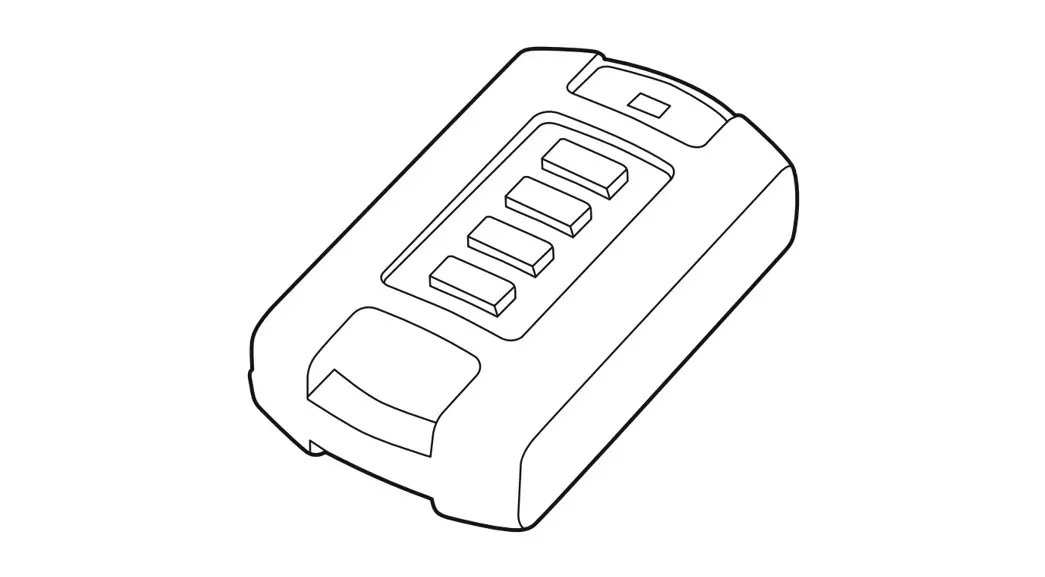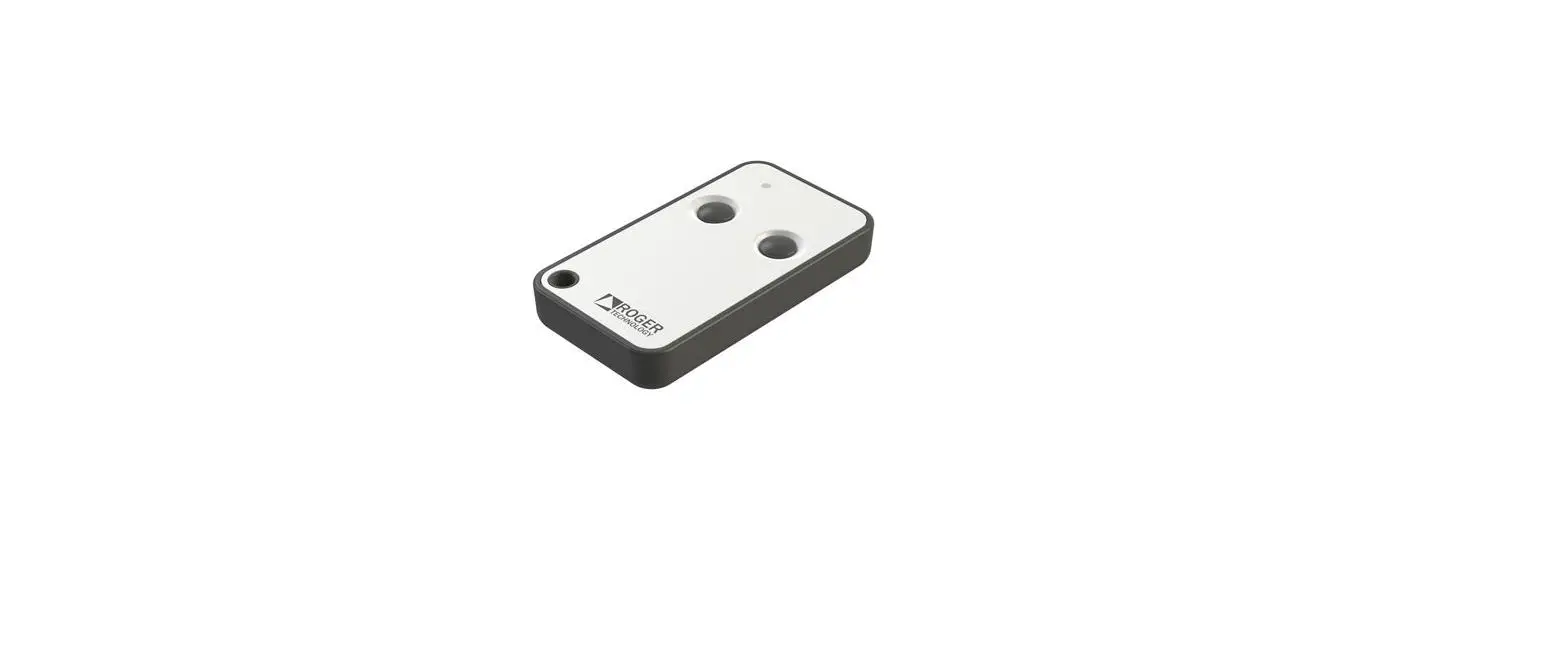

ROGER SYNUS/2 Radiocomando Radio Trasmitter
Product Description
SYNUS/2 radio remote controls are compatible with all H93/RX22A/I, H93/RX20/I, R93/RX12A/I, R93/RX12A/U Series FIXED CODE receivers, can be configured to work in Rolling Code mode and can be used with Roger H93/RX2RC/I, R93/RX2RC/U Series receivers. The Rolling Code mode uses the RTHSE (Roger Technology High Security) standard which allows a high level of security to be achieved.
Technical specifications
| Fixed code | Rolling Code | |
| NUMBER OF KEYS | 2 | 2 |
| TRANSMISSION LED COLOUR | RED | GREEN |
| BIT NUMBER OF THE IDENTIFICATION CODE | 16 | 32 |
| NUMBER OF CODE COMBINATIONS | 65.536 | 4.294.967.296 |
| NUMBER OF BITS TRANSMITTED | 28 | 144 |
| TRANSMISSION FREQUENCY AND MODULATION | 433,92 MHz – AM/ASK | |
| MAXIMUM REACH (in unobstructed environment) | 150 m | |
| MAXIMUM POWER OUTPUT | -10dBm | |
| BATTERY AND AVERAGE CONSUMPTION | 1xCR2032 / 3V – 8mA | |
| OPERATING TEMPERATURE | -10°C +55°C | |
| FIXED CLONABLE CODE TYPES | MANCHESTER, PCM Max. 64 bit | |
| DIMENSIONS (mm) | 66x34x10,4 | |
Operating mode selection
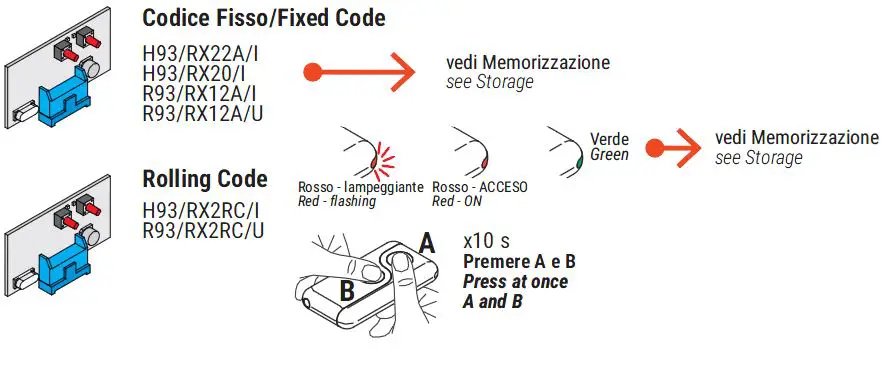
The SYNUS/2 radio remote control is configured in the factory to operate in Fixed Code mode. To select the “Rolling Code” mode:
- Press and hold both keys A and B simultaneously.
- After a few flashes, the LED lights up with a steady RED light.
- Press and hold both keys A and B.
- After 5 seconds the LED changes to GREEN: the “Rolling code” operating mode is active.
To return to the “Fixed code” operating mode, repeat the aforementioned procedure. The LED should change from GREEN to RED.
In the case of transmission of a (fixed) CLONED code, the flashing alternates RED … GREEN … RED … GREEN LED, is preceded by:- fast flash RED LED (if fixed code mode is enabled).
- fast flashing GREEN LED (if rolling code mode is enabled).
Storing a remote control key in the receiver
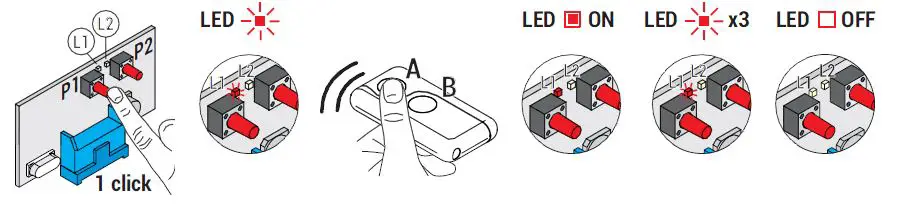
- Check the type of radio receiver installed. If the receiver is the Rolling Code type, select the SYNUS/2 operating mode as per paragraph 3.
- Switch the controller unit on.
- Press P1 or P2 once (depending on the function to be enabled) on the receiver.
- When LED L1 or LED L2 on the receiver flashes slowly, press the key on the transmitter where the function is to be stored.
- When LED L1 or L2 remains on for 1 second, the transmitter has been stored.
- LED L1 or L2 flashes slowly again and other transmitters can be stored during this time.
- The procedure is automatically exited when no more transmitters are stored.
Radio remote control copy
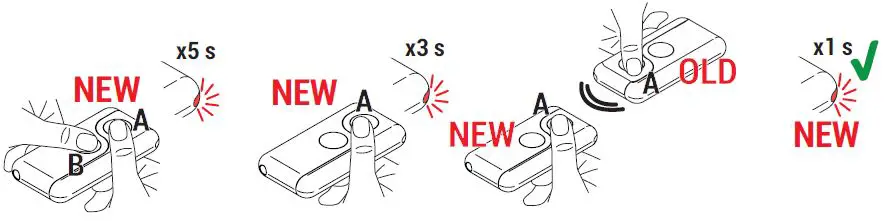
- Press the two keys (A and B) of a NEW radio remote control simultaneously.
- The LED (RED if Fixed Code mode is enabled – GREEN if Rolling Code mode is enabled) on the radio remote control flashes slowly until it lights up in steady light.
- On the NEW radio remote control, release a key and hold down the key on which you wish to store the code. The LED flashes briefly for up to 20 s.
- Zoom in on the NEW radio remote control, the OLD one (the one you want to copy), as close as possible, and press the key to copy on the OLD radio remote control.
- When the LED on the NEW radio remote control is lit for 1 second (RED if Fixed Code mode is enabled – GREEN if Rolling Code mode is enabled), it indicates that the copy has been completed successfully.
WARNING! The Synus radio remote control in Rolling Code mode cannot copy the Roger E80/TX2R/RC or E80/TX4R/RC radio remote controls, or SYNUS/2 configured in Rolling Code mode. Instead, you can copy the Fixed Code radio remote controls. Codes copied with radio remote controls in “Fixed Code” mode remain in memory even when the radio remote control is set to “Rolling Code” mode and vice versa. Mode shifting does not delete the codes.
Battery replacement
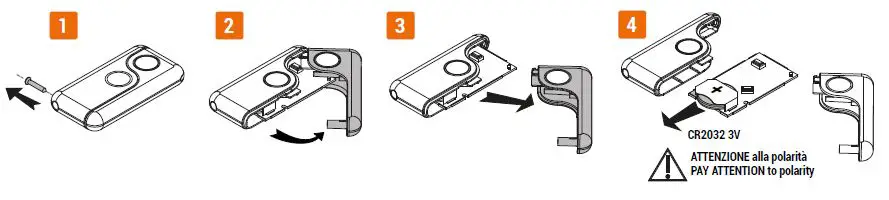
- Using a screwdriver, unscrew the side screw of the radio remote control.
- Gently rotate one of the two parts.
- Remove it gently.
- Remove the battery from its housing.
- Replace the battery paying attention to the polarity.
- Close both parts again and tighten the side screw without over-tightening it.
WARNING! This product contains a coin-type battery. If the battery is swallowed, it can cause severe internal burns within as little as 2 hours and may lead to death. Keep the batteries out of the reach of children. If the battery housing does not close securely, stop using the product and keep it out of the reach of children. In case of suspected battery ingestion or insertion into other body orifices, seek medical advice immediately.
WARNING! Handle the battery carefully. Do not remove it using metal tweezers that could short-circuit it. Replace only with a battery of the same model. Observe the indicated polarity.
Disposal
his product may only be uninstalled by qualified technical personnel, following suitable procedures for removing the product correctly and safely. This product consists of numerous different materials. Some of these materials may be recycled, while others must be disposed of correctly at the specific recycling or waste management facilities indicated by local legislation applicable for this category of product. Do not dispose of this product as domestic refuse. Observe local legislation for differentiated refuse collection, or hand the product over to the vendor when purchasing an equivalent new product. Local legislation may envisage severe fines for the incorrect disposal of this product. Warning! some parts of this product may contain substances that are harmful to the environment or dangerous and which may cause damage to the environment or health risks if disposed of incorrectly.
Declaration of Conformity
The undersigned Dino Florian, legal representative of Roger Technology – Via Botticelli 8, 31021 Mogliano V.to (TV) DECLARES that the SYNUS/2 radio remote control is compliant with the provisions established by Community directives: 2014/53/UE directive (RED); – 2011/65/UE directive (RoHS) and that the following regulations and/or technical specifications have been applied: ETSI EN 301 489-1 V2.2.0; ETSI EN 301 489-3 V2.1.1; ETSI EN 300 220-1 V3.1.1; ETSI EN 300 220-2 V3.2.1; EN 62479:2010 EN 62368-1:2014 + AC:2017 + A11:2017
- Place: Mogliano V.to
- Date: 18/06/2018
- Signature
Indicators
| ACTION | LED STATUS |
| Fixed code Transmission | RED LED fast flashing |
| ROGER Code Rolling code transmission | GREEN LED fast flashing |
| Cloned fixed code transmission (when fixed code mode is enabled) | Fast flash RED LED, follow by RED…GREEN…RED…GREEN alternating flashing |
| Cloned fixed code transmission (when Rolling code mode is enabled) | Fast flash GREEN LED, follow by RED…GREEN…RED… GREEN alternating flashing |
| Failure when copying the code. Code not recognized | LED steadily on |
| Battery almost depleted | Normal flashing with long pauses |
| Battery depleted | Brief fast flashing, repeated at long intervals. |
Instructions and warnings for the installer
- Via S. Botticelli 8
- 31021 Bonisiolo di Mogliano Veneto (TV)
- ITALIA
- P.IVA 01612340263
- Tel. +39 041.5937023
- Fax. +39 041.5937024
- [email protected]
- www.rogertechnology.com