WA-MBA Professional Broadcast Boom Arm
Product Information
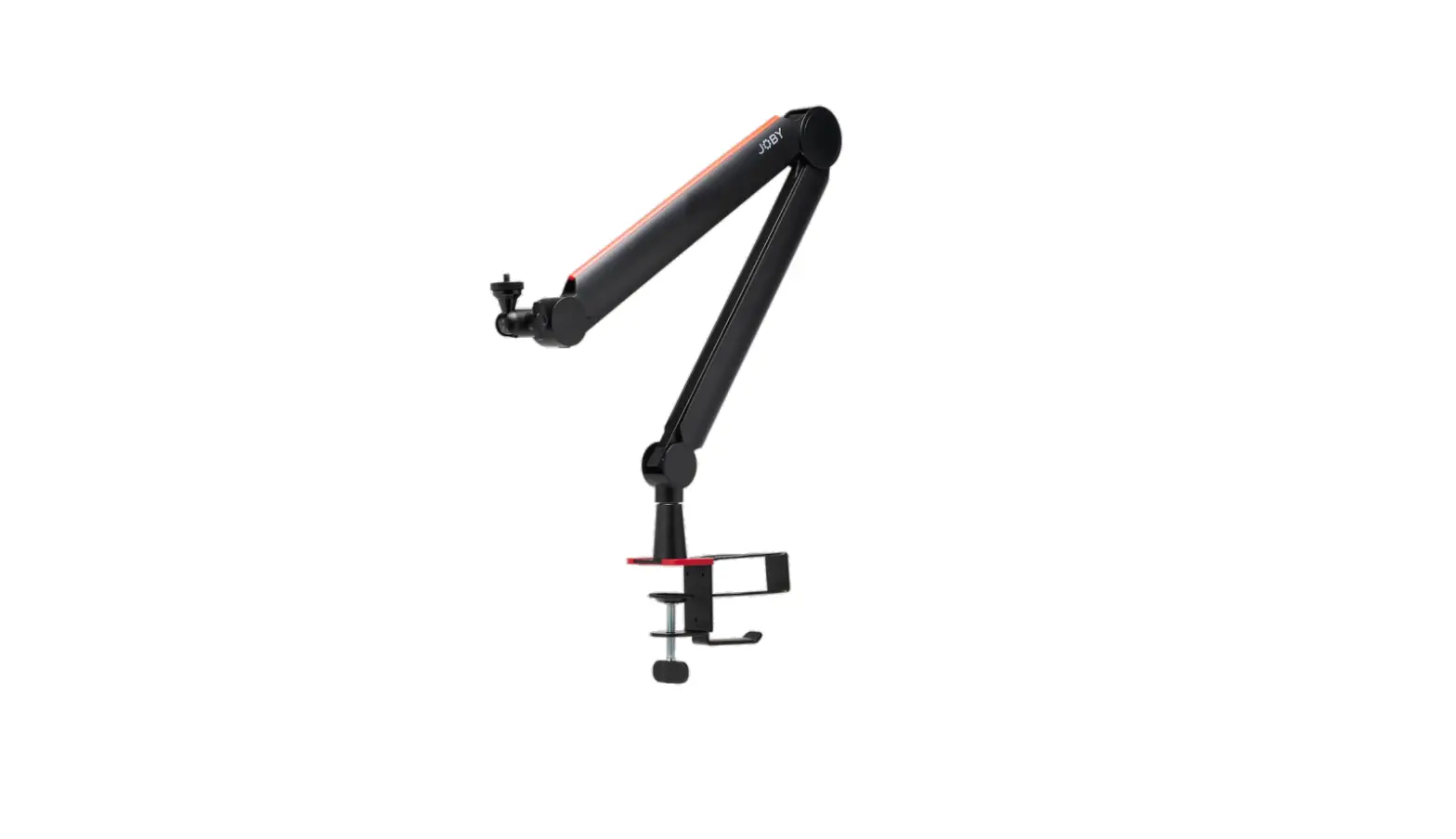
The WA-MBA is a professional broadcast boom arm designed for
voiceovers, game streaming, and podcasting. It features an internal
spring, three adjustment points, and a built-in cable management
channel for a clean on-camera look. The boom arm can support a
maximum weight of 5 pounds, including both the microphone and
shock-mount. It is compatible with both 3/8 and 5/8 threads using
the included adapter. The top and bottom arm lengths are both 36.5
cm.
Product Usage Instructions
Getting Started
- Remove the C-clamp from the base of the WA-MBA.
- Open the clamp enough to accommodate the depth of your desktop
by unscrewing the clamping bolt. - Ensure that both surfaces of the clamp are making solid contact
with the top and underside of the desk. - Tighten the bolt to secure the clamp assembly.
- Lower the WA-MBA boom arm assembly and fit it into the clamp on
the desktop.
Setting Up Your Microphone
- Ensure that the microphone mount is securely attached to the
boom arm. - Connect your microphone to the mount following the
manufacturer’s directions. - Loosen the clamps at the three bends in the boom arm
assembly. - While holding the microphone firmly, position it roughly where
you want it to be. - Retighten the clamps to secure the microphone in place.
Refine Your Setup
- Sit down at your desk and assume the position you will be in
during streaming. - Determine the best position for the microphone based on sound
quality and on-camera appearance.
Cable Management
- Remove the cable from the channel.
- Attach three clips to the upper section of the cable and three
clips to the lower section’s channel. - Slide the clips so that they are evenly spaced and tuck the
cable into the channel for a professional look.
WA – MBA
PROFESSIONAL BROADCAST BOOM ARM
QUICK START GUIDE
The WA-MBA is a professional broadcast boom arm, with an internal spring, three adjustment points and a built-in cable management channel for a clean on-camera look for your stream. Whether you’re performing voiceovers, game streaming or podcasting, the WA-MBA gives professional results every time.
GETTING STARTED
The MBA is intended to be mounted on a desktop or similar flat surface, using the removable C-clamp assembly at the base of the boom arm.
1. Begin by removing the C-clamp from the base of the WA-MBA, and then open the clamp enough to accommodate the depth of your desktop by unscrewing the clamping bolt. The clamp is seated properly when both of its surfaces are making solid contact with the flat surfaces on the top and underside of the desk (see Image A).
2. Tighten the bolt until the clamp assembly is secure and won’t move unintentionally.
3. Lower the WA-MBA boom arm assembly and fit it into the clamp on the desktop – it should move easily and freely once they are properly connected together.
Image A
2
SETTING UP YOUR MICROPHONE
The WA-MBA is a professional boom arm, and there are a number of different ways to mount a microphone to it. Microphones can attach to the MBA via hard or shock mount, or even directly to the microphone itself if desired. The MBA can attach mounts or clips using either 3/8″ or 5/8″ threading (using the included adapter), and the microphone can hang from underneath the arm (the traditional mount in broadcast situations), or be mounted face up above it if desired. 1. Once it’s properly assembled on the C-clamp base, attach your microphone’s mount onto the WA-MBA and make
sure it is secure (do not over-tighten, or you risk damaging the mounting threads). 2. Connect your microphone to the mount according to the manufacturer’s directions. 3. There are tightening bolts at the three bends in the boom arm assembly, each of which secures a different portion of
the arm’s movement. While holding the microphone firmly to prevent it from dropping or falling, slightly loosen the clamps and move the mic into a rough approximation of where you would like it positioned long-term (don’t worry about getting it perfect at this stage, as you will tweak the final position afterwards). Once the mic’s position is close to where you would like it to be, re-tighten the clamps.
3
REFINE YOUR SETUP
Now that you have the MBA fully set up and your microphone is roughly in the right place, you can take the time to get things looking and sounding perfect for your stream. 1. Sit down at your desk, and get your body into the position it will normally be in when you’re streaming. 2. Determine the best place for the microphone to be placed for both sound quality concerns and on-camera
look (if you’re using a camera). This will be different depending on the type of microphone you have and the position of the camera and any lighting you’re using, and may require some experimentation to get right. 3. Once you’ve determined the proper angle and orientation for the microphone, hold the mic again for safety, and manipulate the three tightening bolts again to move it into the proper position. Make sure that the mic sits properly, and that the adjustment bolts are secure so that the arm will not droop over time. 4. Now that your microphone is properly situated, you can clean up the final look by connecting the mic to its cable and using the boom arm’s internal channel to tuck the cable out of sight. The WA-MBA ships with a set of six plastic clips that are designed to securely hold the cable into the hidden channel, but before you go any further it’s a good idea to perform a “rough fit”, tucking the cable into the channel all the way down to the C-Clamp to see where you will want to place the clips. We suggest using three clips on the cable that will be inserted into the channel on the lower boom arm section, and three clips for the cable to be inserted into the upper section’s channel.
4
5. Remove the cable from the channel, and push three of the clips onto the cable length that will be in the upper section, and push the other three clips onto the cable length that will be hidden in the lower section’s channel. Slide the clips so that they are roughly equidistant to each other, and tuck the cable into the channel. Instant pro look! x3 5
TECHNICAL SPECIFICATIONS
Maximum Bearing Weight: 5 pounds (includes both mic and shock-mount) Threading Compatibility both 3/8″ and 5/8″ threads are supported, using the included adapter Top Arm Length: 36.5 cm Bottom Arm Length: 36.5 cm Cable Management: hidden channel for hiding cable, using included retaining clips
BOX CONTENTS
WA-MBA Broadcast Boom Arm Desktop C-Clamp mount 3/8″ to 5/8″ adapter Cable Channel Clips
6
WARRANTY STATEMENT
Warm Audio warranties this product to be free from defect in materials and workmanship for one year from the date of purchase, for the original purchaser to whom this equipment is registered. This warranty is non-transferrable.
This warranty is void in the event of damage incurred from unauthorized service to this unit, or from electrical or mechanical modification. This warranty does not cover damage resulting from abuse, accidental damage, misuse, improper electrical conditions such as mis-wiring, incorrect voltage or frequency, unstable power, disconnection from earth ground (for products requiring a 3 pin, grounded power cable), or from exposure to hostile environmental conditions such as moisture, humidity, smoke, fire, sand or other debris, and extreme temperatures.
Warm Audio will, at its sole discretion, repair or replace this product in a timely manner. This limited warranty extends only to products determined to be defective and does not cover incidental costs such as equipment rental, loss of revenue, etc. Please visit us at www.warmaudio.com for more information on your warranty, or to request warranty service.
This warranty applies to products sold in the United States of America. For warranty information in any other country, please refer to your local Warm Audio distributor. This warranty provides specific legal rights, which may vary from state to state. Depending on the state in which you live, you may have rights in addition to those covered in this statement. Please refer to your state laws or see your local Warm Audio retailer for more information.
7
8
WA – MBA
PROFESSIONELLER MIKROFONAUSLEGERARM
KURZANLEITUNG
Der WA-MBA ist ein professioneller Mikrofonauslegerarm mit einer internen Feder, drei Einstellpunkten und einem integrierten Kabelverlegungskanal für ein klares Aussehen Ihres Streams auf der Kamera. Egal, ob Sie Voiceover, Game-Streaming oder Podcasting durchführen, der WA-MBA liefert stets professionelle Ergebnisse.
9
ERSTE SCHRITTE
Der MBA ist für die Montage auf einem Schreibtisch oder einer ähnlichen flachen Oberfläche vorgesehen, wobei eine abnehmbare C-Klammer an der Basis des Auslegerarms verwendet wird.
1 Beginnen Sie damit, die C-Klammer von der Basis des WAMBA zu entfernen, und öffnen Sie dann die Klammer durch Lösen der Klemmschraube so weit, dass sie sich der Tiefe Ihres Schreibtisches anpasst. Die Klammer sitzt richtig, wenn ihre beiden Flächen festen Kontakt mit den ebenen Flächen auf der Ober- und Unterseite des Tisches haben (siehe Abbildung A).
2 Ziehen Sie die Schraube an, bis die Klammer gesichtert ist und sich nicht unbeabsichtigt bewegen kann.
3 Senken Sie den Auslegerarm des WA-MBA ab und stecken Sie diesen in die Klammer auf dem Schreibtisch der Auslegerarm sollte sich leicht und frei bewegen lassen, sobald sie richtig miteinander verbunden sind.
Abbildung A
10
EINRICHTEN IHRES MIKROFONS
Der WA-MBA ist ein professioneller Auslegerarm und es gibt verschiedene Möglichkeiten, ein Mikrofon daran zu befestigen. Mikrofone können am MBA über eine harte oder Stoßdämpferhalterung befestigt werden, auf Wunsch auch direkt am Mikrofon selbst. Der MBA kann Halterungen oder Clips entweder mit 3/8- oder 5/8-Zollgewinde (mit dem mitgelieferten Adapter) anbringen und das Mikrofon kann unter dem Arm hängen (die traditionelle Halterung in Rundfunksituationen) oder auf Wunsch mit der Vorderseite nach oben darüber montiert werden. 4 Sobald der Auslegerarm richtig auf der C-Klammer-Basis montiert ist, bringen Sie die Halterung Ihres Mikrofons
am WA-MBA an und vund stellen Sie sicher, dass sie sicher befestigt ist (nicht zu fest anziehen, da sonst die Befestigungsgewinde beschädigt werden könnten). 5 Schließen Sie Ihr Mikrofon nach den Anweisungen des Herstellers an die Halterung an. 6 An den drei Biegungen in der Auslegerarmbaugruppe befinden sich Spannschrauben, von denen jede einen anderen Teil der Armbewegung sichert. Halten Sie das Mikrofon fest, um zu verhindern, dass es herunterfällt oder herabfällt. Lösen Sie die Klemmen leicht und bewegen Sie das Mikrofon in eine grobe Annäherung an die Position, an der Sie es langfristig positionieren möchten (machen Sie sich keine Sorgen, dass Sie es in diesem Stadium perfekt hinbekommen, da Sie die endgültige Position danach noch optimieren werden). Sobald sich die Position des Mikrofons in der Nähe der gewünschten Position befindet, ziehen Sie die Klemmen wieder fest.
11
IHREN AUFBAU VERFEINERN
Jetzt, da Sie den MBA vollständig eingestellt haben und Ihr Mikrofon ungefähr an der richtigen Stelle ist, können Sie sich die Zeit nehmen, um alles perfekt für Ihren Stream aussehen und klingen zu lassen. 7 Setzen Sie sich an Ihren Schreibtisch und bringen Sie Ihren Körper in die Position, in der er sich normalerweise befindet,
wenn Sie streamen. 8 Bestimmen Sie den besten Platz für das Mikrofon, sowohl aus Gründen der Tonqualität als auch des Aussehens vor der
Kamera (wenn Sie eine Kamera verwenden). Dies ist je nach Art des verwendeten Mikrofons und je nach Position der Kamera und der verwendeten Beleuchtung unterschiedlich und erfordert möglicherweise etwas Ausprobieren, um die richtige Einstellung zu finden. 9 Wenn Sie den richtigen Winkel und die richtige Ausrichtung des Mikrofons bestimmt haben, halten Sie das Mikrofon zur Sicherheit wieder fest und verwenden Sie die drei Befestigungsschrauben erneut, um es in die richtige Position zu bringen. Vergewissern Sie sich, dass das Mikrofon richtig sitzt und dass die Einstellschrauben gesichert sind, damit der Arm mit der Zeit nicht durchhängt. 10 Nun, da Ihr Mikrofon richtig positioniert ist, können Sie den letzten Schliff vornehmen, indem Sie das Mikrofon an das
Kabel anschließen und den internen Kanal des Auslegerarms nutzen, um das Kabel außer Sichtweite zu verlegen. Der WA-MBA wird mit einem Satz von sechs Kunststoff-Clips geliefert, die das Kabel sicher im verborgenen Kanal halten sollen. Bevor Sie jedoch weitergehen, ist es ratsam, eine grobe ,,Grobeinstellung” vorzunehmen und das Kabel bis zur C-Klammer in den Kanal zu stecken, um zu sehen, wo Sie die Clips anbringen möchten. Wir empfehlen die Verwendung von drei Clips für das Kabel, das in den Kanal am unteren Auslegerarmabschnitt eingeführt wird, und drei Clips für das Kabel, das in den Kanal des oberen Abschnitts eingeführt wird.
12
11 Entfernen Sie das Kabel aus dem Kanal
und schieben Sie drei der Clips auf die
Kabellänge, die sich im oberen Abschnitt
befinden wird, und schieben Sie die
anderen drei Clips auf die Kabellänge, die
im Kanal des unteren Abschnitts verborgen
sein wird. Schieben Sie die Clips so, dass
sie ungefähr gleich weit voneinander
entfernt sind, und stecken Sie das Kabel in
x3
den Kanal. Sofortiger Profi-Look!
13
TECHNISCHE DATEN
Maximales Lagergewicht: 2,27 kg (einschließlich Mikrofon und Stoßdämpferhalterung) Gewindeschneidekompatibilität: Mit dem mitgelieferten Adapter werden sowohl 3/8- als auch 5/8-Zollgewinde unterstützt Länge des Oberarms: 36,5 cm Länge des Unterarms: 36,5 cm Kabelmanagement: verborgener Kanal zum Verbergen von Kabeln mit Hilfe der mitgelieferten Halte-Clips
LIEFERUMFANG
Mikrofonauslegerarm WA-MBA C-Klammer-Halterung für den Schreibtisch 3/8- auf 5/8-Zoll-Adapter Clips für den Kabelkanal
14
GARANTIEERKLÄRUNG
Warm Audio garantiert, dass dieses Produkt für den Erstkäufer, auf den dieses Gerät registriert ist, für ein Jahr ab Kaufdatum keine Material- und Verarbeitungsfehler enthält. Diese Garantie ist nicht übertragbar.
Diese Garantie erlischt im Falle von Schäden, die durch unbefugte Wartung dieses Gerätes oder durch elektrische oder mechanische Veränderungen entstehen. Diese Garantie gilt nicht für Schäden, die durch Missbrauch, versehentliche Beschädigung, Fehlgebrauch, unsachgemäße elektrische Bedingungen wie Fehlverdrahtung, falsche Spannung oder Frequenz, instabile Stromversorgung, Trennung vom Erdboden (für Produkte, die ein 3-poliges, geerdetes Netzkabel erfordern) oder durch Einwirkung feindlicher Umgebungsbedingungen wie Nässe, Feuchtigkeit, Rauch, Feuer, Sand oder andere Rückstände und extreme Temperaturen entstehen.
Warm Audio wird dieses Produkt nach eigenem Ermessen zeitnah reparieren oder ersetzen. Diese beschränkte Garantie erstreckt sich nur auf Produkte, die als defekt festgestellt wurden, und deckt keine Nebenkosten wie Gerätemiete, Einnahmeverluste usw. ab. Bitte besuchen Sie für weitere Informationen zu Ihrer Garantie oder um einen Garantieservice anzufordern, unsere Website www.warmaudio.com.
Diese Garantie gilt für Produkte, die in den Vereinigten Staaten von Amerika verkauft werden. Für Garantieinformationen in allen anderen Ländern wenden Sie sich bitte an Ihren lokalen Warm Audio-Händler. Diese Garantie gewährt spezifische Rechtsansprüche, die von Staat zu Staat unterschiedlich sein können. Je nachdem, in welchem Staat Sie leben, haben Sie möglicherweise weitere Rechte als die in dieser Erklärung genannten. Bitte beachten Sie Ihre Landesrechte oder wenden Sie sich für weitere Informationen an Ihren lokalen Händler von Warm Audio.
Entworfen in Austin, Texas.
15
16
WA – MBA
BRAS ARTICULÉ POUR MICROPHONE PROFESSIONNEL
GUIDE DE DÉMARRAGE RAPIDE
Le WA-MBA est un bras articulé pour microphone professionnel avec un ressort interne, trois points de réglage et un canal de gestion des câbles intégré pour avoir un look propre et épuré quand vous êtes filmé. Que ce soit pour le doublage, le streaming de jeu-vidéo ou le podcast, le WA-MBA est la garantie d’obtenir des résultats professionnels à chaque session.
17
MISE EN PLACE
Le MBA a été conçu pour être monté sur un bureau ou autre surface plane similaire à l’aide de la pince amovible à la base du bras articulé.
1. Commencez par retirer la pince de la base du WA-MBA, puis ouvrez suffisamment la pince en fonction de la dimension de votre bureau en dévissant le boulon de serrage. La pince est parfaitement ajustée lorsque ses deux surfaces sont fermement en contact avec les surfaces planes du dessus et du dessous du bureau (voir Image A).
2. Serrez le boulon jusqu’à ce que la pince soit sécurisée et ne bougera pas accidentellement.
3. Abaissez le montage du bras articulé WA-MBA et insérez-le dans la pince sur le bureau. Il devrait pouvoir bouger facilement et librement une fois qu’ils sont bien connectés ensemble.
Image A
18
INSTALLATION DE VOTRE MICROPHONE
Le WA-MBA est un bras articulé professionnel et il existe différentes façons d’y monter un microphone. Les microphones peuvent être attachés au MBA via des supports à fixation ou à suspension, ou même directement au microphone luimême si vous le désirez. Des supports ou des clips peuvent être attachés au MBA avec un filetage de 3/8″ ou 5/8″ (à l’aide de l’adaptateur inclus), et le microphone peut pendre en dessous du bras (le montage traditionnel pour les émissions), ou peut être monté vers le haut si vous le désirez. 4. Une fois qu’il est parfaitement monté sur la pince, attachez le support de votre microphone sur le WA-MBA et
assurez-vous qu’il soit sécurisé (ne le serrez pas trop ou vous pourriez endommager les filetages de montage). 5. Connectez votre microphone au support en suivant les instructions du fabricant. 6. Il y a des boulons de serrage aux trois angles du bras articulé, chacun sécurise une partie différente du mouvement
du bras. Tout en vous assurant de bien tenir votre microphone pour qu’il ne tombe pas, desserrez légèrement les pinces et placez le microphone dans la position qui se rapproche le plus de ce que vous recherchez sur le long terme (il n’y a pas besoin que ce soit parfait à ce stade, vous pourrez ajuster la position finale plus tard). Une fois que la position du microphone vous satisfait, resserrez les pinces.
19
AJUSTEZ VOTRE INSTALLATION
Maintenant que votre MBA est parfaitement en place et que votre microphone est plus ou moins dans la bonne position, vous pouvez vous concentrer sur l’amélioration de l’apparence et du son de votre émission. 7. Asseyez-vous à votre bureau et placez-vous de le même manière que si vous étiez déjà en pleine émission. 8. Déterminez la meilleure position de votre microphone en fonction de la qualité du son et de son apparence
devant la caméra (si vous en utilisez une). Il y aura des différences selon le type de microphone que vous utilisez ou bien selon la position de la caméra et de l’éclairage. Il vous faudra expérimenter pour maîtriser cela. 9. Une fois que vous avez déterminé l’angle et l’orientation du microphone, maintenez le microphone à nouveau pour le sécuriser, et resserrez les boulons de verrouillage pour qu’ils soient dans la bonne position. Assurez-vous que le microphone est bien en place et que les boulons d’ajustement sont bien sécurisés pour que le bras ne s’affaisse pas au bout d’un moment. 10. Maintenant que votre microphone est parfaitement configuré, vous pouvez arranger l’apparence finale en
connectant le microphone à son câble à l’aide du canal interne du bras qui permet de cacher les câbles. Le WA-MBA est accompagné de six clips de fixation en plastique qui ont été conçus pour maintenir le câble dans le canal interne mais, avant que vous n’alliez plus loin, il est préférable d’essayer de faire rentrer approximativement le câble dans le canal jusqu’à la pince pour déterminer où vous souhaitez placer les clips. Nous vous suggérons d’utiliser trois clips sur le câble qui sera inséré dans le canal dans la partie basse du bras, et trois clips pour le câble qui sera inséré dans la partie haute du canal.
20
11. Retirez le câble du canal, et poussez trois
des clips sur la longueur du câble qui
sera dans la partie haute, et poussez trois
autres clips sur la longueur du câble qui
sera caché dans la partie basse du canal.
Faites glisser les clips pour qu’ils soient
approximativement à équidistance les uns
des autres, et faites rentrer le câble dans le
canal. Un look de pro en un instant !
x3
21
CARACTÉRISTIQUES TECHNIQUES
Capacité de charge maximale : 2,27 kg (inclut le microphone et son support) Compatibilité de filetage : les filetages 3/8″ et 5/8″ sont compatibles à l’aide de l’adaptateur inclus Longueur du bras supérieur : 36,5 cm Longueur du bras inférieur : 36,5 cm Gestion des câbles : canal caché pour dissimuler les câbles à l’aide des clips inclus
BOX CONTENTS
Bras articulé pour microphone WA-MBA Pince de montage pour bureau Adaptateur 3/8″ vers 5/8″ Clips de canal de câble
22
DÉCLARATION DE GARANTIE
Warm Audio garantit que ce produit est exempt de défauts de matériaux et de fabrication pendant un an à compter de la date d’achat pour le premier acheteur au nom duquel ce matériel est enregistré. Cette garantie n’est pas transférable.
Cette garantie est annulée en cas de dommage résultant d’une réparation non autorisée de cet appareil ou d’une modification électrique ou mécanique. La présente garantie ne couvre pas les dommages résultant d’abus, de dommages accidentels, de mauvaise utilisation, de conditions électriques inappropriées telles que câblage incorrect, tension ou fréquence incorrectes, alimentation instable, déconnexion de la terre (pour les produits nécessitant un câble d’alimentation à 3 broches, mis à la terre), ou de l’exposition à des conditions environnementales hostiles telles que la buée, l’humidité, la fumée, le feu, le sable ou d’autres débris et les températures extrêmes.
Warm Audio réparera ou remplacera ce produit en temps voulu, à sa seule discrétion. Cette garantie limitée s’applique uniquement aux produits jugés défectueux et ne couvre pas les frais accessoires tels que la location d’équipement, la perte de revenus, etc. Rendez-vous sur www.warmaudio.com pour plus d’informations sur votre garantie ou pour faire appel au service de garantie.
Cette garantie s’applique aux produits vendus aux États-Unis d’Amérique. Pour obtenir des informations sur la garantie dans tout autre pays, veuillez vous adresser à votre distributeur Warm Audio local. Cette garantie prévoit des droits légaux spécifiques, qui peuvent varier d’un État à l’autre. Selon l’état dans lequel vous vivez, vous pouvez avoir des droits en plus de ceux couverts dans cette déclaration. Veuillez vous référer aux lois de votre état ou consulter votre revendeur Warm Audio local pour plus d’informations.
Conçu au Austin, Texas.
23
24
WA – MBA
BRAZO ARTICULADO PROFESIONAL PARA BROADCAST
GUÍA DE INICIO RÁPIDO
El WA-MBA es un brazo articulado profesional para broadcast con un resorte interno, tres puntos de ajuste y un canal de manejo de cable incorporado para disponer de una visión limpia ante la cámara durante la transmisión. Ya sea realizando locuciones, streaming de juegos o podcasting, el WA-MBA ofrece en todo momento resultados profesionales.
25
GETTING STARTED
El MBA está pensado para montarse sobre un escritorio o en una superficie plana similar usando el conjunto desmontable de abrazadera en forma de C que se encuentra en la base del brazo. 1. Comience quitando la abrazadera en C de la base del
WA-MBA y luego abriéndola lo suficiente para ajustarla a la profundidad de su escritorio, destornillando el tornillo de la abrazadera. La abrazadera estará bien asentada cuando sus dos superficies hagan contacto sólido con las superficies planas de la parte superior e inferior del escritorio (ver imagen A). 2. Apriete el tornillo hasta que el conjunto de la abrazadera esté seguro y no se mueva involuntariamente. 3. Baje el conjunto del brazo articulado WA-MBA y encájelo en la abrazadera situada ya en la mesa. Cuando estén correctamente conectados, debería moverse fácil y libremente.
imagen A
26
CONFIGURACIÓN DE SU MICRÓFONO
El WA-MBA es un brazo articulado profesional para broadcast, y hay varias maneras de montar un micrófono en él. Los micrófonos se pueden fijar al MBA a través de un soporte rígido o con amortiguación (araña), o incluso fijarse directamente al propio micrófono si se desea. El MBA puede acoplar soportes o pinzas utilizando una rosca de 3/8″ o 5/8″ (utilizando el adaptador incluido), y el micrófono puede colgar por debajo del brazo (el montaje tradicional en broadcast), o montarse hacia arriba por encima de él si se desea. 4. Una vez ensamblado correctamente en la base de la abrazadera en C, coloque el soporte de su micrófono
en el WA-MBA y asegúrese de que esté bien sujeto (no lo apriete demasiado o se arriesgará a dañar las roscas de montaje). 5. Coloque el micrófono en el soporte siguiendo las instrucciones del fabricante. 6. Hay tornillos de ajuste en los tres pliegues de flexión del conjunto del brazo articulado, cada uno de los cuales asegura una porción diferente del movimiento del mismo. Mientras sostiene el micrófono con firmeza para evitar que se caiga, afloje ligeramente las abrazaderas y mueva el micrófono a la posición aproximada donde le gustaría que quedase colocado para su uso en lo sucesivo (no se preocupe por que quede perfecto en este momento, ya que después ajustará la posición final). Cuando el micro se encuentre cerca de donde le gustaría, vuelva a apretar las abrazaderas.
27
REFINE SU CONFIGURACIÓN
Ahora que el MBA está completamente configurado y su micrófono está más o menos en el lugar correcto, dedique tiempo a que las cosas se vean y suenen perfectas para su transmisión. 7. Siéntese en su escritorio y ponga su cuerpo en la posición en la que estará normalmente cuando esté transmitiendo. 8. Determine el mejor lugar para colocar el micrófono, tanto por la calidad de sonido como por la imagen ante la cámara
(si utiliza una). Será diferente dependiendo del tipo de micrófono que tenga y de la posición de la cámara, así como de la iluminación que utilice, y puede que acertar requiera algo de experimentación. 9. Una vez que haya determinado el ángulo y la orientación adecuados para el micrófono, vuelva a sujetarlo por seguridad y manipule los tres tornillos de ajuste de nuevo para colocarlo en la posición correcta. Para que el brazo no acabe cayéndose con el tiempo, asegúrese de que el micrófono se asiente correctamente y que los tornillos de ajuste estén seguros. 10. Ahora que su micrófono está bien situado, puede mejorar el aspecto final conectando el micrófono a su cable y
usando el canal interno del brazo articulado para ocultarlo. El WA-MBA sale de fábrica con un juego de seis clips de plástico diseñados para sujetar el cable de forma segura en el canal oculto, pero antes de ir más allá, es buena idea realizar un “ajuste aproximado”, metiendo el cable en el canal hasta que llegue a la abrazadera en C para ver dónde quiere colocar los clips. Sugerimos usar tres clips en el cable que se insertará en el canal de la sección inferior del brazo del micrófono y tres clips para el cable que se vaya a insertar en el canal de la sección superior.
28
11. Retire el cable del canal y coloque tres de
los clips en la parte del cable que estará
en la sección superior. Coloque los otros
tres clips en la parte del cable que estará
oculta en el canal de la sección inferior.
Deslice los clips de manera que queden
aproximadamente equidistantes entre sí y
meta el cable en el canal. ¡Obtendrá un
aspecto profesional al instante!
x3
29
ESPECIFICACIONES TÉCNICAS
Peso de carga máximo: 5 libras (2,27 kilos) (incluyendo micrófono y soporte de araña) Compatibilidad de rosca: se admiten tanto roscas de 3/8″ como de 5/8″ usando el adaptador incluido Longitud del brazo superior: 36,5 cm Longitud del brazo inferior: 36,5 cm Manejo del cable: canal para ocultar el cable usando los clips de retención incluidos
CONTENIDO DE LA CAJA
Brazo articulado para broadcast WA-MBA Soporte de abrazadera en forma de C para escritorio Adaptador de 3/8″ a 5/8″ Clips para el canal del cable
30
DECLARACIÓN DE GARANTÍA
Warm Audio garantiza que este producto no tendrá defectos de materiales y mano de obra durante un año a partir de la fecha de compra para el comprador original a cuyo nombre esté registrado este equipo. Esta garantía no es transferible.
Esta garantía se anula en caso de que se produzcan daños por una reparación no autorizada a esta unidad, así como por una modificación eléctrica o mecánica. Esta garantía no cubre los daños resultantes por abuso, daños accidentales, uso indebido, condiciones eléctricas inadecuadas como puede ser un cableado incorrecto, voltaje o frecuencia incorrectos, alimentación inestable, desconexión de la toma de tierra (para productos que requieran un cable de alimentación de 3 clavijas con conexión a tierra) o exposición a condiciones ambientales hostiles como humedad, humo, fuego, arena u otros desechos y temperaturas extremas.
Warm Audio reparará o reemplazará este producto, a su entera discreción, de manera oportuna. Esta garantía limitada se extiende únicamente a los productos que se determine que son defectuosos, y no cubre costes incidentales tales como alquiler de equipos, pérdida de ingresos, etc. Visítenos en www.warmaudio.com para obtener más información sobre su garantía o para solicitar asistencia técnica en garantía.
Esta garantía se aplica a los productos vendidos en los Estados Unidos de América. Para obtener información sobre la garantía en cualquier otro país, consulte a su distribuidor local de Warm Audio. Esta garantía proporciona derechos legales específicos que pueden variar de un estado a otro. Dependiendo del estado en el que viva, puede que tenga otros derechos además de los que se incluyen en esta declaración. Para obtener más información, consulte las leyes de su estado o a su distribuidor local de Warm Audio.
Diseñado en Austin, Texas.
31
32
WA – MBA
WA-MBA WA-MBA
33
MBA C
1. WA-MBA C A
2.
3. WA-MBA —-
A
34
WA-MBA MBA MBA 3/8 5/8 4. C WA-MBA
5. 6.
35
MBA 7. 8.
9. 10.
WA-MBA “” C
36
11. x3
37
5 3/8 5/8 36.5 36.5
WA-MBA C 3/8 5/8
38
Warm Audio
3
Warm Audio www.warmaudio. com
Warm Audio Warm Audio
39
Designed in Austin, Texas
 Warm Audio | Faithful recreations. Legendary sounds.