 Amazon Alexa
User Guide


Amazon Alexa

- Connect your headphones to your mobile device.
- On your mobile device, open or download the Amazon Alexa app and follow the app instructions.
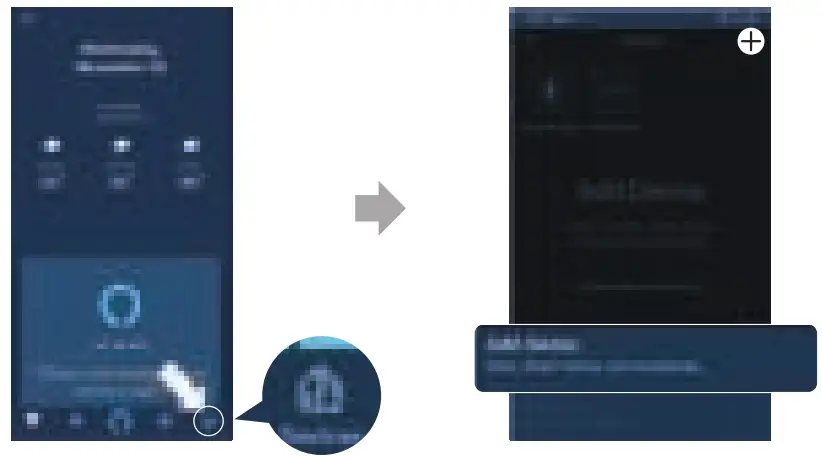
- In the Amazon Alexa App, navigate to the Device Page.
- Click the Plus (+) button on the top right of the screen and select ‘Add Device’.

- Select Headphones from the list and then choose your Headphones in the Available Devices section. Follow the rest of the instructions in the Alexa App to complete the setup.
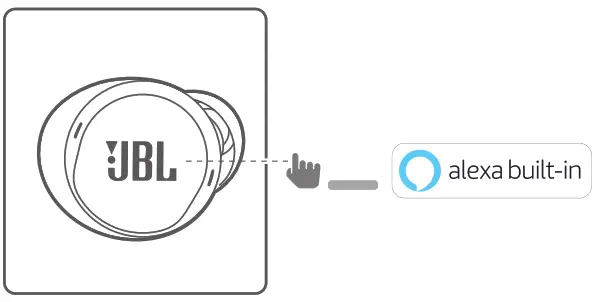
- Alexa is now enabled on your device. Press the action button and try one of the below utterances:
| THINGS TO TRY | EXAMPLE OF WHAT TO SAY |
| ASK FOR THE WEATHER | “ALEXA, WHAT’S THE WEATHER LIKE?” |
| PLAY AUDIO | “ALEXA, PLAY NIALL HORAN.” NOTE: AMAZON MUSIC IS SET AS THE DEFAULT MUSIC SERVICE. TO CHANGE THE DEFAULT MUSIC SERVICE, USE THE ALEXA APP |
| PLAY AUDIO FROM A SPECIFIC MUSIC SERVICE | “ALEXA, PLAY NPR ON HERA RADIO.” |
| DISCOVER MORE SKILLS | “ALEXA, WHAT NEW SKILLS DO YOU HAVE?” |
| STOP ALEXA | WHILE ALEXA IS TALKING, PRESS AND RELEASE THE ACTION BUTTON THEN SAY “STOP” |
NOTE:
- For more information and things to try with Alexa, visit: www.amazon.com/alexadevices and select ‘Use Alexa’.
- If you want to turn on or off Amazon Alexa, please download our JBL APP. You can select Settings > Voice assistant > Amazon Alexa.
- Alexa is not available in all languages and countries. Alexa features and functionality may vary by location.
HP_JBL_Live Free NC+ TWS_QSG_APP PART_(Amazon)_SOP_V5
 amazon.com/alexadevices