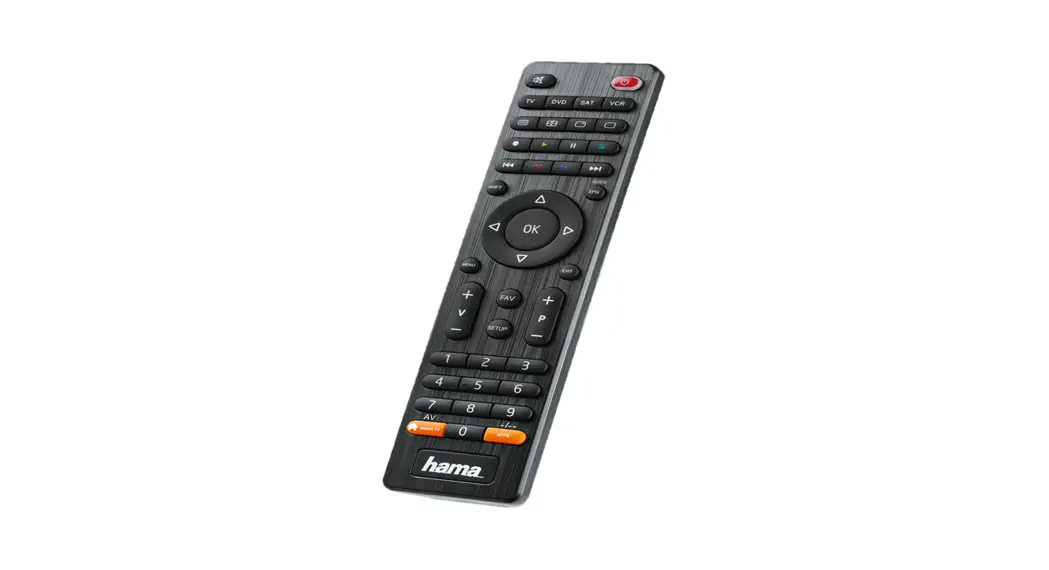
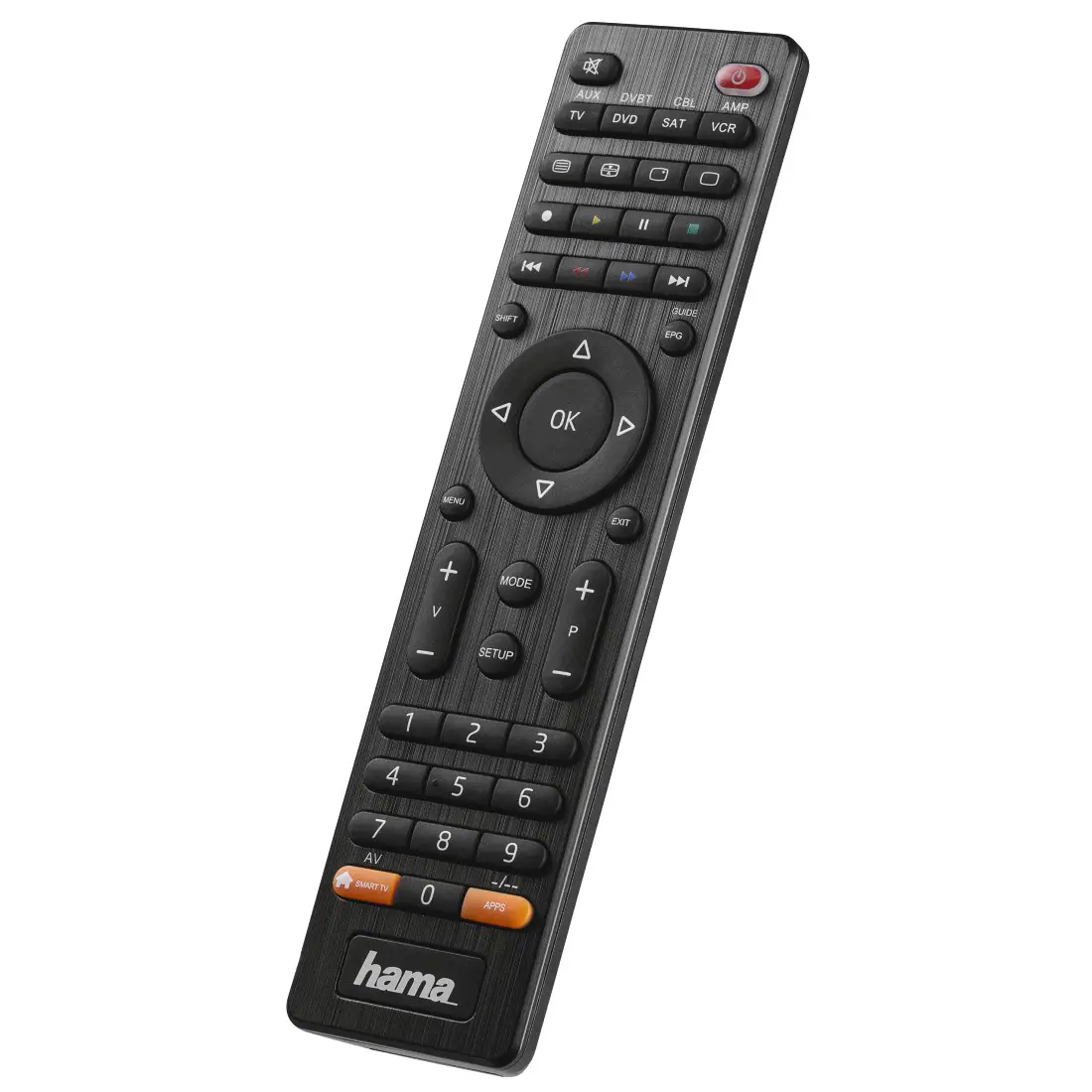
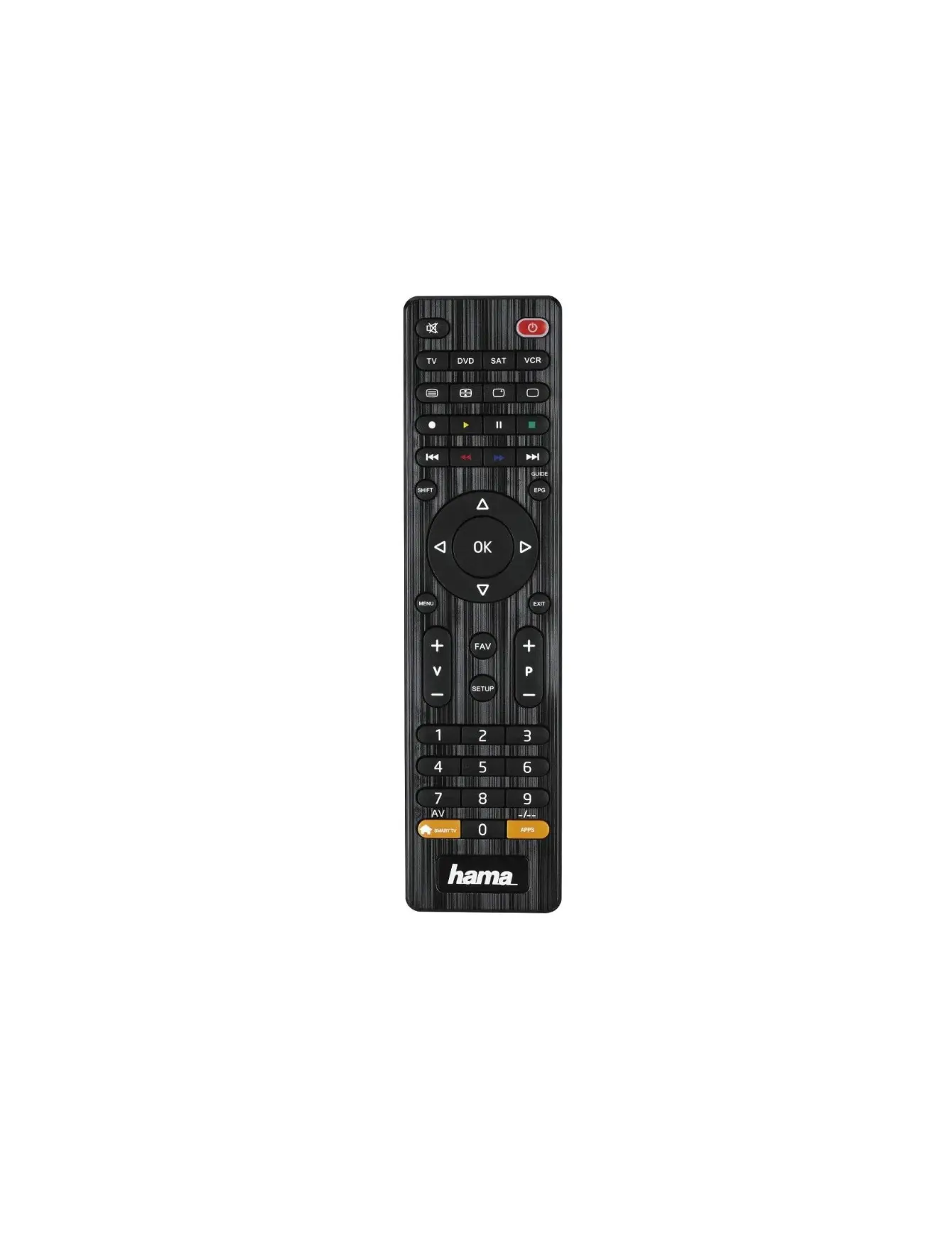
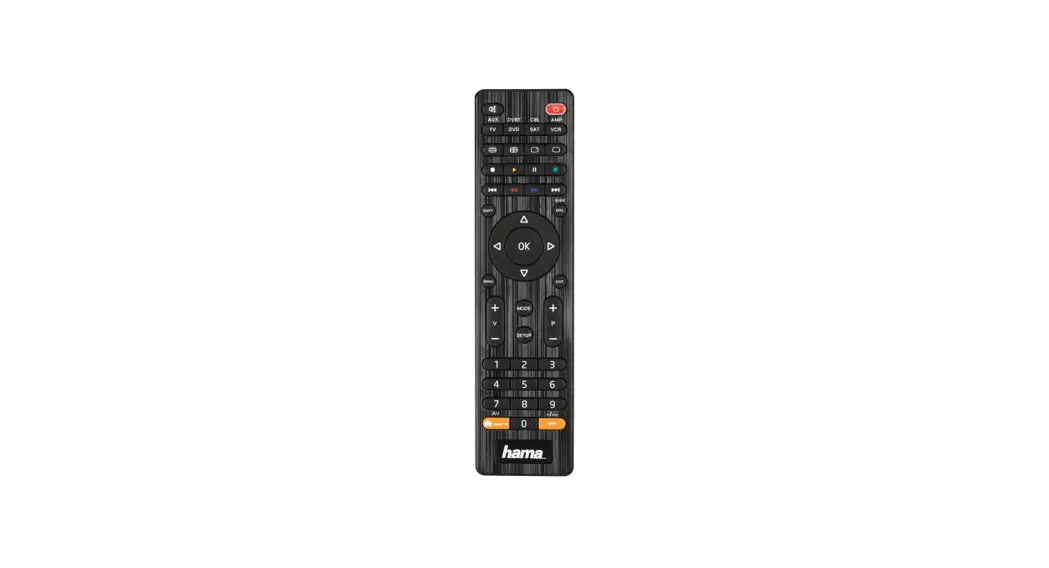
4in1, 8in1 Universal TV Remote Control
Product Information
The Universal Remote Control is a product from Hama that comes
in two models – 4in1 and 8in1. It is designed to work with most AV
equipment manufacturers and has a code list that contains
five-digit codes for easy setup. The remote control has function
keys, including mute switch, device selection buttons, text ON,
hold, and rewind/red. It also has an internal memory that already
contains up to 350 codes per device type.
Product Usage Instructions
- Inserting the batteries: Open the battery
compartment and insert two AAA batteries. Note that the code memory
will be cleared if a button is pressed for longer than 15
seconds. - Direct code entry: Switch on the device you
want to operate and press the SETUP button until the LED lights up
continuously. Select the device to be operated using the device
button and search the code list for the brand and type of the
device. Enter the corresponding five-digit code using the number
buttons 0-9. Test the remote control and check whether all desired
functions can be controlled. - Manual code search: Switch on the device you
want to operate and press the SETUP button until the LED lights up
continuously. Select the device to be operated using the device
button and press and hold down the PROG+/PROG- key until the device
responds (e.g., switches off or changes channel).
Note that the first code entered may not be suitable, and
possibly not all functions are available. In this case, try the
next code mentioned for the selected device type/brand from the
list. Keep the user manual in a safe place for later reference.
00 221052
Universal Remote Control Universal Fernbedienung
4in1 / 8in1
Operating Instructions GB Bedienungsanleitung D
Mode d`emploi F Instrucciones de uso E Gebruiksaanwijzing NL
Istruzioni per l`uso I Instrukcja obslugi PL Használati útmutató H Manual de utilizare RO
Návod k pouzití CZ Návod na pouzitie SK Manual de instruções P
Bruksanvisning S RUS
BG GR
Kullanma kilavuzu TR Käyttöohje FIN
4in1
1
20
1
2
TV DVD STB SOUND
2
3
19
3
4
18
4
5
5
6
SHIFT
GUIDE
EPG
17
6
16
OK
7
MENU
15
EXIT
7
8
FAV
9
V
P
14
9
SETUP
10
10
12 3
11
456
11
789
12
AV
SMART TV
0
APPS
13
12
8in1
20
AUX DVBT CBL AMP TV DVD STB SOUND
19 18
SHIFT
GUIDE
EPG
17
16
OK
MENU
15
EXIT
MODE
V
P
14
SETUP
12 3
456
789
AV
SMART TV
0
APPS
13
Art.Nr.: 00221052
Art.Nr.: 00221054
AAA
G Operating Instructions
Universal remote control
Thank you for choosing a Hama product. Take your time and read the following instructions and information in full. Please keep these instructions in a safe place for later reference.
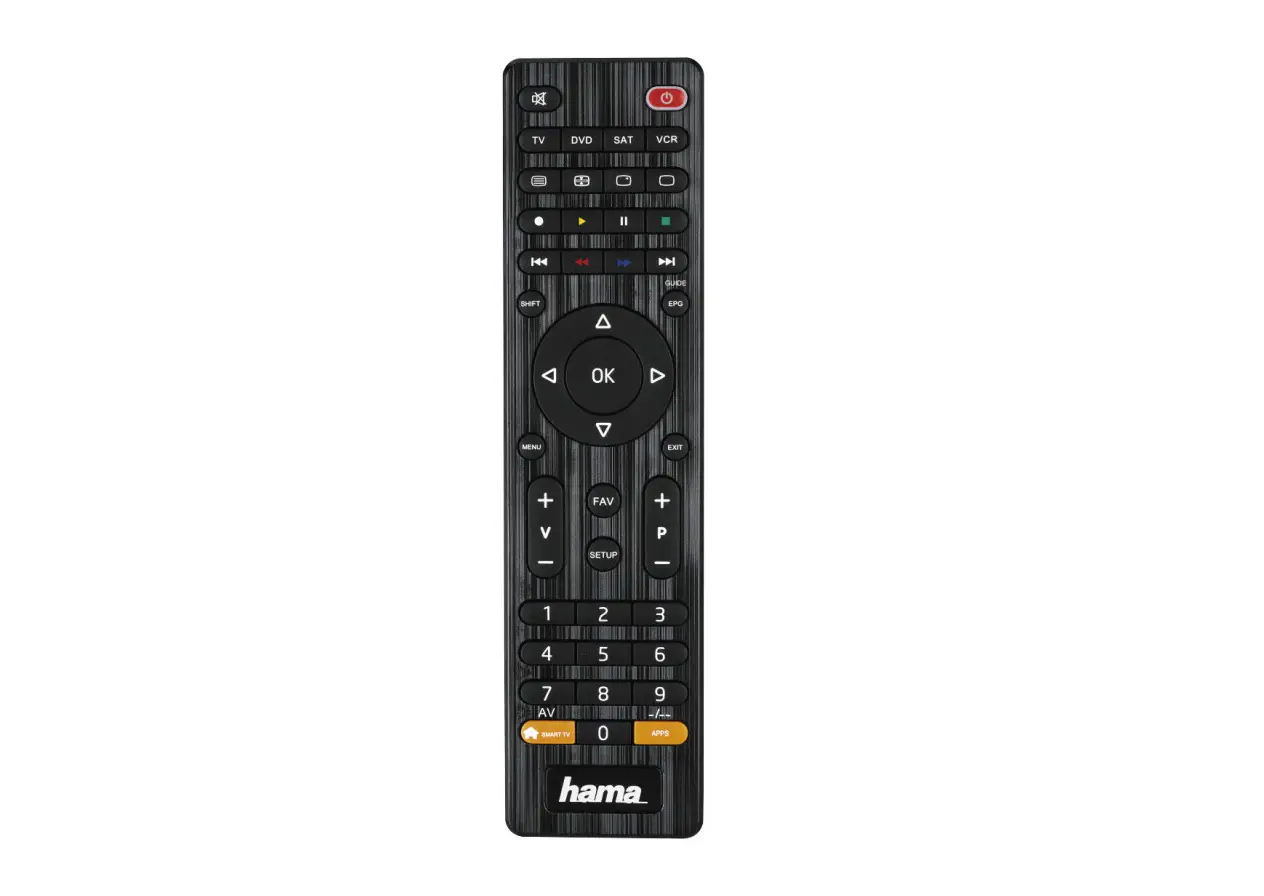
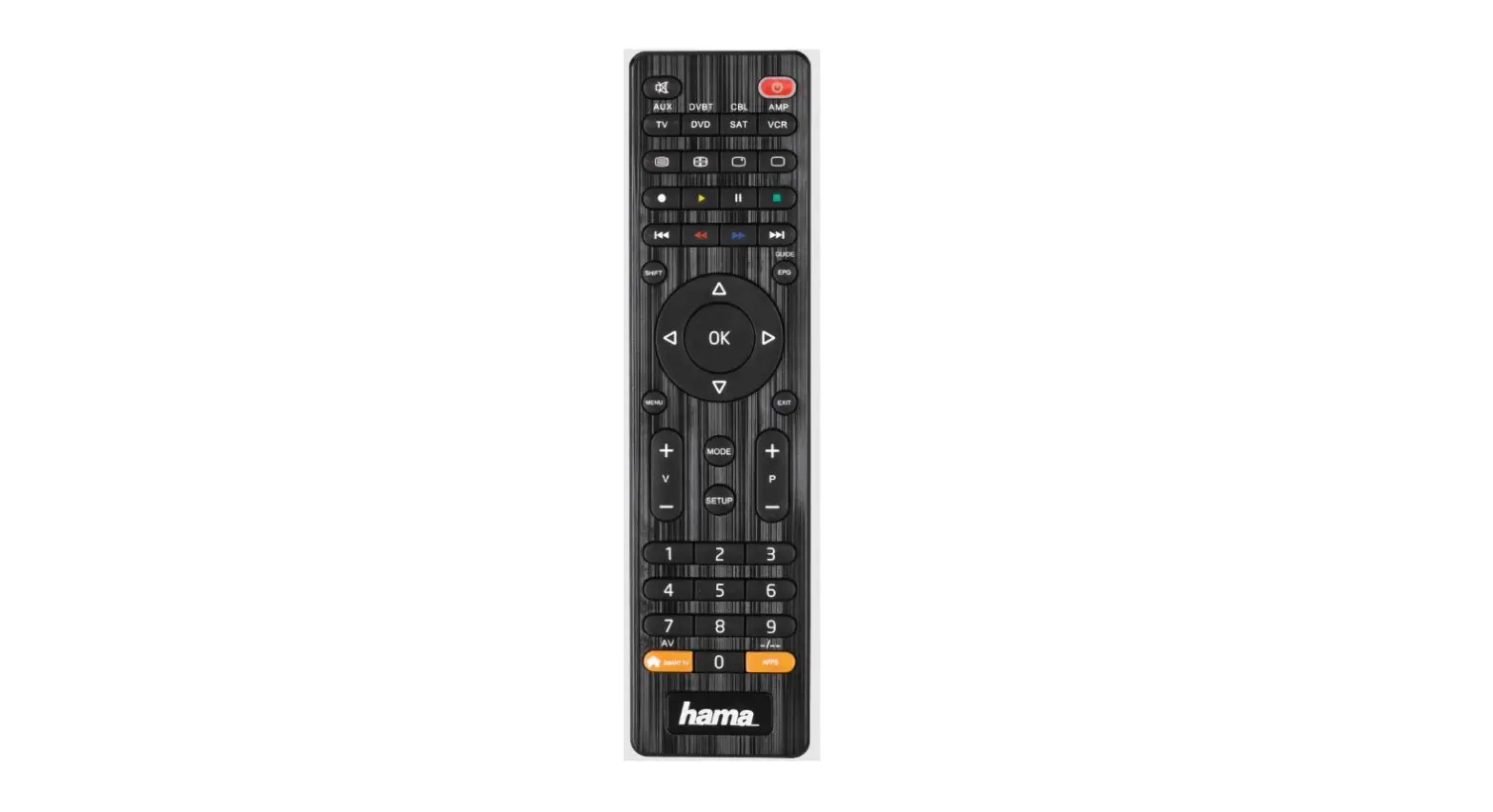
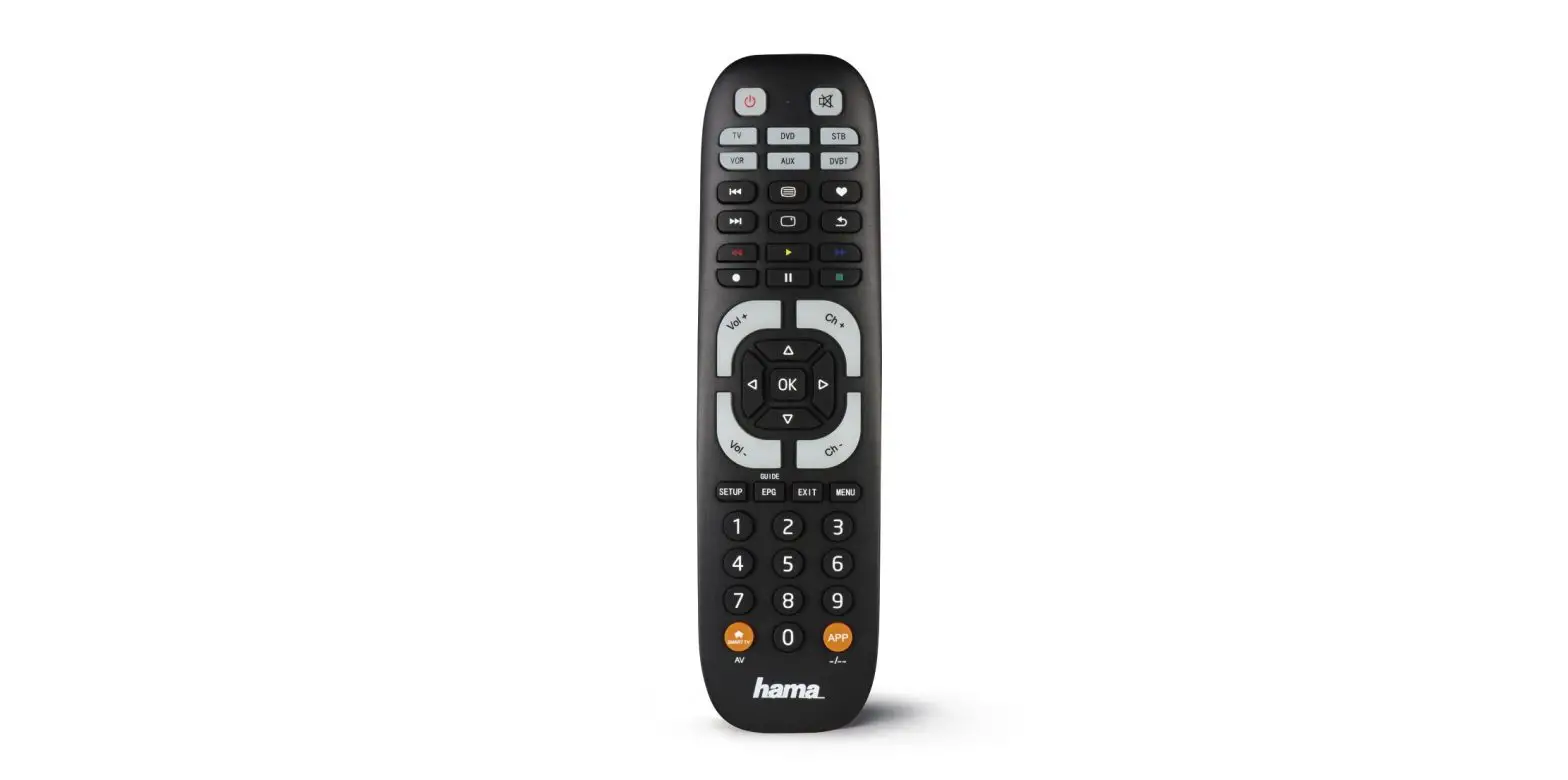
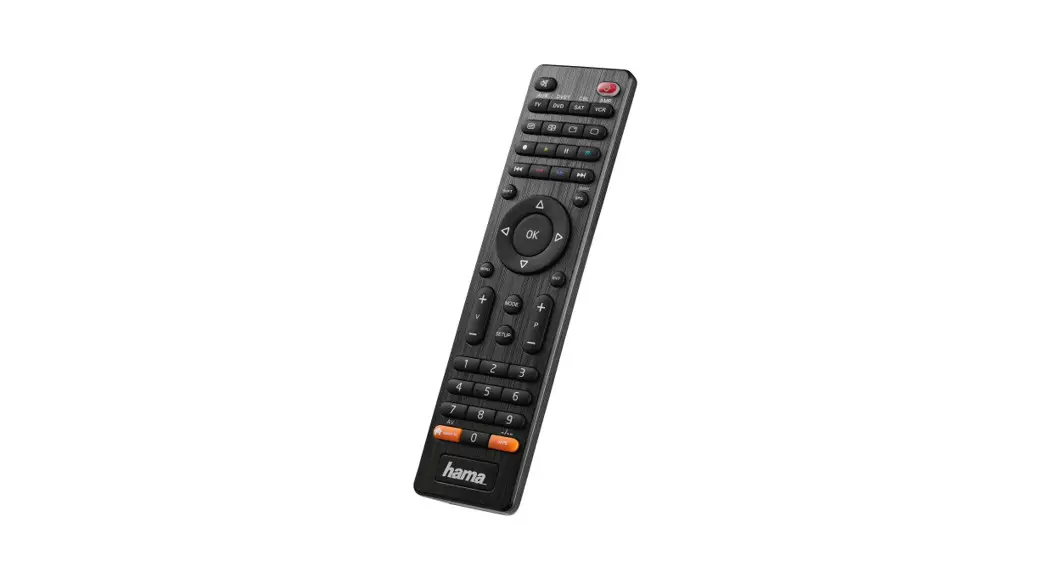
Function keys (4 in 1, 8 in 1 models) 1. Mute switch 2. Buttons for device selection 3. Text ON: Switch on Teletext 4. Hold: Hold current Teletext page 5. Rewind/red
Play/yellow Fast forward/blue Start recording Stop/green ll Pause/magenta 6. Shift key 7. Menu: Open the device menu 8. Mode key for selecting the secondary device group (only 8 in 1 model: AUX,DVBT,CBL,AMP) 9. Vol+/Vol-: Volume control 10. Setup: Remote control settings 11. Number keys 0-9 12. Smart TV: Open the Smart TV menu (if supported by the device) Shift+Smart TV: Select external AV source 13. APPS: Open the App menu (if supported by the device) Shift+APPS: Switch to two-digit channel numbers 14. PROG+/PROG-: Programme selection, up / down 15. EXIT: Exit the device menu 16. OK: Confirm selection 17. EPG: Electronic Programme Guide (if supported by the selected AV device) 18. Info: On-screen information (if supported by the AV device) 19. Text OFF: Exit Teletext 20. Power: ON/OFF / LED
1. Explanation of warning symbols and notes
Warning
This symbol is used to indicate safety instructions or to draw your attention to specific hazards and risks.
Note
This symbol is used to indicate additional information or important notes.
2. Supplied package
· Universal remote control · List of codes · These operating instructions · 2 x AAA (R03) batteries
3. Safety instructions
· Do not use the universal remote control in damp environments and avoid contact with splashing water.
· Keep the universal remote control away from heat sources and do not expose it to direct sunlight.
· As with all electrical products, the universal remote control should be kept out of the reach of children.
· This product is intended for private, non-commercial use only.
· Use the product only for the intended purpose. · Protect the product from dirt, moisture and overheating and
use it in dry rooms only. · Do not use the product in areas in which electronic products
are not permitted. · Do not drop the product and do not expose it to any major
shocks. · Do not modify the product in any way. Doing so voids the
warranty. · Keep the packaging material out of the reach of children due
to the risk of suffocation. · Dispose of packaging material immediately in accordance
with the locally applicable regulations. · Do not operate the product outside the power limits
specified in the technical data. · Do not open the device or continue to operate it if it
becomes damaged. · Do not attempt to service or repair the product yourself.
Leave any and all service work to qualified experts. · Only use the article under moderate climatic conditions.
2
Warning Batteries
· When inserting batteries, note the correct polarity (+ and – markings) and insert the batteries accordingly. Failure to do so could result in the batteries leaking or exploding.
· Only use batteries that match the specified type. Keep the instructions for the correct choice of batteries included with the operating instructions of devices safe for future reference.
· Before you insert the batteries, clean the battery contacts and the polarity contacts.
· Do not allow children to change batteries without supervision.
· Replace all the batteries in a set at the same time. · Do not mix old and new batteries, or batteries of different
types or from different manufacturers. · Remove the batteries from products that are not being
used for an extended period (unless these are being kept ready for an emergency). · Do not short-circuit batteries. · Do not charge batteries. · Do not burn batteries or heat them up. · Never open, damage or swallow batteries or allow them to enter the environment. They can contain toxic, environmentally harmful heavy metals. · Remove spent batteries from the product and dispose of them without delay. · Avoid storing, charging and using in extreme temperatures and at extremely low atmospheric pressures (such as at high altitudes). · Ensure that batteries with damaged housings do not come into contact with water. · Keep batteries out of the reach of children.
4. First steps – Inserting the batteries
Note
· Alkaline batteries are recommended. Use two batteries of the type “AAA” (LR 03/Micro).
· Remove the battery cover on the back of the universal remote control (A).
· Insert the batteries, observing the “+/-” marks for polarity (B). · Close the battery compartment (C).
Note: Code memory
· When replacing the batteries, all the codes you have programmed remain stored for up to 10 minutes. Make sure that you do not press any buttons until the new batteries are inserted in the remote control. If you press a button and there are no batteries in the remote control, all codes will be deleted.
Note: Energy saving function · The remote control switches itself off automatically if
a button is pressed for longer than 15 seconds. This prolongs the life of the batteries if the remote control is stuck in a place where the buttons are pressed permanently, e.g. between sofa cushions.
5. Setup
Note · For proper infra-red transmission, always hold the remote
control in the approximate direction of the device to be operated. · Press the “MODE” button to select the secondary device group: AUX, AMP,DVB-T, CBL (8 in 1 model only). · Press the “SHIFT” key to control the blue function keys. The shift function is deactivated by pressing the “SHIFT” key again or automatically after 30 seconds if no key is pressed. · If no entry is made within 30 seconds, SETUP mode is automatically terminated. The LED flashes six times and then goes out. · Each type of device can be programmed under any device key, e.g. a TV can be programmed under DVD, AUX, etc. · You cannot operate a device with the universal remote control while it is in Setup mode. Exit Setup mode and select the device to be operated using the device selection buttons. · Please note that the remote control emits infra-red signals. These are not visible to the human eye.
5.1 Direct code entry A code list is included in the universal remote control’s extent of delivery. The code list contains five-digit codes for setting the remote control to work with most AV equipment manufacturers. For easy orientation, the codes are sorted first by type of device (TV, DVD, etc.) and within the type of device alphabetically by brand name. The following QR code allows you to create a list of available codes for the brand of your device.
https://support.hama.com/codefinder
5.1.1 Switch the device you wish to operate on. 5.1.2 Press the “SETUP” button until the LED lights up continuously. 5.1.3 Use the device button to select the device to be
operated (e.g. TV). If the selection is successful, the LED flashes once and then lights up permanently. 5.1.4 Search the code list for the brand and type of the device to be operated.
3
5.1.5 Enter the corresponding five-digit code using the number buttons 0-9. The LED confirms the entry of each digit with a short flash and goes out after the fifth digit.
5.1.6 Then test the remote control and check whether the desired functions can be controlled. It is possible that the first code is not the most suitable, and possibly not all functions are available. In this case, try the next code mentioned for the selected device type/brand from the list.
Note
· A valid code is automatically saved. · If the code is invalid, the LED flashes six times and then
goes out. Repeat steps 5.1.1 to 5.1.5, or use another method to enter the code.
5.2 Manual code search The universal remote control has an internal memory that already contains up to 350 codes per device type for the most common AV devices. You can go through these codes until the device to be operated shows a response. For example, the device to be operated switches off (“POWER” key) or changes channel (“PROG+/PROG-” key).
5.2.1 Switch the device you wish to operate on. 5.2.2 Press the SETUP button until the LED lights up
permanently. 5.2.3 Use the device button to select the device to be operated
(e.g. TV). If the selection is successful, the LED flashes once and then lights up permanently. 5.2.4 Press the “POWER” or “PROG+/PROG-” key to scroll through the preset codes until the device to be operated shows a response. 5.2.5 Press “OK” to save the code and exit the code search. The LED goes out. 5.2.6 Then test the remote control and check whether the desired functions can be controlled. It is possible that the first code found is not the most suitable, and possibly not all functions are available. In this case, repeat steps 5.2.1. 5.2.5. The code search starts with the next code following the last one saved.
Note
A maximum of 350 codes of the most common devices can be stored in the internal memory. Due to the numerous AV devices available on the market, it may happen that only the most common main functions are available. If this is the case, repeat steps 5.2.1 to 5.2.5 to find a more compatible code. A code may not be available for some specific device models.
5.3 Automatic code search
The automatic code search uses the same preset codes as the manual code search (5.2). However, the universal remote control automatically searches the codes until the device to be operated shows a response. For example, the device to be operated switches off (“POWER” key) or changes channel (“PROG+/PROG-” keys). 5.3.1 Switch the device you wish to operate on. 5.3.2 Press the “SETUP” button until the LED lights up
continuously. 5.3.3 Use the device button to select the device to be operated
(e.g. TV). If the selection is successful, the LED flashes once and then lights up permanently. 5.3.4 Press the “PROG+/PROG-” or “POWER” key to start the automatic code search. The LED flashes once and then lights up permanently. It takes 6 seconds for the universal remote control to start the first search.
Note: Setting the search speed
· The default setting for the search time per code is 1 second. If this does not suit you, you can change to a search time of 3 seconds per code. To switch between search times, press “PROG+” or “PROG-” within the 6 seconds before the automatic code search starts.
5.3.5 The LED confirms the respective code searches with a single flash.
5.3.6 As soon as the device to be operated shows a response, press the “OK” button to save the code and exit the code search. The LED goes out.
5.3.7 Then test the remote control and check whether the desired functions can be controlled. It is possible that the first code found is not the most suitable, and possibly not all functions are available. In this case, repeat steps 5.3.1. 5.3.6.The code search starts with the next code following the last one saved.
5.3.8 To cancel the automatic search during the search process, press the “EXIT” key.
4
Note · If all codes have been searched without success, the
universal remote control exits the automatic code search and automatically returns to operating mode. The currently stored code remains unchanged.
5.4 Code recognition Code recognition offers you the ability to determine a code you have already saved.
5.4.1 Press the “SETUP” button until the LED lights up continuously.
5.4.2 Use the device button to select the device to be operated (e.g. TV). If the selection is successful, the LED flashes once and then lights up permanently.
5.4.3 Press the “SETUP” button. The LED flashes once and then lights up permanently.
5.4.4 Press one of the number keys from 0 to 9 to search for the first digit. The LED flashes once for the first digit of the five-digit code number.
5.4.5 Repeat step 5.4.4 for the second, third, fourth and fifth digits respectively.
5.4.6 You can then enter the determined code in the table below if you need it again at a later time (e.g. after accidentally deleting the remote control settings).
CODES
TV
SOUND
SAT
DVD
AUX
AMP
CBL
DVBT
6. Special functions
6.1 Station punch-through With the station punch-through function, the PROG+ or PROG- commands can bypass the currently controlled device and change the stations of a second device. All other commands are unaffected.
To activate the station punch-through function: · Press the desired device key (e.g. TV). · Press and hold the “PROG+” button. · Press the desired device key (e.g. SAT). · Release the “PROG+” key again (the LED flashes once when
the setting is activated).
To deactivate the station punch-through function: · Press the desired device key (e.g. TV).
· Press and hold the “PROG-” button. · Press the desired device key (e.g. SAT). · Release the “PROG-” key again (the LED flashes twice when
the setting is deactivated).
6.2 Volume punch-through With the volume punch-through function, the VOL+ or VOLcommands can bypass the device currently being controlled and adjust the volume of a second device. All other commands are unaffected.
To activate the volume punch-through function: · Press the desired device key (e.g. TV). · Press and hold the “VOL+” button. · Press the desired device key (e.g. SAT). · Release the “VOL+” key again (the LED flashes once when
the setting is activated).
To deactivate the station punch-through function: · Press the desired device key (e.g. TV). · Press and hold the “VOL-” button. · Press the desired device key (e.g. SAT). · Release the “VOL-” key again (the LED flashes twice when
the setting is deactivated).
6.3 Macro Power Macro Power allows you to switch two AV devices on/off simultaneously.
To activate the Macro Power function: · Press the desired device key (e.g. TV). · Press and hold the “POWER” button. · Press the desired device key (e.g. SAT). · Release the “POWER” button again (the LED flashes once
when the setting is activated).
To deactivate the Macro Power function: · Press the desired device key (e.g. TV). · Press and hold the “POWER” button. · Press the desired device key (e.g. SAT). · Release the “POWER” button again (the LED flashes twice
when the setting is deactivated)
7. Maintenance · Never use old and new batteries in the universal remote
control at the same time, as old batteries tend to leak and can lead to a loss of performance. · Never clean the universal remote control with scouring agents or harsh cleaning agents. · Keep the universal remote control free of dust by cleaning it with a dry soft cloth.
5
8. Troubleshooting Q.My universal remote control does not work! A.Check the AV device. If the main switch on the device is off,
the universal remote control cannot operate the device. A.Check that the batteries are inserted correctly and that the
polarity has been observed. A.Check that you have pressed the appropriate device button
for the device. A.Replace the batteries if the battery level is low. Q.If there are multiple device codes listed for the brand of my
AV device, how do I select the correct device code? A.To determine the correct device code for the AV device, test
the codes one after the other until most of the buttons work properly. Q.My AV device only responds to some key commands. A.Try other codes until most of the buttons work properly. Q.The brand of my AV device is not mentioned in the code list. A.In this case, use the manual code search (Section 5.2) or the automatic code search (Section 5.3). During the code search, all codes for a device type are tested across manufacturers, e.g. all codes for SAT receivers regardless of the manufacturer. Q.I have tried all the available codes for the brand of my AV device from the code list, but none of the codes mentioned work. A.In this case, use the manual code search (Section 5.2) or the automatic code search (Section 5.3). During the code search, all codes for a device type are tested across manufacturers, e.g. all codes for SAT receivers regardless of the manufacturer. 9. Warranty disclaimer Hama GmbH & Co KG assumes no liability and provides no warranty for damage resulting from improper installation/ mounting, improper use of the product or from failure to observe the operating instructions and/or safety notes.
6
D Bedienungsanleitung
Universal-Fernbedienung
Danke, dass Sie sich für den Kauf eines Hama-Produkts entschieden haben. Nehmen Sie sich die Zeit, und lesen Sie die folgenden Anweisungen und Informationen vollständig durch. Bitte bewahren Sie diese Anleitung zum späteren Nachschlagen an einem sicheren Platz auf.
Funktionstasten (Modelle 4 in 1, 8 in 1) 1. Stummschalter 2. Tasten zur Geräteauswahl 3. Text EIN: Teletext einschalten 4. Halten: Aktuelle Teletextseite halten 5. Rücklauf/rot
Wiedergabe/gelb Schneller Vorlauf/blau Aufnahme starten Stopp/grün ll Pause/magenta 6. Shift-Taste 7. Menu: Gerätemenü öffnen 8. Modustaste zur Auswahl der sekundären Gerätegruppe (nur Modell 8 in 1: AUX,DVBT,CBL,AMP) 9. Vol+/Vol-: Lautstärkeregulierung 10. Setup: Einstellungen der Fernbedienung 11. Zifferntasten 0-9 12. Smart TV: Smart TV Menü öffnen (wenn vom Endgerät unterstützt) Shift+Smart TV: externe AV Quelle wählen 13. APPS: App-Menü öffnen (wenn vom Endgerät unterstützt) Shift+APPS : Zu zweistelligen Sendernummern wechseln 14. PROG+/PROG-: Programmauswahl, nach oben/nach unten 15. EXIT: Gerätemenü verlassen 16. OK: Auswahl bestätigen 17. EPG: Elektronischer Programmführer (wenn vom ausgewählten AV-Gerät unterstützt) 18. Info: On-Screen-Informationen (wenn vom AV-Gerät unterstützt) 19. Text AUS: Teletext verlassen 20. Power: EIN/AUS / LED
1. Erklärung von Warnsymbolen und Hinweisen
Warnung
Wird verwendet, um Sicherheitshinweise zu kennzeichnen oder um Aufmerksamkeit auf besondere Gefahren und Risiken zu lenken.
Hinweis
Wird verwendet, um zusätzlich Informationen oder wichtige Hinweise zu kennzeichnen.
2. Lieferumfang
· Universal-Fernbedienung · Codeliste · Diese Bedienungsanleitung · 2x AAA (R03) Batterien
3. Sicherheitshinweise
· Verwenden Sie die Universal-Fernbedienung nicht in feuchten Umgebungen, und vermeiden Sie Kontakt mit Spritzwasser.
· Halten Sie die Universal-Fernbedienung von Wärmequellen fern, und setzen Sie sie keinem direkten Sonnenlicht aus.
· Die Universal-Fernbedienung gehört wie alle elektrischen Geräte nicht in Kinderhände.
· Das Produkt ist für den privaten, nicht-gewerblichen Gebrauch vorgesehen.
· Verwenden Sie das Produkt ausschließlich für den dazu vorgesehenen Zweck.
· Schützen Sie das Produkt vor Schmutz, Feuchtigkeit und Überhitzung und verwenden Sie es nur in trockenen Räumen.
· Benutzen Sie das Produkt nicht in Bereichen, in denen elektronische Produkte nicht erlaubt sind.
· Lassen Sie das Produkt nicht fallen und setzen Sie es keinen heftigen Erschütterungen aus.
· Nehmen Sie keine Veränderungen am Produkt vor. Dadurch verlieren Sie jegliche Gewährleistungsansprüche.
· Halten Sie Kinder unbedingt von dem Verpackungsmaterial fern, es besteht Erstickungsgefahr.
· Entsorgen Sie das Verpackungsmaterial sofort gemäß den örtlich gültigen Entsorgungsvorschriften.
· Betreiben Sie das Produkt nicht außerhalb seiner in den technischen Daten angegebenen Leistungsgrenzen.
· Öffnen Sie das Produkt nicht und betreiben Sie es bei Beschädigungen nicht weiter.
· Versuchen Sie nicht, das Produkt selbst zu warten oder zu reparieren. Überlassen Sie jegliche Wartungsarbeit dem zuständigen Fachpersonal.
· Verwenden Sie den Artikel nur unter moderaten klimatischen Bedingungen.
7
Warnung Batterien
· Beachten Sie unbedingt die korrekte Polarität (Beschriftung + und -) der Batterien und legen Sie diese entsprechend ein. Bei Nichtbeachtung besteht die Gefahr des Auslaufens oder einer Explosion der Batterien.
· Verwenden Sie ausschließlich Batterien, die dem angegebenen Typ entsprechen. Heben Sie Hinweise für die richtige Batteriewahl, die in der Bedienungsanleitung von Geräten stehen, zum späteren Nachschlagen auf.
· Reinigen Sie vor dem Einlegen der Batterien die Batteriekontakte und die Gegenkontakte.
· Gestatten Sie Kindern nicht ohne Aufsicht das Wechseln von Batterien.
· Wechseln Sie alle Batterien eines Satzes gleichzeitig. · Mischen Sie alte und neue Batterien nicht, sowie Batterien
unterschiedlichen Typs oder Herstellers. · Entfernen Sie Batterien aus Produkten, die längere Zeit
nicht benutzt werden (außer diese werden für einen Notfall bereit gehalten). · Schließen Sie die Batterien nicht kurz. · Laden Sie Batterien nicht. · Werfen Sie Batterien nicht ins Feuer und erwärmen Sie sie nicht. · Batterien nie öffnen, beschädigen, verschlucken oder in die Umwelt gelangen lassen. Sie können giftige und umweltschädliche Schwermetalle enthalten. · Entfernen und entsorgen Sie verbrauchte Batterien unverzüglich aus dem Produkt. · Vermeiden Sie Lagerung, Laden und Benutzung bei extremen Temperaturen und extrem niedrigem Luftdruck (wie z.B. in großen Höhen). · Achten Sie darauf, dass Batterien mit beschädigtem Gehäuse nicht mit Wasser in Berührung kommen. · Bewahren Sie Batterien außerhalb der Reichweite von Kindern auf.
4. Erste Schritte Einsetzen der Batterien
Hinweis
· Es werden Alkalibatterien empfohlen. Verwenden Sie zwei Batterien vom Typ ,,AAA” (LR 03/Micro).
· Entfernen Sie die Batteriefachabdeckung auf der Rückseite der Universal-Fernbedienung (A).
· Setzen Sie die Batterien unter Berücksichtigung der ,,+/-“-Markierungen für die Polarität ein (B).
· Schließen Sie das Batteriefach (C).
Hinweis: Codespeicher
Beim Ersetzen der Batterien bleiben alle von Ihnen programmierten Codes bis zu 10 Minuten gespeichert. Achten Sie darauf, dass Sie keine Tasten drücken, bis die neuen Batterien in der Fernbedienung eingesetzt sind. Wenn Sie eine Taste drücken und sich keine Batterien in der Fernbedienung befinden, werden alle Codes gelöscht.
Hinweis: Energiesparfunktion
Die Fernbedienung schaltet sich automatisch aus, wenn eine Taste länger als 15 Sekunden gedrückt wird. Dies verlängert die Lebensdauer der Batterien, sollte die Fernbedienung an einer Stelle feststecken, an der die Tasten dauerhaft gedrückt werden, z. B. zwischen Sofakissen.
5. Setup
Hinweis
· Halten Sie die Fernbedienung für eine ordnungsgemäße Infrarotübertragung immer in die ungefähre Richtung des zu bedienenden Geräts.
· Drücken Sie die ,,MODE”-Taste zur Auswahl der sekundären Geräte-Gruppe: AUX, AMP,DVB-T, CBL (nur beim 8in1 Modell).
· Drücken Sie die ,,SHIFT”-Taste zur Steuerung der blauen Funktions-Tasten. Die Shift-Funktion wird durch erneutes Drücken der ,,SHIFT”-Taste deaktiviert oder automatisch nach 30 Sekunden wenn keine Taste gedrückt wird.
· Falls innerhalb von 30 Sekunden keine Eingabe erfolgt, wird der SETUP-Mode automatisch beendet. Die LED blinkt sechsmal und geht dann aus.
· Jeder Gerätetyp kann unter einer beliebigen Gerätetaste programmiert werden, z. B. kann ein Fernseher unter DVD, AUX usw. programmiert werden.
· Sie können mit der Universal-Fernbedienung kein Gerät bedienen, solange sich diese im Setup-Modus befindet. Verlassen Sie den Setup-Modus, und wählen Sie das zu bedienende Gerät über die Tasten zur Geräteauswahl aus.
· Bitte beachten Sie, dass die Fernbedienung Infrarotsignale aussendet. Diese sind für das menschliche Auge nicht sichtbar.
5.1 Direkte Codeeingabe
Im Lieferumfang der Universal-Fernbedienung ist eine Codeliste enthalten. Die Codeliste enthält fünfstellige Codes für die Einstellung der Fernbedienung auf die meisten AVGerätehersteller. Zur einfachen Orientierung sind die Codes zuerst nach Geräteart (TV, DVD usw.) und innerhalb der Geräteart alphabetisch nach Markennamen sortiert.
8
Über folgenden QR Code können Sie eine Liste der verfügbaren Codes für die Marke Ihres Endgerätes erstellen.
https://support.hama.com/codefinder 5.1.1 Schalten Sie das zu bedienende Gerät ein. 5.1.2 Drücken Sie die Taste ,,SETUP”, bis die LED dauerhaft
leuchtet. 5.1.3 Wählen Sie über die Gerätetaste das zu bedienende
Gerät aus (z. B. TV). Bei erfolgreicher Auswahl blinkt die LED einmal und leuchtet danach dauerhaft. 5.1.4 Suchen Sie in der Codeliste nach Marke und Typ des zu bedienenden Geräts. 5.1.5 Geben Sie den entsprechenden fünfstelligen Code über die Zifferntasten 0-9 ein. Die LED bestätigt die Eingabe der einzelnen Ziffern jeweils mit einem kurzen Blinken und erlischt nach der fünften Ziffer. 5.1.6 Testen Sie anschließend die Fernbedienung und prüfen Sie, ob die gewünschten Funktionen gesteuert werden können. Möglicherweise ist der erste Code nicht der geeignetste, ggf. sind nicht alle Funktionen verfügbar. Probieren Sie in diesem Fall den nächsten, für die gewählte Geräteart/-marke genannten Code aus der Liste.
Hinweis · Ein gültiger Code wird automatisch gespeichert. · Bei einem ungültigen Code blinkt die LED sechsmal und
erlischt anschließend. Wiederholen Sie die Schritte 5.1.1 bis 5.1.5, oder verwenden Sie eine andere Methode zur Codeeingabe.
5.2 Manuelle Codesuche Die Universal-Fernbedienung verfügt über einen internen Speicher, in dem bereits bis zu 350 Codes pro Gerätetyp für die gängigsten AV-Geräte enthalten sind. Sie können diese Codes durchgehen, bis das zu bedienende Gerät eine Reaktion zeigt. Beispielsweise schaltet sich das zu bedienende Gerät aus (Taste ,,POWER”) oder wechselt den Sender (Taste ,,PROG+/PROG-“). 5.2.1 Schalten Sie das zu bedienende Gerät ein. 5.2.2 Drücken Sie die SETUP-Taste, bis die LED dauerhaft leuchtet. 5.2.3 Wählen Sie über die Gerätetaste das zu bedienende
Gerät aus (z. B. TV). Bei erfolgreicher Auswahl blinkt die LED einmal und leuchtet danach dauerhaft. 5.2.4 Drücken Sie die Taste ,,POWER” oder ,,PROG+/PROG-“, um durch die voreingestellten Codes zu blättern, bis das zu bedienende Gerät eine Reaktion zeigt. 5.2.5 Drücken Sie ,,OK”, um den Code zu speichern und die Codesuche zu verlassen. Die LED erlischt.
5.2.6 Testen Sie anschließend die Fernbedienung und prüfen Sie, ob die gewünschten Funktionen gesteuert werden können. Möglicherweise ist der erste gefundene Code nicht der geeignetste, ggf. sind nicht alle Funktionen verfügbar. Wiederholen Sie in diesem Fall die Schritte 5.2.1. 5.2.5. Die Codesuche startet mit dem nächsten Code, der auf den zuletzt gespeicherten folgt.
Hinweis Im internen Speicher können maximal 350 Codes der gängigsten Geräte gespeichert werden. Aufgrund der zahlreichen auf dem Markt erhältlichen AV-Geräte kann es passieren, dass nur die gängigsten Hauptfunktionen verfügbar sind. Ist dies der Fall, wiederholen Sie die Schritte 5.2.1 bis 5.2.5, um einen kompatibleren Code zu finden. Für einige spezielle Gerätemodelle ist möglicherweise kein Code verfügbar.
5.3 Automatische Codesuche Die automatische Codesuche verwendet dieselben voreingestellten Codes wie die manuelle Codesuche (5.2). Die Universal-Fernbedienung durchsucht die Codes jedoch automatisch, bis das zu bedienende Gerät eine Reaktion zeigt. Beispielsweise schaltet sich das zu bedienende Gerät aus (Taste ,,POWER”) oder wechselt den Sender (Tasten ,,PROG+/PROG-“). 5.3.1 Schalten Sie das zu bedienende Gerät ein. 5.3.2 Drücken Sie die Taste ,,SETUP”, bis die LED dauerhaft
leuchtet. 5.3.3 Wählen Sie über die Gerätetaste das zu bedienende Gerät
aus (z. B. TV). Bei erfolgreicher Auswahl blinkt die LED einmal und leuchtet danach dauerhaft. 5.3.4 Drücken Sie die Taste ,,PROG+/PROG-” oder ,,POWER”, um die automatische Codesuche zu starten. Die LED blinkt einmal und leuchtet danach dauerhaft. Es dauert 6 Sekunden, bis die Universal-Fernbedienung mit der ersten Suche beginnt.
Hinweis: Einstellen der Suchgeschwindigkeit Die Standardeinstellung für die Suchzeit pro Code ist 1 Sekunde. Wenn Ihnen dies nicht zusagt, können Sie zu einer Suchzeit von 3 Sekunden pro Code wechseln. Um zwischen den Suchzeiten zu wechseln, drücken Sie ,,PROG+” oder ,,PROG-” innerhalb der 6 Sekunden vor dem Beginn der automatischen Codesuche.
5.3.5 Die LED bestätigt die jeweiligen Codesuchen mit einem einzelnen Blinken.
5.3.6 Sobald das zu bedienende Gerät eine Reaktion zeigt, drücken Sie die Taste ,,OK”, um den Code zu speichern und die Codesuche zu verlassen. Die LED erlischt.
9
5.3.7 Testen Sie anschließend die Fernbedienung und prüfen Sie, ob die gewünschten Funktionen gesteuert werden können. Möglicherweise ist der erste gefundene Code nicht der geeignetste, ggf. sind nicht alle Funktionen verfügbar. Wiederholen Sie in diesem Fall die Schritte 5.3.1. 5.3.6. Die Codesuche startet mit dem nächsten Code, der auf den zuletzt gespeicherten folgt.
5.3.8 Um die automatische Suche während des Suchvorgangs abzubrechen, drücken Sie die Taste ,,EXIT”.
Hinweis
Wenn alle Codes ohne Erfolg durchsucht wurden, verlässt die Universal-Fernbedienung die automatische Codesuche und kehrt automatisch in den Betriebsmodus zurück. Der aktuell gespeicherte Code bleibt unverändert.
5.4 Codeerkennung
Die Codeerkennung bietet Ihnen die Möglichkeit, einen bereits von Ihnen gespeicherten Code zu ermitteln.
5.4.1 Drücken Sie die Taste ,,SETUP”, bis die LED dauerhaft leuchtet.
5.4.2 Wählen Sie über die Gerätetaste das zu bedienende Gerät aus (z. B. TV). Bei erfolgreicher Auswahl blinkt die LED einmal und leuchtet danach dauerhaft.
5.4.3 Drücken Sie die Taste ,,SETUP”. Die LED blinkt einmal und leuchtet danach dauerhaft.
5.4.4 Drücken Sie zur Suche der ersten Ziffer eine der Nummerntasten von 0 bis 9. Die LED blinkt einmal für die erste Ziffer der fünfstelligen Codenummer.
5.4.5 Wiederholen Sie den Schritt 5.4.4 jeweils für die zweite, dritte, vierte und fünfte Ziffer.
5.4.6 Den ermittelten Code können Sie anschließend in untenstehender Tabelle eintragen, falls Sie diesen zu einem späteren Zeitpunkt nochmals benötigen (z.B. nach einem versehentlichen Löschen der Fernbedienungseinstellungen).
CODES
TV
SOUND
SAT
DVD
AUX
AMP
CBL
DVBT
6. Sonderfunktionen
6.1 Sender-Punch-Through Mit der Sender-Punch-Through-Funktion können die Befehle PROG+ oder PROG- das aktuell gesteuerte Gerät umgehen, und die Sender eines zweiten Gerätes wechseln. Alle anderen Befehle sind davon nicht betroffen. So aktivieren Sie die Sender-Punch-Through-Funktion: · Drücken Sie die gewünschte Gerätetaste (z.B. TV). · Halten Sie die Taste ,,PROG+” gedrückt. · Drücken Sie die gewünschte Gerätetaste (z.B. SAT). · Lassen Sie die Taste ,,PROG+” wieder los (die LED blinkt
einmal bei aktivierter Einstellung).
So deaktivieren Sie die Sender-Punch-Through-Funktion: · Drücken Sie die gewünschte Gerätetaste (z.B. TV). · Halten Sie die Taste ,,PROG-” gedrückt. · Drücken Sie die gewünschte Gerätetaste (z.B. SAT). · Lassen Sie die Taste ,,PROG-” wieder los (die LED blinkt
zweimal wenn die Einstellung deaktiviert wird).
6.2 Lautstärke-Punch-Through Mit der Lautstärke-Punch-Through-Funktion können die Befehle VOL + oder VOL- das aktuell gesteuerte Gerät umgehen, und die Lautstärke eines zweiten Gerätes einstellen. Alle anderen Befehle sind davon nicht betroffen.
So aktivieren Sie die Lautstärke-Punch-Through-Funktion: · Drücken Sie die gewünschte Gerätetaste (z.B. TV). · Halten Sie die Taste ,,VOL+” gedrückt. · Drücken Sie die gewünschte Gerätetaste (z.B. SAT). · Lassen Sie die Taste ,,VOL+” wieder los (die LED blinkt
einmal bei aktivierter Einstellung).
So deaktivieren Sie die Sender-Punch-Through-Funktion: · Drücken Sie die gewünschte Gerätetaste (z.B. TV). · Halten Sie die Taste ,,VOL-” gedrückt. · Drücken Sie die gewünschte Gerätetaste (z.B. SAT). · Lassen Sie die Taste ,,VOL-” wieder los (die LED blinkt
zweimal wenn die Einstellung deaktiviert wird).
6.3 Macro Power Mit Macro Power können Sie zwei AV-Geräte gleichzeitig ein-/ ausschalten.
10
So aktivieren Sie die Macro Power-Funktion: · Drücken Sie die gewünschte Gerätetaste (z.B. TV). · Halten Sie die Taste ,,POWER” gedrückt. · Drücken Sie die gewünschte Gerätetaste (z.B. SAT). · Lassen Sie die Taste ,,POWER” wieder los (die LED blinkt
einmal bei aktivierter Einstellung).
So deaktivieren Sie die Macro Power-Funktion: · Drücken Sie die gewünschte Gerätetaste (z.B. TV). · Halten Sie die Taste ,,POWER” gedrückt. · Drücken Sie die gewünschte Gerätetaste (z.B. SAT). · Lassen Sie die Taste ,,POWER” wieder los (die LED blinkt
zweimal wenn die Einstellung deaktiviert wird)
7. Wartung
· Verwenden Sie nie gleichzeitig alte und neue Batterien in der Universal-Fernbedienung, da alte Batterien zum Auslaufen neigen und zu einem Leistungsverlust führen können.
· Reinigen Sie die Universal-Fernbedienung keinesfalls mit Scheuermitteln oder scharfen Reinigungsmitteln.
· Halten Sie die Universal-Fernbedienung frei von Staub, indem Sie sie mit einem trockenen weichen Tuch reinigen.
8. Fehlerbehebung
F. Meine Universal-Fernbedienung funktioniert nicht! A.Überprüfen Sie das AV-Gerät. Wenn der Hauptschalter des
Geräts ausgeschaltet ist, kann die Universal-Fernbedienung das Gerät nicht bedienen. A.Überprüfen Sie, dass die Batterien korrekt eingesetzt sind und die Polarität beachtet wurde. A.Überprüfen Sie, ob Sie die entsprechende Gerätetaste für das Gerät gedrückt haben. A.Tauschen Sie die Batterien bei niedrigem Batteriestand aus. F. Wenn für die Marke meines AV-Geräts mehrere Gerätecodes aufgelistet sind, wie wähle ich den korrekten Gerätecode aus? A.Um den korrekten Gerätecode für das AV-Gerät zu bestimmen, testen Sie die Codes nacheinander, bis die meisten Tasten ordnungsgemäß funktionieren. F. Mein AV-Gerät reagiert nur auf einige Tastenbefehle. A.Probieren Sie andere Codes, bis die meisten Tasten ordnungsgemäß funktionieren. F. Die Marke meines AV-Gerätes ist nicht in der Codeliste genannt. A.Verwenden Sie in diesem Fall die manuelle Codesuche (Kapitel 5.2) oder die automatische Codesuche (Kapitel 5.3). Beim Codesuchlauf werden alle Codes für einen Gerätetyp herstellerübergreifend getestet, also z.B. alle Codes für SAT Receiver unabhängig vom Hersteller.
F. Ich habe alle vorhandenen Codes für die Marke meines AV-Gerätes aus der Codeliste ausprobiert, aber keiner der gennannten Codes funktioniert.
A.Verwenden Sie in diesem Fall die manuelle Codesuche (Kapitel 5.2) oder die automatische Codesuche (Kapitel 5.3). Beim Codesuchlauf werden alle Codes für einen Gerätetyp herstellerübergreifend getestet, also z.B. alle Codes für SAT Receiver unabhängig vom Hersteller.
9. Haftungsausschluss
Die Hama GmbH & Co KG übernimmt keinerlei Haftung oder Gewährleistung für Schäden, die aus unsachgemäßer Installation, Montage und unsachgemäßem Gebrauch des Produktes oder einer Nichtbeachtung der Bedienungsanleitung und/oder der Sicherheitshinweise resultieren.
11
F Mode d`emploi
Télécommande universelle
Nous vous remercions d’avoir acheté un produit Hama. Veuillez prendre le temps de lire l’ensemble des instructions et des informations suivantes. Veuillez conserver ce manuel dans un endroit sûr pour pouvoir vous y référer ultérieurement.
Touches de fonction (modèles 4 en 1, 8 en 1) 1. Mise en sourdine 2. Touches de sélection de l’appareil 3. Texte EIN : activer le télétexte 4. Conserver : conserver la page de télétexte actuelle 5. Retour/rouge
Lecture/jaune Avance rapide/bleu Démarrer l’enregistrement Arrêt/vert ll Pause/magenta 6. Touche Shift 7. Menu : ouvrir le menu de l’appareil 8. Touche Mode pour sélectionner le groupe d’appareils secondaires (modèle 8 en 1 uniquement : AUX, DVBT, CBL, AMP) 9. Vol+/Vol- : réglage du volume 10. Paramétrage : réglage de la télécommande 11. Touches numériques 0-9 12. Smart TV : ouvrir le menu Smart TV (si l’appareil le permet) Shift+Smart TV : sélectionner la source AV externe 13. APPS : ouvrir le menu Applications (si l’appareil le permet) Shift+APPS : pour accéder à des numéros de chaînes à deux chiffres 14. PROG+/PROG- : sélection du programme, haut/bas 15. EXIT : quitter le menu de l’appareil 16. OK : confirmer votre choix 17. EPG : guide électronique des programmes (si l’appareil audiovisuel sélectionné le permet) 18. Info : informations à l’écran (si l’appareil audiovisuel le permet) 19. Texte AUS : quitter le télétexte 20. Mise sous tension : EIN/AUS/LED
1. Explication des symboles d’avertissement et des remarques
Avertissement
Ce symbole est utilisé pour indiquer des consignes de sécurité ou pour attirer votre attention sur des dangers et risques particuliers.
Remarque
Ce symbole est utilisé pour indiquer des informations supplémentaires ou des remarques importantes.
2. Lieferumfang
· Télécommande universelle · Liste des codes · Le présent mode d’emploi · 2 piles (R03) AAA
3. Consignes de sécurité
· Veuillez ne pas utiliser la télécommande universelle dans des environnements humides et évitez tout contact avec des éclaboussures d’eau.
· Conservez la télécommande universelle à l’écart de toute source de chaleur et ne l’exposez pas à la lumière directe du soleil.
· La télécommande universelle comme tout appareil électrique doit être gardée hors de portée des enfants.
· Ce produit est destiné à un usage domestique non commercial.
· L’emploi du produit est exclusivement réservé à sa fonction prévue.
· Protégez le produit de toute saleté, humidité, surchauffe et utilisez-le uniquement dans des locaux secs.
· N’utilisez pas le produit dans des zones où les produits électroniques ne sont pas autorisés.
· Protégez le produit des secousses violentes et évitez tout choc ou toute chute.
· N’apportez aucune modification au produit. Des modifications vous feraient perdre vos droits de garantie.
· Tenez les emballages d’appareils hors de portée des enfants, risque d’étouffement.
· Recyclez les matériaux d’emballage conformément aux prescriptions locales en vigueur.
12
· N’utilisez pas le produit en dehors des limites de puissance indiquées dans les caractéristiques techniques.
· Ne tentez pas d’ouvrir le produit en cas de détérioration et cessez de l’utiliser.
· Ne tentez pas de réparer le produit vous-même ni d’effectuer des travaux d’entretien. Déléguez tous travaux d’entretien à des techniciens qualifiés.
· Utilisez l’article dans des conditions climatiques modérées uniquement.
Avertissement – Piles
· Beachten Sie unbedingt die korrekte Polarität (Beschriftung + und -) der Batterien und legen Sie diese entsprechend ein. Bei Nichtbeachtung besteht die Gefahr des Auslaufens oder einer Explosion der Batterien.
· Verwenden Sie ausschließlich Batterien, die dem angegebenen Typ entsprechen. Heben Sie Hinweise für die richtige Batteriewahl, die in der Bedienungsanleitung von Geräten stehen, zum späteren Nachschlagen auf.
· Reinigen Sie vor dem Einlegen der Batterien die Batteriekontakte und die Gegenkontakte.
· Gestatten Sie Kindern nicht ohne Aufsicht das Wechseln von Batterien.
· Wechseln Sie alle Batterien eines Satzes gleichzeitig. · Mischen Sie alte und neue Batterien nicht, sowie Batterien
unterschiedlichen Typs oder Herstellers. · Entfernen Sie Batterien aus Produkten, die längere Zeit
nicht benutzt werden (außer diese werden für einen Notfall bereit gehalten). · Schließen Sie die Batterien nicht kurz. · Laden Sie Batterien nicht. · Werfen Sie Batterien nicht ins Feuer und erwärmen Sie sie nicht. · Batterien nie öffnen, beschädigen, verschlucken oder in die Umwelt gelangen lassen. Sie können giftige und umweltschädliche Schwermetalle enthalten. · Entfernen und entsorgen Sie verbrauchte Batterien unverzüglich aus dem Produkt. · Vermeiden Sie Lagerung, Laden und Benutzung bei extremen Temperaturen und extrem niedrigem Luftdruck (wie z.B. in großen Höhen). · Achten Sie darauf, dass Batterien mit beschädigtem Gehäuse nicht mit Wasser in Berührung kommen. · Bewahren Sie Batterien außerhalb der Reichweite von Kindern auf.
4. Première étape – Mise en place des piles
Remarque
· Des piles alcalines sont recommandées. Utilisez deux piles de type “AAA” (LR 03/Micro).
· Retirez le couvercle des piles situé à l’arrière de la télécommande universelle (A).
· Insérez les piles en respectant les marques “+/-” pour la polarité (B).
· Fermez le compartiment des piles (C).
Remarque : Mémoire des codes
· Lorsque vous remplacez les piles, tous les codes que vous avez programmés restent mémorisés au maximum pendant 10 minutes. Veillez à n’appuyer sur aucune touche jusqu’à ce que les nouvelles piles soient mises en place dans la télécommande. Si vous appuyez sur une touche et qu’aucune pile ne se trouve dans la télécommande, tous les codes seront alors supprimés.
Remarque : Fonction d’économie d’énergie
· La télécommande s’éteint automatiquement dès qu’une touche est maintenue enfoncée pendant plus de 15 secondes. Cela permet de prolonger la durée de vie des piles si jamais la télécommande se retrouvait coincée dans un endroit où les touches pouvaient rester enfoncées de manière durable, par ex. entre les coussins du canapé.
5. Paramétrage
Remarque
· Pour obtenir une transmission infrarouge correcte, tenez toujours la télécommande en direction de l’appareil que vous souhaitez faire fonctionner.
· Appuyez sur la touche “MODE” pour sélectionner le groupe d’appareils secondaires : AUX, AMP, DVB-T, CBL (uniquement pour le modèle 8 en 1).
· Appuyez sur la touche “SHIFT” pour contrôler les touches de fonctions bleues. La fonction SHIFT est désactivée en appuyant de nouveau sur la touche “SHIFT” ou de manière automatique si vous n’appuyez sur aucune touche pendant 30 secondes.
· Si dans les 30 secondes, vous n’effectuez aucune saisie, le mode SETUP (Paramétrage) se termine automatiquement. La LED clignote six fois puis s’éteint.
· Chaque type d’appareil peut être programmé sous n’importe quelle touche de l’appareil, par exemple un téléviseur peut être programmé sous DVD, AUX, etc.
13
Remarque · Vous ne pouvez utiliser aucun appareil avec la
télécommande universelle si elle se trouve en mode Setup (Paramétrage). Quittez le mode Setup (Paramétrage) et sélectionnez l’appareil que vous souhaitez utiliser à l’aide des touches de sélection de l’appareil. · Veuillez noter que la télécommande émet des signaux infrarouges. Ceux-ci ne sont pas visibles à l’oeil humain.
5.1 Saisie directe des codes Avec la télécommande universelle, vous trouverez une liste de codes. La liste de codes contient des codes à cinq chiffres permettant de paramétrer la télécommande pour la plupart des fabricants d’équipements audiovisuels.Pour une identification plus aisée, les codes sont d’abord classés par type d’appareil (TV, DVD, etc.), puis dans le type d’appareil, par ordre alphabétique de marque. Le code QR suivant vous permet de créer une liste des codes disponibles pour la marque de votre appareil.
https://support.hama.com/codefinder
5.1.1 Allumez l’appareil que vous souhaitez utiliser. 5.1.2 Appuyez sur la touche “SETUP” jusqu’à ce que la LED
reste fixe. 5.1.3 Sélectionnez, à l’aide de la touche, l’appareil que vous
souhaitez utiliser (par ex. TV). Si la sélection est réussie, la LED clignote une fois puis reste fixe. 5.1.4 Dans la liste des codes, recherchez l’appareil à utiliser par marque et par type. 5.1.5 Saisissez le code correspondant à cinq chiffres à l’aide des touches numériques de 0 à 9. La LED confirme la saisie des différents chiffres par un bref clignotement et s’éteint après le cinquième chiffre. 5.1.6 Testez ensuite la télécommande et vérifiez si vous avez accès aux fonctions souhaitées. Il est possible que le premier code ne soit pas le plus adapté ou que toutes les fonctions ne soient pas disponibles. Dans ce cas, essayez le code indiqué pour le/la type/marque d’appareil sélectionné(e) dans la liste.
Remarque · Un code valide est automatiquement mémorisé. · Si le code n’est pas valide, la LED clignote six fois puis
s’éteint. Répétez les étapes 5.1.1 à 5.1.5 ou utilisez une autre méthode pour saisir vos codes.
5.2 Recherche manuelle des codes
La commande universelle dispose d’une sauvegarde interne qui contient jusqu’à 350 codes par type d’appareils pour les appareils audiovisuels les plus courants. Vous pouvez faire défiler ces codes jusqu’à ce que l’appareil que vous souhaitez utiliser réponde. Par exemple, l’appareil que vous souhaitez utiliser s’éteint (touche “POWER”) ou change de chaîne (touche “PROG+/PROG-“).
5.2.1 Allumez l’appareil que vous souhaitez utiliser. 5.2.2 Appuyez sur la touche “SETUP” jusqu’à ce que la LED
reste fixe. 5.2.3 Sélectionnez, à l’aide de la touche, l’appareil que vous
souhaitez utiliser (par ex. TV). Si la sélection est réussie, la LED clignote une fois puis reste fixe. 5.2.4 Appuyez sur la touche “POWER” OU “PROG+/PROG-” pour faire défiler les codes prédéfinis jusqu’à ce que l’appareil que vous souhaitez utiliser réponde. 5.2.5 Appuyez sur la touche “OK” pour sauvegarder le code et quitter la recherche de codes. La LED s’éteint. 5.2.6 Testez ensuite la télécommande et vérifiez si vous avez accès aux fonctions souhaitées. Il est possible que le premier code trouvé ne soit pas le plus adapté ou que toutes les fonctions ne soient pas disponibles. Dans ce cas, répétez les étapes 5.2.1. 5.2.5. La recherche de codes commence avec le code suivant qui est le dernier code mémorisé.
Remarque
Jusqu’à 350 codes d’appareils les plus courants peuvent être mémorisés dans la mémoire interne. En raison d’un grand nombre d’appareils audiovisuels disponibles sur le marché, il se peut que seules les fonctions principales les plus courantes soient disponibles. Si tel est le cas, renouvelez les étapes 5.2.1 à 5.2.5 pour trouver un code plus compatible. Pour certains modèles spécifiques d’appareils, il se peut qu’aucun code ne soit disponible.
5.3 Recherche de codes automatique
La recherche automatique de codes utilise les mêmes codes prédéfinis que la recherche de codes manuelle (5.2). La télécommande universelle recherche cependant les codes de manière automatique jusqu’à ce que l’appareil que vous souhaitez utiliser réponde. Par exemple, l’appareil que vous souhaitez utiliser s’éteint (touche “POWER”) ou change de chaîne (touches “PROG+/PROG-“). 5.3.1 Allumez l’appareil que vous souhaitez utiliser. 5.3.2 Appuyez sur la touche “SETUP” jusqu’à ce que la LED
reste fixe.
14
5.3.3 Sélectionnez, à l’aide de la touche, l’appareil que vous souhaitez utiliser (par ex. TV). Si la sélection est réussie, la LED clignote une fois puis reste fixe.
5.3.4 Appuyez sur la touche “PROG+/PROG-” ou “POWER” pour débuter la recherche de codes automatique. La LED clignote une fois puis reste fixe. Il faut 6 secondes avant que la télécommande universelle ne puisse commencer la première recherche.
Remarque : Réglage de la vitesse de recherche
Le réglage standard du temps de recherche par code est d’une seconde. Si cela ne vous convient pas, vous pouvez passer à un temps de recherche de 3 secondes par code. Pour modifier le temps de recherche, appuyez sur “PROG+” ou “PROG” durant 6 secondes avant le début de la recherche de codes automatique.
5.3.5 La LED confirme les recherches de codes respectives en clignotant une fois.
5.3.6 Dès que l’appareil que vous souhaitez utiliser répond, appuyez sur la touche “OK” pour mémoriser le code et quitter la recherche de codes. La LED s’éteint.
5.3.7 Testez ensuite la télécommande et vérifiez si vous avez accès aux fonctions souhaitées. Il est possible que le premier code trouvé ne soit pas le plus adapté ou que toutes les fonctions ne soient pas disponibles. Dans ce cas, répétez les étapes 5.3.1. 5.3.6. La recherche de codes commence avec le code suivant qui est le dernier code mémorisé.
5.3.8 Pour interrompre la recherche automatique durant le processus de recherche, appuyez sur la touche “EXIT”.
Remarque
Si tous les codes ont été recherchés sans succès, la télécommande universelle quitte la recherche automatique de codes et revient automatiquement au mode de fonctionnement. Le code actuellement mémorisé reste inchangé.
5.4 Reconnaissance des codes
La reconnaissance des codes vous permet de déterminer un code déjà mémorisé.
5.4.1 Appuyez sur la touche “SETUP” jusqu’à ce que la LED reste fixe.
5.4.2 Sélectionnez, à l’aide de la touche, l’appareil que vous souhaitez utiliser (par ex. TV). Si la sélection est réussie, la LED clignote une fois puis reste fixe.
5.4.3 Appuyez sur la touche “SETUP”. La LED clignote une fois puis reste fixe.
5.4.4 Pour rechercher le premier chiffre, appuyez sur l’une des touches numérotées de 0 à 9. La LED clignote une fois pour le premier chiffre du numéro de code à cinq chiffres.
5.4.5 Répétez l’étape 5.4.4 pour le second, troisième et quatrième et cinquième chiffre.
5.4.6 Puis, vous pouvez saisir dans le tableau ci-dessous le code déterminé si jamais vous en avez à nouveau besoin ultérieurement (par exemple si jamais vous supprimez accidentellement les réglages de la télécommande).
CODES
TV
SOUND
SAT
DVD
AUX
AMP
CBL
DVBT
6. Fonctions spéciales
6.1 Punch-Through des chaînes Avec la fonction Punch-Through des chaînes, les commandes PROG+ ou PROG- peuvent ignorer l’appareil actuellement commandé et changer les chaînes d’un second appareil. Toutes les autres commandes ne sont pas concernées.
Pour activer la fonction Punch-Through des chaînes : · appuyez sur la touche de l’appareil souhaitée (par ex. TV). · Maintenez enfoncée la touche “PROG+”. · appuyez sur la touche de l’appareil souhaitée (par ex. SAT). · Relâchez la touche “PROG+” (la LED clignote une fois
lorsque le réglage est activé).
Pour désactiver la fonction Punch-Through des chaînes : · appuyez sur la touche de l’appareil souhaitée (par ex. TV). · Maintenez enfoncée la touche “PROG-“. · appuyez sur la touche de l’appareil souhaitée (par ex. SAT). · Relâchez la touche “PROG-” (la LED clignote deux fois, une
fois le réglage désactivé).
6.2 Punch-Through du volume sonore Avec la fonction Punch-Through du volume sonore, les commandes VOL + ou VOL- peuvent ignorer l’appareil actuellement commandé et modifier le volume sonore d’un second appareil. Toutes les autres commandes ne sont pas concernées.
15
Pour activer la fonction Punch-Through du volume sonore : · appuyez sur la touche de l’appareil souhaitée (par ex. TV). · Maintenez enfoncée la touche “VOL+”. · appuyez sur la touche de l’appareil souhaitée (par ex. SAT). · Relâchez la touche “VOL+” (la LED clignote une fois lorsque
le réglage est activé).
Pour désactiver la fonction Punch-Through des chaînes : · appuyez sur la touche de l’appareil souhaitée (par ex. TV). · Maintenez enfoncée la touche “VOL-“. · appuyez sur la touche de l’appareil souhaitée (par ex. SAT). · Relâchez la touche “VOL-” (la LED clignote deux fois, une
fois le réglage désactivé).
6.3 Macro Power Avec Macro Power, vous pouvez allumer/éteindre deux appareils audiovisuels simultanément.
Pour activer la fonction Macro Power : · appuyez sur la touche de l’appareil souhaitée (par ex. TV). · Maintenez enfoncée la touche “POWER”. · appuyez sur la touche de l’appareil souhaitée (par ex. SAT). · Relâchez la touche “POWER” (la LED clignote une fois
lorsque le réglage est activé).
Pour désactiver la fonction Macro Power : · appuyez sur la touche de l’appareil souhaitée (par ex. TV). · Maintenez enfoncée la touche “POWER”. · appuyez sur la touche de l’appareil souhaitée (par ex. SAT). · Relâchez la touche “POWER” (la LED clignote deux fois, une
fois le réglage désactivé).
7. Entretien · Pour votre télécommande universelle, n’utilisez jamais à la
fois d’anciennes et de nouvelles piles. En effet, les anciennes piles ont tendance à couler et peuvent entraîner une perte des performances. · Ne nettoyez pas la télécommande universelle avec des produits abrasifs ou des détergents puissants. · Protégez la télécommande universelle de la poussière en la nettoyant avec un chiffon doux et sec.
8. Dépannage
Q.Ma télécommande universelle ne fonctionne pas ! R.Vérifiez l’appareil audiovisuel. Si l’interrupteur principal de
l’appareil est éteint, la télécommande universelle ne peut pas faire fonctionner l’appareil. R.Vérifiez que les piles sont correctement mises en places et que la polarité a été respectée. R.Vérifiez que vous avez appuyé sur la touche appropriée pour l’appareil. R.Remplacez les piles si elles sont faibles. Q.Si plusieurs codes d’appareil sont répertoriés pour la marque de mon appareil audiovisuel, comment puis-je sélectionner le bon code d’appareil ? R.Pour déterminer le bon code pour l’appareil audiovisuel, essayez les codes les uns après les autres jusqu’à ce que la plupart des touches fonctionnent correctement. Q.Mon appareil audiovisuel ne répond à aucune touche. R.Essayez avec un autre code jusqu’à ce que la plupart des touches fonctionnent correctement. Q.La marque de mon appareil audiovisuel n’est pas mentionnée dans la liste de codes. R.Dans ce cas, effectuez une recherche de code manuelle (chapitre 5.2) ou automatique (chapitre 5.3). Pour la recherche de codes, tous les codes pour un type d’appareil sont testés chez tous les fabricants, par exemple tous les codes pour les récepteurs SAT, quel que soit le fabricant. Q.J’ai essayé tous les codes disponibles de la liste correspondant à la marque de mon appareil audiovisuel, mais aucun code y figurant ne fonctionne. R.Dans ce cas, effectuez une recherche de code manuelle (chapitre 5.2) ou automatique (chapitre 5.3). Pour la recherche de codes, tous les codes pour un type d’appareil sont testés chez tous les fabricants, par exemple tous les codes pour les récepteurs SAT, quel que soit le fabricant.
9. Exclusion de garantie
La société Hama GmbH & Co KG décline toute responsabilité en cas de dommages provoqués par une installation, un montage ou une utilisation non conformes du produit ou encore provoqués par le non-respect des consignes du mode d’emploi et/ou des consignes de sécurité.
16
E Instrucciones de uso
Mando a distancia universal
Gracias por haber elegido comprar un producto Hama. Dedique un momento a leer completamente las siguientes instrucciones e información. Guarde este manual en un lugar seguro para futuras consultas.
Botones de función (Modelos 4 in 1, 8 in 1) 1. Silencio 2. Botones para la selección de dispositivos 3. Teletexto ON: Iniciar teletexto 4. Mantener: Mantener la página de teletexto actual 5. Retroceder/rojo
Reproducir/amarillo Avance rápido/azul Iniciar grabación Parar/verde ll Pausar/magenta 6. Botón Shift 7. Menú: Abrir el menú del dispositivo 8. Modo para seleccionar el grupo de dispositivos secundarios (solo el modelo 8 in 1: AUX,DVBT,CBL,AMP) 9. Vol+/Vol-: Control de volumen 10. Configuración: Ajustes del mando a distancia 11. Botones numéricos 0-9 12. Smart TV: Abrir el menú de Smart TV (si es compatible con el dispositivo final) Shift+Smart TV: Seleccionar fuente AV externa 13. APPS: Abrir el menú de la aplicación (si es compatible con el dispositivo final) Shift+APPS : Cambiar a números de canal de dos dígitos 14. PROG+/PROG-: Selección de programa, arriba/abajo 15. EXIT: Salir del menú del dispositivo 16. OK: Confirmar selección 17. EPG: Guía electrónica de programas (si es compatible con el dispositivo AV seleccionado) 18. Info: Información en pantalla (si es compatible con el dispositivo AV) 19. Teletexto OFF: Salir del teletexto 20. Power: Encender/apagar/LED
1. Explicación de los símbolos de aviso y de las indicaciones
Aviso
Se utiliza para identificar indicaciones de seguridad o para llamar la atención sobre peligros y riesgos especiales.
Nota
Se utiliza para indicar información adicional o indicaciones importantes.
2. Volumen de suministro
· Mando a distancia universal · Lista de códigos · Este manual de instrucciones · 2x pilas AAA (R03)
3. Indicaciones de seguridad
· No utilice el mando a distancia universal en ambientes húmedos y evite el contacto con salpicaduras de agua.
· Mantenga el mando a distancia universal alejado de fuentes de calor y no lo exponga a la luz solar directa.
· Como todos los aparatos eléctricos, el mando a distancia universal no debe dejarse en manos de niños.
· El producto está destinado al uso privado, no comercial. · Utilice el producto exclusivamente para el fin previsto. · Proteja el producto de la suciedad, la humedad y el
sobrecalentamiento y utilícelo solo en espacios secos. · No utilice el producto en áreas donde no se permitan
aparatos electrónicos. · No deje caer el producto ni lo someta a sacudidas fuertes. · No realice cambios en el producto. Esto conllevaría la
pérdida de todos los derechos de la garantía. · Mantenga el material de embalaje fuera del alcance de los
niños, ya que existe peligro de asfixia. · Deseche el material de embalaje de conformidad con las
normativas locales vigentes en materia de eliminación de desechos. · No utilice el producto fuera de los límites de potencia indicados en los datos técnicos. · No abra el producto ni siga utilizándolo en caso de presentar daños. · No intente mantener ni reparar el producto por cuenta propia. Encomiende cualquier trabajo de mantenimiento al personal especializado competente. · Use el artículo únicamente cuando las condiciones climáticas sean moderadas.
17
Advertencia sobre las pilas · Asegúrese siempre de que la polaridad de las pilas sea
correcta (inscripciones + y -) y colóquelas según corresponda. La no observación de lo anterior conlleva el riesgo de derrame o explosión de las pilas. · Utilice exclusivamente pilas del tipo especificado. Guarde anotaciones sobre la selección correcta de las pilas en las instrucciones de uso del aparato para futuras consultas. · Antes de colocar las pilas, limpie los contactos y los contracontactos de las mismas. · No permita a los niños cambiar las pilas sin la supervisión de una persona adulta. · Cambie todas las pilas de un juego al mismo tiempo. · No mezcle pilas viejas y nuevas ni tampoco pilas de tipos o fabricantes diferentes. · Retire las pilas de aquellos productos que no vayan a usarse durante un tiempo prolongado (a no ser que estos deban permanecer operativos para casos de emergencia). · No cortocircuite las pilas. · No cargue las pilas. · No arroje las pilas al fuego ni las caliente. · Nunca abra, dañe ni ingiera pilas ni tampoco las deseche en el medio ambiente. Pueden contener metales pesados tóxicos y dañinos para el medio ambiente. · Retire y deseche de inmediato las pilas gastadas del producto. · Evite almacenar, cargar o usar las pilas en condiciones de temperatura extrema o de presión atmosférica extremadamente baja como, por ejemplo, a grandes alturas. · Asegúrese de que las pilas con carcasas dañadas no entren en contacto con el agua. · Mantenga las pilas fuera del alcance de los niños.
4. Primeros pasos – Colocación de las pilas
Nota · Se recomienda utilizar pilas alcalinas. Use dos pilas de tipo
“AAA”. (LR 03/Micro). · Retire la tapa de las pilas en la parte posterior del mando
a distancia universal (A). · Inserte las pilas respetando las marcas de polaridad “+/-”
(B). · Cierre el compartimento de las pilas (C).
18
Nota: Memoria de códigos:
Al cambiar las pilas, todos los códigos programados permanecerán almacenados hasta 10 minutos. Tenga cuidado de no pulsar ningún botón hasta haber instalado las nuevas pilas en el mando a distancia. Si pulsa un botón y el mando a distancia no tiene pilas, se borrarán todos los códigos.
Nota: Función de ahorro de energía
· El mando a distancia se apaga automáticamente si se pulsa un botón durante más de 15 segundos. Esto prolongará la vida útil de las pilas si el mando a distancia está atascado en un lugar donde los botones estén continuamente pulsados, por ejemplo, entre los cojines del sofá.
5. Configuración
Nota
· Para una correcta transmisión por infrarrojos, mantenga siempre el mando a distancia en la dirección aproximada del dispositivo.
· Pulse el botón “MODE” para seleccionar el grupo de dispositivos secundarios: AUX, AMP,DVB-T, CBL (solo en el modelo 8in1).
· Pulse el botón “SHIFT” para el control de los botones de función azules. La función de conmutación se desactiva pulsando de nuevo el botón “SHIFT” o, si no se pulsa ningún botón, automáticamente después de 30 segundos.
· Si no se realizan ajustes en 30 segundos, el modo SETUP finaliza automáticamente. El LED parpadea seis veces y luego se apaga.
· Los diferentes dispositivos pueden programarse para el uso de cualquier botón, por ejemplo, un televisor puede ser programado usando DVD, AUX, etc.
· Dentro del modo de configuración, no se puede manejar ningún dispositivo con el mando a distancia. Salga del modo de configuración y seleccione el dispositivo que desea controlar utilizando los botones de selección de dispositivos.
· Tenga en cuenta que el mando a distancia emite señales infrarrojas. Estas no son visibles para el ojo humano.
5.1 Introducción directa del código
Con el mando a distancia universal se incluye una lista de códigos. La lista de códigos contiene códigos de cinco dígitos para ajustar el mando a distancia a la mayoría de los fabricantes de dispositivos AV. Para facilitar la orientación, los códigos están ordenados primero según el tipo de aparato (TV, DVD, etc.) y luego alfabéticamente por marca dentro de cada clase.
Con el siguiente código QR puede crear una lista de los códigos disponibles para la marca de su dispositivo.
https://support.hama.com/codefinder
5.1.1 Encienda el dispositivo que desea controlar. 5.1.2 Pulse el botón “SETUP” hasta que el LED se ilumine de
forma continua. 5.1.3 Con el botón del dispositivo, seleccione el dispositivo
que desea manejar (por ejemplo, la TV). Si la selección es correcta, el LED parpadea una vez y luego se enciende permanentemente. 5.1.4 Busque en la lista de códigos la marca y el tipo de dispositivo que va a utilizar. 5.1.5 Introduzca el código de cinco dígitos correspondiente mediante los botones numéricos 0-9. El LED confirma la introducción de cada cifra con un breve parpadeo y se apaga después de la quinta cifra. 5.1.6 A continuación, pruebe el mando a distancia y compruebe si se pueden controlar las funciones deseadas. Es posible que el primer código no sea el más adecuado, o que no estén disponibles todas las funciones. En este caso, pruebe el siguiente código de la lista para el tipo/marca de dispositivo seleccionado.
Nota · Los códigos válidos se guardan automáticamente. · Si el código no es válido, el LED parpadea seis veces y
luego se apaga. Repita los pasos 5.1.1 a 5.1.5, o utilice otro método de introducción de códigos.
5.2 Búsqueda manual de códigos El mando a distancia universal tiene una memoria interna que contiene hasta 350 códigos por categoría para los dispositivos audiovisuales más comunes. Puede ir probando códigos hasta que el dispositivo que está tratando de controlar responda. Por ejemplo, apagando el aparato que desea manejar (botón “POWER”) o cambiando de canal (botón “PROG+/PROG-“).
5.2.1 Encienda el dispositivo que desea controlar. 5.2.2 Pulse el botón “SETUP” hasta que el LED se ilumine de
forma continua. 5.2.3 Con el botón del dispositivo, seleccione el dispositivo
que desea manejar (por ejemplo, la TV). Si la selección es correcta, el LED parpadea una vez y luego se enciende permanentemente.
5.2.4 Pulse el botón “POWER” o “PROG+/PROG-” para desplazarse por los códigos preestablecidos hasta que el dispositivo que desea manejar responda.
5.2.5 Pulse “OK” para guardar el código y salir de la búsqueda de códigos. El LED se apaga.
5.2.6 A continuación, pruebe el mando a distancia y compruebe si se pueden controlar las funciones deseadas. Es posible que el primer código encontrado no sea el más adecuado, o que no estén disponibles todas las funciones. En este caso, repita los pasos 5.2.1. 5.2.5. La búsqueda de códigos comienza con el código siguiente al último almacenado.
Nota
La memoria interna puede almacenar un máximo de 350 códigos de los dispositivos más comunes. Dado que en el mercado existen numerosos dispositivos audiovisuales, es posible que solo estén disponibles las funciones principales más comunes. Si este es el caso, repita los pasos 5.2.1 a 5.2.5 para encontrar un código más compatible. Para algunos modelos específicos, es posible que no exista un código disponible.
5.3 Búsqueda automática de códigos
La búsqueda automática de códigos utiliza los mismos códigos preestablecidos que la búsqueda manual (5.2). Sin embargo, el mando a distancia universal busca los códigos de forma automática hasta que el dispositivo responde. Por ejemplo, apagando el aparato que desea manejar (botón “POWER”) o cambiando de canal (botón “PROG+/PROG-“). 5.3.1 Encienda el dispositivo que desea controlar. 5.3.2 Pulse el botón “SETUP” hasta que el LED se ilumine de
forma continua. 5.3.3 Con el botón del dispositivo, seleccione el dispositivo
que desea manejar (por ejemplo, la TV). Si la selección es correcta, el LED parpadea una vez y luego se enciende permanentemente. 5.3.4 Pulse el botón “PROG+/PROG-” o “POWER” para iniciar la búsqueda automática de códigos. El LED parpadea una vez y luego se enciende continuamente. El mando a distancia universal tarda 6 segundos en iniciar la primera búsqueda.
19
Nota: Ajuste de la velocidad de búsqueda
La configuración por defecto del tiempo de búsqueda por cada código es de 1 segundo. Si lo necesita, puede cambiar a un tiempo de búsqueda de 3 segundos por código. Para cambiar entre los tiempos de búsqueda, pulse “PROG+” o “PROG-” en los 6 segundos previos al inicio de la búsqueda automática de códigos.
El LED confirma cada búsqueda de códigos parpadeando una vez.
5.3.5 En cuanto el dispositivo responda, pulse el botón “OK” para guardar el código y salir de la búsqueda de códigos. El LED se apaga.
5.3.6 A continuación, pruebe el mando a distancia y compruebe si se pueden controlar las funciones deseadas. Es posible que el primer código encontrado no sea el más adecuado, o que no estén disponibles todas las funciones. En este caso, repita los pasos 5.3.1. 5.3.6. La búsqueda de códigos comienza con el código siguiente al último almacenado.
5.3.7 Para cancelar la búsqueda automática durante el proceso de búsqueda, pulse el botón “EXIT”.
Nota
Si se ha buscado por todos los códigos sin éxito, el mando a distancia universal sale de la búsqueda automática de códigos y vuelve automáticamente al modo de funcionamiento habitual. El código almacenado actualmente no se modifica.
5.4 Reconocimiento de códigos
La función de reconocimiento de códigos le permite identificar un código ya almacenado.
5.4.1 Pulse el botón “SETUP” hasta que el LED se ilumine de forma continua.
5.4.2 Con el botón del dispositivo, seleccione el dispositivo que desea manejar (por ejemplo, la TV). Si la selección es correcta, el LED parpadea una vez y luego se enciende permanentemente.
5.4.3 Pulse el botón “SETUP”. El LED parpadea una vez y luego se enciende continuamente.
5.4.4 Pulse uno de los botones numéricos del 0 al 9 para buscar la primera cifra. El LED parpadea una vez para el primer dígito del código de cinco dígitos.
5.4.5 Repita el paso 5.4.4 para la segunda, tercera, cuarta y quinta cifra respectivamente.
5.4.6 A continuación, puede introducir el código en la tabla siguiente si lo necesita más adelante (por ejemplo, tras haber borrado accidentalmente los ajustes del mando a distancia).
CÓDIGOS
TV
SONIDO
SAT
DVD
AUX
AMP
CBL
DVBT
6. Funciones especiales
6.1 Conexión punch-through de canales Con la función de conexión directa punch-through, los botones PROG+ o PROG- le permiten cambiar los canales de un segundo dispositivo momentáneamente anulando el dispositivo que se controla en ese momento. Los demás botones no se ven afectados.
Para activar la conexión punch-through de canales: · Pulse el botón del dispositivo deseado (por ejemplo, TV). · Mantenga pulsado el botón “PROG+”. · Pulse el botón del dispositivo deseado (por ejemplo, SAT). · Suelte de nuevo el botón “PROG+” (el LED parpadea una
vez cuando se activa el ajuste).
Para desactivar la conexión punch-through de canales: · Pulse el botón del dispositivo deseado (por ejemplo, TV). · Mantenga pulsado el botón “PROG-“. · Pulse el botón del dispositivo deseado (por ejemplo, SAT). · Suelte de nuevo el botón “PROG-” (el LED parpadea dos
veces cuando se desactiva el ajuste).
6.2 Control punch-through del volumen Con la función de control punch-through del volumen, los botones VOL + o VOL- pueden anular momentáneamente el dispositivo actual y ajustar el volumen de un segundo dispositivo. Los demás botones no se ven afectados.
Para activar el control punch-through del volumen: · Pulse el botón del dispositivo deseado (por ejemplo, TV). · Mantenga pulsado el botón “VOL+”. · Pulse el botón del dispositivo deseado (por ejemplo, SAT). · Suelte de nuevo el botón “VOL+” (el LED parpadea una vez
cuando se activa el ajuste). Para desactivar la conexión punch-through de canales: · Pulse el botón del dispositivo deseado (por ejemplo, TV).
20
· Mantenga pulsado el botón “VOL-“. · Pulse el botón del dispositivo deseado (por ejemplo, SAT). · Suelte de nuevo el botón “VOL-” (el LED parpadea dos veces
cuando se desactiva el ajuste).
6.3 Macro Power:
La función Macro Power permite encender y apagar dos dispositivos audiovisuales simultáneamente.
Para activar la función Macro Power: · Pulse el botón del dispositivo deseado (por ejemplo, TV). · Mantenga pulsado el botón “POWER”. · Pulse el botón del dispositivo deseado (por ejemplo, SAT). · Suelte de nuevo la tecla “POWER” (el LED parpadea una vez
cuando se activa el ajuste).
Para desactivar la función Macro Power: · Pulse el botón del dispositivo deseado (por ejemplo, TV). · Mantenga pulsado el botón “POWER”. · Pulse el botón del dispositivo deseado (por ejemplo, SAT). · Suelte de nuevo el botón “POWER” (el LED parpadea dos
veces cuando se desactiva el ajuste)
7. Mantenimiento
· No utilice nunca simultáneamente pilas viejas y nuevas en el mando a distancia, ya que las pilas viejas tienden a tener fugas y pueden provocar una merma de rendimiento.
· No limpie el mando a distancia con limpiadores abrasivos o detergentes fuertes.
· Mantenga el mando a distancia libre de polvo limpiándolo con un paño suave y seco.
8. Solución de errores
F. El mando no funciona. A.Compruebe el dispositivo AV. Cuando el interruptor principal
del dispositivo está apagado, el mando a distancia no puede hacer funcionar la unidad. A.Compruebe que las pilas están colocadas correctamente y que se ha respetado la polaridad. A.Compruebe que ha pulsado el botón del dispositivo correspondiente. A.Sustituya las pilas cuando tengan bajo nivel de carga. F. Si hay varios códigos de dispositivo listados para la marca de mi dispositivo AV, ¿cómo puedo seleccionar el código correcto? A.Para determinar el código correcto del dispositivo AV, pruebe los códigos uno a uno hasta que la mayoría de los botones funcionen correctamente. F. Mi dispositivo AV solo responde a algunos botones. A.Pruebe otros códigos hasta que la mayoría de los botones funcionen correctamente.
F. La marca de mi dispositivo AV no aparece en la lista de códigos.
A.En este caso, utilice la búsqueda manual de códigos (capítulo 5.2) o la búsqueda automática (capítulo 5.3). Durante la búsqueda, se comprueban todos los códigos de cada tipo de dispositivo para todos los fabricantes, por ejemplo, todos los códigos de los receptores SAT independientemente del fabricante.
F. He probado todos los códigos disponibles para la marca de mi dispositivo AV de la lista, pero ninguno funciona.
A.En este caso, utilice la búsqueda manual de códigos (capítulo 5.2) o la búsqueda automática (capítulo 5.3). Durante la búsqueda, se comprueban todos los códigos de cada tipo de dispositivo para todos los fabricantes, por ejemplo, todos los códigos de los receptores SAT independientemente del fabricante.
9. Exclusión de responsabilidad
La empresa Hama GmbH & Co KG no se responsabiliza ni concede garantía alguna por los daños que se deriven de una instalación, montaje o manejo incorrectos del producto o por la inobservancia de las instrucciones de uso o de las indicaciones de seguridad.
21
N Gebruiksaanwijzing
Universele afstandsbediening
Bedankt voor het aanschaffen van een product van Hama. Neem de tijd om de volgende aanwijzingen en informatie volledig door te lezen. Bewaar deze gebruiksaanwijzing op een veilige plaats voor toekomstig gebruik.
Functieknoppen (modellen 4 in 1, 8 in 1) 1. Mute-schakelaar 2. Knoppen voor apparaatselectie 3. Tekst AAN: Teletekst inschakelen 4. Vasthouden: Huidige teletekstpagina vasthouden 5. Achteruit/rood
Weergave/geel Snel vooruit/blauw Opname starten Stop/groen ll Pauze/magenta 6. Shift-knop 7. Menu: Apparaatmenu openen 8. Modusknop voor het selecteren van de secundaire apparaatgroep (alleen model 8 in 1: AUX,DVBT,CBL,AMP) 9. Vol+/Vol-: Volumeregeling 10. Setup: Instellingen voor afstandsbediening 11. Cijferknoppen 0-9 12. Smart TV: Smart TV-menu openen (indien ondersteund door het apparaat) Shift+Smart TV: externe AV-bron kiezen 13. APPS: App-menu openen (indien ondersteund door het apparaat) Shift+APPS: Naar tweecijferige kanaalnummers overschakelen 14. PROG+/PROG-: Programmakeuze, omhoog/omlaag 15. EXIT: Apparaatmenu verlaten 16. OK: Selectie bevestigen 17. EPG: Elektronische programmagids (indien ondersteund door het geselecteerde AV-apparaat) 18. Info: On-screen-informatie (indien ondersteund door het AV-apparaat) 19. Tekst AAN: Teletekst verlaten 20. Power: AAN/UIT / LED
1. Verklaring van waarschuwingssymbolen en instructies
Waarschuwing
Wordt gebruikt om veiligheidsinstructies te markeren of om op bijzondere gevaren en risico’s te attenderen.
Aanwijzing
Wordt gebruikt om extra informatie of belangrijke aanwijzingen te markeren.
2. Levering
· Universele afstandsbediening · Codelijst · Deze gebruiksaanwijzing · 2x AAA (R03) batterijen
3. Veiligheidsinstructies
· Gebruik de universele afstandsbediening niet in vochtige omgevingen en voorkom contact met opspattend water.
· Houd de universele afstandsbediening uit de buurt van warmtebronnen en stel hem niet aan direct zonlicht bloot.
· De universele afstandsbediening dient, zoals alle elektrische apparaten, buiten het bereik van kinderen te worden gehouden.
· Het product is bedoeld voor privé-, niet-zakelijk gebruik. · Gebruik het product alleen voor het beoogde doel. · Bescherm het product tegen vuil, vocht en oververhitting en
gebruik het alleen in droge ruimtes. · Gebruik het product niet op plaatsen waar elektronische
producten niet zijn toegestaan. · Laat het product niet vallen en stel het niet bloot aan zware
schokken of stoten. · Verander niets aan het product. Daardoor vervalt elke
aanspraak op garantie. · Het verpakkingsmateriaal mag absoluut niet in handen van
kinderen komen in verband met verstikkingsgevaar. · Voer het verpakkingsmateriaal direct en overeenkomstig de
lokaal geldende afvoervoorschriften af. · Gebruik het product niet buiten de in de technische
gegevens vermelde vermogensgrenzen. · Open het product niet en gebruik het niet meer bij
beschadigingen. · Probeer het product niet zelf te onderhouden of te
repareren. Laat onderhouds- en reparatiewerkzaamheden door vakpersoneel uitvoeren. · Gebruik het artikel alleen in gematigde klimatologische omstandigheden.
22
Waarschuwing – batterijen
· Let er altijd op dat u de batterijen met de polen in de juiste richting plaatst (opschrift + en -). Indien de batterijen verkeerd worden geplaatst kunnen deze gaan lekken of zelfs exploderen.
· Gebruik uitsluitend batterijen die met het vermelde type overeenstemmen. Bewaar de instructies voor de juiste batterijkeuze in de gebruiksaanwijzing van apparaten voor toekomstig gebruik.
· Reinig vóór het plaatsen van de batterijen de batterijcontacten en de contacten in het product.
· Laat kinderen nooit zonder toezicht batterijen vervangen. · Vervang alle batterijen van een set tegelijkertijd. · Gebruik geen oude en nieuwe batterijen tegelijkertijd of
batterijen van een verschillende soort of fabricaat. · Verwijder batterijen uit producten die gedurende langere
tijd niet worden gebruikt (behoudens indien deze voor een noodgeval stand-by moeten blijven). · Sluit de batterij niet kort. · Laad de batterijen niet op. · Werp de batterijen niet in vuur en verwarm ze niet. · Batterijen nooit openen, beschadigen, inslikken of in het milieu terecht laten komen. Zij kunnen giftige en zware metalen bevatten die schadelijk zijn voor het milieu. · Lege batterijen direct uit het product verwijderen en afvoeren. · Vermijd opslag, opladen en gebruik bij extreme temperaturen en extreem lage luchtdruk (bijv. op grote hoogte). · Zorg ervoor dat batterijen met een beschadigde behuizing niet in contact met water komen. · Houd de batterijen buiten het bereik van kinderen.
4. Eerste stappen De batterijen plaatsen
Aanwijzing
· Alkalinebatterijen worden aanbevolen. Gebruik twee batterijen van het type “AAA” (LR 03/Micro).
· Verwijder het deksel van het batterijvak aan de achterkant van de universele afstandsbediening (A).
· Plaats de batterijen en houd daarbij rekening met de “+/-” markeringen voor de polariteit (B).
· Sluit het batterijvak (C).
Aanwijzing: Codegeheugen
Als u de batterijen vervangt, worden alle codes die u hebt geprogrammeerd maximaal 10 minuten bewaard. Zorg ervoor dat u geen knoppen indrukt totdat de nieuwe batterijen in de afstandsbediening zijn geplaatst. Als u op een knop drukt terwijl er geen batterijen in de afstandsbediening zitten, dan worden alle codes gewist.
Aanwijzing: Energiebesparende functie De afstandsbediening schakelt automatisch uit als een knop langer dan 15 seconden wordt ingedrukt. Dit verlengt de levensduur van de batterijen als de afstandsbediening vastzit op een plek waar de knoppen continu worden ingedrukt, bijvoorbeeld tussen de kussens van de bank.
5. Setup
Aanwijzing · Richt de afstandsbediening voor een goede infrarood-
overdracht altijd ongeveer in de richting van het te bedienen apparaat. · Druk op de knop “MODE” om de secundaire apparaatgroep te selecteren: AUX, AMP,DVB-T, CBL (alleen bij het 8in1 model). · Druk op de “SHIFT”-knop om de blauwe functieknoppen te gebruiken. De shift-functie wordt gedeactiveerd door nogmaals op de “SHIFT”-knop te drukken of automatisch als er na 30 seconden geen knop is ingedrukt. · Als er binnen 30 seconden geen invoer wordt gedaan, wordt de SETUP-modus automatisch beëindigd. De led knippert zes keer en gaat dan uit. · Elk apparaattype kan onder elke gewenste apparaatknop worden geprogrammeerd, een televisie kan bijvoorbeeld worden geprogrammeerd onder DVD, AUX, etc. · U kunt een apparaat niet bedienen met de universele afstandsbediening zolang universele afstandsbediening zich in de Setup-modus bevindt. Verlaat de Setup-modus en selecteer het apparaat dat u wilt bedienen met de knoppen voor apparaatselectie. · Houd er rekening mee dat de afstandsbediening infraroodsignalen verzendt. Deze zijn niet zichtbaar voor het menselijk oog.
5.1 Directe code-invoer Bij de universele afstandsbediening wordt een codelijst meegeleverd. Repita el paso 5.4.4 para la segunda, tercera, cuarta y quinta cifra respectivamente. Voor een eenvoudige oriëntatie worden de codes eerst op apparaattype (tv, dvd, etc.) en binnen het apparaattype alfabetisch op merknaam gesorteerd. U kunt de volgende QR-code gebruiken om een lijst met beschikbare codes voor het merk van uw eindapparaat op te stellen.
https://support.hama.com/codefinder
23
5.1.1 Schakel het te bedienen apparaat in. 5.1.2 Druk op de “SETUP”-knop totdat de led continu brandt. 5.1.3 Gebruik de apparaatknop om het apparaat dat u wilt
bedienen te selecteren (bijv. tv). Als de selectie is gelukt, knippert de led één keer en brandt daarna continu. 5.1.4 Zoek nu het merk en type apparaat dat u wilt bedienen in de codelijst. 5.1.5 Voer de juiste vijfcijferige code in met de cijferknoppen 0-9. De led bevestigt de invoer van de afzonderlijke cijfers door kort te knipperen en dooft na het vijfde cijfer. 5.1.6 Test de afstandsbediening vervolgens en kijk of de gewenste functies te bedienen zijn. De eerste code is mogelijk niet de meest geschikte of eventueel zijn niet alle functies beschikbaar. Probeer in dat geval de volgende code uit de lijst voor het geselecteerde apparaattype/merk.
Aanwijzing
· Een geldige code wordt automatisch opgeslagen. · Als de code ongeldig is, knippert de led zes keer en dooft
vervolgens. Herhaal de stappen 5.1.1 tot en met 5.1.5 of gebruik een andere methode om de code in te voeren.
5.2 Handmatig code zoeken
De universele afstandsbediening beschikt over een intern geheugen dat reeds tot 350 codes per apparaattype bevat voor de meest voorkomende AV-apparaten. U kunt deze codes doorlopen totdat het apparaat dat u wilt bedienen een reactie vertoont. Het te bedienen apparaat kan bijvoorbeeld worden uitgeschakeld (knop “POWER”) of verandert van zender (knop “PROG+ / PROG-“).
5.2.1 Schakel het te bedienen apparaat in. 5.2.2 Druk op de SETUP-knop totdat de led continu brandt. 5.2.3 Gebruik de apparaatknop om het apparaat dat u wilt
bedienen te selecteren (bijv. tv). Als de selectie is gelukt, knippert de led één keer en brandt daarna continu. 5.2.4 Druk op de knop “POWER” of “PROG+/PROG-” om door de vooraf ingestelde codes te bladeren totdat het te bedienen apparaat een reactie geeft. 5.2.5 Druk op “OK” om de code op te slaan en het zoeken naar codes af te sluiten. De led dooft. 5.2.6 Test de afstandsbediening vervolgens en kijk of de gewenste functies te bedienen zijn. De eerste gevonden code is mogelijk niet de meest geschikte of eventueel zijn niet alle functies beschikbaar. Herhaal in dit geval de stappen 5.2.1. 5.2.5. Het zoeken naar code begint met de volgende code die op de laatst opgeslagen code volgt.
Aanwijzing
Er kunnen maximaal 350 codes van de meest gangbare apparaten in het interne geheugen worden opgeslagen. Vanwege het grote aantal AV-apparaten dat op de markt verkrijgbaar is, kan het mogelijk zijn dat alleen de meest gebruikelijke hoofdfuncties beschikbaar zijn. Herhaal in dit geval de stappen 5.2.1 tot en met 5.2.5 om een beter compatibele code te vinden. Voor sommige specifieke apparaatmodellen is mogelijk geen code beschikbaar.
5.3 Automatisch code zoeken
Bij het automatisch zoeken naar codes worden dezelfde vooraf ingestelde codes gebruikt als bij het handmatig zoeken naar codes (5.2). De universele afstandsbediening zoekt de codes echter automatisch totdat het te bedienen apparaat een reactie vertoont. Het te bedienen apparaat kan bijvoorbeeld worden uitgeschakeld (knop “POWER”) of verandert van zender (knoppen “PROG+/PROG-“). 5.3.1 Schakel het te bedienen apparaat in. 5.3.2 Druk op de “SETUP”-knop totdat de led continu brandt. 5.3.3 Gebruik de apparaatknop om het apparaat dat u wilt
bedienen te selecteren (bijv. tv). Als de selectie is gelukt, knippert de led één keer en brandt daarna continu. 5.3.4 Druk op de knop “PROG+/PROG-” of “POWER” om het automatisch zoeken naar codes te starten. De led knippert één keer en brandt daarna continu. Het duurt 6 seconden voordat de universele afstandsbediening begint met zoeken.
Aanwijzing: De zoeksnelheid instellen
De standaardinstelling voor de zoektijd per code is 1 seconde. Als u dit niet wilt, kunt u overschakelen naar een zoektijd van 3 seconden per code. Om tussen de zoektijden over te schakelen, drukt u op “PROG+” of “PROG-” binnen de 6 seconden voordat het automatisch zoeken naar codes begint.
5.3.5 De led bevestigt het zoeken naar de betreffende code door één keer te knipperen.
5.3.6 Zodra het te bedienen apparaat een reactie geeft, drukt u op de knop “OK” om de code op te slaan en het zoeken naar codes te verlaten. De led dooft.
5.3.7 Test de afstandsbediening vervolgens en kijk of de gewenste functies te bedienen zijn. De eerste gevonden code is mogelijk niet de meest geschikte of eventueel zijn niet alle functies beschikbaar. Herhaal in dit geval de stappen 5.3.1. 5.3.6. Het zoeken naar code begint met de volgende code die op de laatst opgeslagen code volgt.
24
5.3.8 Om het automatisch zoeken tijdens het zoekproces te annuleren, drukt u op de knop “EXIT”.
Aanwijzing Als alle codes zonder succes zijn doorzocht, verlaat de universele afstandsbediening het automatisch zoeken naar codes en keert automatisch naar de bedrijfsmodus terug. De momenteel opgeslagen code blijft ongewijzigd.
5.4 Codeherkenning Met codeherkenning kunt u een code herkennen die u al hebt opgeslagen.
5.4.1 Druk op de “SETUP”-knop totdat de led continu brandt. 5.4.2 Gebruik de apparaatknop om het apparaat dat u wilt
bedienen te selecteren (bijv. tv). Als de selectie is gelukt, knippert de led één keer en brandt daarna continu. 5.4.3 Druk op de knop “SETUP”. De led knippert één keer en brandt daarna continu. 5.4.4 Om het eerste cijfer te vinden, drukt u op een van de cijferknoppen van 0 tot 9. De led knippert één keer voor het eerste cijfer van het vijfcijferige codenummer. 5.4.5 Herhaal stap 5.4.4 voor het tweede, derde, vierde en vijfde cijfer. 5.4.6 U kunt de code nu in de onderstaande tabel noteren voor als u de code later weer nodig hebt (als u bijvoorbeeld per ongeluk de instellingen van de afstandsbediening hebt gewist).
CODES
TV
SOUND
SAT
DVD
U deactiveert de zender-punch-through als volgt: · Druk op de gewenste apparaatknop (bijv. TV). · Houd de knop “PROG-” ingedrukt. · Druk op de gewenste apparaatknop (bijv. SAT). · Laat de knop “PROG-” los (de led knippert twee keer als de
instelling gedeactiveerd is).
6.2 Volume-punch-through Met de volume-punch-through kunnen de opdrachten VOL + of VOL- het momenteel bestuurde apparaat omzeilen en het volume van een tweede apparaat instellen. Alle andere opdrachten worden niet beïnvloed.
U activeert de volume-punch-through als volgt: · Druk op de gewenste apparaatknop (bijv. TV). · Houd de knop “VOL”+ ingedrukt. · Druk op de gewenste apparaatknop (bijv. SAT). · Laat de knop “VOL+” los (de led knippert één keer als de
instelling geactiveerd is).
U deactiveert de zender-punch-through als volgt: · Druk op de gewenste apparaatknop (bijv. TV). · Houd de knop “VOL-” ingedrukt. · Druk op de gewenste apparaatknop (bijv. SAT). · Laat de knop “VOL-” los (de led knippert twee keer als de
instelling gedeactiveerd is).
6.3 Macro Power Met Macro Power kunt u twee AV-apparaten tegelijkertijd inen uitschakelen.
AUX
AMP
CBL
DVBT
6. Speciale functies
6.1 Zender-punch-through Met de functie zender-punch-through kunnen de opdrachten PROG+ of PROG- het momenteel bestuurde apparaat omzeilen en de zenders van een tweede apparaat veranderen. Alle andere opdrachten worden niet beïnvloed.
U activeert de zender-punch-through als volgt: · Druk op de gewenste apparaatknop (bijv. TV). · Houd de knop “PROG”+ ingedrukt. · Druk op de gewenste apparaatknop (bijv. SAT). · Laat de knop “PROG+” los (de led knippert één keer als de
instelling geactiveerd is).
U activeert de Macro Power-functie als volgt: · Druk op de gewenste apparaatknop (bijv. TV). · Houd de knop “POWER” ingedrukt. · Druk op de gewenste apparaatknop (bijv. SAT). · Laat de knop “POWER” los (de led knippert één keer als de
instelling geactiveerd is).
U deactiveert de Macro Power-functie als volgt: · Druk op de gewenste apparaatknop (bijv. TV). · Houd de knop “POWER” ingedrukt. · Druk op de gewenste apparaatknop (bijv. SAT). · Laat de knop “POWER” los (de led knippert twee keer als de
instelling gedeactiveerd is)
7. Onderhoud
· Gebruik nooit oude en nieuwe batterijen tegelijk in de universele afstandsbediening, aangezien oude batterijen kunnen gaan lekken en tot prestatieverlies kunnen leiden.
25
· Maak de universele afstandsbediening nooit schoon met schuurmiddelen of sterke reinigingsmiddelen.
· Houd de universele afstandsbediening stofvrij door hem met een droge, zachte doek schoon te maken.
8. Storingen verhelpen V.Mijn universele afstandsbediening doet het niet! A.Controleer het AV-apparaat. Als de hoofdschakelaar
van het apparaat is uitgeschakeld, kan de universele afstandsbediening het apparaat niet bedienen. A.Controleer of de batterijen correct zijn geplaatst en of de polariteit in acht is genomen. A.Controleer of u de juiste apparaatknop voor het apparaat hebt ingedrukt. A.Vervang de batterijen als de batterijen bijna leeg zijn. V.Als er voor mijn merk AV-apparaat meerdere apparaatcodes staan vermeld, hoe kies ik dan de juiste apparaatcode? A.Om de juiste apparaatcode voor het AV-apparaat te bepalen, test u de codes een voor een totdat de meeste knoppen correct werken. V.Mijn AV-apparaat reageert slechts op een paar knopopdrachten. A.Probeer andere codes totdat de meeste knoppen correct werken. V.Het merk van mijn AV-apparaat staat niet op de codelijst. A.Gebruik in dit geval de handmatige code-zoekfunctie (hoofdstuk 5.2) of de automatische code-zoekfunctie (hoofdstuk 5.3). Tijdens het zoeken naar codes worden alle codes voor een apparaattype voor verschillende fabrikanten getest, bijvoorbeeld alle codes voor SAT-ontvangers ongeacht de fabrikant. V Ik heb alle bestaande codes voor het merk van mijn AVapparaat uit de codelijst geprobeerd, maar geen van de genoemde codes werkt. A.Gebruik in dit geval de handmatige code-zoekfunctie (hoofdstuk 5.2) of de automatische code-zoekfunctie (hoofdstuk 5.3). Tijdens het zoeken naar codes worden alle codes voor een apparaattype voor verschillende fabrikanten getest, bijvoorbeeld alle codes voor SAT-ontvangers ongeacht de fabrikant.
9. Uitsluiting aansprakelijkheid Hama GmbH & Co KG is niet aansprakelijk voor en verleent geen garantie op schade die het gevolg is van ondeskundige installatie, montage en ondeskundig gebruik van het product of het niet in acht nemen van de handleiding en/of veiligheidsinstructies.
26
I Istruzioni per l`uso
Telecomando universale
Grazie per avere acquistato un prodotto Hama. Prima di iniziare a utilizzare il telecomando universale, prendersi il tempo necessario per leggere le istruzioni e le informazioni descritte di seguito. Conservare il presente libretto di istruzioni in un luogo sicuro per consultarlo in caso di necessità.
Tasti funzione (modelli 4 in 1, 8 in 1) 1. Funzione Mute 2. Tasti per la selezione degli apparecchi 3. Text ON: apre il teletext 4. Arresto: ferma la pagina del teletext al momento
visualizzata 5. Indietro/rosso
Riproduzione/giallo Avanzamento rapido/blu Avvio registrazione Stop/verde ll Pausa/magenta 6. Tasto shift 7. Menu: apre il menu dell’apparecchio 8. Tasto modalità per la selezione del gruppo di apparecchi secondari (soltanto modello 8 in 1: AUX,DVBT,CBL,AMP) 9. Vol+/Vol-: regola il volume 10. Setup: impostazioni del telecomando 11. Tasti numerici 0-9 12. Smart TV: apre il menu Smart TV (se supportato dall’apparecchio) Shift+Smart TV: seleziona la sorgente AV esterna 13. APPS: apre il menu App (se supportato dall’apparecchio) Shift+APPS: passa ai numeri delle emittenti a due cifre 14. PROG+/PROG-: seleziona i programmi 15. EXIT: esce dal menu dell’apparecchio 16. OK: conferma la scelta effettuata 17. EPG: guida elettronica programma (se supportata dall’apparecchio AV selezionato) 18. Info: visualizza informazioni on-screen (se supportato dall’apparecchio AV) 19. Text OFF: chiude il teletext 20. Power: ACCESIONE/SPEGNIMENTO / LED
1. Spiegazione dei simboli di avvertenza e delle istruzioni
Attenzione
Contraddistingue le istruzioni di sicurezza o richiama l’attenzione su particolari rischi e pericoli.
Nota
Contraddistingue informazioni supplementari o indicazioni importanti.
2. Dotazione
· Telecomando universale · Elenco dei codici · Il presente libretto di istruzioni · 2x batterie AA (R03)
3. Istruzioni di sicurezza
· Non utilizzare il telecomando universale in ambienti umidi e proteggerlo dagli schizzi d’acqua.
· Tenere il telecomando universale lontano da fonti di calore e non esporlo alla luce solare diretta.
· Come tutti gli apparecchi elettrici, tenere il comando universale fuori dalla portata dei bambini.
· Il prodotto è previsto per uso personale, non commerciale. · Utilizzare il prodotto soltanto per gli scopi previsti. · Proteggere il prodotto dallo sporco, dall’umidità e dal
surriscaldamento e utilizzarlo solo in ambienti asciutti. · Non utilizzare il prodotto in ambienti dove non è consentito
l’uso di strumenti elettronici. · Non far cadere il prodotto e non esporlo a urti. · Non apportare modifiche al prodotto. In tal caso decade
ogni diritto di garanzia. · Tenere l’imballaggio assolutamente fuori dalla portata dei
bambini: pericolo di soffocamento. · Smaltire immediatamente il materiale d’imballaggio in
conformità alle prescrizioni locali vigenti. · Non utilizzare il prodotto oltre i limiti di potenza indicati nei
dati tecnici. · Non aprire il prodotto e cessarne l’utilizzo se presenta
danneggiamenti. · Non effettuare interventi di manutenzione e riparazione
sul prodotto di propria iniziativa. Fare eseguire i lavori di riparazione soltanto da operatori specializzati. · Utilizzare il prodotto soltanto in condizioni climatiche moderate.
27
Attenzione – batterie
· Inserire le batterie attenendosi sempre alla polarità indicata (etichetta + e -). La mancata osservanza della polarità corretta può causare perdite o l’esplosione delle batterie.
· Utilizzare soltanto batterie del tipo indicato. Per consultazioni future, conservare le istruzioni sulla scelta delle batterie appropriate descritte nelle istruzioni d’uso dei dispositivi.
· Prima di inserire le batterie pulire i contatti delle medesime e i contro contatti.
· Non consentire ai bambini di sostituire le batterie, se non sotto la sorveglianza di una persona adulta.
· Sostituire tutte le batterie di un set contemporaneamente. · Non utilizzare contemporaneamente batterie vecchie e
nuove, nonché di marche e tipi diversi. · Rimuovere le batterie dai prodotti se non utilizzati per
periodi prolungati (a meno che non debbano essere disponibili per casi di emergenza). · Non cortocircuitare le batterie. · Non ricaricare batterie non ricaricabili. · Non gettare le batterie nel fuoco e non riscaldarle. · Non aprire, danneggiare, ingerire o disperdere le batterie nell’ambiente per nessuna ragione. Esse possono contenere metalli pesanti velenosi e nocivi per l’ambiente. · Togliere subito le batterie esaurite dal prodotto e provvedere al loro smaltimento conforme. · Evitare la custodia, la ricarica e l’uso del prodotto a temperature estreme e a pressioni atmosferiche estremamente basse (ad esempio ad alte quote). · Evitare attentamente che le batterie con involucro danneggiato vengano a contatto con acqua. · Custodire le batterie fuori dalla portata dei bambini.
4. Primi passi Inserire le batterie
Nota
· È consigliato l’uso di batterie alcaline. Utilizzare due batterie di tipo “AAA” (LR 03/Micro).
· Togliere il coperchio del vano batterie sul retro del telecomando universale (A).
· Inserire le batterie seguendo i segni “+/-” della polarità (B). · Chiudere il vano batterie (C).
Nota: memoria dei codici
Quando si sostituiscono le batterie, i codici programmati restano in memoria per non oltre 10 minuti. Fino a che le nuove batterie non sono inserite nel telecomando, fare attenzione a non premere i tasti. La pressione di un qualsiasi tasto prima dell’inserimento delle batterie dà luogo alla cancellazione di tutti i codici.
Nota: funzione battery saver Spegne il telecomando se viene premuto un tasto per oltre 15 secondi. La funzione prolunga il ciclo di vita delle batterie qualora il telecomando finisca inavvertitamente in un punto in cui i tasti restano premuti, ad es. tra i cuscini del divano.
5. Setup
Nota · Per assicurare una corretta trasmissione a infrarossi,
puntare sempre il telecomando nella direzione dell’apparecchio. · Premere il tasto “MODE” per selezionare il gruppo di apparecchi secondari: AUX, AMP,DVB-T, CBL (soltanto nel modello 8in1). · Premere il tasto “SHIFT” per utilizzare i tasti funzione blu. La funzione Shift si disattiva premendo di nuovo il tasto “SHIFT” oppure automaticamente dopo 30 secondi se non vengono premuti tasti. · Se non vengono effettuate immissioni entro 30 secondi, il telecomando esce automaticamente dalla modalità SETUP. Il LED lampeggia sei volte poi si spegne. · Ogni tipo di apparecchio può essere programmato su un tasto a piacere, ad esempio un televisore può essere programmato su DVD, AUX ecc. · Quando è in modalità Setup, il telecomando universale non si interfaccia con gli apparecchi. Uscire dalla modalità Setup e selezionare l’apparecchio desiderato tramite gli appositi tasti. · Si osservi che il telecomando trasmette raggi a infrarossi. Questi non sono visibili all’occhio umano.
5.1 Inserimento diretto dei codici Insieme al telecomando universale viene fornito un elenco di codici. In esso sono contenuti codici a cinque cifre necessari per sincronizzare il telecomando con la gran parte delle marche di apparecchi AV. Per facilitare l’orientamento, i codici sono ordinati per tipo di apparecchio (TV, DVD, ecc.) e quindi alfabeticamente in base ai nomi dei marchi. Tramite il seguente QR Code è possibile creare un elenco dei codici disponibili per la marca del proprio dispositivo.
https://support.hama.com/codefinder
28
5.1.1 Accendere l’apparecchio desiderato. 5.1.2 Premere il tasto “SETUP” fino all’accensione a luce fissa
del LED. 5.1.3 Scegliere l’apparecchio desiderato tramite l’apposito
tasto (ad es. TV). Se la scelta va a buon fine, il LED lampeggia una volta e passa infine a luce fissa. 5.1.4 Nell’elenco dei codici, cercare la marca e il tipo di apparecchio. 5.1.5 Inserire il codice a cinque cifre tramite i tasti numerici 0-9. Il LED conferma l’immissione delle singole cifre con un breve lampeggiamento e si spegne dopo l’inserimento della quinta cifra. 5.1.6 Testare infine il telecomando e verificare se consente di gestire le funzioni desiderate. Potrebbe accadere che il primo codice non sia il più adatto e che non tutte funzioni siano disponibili. In tal caso provare con il codice successivo del tipo/della marca di apparecchio.
Nota
· I codici validi vengono salvati automaticamente. · Se il codice non è valido, il LED lampeggia sei volte e si
spegne. Ripetere i passaggi 5.1.1 a 5.1.5 o utilizzare un metodo di inserimento del codice diverso.
5.2 Ricerca dei codici manuale
Il telecomando universale è dotato di una memoria interna con 350 codici dei tipi di apparecchi AV più diffusi. Questi possono essere inseriti in successione fino a che l’apparecchio non risponde, ad esempio spegnendosi (tasto “POWER”) o cambiando emittente (tasto “PROG+/PROG-“).
5.2.1 Accendere l’apparecchio desiderato. 5.2.2 Premere il tasto SETUP fino all’accensione a luce fissa
del LED. 5.2.3 Scegliere l’apparecchio desiderato tramite l’apposito
tasto (ad es. TV). Se la scelta va a buon fine, il LED lampeggia una volta e passa infine a luce fissa. 5.2.4 Premere il tasto “POWER” o “PROG+/PROG-” per scorrere i codici preimpostati fino a osservare una risposta dell’apparecchio. 5.2.5 Premere “OK” per salvare il codice e uscire dalla ricerca. Il LED si spegne. 5.2.6 Testare infine il telecomando e verificare se consente di gestire le funzioni desiderate. Potrebbe accadere che il primo codice non sia il più adatto e che non tutte funzioni siano disponibili. In tal caso ripetere i passaggi 5.2.1. 5.2.5. La ricerca dei codici si avvia con il codice successivo a quello salvato per ultimo.
Nota
Nella memoria interna possono essere salvati fino a 350 codici delle marche di apparecchi più diffuse. A fronte dell’elevato numero di apparecchi AV presenti sul mercato, potrebbero essere disponibili le sole funzioni principali più comuni. In tal caso ripetere i passaggi 5.2.1 a 5.2.5 per trovare un codice più compatibile. Per alcuni speciali modelli di apparecchi il codice potrebbe non essere disponibile.
5.3 Ricerca dei codici automatica
La ricerca automatica utilizza gli stessi codici preimpostati per la ricerca manuale (5.2). Il telecomando universale cerca automaticamente i codici fino a quando l’apparecchio non risponde, ad esempio spegnendosi (tasto “POWER”) o cambiando emittente (tasto “PROG+/PROG-“). 5.3.1 Accendere l’apparecchio desiderato. 5.3.2 Premere il tasto “SETUP” fino all’accensione a luce fissa
del LED. 5.3.3 Scegliere l’apparecchio desiderato tramite l’apposito tasto
(ad es. TV). Se la scelta va a buon fine, il LED lampeggia una volta e passa infine a luce fissa. 5.3.4 Premere il tasto “PROG+/PROG-” o “POWER” per avviare la ricerca dei codici automatica. Il LED lampeggia una volta e passa a luce fissa. Il telecomando universale inizia la ricerca dopo 6 secondi.
Nota: impostare la velocità di ricerca
La velocità di ricerca preimpostata è di 1 codice al secondo. Se desiderato, è possibile impostare un tempo di ricerca di un codice ogni 3 secondi. Per passare tra questi due tempi di ricerca, premere “PROG+” o “PROG-” entro 6 secondi prima dell’inizio della ricerca automatica.
5.3.5 Il LED conferma il passaggio con un singolo lampeggiamento.
5.3.6 Non appena l’apparecchio risponde, premere il pulsante “OK” per salvare il codice e uscire dalla ricerca. Il LED si spegne.
5.3.7 Testare infine il telecomando e verificare se consente di gestire le funzioni desiderate. Potrebbe accadere che il primo codice non sia il più adatto e che non tutte funzioni siano disponibili. In tal caso ripetere i passaggi 5.3.1. 5.3.6. La ricerca dei codici si avvia con il codice successivo a quello salvato per ultimo.
5.3.8 Per interrompere la ricerca automatica premere il tasto “EXIT”.
29
Nota Se l’operazione non va a buon fine, il telecomando universale esce dalla ricerca automatica e torna in modalità operativa. Il codice al momento salvato resta invariato.
5.4 Riconoscimento del codice La funzione di riconoscimento consente di rilevare un codice già salvato.
5.4.1 Premere il tasto “SETUP” fino all’accensione a luce fissa del LED.
5.4.2 Scegliere l’apparecchio desiderato tramite l’apposito tasto (ad es. TV). Se la scelta va a buon fine, il LED lampeggia una volta e passa infine a luce fissa.
5.4.3 Premere il tasto “SETUP”. Il LED lampeggia una volta e passa a luce fissa.
5.4.4 Per la ricerca della prima cifra premere uno dei tasti numerici da 0 a 9. Il LED lampeggia una volta per la prima delle cinque cifre del codice.
5.4.5 Ripetere il passaggio 5.4.4 per la seconda, la terza, la quarta cifra e la quinta cifra.
5.4.6 Trascrivere il codice rilevato nella tabella sottostante qualora fosse di nuovo necessario in un secondo momento (ad esempio dopo aver cancellato accidentalmente le impostazioni del telecomando).
CODES
TV
SOUND
SAT
DVD
Come disattivare la funzione punch-through emittente: · Premere il tasto dell’apparecchio desiderato (ad es. TV). · Tenere premuto il tasto “PROG”. · Premere il tasto dell’apparecchio desiderato (ad es. SAT). · Lasciare il tasto “PROG-” (disattivando la funzione il LED
lampeggia due volte).
6.2 Punch-through volume Con la funzione punch-through volume, i comandi VOL + o VOL – bypassano l’apparecchio al momento interfacciato e regolano il volume di secondo apparecchio. La funzione non è estesa a tutti gli altri comandi.
Come attivare la funzione punch-through volume: · Premere il tasto dell’apparecchio desiderato (ad es. TV). · Tenere premuto il pulsante “VOL+”. · Premere il tasto dell’apparecchio desiderato (ad es. SAT). · Lasciare il tasto “VOL+” (attivando l’impostazione il LED
lampeggia una volta).
Come disattivare la funzione punch-through emittente: · Premere il tasto dell’apparecchio desiderato (ad es. TV). · Tenere premuto il tasto “VOL”. · Premere il tasto dell’apparecchio desiderato (ad es. SAT). · Lasciare il tasto “VOL-” (disattivando la funzione il LED
lampeggia due volte).
6.3 Macro Power La funzione macro power consente di accendere/spegnere contemporaneamente due apparecchi AV.
AUX
AMP
CBL
DVBT
6. Funzioni speciali
6.1 Punch-through emittente Con la funzione punch-through emittente, i comandi PROG + o PROG- bypassano l’apparecchio al momento interfacciato e cambiano gli emittenti di un secondo apparecchio. La funzione non è estesa a tutti gli altri comandi.
Come attivare la funzione punch-through emittente: · Premere il tasto dell’apparecchio desiderato (ad es. TV). · Tenere premuto il pulsante “PROG+”. · Premere il tasto dell’apparecchio desiderato (ad es. SAT). · Lasciare il tasto “PROG+” (attivando l’impostazione il LED
lampeggia una volta).
Come attivare la funzione macro power: · Premere il tasto dell’apparecchio desiderato (ad es. TV). · Tenere premuto il pulsante “POWER”. · Premere il tasto dell’apparecchio desiderato (ad es. SAT). · Lasciare il tasto “POWER” (attivando l’impostazione il LED
lampeggia una volta).
Come disattivare la funzione macro power: · Premere il tasto dell’apparecchio desiderato (ad es. TV). · Tenere premuto il pulsante “POWER”. · Premere il tasto dell’apparecchio desiderato (ad es. SAT). · Lasciare il tasto “POWER” (disattivando la funzione il LED
lampeggia due volte)
30
7. Manutenzione
· Non utilizzare batterie vecchie e nuove contemporaneamente, poiché le prime tendono a perdere liquido e possono comportare una riduzione delle prestazioni del telecomando universale.
· Non pulire in nessun caso il telecomando universale con detergenti abrasivi o aggressivi.
· Spolverare regolarmente il telecomando universale con un panno morbido e asciutto.
8. Risoluzione dei problemi
F. Il mio telecomando universale non funziona! A.Controllare l’apparecchio AV. Se l’interruttore principale del
dispositivo è spento, il telecomando universale non esegue funzioni. A.Verificare che le batterie siano inserite nel modo corretto e secondo la polarità indicata. A.Verificare se è stato premuto il tasto relativo all’apparecchio che si vuole utilizzare. A.Sostituire le batterie se presentano un basso livello di carica. F. Se l’elenco riporta più codici della marca del mio apparecchio AV, come faccio a scegliere quello corretto? A.Per rilevare il codice corretto per il proprio apparecchio AV, provare i codici in successione fino a ottenere un funzionamento corretto dei tasti. F. Il mio apparecchio AV non risponde ad alcuni comandi dei tasti. A.Provare altri codici fino a ottenere il funzionamento corretto della maggiore parte dei tasti. F. La marca del mio apparecchio AV non è riportata nell’elenco dei codici. A.In tal caso, utilizzare la funzione di ricerca manuale (capitolo 5.2) o quella automatica (capitolo 5.3). Durante la ricerca, vengono testati tutti i codici compatibili per un tipo di apparecchio, ad esempio tutti quelli per i SAT receiver di qualsiasi marca. F. Ho provato tutti i codici della marca del mio apparecchio AV riportati nell’elenco, ma nessuno di essi funziona. A.In tal caso, utilizzare la funzione di ricerca manuale (capitolo 5.2) o quella automatica (capitolo 5.3). Durante la ricerca, vengono testati tutti i codici compatibili per un tipo di apparecchio, ad esempio tutti quelli per i SAT receiver di qualsiasi marca.
9. Esclusione di garanzia
Hama GmbH & Co KG declina ogni responsabilità per danni dovuti al montaggio o all’utilizzo scorretto del prodotto, nonché alla mancata osservanza delle istruzioni d’uso e/o di sicurezza.
31
P Instrukcja obslugi
Pilot uniwersalny
Dzikujemy za zakup produktu marki Hama. Prosimy o powicenie chwili na przeczytanie niniejszej instrukcji i podanych informacji w caloci. Instrukcj t naley zachowa w bezpiecznym miejscu do wykorzystania w przyszloci.
Przyciski funkcyjne (modele 4 w 1, 8 w 1) 1. Wyciszanie 2. Przyciski wyboru urzdzenia 3. Tekst WL.: wlczanie telegazety 4. Zatrzymanie: zatrzymanie na biecej stronie telegazety 5. Wstecz/czerwony
Odtwarzanie/ólty Przewijanie do przodu / niebieski Rozpoczcie nagrania Stop/zielony ll Pauza / magenta 6. Przycisk Shift 7. Menu: otwieranie menu urzdzenia 8. Przycisk trybu do wyboru drugiej grupy urzdze (tylko model 8 w 1: AUX, DVBT, CBL, AMP) 9. Vol+/Vol-: kontrola glonoci 10. Setup: ustawienia pilota 11. Przyciski numeryczne 09 12. Smart TV: otwarcie menu Smart TV (jeli jest obslugiwane przez urzdzenie) Shift+Smart TV: wybór zewntrznego ródla AV 13. APPS: otwarcie menu aplikacji (jeli obslugiwane przez urzdzenie) Shift+APPS: przelczenie na dwucyfrowe numery kanalów 14. PROG+/PROG-: wybór programu, góra/dól 15. EXIT: opuszczenie menu urzdzenia 16. OK: potwierdzenie wyboru 17. EPG: elektroniczny przewodnik po programach (jeli jest obslugiwany przez wybrane urzdzenie AV) 18. Informacje: informacje ekranowe (jeli s obslugiwane przez urzdzenie AV) 19. Tekst WYL.: wylczanie telegazety 20. Zasilanie: wlczanie/wylczanie/LED
1. Objanienia dotyczce uytych symboli ostrzegawczych i uwag
Ostrzeenie
Niniejszy symbol stosuje si do wskazania zalece dotyczcych bezpieczestwa lub w celu zwrócenia uwagi na konkretne zagroenia i niebezpieczestwa.
Uwaga
Niniejszy symbol wskazuje na dodatkowe informacje i istotne uwagi.
2. Zakres dostawy
· Pilot uniwersalny · Lista kodów · Niniejsza instrukcja obslugi · 2x baterie AAA (R03)
3. Zasady bezpieczestwa
· Nie uywa pilota uniwersalnego w wilgotnym otoczeniu i unika kontaktu z rozpryskami wody.
· Pilota uniwersalnego trzyma z dala od ródel ciepla i nie wystawia go na bezporednie dzialanie promieni slonecznych.
· Pilot uniwersalny podobnie jak wszystkie produkty elektryczne nie powinien by obslugiwany przez dzieci.
· Produkt jest przeznaczony do prywatnego, niekomercyjnego uytku.
· Produktu naley uywa wylcznie zgodnie z przeznaczeniem.
· Chroni produkt przed brudem, wilgoci i przegrzaniem. Korzysta z produktu wylcznie w suchych pomieszczeniach.
· Nie uywa produktu w miejscach, gdzie niedozwolone jest stosowanie urzdze elektronicznych.
· Nie upuszcza produktu i nie naraa go na silne wstrzsy. · Nie wolno w aden sposób modyfikowa produktu.
Spowoduje to utrat gwarancji. · Opakowanie przechowywa w miejscu niedostpnym dla
dzieci. Niebezpieczestwo uduszenia. · Opakowanie naley niezwlocznie usun zgodnie z lokalnymi
przepisami dotyczcymi utylizacji. · Nie uywa produktu poza granicami jego wydajnoci
okrelonymi w danych technicznych. · Nie otwiera produktu i nie kontynuowa jego obslugi, jeeli
jest uszkodzony. · Nie próbowa samodzielnie dokonywa konserwacji lub
naprawia urzdzenia. Wszelkie prace konserwacyjne naley powierzy odpowiedniemu personelowi specjalistycznemu. · Z produktu naley korzysta wylcznie w umiarkowanych warunkach klimatycznych.
32
Ostrzeenie baterie
· Koniecznie przestrzega prawidlowej biegunowoci (oznaczenie + i -) baterii oraz odpowiednio je wklada. Nieprzestrzeganie grozi wyciekiem lub wybuchem baterii.
· Uywa wylcznie baterii okrelonego typu. Wskazówki dotyczce baterii zawarte w instrukcji obslugi urzdze naley przechowywa w celu póniejszego wykorzystania.
· Przed wloeniem baterii wyczyci styki baterii i przeciwlegle styki.
· Nie pozwala dzieciom na wymienianie baterii bez nadzoru.
· Wymienia jednoczenie wszystkie baterie kompletu. · Nie miesza starych baterii z nowymi, baterii rónego typu
lub rónych producentów. · Wyj baterie z produktów, które nie bd uywane przez
dluszy czas (chyba e s gotowe do uycia w sytuacji awaryjnej). · Nie zwiera baterii. · Nie ladowa baterii. · Nie wrzuca baterii do ognia i nie podgrzewa ich. · Nigdy nie otwiera, nie uszkadza ani nie polyka baterii i nie dopuszcza, aby przedostaly si do rodowiska. Mog one zawiera toksyczne i szkodliwe dla rodowiska metale cikie. · Zuyte baterie natychmiast wyj z produktu i wyrzuci. · Unika przechowywania, ladowania i uytkowania w ekstremalnych temperaturach i przy bardzo niskim cinieniu powietrza (np. na duych wysokociach). · Upewni si, e baterie z uszkodzon obudow nie maj kontaktu z wod. · Przechowywa baterie w miejscu niedostpnym dla dzieci.
4. Pierwsze kroki wkladanie baterii
Uwaga
· Zalecane s baterie alkaliczne. Uywa dwóch baterii “AAA” (LR 03 / micro).
· Zdj pokryw komory baterii z tylu pilota uniwersalnego (A). · Wloy baterie, zwracajc uwag na oznaczenia “+/-”
biegunowoci (B). · Zamkn komor baterii (C).
Uwaga: pami kodów
· W trakcie wymiany baterii wszystkie zaprogramowane kody pozostaj zapisane do 10 minut. Naley uwaa, aby do momentu wloenia nowych baterii do pilota nie naciska adnych przycisków. Wszystkie kody zostan usunite, jeli zostanie nacinity przycisk, gdy w pilocie nie ma baterii.
Uwaga: funkcja oszczdzania energii · Pilot wylcza si automatycznie po przytrzymaniu przycisku
przez ponad 15 sekund. Oszczdza to energi, gdy pilot utknie w pozycji, w której przyciski s stale wciskane, na przyklad midzy poduszkami na sofie.
5. Setup
Uwaga · Aby zapewni prawidlow transmisj w podczerwieni (IR),
zawsze kierowa pilot zdalnego sterowania w kierunku urzdzenia, które si obsluguje. · Nacisn przycisk “MODE”, aby wybra drug grup urzdze: AUX, AMP, DVB-T, CBL (tylko model 8 w 1). · Nacisn przycisk SHIFT, aby obslugiwa niebieskie klawisze funkcyjne. Funkcja Shift wylcza si po ponownym naciniciu przycisku “SHIFT” lub automatycznie po ok. 30 sekundach nieuywania. · Jeli w cigu 30 sekund nie zostanie wykonana z uyciem pilota adna akcja, tryb ustawie (SETUP) zostanie automatycznie zakoczony. Dioda LED miga sze razy, a nastpnie ganie. · Kady typ urzdzenia moe by zaprogramowany pod dowolnym przyciskiem urzdzenia, np. telewizor moe by zaprogramowany pod przyciskiem DVD, AUX itd. · Nie mona obslugiwa adnego urzdzenia za pomoc uniwersalnego pilota, gdy urzdzenie to jest w trybie ustawie (Setup). Wyj z trybu ustawie (Setup) i wybra urzdzenie, które ma by obslugiwane, za pomoc przycisków wyboru urzdzenia. · Naley pamita, e pilot zdalnego sterowania emituje sygnaly podczerwone. Nie s one widoczne dla ludzkiego oka.
5.1 Bezporednie wprowadzanie kodów Lista kodów jest dostarczana wraz z pilotem uniwersalnym. Lista kodów zawiera piciocyfrowe kody sluce do ustawiania pilota zdalnego sterowania dla wikszoci producentów urzdze AV. W celu ulatwienia korzystania kody s pogrupowane wedlug typu urzdzenia (TV, DVD itp.), a w ramach typu urzdzenia alfabetycznie wedlug nazwy marki. Za pomoc poniszego kodu QR moesz sporzdzi list odstpnych kodów dla marki Twojego urzdzenia kocowego.
https://support.hama.com/codefinder
33
5.1.1 Wlczy urzdzenie, które ma by obslugiwane. 5.1.2 Nacisn i przytrzyma przycisk “SETUP” (Ustawienie), a
dioda LED bdzie wieci wiatlem ciglym. 5.1.3 Uy przycisku urzdzenia, aby wybra urzdzenie, które
ma by obslugiwane (np. TV). Jeli wybór si powiedzie, dioda LED zamiga raz, a nastpnie zawieci wiatlem ciglym. 5.1.4 Wyszuka na licie kodów mark i typ urzdzenia, które ma by obslugiwane. 5.1.5 Wprowadzi odpowiedni piciocyfrowy kod za pomoc przycisków numerycznych 09. Dioda LED potwierdza wprowadzenie poszczególnych cyfr krótkim migniciem i ganie po pitej cyfrze. 5.1.6 Nastpnie naley przetestowa pilot i sprawdzi, czy mona sterowa wybranymi funkcjami. Pierwszy kod moe nie by najbardziej odpowiedni lub nie wszystkie funkcje mog by dostpne. W takim wypadku naley wypróbowa kolejny kod z listy dla wybranego typu / wybranej marki urzdzenia.
Uwaga
· Jeli kod jest wany, zostanie automatycznie zapisany. · Jeli kod jest nieprawidlowy, wskanik LED miga sze razy,
a nastpnie ganie. Powtórzy kroki od 5.1.1 do 5.1.5 lub uy innej metody wprowadzania kodu.
5.2 Rczne wyszukiwanie kodu
Pilot uniwersalny ma wewntrzn pami, która zawiera ju do 350 kodów na typ urzdzenia dla najpopularniejszych urzdze AV. Mona wypróbowa te kody, a urzdzenie, które chce si obslugiwa, zareaguje. Przykladowo urzdzenie, które ma by obslugiwane, wylcza si (przycisk “POWER”) lub zmienia stacj (przyciski “PROG+/PROG-“).
5.2.1 Wlczy urzdzenie, które ma by obslugiwane. 5.2.2 Nacisn i przytrzyma przycisk SETUP (Ustawienie), a
dioda LED bdzie wieci wiatlem ciglym. 5.2.3 Uy przycisku urzdzenia, aby wybra urzdzenie, które
ma by obslugiwane (np. TV). Jeli wybór si powiedzie, dioda LED zamiga raz, a nastpnie zawieci wiatlem ciglym. 5.2.4 Nacisn przycisk “POWER” lub “PROG+/ PROG-“, aby przewija zaprogramowane kody, a urzdzenie, które ma by obslugiwane, zareaguje. 5.2.5 Nacisn “OK”, aby zapisa kod i wyj z wyszukiwania kodu. Dioda ganie. 5.2.6 Nastpnie naley przetestowa pilot i sprawdzi, czy mona sterowa wybranymi funkcjami. Pierwszy znaleziony kod moe nie by najbardziej odpowiedni lub nie wszystkie funkcje mog by dostpne. W
takim wypadku powtórzy kroki od 5.2.1 do 5.2.5. Wyszukiwanie kodu rozpoczyna si od nastpnego kodu nastpujcego po ostatnim zapisanym.
Uwaga
· W pamici wewntrznej mona przechowywa maksymalnie 350 kodów dla najpopularniejszych urzdze. Ze wzgldu na du liczb urzdze AV na rynku dostpne mog by tylko najbardziej standardowe glówne funkcje. W takim wypadku naley powtórzy kroki od 5.2.1 do 5.2.5, aby znale bardziej zgodny kod. W przypadku niektórych specjalnych modeli urzdze kod moe by niedostpny.
5.3 Automatyczne wyszukiwanie kodu
Automatyczne wyszukiwanie kodu wykorzystuje te same wstpnie ustawione kody, co rczne wyszukiwanie kodu (5.2). Jednak pilot uniwersalny automatycznie przeszukuje kody, dopóki obslugiwane urzdzenie nie zareaguje. Przykladowo urzdzenie, które ma by obslugiwane, wylcza si (przycisk “POWER”) lub zmienia stacj (przyciski “PROG+/PROG-“). 5.3.1 Wlczy urzdzenie, które ma by obslugiwane. 5.3.2 Nacisn i przytrzyma przycisk “SETUP” (Ustawienie), a
dioda LED bdzie wieci wiatlem ciglym. 5.3.3 Uy przycisku urzdzenia, aby wybra urzdzenie, które
ma by obslugiwane (np. TV). Jeli wybór si powiedzie, dioda LED zamiga raz, a nastpnie zawieci wiatlem ciglym. 5.3.4 Nacisn przycisk “PROG+/PROG-” lub “POWER”, aby rozpocz automatyczne wyszukiwanie kodu. Dioda LED zamiga raz, a nastpnie zapali si w sposób cigly. Rozpoczcie pierwszego wyszukiwania za pomoc pilota uniwersalnego rozpoczyna si po 6 sekundach.
Uwaga: ustawianie szybkoci wyszukiwania
· Standardowe ustawienie czasu wyszukiwania na kod to 1 sekunda. Zawsze mona zmieni czas wyszukiwania na 3 sekundy na kod. Aby przelcza midzy czasami wyszukiwania, naley nacisn “PROG+” lub “PROG-” w cigu 6 sekund przed rozpoczciem automatycznego wyszukiwania kodu.
5.3.5 Dioda LED potwierdza wyszukiwanie odpowiedniego kodu jednym migniciem.
5.3.6 Gdy tylko urzdzenie, które ma by obslugiwane, zareaguje, naley nacisn przycisk “OK”, aby zapisa kod i wyj z wyszukiwania kodu. Dioda ganie.
5.3.7 Nastpnie naley przetestowa pilot i sprawdzi, czy mona sterowa wybranymi funkcjami. Pierwszy znaleziony kod moe nie by najbardziej odpowiedni
34
lub nie wszystkie funkcje mog by dostpne. W takim wypadku powtórzy kroki od 5.3.1 do 5.3.6. Wyszukiwanie kodu rozpoczyna si od nastpnego kodu nastpujcego po ostatnim zapisanym. 5.3.8 Aby anulowa automatyczne wyszukiwanie podczas procesu wyszukiwania, naley nacisn przycisk “EXIT”.
Uwaga
· Jeli wszystkie kody zostaly wyszukane bez powodzenia, pilot uniwersalny opuszcza tryb automatycznego wyszukiwania kodów i automatycznie powraca do trybu pracy. Aktualnie zapisany kod pozostaje niezmieniony.
5.4 Rozpoznawanie kodu
Rozpoznawanie kodu umoliwia zidentyfikowanie ju zapisanego kodu.
5.4.1 Nacisn i przytrzyma przycisk “SETUP” (Ustawienie), a dioda LED bdzie wieci wiatlem ciglym.
5.4.2 Uy przycisku urzdzenia, aby wybra urzdzenie, które ma by obslugiwane (np. TV). Jeli wybór si powiedzie, dioda LED zamiga raz, a nastpnie zawieci wiatlem ciglym.
5.4.3 Wcisn przycisk “SETUP” (Ustawienie). Dioda LED zamiga raz, a nastpnie zapali si w sposób cigly.
5.4.4 Aby znale pierwsz cyfr, nacisn jeden z przycisków numerycznych od 0 do 9. Dioda LED zamiga raz dla pierwszej cyfry piciocyfrowego kodu.
5.4.5 Powtórzy krok 5.4.4 dla drugiej, trzeciej, czwartej i pitej cyfry.
5.4.6 Nastpnie kod mona wprowadzi w poniszej tabeli, jeli bdzie potrzeba wykorzystania go ponownie w póniejszym czasie (np. po przypadkowym usuniciu ustawie pilota).
CODES
TV
SOUND
SAT
DVD
Jak wlczy funkcj Kanal Punch Through: · Nacisn dany przycisk urzdzenia (np. TV). · Przytrzyma przycisk “PROG+”. · Nacisn dany przycisk urzdzenia (np. SAT). · Zwolni przycisk “PROG+” (dioda LED miga raz, gdy
ustawienie jest aktywne).
Jak wylczy tryb przelczania kanalów Punch Through: · Nacisn dany przycisk urzdzenia (np. TV). · Przytrzyma przycisk “PROG-“. · Nacisn dany przycisk urzdzenia (np. SAT). · Zwolni przycisk “PROG-” (dioda LED miga dwa razy, gdy
ustawienie zostaje dezaktywowane).
6.2 Tryb zmiany glonoci Punch Through Tryb zmiany glonoci Punch Through umoliwia poleceniom VOL+ lub VOL- ominicie aktualnie sterowanego urzdzenia i regulacj glonoci na drugim urzdzeniu. Nie ma to wplywu na wszystkie inne polecenia.
Jak wlczy tryb zmiany glonoci Punch Through: · Nacisn dany przycisk urzdzenia (np. TV). · Przytrzyma przycisk “VOL+”. · Nacisn dany przycisk urzdzenia (np. SAT). · Zwolni przycisk “VOL+” (dioda LED miga raz, gdy
ustawienie jest aktywne).
Jak wylczy tryb przelczania kanalów Punch Through: · Nacisn dany przycisk urzdzenia (np. TV). · Przytrzyma przycisk “VOL-“. · Nacisn dany przycisk urzdzenia (np. SAT). · Zwolni przycisk “VOL-” (dioda LED miga dwa razy, gdy
ustawienie zostaje dezaktywowane).
6.3 Macro Power Dziki Macro Power mona jednoczenie wlcza/wylcza dwa urzdzenia AV.
AUX
AMP
CBL
DVBT
6. Funkcje specjalne
6.1 Tryb przelczania kanalów Punch Through Tryb przelczania kanalów Punch Through umoliwia poleceniom PROG+ lub PROG- ominicie aktualnie sterowanego urzdzenia i przelczenie kanalów na drugim urzdzeniu. Nie ma to wplywu na wszystkie inne polecenia.
Jak wlczy funkcj Macro Power: · Nacisn dany przycisk urzdzenia (np. TV). · Przytrzyma przycisk “POWER”. · Nacisn dany przycisk urzdzenia (np. SAT). · Zwolni przycisk “POWER” (dioda LED miga raz, gdy
ustawienie jest aktywne).
Jak wylczy funkcj Macro Power: · Nacisn dany przycisk urzdzenia (np. TV). · Przytrzyma przycisk “POWER”. · Nacisn dany przycisk urzdzenia (np. SAT). · Zwolni przycisk “POWER” (dioda LED miga dwa razy, gdy
ustawienie zostaje dezaktywowane).
35
7. Konserwacja
· Nigdy nie uywa jednoczenie starych i nowych baterii w pilocie uniwersalnym, poniewa stare baterie czsto wyciekaj, co prowadzi do uszkodze.
· Nigdy nie czyci pilota uniwersalnego rodkami ciernymi ani silnymi rodkami czyszczcymi.
· Pilota uniwersalnego naley chroni przed kurzem, czyszczc go such i mikk szmatk.
8. Usuwanie usterek
P. Mój pilot uniwersalny nie dziala! O.Naley sprawdzi urzdzenie AV. Jeli wylcznik glówny
urzdzenia jest wylczony, pilot uniwersalny nie moe obslugiwa urzdzenia. O.Sprawdzi, czy baterie s prawidlowo wloone i czy uwzgldniono biegunowo. O.Sprawdzi, czy nacinito odpowiedni przycisk urzdzenia dla tego urzdzenia. O.Baterie naley wymienia, gdy s slabe. P. Jeli w przypadku marki mojego urzdzenia AV jest wiele kodów urzdze, jak wybra prawidlowy kod urzdzenia? O.Aby ustali prawidlowy kod urzdzenia dla danego urzdzenia AV, naley sprawdza kody jeden po drugim, a wikszo przycisków bdzie dziala poprawnie. P. Moje urzdzenie AV reaguje tylko na kilka polece testowych. O.Naley wypróbowa inne kody, a wikszo przycisków bdzie dziala poprawnie. P. Marka mojego urzdzenia AV nie jest wymieniona na licie kodów. O.W takiej sytuacji naley skorzysta z rcznego wyszukiwania kodów (rozdzial 5.2) lub automatycznego wyszukiwania kodów (rozdzial 5.3). Podczas wyszukiwania kodów sprawdzane s wszystkie kody dla typu urzdzenia niezalenie od producenta, np. wszystkie kody do odbiorników SAT niezalenie od producenta. P. Wszystkie istniejce kody marki mojego urzdzenia AV z listy kodów zostaly wypróbowane, ale aden z wymienionych kodów nie dziala. O.W takiej sytuacji naley skorzysta z rcznego wyszukiwania kodów (rozdzial 5.2) lub automatycznego wyszukiwania kodów (rozdzial 5.3). Podczas wyszukiwania kodów sprawdzane s wszystkie kody dla typu urzdzenia niezalenie od producenta, np. wszystkie kody do odbiorników SAT niezalenie od producenta.
9. Wylczenie odpowiedzialnoci z tytulu gwarancji
Hama GmbH & Co KG nie ponosi odpowiedzialnoci i nie udziela adnej gwarancji z tytulu szkód wynikajcych z niewlaciwego montau, instalacji, niewlaciwego uytkowania urzdzenia ani z tytulu szkód wynikajcych z postpowania niezgodnie z instrukcj obslugi i wskazówkami bezpieczestwa.
36
H Használati útmutató
Univerzális távirányító
Köszönjük, hogy a Hama termékét választotta. Szánjon rá idt és elször olvassa el az alábbi utasításokat, információkat. Biztonságos helyen rizze meg az útmutatót késbbi használatra is.
Funkciógombok (4 in 1, 8 in 1 modellek) 1. Némító kapcsoló 2. Eszközválasztó gombok 3. Szöveg BE: Teletextet bekapcsol 4. Megállít: Jelenlegi teletext oldalt megtart 5. Visszateker/piros
Lejátszás/sárga Gyors elre/kék Felvétel indul Stopp/zöld Szünet/magenta 6. Shift gomb 7. Menü: Eszközmenüt megnyit 8. Mód gomb a másodlagos eszközcsoport kiválasztásához (csak 8 in 1-ben modell: AUX, DVBT, CBL, AMP) 9. Vol+/Vol-: Hangerszabályozó 10. Beállítás: Távirányító beállítások 11. Számgombok 09 12. Smart TV: Nyissa meg a Smart TV menüt (ha az eszköz támogatja) Shift+Smart TV: Válasszon küls AV forrást 13. ALKALMAZÁSOK: App (alkalmazás) menüt megnyit (ha az eszköz támogatja) Shift+APPS: Kétjegy csatornaszámokra vált 14. PROG+/PROG-: Programválasztás, fel/le 15. EXIT: Kilépés az eszközmenübl 16. OK: Kiválasztást megersít 17. EPG: Elektronikus programfüzet (ha a kiválasztott AV eszköz támogatja) 18. Információ: Képerny-információk (ha az AV eszköz támogatja) 19. Szöveg KI: Kilép a teletextbl 20. Bekapcsolás: BE/KI / LED
1. Figyelmeztet jelek és megjegyzések magyarázata
Figyelmeztetés
A biztonsági utasítások jelölésére használjuk, illetve hogy felhívjuk a figyelmet a különleges veszélyekre és kockázatokra.
Megjegyzés
Akkor használjuk, ha kiegészít információkat közlünk, vagy fontos tudnivalókra hívjuk fel a figyelmet.
2. Szállítási tartalom
· Univerzális távirányító · Kódlista · Használati útmutató · 2 db AAA (R03) elem
3. Biztonsági utasítások
· Ne használja az univerzális távirányítót nedves környezetben, és kerülje a fröccsen vízzel érintkezést.
· Hforrástól tartsa távol az univerzális távirányítót, és ne tegye ki közvetlen napfénynek.
· Az univerzális távirányító, mint minden elektromos készülék, nem való gyermekek kezébe.
· A termék magán, nem üzleti célú alkalmazásra készül. · A terméket kizárólag a rendeltetési céljára használja. · Óvja a terméket szennyezdéstl, nedvességtl és
túlmelegedéstl, és kizárólag száraz helyen használja. · Ne használja a terméket olyan helyen, ahol elektronikus
készülékek használata nem megengedett. · Ne ejtse le a terméket és ne tegye ki ers rázkódásnak. · Ne végezzen semmilyen módosítást a terméken. Ebben az
esetben minden garanciaigény megsznik. · Feltétlenül tartsa távol a gyermekeket a csomagolóanyagtól,
mert fulladásveszély áll fenn. · Azonnal selejtezze le a csomagolóanyagot a helyileg
érvényes hulladékkezelési elírások szerint. · Ne üzemeltesse a terméket a mszaki adatokban megadott
teljesítményhatárokon túl. · Ne nyissa ki a terméket, és sérülés esetén ne üzemeltesse
tovább. · Ne kísérelje meg a készüléket saját kezleg karbantartani
vagy megjavítani. Minden karbantartási munkát bízzon illetékes szakemberre. · A terméket csak mérsékelt idjárási körülmények között használja.
37
Figyelmeztetés elemek
· Feltétlenül ügyeljen az elemek megfelel polaritására (+ és – felirat), és ennek megfelelen tegye be ket. Ennek figyelmen kívül hagyása esetén az elem kifolyásának vagy felrobbanásának veszélye áll fenn.
· Kizárólag a megadott típusnak megfelel elemket használjon. rizze meg az eszközök használati útmutatójában található információkat az elemek helyes kiválasztására vonatkozóan, hogy késbb is tájékozódhasson.
· Az elem behelyezése eltt tisztítsa meg az elemérintkezket és az ellenérintkezket.
· Ne engedje meg a gyermekeknek az elemcserét felügyelet nélkül.
· Egy készlet elemeit egyidejleg cserélje ki. · Ne használja együtt a használt és az új elemeket, illetve a
különböz típusú vagy gyártótól származó elemeket. · Távolítsa el az elemeket azokból a termékekbl, amelyeket
hosszabb ideig nem használ (kivéve, ha ezeket vészhelyzet esetére kéznél tartja). · Ne zárja rövidre az elemeket. · Ne töltse fel az elemeket. · Az elemeket ne dobja tzbe és ne melegítse fel. · Soha ne nyissa fel, ne rongálja meg vagy nyelje le az elemeket, és ne engedje, hogy a környezetbe jussanak. Mérgez és környezetkárosító nehézfémeket tartalmazhatnak. · Haladéktalanul vegye ki a lemerült elemeket a termékbl, majd selejtezze le ket. · A terméket ne tárolja, ne töltse és ne használja szélsséges hmérsékleteken, ill. szélsségesen alacsony légnyomáson (pl. jelents tengerszint feletti magasságban). · Ügyeljen arra, hogy a sérült burkolatú elemek ne érintkezzenek vízzel. · Az elemeket tartsa távol a gyermekektl.
4. Els mveletek Elemek berakása
Megjegyzés
· Alkáli elem ajánlott. Használjon két darab AAA típusú (LR 03/Micro) elemet.
· Távolítsa el az univerzális távirányító hátulján az elemtartó tett (A).
· Helyezze be az elemeket a polaritás “+/-” jelének figyelembevételével (B).
· Zárja be az elemtartót (C).
Megjegyzés: Kódmemória
· Az elemek cseréjekor az Ön által programozott összes kód legfeljebb 10 percig tárolódik. Vigyázzon, ne nyomjon meg egyetlen gombot sem addig, amíg az új elemeket a távirányítóba nem tette. Ha megnyom egy gombot és nincs elem a távirányítóban, az összes kódot törli.
Megjegyzés: Energiatakarékos funkció
· A távirányító automatikusan kikapcsol, ha bármelyik gombot több mint 15 másodpercig nyomva tartja. Meghosszabbítja az elemek élettartamát, ha a távirányító olyan helyre kerül, amely folyamatosan nyomja a gombokat, pl. kanapépárnák közé.
5. Beállítás
Megjegyzés
· A megfelel infravörös átvitelhez irányítsa hozzávetlegesen a távirányítót a mködtetni kívánt eszköz felé.
· Nyomja meg a MODE gombot a másodlagos eszközcsoport kiválasztásához: AUX, AMP, DVB-T, CBL (csak a 8 in 1 modellnél).
· Nyomja meg a SHIFT gombot a kék funkciógombok vezérléséhez. A shift funkció kikapcsol, ha még egyszer SHIFT gombot nyom vagy 30 másodperc után automatikusan, ha egy gombot sem nyom meg.
· Ha 30 másodpercen belül nem történik bevitel, a SETUP mód automatikusan befejezdik. A LED hatszor villan, majd kialszik.
· Minden készüléktípus bármilyen készülékgombbal programozható, pl. televízió programozható DVD-vel, AUX-szel stb.
· Az univerzális távirányítóval ellátott készülék addig nem mködtethet, amíg beállítási módban van. Lépjen ki a beállítási módból, és az eszközválasztó gombokkal válassza ki a kezelni kívánt eszközt.
· Kérjük, vegye figyelembe, hogy a távirányító infravörös jeleket bocsát ki. Ezek a jelek az emberi szem számára nem láthatók.
5.1 Közvetlen kódbevitel
Az univerzális távirányító szállítási csomagja kódlistát is tartalmaz. A kódlista öt-számjegy kódokat tartalmaz a távirányító beállításához a legtöbb AV készülékgyártó számára. Az egyszer tájékozódás érdekében a kódokat elször eszköztípus (TV, DVD stb.) szerint és az eszköztípuson belül ábécé sorrendben, márkanév szerint rendezi.
38
A következ QR-kódon keresztül létrehozhatja az eszköze márkájához elérhet kódok listáját.
https://support.hama.com/codefinder
5.1.1 Kapcsolja be a kezelend készüléket. 5.1.2 Nyomja addig a SETUP gombot, amíg a LED
folyamatosan világít. 5.1.3 A készülékgombbal válassza ki a kezelni kívánt eszközt
(pl. TV-t). Ha a kiválasztás sikeres, a LED egyet villan, majd folyamatosan világít. 5.1.4 Keresse ki a kezelni kívánt eszközt márka és típus szerint a kódlistában. 5.1.5 Írja be a megfelel ötjegy kódot a 0
 hama.com
 Remote Control set up Hama Support