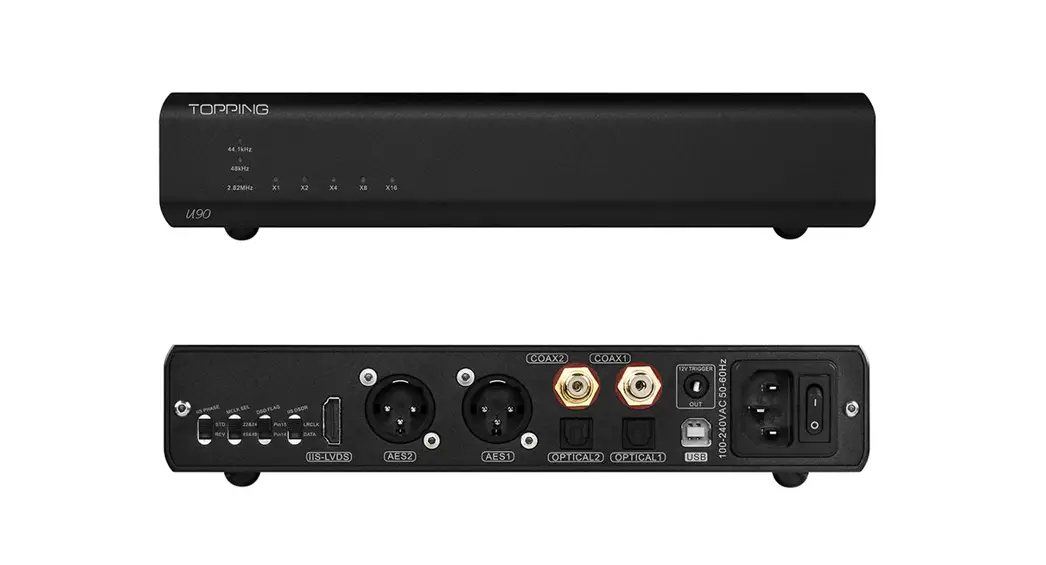
 U90 High-Performance USB Audio Bridge
User Manual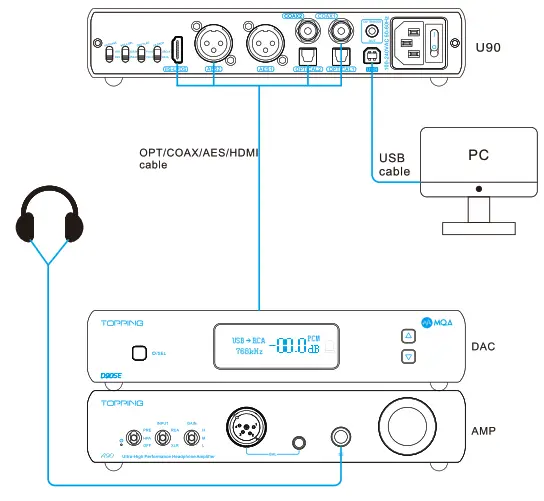
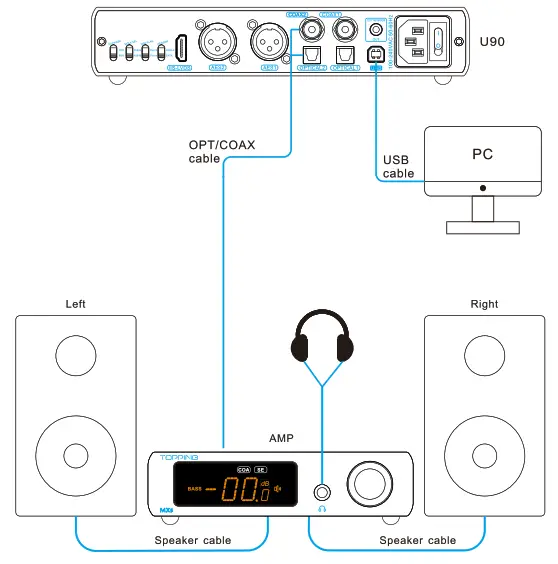 | 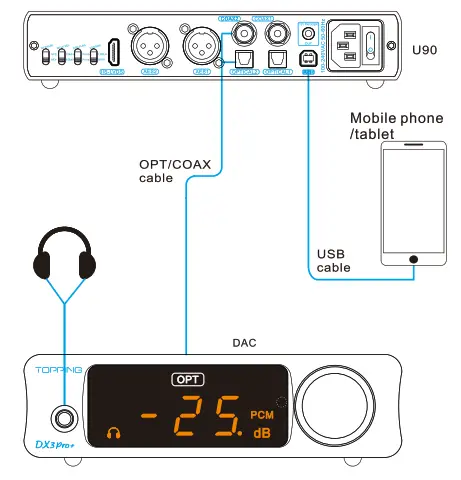 |
*Note: Some Android devices may not be compatible with U90.
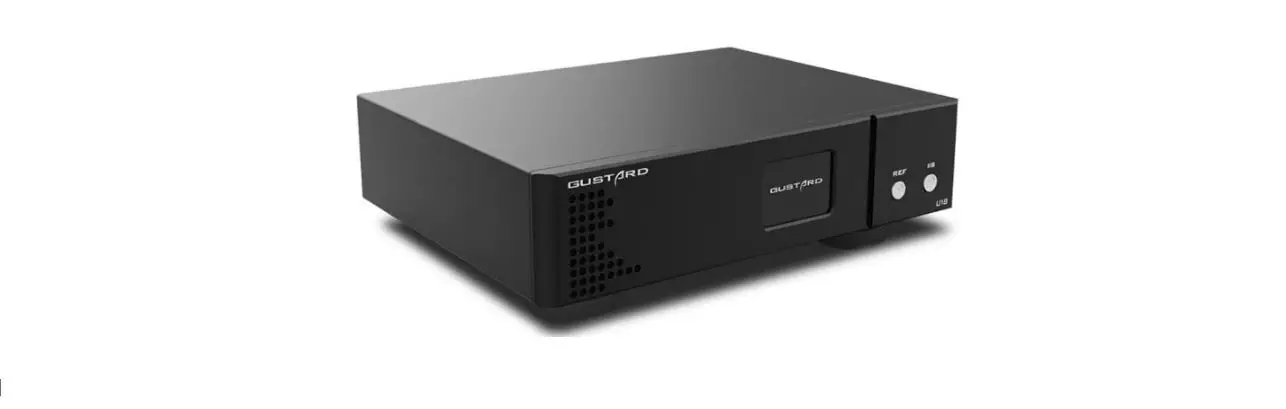
Thank you for purchasing the Topping U90! The U90
is a high-performance USB audio bridge with coaxial, optical, AES, and IIS outputs. Rich output ports make U90 have strong usability. And it uses high-speed isolation technology, which can get rid of the ground loop noise from the PC. We believe that high-quality 1190 could bring you more fun in enjoying HIFI music. Now we recommend first reading this manual for you to correctly use all the functions of U90.
Contents list
| U90 | x 1 |
| AC cable | x 1 |
| USB cable | x 1 |
| User manual | x 1 |
| Warranty card | x 1 |
Note: You can download the drivers and user manual on http://www.topping.audio/.
Attribute
| Measured | 22.2cm x 16.0cm x 4.5cm |
| Weight | 1.02 Kg |
| Power input | 100-240VAC 50Hz/60Hz |
| Signal input | USB |
| Digital output | AES x 2. OPT x 2. COAX x 2.IIS-LVDS x 1 |
| Display | LED |
| Power consumption | <3.5W |
Front panel
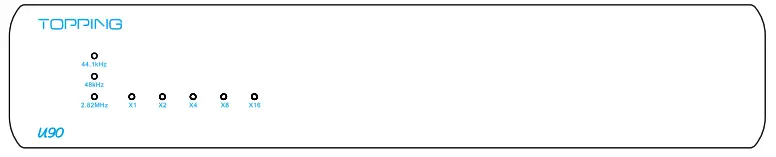
1-1 Sample ate indicator
| x1 | x2 | x4 | x8 | x16 | |
| 44.1 kHz (PCM) | 44.1 kHz | 88.2kHz | 176.4 kHz | 352.8kHz | 705.6kHz |
| 48kHz (PCM) | 48kHz | 96kHz | 192kHz | 384kHz | 768kHz |
| 2.82MHz(DSC)) | 2.82MHz (DSD64) | 5.64MHz (030128) | 11.28MHz (DS0256) | 22.56MHz (1330512) | \ |
*LED breathes when the input is not successfully connected
Rear panel
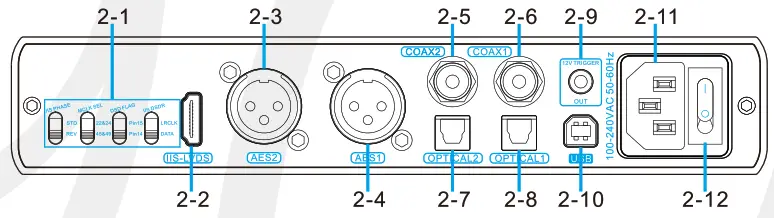
2-1 11S port definition settings*
2-2 115 output
2-3 AES output
2 2-4 AES output 1
2-5 Coaxial SPDIF output2
2-6 Coaxial SPDIF output
2-7 Optical SPDIF output2
2-8 Optical SPDIF output
2-9 Trigger out jack
When a device with a 12V Trigger in the jack is connected, the connected device’s power on/standby can be controlled through linked operation to this unit.
2-10 USB input
2-11 Power input (100-240VAC 50Hz/60Hz)
2-12 Power switch
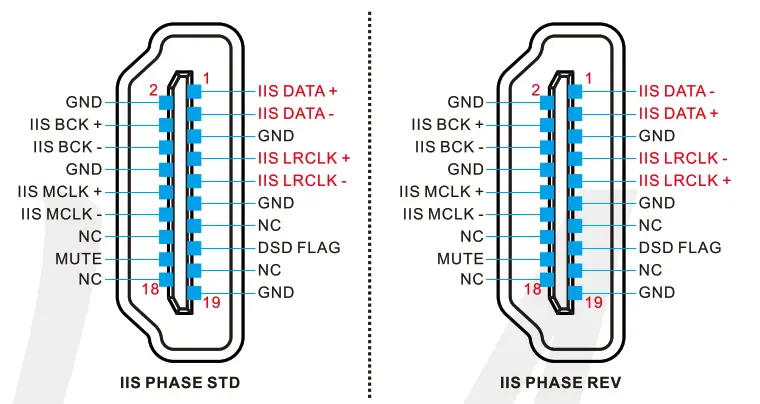
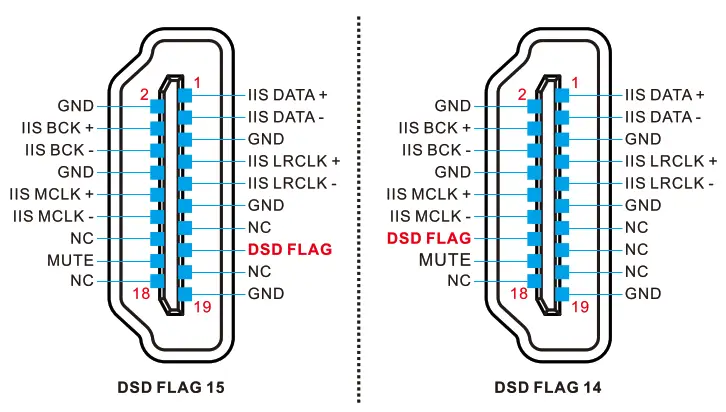
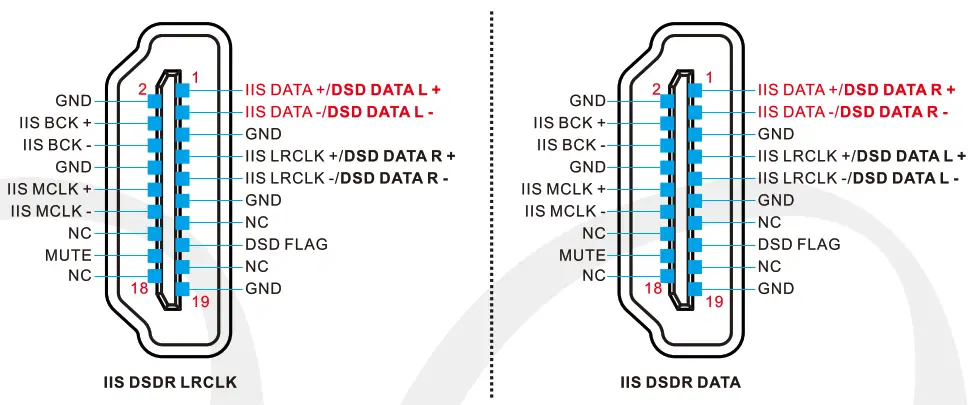
*Please set up the 11S interface before using 115 output
- IIS Interface phase setting
Options Description IIS PHASE I STD Standard phase IIS PHASE I REV Reverse phase 
- MCLK selection
Options Description MCLK SEL 122&24 IIS’s master clock output 22.5792MHz/24.576MHz MCLK SEL I 45&49 IIS’s master clock output 45.1584MHz/49.152MHz - DSD flag bit setting for the IIS interface
Options Description DSD Flag I Pin15 Set pin 15 as the flag bit DSO Flag I Pin14 Set pin 14 as the flag bit 
- DSD channel setting for the IIS interface
Options Description IIS DSDR I LRCLK DSDR using LRCLK IIS DSDR I DATA DSDR using DATA 
Input range
| Output | PCM | DSD (Native) | DSD (Dop) |
| IIS-LVDS | 44.1kHz-768kHz/16bit-32bit | DSD64-0S1:1512 | 05064-050256 |
| AES | 44.1kHz-192kHz/16bIt-24bit | Not supported | DSD64 |
| OPT | 44.1kHz-192kHz/16bIt-24bit | Not supported | DSD64 |
| COAX | 44.1kHz-192kHz/16bIt-24t11 | Not supported | DSD64 |
Specifications
| U90 parameters | ||||
| COAX | AES | OPT | IIS-LVDS | |
| Output Impedance | 750 | 1100 | null | null |
| Output jitter | <150ps | <100ps | <2ns | null |
| Output Level | 0.5Vpp | Supp | null | 3.3Vpp |