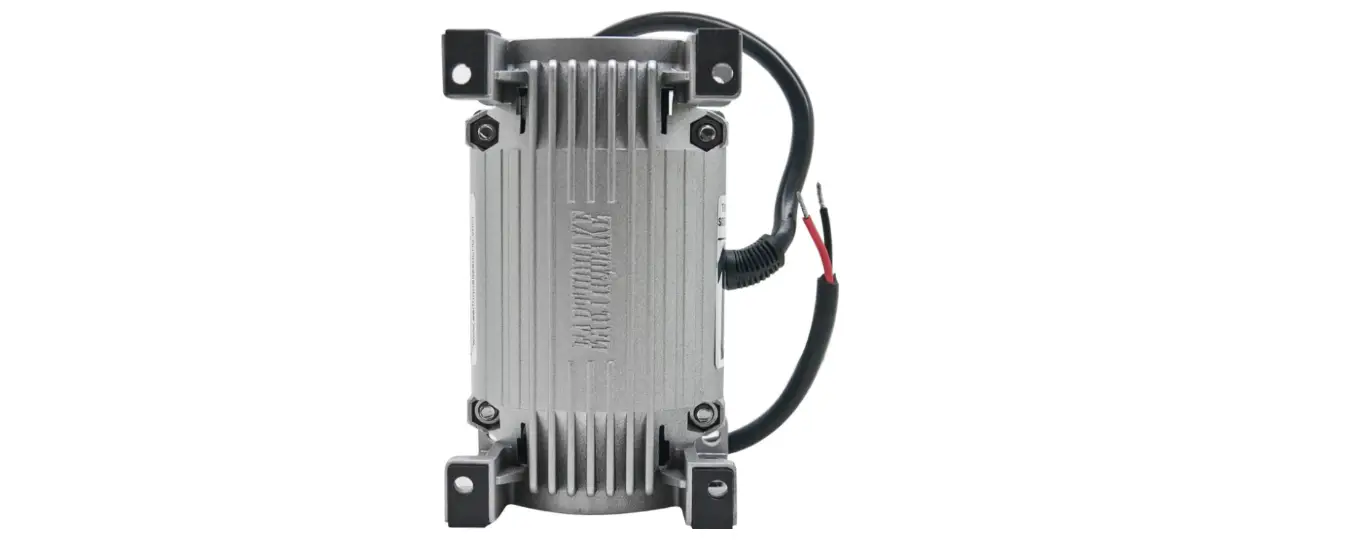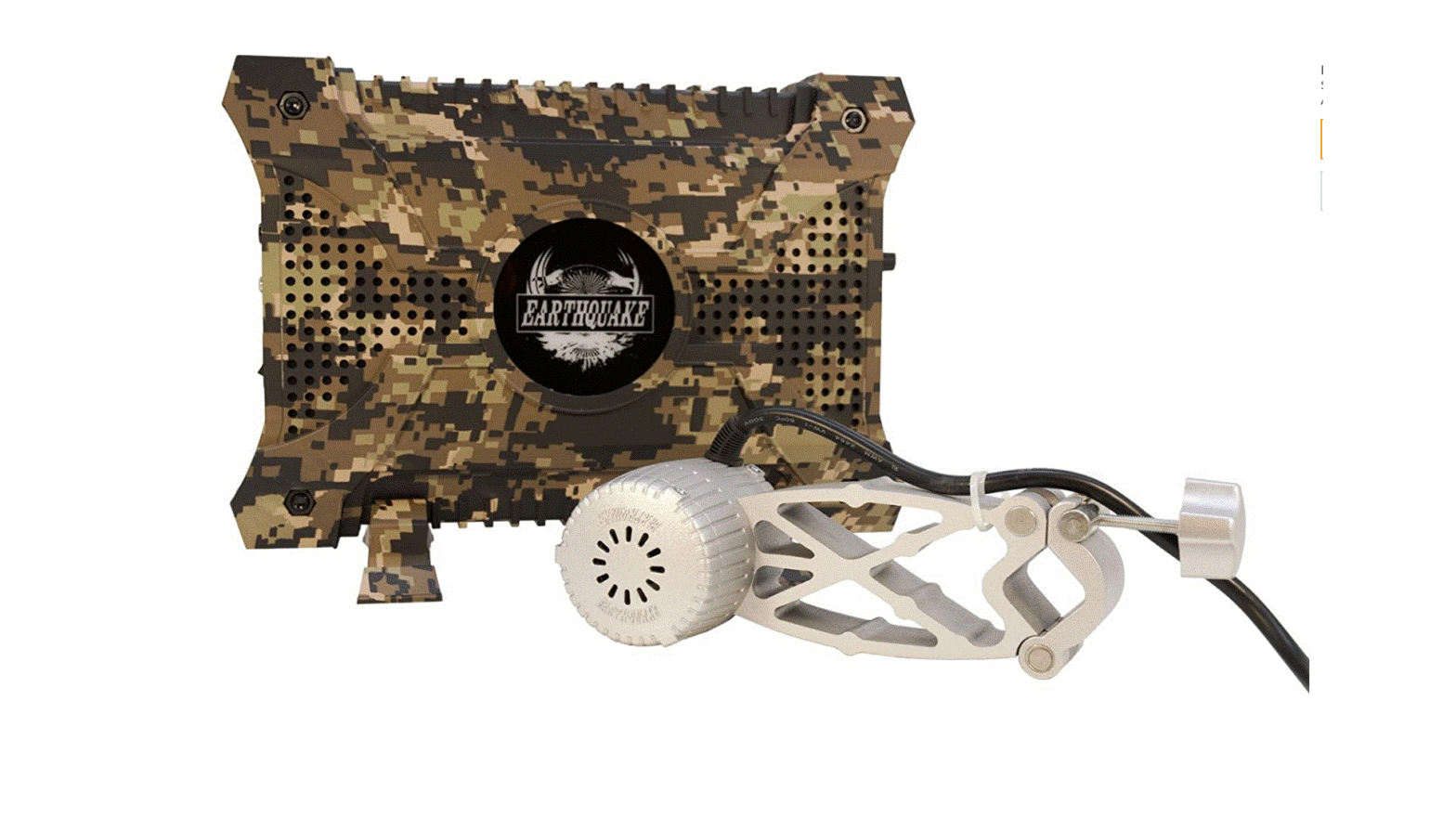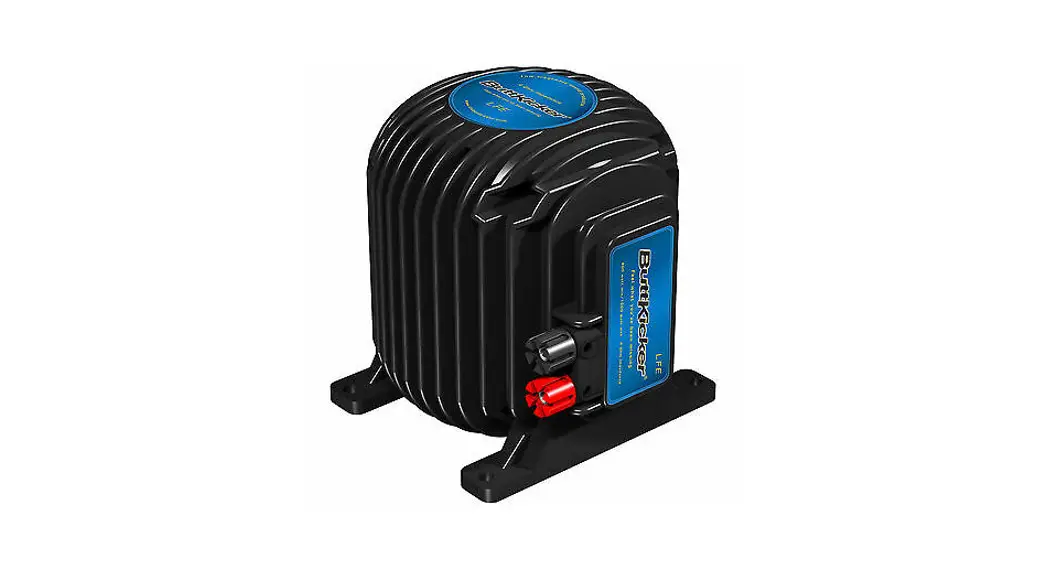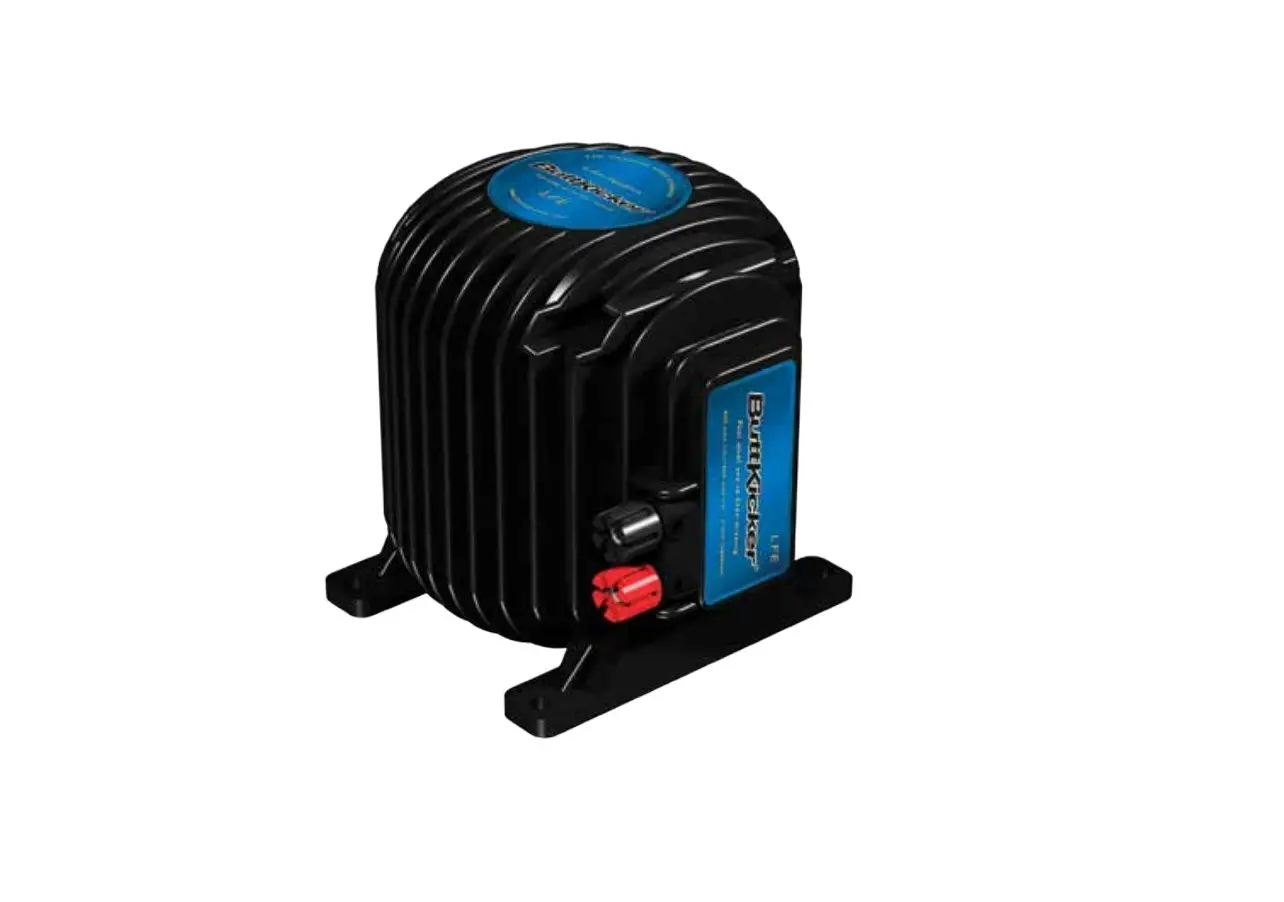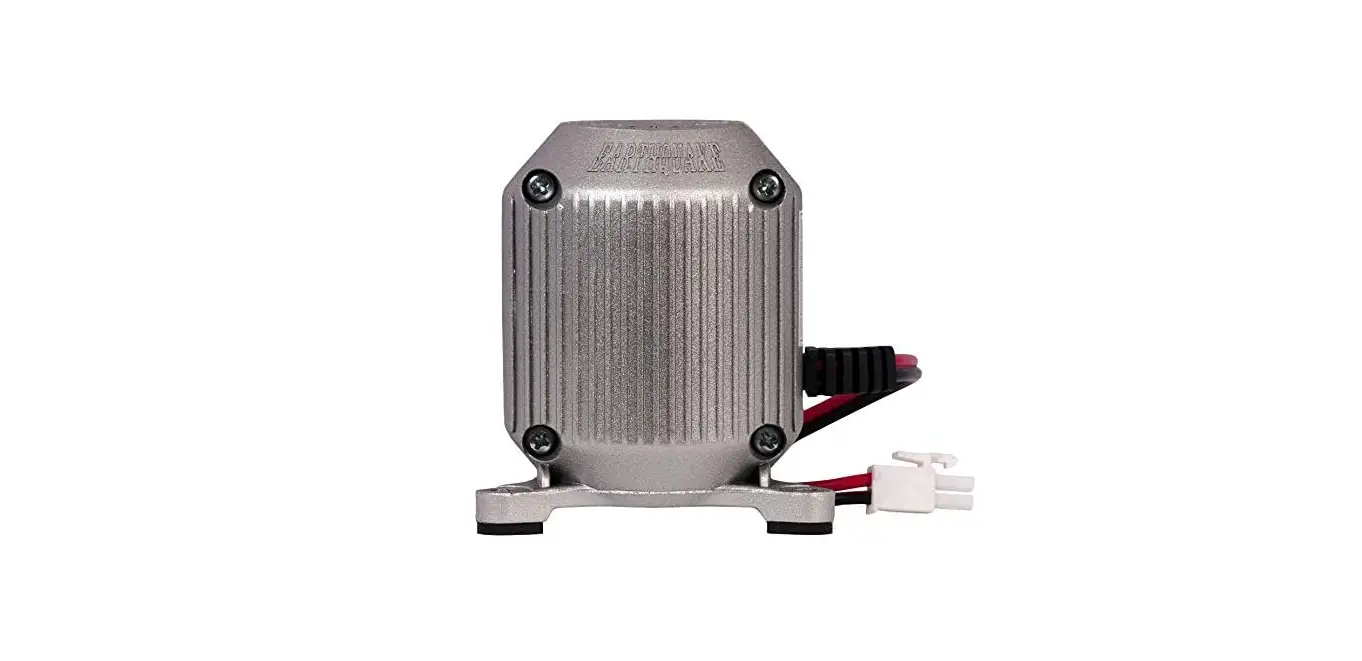

Earthquake Sound MQB-1 Low-Frequency Effects Transducer
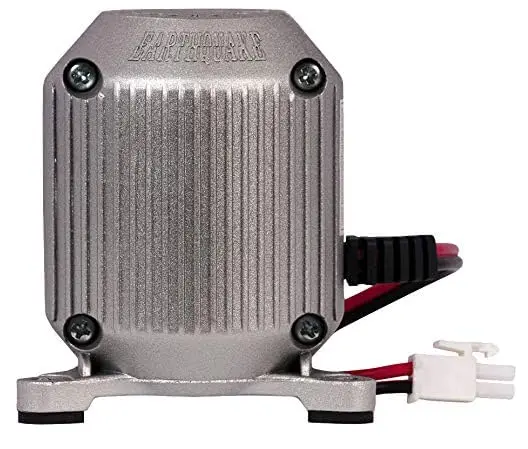
What is a Tactile Transducer
A tactile transducer or “bass shaker” is a device which is made on the principle that low bass frequencies can be felt as well as heard. A shaker transmits low-frequency vibrations into various surfaces so that they can be felt by people. This is called tactile sound. Tactile transducers may augment or in some cases, substitute for a subwoofer.
Tactile transducers may be used in a home theater, a commercial movie theater, or for special effects in an arcade game, amusement park ride or other application.
In Home Theater and Music Applications
A surround sound audio system complements a video action movie by responding to the events that are unfolding on the screen. The surround sound extends from 30 Hz (if you are lucky) and up to 20Khz. For the most part, it is the low frequency response that brings you closer to the action. A tactile transducer system will tap into the low frequency signal that is emanating for LFE output, which is typically located in the back of your receivers. This signal is amplified through a resilient power amplifier and then used to drive the tactile transducer; Thus, picking up and enhancing everything your subwoofer lacks.
In Gaming Applications
Tactile transducers are an explosive way to generate massive vibration, which brings players into the video game. Mounting an MQB-1 in a gamer seat will lead to an incredible interactive experience unlike any other.
In Music Applications
Music recording can be immensely enhanced by allowing musicians (drummers in particular) who rely on sound and impact to literally feel their progress while recording. Now, musicians can rely on tactile transducers to transmit vibrations through their seats. This vibration allows them to feel the beat more naturally and confidently synchronize it with others in the band.
Mounting Quake Tactile Transducers
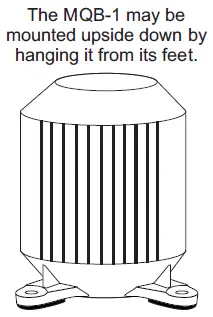
The Earthquake MQB-1 need to be mounted vertically at all times. Mounting them vertically maximizes the output and increases the overall tactile experience.
Horizontally mounting the units will diminish the output and may damage them over time.
How To Connect to an Amplifier
Tools that will be needed for installation
- 16 to 12-gauge speaker cable
- a pair of pliers
- a powered screw driver
- measuring tape
- two (2) wing nut wire connectors or electrical tape
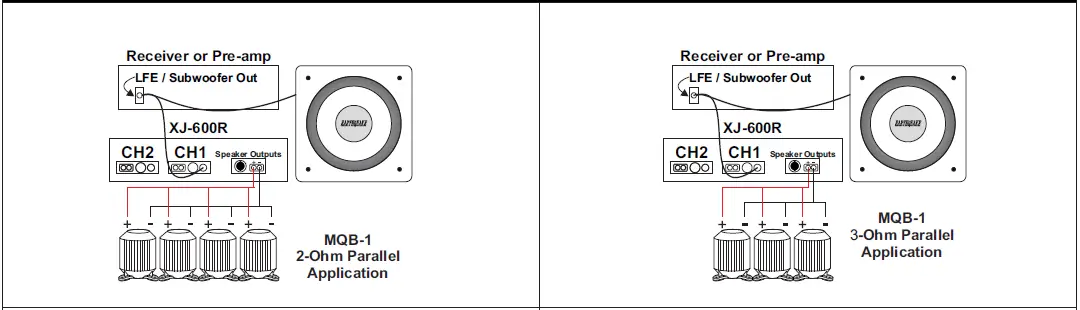
XJ-600R CONNECTION OPTIONS
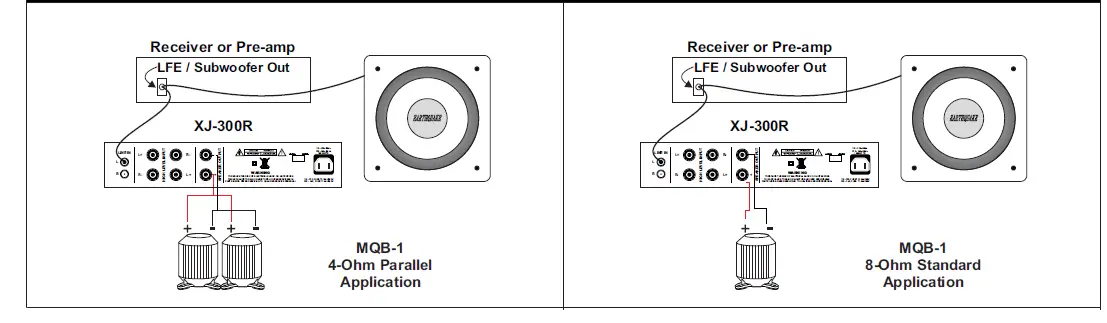
XJ-300R CONNECTION OPTIONS
Recommended XJ-600R / XJ-300R Front Panel Settings
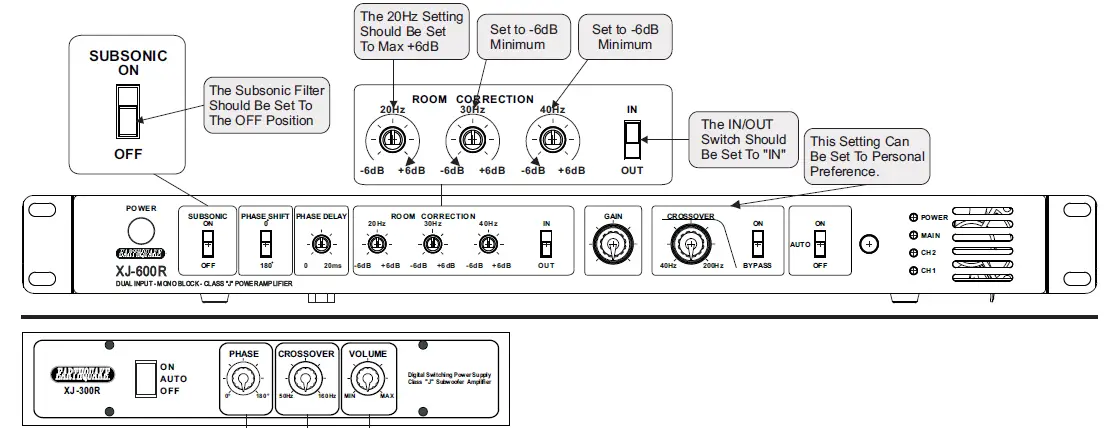
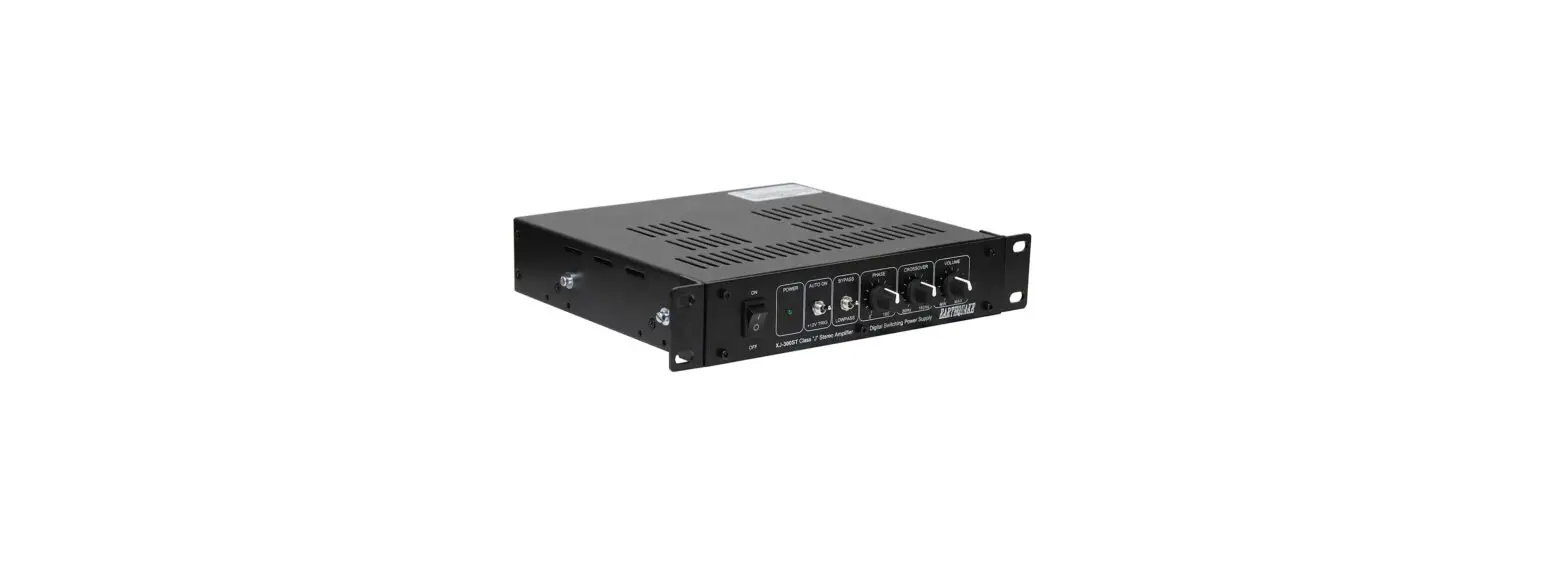
- Phase Control – Since your subwoofer is at some distance from your chair, the sound will take a certain amount of time to reach your ears. The signal arriving at the shaker is instantaneous by comparison. The Phase Control lets you delay the signal reaching the Quake shaker so that it will shake at exactly the same time as the low frequency sound from your subwoofer arrives at your ears. To make the adjustment, simply play a low frequency test tone through your subwoofer and shaker (most receivers have test tone generators for adjusting the volume of all the channels, including the subwoofer). Then, sit in the chair or couch where you have attached the shaker, with the XJ-300 amplifier close at hand, and adjust the Phase Control so that the sound and the tactile sensations appear to be synchronized. Note that you can get an “additional channel effect” by simply adjusting the phase control so the sound and the tactile sensations are as out of synchrony as possible. In other words, adjust the Phase Control so that it gives you the effect you want.
- Crossover Control – The idea is to have your chair or couch shake with certain movie special effects, but not with someone slamming a door (unless you want it to). This is where the Crossover Control comes into play. Depending on how high you have set the Volume Control, you should adjust the Crossover Control so that it is only shaking with the sound effects that you want, and not with every loud noise that occurs on screen. Start by setting the Crossover Control at its lowest point, i.e., 50 Hz, which is fully counter clockwise. Then, with some special effects scenes from one of your favorite movies (the attack scene from Pearl Harbor is great for this purpose), adjust the Crossover Control so that you get the shaking effect just with the explosions, crashes, and gunfire. If you adjust the Crossover Control too high, you will be shaking with such things as deep voices, and that may or may not be what you want.
- Volume Control – First of all, when you turn on your new XJ-300 amplifier, make sure the Volume Control is at the lowest setting possible (fully counter clockwise). Then, as you play test tones or watch movies, adjust the Volume Control so that you feel the Quake shaking your chair or couch with the test tone, or in the case of movies, when special low frequency effects such as explosions, machine guns, or such large machines as army tanks (isn’t it great to be a guy?) occur on-screen. Note that the XJ-300 is very powerful, and you will probably not need to turn the volume up all the way (you may need to adjust the volume of the subwoofer output on your receiver so that the input on the XJ-300 receives enough signal to drive it properly).
How To Mount Directly To Furniture?
Applications
- 3 Sofas
- 3 Theater Chairs
- 3 Recliners
Mounting
- 3 Direct
- 3 Multiplier
- 3 Internally
- 3 Externally
Enhancements
- 3 Home Theater
- 3 Music
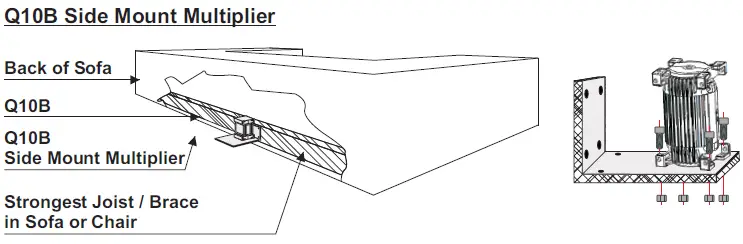
MQB-1 Side Mount Multiplier
How to Mount to a platform
Applications
- 3 Sofas
- 3 Theater Chairs
- 3 Recliners
Mounting
- 3 Direct
- 3 Multiplier
- 3 Internally
- 3 Externally
Enhancements
- 3 Home Theater
- 3 Music
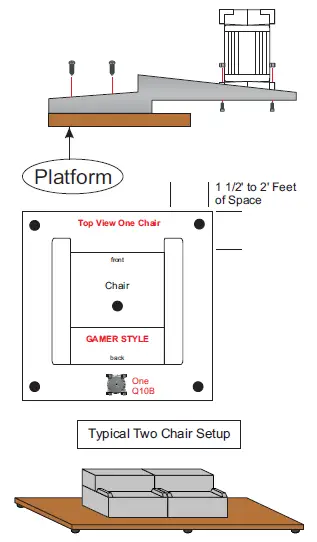
When designing your custom platform, be sure to allow 1- 1/2 to 2 feet of space around the outer perimeter of the chairs or couch. This much space is not required in between the chairs.
All platforms should be constructed with no less than 1/2″plywood and built sturdy for some seriously high speed entertainment. Also, the use of rubber stabilizers is an excellent way to eliminate rattles and vibrations that may cause valuables to fall off the walls or shelves. In addition, the rubber feet will provide a great suspension, allowing the Q10B to really shine.
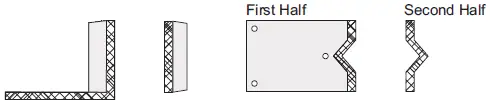
The optional Platform Mount Multiplier can be installed underneath or inside couches or chairs as in previous illustrations, but it is more effective when mounted directly to the platform. Once the Multiplier is mounted to the platform, you may then move a chair or couch over it for a more plush cosmetic appearance.
How to Mount to a throne or game chair
Applications
- 3 Office Chairs
- 3 Thrones
- 3 Game Chairs
Mounting
- 3 Direct
- 3 Multiplier
Enhancements
- 3 Gaming
- 3 Music
- 3 Music Recording
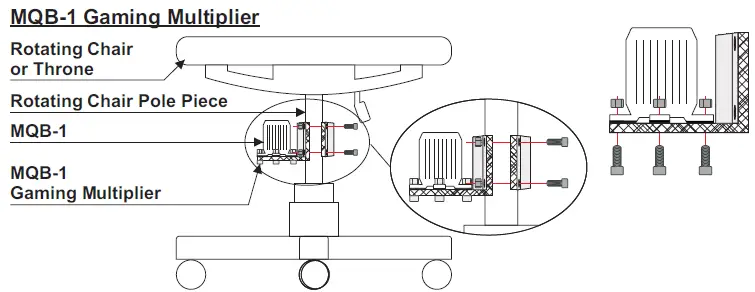
MQB-1 Gaming Multiplier
Pre-built gaming chairs come in all different shapes and sizes. The illustration to the right is only a demonstration on how you may install a MQB-1 to this type of application.
Always be sure that what you are mounting the bracket to is very solid and won’t pierce any pre-existing wiring or damage the chair’s upholstery.
In addition, please keep in mind that the MQB-1 is very powerful and will deteriorate poorly constructed chairs, thrones, etc. You may even need to modify existing construction.
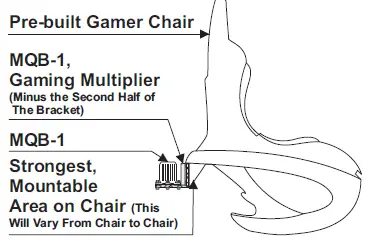
MQB-1 Gaming Multiplier
Specifications and Support
MQB-1 Specifications:
- 15 – 50Hz frequency response
- 8Ω impedance
- 20-500 Watts
Dimensions:
H = 3 1/2″ 88.9mm
W = 3 1/8″ 79.375mm
D = 3 1/8″ 79.375mm
Q10B Specifications
- 5 – 40Hz frequency response
- 8Ω impedance
- 40-1000 Watts
Dimensions
H = 3 9/16″ 90.4875mm
W = 6 3/16″ 157.1625mm
D = 3 9/16″ 90.4875mm
Patent No: US 7,449,803 B2
PRODUCT SUPPORT
Please contact Earthquake Sound Technical Support Department at toll free number 1-800-576-7944 for questions regarding your Tactile Transducer.
PRODUCT REGISTRATION
This product can be registered by returning the Product Registration card attached to this manual or by visiting:
www.earthquakesound.com/form_reg.htm
Please retain the purchase receipt, which represents proof of purchase. Also, keep in mind that any products purchased via an UNAUTHORIZED EARTHQUAKE DEALER will not be honored any warranty. You will have to pay full service pricing, these guidelines are outlined in the warranty section of this manual.
Earthquake Sound Corporation
2727 McCone Avenue, Hayward, CA 94545. USA
Call us at toll free: 1-800-576-7944 or
E-mail us at: [email protected]
Monday – Friday between 9:00 AM – 5:00 PM, Pacific Time
Frequently Asked Questions
In a set of three, I employ two of these MQB-1 transducers. I have a second extra 1000A amplifier that drives two Earthquake and one ButtKicker transducer units that are connected in series (ButtKicker BKA-10004A Amplifier). I set my ButtKicker amplified to 70 Hz to safeguard the earthquake equipment because the ButtKicker transducer can absorb and output a lower frequency (rumble) signal.
The output volume is essential. It is necessary to experiment since too much noise can cause the units to float (bottom out), while too little noise results in a muted response. system optimization.
Although it would seem that way, the plate is not strong enough to hold two of these parts. The gadget can be mounted in one of two places, however for optimal performance, it should be mounted on the bracket’s outermost part (the tip of the long side of the L)
The tactile transducers attached to large objects, such as metal buckets, cause them to vibrate. The vibrations of these sculptures are then captured via contact microphones and amplified by a communal sound system.
The simplest approach to connect your home entertainment system to your new tactile transducer hardware is by using a Y-splitter on the subwoofer output. This will allow you to connect your subwoofer and tactile transducer amplifier to your AV receiver’s subwoofer output.
No. I have more than enough power when using 2 of these in parallel with a Crown XLS 1002 operating in bridged-mono mode.
Surface transducers give you the amazing ability to turn almost any surface into a speaker. They are essentially just speakers with a coil connected to a pad that, in place of a cone, transmits vibrations into anything you press it against. They are essentially just speakers with a coil connected to a pad that, in place of a cone, transmits vibrations into anything you press it against.
Feel the beat from the comfort of your theatre seat. Users can feel low bass noises in addition to hearing them thanks to a device known as a “bass shaker” or tactile transducer.
Ultrasonic sensors are used in factory automation and processing to measure distance and the digital presence of objects (analogly). Sound is a better option than light for this purpose because it is unaffected by reflectivity, translucence, or colour.
The failure of pressure transducers is caused by multiple grounds, short circuits, bad wiring, insufficient power supply, wrong polarity, system operational issues, and other issues.
A pressure transducer is used to measure pressure. It employs a sensor capable of converting the pressure applied to it into electrical impulses. These electrical impulses arethen sent to PLCs or controllers for recording and processing. Pressure transducers measure the force acting on them using strain gauges.
It is intended for bass shakers to be placed on your home theatre chairs so you can actually feel the sound when a movie is playing. If, for example, there is a bass explosion, you will feel the explosion, making the movie even more immersive.
I was given the greatest recommendation to get an amp that can support 4 shakers right away because it will be easy to add 2 more shakers later. So if you’re unsure whether two shakers are sufficient, get a great amp and, for now, stick with two shakers. Get additional 2 if you feel it is not enough.
Are bass shakers worth it in this case? What you should know is as follows. High-quality bass shakers are undeniably useful when installed properly since they give you a tactile experience that fully immerses you in your content. Bass shakers make it possible to feel rather than just hear the action on the screen.
I think it would be problematic and foolish. The bracket is useful because it makes it easier for vibrations to be transferred.