IOGEAR GME430R Red Point Gyroscopic Presentation Mouse
Specifications
- Product Dimensions
1.5 x 1.1 x 4.7 inches - Item Weight
4.2 ounces - Series
Number - Batteries
2 AA batteries - Wireless Type
802.11abg, 2.4 GHz Radio Frequency - Connectivity Technology
USB - Special Feature
Wireless - Movement Detection Technology
Laser - Brand
IOGEAR
Introduction
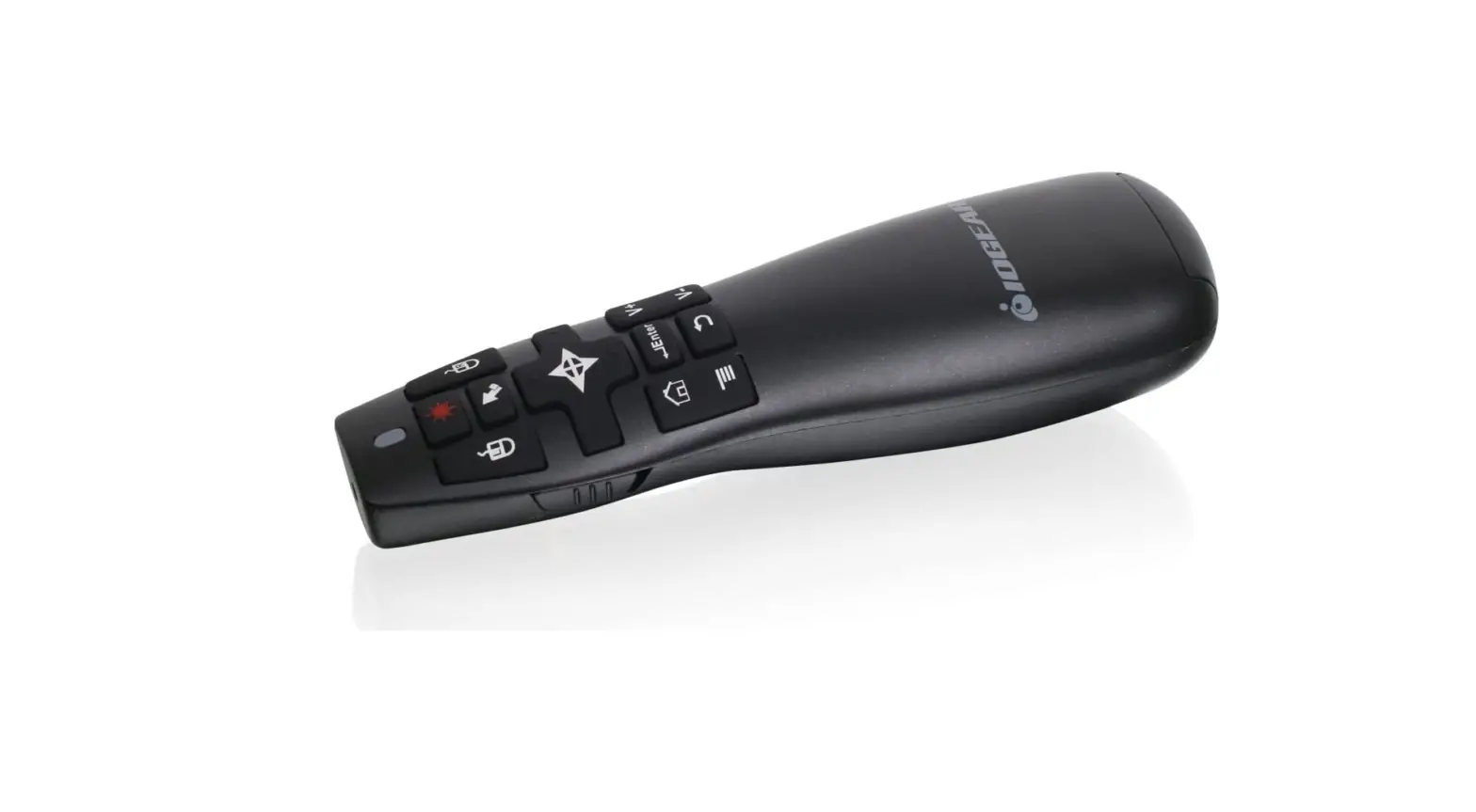
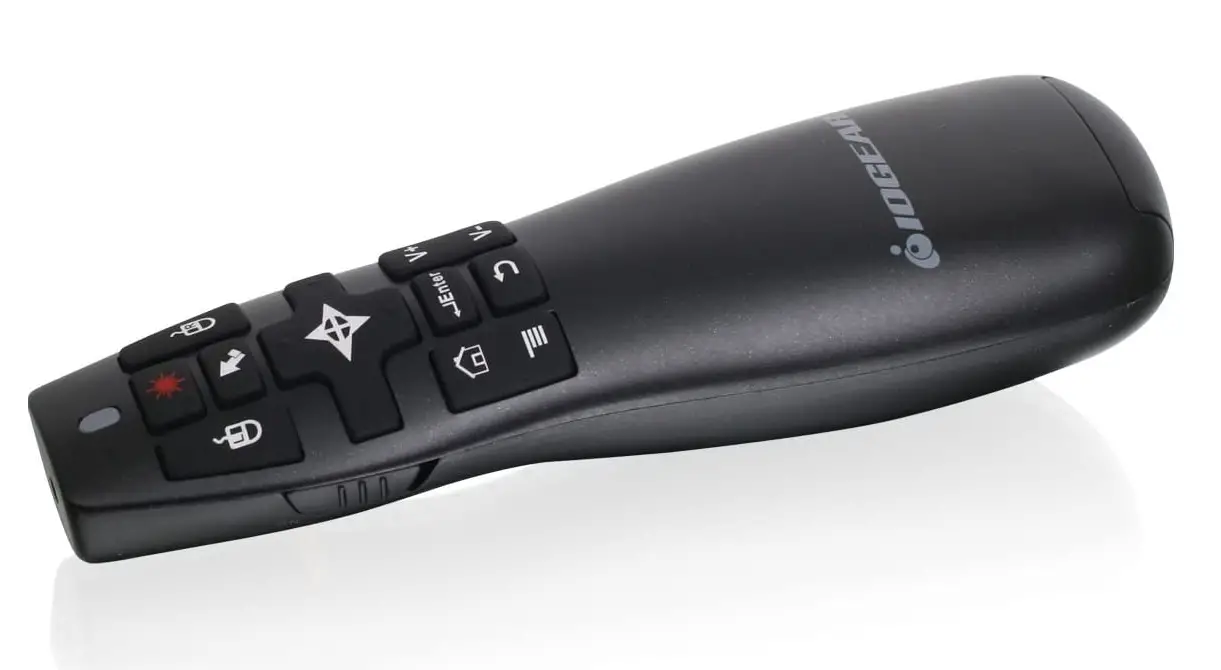
You can remotely control presentations with the in-built gyroscopic mouse with the IOGEAR Red Point Pro 2.4GHz Gyroscopic Presentation Mouse with Laser Pointer from up to 65.6′ away. A built-in laser is also available to draw attention to your presentations. The Red Point Pro is portable and lightweight for simple use and comes with a Plug-and-Play receiver. Additionally, for portability, the receiver stores inside the mouse. With the IOGEAR Repoint Pro, you may present without installing any software on the newest versions of Windows or Mac OS X. Just connect the bundled wireless USB receiver! Controlled with a gyroscopic mouse. You can easily control the cursor on your PC or Mac with the IOGEAR Repoint pro by waving your hand over the screen. Simply press a button to switch between cursor control and presentation control. Radio Frequency (RF) Wireless Connection at 2.4 GHz With a range of up to 20 meters (65 feet), the IOGEAR Repoint Pro gives you the freedom to leave the leaderboard behind.
Red laser pointer built-in The built-in laser pointer can be used to highlight important points in your presentation. Design that is small and lightweight The mobile user in mind, the IOGEAR Repoint Pro in an executive’s head. The Repoint Pro’s lightweight, portable design makes it simple to store and transport and the wireless USB receiver is built right into the device so you’ll always be prepared to deliver those crucial presentations. Features: Control both the computer cursor and your presentation at once. The gyroscopic mouse function enables simple hand motion to control the cursor. You are able to move away from the podium by using the 2.4 GHz RF wireless connection up to 20 meters! To concentrate on important aspects of your presentation, use the built-in laser. Press a button to quickly switch between presentation control and cursor control. Lightweight and portable design for simple storage or travel.
Works on both Windows and Mac without the need for software installation
The IOGEAR RedPoint Pro requires no software installation and is compatible with the most recent versions of Windows and Mac OS X. Just connect the bundled wireless USB receiver and start using the device!
Mouse with gyroscopic control
You can easily control the cursor on your PC or Mac with the IOGEAR RedPoint pro by waving your hand over the screen. Simply press a button to switch between cursor control and presentation control.
Radio Frequency (RF) Wireless Connection at 2.4 GHz
With a range of up to 20 meters (65 feet), the IOGEAR RedPoint Pro gives you the freedom to leave the pack.
Red laser pointer built-in
The built-in laser pointer can be used to highlight important points in your presentation.
Features
- Control both the computer cursor and your presentation simultaneously.
- Gyroscopic mouse functionality enables simple hand motion to control the pointer.
- You can depart from the podium by using the 2.4GHz RF wireless connection; the range is up to 20M.
- Use the integrated laser to concentrate on important points in your presentation.
- By pressing a button, you can switch between cursor control and presentation control.
- Design that’s small and light to make it simple to store or transport
Frequently Asked Questions
I don’t know what you mean by air mouse, but it is a gyro mouse that recognizes your movements and can click and select remotely. It will work for ppt, but if that is all you are using it for, I would recommend a dedicated presentation remote instead. This would be better suited for someone teaching and interacting with multiple PC apps.
It probably can, if the video will start with a mouse click, because it has left and right mouse-click buttons. It also has a way to move the mouse around, but that’s a little hard to do, so it’s better if you design the slide so that a click anywhere will start the video.
This particular Gyroscopic mouse does have an on/off switch. If that is what you mean by ‘always on.’ You still do need to push the buttons, like on a typical mouse, in order to initiate some action. e.g. left or right mouse clicking. This device also needs to be ‘recalibrated’ every time the presenter physically moves from one side of the room to the other using the laser pointer feature, but the basic ‘pointing,’ like a mouse, stays on as long as you do not power down the IOGear device.
The Cursor size and color and be changed through your Windows Control panel same as any mouse connected. Once again, thank you for choosing IOGEAR.
The GME430R and GME435G USB receivers cannot be purchased separately.
Work when pointed at TV. like a traditional Laser Pointer.
I’ve never used it at that distance.
Yes the GME430R will work across your monitors as long as the display is set to extend.
Hi, yes with the proper cable you may use this great tool.
This pointer doesn’t allow you to program the buttons on the mouse.
No you cannot turn the screen black by pressing a button on the GME430R.
No you cannot black out the screen with the GME430R
i didnt use it on a Mac Book Air. Best regards. Oscar Boullosa.
Just turn off the gyro.