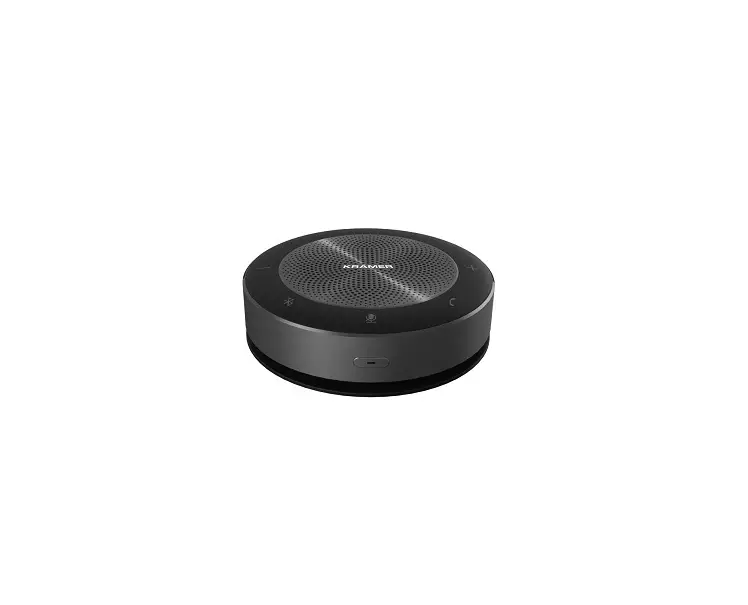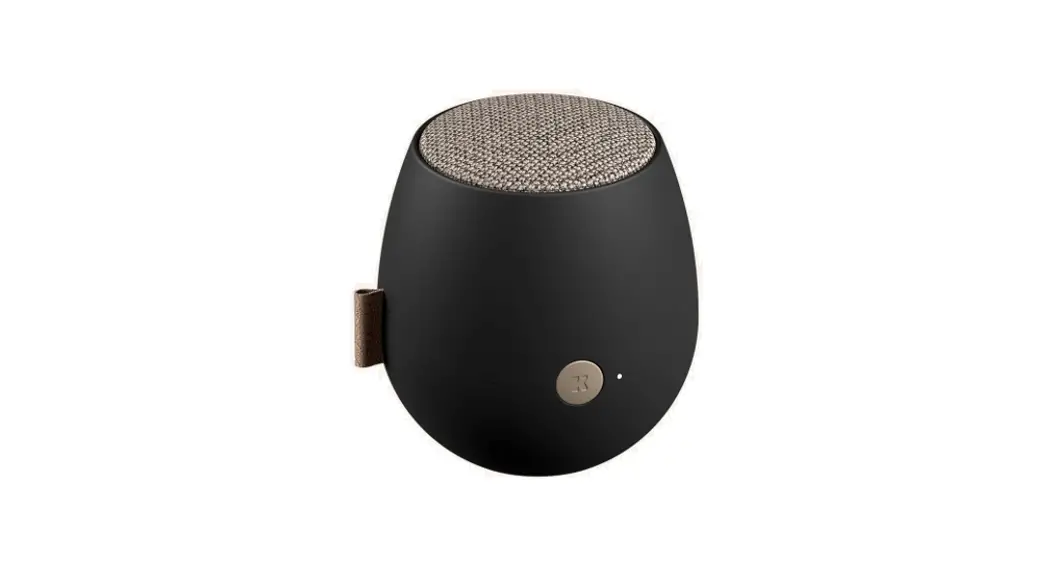
KRAMER K-Speak Bluetooth Speakerphone
 | SAFETY WARNING Disconnect the unit from the power supply before opening and servicing |
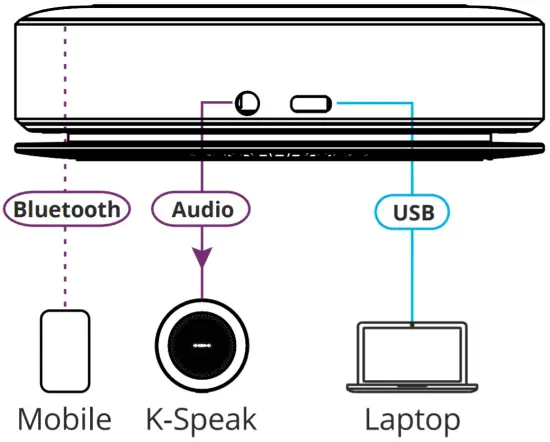
Congratulations on purchasing your Kramer K-Speak high performance Bluetooth Speakerphone. K-Speak supports a 360° omni-direction audio pickup in a radius of up to 5 meters (when unobstructed) and enables the user to connect to up to 2 devices via Bluetooth, AUX (using the K-Speak Cascade cable, purchased separately) or USB.
K-Speak also features auto echo cancellation, auto noise suppression and auto audio gain and can be charged (via USB or a wireless charger, for example, using the Kramer TBUS-1-KWC or KWC-1 charging spots) to perform for up to 8 hours at a time (depending on battery consumption and the environment).
Get to know your K-Speak
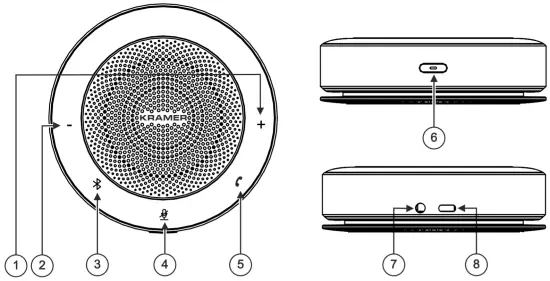
| # | Feature | Function |
| 1 | + Volume Button | Press to increase the volume level. |
| 2 | – Volume Button | Press to decrease the volume level. |
| 3 | Bluetooth Button | When Bluetooth is not connected, press and hold to turn it on. When Bluetooth is connected, press and hold to disconnect the current Bluetooth connection. Flashes blue when waiting for Bluetooth connection and lights blue when paired. Flashes white when signal is enhanced via Bluetooth adapter and lights white when Bluetooth feature is turned off. |
| 4 | Microphone Mute Button | Press to mute the microphone input. |
| 5 | Call Button | Press to answer / hang-up a call. |
| 6 | Power Button | Press and hold for 2 seconds to turn the device ON/OFF. Press and hold for 8 seconds to reset the system. Press shortly to view the charging status (via the 5-step light bar located between the + and – buttons). Flashes red when charging is required (together with a short audio prompt). Flashes white when the device is charging. Lights green when fully charged |
| 7 | IN/OUT 3.5mm Mini Jack | Connect to an audio source/acceptor or connect to an additional K-Speak device, using the supplied AUX cable. When K-Speak power is on, and a second unit is connected, the first connected device is defined as the master device and the second one is the slave. When K-Speak power is on, and a second unit is connected, the first connected device is defined as the master device and the second one is the slave.If you connect the AUX cable to the devices before powering them, the first unit powered is the master and the second is the slave. All the device features are enabled on the Master device and disabled on the slave device. |
| 8 | USB Type-C Port (5V=2A) | Connect to a USB device (for example, a PC) and/or use to charge the K-Speak. |
Mounting K-Speak
To mount the K-Speak, simply place it on a tabletop.
|
|
Getting to know your K-Speak
For best results we recommend that you use Kramer cables included in the package.
Connecting K-Speak
| Safety Instructions (See www.kramerav.com for updated safety information) Caution:
Warning:
|
Using Bluetooth
When using Bluetooth, enable Bluetooth on your mobile phone or any other device and connect to K-Speak. The Bluetooth device name is located on the K-Speak rear side.
If required (for example when using a PC), you can connect the USB Bluetooth adapter to a device (within a 3 meter distance) to make sure you get a stable Bluetooth connection.
To do so, connect the USB Bluetooth adapter to the computer (preferably on the side facing the speaker, for better connection). K-Speak connects automatically.
| Note that sometimes you need to reconnect to Bluetooth after connecting the adapter. To do so, press the Bluetooth key for 9 seconds and a connection will be established within 30 seconds. |
Troubleshooting
| The Problem | Possible Cause | The Solution |
| Unable to turn on the device. | Low or no power. | Charge the device. |
| Automatic shutdown. | Low or no power. | Charge the device. |
| No sound. | . | Select the correct input source or adjust the volume. |
Technical Specifications
| Ports | 1 AUX In/Out | On a 3.5mm mini jack |
| 1 Audio In/Out + 5V/2A charging | On a USB-C connector | |
| Bluetooth | BT4.2+EDR | |
| Microphone | Type | 6-element Microphone array |
| Pickup Distance | Up to 5 meters | |
| Frequency | 150Hz~8kHz | |
| Sensitivity | -38dBV | |
| S/N Ratio | 65dB | |
| Speaker | Maximum Sound Pressure Level | 80dB SPL@1m |
| Distortion | ≦4% @150Hz~16kHz | |
| Signal-to-noise Ratio | ≥75dB@1m | |
| Frequency Response | 150Hz~16kHz | |
| Controls | Buttons | Power, answer/hang up, mute, Bluetooth, volume +, volume – |
| Indicator lights | Power, Volume, Bluetooth, Mute, Answer/Hang up | |
| Modes | Music mode/Call mode (under Bluetooth mode) | |
| Battery | Battery Capacity | 7.4V/2200mAh |
| Charging Requirement | Wired: 5V, 1.5A Wireless: 5W | |
| Battery Life on a Single Charge | Up to 8 hours | |
| Environmental Conditions | Operating Temperature | -5° to +40°C (23° to 104°F) |
| Storage Temperature | -20° to +60°C (-4° to 140°F) | |
| Humidity | 10% to 90%, RHL non-condensing | |
| Altitude | Below 5000 meters | |
| Regulatory Compliance | Safety | CE, FCC |
| Environmental | RoHs, WEEE | |
| General | Net Dimensions (Diameter, H) | 12cm x 3.5cm (4.7″ x 1.4″) |
| Shipping Dimensions (W, D, H) | 15.8cm x 22.2cm x 4.8cm (6.2″ x 8.7″ x 1.9″) | |
| Net Weight | 0.4kg (0.9lbs) approx. | |
| Shipping Weight | 0.71kg (1.6lbs) approx. | |
| Accessories | Included | 1 USB Type-C cable, 1 AUX 3.5mm cable, 1 USB dongle |
Specifications are subject to change without notice at www.kramerav.com
For the latest information on our products and a list of Kramer distributors, visit our Web site where updates to these installation instructions may be found.
We welcome your questions, comments, and feedback.
www.kramerAV.com
[email protected]