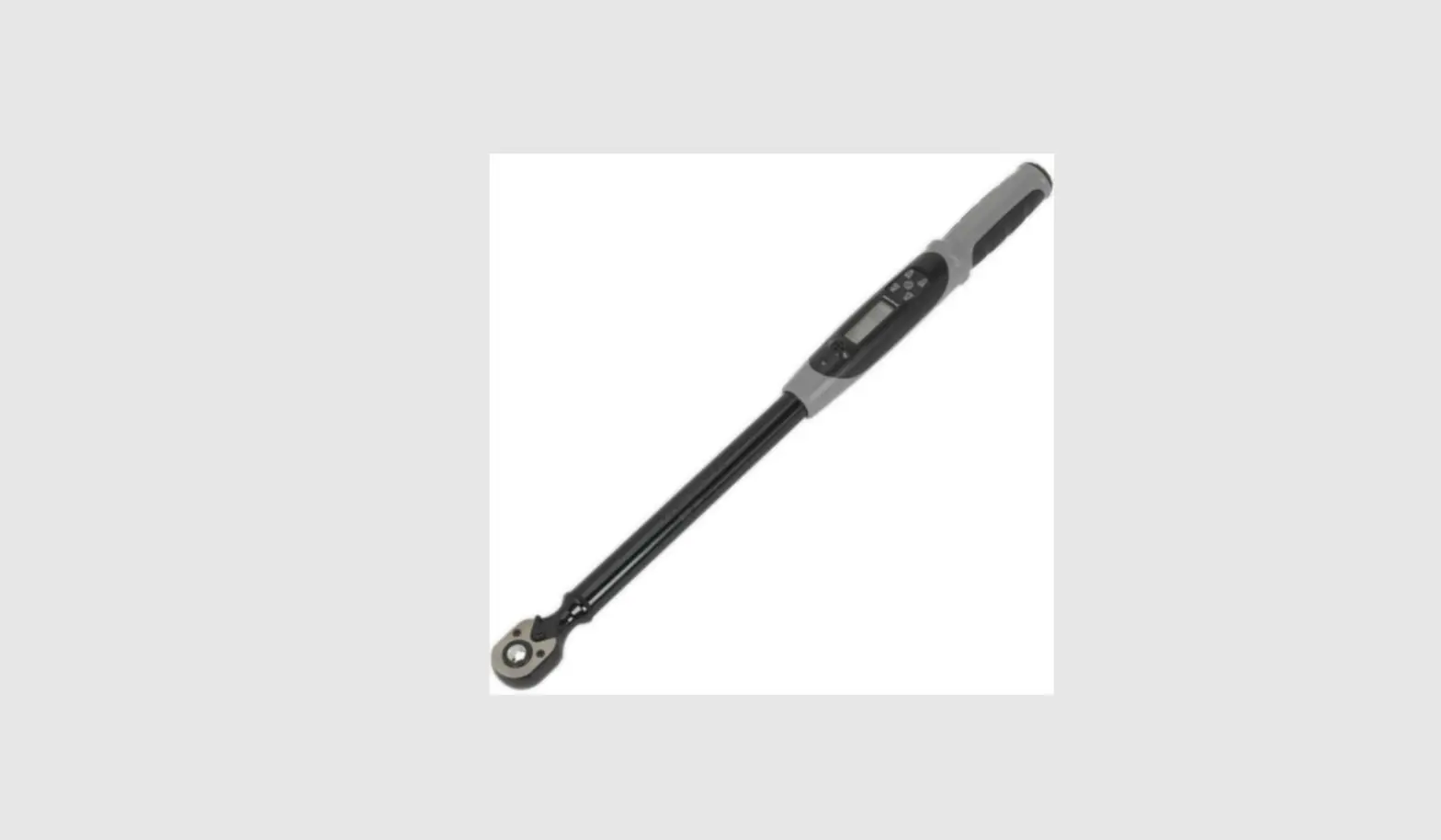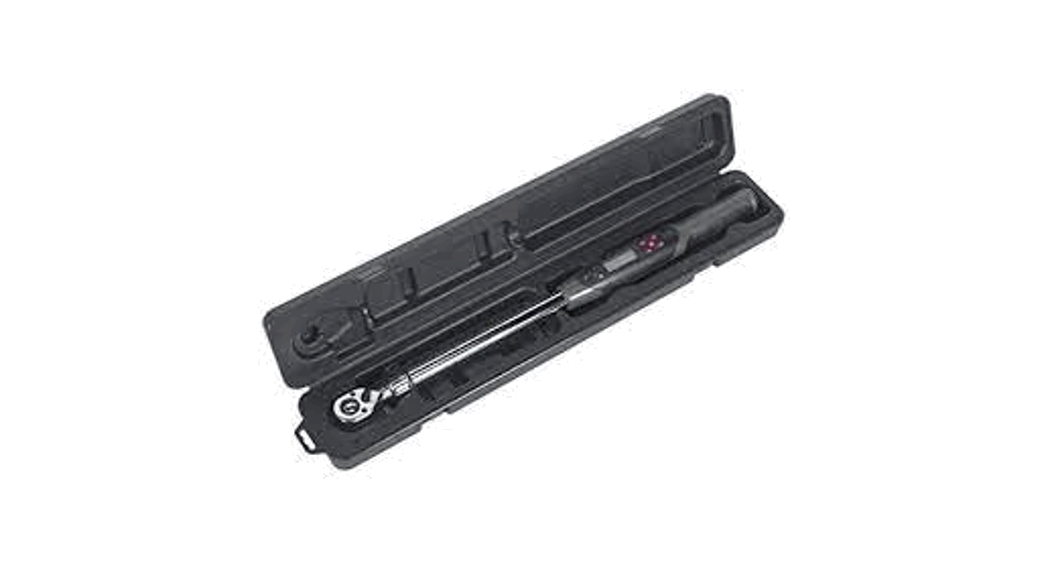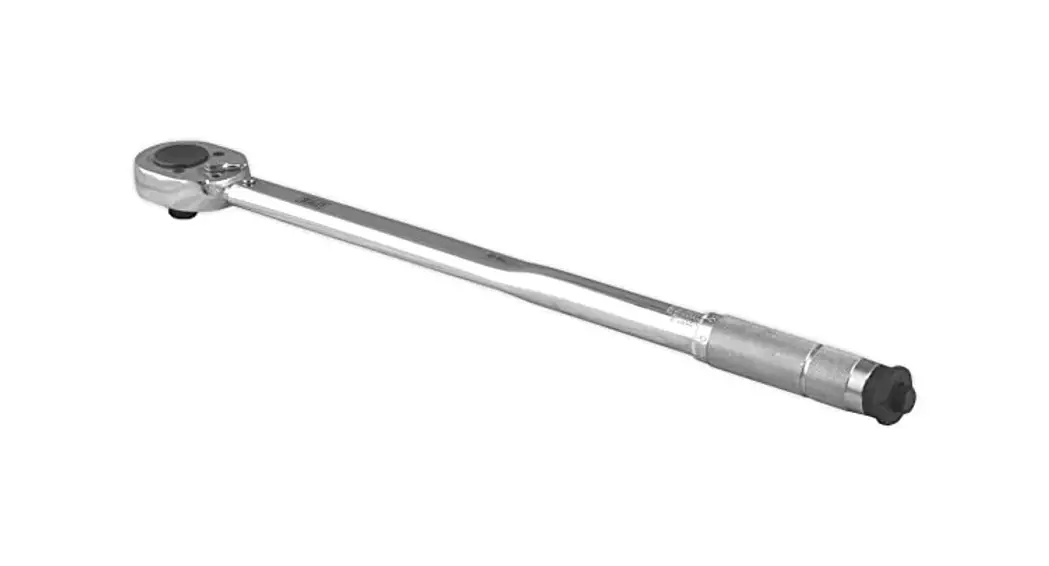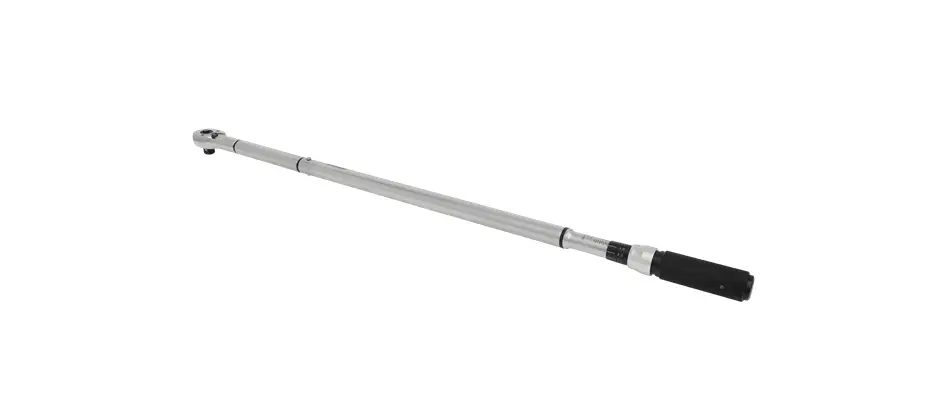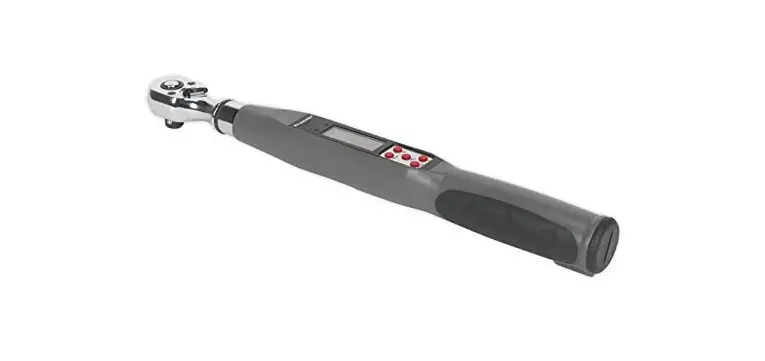

3/8”SQ DRIVE DIGITAL TORQUE WRENCH 8-85NM
MODEL NO: STW308
Thank you for purchasing a Sealey product. Manufactured to a high standard, this product will, if used according to these instructions, and properly maintained, give you years of trouble free performance.
IMPORTANT: PLEASE READ THESE INSTRUCTIONS CAREFULLY. NOTE THE SAFE OPERATIONAL REQUIREMENTS, WARNINGS & CAUTIONS. USE THE PRODUCT CORRECTLY AND WITH CARE FOR THE PURPOSE FOR WHICH IT IS INTENDED. FAILURE TO DO SO MAY CAUSE DAMAGE AND/OR PERSONAL INJURY AND WILL INVALIDATE THE WARRANTY. KEEP THESE INSTRUCTIONS SAFE FOR FUTURE USE.
1. SAFETY
 WARNING! DO NOT use the torque wrench if damaged or thought to be faulty.
 Ensure all workshop safety rules, regulations and conditions are complied with when using the torque wrench.Maintain correct balance and footing. Ensure the floor is not slippery and wear non-slip shoes.Keep children and unauthorised persons away from the working area.Avoid over-torquing the wrench (110% of maximum torque range) as this will cause loss of accuracy.Keep the wrench away from magnets.In operation when you hear the continuous tone, stop pulling immediately especially in case the target torque/ angle is low.Ensure all sockets, extensions and drivers are rated correctly and are of flawless construction. Avoid using adaptors and extensions for best accuracy.
 DO NOT use the torque wrench if the batteries are low, torque accuracy will be affected. DO NOT use the wrench as a hammer or similar. DO NOT use on live electrical circuits the plastic handle is not insulated. DO NOT subject the wrench to excessive force or shocks. DO NOT drop, throw, or violently shake the wrench. DO NOT operate the wrench in damp conditions. DO NOT operate the wrench in dusty conditions. DO NOT push on the LCD panel. DO NOT use wrench until first instructed in its use by a qualified person. DO NOT leave the wrench in a place exposed to excessive heat, humidity or direct sunlight. DO NOT use organic solvents such as alcohol or thinners to clean the wrench.After use, turn the wrench off, clean with a soft dry cloth, place torque wrench in its storage case, and store in a safe, dry, childproof location.Remove the batteries if the torque wrench is not to be used for a long time, to prevent damage from leaking.
2. INTRODUCTION
Rugged and resilient digital torque wrench suitable for workshop and factory use. LCD read-out with LED, audible alarm and vibration indicating achieved and target torque levels. Selectable track or peak modes and up to five user preset memories available. Read-outs in Nm, lb.in, lb.ft or kgf.m. Reversible Chrome Vanadium 72-tooth ratchet allows torque reading in either direction. Accurate to ±2% of wrench’s stated capacity. Supplied with test certificate and storage case.
3. SPECIFICATION
3.1. Specification
Model No: . . . . . . . . . . . . . . . . . . . . . . . STW308
Drive: . . . . . . . . . . . . . . . . . . . . . . . . . . . 3/8”Sq
Length: . . . . . . . . . . . . . . . . . . . . . . . . . 335mm
Range: . . . . . . . . . . . . . . . . . . . . . . . . . . 8-85Nm(5.9-62.7lb.ft,
. . . . . . . . . . . . . . . . . . . . . . . . . . . . . . . 70.8-752.3lbin, 0.8-8.7kgf.m)
Operating Voltage: . . . . . . . . . . . . . . . . . 3V
Cell Qty x Type: . . . . . . . . . . . . . . . . . . . 2 x AAA (supplied)
Torque Accuracy: . . . . . . . . . . . . . . . . . . ±2%(C.W. / C.C.W. of reading,
. . . . . . . . . . . . . . . . . . . . . . . . . . . . . . . . . 10% to 100% of full scale)
Torque Resolution: . . . . . . . . . . . . . . . . 0.1N.m / 1lbf-in / 0.1lbf-ft / 0.1Kgf.m
Gear Teeth: . . . . . . . . . . . . . . . . . . . . . . 72
Units: . . . . . . . . . . . . . . . . . . . . . . . . . . . N.m / lbf-in / lbf-ft / Kgf.m
Operating Temperature: . . . . . . . . . . . . . 0 ~ 40°C / 32~104°F
Storage Temperature: . . . . . . . . . . . . . . -20 ~ 45°C / -4 ~113°F
Humidity: . . . . . . . . . . . . . . . . . . . . . . . . Humidity up to 60% Non-condensing
3.2. Calibration check
We recommend to ensure continued accuracy the calibration of each wrench should be checked annually, beginning one year after first use. Calibration should also be checked after any impact, over-torquing or other misuse. Contact your Sealey stockist to arrange recalibration.

4. OPERATION
4.1. Display
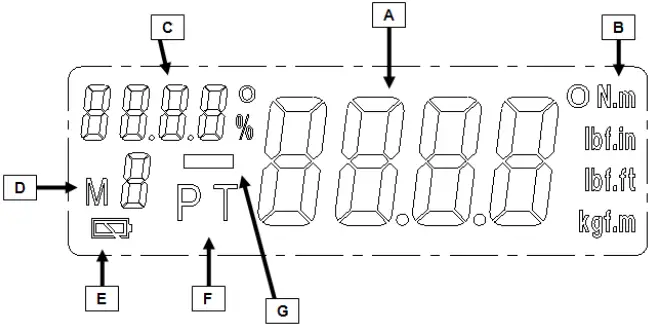
A: Real-time torque value
B: Torque units
C: Target torque indicator
D: Memory storage numbers
E: Battery indicator
F: Peak / Track mode
G: MINUS symbol for counter- clockwise rotation
4.2. Control Panel
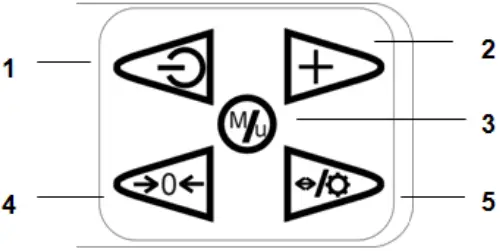
- Power ON / OFF button.
- Memory storage numbers selection / setting button.
- Memorise the torque setting value.
- Button to zero the torque values.
- Button for display illumination (hold for 3 seconds) / for selecting the next digit.
4.3. Preparation for use
4.3.1. Open the cover of the battery compartment by turning it counter-clockwise.
4.3.2. Insert two AAA batteries positive end first, push the battery cap on against the spring and screw clockwise to lock.
Note: DO NOT mix the type of battery or use new/used ones together. Keep the battery terminals clean. If the battery voltage is low, the battery symbol will be displayed on the screen and soon afterwards the wrench will turn off. Replace batteries.

A 2xAAA batteries
4.4. Turning the tool on / off
4.4.1. Press  button to turn on. The buzzer sounds and on the display all readouts will be displayed at the same time for a moment
4.4.2. Press button again to turn off the electronic system.
4.5. Peak and Track Mode Setting
4.5.1. Press to turn the wrench on. After turning on the display, the default is in “ Track “ mode, i.e. the real-time torque reached during operation will be displayed.
4.5.2. Press  button to select:
(Peak) mode or back to (Track) mode.
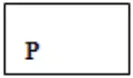
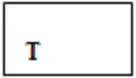
4.5.3. During the “Peak” mode, the maximum value reached will be saved additionally and the value is shown on the display for approx. 2 seconds. After that, this value is flashing then you can keep going for the next application or press  button to zero then keep going for the next application.
4.6. Unit Selection
4.6.1. Enter the selecting mode by pressing and holding the button for 5 seconds.
4.6.2. 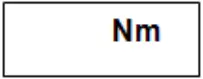 is shown on the screen, select the units between N.m/ lbf.ft/ lbf.in/ kgf.m by pressing
  button.
4.6.3. Press button to confirm the unit selection. The wrench will switch to the setting of Auto Power Off.
 Caution:
If no button is touched within 3 seconds, the wrench will remain at the last selection of unit, and return to measuring mode.
4.7. Auto power off setting
The torque wrench will be turned off automatically without any buttons being touched over a period. Change the auto –off setting as follows:
4.7.1. Once the unit is selected, the default Auto-Off time  (5 mins) will be shown on the screen.
4.7.2. Wait for 2 seconds without touching any buttons, or press button to remain on the default setting.
4.7.3. Change the wrench’s Auto-off time by pressing button. Select the shut-off time between 5 minutes, 15 minutes or “OFF” to turn off the Auto-off function.
4.7.4. Press button to confirm the selection. The wrench returns to measuring mode.
Caution:
If no button is touched within 3 seconds, the wrench will remain at the last selection of unit, and return to measuring mode.
4.8. Programming the Torque value
4.8.1. The wrench has five presets for setting the target Torque value.
4.9. Target Torque Setting
4.9.1. Press button to turn the wrench on.
4.9.2. Press and hold the button for 5 seconds (more than if required) to select the memory storage number between M1~M5 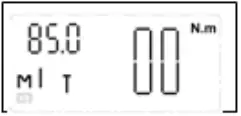
4.9.3. Once the memory number is chosen, access the target Torque programming by pressing the button.
4.9.4. When  is shown on screen, the “0000” or last saved torque value is displayed. The first digit of this value (“0000”) is flashing. Press
  button to zero the last saved value OR by repeatedly pressing button, the value of the flashing digit is gradually increased. When the desired value is achieved, press
  button to skip to the next digit. Repeat this process for all the digits, (ones, tens, hundreds etc.)
4.9.5. When the required torque is set, press to save the pre-set value.
Caution:
“Erro” will be shown on the screen, when the pre-set torque does not exceed the minimal torque of 10% FS or over the 100% of torque value. After 1 second, the wrench returns to target torque value setting.
After pressing the ““ button access the torque setting mode, if no buttons are touched for 3 seconds, the torque wrench will quit automatically and return to measuring mode.
4.10. Turning the display illumination on/off
4.10.1. The display illumination can be turned on prior to or after programming the torque.
4.10.2. In order to do this, press and hold the button for 5 seconds.
4.11. Operating the torque wrench
4.11.1. Select the socket required for your work.
4.11.2. Place the tool on the bolt or nut. Grip the torque wrench handle and pull on the wrench with quick movements. Avoid jerky movements.
4.11.3. With the target torque pre-set, the target value is indicated on the screen.
4.11.4. The LED light will be flashing GREEN when you are in the upper 50%-98% of the programmed torque value.
4.11.5. When you approach the programmed torque value in (+/- 5Nm) the buzzer will sound.
4.11.6. When you are within 2% of the programmed value, the RED light will be seen and you will feel a vibration in the handle. Once +/- 2 Nm of the desired torque value is achieved, the buzzer will emit a quicker sound sequence.
4.11.7 When you are over 2% of the programmed torque, the buzzer will emit a continuous tone, the LED will turn GREEN and a vibration will be felt in the handle.
4.11.8. During the PEAK mode, the maximum value reached will be saved additionally and the value is shown on the display. After releasing the wrench for approx. 2 seconds, this value is flashing, then you can keep going for the next application.
ATTENTION: When you hear the continuous tone, stop pulling immediately in case the target torque is low.
Caution:
Never use the torque wrench when it has a low battery. The wrench’s accuracy will be affected.
“—-” will be shown on the screen, when applying torque is exceeded at 100% of the maximum torque value.
Parts support is available for this product. Please email [email protected] or telephone 01284 757500
 WEEE REGULATIONS
Dispose of this product at the end of its working life in compliance with the EU Directive on Waste Electrical and Electronic Equipment (WEEE). When the product is no longer required, it must be disposed of in an environmentally protective way. Contact your local solid waste authority for recycling information.
 BATTERY REMOVAL
Under the Waste Batteries and Accumulators Regulations 2009, Jack Sealey Ltd are required to inform potential purchasers of products containing batteries (as defined within these regulations), that they are registered with Valpak’s registered compliance scheme. Jack Sealey Ltd Batteries Producer Registration Number (BPRN) is BPRN00705.
Note: It is our policy to continually improve products and as such we reserve the right to alter data, specifications and component parts without prior notice.
Important: No Liability is accepted for incorrect use of this product.
Warranty: Guarantee is 12 months from purchase date, proof of which is required for any claim.
Sealey Group, Kempson Way, Suffolk Business Park, Bury St Edmunds, Suffolk. IP32 7AR 01284 757500
  01284 703534
  [email protected]
  www.sealey.co.uk
© Jack Sealey Limited Original Language Version STW308 Issue: 2H,F) 22/06/22
 Learn By Fun
 Sealey - Leading Professional Tool & Workshop Equipment Supplier