
SIEMENS 2NLK42B 200% Neutral Lug Kit for P1-250 Panels
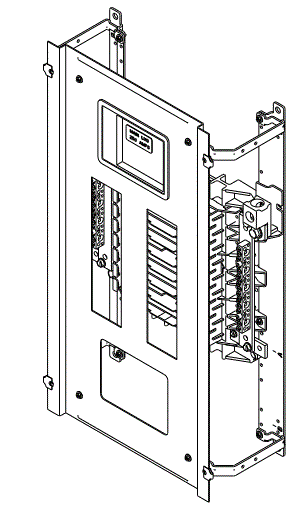
Product Information
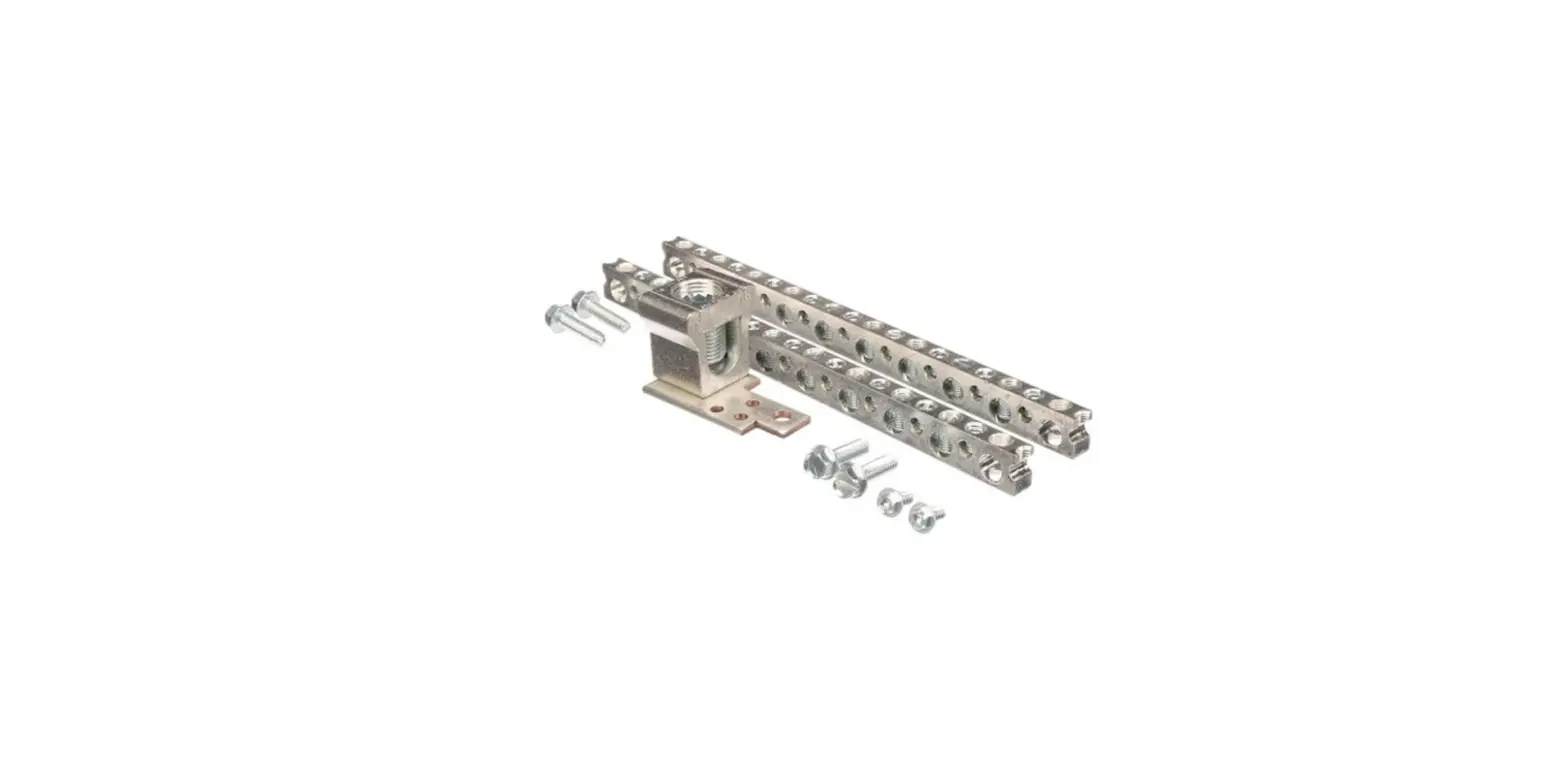
The product is a 200% Neutral Lug Kit for P1-250 Panels, with part numbers 2NLK42B or 2NLK54B. The kit is designed for use in Revised P1 Panelboards only. The kit includes various items such as neutral riser extensions, screws, neutral lug assembly, neutral strip lug, and neutral label.
Compatibility
To confirm the kit compatibility, check the part number of the panel marked on the interior label. If it ends with an N or a T, it is a Revised P1 and is compatible with this kit.
Kit Contents
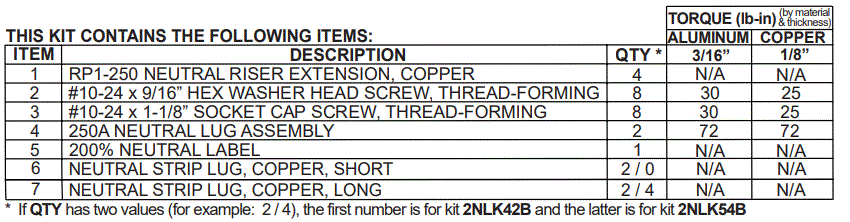
- RP1-250 Neutral Riser Extension, Copper – Quantity: 4
- #10-24 x 9/16 Hex Washer Head Screw, Thread-Forming – Quantity: 8
- #10-24 x 1-1/8 Socket Cap Screw, Thread-Forming – Quantity: 8
- 250A Neutral Lug Assembly – Quantity: 2
- 200% Neutral Label – Quantity: 1
- Neutral Strip Lug, Copper, Short – Quantity: 2 / 0
- Neutral Strip Lug, Copper, Long – Quantity: 2 / 4
Torque Values
Refer to the Hardware Tightening Torque label affixed to the rear of the deadfront for the torque values for each connection. Use the specified torque values for all connections.
Product Usage Instructions
Warning
Hazardous voltage. Will cause death or serious injury. Keep out. Qualified personnel only. Disconnect and lock off all power before working on this equipment.
- Disconnect and lock off all power supplying this equipment before working on it.
- Remove the deadfront.
- Attach the neutral riser extensions to the neutral riser in the panel.
- Attach the neutral lug assembly to the neutral lug pad.
- Attach the short neutral strip lug to the neutral cross bus and the long neutral strip lug to the base rail.
- Attach the main cables to the lugs and branch cables to the neutral strip lugs. Torque all connections to the values specified on the Hardware Tightening Torque label affixed to the rear of the deadfront.
- Place the 200% Neutral Label on the front of the deadfront or on the rear if there is no room on the front.
- Before energizing the panel, ensure that all connections have been properly torqued, that the deadfront is installed, and that all fillers are in place.
To confirm, note the part number of the panel (marked on the interior label).
If it ends in an “N” or a “T” it is a “Revised P1” and is compatible with this kit.(For example: P1E42MC250A is an Original P1; P1E42MC250AT is a Revised P1)
Installation Instructions

The following instructions are for the installation of a Siemens 200% rated neutral kit in a Revised P1, 250A Panelboard. The parts provided in this kit are for connection to a 1-phase 3-wire or a 3-phase 4-wire system. The 2NLK**B kits are for 200% rated neutrals, sometimes required for panels supplying loads with high harmonic loads, such as personal computers. Caution: The 200% neutral requires that the line cable and connectors be doubled; for example, instead of (1) cable for 250 amp panel use (2) cables instead.
(NOTE: Use 2NLK42B for 18, 30 or 42-circuit systems and 2NLK54B for 54 or 66-circuit systems.)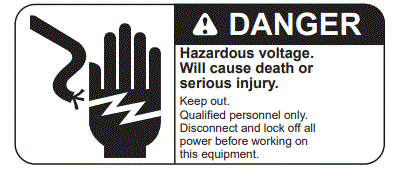
- Lock off all power supplying this equipment before working on it.
- Remove the deadfront.
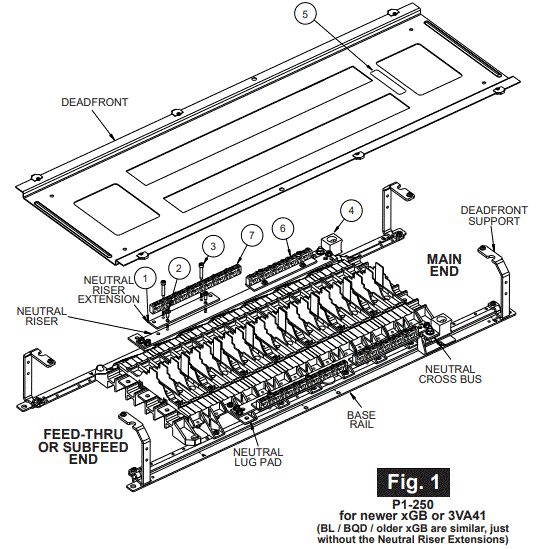
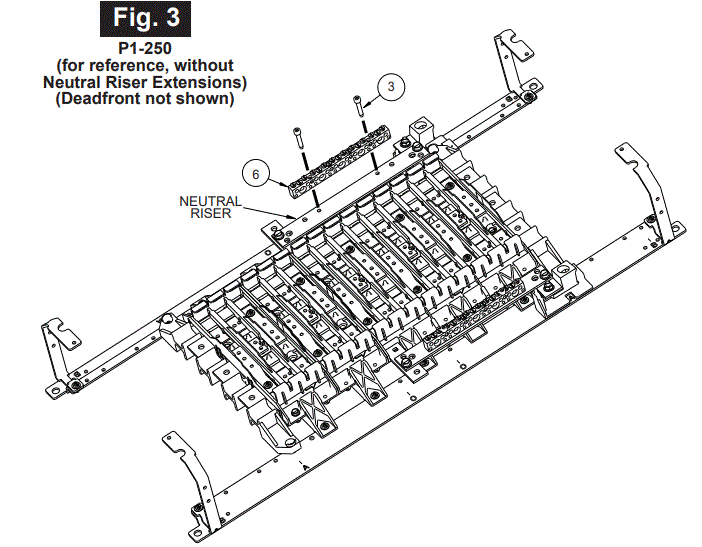
- Remove the existing Neutral Strip Lugs and replace any existing aluminum Neutral Riser Extensions with the copper Neutral Riser Extensions (Item 1) using #10-24 x 9/16” hardware (Item 2). Install the new copper Neutral Strip Lugs (Items 6 & 7) with #10-24 x 1-1/8” hardware (Item 3) provided in this kit.
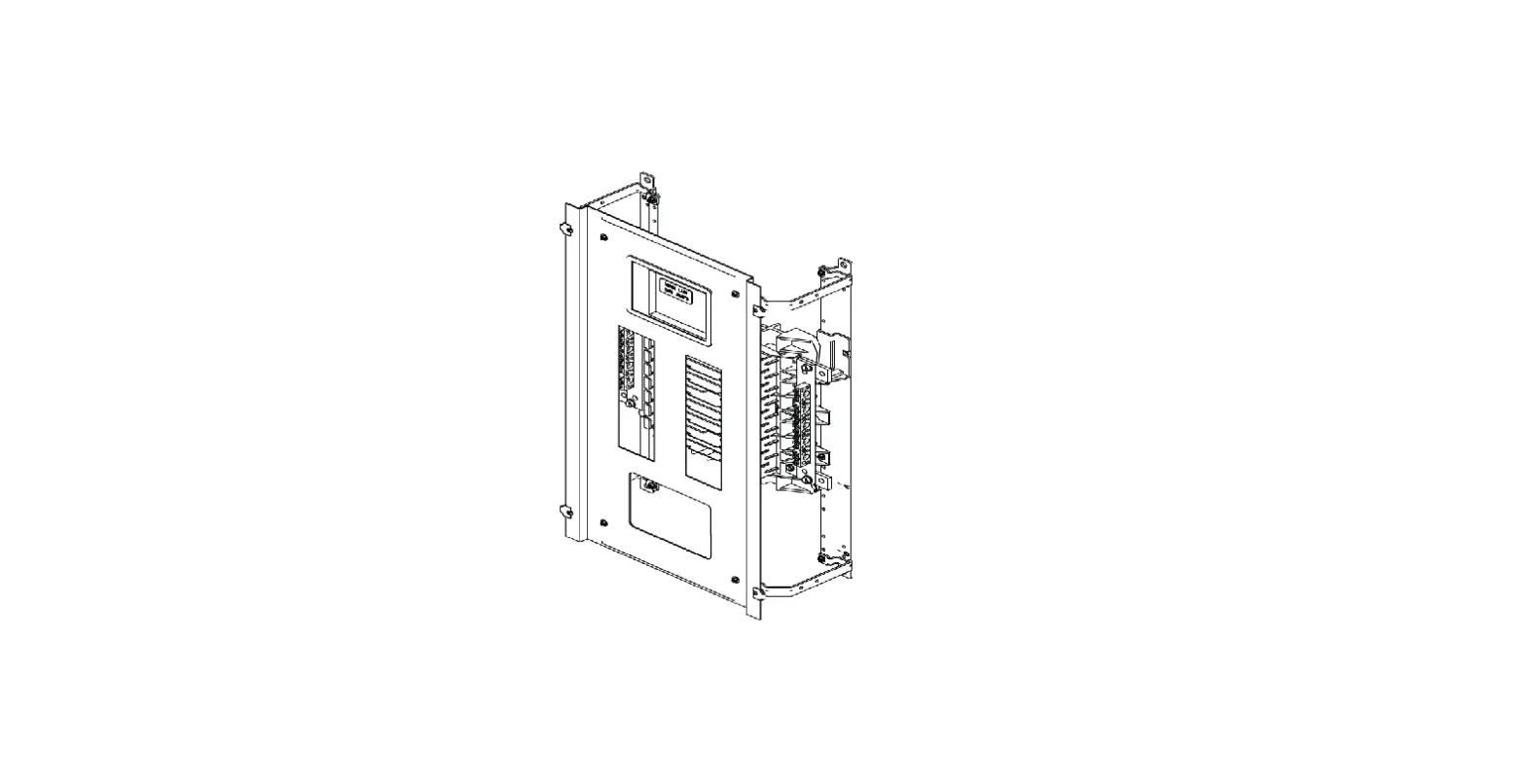
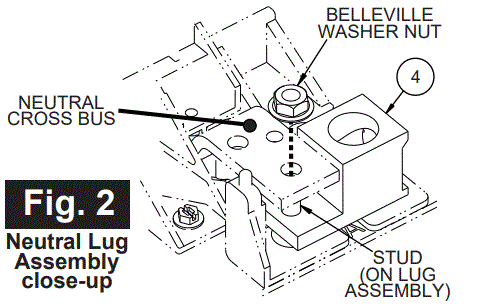
NOTE: RP1-250 panels with Neutral Riser Extensions must have the Neutral Strip Lugs attached to the Neutral Riser Extensions (per Fig. 1). RP1-250 panels WITHOUT Neutral Riser Extensions have the Neutral Strip Lugs attached directly to the Neutral Riser (per Fig. 3). - Depending on existing main neutral connectors, install (1) or (2) main neutral connectors (Item 4) so that double connectors are available. Position the lug assembly under the Neutral Cross Bus and insert exposed stud from beneath, as shown in Fig. 2. Then thread the 1/4”-20 Belleville Washer Nut (part of Item 4) onto the stud. FEED-THRU or SUBFEED: It does NOT matter to which end of the panel connector is mounted. NON FEED-THRU or SUBFEED: Install connector at main end ONLY in a panel without feed-thru or subfeed space.
- Torque all connections to the values specified on the Hardware Tightening Torque label affixed to the rear of the deadfront.
- Attach main cables to the lugs and branch cables to the Neutral Strip Lugs and torque connections to the values specified on the device. If no values are specified, refer to the Hardware Tightening Torque label affixed to the rear of the deadfront.
- Place 200% Neutral Label (Item 5) on the front of the deadfront (or on the rear if no room on front).
- Before energizing the panel, ensure that all connections have been properly torqued, that the deadfront is installed and that all fillers are in place.
These instructions do not purport to cover all details or variations in equipment or to provide for every possible contingency to be met in connection with installation, operation or maintenance. Should further information be desired or should particular problems arise, which are not covered sufficiently for the purchaser’s purposes, the matter should be referred to the local Siemens sales office. The contents of this Instruction manual shall not become part of or modify any prior or existing agreement, commitment or relationship. The sales contract contains the entire obligation of Siemens. The warranty contained in the contract between the parties is the sole warranty of Siemens. Any statements contained herein do not create new warranties or modify the existing warranty.
Trademarks – Unless otherwise noted, all names identified by ® are registered trademarks of Siemens AG or Siemens Industry, Inc. The remaining trademarks in this publication may be trademarks whose use by third parties for their own purposes could violate the rights of the owner.