SAX-8206-P Trimline Dual Line IP Tethered Cordless
SIP Phone – Product Information
| Product Name | SIP Phone |
|---|---|
| Model Numbers | SAX-8206-P / SAX-8106-P |
| Quick Installation Guide Version | 1.01 |
Package Contents
When unpacking the phone, ensure all the following items are
present and undamaged. If anything appears to be missing or broken,
contact your dealer for a replacement.
- Handset Phone
- AC Adaptor (Optional)
- RJ-45 Cable
- Quick Installation Guide (This document)
Product Description
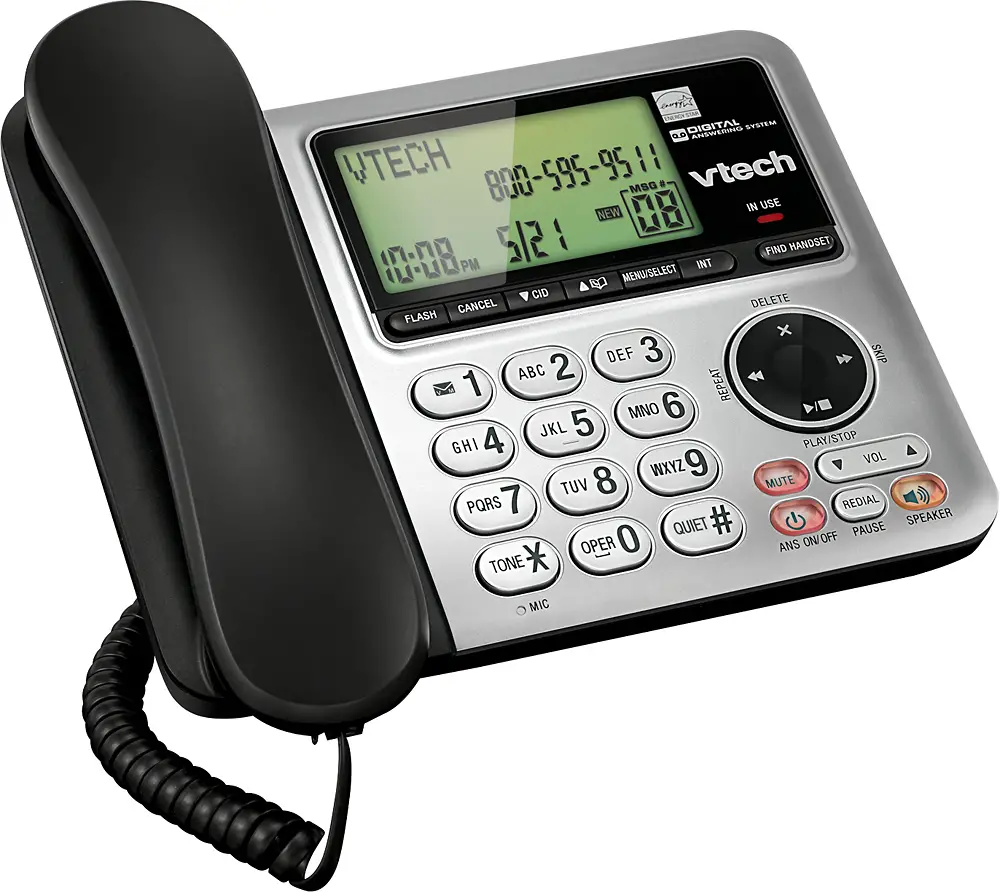
Front View
| Name | Description |
|---|---|
| Ring Indicator | A red light indicator means that you have incoming calls. |
| Dialing Pad | Press the buttons to dial a phone number or enter alphabetical characters. |
| LINE 1 / LINE 2 | There are two LINEs at the bottom of this handset. Press to finish the call. |
| End key | Press to put an active call on hold. |
| Function keys |
|
Back View
| Name | Description |
|---|---|
| LAN port | Connects to HUB, ADSL, or Switch (PSE). |
Installation
The following illustration shows how to install the phone on the
wall.
Operation
Pairing with master unit
Please follow the steps below to pair the SAX phone set with the
master unit:
- Enter *112*811 on the master unit to standby.
- Press the star key to enter the SAX menu; close the item 2 to
start the pairing. - Press the line key to submit the pair.
Answering a Call
An incoming call is indicated by a ringing tone and a flashing
indicator at the top of both handset and base units. You can answer
the call by doing one of the following:
- Pick up the handset to answer the call.
Making a Call
Dialing with the Keypad:
- Enter the telephone number with the alphanumerical keypad.
- After entering the number you want to call, press the # key to
force dialing or wait for 3 seconds before the number is dialed
automatically.
Call Options
While a call is in progress, a number of additional options are
available.
Putting a Call on Hold
You may want to put a call on hold temporarily while doing some
work or attending to a second incoming or outgoing call. To put a
call on hold, do one of the following:
- Press the HOLD key on the phone to put the call on hold.
- When you receive a second call, press the next available LINE
key to attend to the new call, and the first call will be put on
hold automatically.
Checking Voice Messages
If the message waiting indicator at the top of the handset or
base unit lights up in red, it indicates that there are one or more
new messages in voicemail box. Press the MESSAGE key on the phone
to retrieve voice messages. (An external ITSP or PBX must support
voice message feature. And you need to set a voice message code
before using the voice mail feature.)
Support
For technological support, please email to
[email protected].
SIP Phone
SAX-8206-P / SAX-8106-P
QIG V 1.01
1 Over view
This Phone is a full-feature telephone that provides voice communication. Read this QIG carefully to learn how to operate this product and take advantage of its features.
Package Contents
When unpacking the phone, ensure all the following items are present and undamaged. If anything appears to be missing or broken, contact your dealer for a replacement. 1. Handset Phone 2. AC Adaptor (Optional) 3. RJ-45 Cable 4. Quick Installation Guide(This document)
2 Product Description
The following contains important information to help you familiarize with the functions of the phone.
Front View
Name
1
Ring Indicator
2
Dialing Pad
3
LINE 1 / LINE 2
4
End key
5
Function keys
HOLD
MUTE
VOLUME
Description A red light indicator means that you have incoming calls. Press the buttons to dial a phone number or enter alphabetical characters. There are two LINEs bottom in this handset. Press to finish the call
Press to put an active call on hold. Press to mute a call. Press to increase or decrease the volume of the ringer tone.
Back View
NO. Name
1
LAN port
Description Connects to HUB, ADSL, or Switch(PSE)
3. Installation
The following illustration shows how to install the phone on the wall.
1.
4 Operation
Pairing with master unit
Please follow the step below to pair the SAX phone set with the master unit. Please enter “* 112 *811” on master unit to standby. Press the star key to enter the SAX menu; close the item 2 to start the pairing. Press the line key to submit the pair.
Answering a Call
An incoming call is indicated by a ringing tone and a flashing indicator at the top of both handset and base units. You can answer the call by doing one of the followings: Pick up the handset to answer the call.
Making a Call
Dialing with the Keypad Enter the telephone number with the alphanumerical keypad. After entering the number you want to call, press the # key to force dialing or wait for 3 seconds before the number
is dialed automatically.
Call Options
While a call is in progress, a number of additional options are available.
Putting a Call on Hold
You may want to put a call on hold temporarily while doing some work or attending to a second incoming or outgoing call. To put a call on hold, do one of the following: Press the HOLD key on the phone to put the call on hold. When you receive a second call, press the next available LINE key to attend to the new call, and the first call will be
put on hold automatically.
Checking Voice Messages
If the message waiting indicator at top of handset or base unit lights up in red, it indicates that there are one or more new messages in voicemail box. Press the MESSAGE key on the phone to retrieve voice messages. (An external ITSP or PBX must support voice message feature. And you need to set a voice message code before using the voice mail feature.)
5 Support
For technological support, please email to [email protected].