 Manufactured by
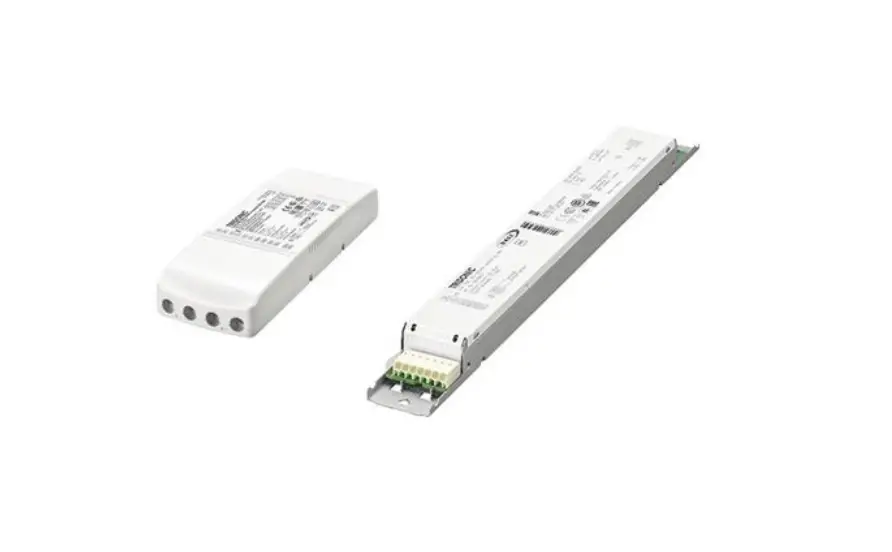
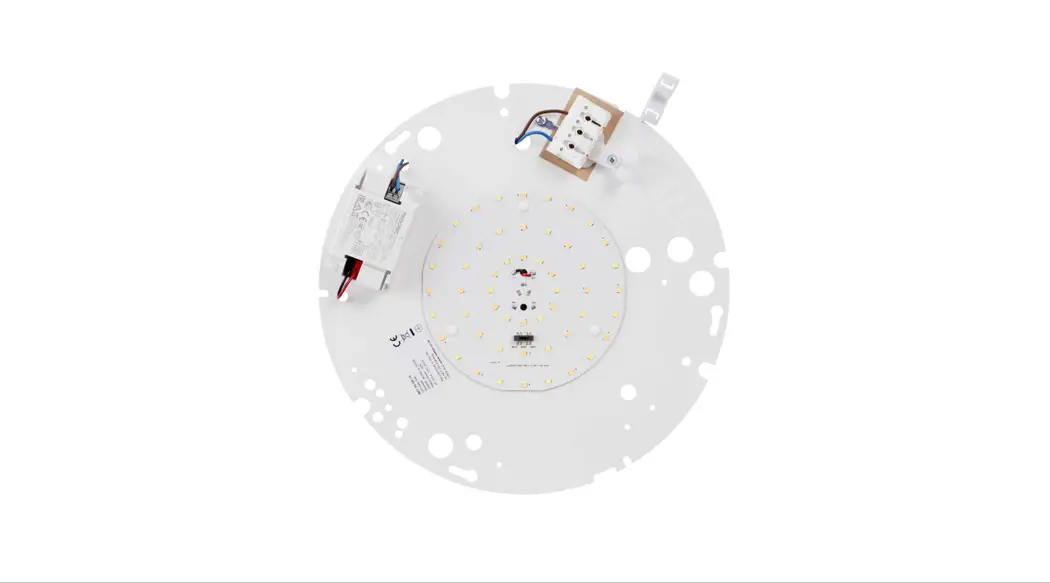
LED GEAR TRAY
INSTALLATION
GUIDE
LED GEAR TRAY NET-33-06-XX
KEY DATA 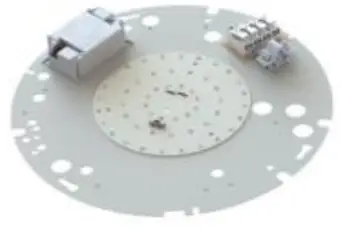 | |
| Light Source | LED |
| Power | 16W |
| Luminous Flux | 1785Im / 2084m / 1901lm |
| Luminous Efficacy | 1121m / 138lm / 121 Im |
| Colour Temperature | 3000K I 4000K / 5500K |
| Colour Rendering | >80 CRI |
| Manufacturer | NET LED Lighting |
SUPPLY/EARTH CLASS

Safety Information
>All electrical work must be undertaken by a qualified contractor to ensure compliance with the latest edition BS7671 and IEE/IET wiring regulations.
> Before installing a LED Gear Tray or doing any maintenance, ensure the power supply is turned off at the circuit breaker or fuse box.
> This product is designed for permanent connection to fixed wiring; the circuit should be protected with the appropriate MCB or fuse. Environment
>Please DO NOT dispose of electrical items or packaging as unsorted waste. Use the recycling facilities provided by your local authorities.
PRODUCT DIMENSIONS
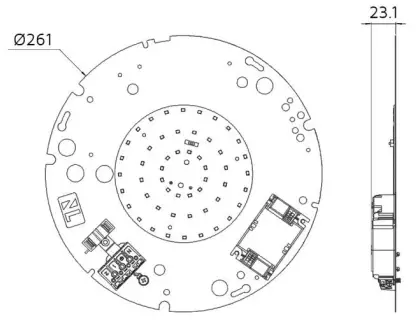
All units are in mm
Important Warranty Information
The LED Gear Tray has a 3 Year Warranty. The registrant must provide the product part number and date of manufacture, which can be found on the gear tray along with the original purchase invoice. The Battery has a 1 Year Warranty.
Installation procedure: Carefully read the installation instructions and ensure the mains supply is isolated before installation. Please read the safety information overleaf before carrying out any installation. Please retain this leaflet for future reference.
LED Gear Tray installation:
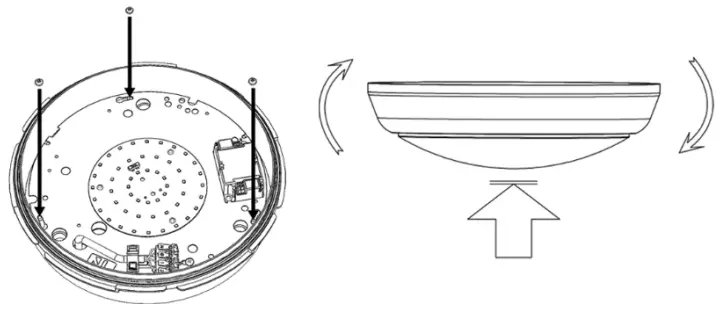
Step 1: Remove the Diffuser from the existing Bulkhead.
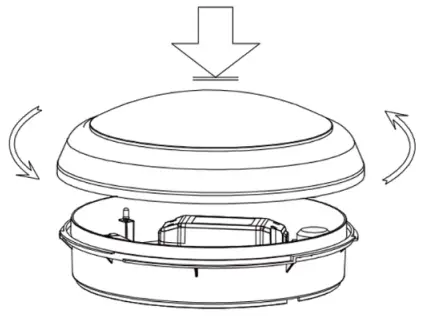
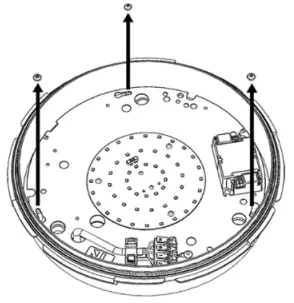
Step 2: Remove the Gear Tray fixing screws. Keep the screws that were used to hold the existing Gear Tray in place
Step 3: Remove the Gear Tray from the Bulkhead casing, detach the existing input power wiring from the terminal block. Insert replacement Gear Tray and connect input power wiring to the terminal block. Secure power cable
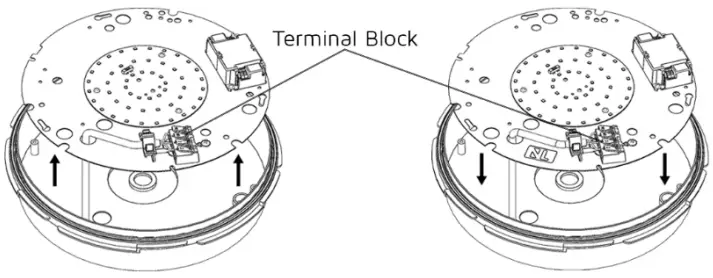
Step 4: Insert replacement Gear Tray securing screws. Refit the Diffuser and switch on the mains supply to test that the Bulkhead functions correctly
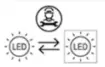 Replaceable light source (LED only) by professional
 Replaceable control gear by professional
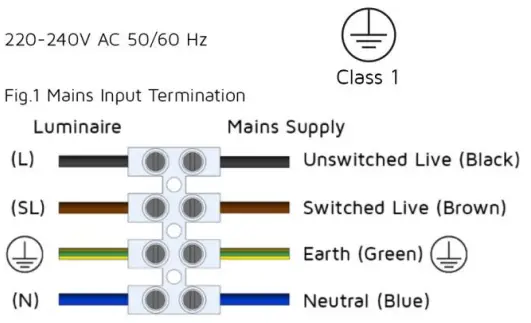
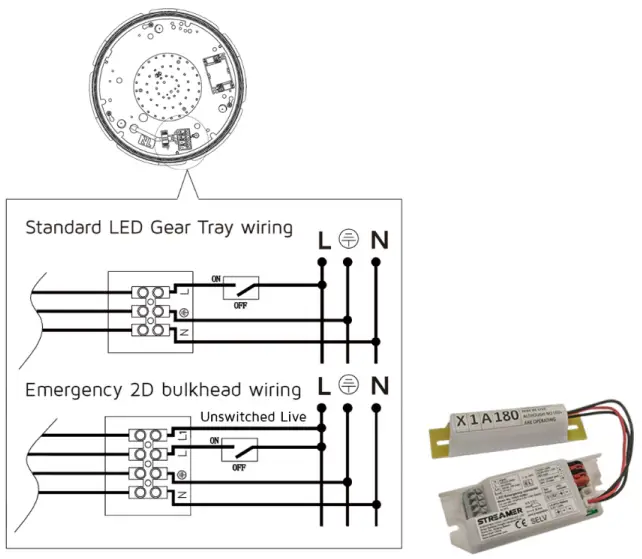
Wiring Diagram 1
Note: A qualified electrician is required to carry out the electrical wiring.
All wiring must be double insulated where there is a possibility of coming in contact with live wires.
Important Battery Warranty Information
The battery has a 1 Year Warranty. To claim, you must provide the product part number and date of manufacture, which can be found on the label attached to Luminaire housing along with the original
purchase invoice.
Microwave Motion Sensor Configuration – These settings are only for the LED Gear Tray with Microwave Sensor option.
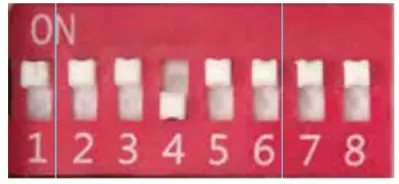
Please note: DIP switch in the ‘UP’ position is ON.
| Detection area can be changed by selecting the combinations below on the DIP switches. Maximum detection area 12m. | Refers to the time period the lamp remains at 100% illumination after no motion is detected. | The sensor can be set to only allow the lamp to illuminate below a defined ambient brightness threshold. When set to Disable mode, the daylight sensor will switch on the lamp when motion is detected regardless of the ambient light level. | This refers to the time period the lamp remains at a low light level before it completely switches off in the long absence of people. When set to ‘+03’, the low light is maintained until motion is detected. When set to ‘Os’, the light will turn off after hold time. | ||||||||
| Detection Area | Full Brightness Hold Time | Daylight Sensor | 10% Corridor Function Time | ||||||||
| chl | ON | 100% | ch3 | ON | 5S | ch5 | ON | Disable | ch7 | ON | Off/OS |
| ch2 | ON | ch4 | ON | ch6 | ON | ch8 | ON | ||||
| chi | – | 75% | ch3 | – | 905 | ch5 | – | 50Lux | ch7 | 305 | |
| ch2 | ON | ch4 | ON | ch6 | ON | ch8 | ON | ||||
| ch1 | ON | 50% | ch3 | ON | 3min | ch5 | ON | 15Lux | ch7 | ON | 10min |
| ch2 | – | ch4 | – | ch6 | – | ch8 | – | ||||
| ch1 | – | 25% | ch3 | – | 10min | ch5 | – | 5Lux | ch7 | – | Always On/.co |
| ch2 | – | ch4 | – | ch6 | – | ch8 | – | ||||
Default Set Up On Delivery
LED Luminaires
and Retrofit Bulbs
Licensing Program
Member
NET LEO Ltd http://tinyurl.com/ooyn6wj

NET LED Ltd.
Buckingway Business Park
300 Anderson Road
Cambridge
CB24 4UQ
[email protected]
www.netled.co.uk
Technical Helpline: 01223 851505
Email: [email protected]
www.netled.co.uk/downloads