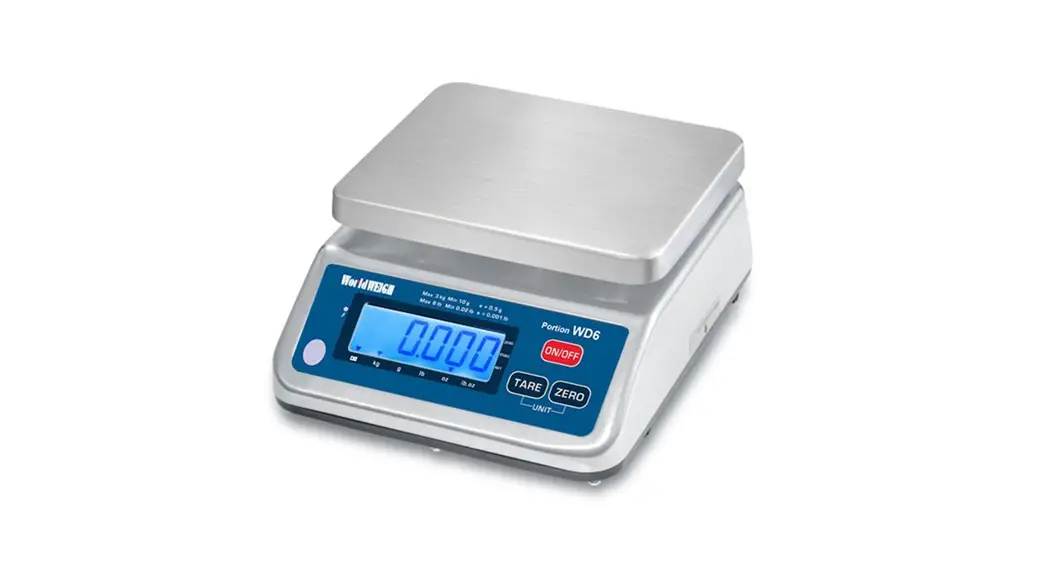

 Instruction Manual
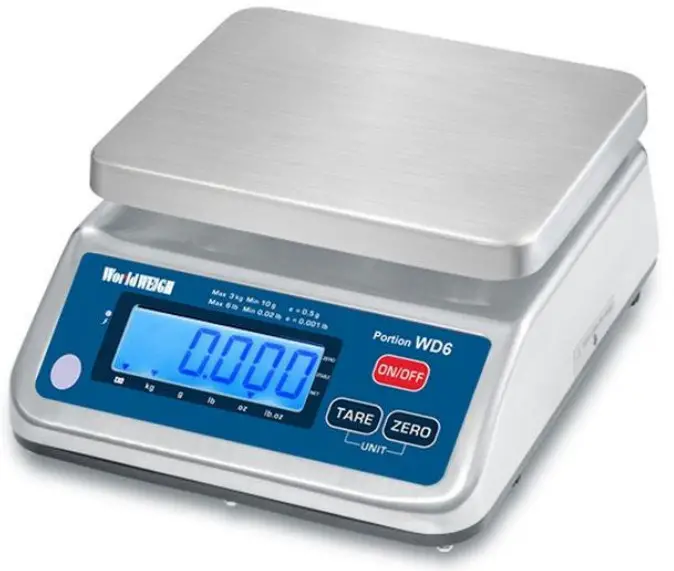
World WEIGH
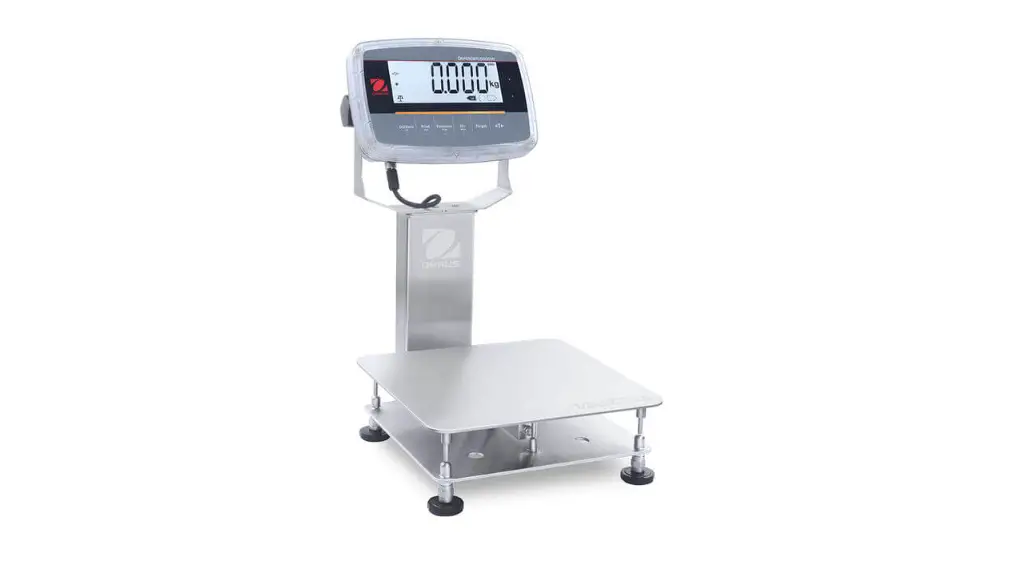
Portion Washdown Scales
V1.06-1.10
PRECAUTIONS
CAUTION
- Permit only qualified persons to service the instrument
- Before connecting or disconnecting any components, unplug the power.
- Failure to observe these precautions bodily harm or damage to or destruction of the equipment.
- Avoid leaving the scale in direct sunlight, which may cause discoloration.
- Avoid overloading, this could cause damage to the scale.
- If the scale is not used for a long period of time, remove all batteries from the battery compartment to avoid leakage.
- Avoid stacking materials on the scale when not in use.
- Avoid unsuitable tables. The tables and floor must be rigid and isolated from vibration. Do not place near vibrating machinery.
- Avoid unstable power sources. Do not use near high voltage machines such as welding equipment or large motors.
- Do not mix battery brands. Replace all the batteries at the same time (Dry Cell).
- Only use original World Weigh WD adaptor, others could cause damage to the scale.
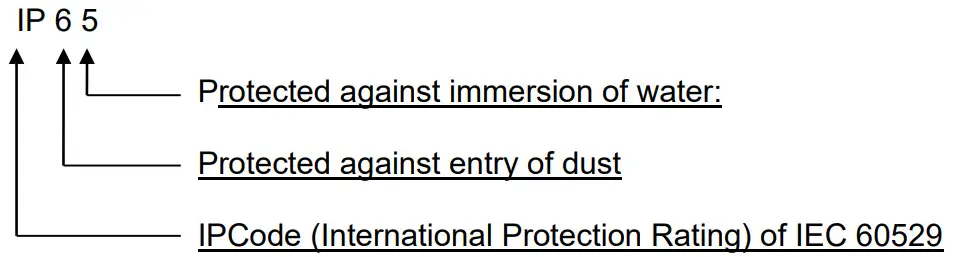
- When the scale is used with an adaptor it is not in conformance with IP-65 protection.
INTRODUCTION
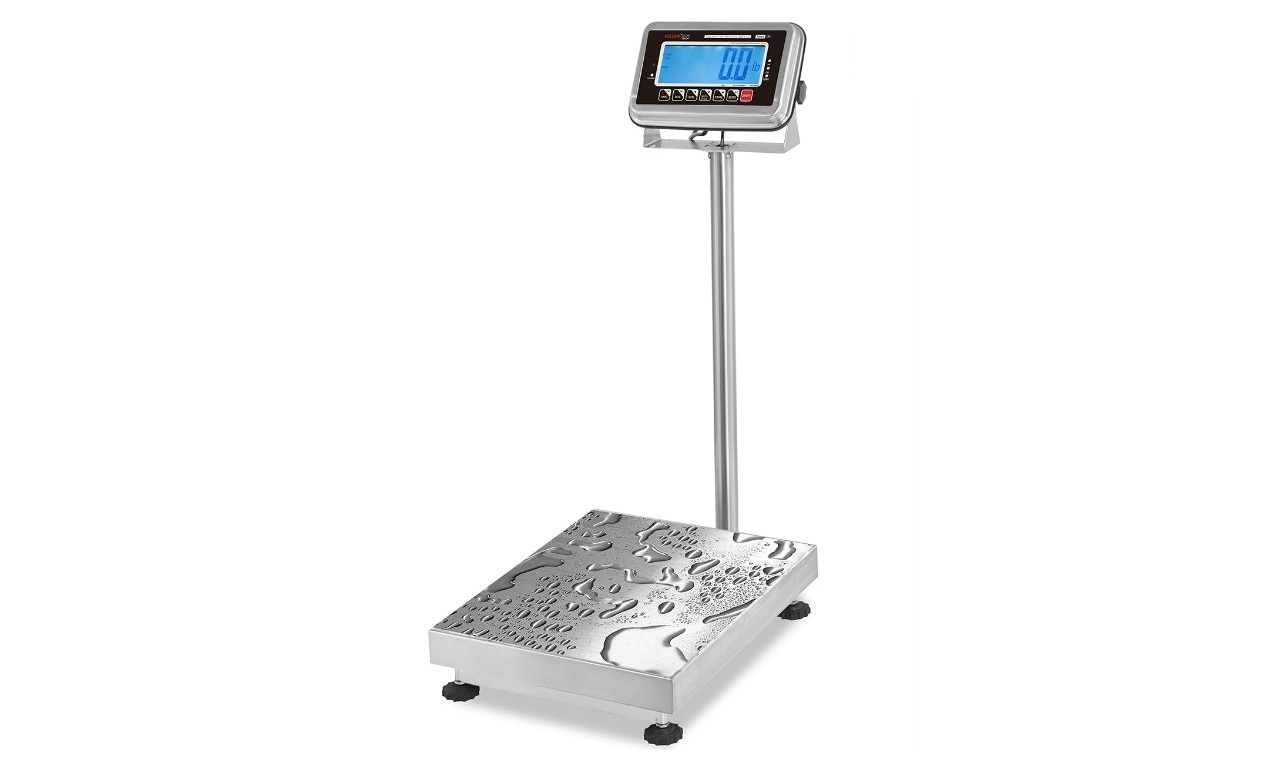
- The World Weigh WD series weighing scales are fully waterproof scales.
- It is suitable for sanitary applications and general weighing.
- IP65 waterproof technology
- Stainless steel housing.
- Super low power consumption.
- Built in rechargeable battery.
- Large 25mm (0.98inch) digits LCD with white LED back light display.
- Optional 20mm (0.78inch) digits LCD rear display
SPECIFICATIONS
| MODEL | S29-6 | S29-12 | S29-30 | S29-60 |
| Capacity | 6Ib / 3kg / 96oz | 12Ib / 6kg / 192oz | 30Ib / 12kg /480oz | 60Ib / 25kg / 960oz |
| Readability | 0.0011b/0.005kg/ 0.02oz | 0.0021b/0.001 kg/0.05oz | 0.0051b/0.002kg / 0.1oz | 0.011b / 0.005kg / 0.2oz |
| Max. Divisions | 6000e | |||
| Weighing Units | kg/g/lb/oz/lb. Oz | |||
| Display | 0.98inch /25mm digits LCD Display with white LED back Light | |||
| Platter size | 9 x 7.5inch / 230 x 190mm | |||
| Housing | Stainless Steel | |||
| Operation Temperature | 14°F – 104°F / -10°C – + 40°C | |||
| Power | AC Adaptor 12V/500mA , Rechargeable Battery 6V/3.2Ah | |||
| Battery life | Approx.70 Hours LCD (no backlight) | |||
| Keypad | 3 mechanical keys | |||
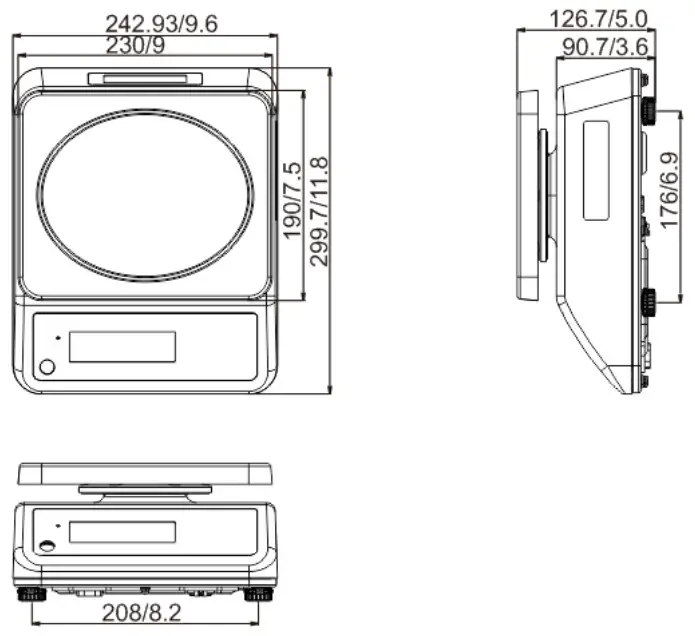
| Dimensions (inch/mm) | 9.6 (W) x 11.8 (D) x 5.0 (H) / 242.93 (W) x 299.7 (D) x 126.7 (H) | |||
| Gross weight | 9.31b (4.2kg) | |||
DIMENSION(mm)
INSTALLATION
Unpacking
Carefully take the balance out of its package, make it sure it’s not damaged, and all accessories are included.
- Remove the Indicator from the carton.
- Remove the protective covering. Store the packaging for use if you need to transport the scale later.
- Inspect the scale for any damage.
- Make sure all components are included.
Accessories,
- Balance
- Adaptor
- Pan
- Product manual
Level Adjusting
Place the scale on a table. 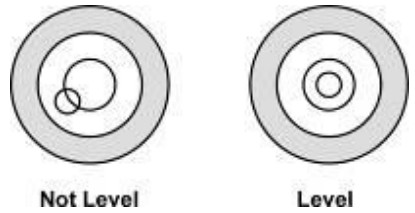
Check the water mark. If the bubble is not centered, adjust the leveling feet until reach center. Always check the level when you change the scales location.
Charging Battery
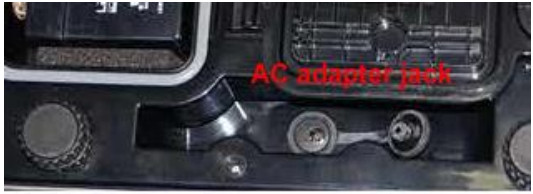
- To charge the battery, insert the adaptor pin into the jack located under the scale. The adaptor simply plugs into the receptacle. The scale does not need to be turned on to charge.
- The battery should be charged for 12 hours to fully charge.
- There is an LED on the left side of the display that shows the status of the battery charging. When the scale is plugged in, the battery will charge. If the LED is green, the battery has a full charge. If it LED is red, the battery is nearly discharged and if yellow, the battery is being charged.
- Do not use any power adaptor other than the one supplied with the scale.
- Verify that the AC power socket outlet is properly protected.
Note: Please charge the battery before using the scale for the first time CAUTION
Below the scale there is a breathable knob. Its default setting is for weighing. If you want to wash the scale tighten the knob, after washing release the knob for weighing.
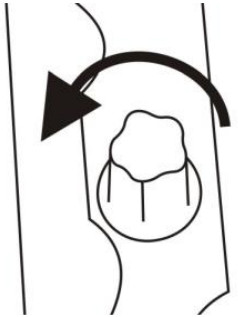 | 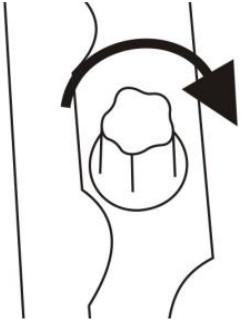 |
| When weighing, release screw for normal use. | When washing is needed, tighten the screw to seal the unit. |
Installation
- Place the scale on the table.
- Connect the adaptor pin into the indicator adaptor jack.
Adaptor jack is located on the underside of the scale. - Plug the adaptor into the receptacle. Equipment must be installed near an easily accessible outlet with a protective ground/ earth circuit.
- Press the On/Off key. If you want to turn off, press the key again.
- Display will show the version number and will start a self-check test.
- After the self-check, the display will go to normal weighing mode.
- A warm-up time of 15 minutes stabilizes the measured values.
- Recommend using certified weights for calibration see details in parameter.
The scale is now ready for use.
PARTS DESCRIPTION
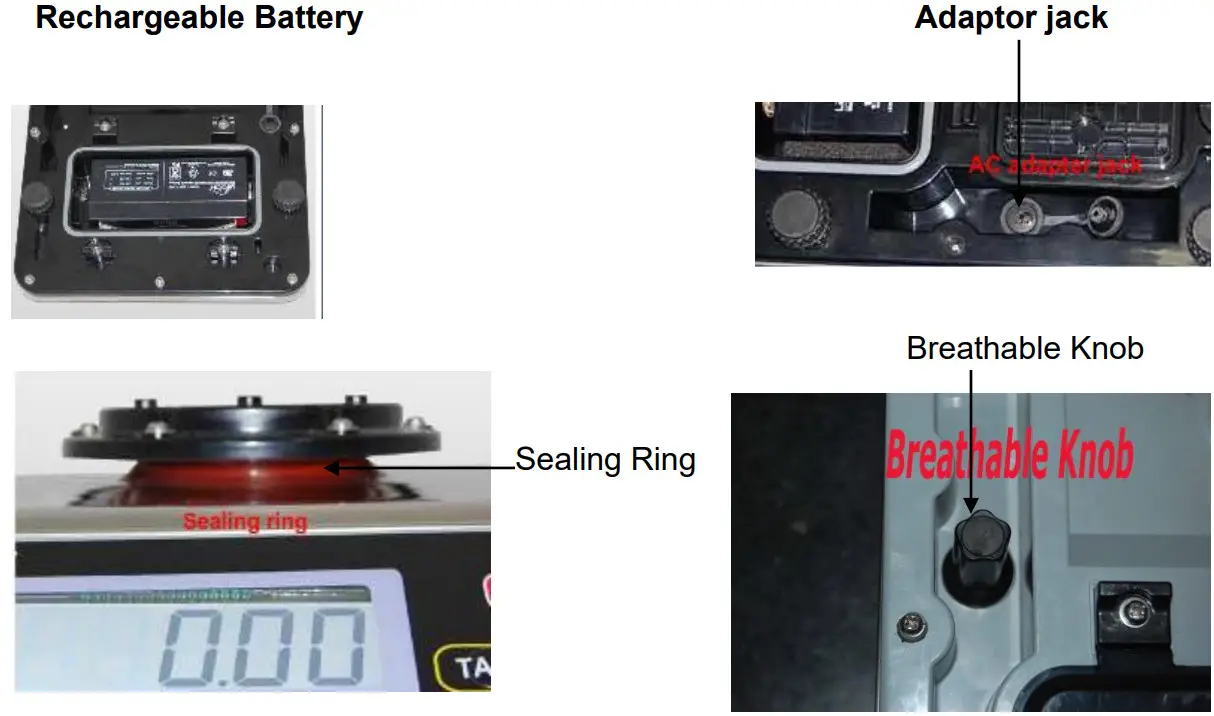
Key Board
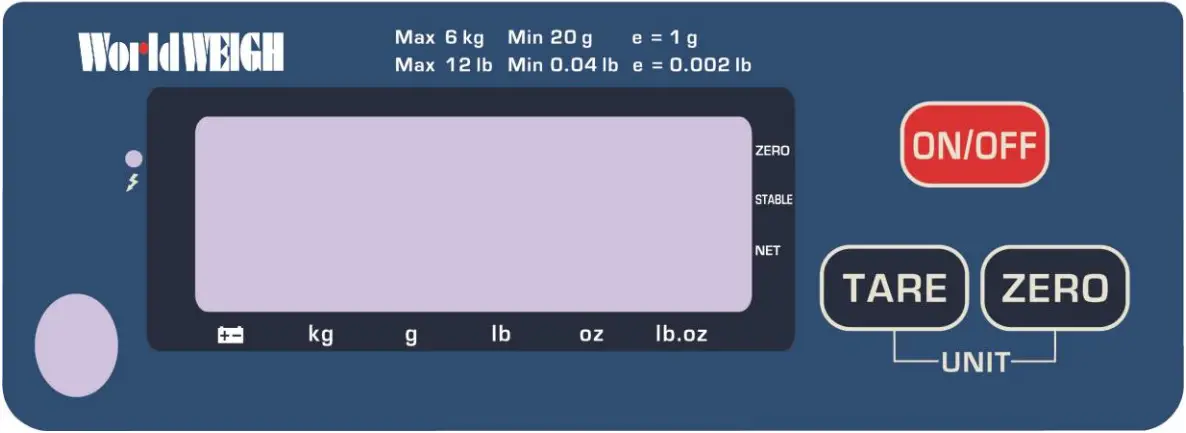
Weight Display
| Zero | Zeroing Display |
| Stable | Stable Display |
| Net | Net Weight Display |
 | Low Battery |
| kg/g/lb/oz/lb.oz | Current Weighing Mode |
Keys
 | Turns the scale power On / Off |
 | Subtracts weight of container |
 | Sets display to Zero |
OPERATION
Initial Start-up
Warm-up time of 15 minutes stabilizes the measured values after switching on.
- Power ON/OFF
Switch on the scale by pressing . The display is switched on and the self test is started.
If you want to switch off press the key again. - Zero
Pressing the key will ensure that the weighing starts at zero.
 - Tare
The weight of any container can be removed by pressing the button.
• Load weight on the pan.
• Press key. Zero is displayed, and tare is subtracted.
• Remove the container from the platform and the tare weight is displayed. It will show a minus value.
• Press key again and zero is displayed, tare weight is cleared. - Back light
Press the key for three seconds, the display will show “BK-AU”, Press the to select back light AU/OF/ON, then press the key to confirm.Display Description Bk AU Backlight will be turned on, when weight is applied or when display is not at zero. Bk oF Backlight function will be turned off. Bk on Backlight will be always turned on. - Weighing Units
Press the and keys together to change the weighing mode. The weighing units can be changed to kg/g/lb/oz/lb. Oz - Auto power off setting
To change the auto power off setting to turn the scale off when not in use, scale will turn off after the setting time. Enter the setup menu by powering up and holding the tare button then press tare until F5 off is displayed. Press zero to enter then.. press key to select the option, press key to confirm
PARAMETERS
Enter the Menu
- Turn on the scale. Press during that start up until display will be shown
Enter the Selected Menu - Press to confirm what is shown on the display.
Select the Menu - Press to scroll through the menu block and zero to enter.
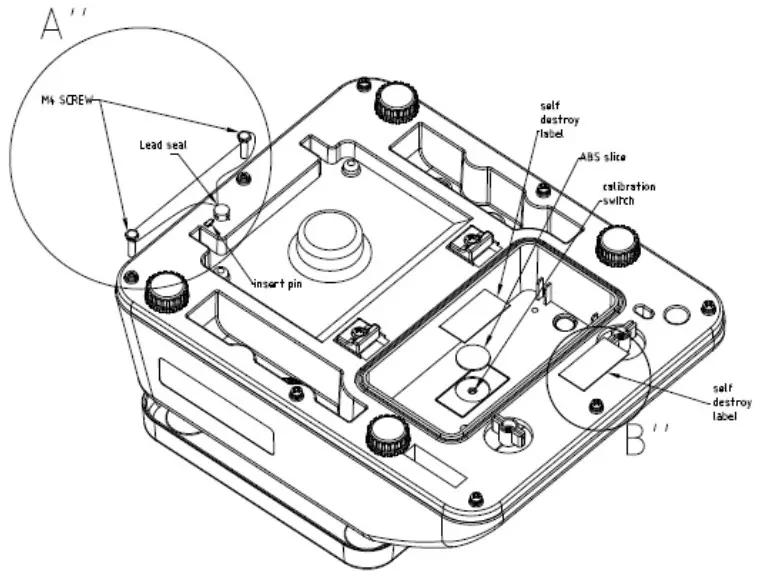
Note: If you want to access parameters F1 CAL ;F2 RES; F3 CAP;F6 GRA; , press the CAL switch in the battery compartment. Remove the battery housing and battery to locate the CAL switch.
| Menu | Description | |
| F1 cal | kg | Calibration in kg mode |
| lb | Calibration in lb mode | |
| F2 res | 3000 | Set Resolution |
| 6000 | ||
| dual | ||
| F3 cap | 3kg (6lb) | Set Scale Capacity |
| 6kg (12lb) | ||
| 12kg (30lb) | ||
| 25kg (60lb) | ||
| F4 inp | Internal Counts | |
| F5 0ff | Set scale for auto turn off. | |
| 3 min | Auto off after three minutes. | |
| 5 min | Auto off after five minutes. | |
| 15 min | Auto off after 15 minutes. | |
| off | Auto off function disable | |
| F6 grad | x.xx.xx | Set local gravity |
| F7 spd | 7 .5 | Set AD speed |
| 15 | ||
| 3 0 | ||
| 6 0 | ||
| Back | Back to weighing mode | |
CALIBRATION
- Turn on the scale. Press and hold key during start up until display shows. F1 Cal Then press the calibration switch located below the battery
- Press to confirm, the display will show kg
a. If calibrating in kg, continue step 3
b. If calibrating in lb, press the key and lb will be shown on the display
Ensure that the platter is empty.
Note: Press the key to choose either “kg” or “lb”. - Press the to confirm and the display will show unload
- Press the display will show the current calibration weight value. 2 lb
- If needed press to select the weight value.
- Apply the weight to the platform. Wait for the indictor to stabilize then press the key to confirm. The display will show PASS.
- The scale will restart.
If the display shows an error message or incorrect measurement, repeat the calibration again.
ERROR CODES
| Error Message | Description | Solution |
| Err 4 | Zero setting error | Zero setting range exceeded due to switching on.(4%max) Make sure platform is empty. |
| Err 5 | Key board error | Check the keys and connecter. |
| Err 6 | A/D value out of range | Make sure platform is empty and insure that the pan is installed proper. Check the load cell connectors. |
| Err 9 | Unstable Reading | Check for any air variation, vibration, RF noise or if the scale is touching anything. Check the load cell and connecters. |
| Err 17 | Tare out of range | Remove the load and restart scale again. |
| –owl– | Over range | Remove the load. Re calibrate |
| Fail / fail | Calibration Error | Re calibrate |
| Ba lo / lobe | Battery low | Re charge battery, check the voltages. |
DRAWINGS
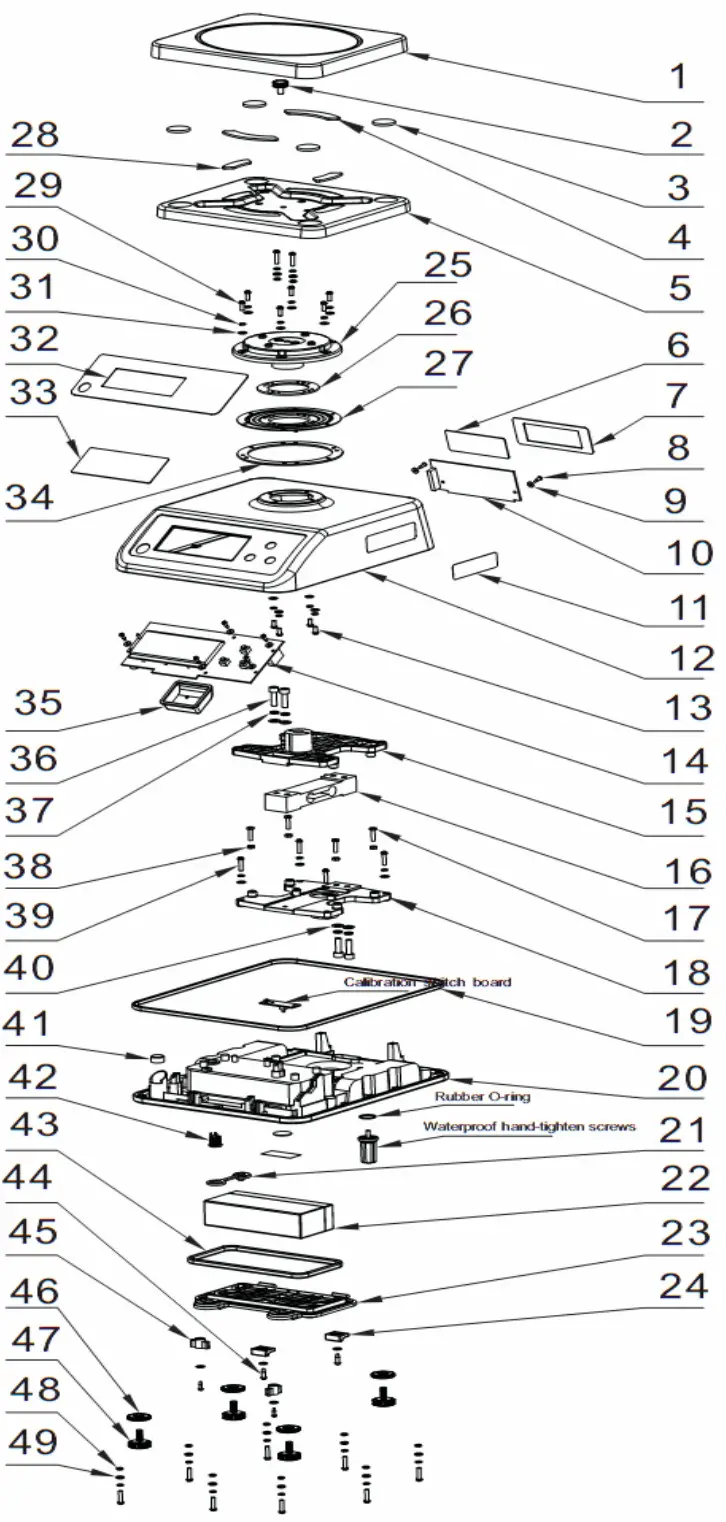
REPLACEMENT PART NUMBERS
Parts List
| No | B-TEK Part # | Parts Name |
| 1 | 899-300139 | SS TOP PAN Part number 1 |
| 3 | 899-300140 | Rubber1 |
| 4 | 899-300141 | Rubber2 |
| 5 | 899-300142 | Pan Support |
| 14 | 899-300143 | Front Display PCB |
| 16 | 899-300170 | WD-6lb Load Cell |
| 16 | 899-300171 | WD-12lb Load Cell |
| 16 | 899-300172 | WD-30lb Load Cell |
| 22 | 899-300176 | Battery |
| 23 | 899-300145 | Battery Box Cover |
| 32 | 899-300173 | WD-6LB OVERLAY |
| 32 | 899-300174 | WD-12LB OVERLAY |
| 32 | 899-300175 | WD-30LB OVERLAY |
| 33 | 899-300147 | Front Display Protection |
| 43 | 899-300148 | Seal Rubber 2 |
| 46 | 899-300149 | Foot Fixer |
| 47 | 899-300150 | Foot |
B-TEK Scales, LLC
1510 Metric Ave. S.W.
Canton, OH 44706
Tel: 330.471.8900
Fax: 330.471.8909
www.B-TEK.com
 B-TEK Truck Scales and Industrial Weighing Solutions - B-TEK