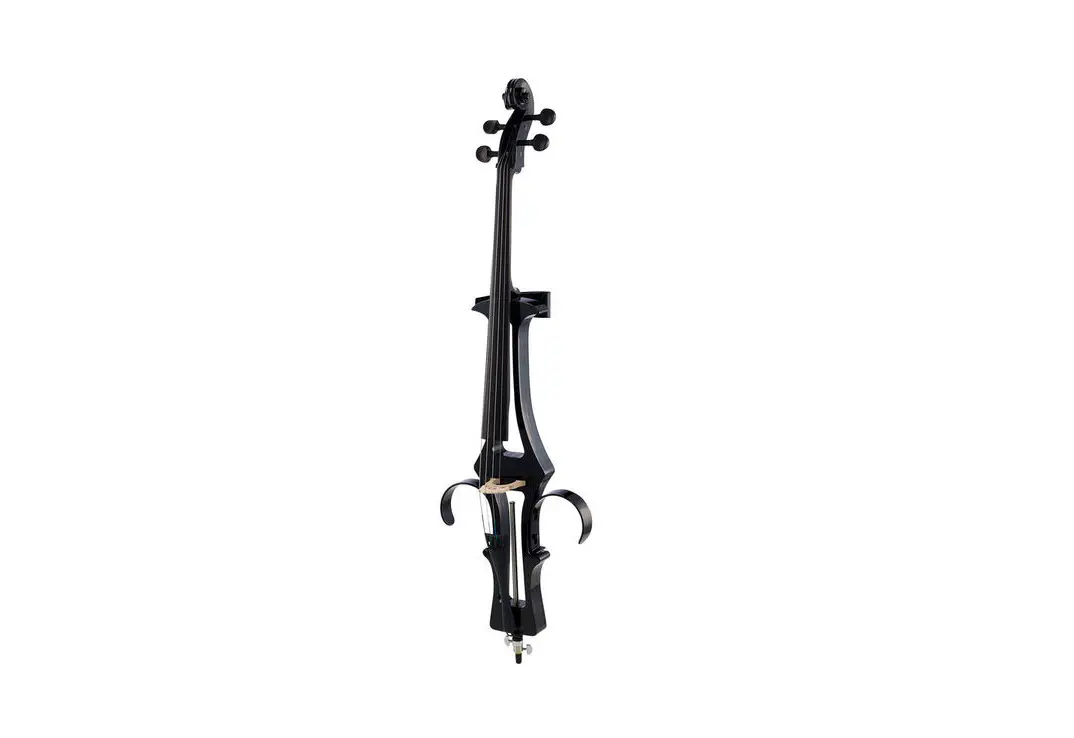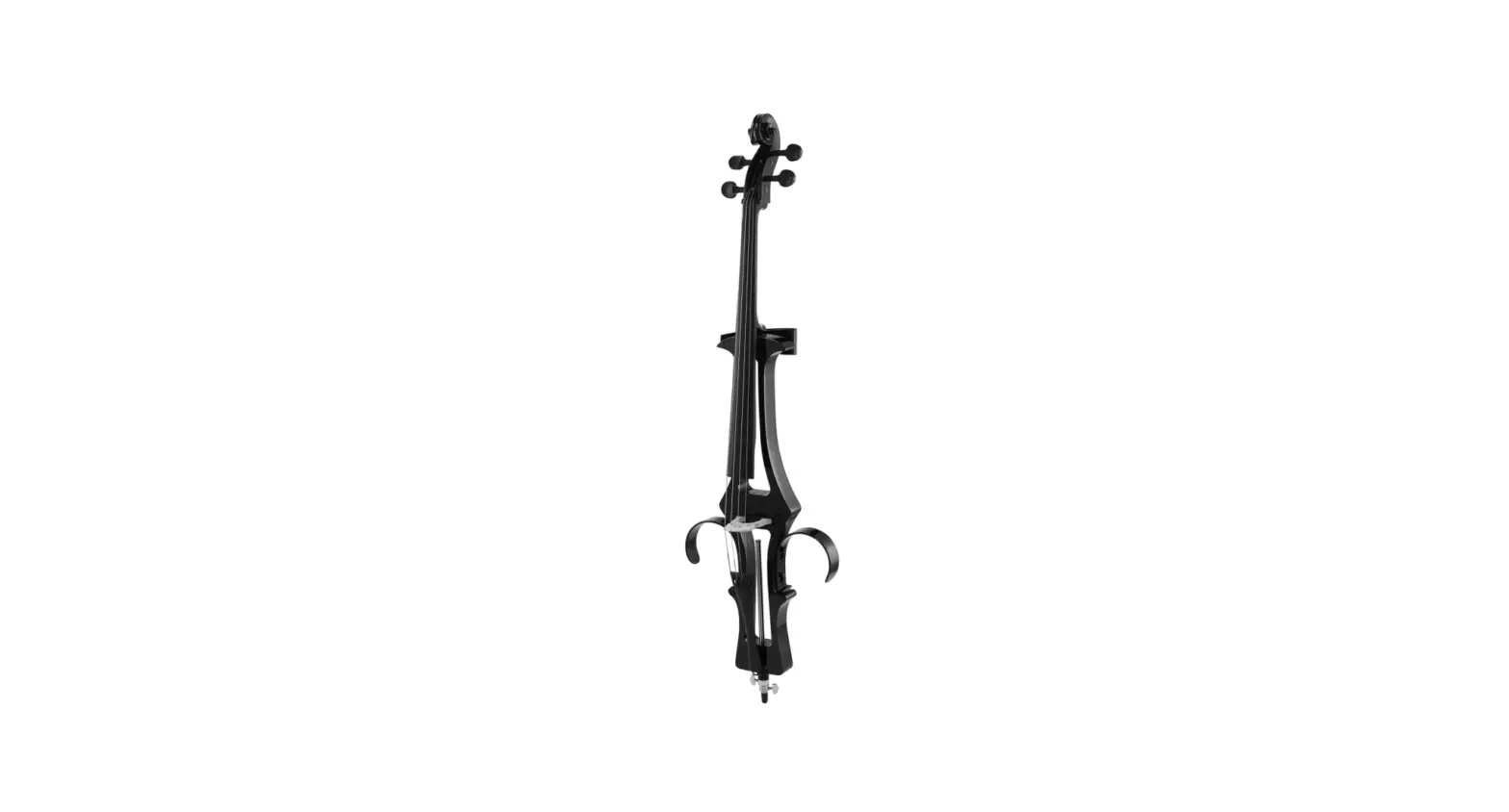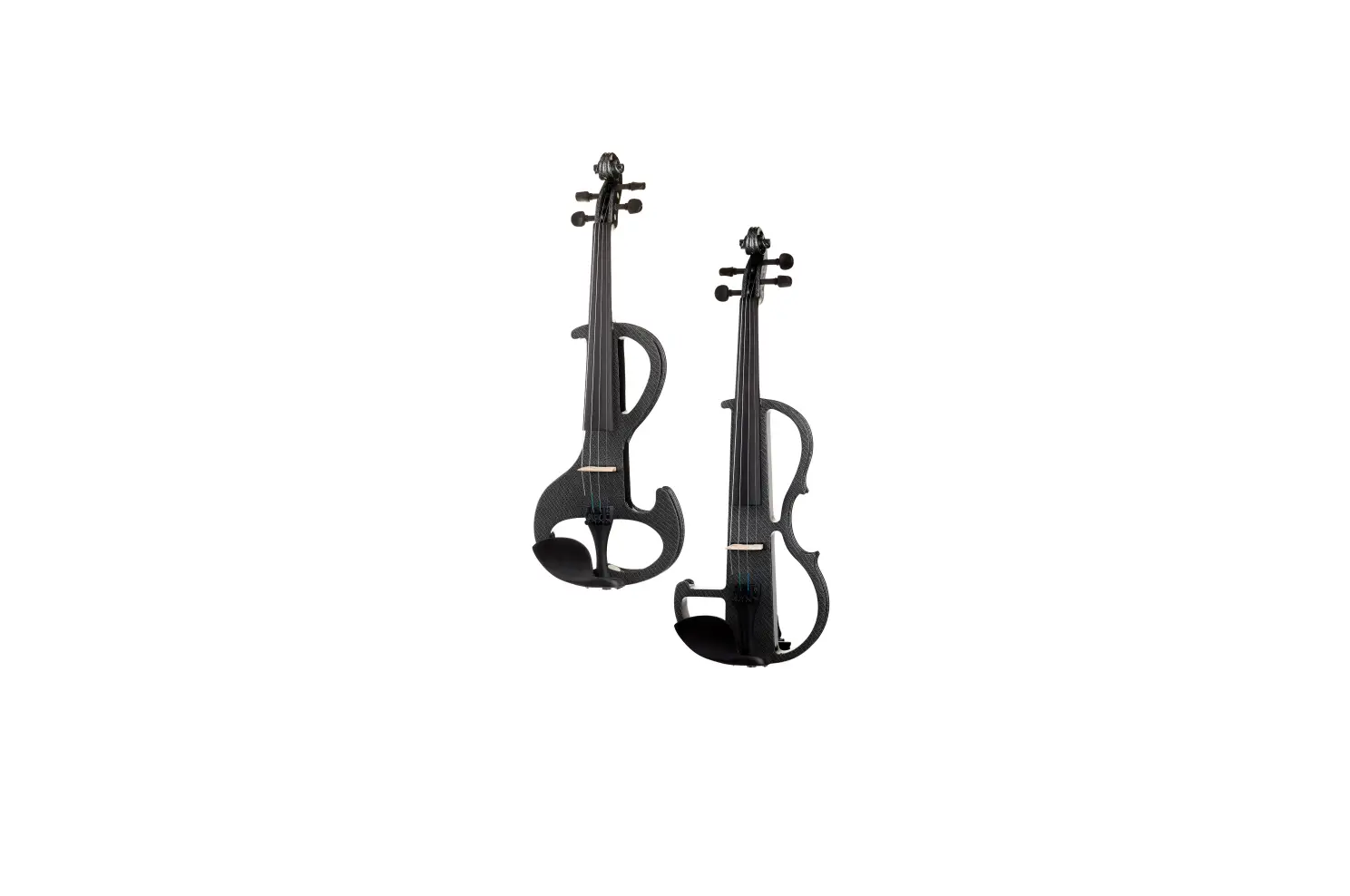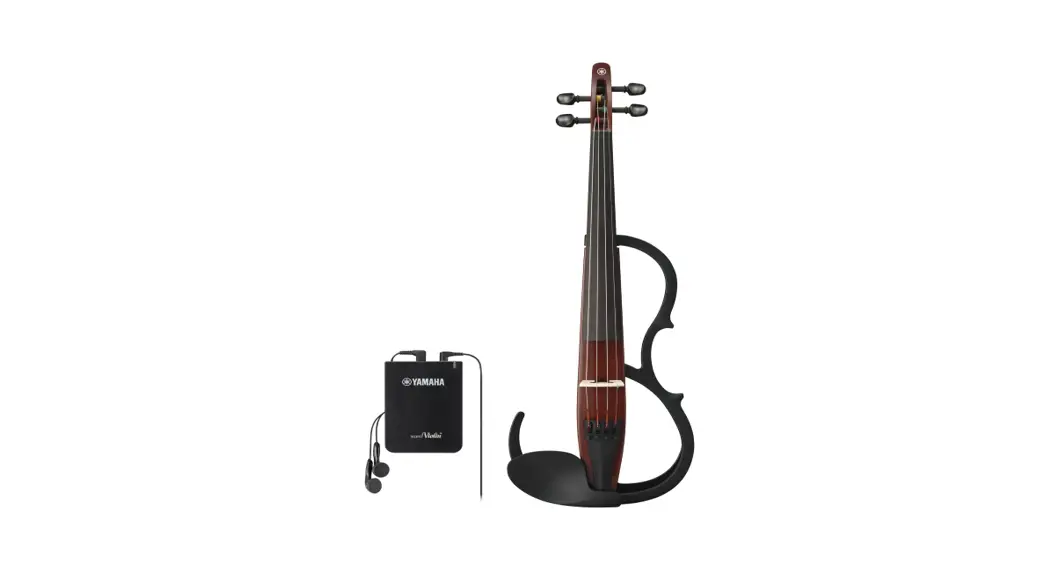
thomann HBCE 990BK electric cello User Manual
General information
This user manual contains important information on the safe operation of the device. Read and follow all safety notes and all instructions. Save this manual for future reference. Make sure that it is available to all persons using this device. If you sell the device to another user, be sure that they also receive this manual.
Our products and user manuals are subject to a process of continuous development. We therefore reserve the right to make changes without notice. Please refer to the latest version of the user manual which is ready for download under www.thomann.de.
Further information
On our website (www.thomann.de) you will find lots of further information and details on the following points:
| Download | This manual is also available as PDF file for you to download. |
| Keyword search | Use the search function in the electronic version to find the topics of interest for you quickly. |
| Online guides | Our online guides provide detailed information on technical basics and terms. |
| Personal consultation | For personal consultation please contact our technical hotline. |
| Service | If you have any problems with the device the customer service will gladly assist you. |
Notational conventions
This manual uses the following notational conventions:
Letterings:
The letterings for connectors and controls are marked by square brackets and italics. Examples: [VOLUME] control, [Mono] button.
Instructions:
The individual steps of an instruction are numbered consecutively. The result of a step is indented and highlighted by an arrow.
Example:
- Switch on the device.
- Press [Auto].
- Automatic operation is started.
- Switch off the device
Symbols and signal words
In this section you will find an overview of the meaning of symbols and signal words that are used in this manual.
| Signal word | Meaning |
| DANGER! | This combination of symbol and signal word indicates an immediate dangerous situation that will result in death or serious injury if it is not avoided. |
| CAUTION! | This combination of symbol and signal word indicates a possible dangerous situation that can result in minor injury if it is not avoided. |
| NOTICE! | This combination of symbol and signal word indicates a possible dangerous situation that can result in material and environmental damage if it is not avoided. |
| Warning signs | Type of danger |
 | Warning – danger zone. |
Safety instructions
DANGER! Danger for children.
Ensure that plastic bags, packaging, etc. are properly disposed of and are not in the reach of babies and young children. Choking hazard! Ensure that children do not detach any small parts (e.g. knobs or the like) from the product. They could swallow the pieces and choke! Never let children play unattended with the product.
CAUTION!
Possible hearing damage.
Making music for a prolonged period and at high volume can cause hearing damage. Avoid playing the unit at full volume, especially when using headphones.
 NOTICE!
Operating conditions
This device has been designed for indoor use only. To prevent damage, never expose the device to any liquid or moisture. Avoid direct sunlight, heavy dirt, and strong vibrations.
Only operate the device within the ambient conditions specified in the chapter ‘Technical specifications’ of this user manual. Avoid heavy temperature fluctuations and do not switch the device on immediately after it was exposed to temperature fluctuations (for example after transport at low outside temperatures).
Dust and dirt inside can damage the unit. When operated in harmful ambient conditions (dust, smoke, nicotine, fog, etc.), the unit should be maintained by qualified service personnel at regular intervals to prevent overheating and other malfunction.
NOTICE!
Possible damage by leaking batteries.
Leaking batteries can cause permanent damage to the device. Take batteries out of the device if it is not going to be used for a longer period.
NOTICE!
Possible property damage by magnetic fields.
Loudspeakers produce a static magnetic field. Therefore, maintain an appropriate distance to devices that can be adversely affected or dam‐ aged by an external magnetic field.
NOTICE!
Possible staining
The plasticizer contained in the rubber feet of this product may possibly react with the coating of your parquet, linoleum, laminate or PVC floor and after some time cause permanent dark stains. In case of doubt, do not put the rubber feet directly on the floor, but use felt-pad floor protectors or a carpet.
Scope of delivery
Keep the original packaging. To optimally protect the instrument against vibration, dust and moisture during transportation or storage use the suitable carrying bag.
The package includes the following components:
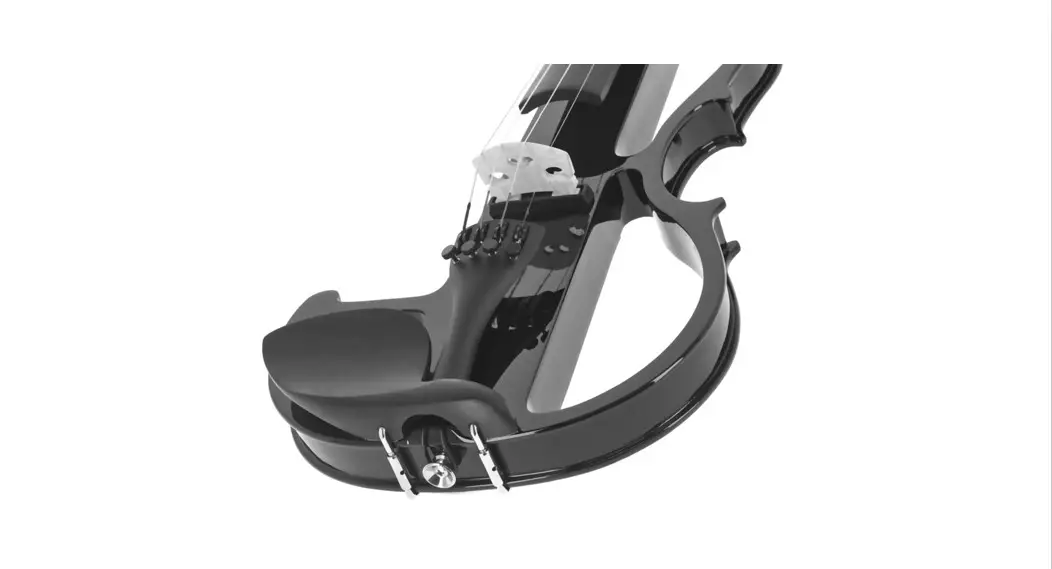
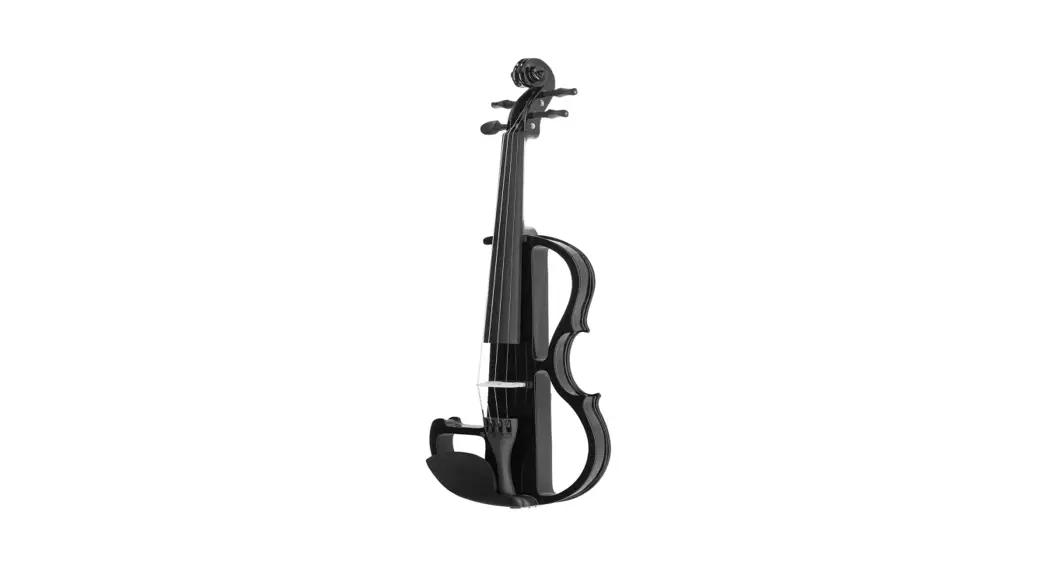
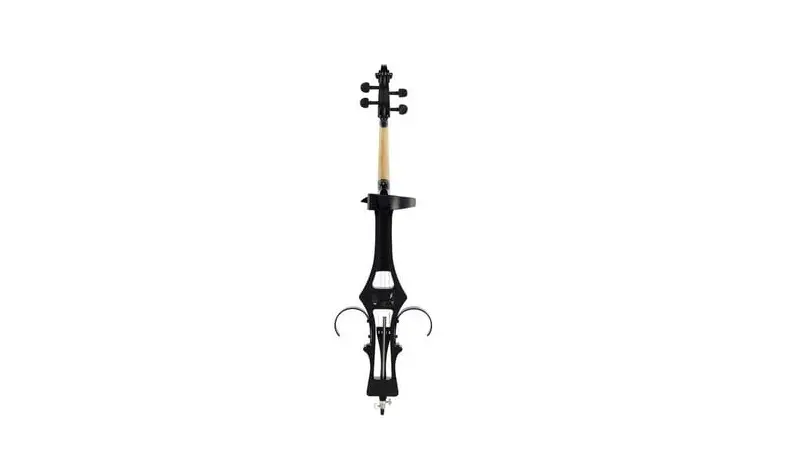
- 1 × electric cello with active Shadow pickup system
- 1 × endpin (pre-assembled)
- 1 × bridge (pre-assembled)
- 1 × strings set (pre-assembled)
- 1 × bow
- 1 × bow rosin
- 1 × abdominal and knee supports
- 1 × suitable transport bag
Assembling and tuning your instrument are described in detail in the following sections.
Assembly instructions
Overview
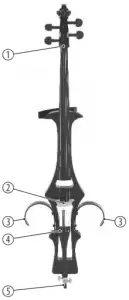
| A (front side) | 1 | Nut |
| 2 | Bridge | |
| 3 | Knee support | |
| 4 | Tailpiece | |
| 5 | Endpin with wing screws | |
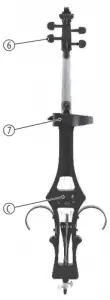
| B (rear side) | 6 | Machine heads |
| 7 | Abdominal support | |
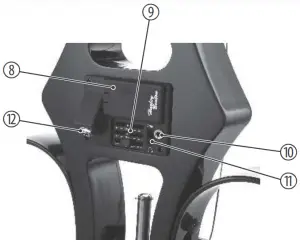
| C | Operating elements | |
| C (operating elements) | 8 | Battery compartment for 9 V block battery (not included) |
| 9 | [Treble] Treble control | |
| [Bass] Bass control | ||
| [Volume] Volume control | ||
| 10 | [Aux In] Connector for audio devices (3.5 mm mini jack socket, mono). | |
| 11 | [Amp.]/ Selector switch amp / headphone | |
| 12 | Connector for amplifier or headphones (1/4″ jack, mono) |
Setting the height
The endpin to adjust the height of the instrument is fully retracted in delivery condition and fixed with wing screws. Turn the wing screws counterclockwise to loosen the fixation and the endpin.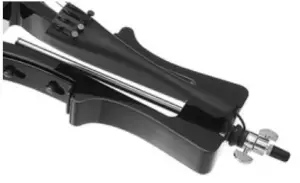
Drag out the endpin so far that the instrument can be played at the desired and for you ergonomically correct and comfortable height. Then tighten the wing screws clockwise to fix the endpin in this position.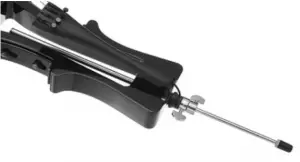
Tuning the strings
Now tune all strings with the pegs using a tuner device to the correct pitch (usually C-G-D-A from low to high).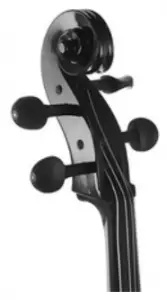
Connections and controls
CAUTION!
Possible hearing damage
Making music for a prolonged period and at high volume can cause hearing damage. Avoid playing the unit at full volume, especially when using head‐ phones.
NOTICE!
Risk of breakage, possible deformation
When placing the instrument with the fret board down, there is a risk of damaging the fingerboard and the tailpiece. Avoid any compressive load on the rear of the instrument, if it is placed for the assembly or for service work with the fret board down on a solid surface.
 Before connecting amplifiers or headphones, the volume controls of the cello and the equipment to be connected must be set to “minimum”. This avoids loud crack noises when switching on.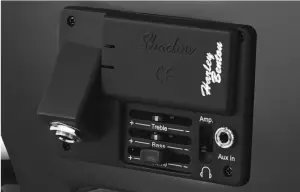
Connecting and inserting the battery
The instrument is operated with a 9 V block battery. The battery is not included in the scope of delivery. Open the battery compartment cover on the back of the instrument. Clamp the power cable with the correct polarity to the battery. Insert the battery into the battery compartment and close the battery compartment cover. It must audibly click into position.
NOTICE!
Risk of fire due to incorrect polarity.
Incorrectly inserted batteries may destroy the device or the batteries. Ensure that proper polarity is observed when inserting batteries.
NOTICE!
Possible damage by leaking batteries.
Leaking batteries can cause permanent damage to the device. Take batteries out of the device if it is not going to be used for a longer period.
Connecting audio devices
The connector for audio devices (3.5 mm jack socket) is located on the rear side of the instrument.
Connecting headphones
The connector for head phones (1/4″ jack socket) is located on the rear side of the instrument. When using headphones with 3.5 mm mini jack, you need an appropriate adapter.
Adjusting Volume and Tone
The controls to adjust the volume [Volume] and the tone ([Treble] and [Bass]) are located on the back of the instrument.
Maintenance
Changing strings
Strings are subject to a natural aging process, which is also affected by the frequency of use of the instrument. Changing the strings is recommended if the sound quality of the instrument decreases audibly. Always replace the complete set of strings (strings of 4/4 length) and always go string by string. In this way you avoid a strong temporary bending of the neck due to reduced string tension. The bridge also remains in the correct position and does not have to be readjusted.
Proceed as follows to change the strings:
- For example, loosen the run-down C string from the capstan of the machine head and from the tailpiece.
- Thread the new C string into the tailpiece, pull it over the bridge into the capstan bore of the machine head.
- Hook the string end to the capstan and tighten the string tension slowly. At the first windings, pay particular attention that the string is taut to the mechanics.
- Make sure that the string is running correctly through the grooves of bridge and nut at the upper end of the neck.
- Slowly increase the string tension until the correct pitch is reached. Use a tuner or a pitch pipe for reference.
- Proceed in the same way with the G, D and A strings and then tune all strings again successively to the correct pitch. Note that the string tension will drop a little and the instrument needs to be retuned several times until the strings stay in tune.
Battery change
- Replace the inserted battery if necessary (weak output signal) or at regular intervals.
- Open the battery compartment cover on the back of the instrument. Remove the battery and unplug the connection cable from the battery terminals.
- Clamp the power cable with the correct polarity to the new battery. Insert the battery into the battery compartment and close the battery compartment cover. It must audibly click into position.
NOTICE!
Risk of fire due to incorrect polarity
Incorrectly inserted batteries may destroy the device or the batteries. Ensure that proper polarity is observed when inserting batteries.
Technical specifications
| HBCE 990BK | HBCE 990WH | HBCE 990RD | HBCE 990AM | HBCE 990BEM | |
| Item no. | 417528 | 417529 | 417530 | 417531 | 511886 |
| Colour | black | White | Red | Amber | Birds Eye Maple |
| Input connections | 3.5 mm mini jack socket (AUX IN) | ||||
| Output connections | 1/4″ jack socket (headphones, amplifier) | ||||
| Scale | 693 mm | ||||
| Body material | Plywood | ||||
| Fingerboard and peg material | Birch (Betula albosinensis) | ||||
| Neck material | Maple | ||||
| Abdominal and knee support mate‐ rial | Acrylic | ||||
| Pick-up | Shadow NFX Nanoflex, active | ||||
| Machine heads | Machine heads | ||||
| Operating supply voltage | 9 V block battery | ||||
| Dimensions (W × H × L), Incl. abdominal and knee supports | 370 cm × 1315 cm – 1815 cm × 210 cm | ||||
| Weight | 2.7 kg | ||||
| Ambient conditions | Temperature range | 0 °C…40 °C | |||
| Relative humidity | 20 %…80 % (non-condensing) | ||||
Further information
| Number of strings | 4 |
| Incl. bag | yes |
| Incl. case | No |
| Incl. bow | yes |
| Incl. 4 fine tuners | yes |
| Incl. stand | No |
| Incl. endpin | yes |
Plug and connection assignment
Introduction
This chapter will help you select the right cables and plugs to connec t your valuable equipment in such a way that a perfect sound experience is ensured. Please note these advices, because especially in ‘Sound & Light’ caution is indicated: Even if a plug fits into the socket, an incorrect connection may result in a destroyed power amp, a short circuit or ‘just’ in poor transmission quality!
Unbalanced transmission
Unbalanced transmission is mainly used in semi-professional environment and in hi fi use. Instrument cables with two conductors (one core plus shielding) are typical representatives of the unbalanced transmission. One conductor is ground and shielding while the signal is transmitted through the core.
Unbalanced transmission is susceptible to electromagnetic interference, especially at low levels, such as microphone signals and when using long cables.
1/4″ TS phone plug (mono, unbalanced)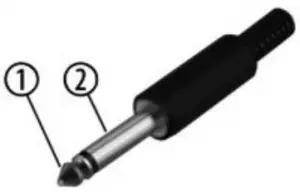
1/4″ TRS phone plug (stereo, unbalanced)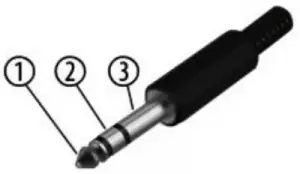
Three-pole 1/8″ mini phone jack (stereo, unbalanced)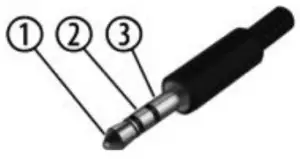
| 1 | Signal |
| 2 | Ground, shielding |
| 1 | Signal (left) |
| 2 | Signal (right) |
| 3 | Ground |
| 1 | Signal (left) |
| 2 | Signal (right) |
| 3 | Ground, shielding |
Cleaning
Clean the instrument and especially the strings after playin g with a dry, soft, lint-free cloth. Stubborn dirt can be removed with a slightly dampened cloth.
Never use cleaners containing alcohol or thinner.
Protecting the environment
Disposal of the packaging material
For the packaging, environmentally friendly materials have been chosen that can be supplied to normal recycling.
Ensure that plastic bags, packaging, etc. are properly disposed of. Do not just dispose of these materials with your normal household waste, but make sure that they are collected for recycling. Please follow the notes and markings on the packaging.
Disposal of batteries
Batteries do contain some hazardous chemicals so they should not be thrown away with the normal household waste. They should be returned to the manufacturer for disposal or recycled elsewhere in accordance with your local regulations.
Disposal of your old device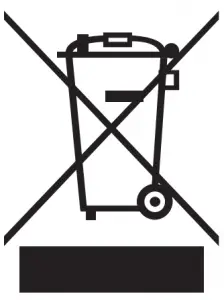
This product is subject to the European Waste Electrical and Electronic Equipment Directive (WEEE) in its currently valid version. Do not dispose with your normal household waste.
Dispose of this device through an approved waste disposal firm or through your local waste facility. When discarding the device, comply with the rules and regulations that apply in your country. If in doubt, consult your local waste disposal facility
Contact us
Address: Musikhaus Thomann Thomann GmbH Hans-Thomann-Straße 1 96138 Burgebrach Germany.
Telephone: +49 (0) 9546 9223-0
E-mail: [email protected]
Internet: www.thomann.de
 Welcome – Thomann United States