VI-ARWV-UT Airwave Ultra Vibration Isolator Arm
Product Information: Airwave Ultra Vibration Isolator Arm
(VI-ARWV-UT)
The Airwave Ultra Vibration Isolator Arm is a high-quality
product designed to reduce vibrations and provide stable support
for cameras and other equipment. The package includes an Airwave
Ultra Vibration Isolator with Dampener, a Castle Wrench, an Air
Filling Pump, 2x Hex Nut (Size:1/2), and 1x Spanner (Size:21mm).
The product is designed to be durable and long-lasting, providing
reliable support for your equipment.
Product Usage Instructions: Airwave Ultra Isolator Arm
Setup
- Inspect the contents of the package to ensure you have received
everything listed above. - Assemble the Airwave Ultra Vibration Isolator Arm according to
the instructions provided in the assembly manual. - Attach the Airwave Ultra Vibration Isolator Arm to a stable
surface using the appropriate mounting hardware. - Attach your camera or other equipment to the Airwave Ultra
Vibration Isolator Arm using the provided Castle Wrench and Hex
Nuts. - Use the Air Filling Pump to adjust the air pressure in the
Airwave Ultra Vibration Isolator to suit your needs. - Your Proaim Airwave Ultra Vibration Isolator Arm is now ready
to use!
Note: Optional accessories shown in the product image are not
included in the package.
1
Airwave Ultra Vibration Isolator Arm (VI-ARWV-UT)
Assembly Manual
What’s In The Box
Please inspect the contents of your shipped package to ensure you have received everything that is listed below.
Airwave Ultra
Vibration Isolator with Dampener
Castle Wrench
Air Filling Pump
2x Hex Nut (Size:1/2″)
1x Spanner (Size:21mm)
All rights reserved.
No part of this document may be reproduced, stored in a retrieval system, or transmitted by any form or by any means, electronic, mechanical, photo-copying, recording, or otherwise, except as may be expressly permitted by the applicable copyright
statutes or in writing by the Publisher.
2
Flight Case
Airwave Ultra Isolator Arm Setup
Airwave Ultra
· Loose both the knobs, as shown in the image.
· Now open both the clamps.
· Align the clamps of the Airwave to a scaffold pole, and then secure the clamp by properly tightening the clamp knobs.
· Airwave Ultra has been properly attached to the scaffold pole.
3
Vibration Isolator with Damper
· Loosen and remove the castle nut fixed on top of the Vibration Isolator.
· Attach the Vibration Isolator at the bottom of the Airwave Ultra, and then tighten the castle nut to secure it.
· Now secure the Vibration Isolator by attaching the castle nut with the Airwave Ultra.
· Use the castle wrench to tighten the castle nut, as shown in the image.
· Turn the adjustment knob to move (left-right) the lower part of the Vibration Isolator.
· Turn the other adjustment knob to move (front-back) the lower part of the Vibration Isolator.
4
Air Filling Pump
· Attach the air pressure pump with the washer fitted to the Airwave Ultra.
· Now lock the blue locking knob after using Pressure Pump.
Vibration Isolator with Damper
· Open the lock lever at the bottom of the Vibration Isolator.
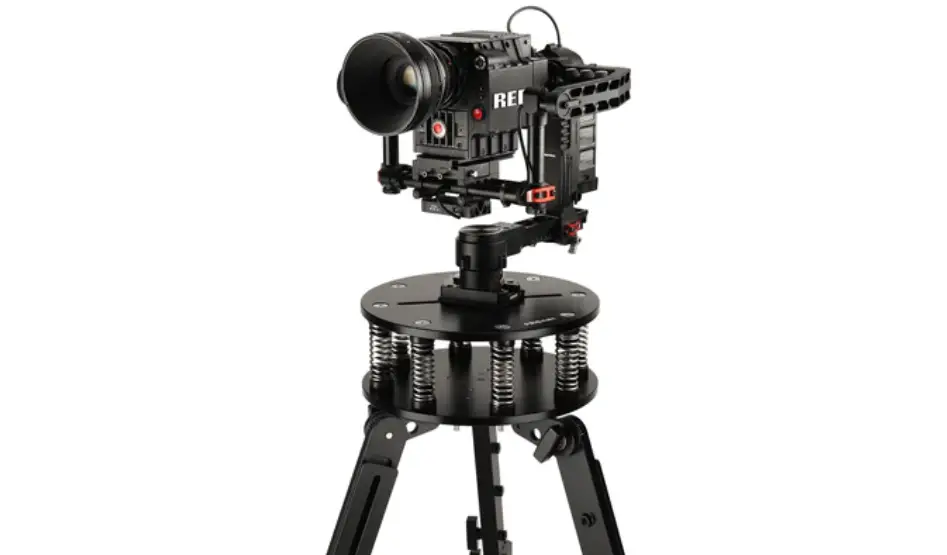
· Now attach the gimbal to the Vibration Isolator by sliding and then pushing the gimbal’s (Not Included) button.
· Then attach the safe hook to the Gimbal (Not Included).
5
YOUR PROAIM AIRWAVE ULTRA VIBRATION ISOLATOR ARM ALL DRESSED UP AND READY TO GO!
(SHOWN WITH OPTIONAL ACCESSORIES)
Warranty: We offer one year warranty for our products from date of purchase. Within this period of time, we will repair it without charge for labor or parts. Warranty doesn’t cover transportation costs nor does it cover a product subjected to misuse or accidental damage. Warranty repairs are subjected to inspection and evaluation by us. Liability: We are not liable for damage caused by products that we do not supply or from mishandling in transit, accident, misuse, neglect, lack of care of the product, or service by anyone other than our company. Contact Us: In case of any kind of dissatisfaction, please Contact us immediately and we promise our utmost support and care until you use our product.