TEEARPURDTWSBTW
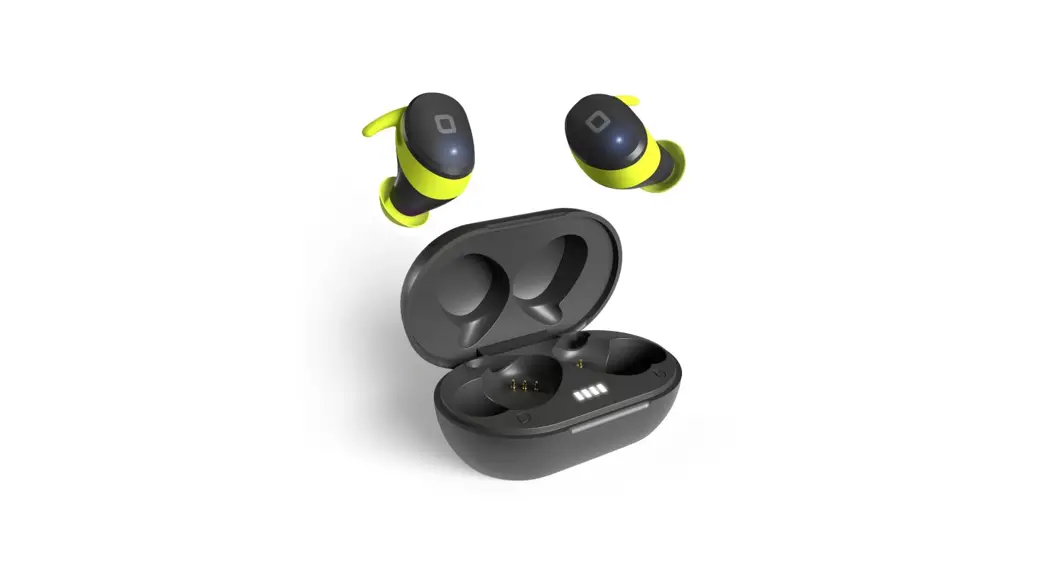
Twin Pure Drops
ideal for Smartphone & Tablet
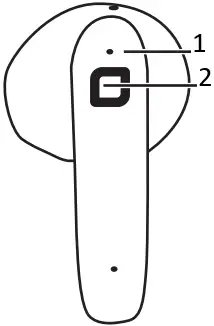
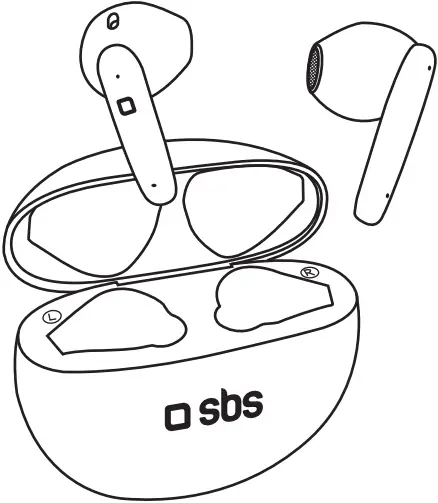
- LED
- Multifunction button (touch)
BACK
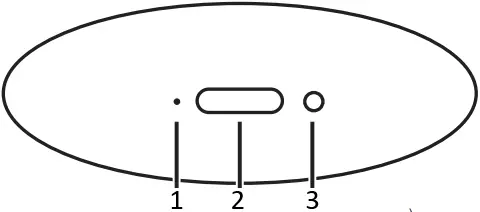
- LED
- Type-C port
- Reset button (A)
SPECIFICATION
Wireless: V 5.2
Working Range: 10m
Frequency: 20Hz-20kHz
Battery: 380mAh
Battery earbud: 35mAh
Impedance: 32Ω
Sensitivity: 112dB
Charging Port Type-C
Playing Time: 6.5 hours
Charging Time: 1.5 hours
Standby Time: 90 hours
PRF: 6mW max
f: 2402÷2480 MHz
For other informations please contact us at [email protected]
INSTRUCTION MANUAL
Charging the earbud
Insert the earbuds into charging case.
Charging the case
Plug the Type C connector into the TyPE C port of the case and the other end into a USB port.
The LED on the case will display different accordingly to the charging status
The LED on the case will off when charging is complete.
≤20% shows red light
20% to 80% show blue light
> 80% show green light
Turning on the earbuds
Open the charging case cover, they will automatically turn on and pair with each other
Or Press both touch area on the earbuds for 3 seconds.
Turning off the earbuds
When you put the earbuds into the charging case and close the charging case cover,they will turn off automatically.
If TWS are not connected, they will automatically turn off after 5 minutes
Pairing with devices
- Put the earbuds into the charging case, close the charging case cover, and then open the charging case cover again: they will turn on and pair will each other automatically or Long touch the touch area of the earbud for 3 seconds and the earbud will automatically power on.
After a few seconds, the earbud is paired successfully. - Open the BLUETOOTH settings of the device and search for “TWS Pure Drops” in the list of available devices
- After the first pairing with the device (if BLUETOOTH is on), the earbuds will automatically pair every time.
Reset (A)
Put the earbuds into the charging case, open the cover of the charging case ,then press the reset button for 6 seconds until the charging case indicator flashes white light for 3 sec.
Commands
| Action | Command | Touch area |
| Play/pause music | 1 click | Left/Right |
| Voice assistant | 3 clicks | Left |
| Gaming mode (Low latency mode) | 3 clicks | Right |
| Previous track | 2 clicks | Left |
| Next track | 2 clicks | Right |
| Reply calls | 2 clicks | Left/Right |
| End calls | 2 clicks | Left/Right |
| Reject calls | 2 seconds | Left/Right |
SBS spa – Via Circonvallazione s/n
28010 Miasino (No) – Italy
sbsmobile.com
made in China

TEEARPURDTWSBTW

 Printed in China REV0_11-22
 SBS store: Hi-Tech accessories for smartphones, tablets, PC | SBS