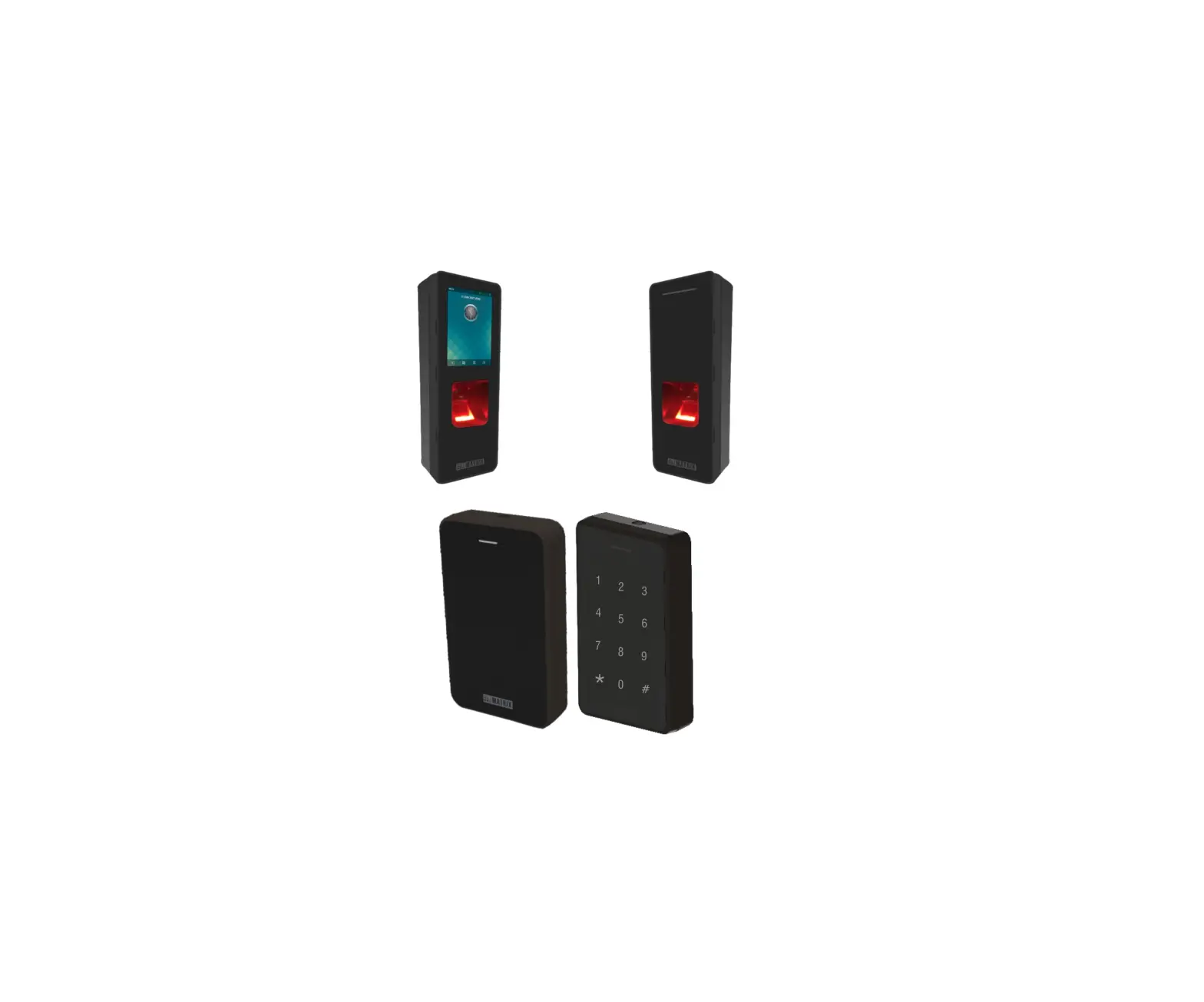
 COSEC ATOM RD100
ATOM RD100KM, ATOM RD100KI
ATOM RD100M, ATOM RD100I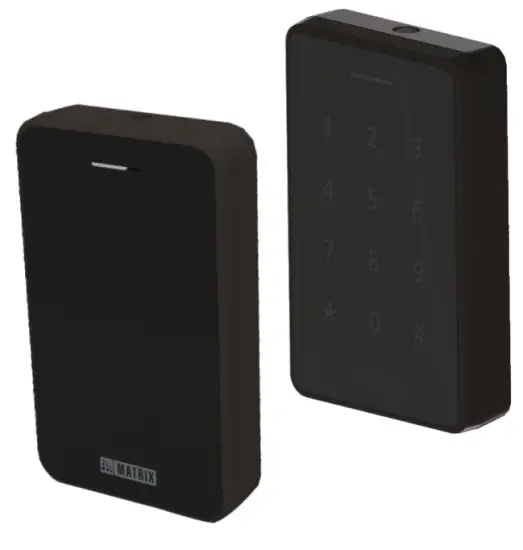 Quick Installation Guide
Safety Instructions
These instructions are intended to ensure that the user can use the product correctly to avoid danger or property loss. Cautions
Do not install the device:
- On the unstable surface.
- Where ferromagnetic field or noise is induced.
- Where static is created, such as desks made of plastics, carpets.
- Near volatile inflammable materials or inflammable goods such as drapes.
- Where volatile gas and/or inflammable gas is created.
 WARNING
- Installing and servicing should be done only by qualified technicians.
- There are no user-serviceable parts inside.
- Opening or removing the device cover may result in electric shock or exposure to other hazards.
- Use the device only for the purpose for which it was designed.
Please read this guide first for correct installation and retain it for future reference. The information in this guide is prevailing at the time of publication. However, Matrix Comsec reserves the right to make changes in product design and specifications without prior notice.
Copyright
All rights reserved. No part of this document may be copied or reproduced in any form or by any means without the prior written consent of Matrix Comsec.
Warranty
Limited Warranty. Valid only if primary protection is provided, mains supply is within the limit and protected, and environmental conditions are maintained within product specifications. A complete warranty statement is available on our website: www.matrixaccesscontrol.com
Know your ATOM
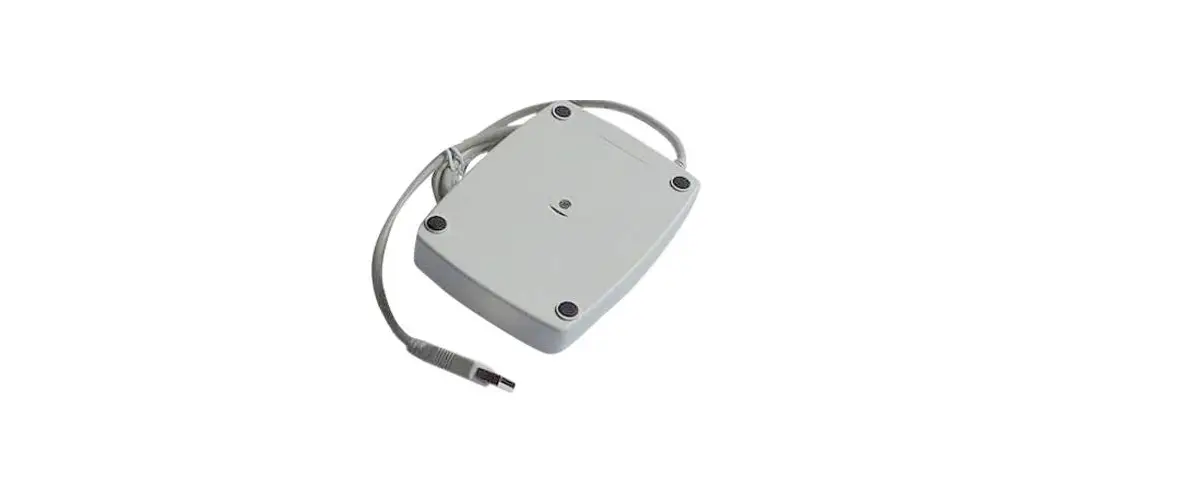
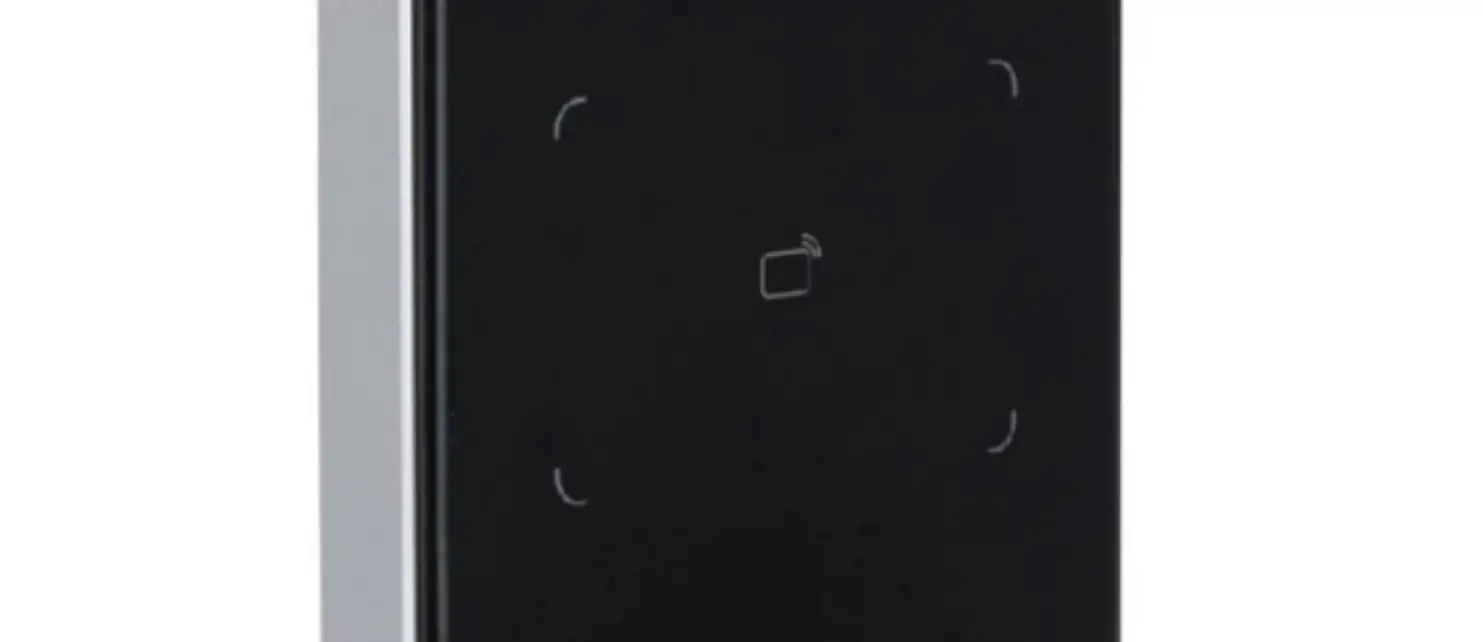
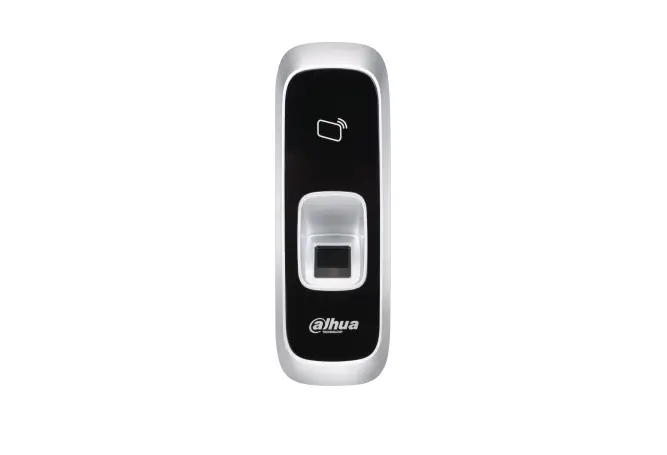
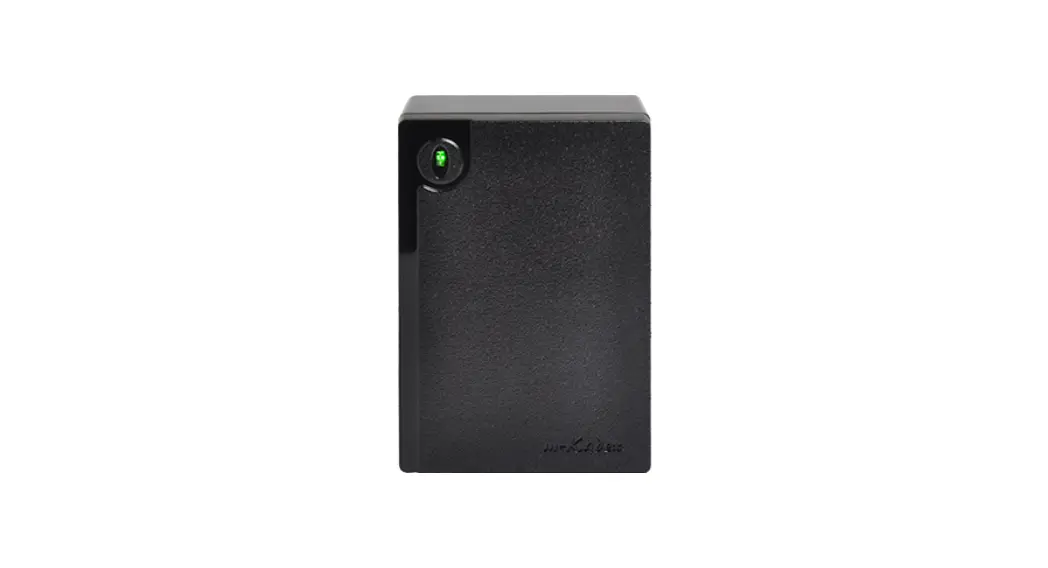
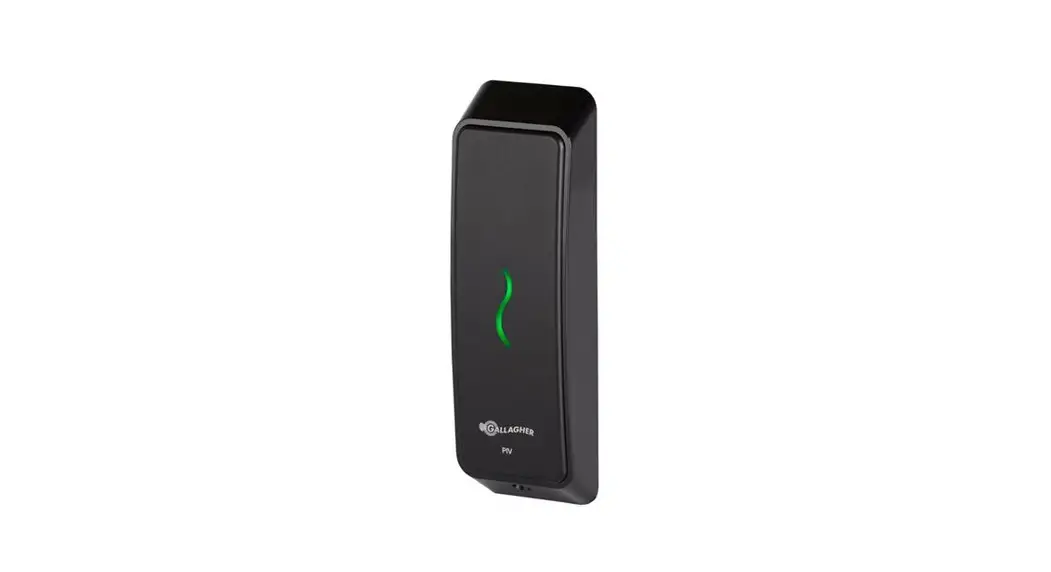
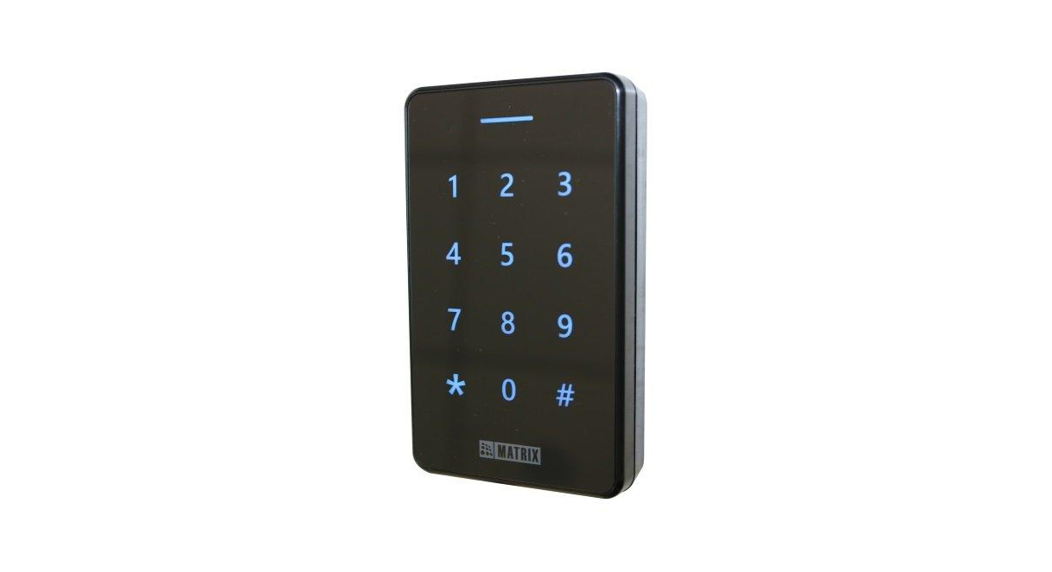
- COSEC ATOM RD100 is a slave reader which can work with COSEC ARGO, COSEC VEGA, COSEC PATH V2 using RS-232 and with COSEC ARC DC200 using RS-485. It can also work with 3rd party Wiegand and OSDP interfaced Access Control Panel.
- It is an intelligent compact Access Control Device that supports Bluetooth and Card Credentials for Access Control and Time & Attendance.
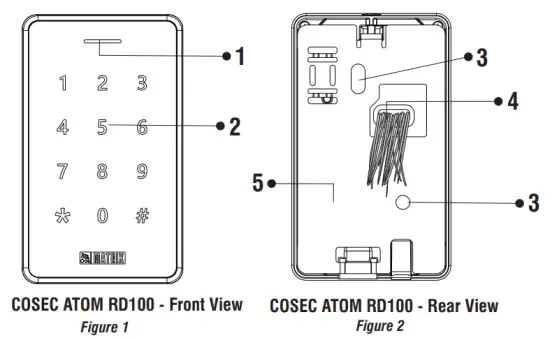
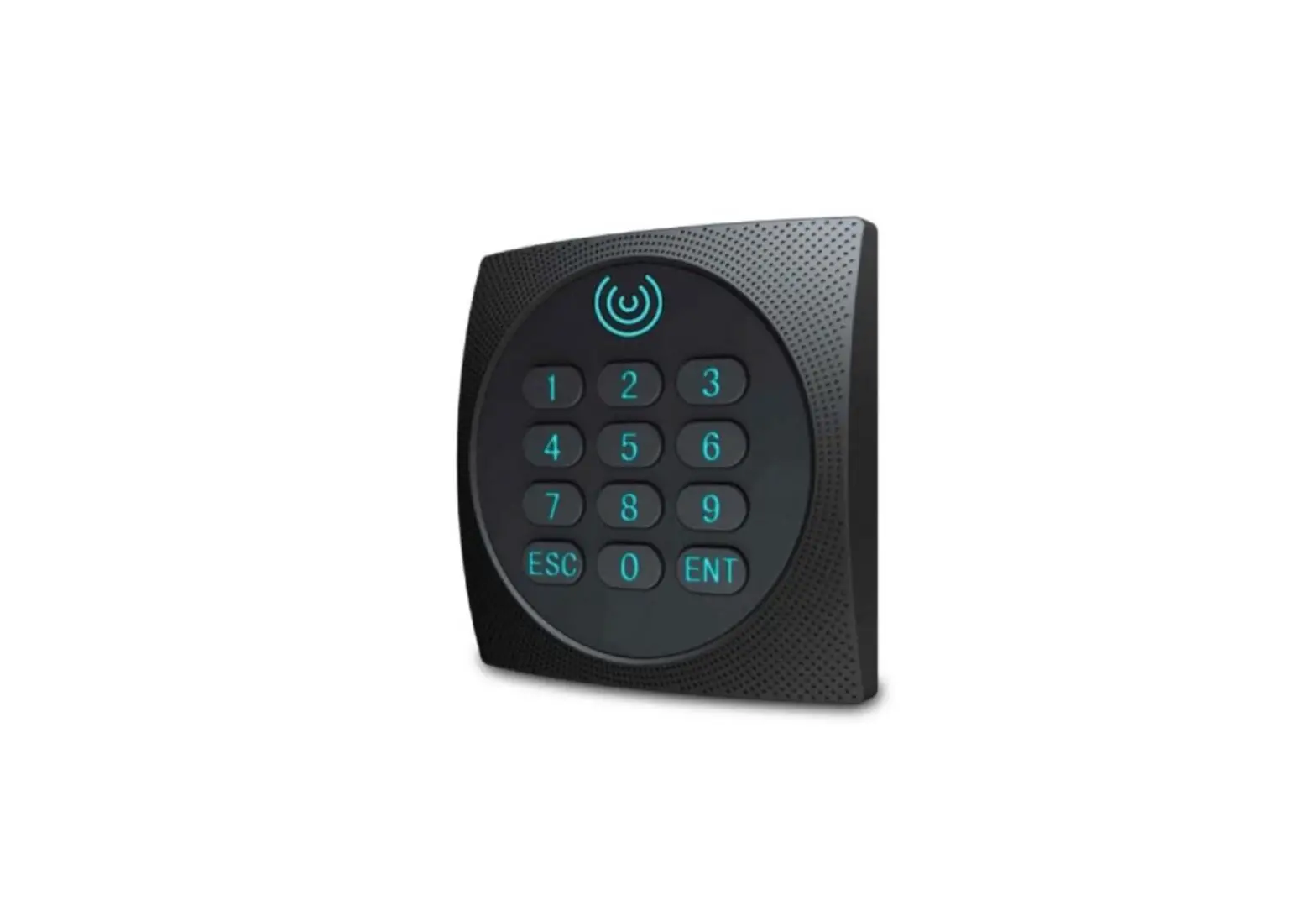
- LED indicator
- Numeric Keypad
- Mounting Screw Holes
- Cable Assembly
- Mounting Plate
What your Package contains
- ATOM RD100 Unit (with cable assembly)
- Wall Mounting Screws (2 nos.)
- Plastic Screw Grips (2 nos.)
Things You Will Need
- Power Drill
- Screw Driver Set
- A Wire Striper
- Insulation Tape
- Necessary Cabling
- Wiegand supported device
- Access to COSEC Server Application to configure COSEC ATOM RD100
Before You Start:
Make sure:
- The device in the package is in good condition and all the assembly parts are included.
- All the related equipment is powered-off before installation.
Installation
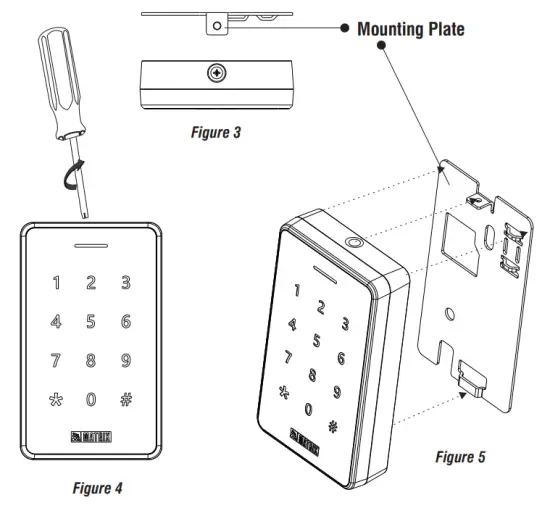
Step 1 Removing the Mounting Plate
- From the top of the COSEC ATOM, unscrew the mounting screw with the help of a screwdriver as illustrated in Figure 4.
- Separate the Mounting plate from the ATOM by pulling it downwards. Refer, to Figure 5 for the same.
Step 2 Connecting the Cables
- You can mount COSEC ATOM in two ways: Concealed Wiring or Non-concealed Wiring as explained below.
A. Concealed Wiring
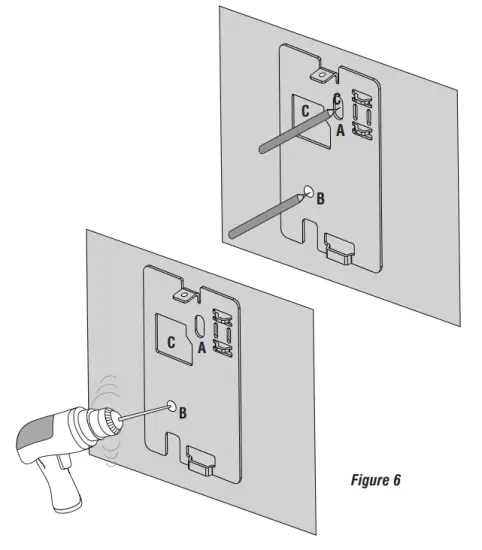
- Take the Mounting Plate and trace screw holes A & B. Trace out area C also. Drill along the marking as shown below.

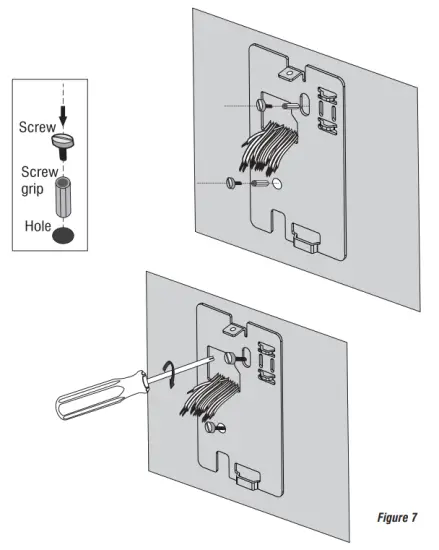
- Affix the mounting plate with the help of the screws and screw grips through holes A and B.

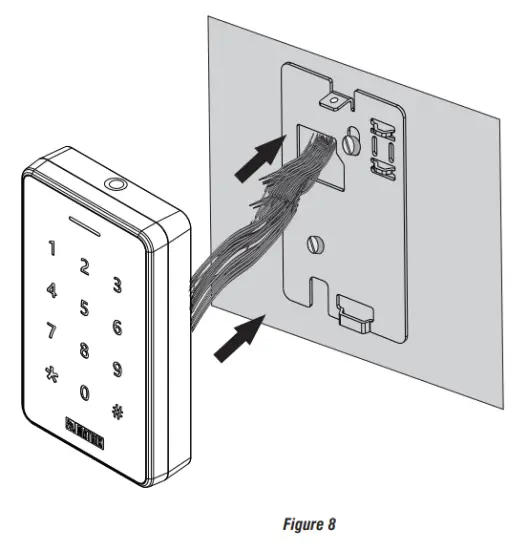
- Lead the cables from the wall through the drilled area C of the Mounting Plate as illustrated in Figure 8. Connect the necessary cables with COSEC ATOM.
B. Non-Concealed Wiring
- Follow Steps: 1 and Step: 2 as explained for the Concealed Wiring and fix the mounting plate on the wall. (For non-concealed wiring, you do not need to drill area C for the cables to be led.)

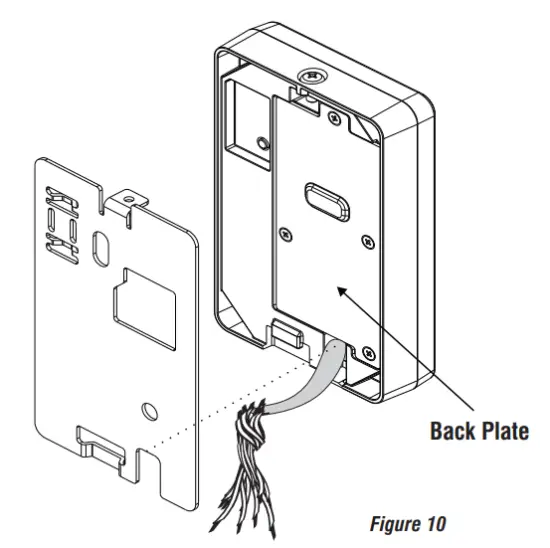
- Unscrew the Back Plate screw with the help of a screwdriver and remove the Back Plate.
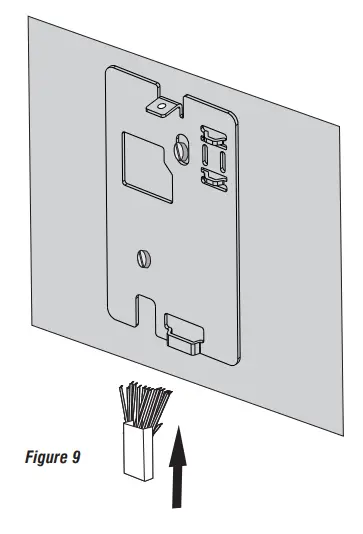
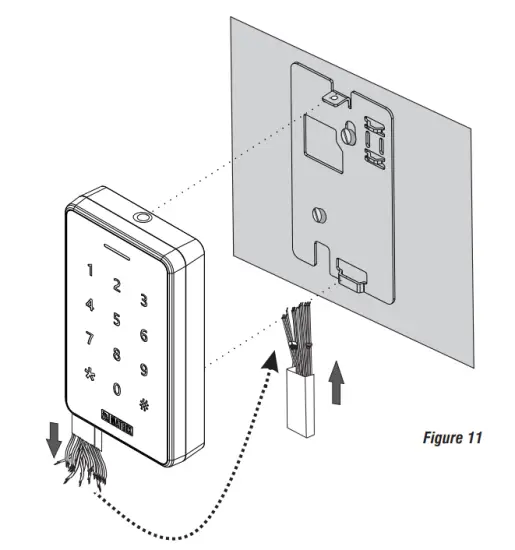
- Pull out the Cables from the Back Plate hole and lead the cables outside from the bottom opening of COSEC ATOM, as illustrated in Figure 10.

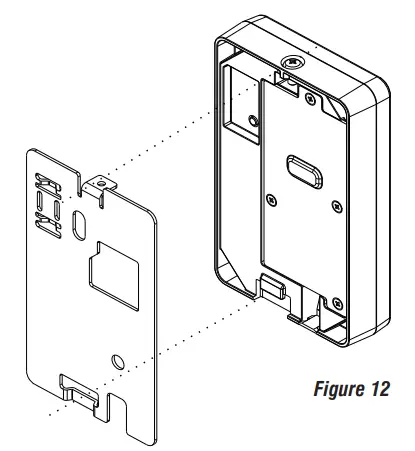
- Connect the necessary cables and align the COSEC ATOM body with the Mounting Plate.
Step 3 Inserting Mounting Screw
- Fix the Reader body with the mounting plate such as the mounting slots of the Reader and Mounting plate align with each other.

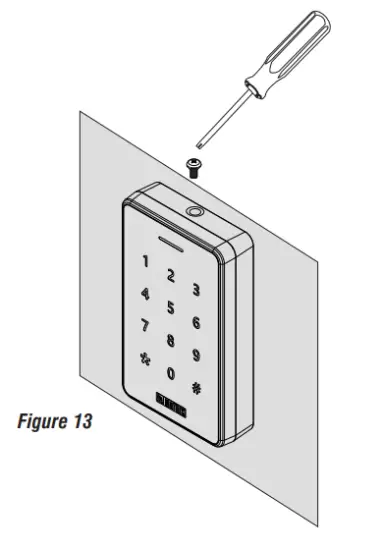
- Slide the reader downwards to fix it with the groove of the mounting plate and insert the mounting screw back in place on top of the device.

- Tighten the screw with 2 kgf-cm torque as shown in figure 13.
Technical Specifications
| Specification Parameters | Remarks |
| Credential Support | Card and Mobile credentials over BLE |
| User Capacity | Depends on Master Device |
| Card storage Capacity | Depends on Master Device |
| **Type of Card | HID I – class,MIFARE®/ Desfire / Combo Cards / NFC |
| Card Read Range | MIFAREQ6 cm or more, Desfire Ev1-At least 4 cm |
| Reader Interface Type | RS-232, RS-485, and Wiegand |
| Interface Support Length | RS-232 (10ft), RS-485 (1200 meter), Wiegand (150 meter) |
| Input Power | 9-14 VDC through the main door controller or external power source |
| Buzzer | Yes |
| LED | Yes (tri-color) |
| Keypad | Yes (in ATOM RD 100KM & ATOM RD 100K1) |
| Built-in Bluetooth | Yes BLE (4.0 and above) |
| Tamper Detection | Yes |
| Operating Temperature | 0°C to +55°C |
| Humidity | 5% to 95% RH Non-condensing |
** The type of Supported Card in COSEC ATOM is different as per their variants; (ATOM RD 100KM, ATOM RD 100K1, ATOM RD 100M, ATOM RD 1001). Refer COSEC Server User Guide for the type of supported card in each variant.
LED and Buzzer Indications
ATOM RD100: Connected through RS-232/ RS-485
| State | Single LED (Tri Color) | Buzzer |
| Power On | Blue ON (10 s) | OFF |
| Idle Online | Blue (ON: 200ms OFF: 2200ms) | OFF |
| Idle Offline | Red (ON: 200ms OFF: 2200ms) | OFF |
| Degraded Mode | Orange (ON: 200ms OFF: 2200ms) | OFF |
| Processing | Green (ON: 200ms) Red (ON: 200ms) | OFF |
| Wait | Green (ON: 200ms OFF: 1000ms) Red (ON: 200ms OFF: 1000ms) | ON: 200ms OFF: 1000ms |
| Alarm Minor | Red (ON: 200ms OFF: 1000ms) | ON: 200ms OFF: 1000ms |
| Alarm Major | Red (ON: 400ms OFF: 800ms) | ON: 400ms OFF: 800ms |
| Alarm Critical | Red (ON till Reset) | (ON till Reset) |
| Alarm Clear | OFF | OFF |
| Access Allowed | Green (ON: 1200ms) | ON: 1200ms |
| Access Denied | Red (ON: 200ms OFF: 200ms) 3 Cycles | ON: 200ms OFF: 200ms 3 Cycles |
Connecting the Reader
- RS-232 connectivity for COSEC Doors – COSEC VEGA, COSEC PATH and COSEC ARGO.
- RS-485 connectivity for COSEC ARC.
- Wiegand connectivity for 3rd party Access Control Panel.
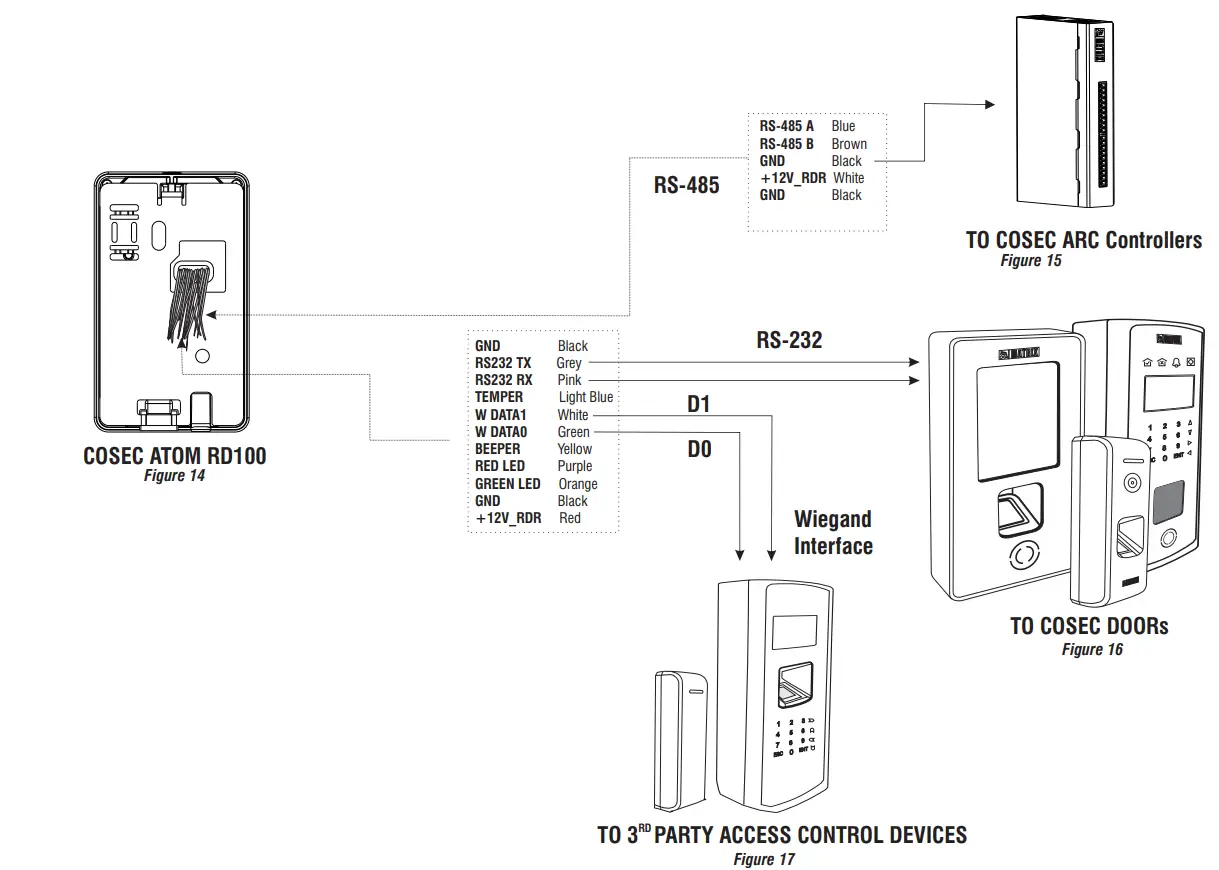
| Pin no. | Pin name(P1)(Connector ) | Cable color |
| 1 | GND | 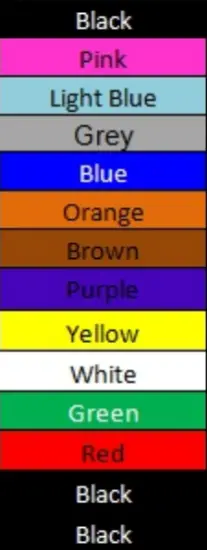 |
| 2 | RS232_RX | |
| 3 | TEMPER | |
| 4 | RS232 TX | |
| 5 | RS485_A | |
| 6 | GRN_LED | |
| 7 | RS485_B | |
| 8 | RED_LED | |
| 9 | BEEPER | |
| 10 | WDATA1 | |
| 11 | DAVAO | |
| 12 | +12VDC | |
| 13 | GND | |
| 14 | GND |
Disposal of Product after End-Of-Life WEEE Directive 2002/96/EC
The product referred is covered by the waste Electrical and Electronic Equipment (WEEE) directive and must be disposed of in a responsible manner. At the end of the product life cycle; batteries, soldered boards, metal components, and plastic components must be disposed of through recyclers.
If you are unable to dispose off the products or unable to locate e-waste recyclers, you may return the products to Matrix Return Material Authorization (RMA) department.
FCC Caution:
Any changes or modifications not expressly approved by the party responsible for compliance could void the: user’s authority to operate the equipment.
This device complies with part 15 of the FCC Rules. Operation is subject to the following two conditions: : (1) This device may not cause harmful interference, and (2) this device must accept any interference received, including interference that may cause undesired operation.
IMPORTANT NOTE: Note: This equipment has been tested and found to comply with the limits for a Class B digital device, pursuant to part 15 of the FCC Rules These limits are designed to provide reasonable protection against harmful interference in a residential installation. This equipment generates uses and can radiate radio frequency energy and, if not installed and used in accordance with the instructions, may cause harmful interference to radio communications. However, there is no guarantee that interference will not occur in a particular installation. If this equipment does cause harmful interference to radio or television reception, which can be determined by turning the equipment off and on, the user is encouraged to try to correct them: interference by one or more of the following measures:
- Reorient or relocate the receiving antenna. :
- Increase the separation between the equipment and receiver. ,.
- Connect the equipment into an outlet on a circuit different from that to which the receiver is connected. :
- Consult the dealer or an experienced radio/TV technician for help.
FCC Radiation Exposure Statement:
This equipment complies with FCC radiation exposure limits set forth for an uncontrolled environment.
MATRIX COMSEC
Head Office
394-GIDC, Makarpura, Vadodara – 390010, India
Ph: (+91)1800-258-7747
Email: [email protected]
www.matrixaccesscontrol.com