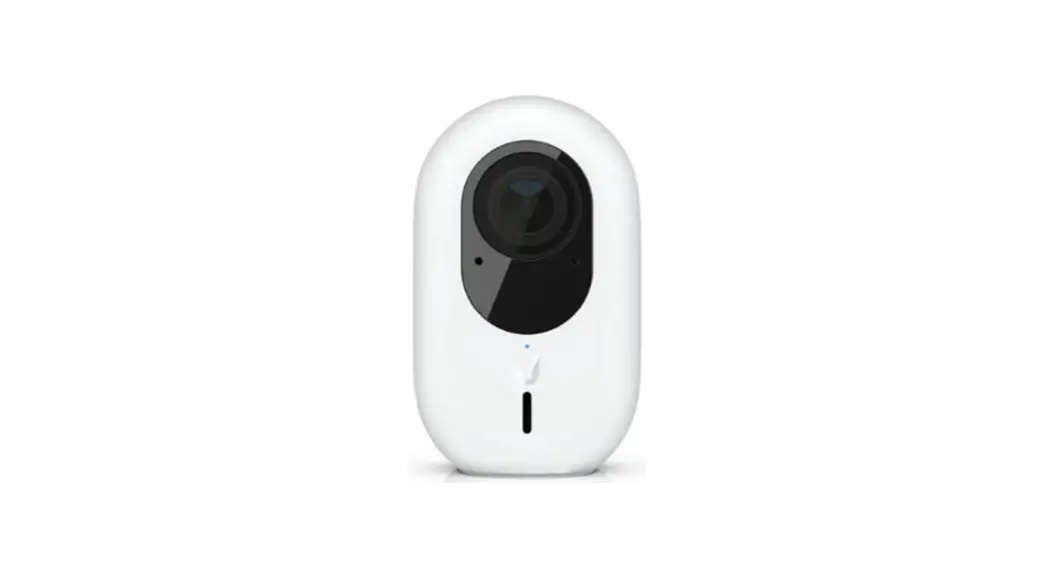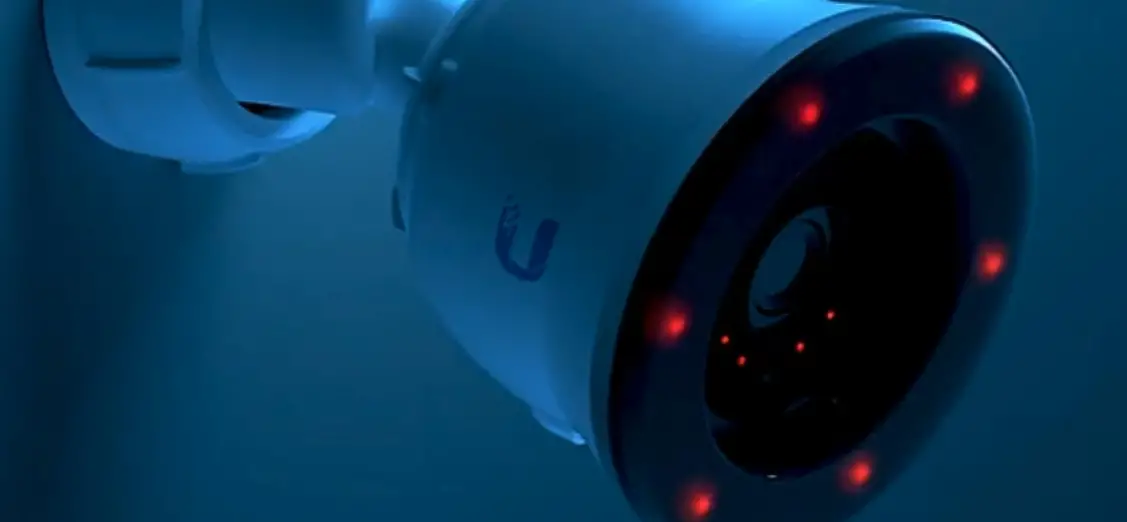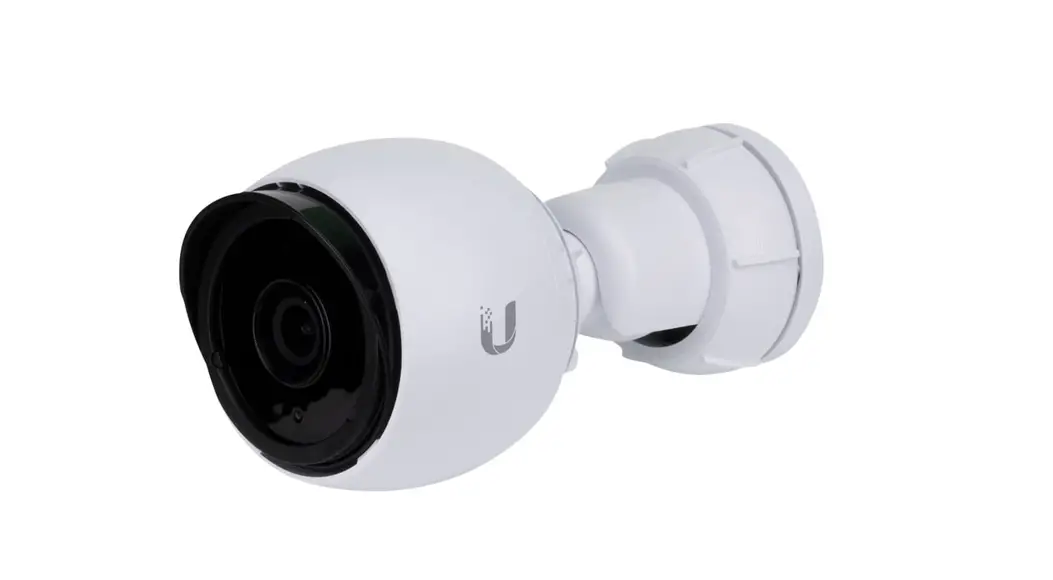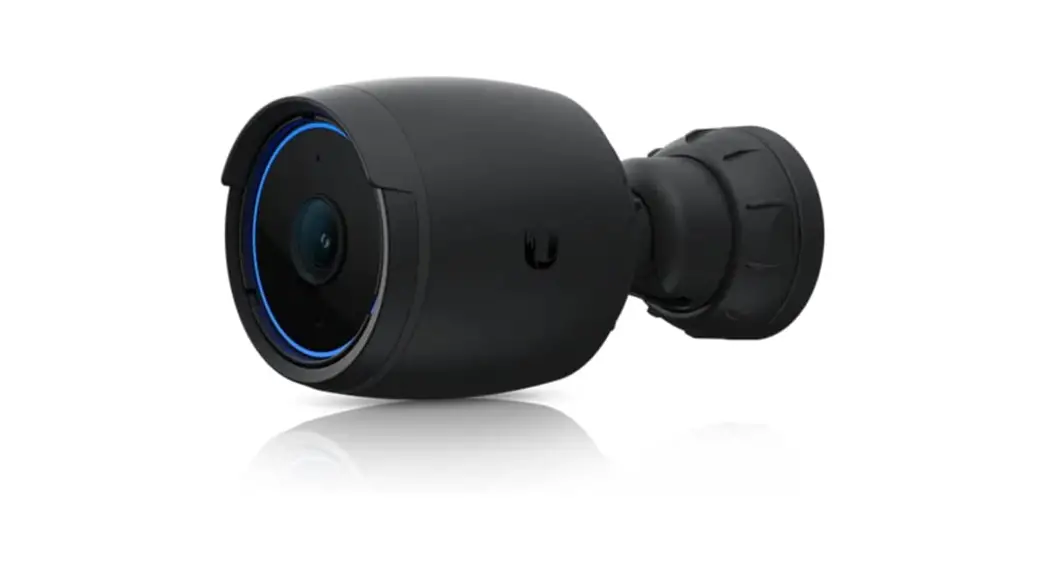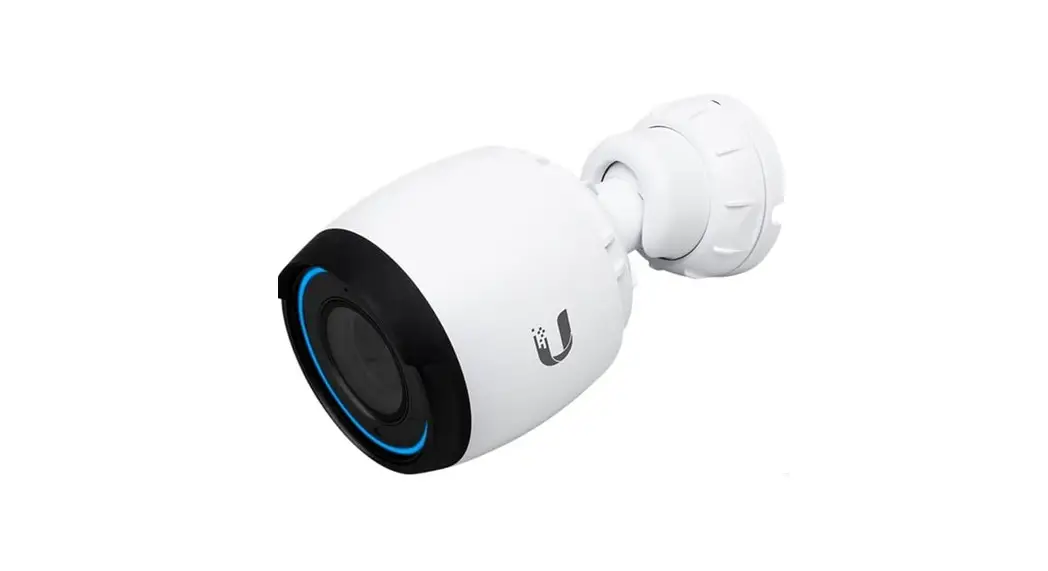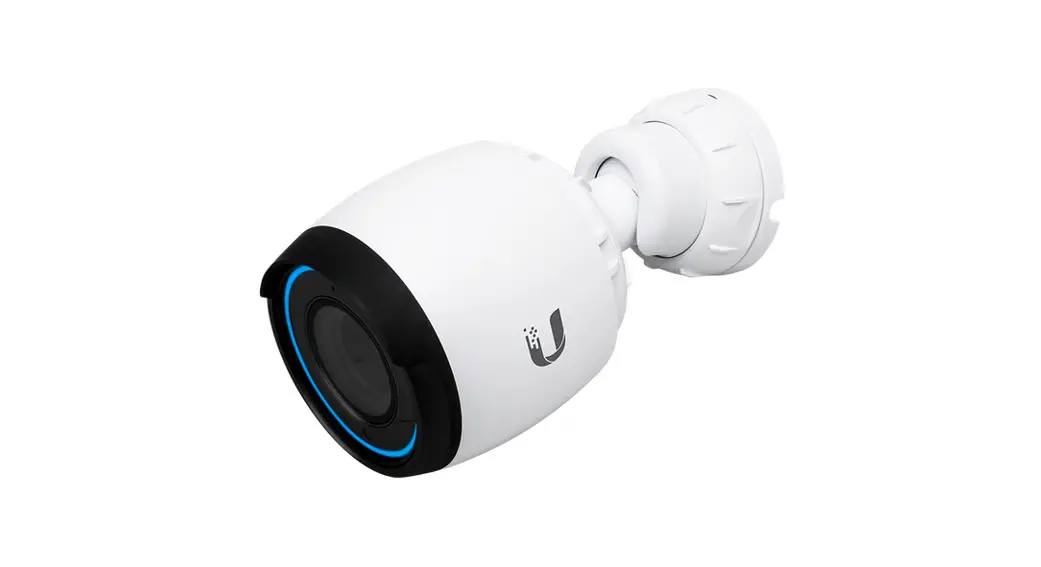
 UVC-G4-BULLET UniFi Protect
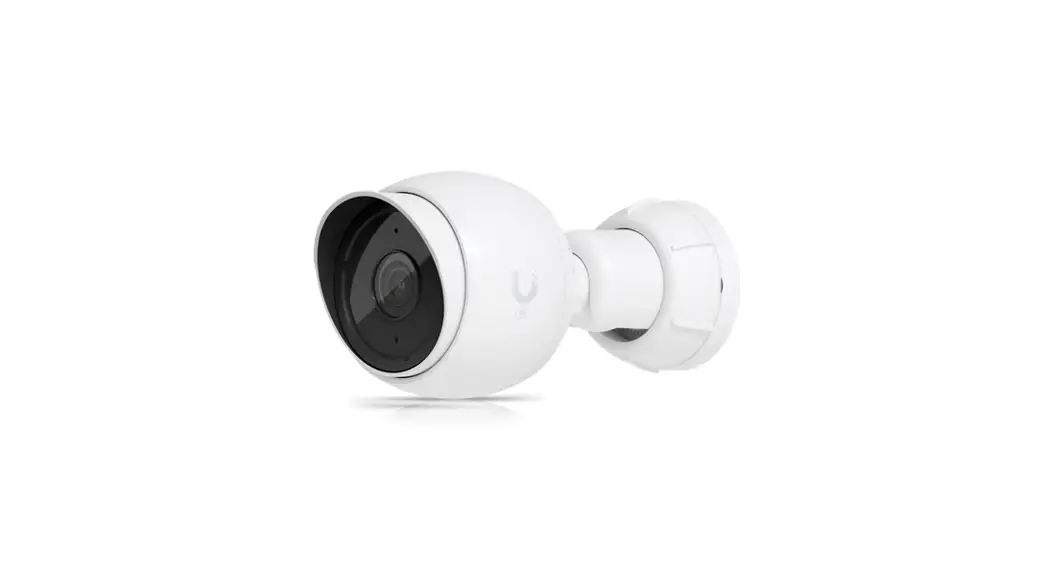
G4-Bullet Camera
User Guide
Package Contents
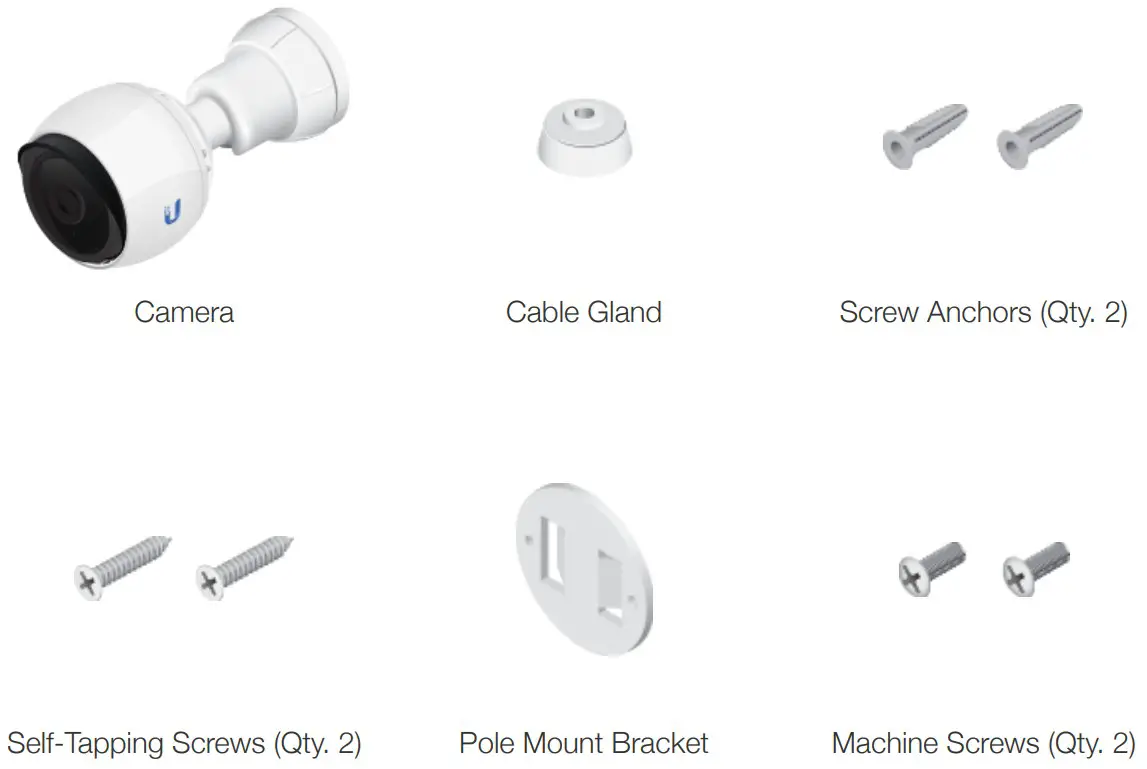 Installation Requirements
• Shielded Category 5 (or above) cabling should be used for all wired Ethernet connections and should be grounded through the AC ground of the PoE.
We recommend that you protect your networks from harmful outdoor environments and destructive ESD events with industrial-grade, shielded Ethernet cable from Ubiquiti. For more details, visit: ui.com/toughcable
Hardware Overview
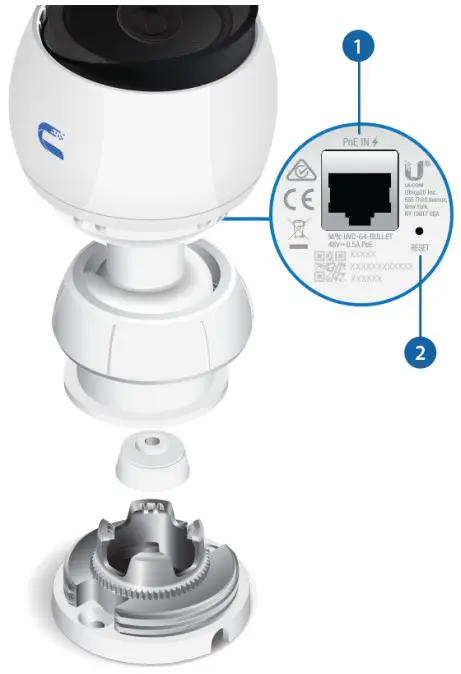
- Ethernet Port
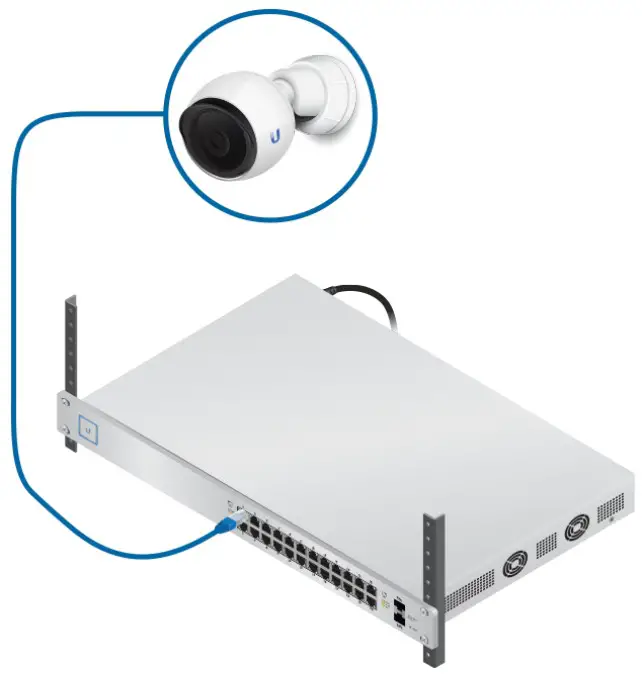
Gigabit RJ45 port connects to an 802.3af PoE switch for PoE power and data. - Reset Button
To reset to factory defaults, press and hold the Reset button for more than 10 seconds while the camera is powered on.
Hardware Installation
Ceiling Mount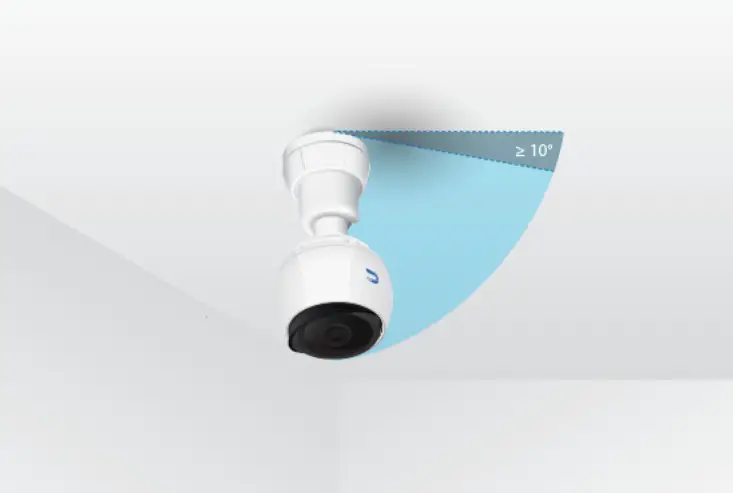 Wall Mount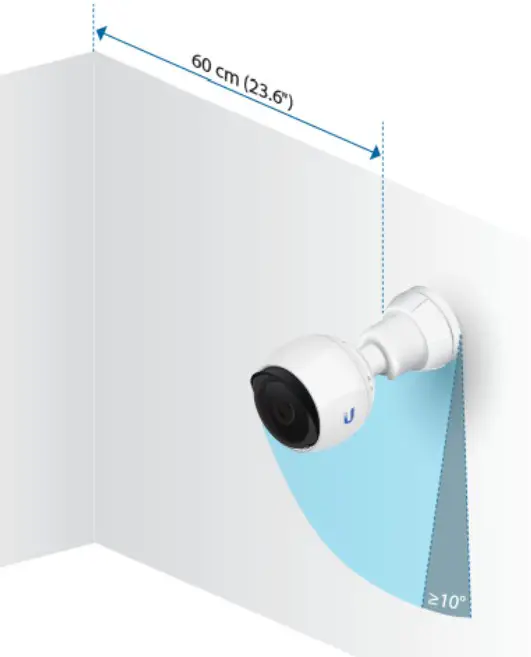
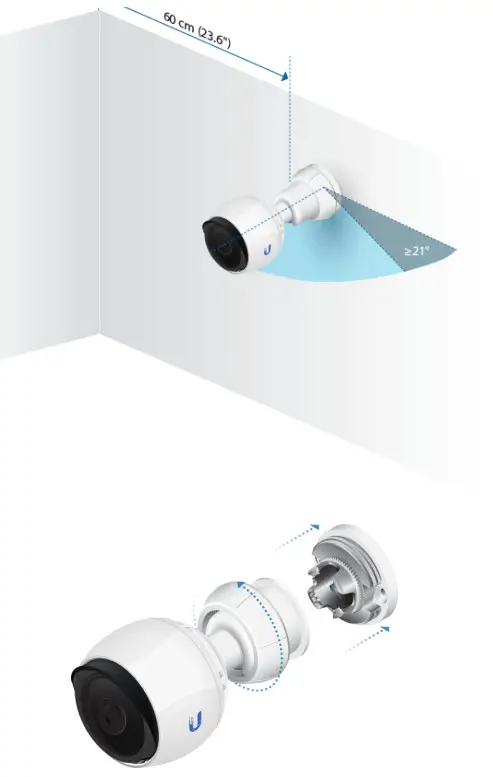
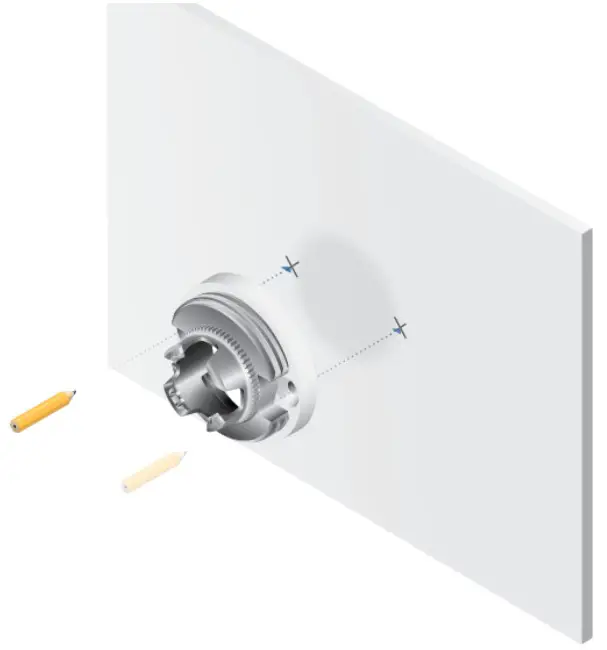
 Note: For outdoor installations, position the Cable Slot downward.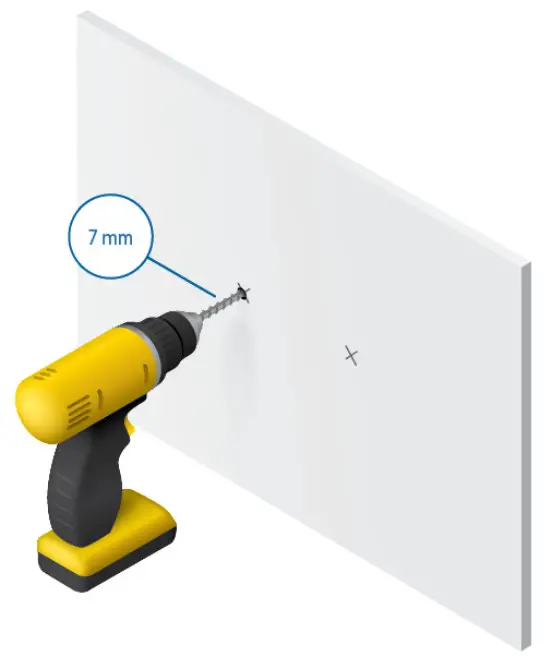
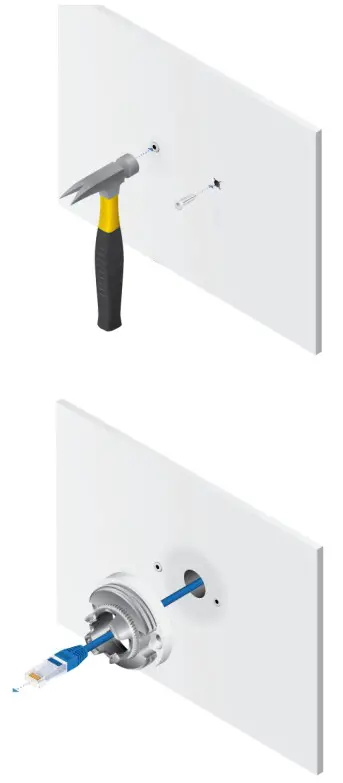
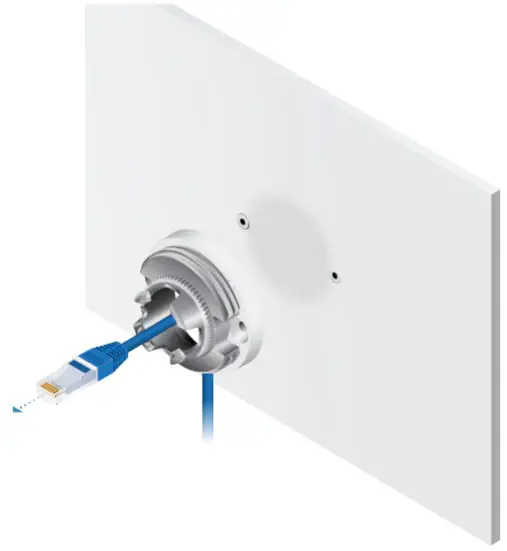
 IMPORTANT: If you are installing your camera outdoors, create a drip loop for the cable below the camera to prevent water ingress.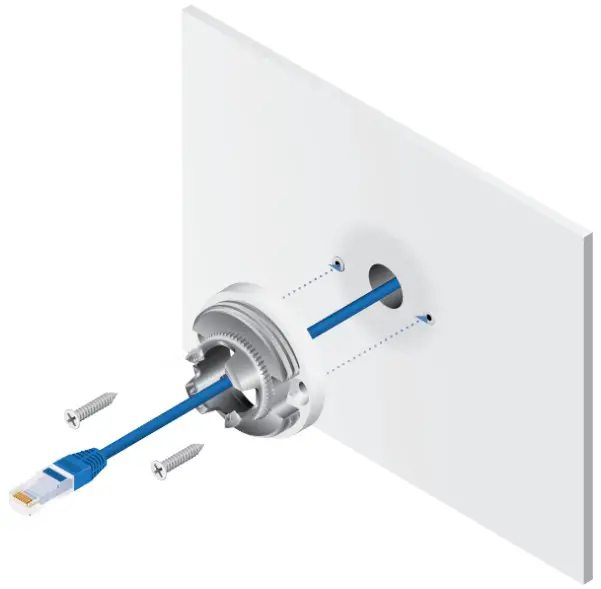
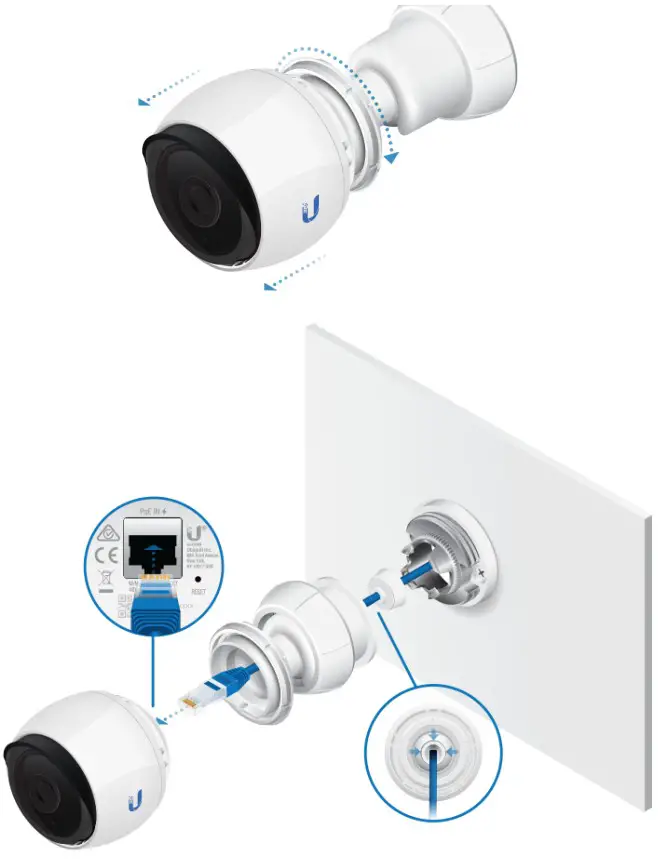 IMPORTANT: For proper weather sealing, the Cable Gland must fit securely within the Adjustable Base when the camera is mounted. Ensure that the Cable Gland is securely seated during installation and cable routing.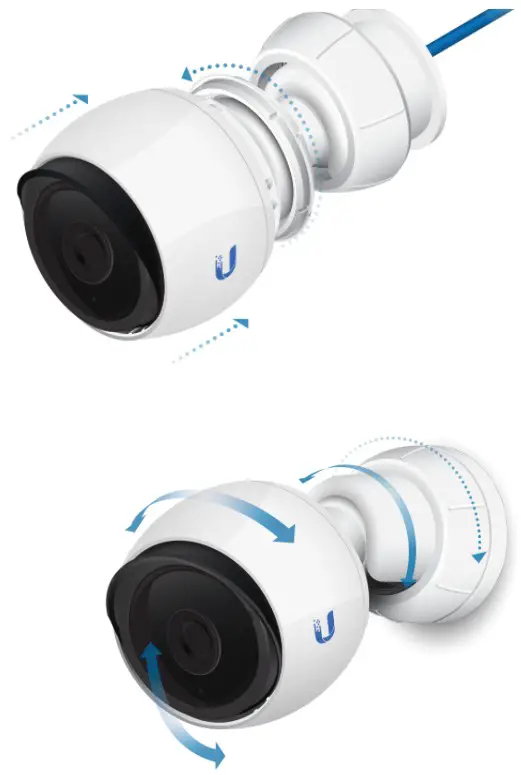
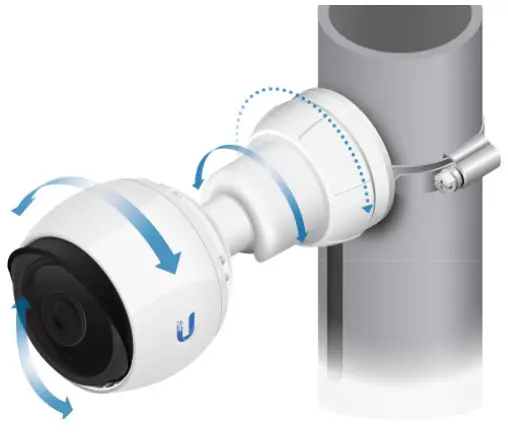
Pole Mount
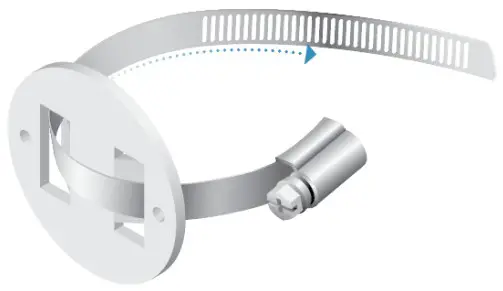
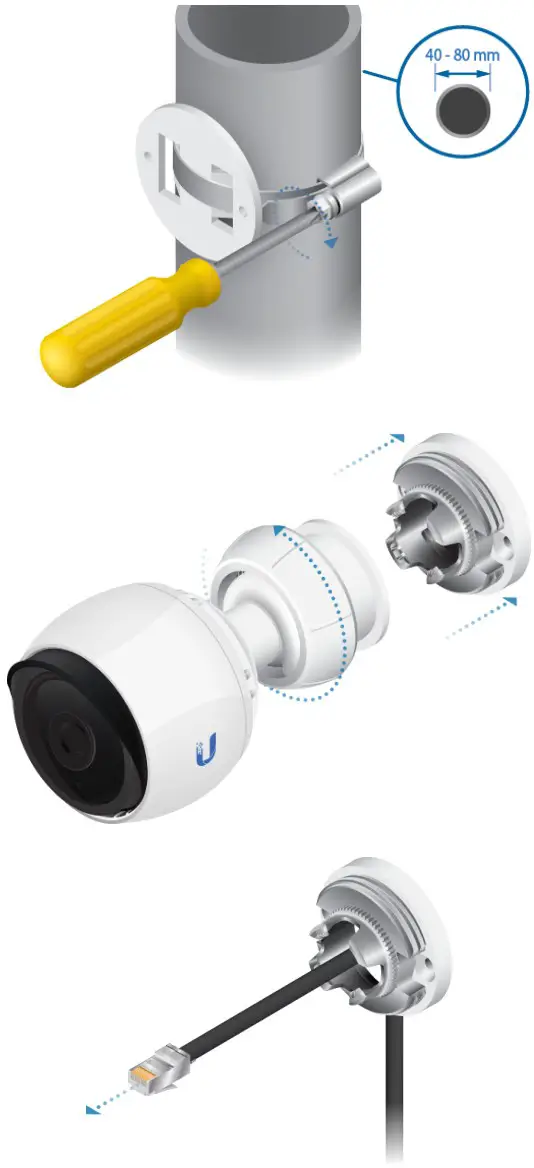
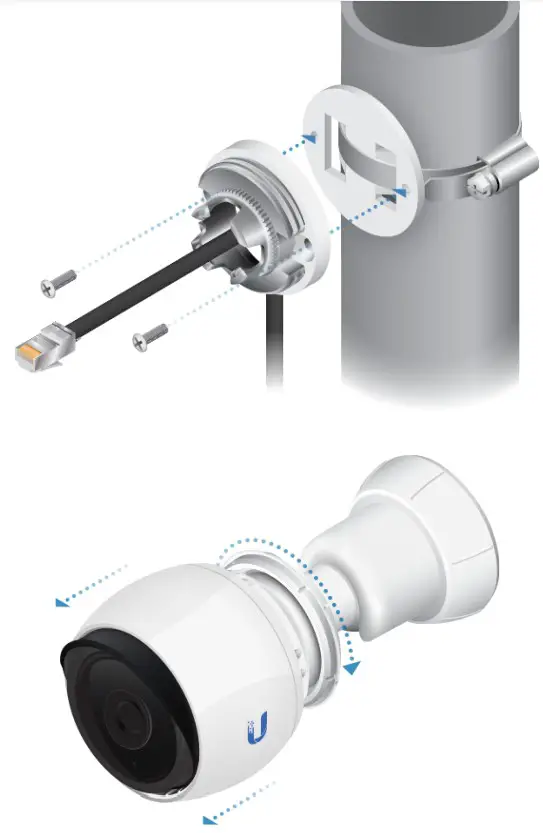
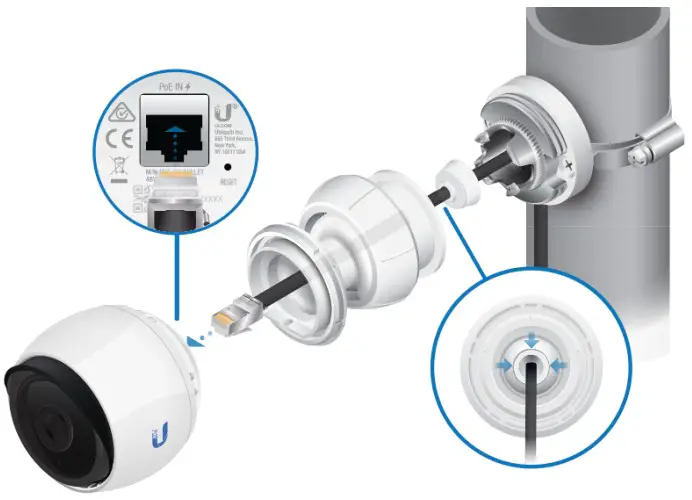 IMPORTANT: Ensure that the Cable Gland is securely seated during installation and cable routing.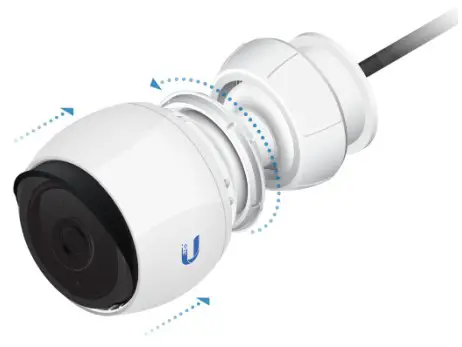
Connecting to a PoE Switch
 Setting Up UniFi Protect via App
 Launch the UniFi Protect Mobile App and follow the on-screen instructions to complete setup.
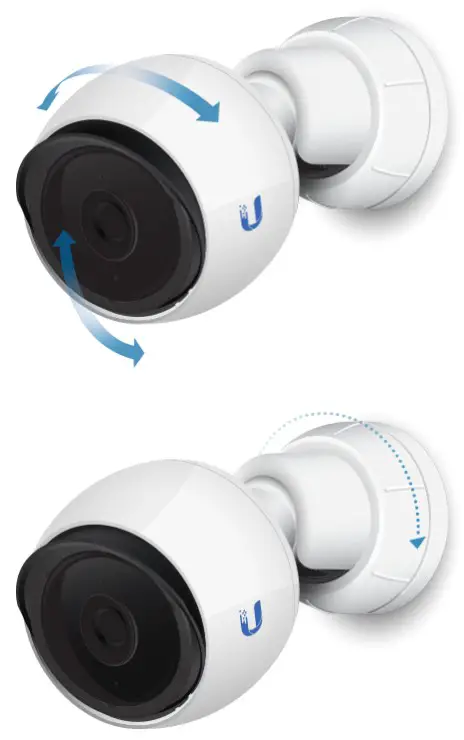
Adjusting the Camera View
Specifications
| Dimensions | Ø 75 x 140 mm (Ø 2.95 x 5.51″) |
| Weight | 458 g (1 lb) |
| Enclosure | Injection-Molded Polycarbonate and Die-Cast Aluminum |
| Networking Interface | (1) 10/100/1000 Ethernet Port |
| Viewing Angle | 86° (H), 60° (V), 111° (D) |
| Night Mode | IR LEDs with Mechanical IR Cut Filter |
| Video Compression | H.264 |
| Resolution | (4MP) 2688 x 1520 |
| Maximum Frame Rate | 24 FPS |
| Image Settings | Brightness, Contrast, Sharpness, Saturation, Noise Reduction, 50/60 Hz |
| Processor | Ambarella S5L55m |
| Memory | 512 MB DDR3L |
| Management Interface | UniFi Protect |
| Microphone | Yes |
| Max. Power Consumption | 4W |
| Power Method | 802.3af |
| Power Supply | 802.3af PoE Switch |
| Buttons | Factory Reset Button |
| Mounting | Wall/Ceiling/Pole (Kits Included) |
| Operating Temperature | -20 to 40° C (-4 to 104° F) |
| Operating Humidity | 0 to 90% Noncondensing |
Safety Notices
- Read, follow, and keep these instructions.
- Heed all warnings.
- Only use attachments/accessories specified by the manufacturer.
 WARNING: Hot surface. Do not touch. WARNING: Do not use this product in location that can be submerged by water.
WARNING: Avoid using this product during an electrical storm. There may be a remote risk of electric shock from lightning.
Electrical Safety Information
- Compliance is required with respect to voltage, frequency, and current requirements indicated on the manufacturer’s label. Connection to a different power source than those specified may result in improper operation, damage to the equipment or pose a fire hazard if the limitations are not followed.
- There are no operator serviceable parts inside this equipment. Service should be provided only by a qualified service technician.
Limited Warranty
ui.com/support/warranty
The limited warranty requires the use of arbitration to resolve disputes on an individual basis, and, where applicable, specify arbitration instead of jury trials or class actions.
Compliance
FCC
Changes or modifications not expressly approved by the party responsible for compliance could void the user’s authority to operate the equipment.
This device complies with Part 15 of the FCC Rules. Operation is subject to the following two conditions.
- This device may not cause harmful interference, and
- This device must accept any interference received, including interference that may cause undesired operation.
This equipment has been tested and found to comply with the limits for a Class A digital device, pursuant to Part 15 of the FCC Rules. These limits are designed to provide reasonable protection against harmful interference when the equipment is operated in a commercial environment. This equipment generates, uses, and can radiate radio frequency energy and, if not installed and used in accordance with the instruction manual, may cause harmful interference to radio communications. Operations of this equipment in a residential area is likely to cause harmful interference in which case the user will be required to correct the interference at his own expense.
ISED Canada
CAN ICES-3(A)/NMB-3(A)
Australia and New Zealand Warning: This equipment is compliant with Class A of CISPR 32. In a residential environment this equipment may cause radio interference.
 CE Marking
WEEE Compliance Statement
Declaration of Conformity
Online Resources
 © 2022 Ubiquiti Inc. All rights reserved.
 Ubiquiti - Warranty
 community.ubnt.com/
 WEEE Compliance Statement
 UniFi Protect on the App Store
 Ubiquiti - Rethinking IT