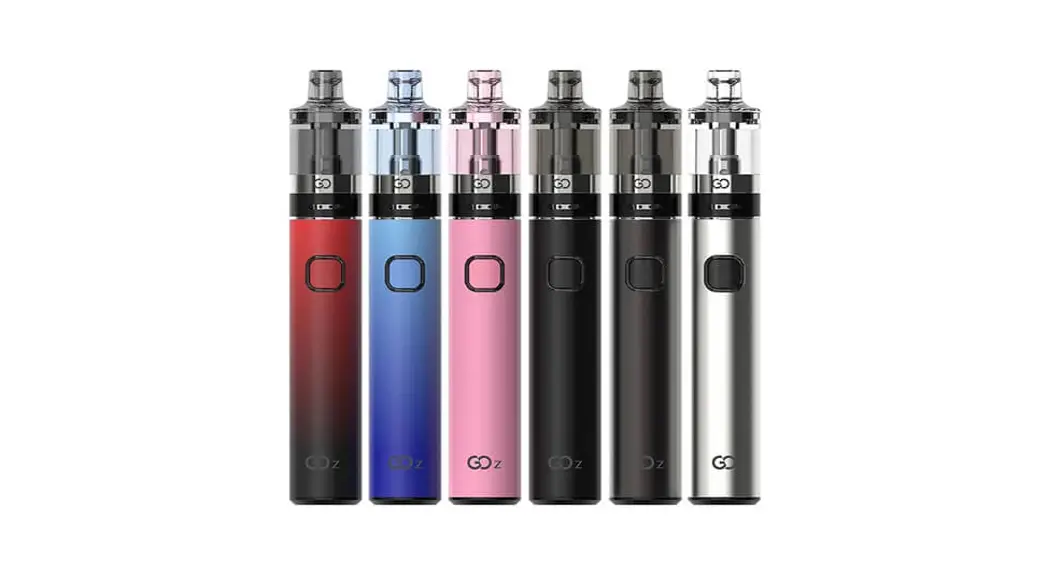
DotAIO V2 Lite Dotmod Electronic Cigarette
Product Information
The product is a personal vaporizer designed for the purpose of
delivering nicotine or other dosages. The product is not intended
for use with tobacco products and contains nicotine, which is a
highly addictive substance. The product is not recommended for use
by non-smokers, pregnant or lactating women, and individuals
suffering from heart, throat, or lung disease, kidney or liver
disease, stomach ulcer or inflammation of the stomach or esophagus,
an overactive thyroid gland or pheochromocytoma, or diabetes. The
product should be stored in a cool, dark, and dry place away from
the reach of children and animals. Unused e-liquid should be
disposed of according to local regulations.
Product Usage
- Charge the device according to the user manual
instructions. - Fill the tank with e-liquid according to the user manual
instructions. - Attach the tank to the device.
- Turn on the device by pressing the power button.
- Set the desired temperature using the + or – keys for
temperature control mode. - Hold the fire button and – key to enter wattage setting.
- Set the desired wattage using the + or – buttons.
- Press the fire button again to confirm settings or wait for it
to time out after 3 seconds of inactivity. - Inhale through the mouthpiece and exhale vapor.
- Monitor battery status using the battery status indicator
lights. Red lights indicate low voltage or overheating, and white
lights indicate power on confirmation, short circuit, battery
properly inserted, or no atomizer detected. - If you experience any side effects or adverse effects, report
them to the manufacturer and/or MHRA using the provided links.
Nicotine Safety
Nicotine Safety
Battery Safety
Operation and function
Battery status indicator
Prompt Information
WARNING: sale to or use of this product by minors is strictly prohibited.
RECOMMENDED USE This product is intended for use as a personal vaporizer to receive nicotine or other dosages for your requirements. This product is not intended for use with tobacco products.
STORAGE AND DISPOSAL Keep the container tightly closed and in an upright position. Store e-liquids in a cool, dark, & dry place. Keep out of the reach and sight of children and animals. Dispose of unused e-liquid according to local regulations.
CONTRAINDICATIONS If you suffer from any of the following conditions, talk to your doctor or pharmacist before using this product: heart, throat or lung disease; kidney or liver disease; stomach ulcer or inflammation of the stomach or esophagus; an overactive thyroid gland or pheochromocytoma; diabetes.
SPECIFIC RISK GROUPS This product is not recommended for use by pregnant or lactating women.
POSSIBLE ADVERSE EFFECTS New users of electronic cigarettes may experience dry throat, dry cough, mild pain or irritation of the mouth or respiratory tract. If the symptoms become severe or last for more than 48 hours, please see a general practitioner and report the incidences by following the information given in “Reporting Adverse Effects.” Possible nicotine withdrawal adverse effects, irritability or aggression, feeling low, anxiety, restlessness, poor concentration, increased appetite or weight gain, urges to smoke (craving), night time awakening or sleep disturbance, lowering of heart rate.
ADDICTIVENESS AND TOXICITY This product may contain Nicotine which is a highly addictive substance and is thus not recommended
for use by non-smokers. No other ingredient of this product is known to be addictive. This product contains Nicotine which may produce toxic effects if consumed orally, especially in infants and children. Please DO NOT drink e-liquid. In case it is consumed, please take your e-liquid bottle with you and see a general practitioner immediately. In case of contact with skin, rinse immediately with cold running water for at least 15 minutes.
REPORTING ADVERSE EFFECTS If you experience any side effects as a result of using this product, please help us by informing us about it so that we can continue to improve the safety of our products. Visit: https://dotmod.com/pages/health-safety to fill out our Safety concerns form. Alternately, you can also report your symptoms directly toMHRA using the Yellow Card Portal available at https//yellowcard.mhra.gov.uk/yellowcards/tobacoreportmediator/ 88 Wood St. London, EC2V 7RS United Kingdom
Battery Safety
WARNING: Lithium-ion batteries are volatile and may explode or burn if charged, used, transported, stored,or disposed of improperly.
· Keep battery away from high heat, direct sunlight, cold temperatures, humidity, water, and metal, a purse, or anywhere else where it may be exposed to metals.
·Do not tamper with battery or disassemble the device.
· Inspect battery for wear or damage before each use. Do not use if worn or damaged.
· Charge battery with provided charging cable only. Do not charge in your car.
· Do not overcharge or exceed charging amperage.
· Do not leave this device unattended while charging, do not leave it while charging overnight, or unattended in your vehicle.
· If the charger gets too hot, stop charging the device and allow it to cool down.
· Always use a surge protector when charging battery.
· If you witness the battery starting to balloon, swell, smoke, or become very hot: immediately discontinue use, turn off the device, place it on a non-flammable surface in a well-ventilated area away from people and pets.
· Always have a fire extinguisher handy in the event of a fire.
· Do not throw batteries into a fire. Please recycle or dispose of according to local law.
· Keep batteries away from children and pets. Should a child/pet swallow or chew on a battery, immediately consult a physician and/or call your local poison control center.
·Failure to follow warnings may result in electric shock, fire, burns, property damage, or bodily injury.
· Charging is for indoor use only
· The recommended ambient temperature is -10°C- 40°C
· The temperature of the main body of the machine should be kept within the range of 0°C – 40°C when charging.
· Charge the device by a UL Listed USB wall charger
For additional safety information and warnings, please visit www.dotmod.com ***dotmod, Inc. is not responsible for damage or injury resulting from improper use, charging, transport, storage, and/or maintenance of this device***
Turn on: To turn the device on click the power button 5 times in rapid succession. The indicator light will flash a white light for 2 seconds for confirmation. Shut down: Quickly press the power button five 5 times. The indicator light will flash red three times, for confirmation Lock / unlock power output: To lock or unlock the power output selection click the power button 4 times in rapid succession. Selecting output mode: To change between the various modes of operation with your dotAIO V2 Lite (PM, SS, NI, TI, or BP) you will click the power button three times to enter the output selection menu. Navigate to the desired output with the +or- keys and then a short press of the power button will select that mode. PM – Power mode: The user can adjust the output wattage (power level) for simple operation. BP – Bypass mode: The device will function similar to an unregulated device using available battery voltage. **Amperage limitations do apply for safety precautions. NI / TI / SS – Temperature control mode: Once selected, temp adjustment is the primary adjustment, with wattage as a secondary adjustment. By using specific TCR values the device recognizes changes in resistance due to temperature change and limits output to maintain your temp setting. Settings: The settings menu allows the user to adjust; color of the UI/display, brightness of the display, as well as stealth mode to disable the lights/display. While in stealth mode the screen will temporarily light up for power adjustments with the + & – buttons.
Temperature control modes
(1) In temp. control mode, after setting your desired temp. with the + or – keys, (2) hold the fire button & – key to enter wattage setting. (3) After 2 sec, wattage will begin flashing and you can use the + or – buttons to set your desired wattage. (4) Press the fire button again to confirm settings or it will time out after 3 sec of inactivity.
Green Light
Blue Light
Red Light
Battery status indicator: When charging, the battery indicator will pulse. Once the device is fully charged, the battery light will stop pulsing and turn off after ten minutes. Battery input: Once the battery is inserted correctly, the light will flash white three times. Deep sleep: The dotAlO V2 Lite is equipped with our deep sleep function. After 10 minutes of inactivity, the device will enter a sleep state to reduce battery power consumption. Charging: The dotAIO V2 Lite allows you to continue vaping while charging the battery. Protection status: When there is a danger of short circuit or resistance overload, all four lights will flash quickly flash twice. Overheating: If the temperature exceeds 75*C, the light will flash five times quickly, please turn off the machine and let it cool down. No atomizer/resistance beyond the working range: When the power button is pressed, the light will flash white three times if no atomizer is detected, and white four times if the resistance is out of working range.
Battery Indication lights
Red lights
Power off confirmation
Low voltage (less than 3.30v before firing or less than 2.95v during firing)
Overheat
White lights
(2 seconds)
Power on confirmation
Short circuit
Battery inserted properly
No atomizer detected
Resistance out of working range
Green lights
(Pulsing)
Battery charging
Dry burn protection on
Cyan lights Continuous discharge for more than 10 seconds
Yellow lights Dry burn protection off
Purple lights
No liquid / Dry burn protection
dotAIO V2 Lite
Boot animation
System off
Shutdown animation
Overload Chip too hot Weak battery
When excessive discharge current is detected, this prompt is displayed to check for a short circuit in the coil.
The temp. inside the device reaches +75*C, wait for the internal temp. of the device to cool down
Insufficient current of battery. Check connections, replace with new battery, lower power output settings to accommodate battery capacity
Low battery
The battery voltage is below 3.3v. Charge battery
10s limit
If the continuous output time reaches 10s, release the power button and press again to re-operate
Dry coil no liquid Check atomizer
New + : x.xx Same – : x.xx Resistance too
high Shorted
Power output locked Locked click 5x
Puff counter
Ohm reset
Check to see if there is any liquid remaining on coil
The atomizer is not detected. Make sure the atomizer is well connected or whether the coil is disconnected
A new resistance is detected, press the + button to select the new resistance, or select the – button to keep the current resistance
The resistance detected is higher than 2.5 Ohms. Replace the atomizer or make sure it is making contact.
The atomizer is short-circuited or the atomizer resistance is less than 0.08 ohms. The power output is locked to prevent accidental power adjustments. Press the power button 4 times to unlock In the off state, press the power button once to wake, then press it again 5x to unlock
To reset puff counter press and hold the + button and the power button for 3 seconds, once prompted select yes to clear
To reset the port counter, press and hold the “+” button and the power button for 3 seconds.
Dry Burn Protection
In auto mode; press and hold the power button and the (-) button for 3 seconds to turn on or off
dotAIO V2 Lite
Know your dotAIO V2 Lite
Front
Power button Indicator ring Battery ribbon Power setting buttons Type-C charging port Screen
Back
Juice fill plug Tank Coil module assembly Airflow control ring Tank door panel
View without door View with door
Battery door panel View without door View with door
Tank and components
Coil
Reservoir
Airflow
control base
Tank
Know your dotAIO V2 Lite
Auto display
Wattage display
Power level / wattage
Resistance Puff counter
Temperature display
Bypass display
Wattage
Voltage Resistance Puff counter
Know your dotAIO V2 Lite Tank
Installing & Replacing coils
Place the tank upside down with the airflow control ring facing up
Remove the air flow control ring from the tank by pulling up
3
Remove the coil
4
from the tank by
Orient the reservoir above the coil
pulling up
Temperature
Wattage Resistance Puff counter
Bypass
Voltage Resistance Puff counter
Mode selection menu
Auto mode Power mode Bypass mode Nickel temp. control mode Titanium temp. control mode Stainless steel temp. control mode Settings mode*
Settings mode*
In the settings menu functions such as stealth, brightness, and display color are accessible
5
Insert the coil
6
into the tank
Filling the tank
Place the airflow control ring over the coil and push together until it clicks
With the coil assembly
Proceed to fill the tank
module in the tank, hold with your e – juice using
the tank with the silicone lid the side hole with the
facing up, then tilt the tank silicone plug. Do not
sideways and open the
overfill the tank
silicone lid
Adjustable airflow
Place the silicone plug back into the tank. Push it until it is sealed
Rotate the airflow control ring to control and adjust the air intake
How to install the tank
Pick up the device and remove the tank door panel by lifting it with a fingernail
With the silicone plug side facing out, place the airflow control base over the connector and press the top part of the tank firmly until it clicks
Place the tank door panel back onto the dotAIO V2 Lite
How to install your battery
Pick up the device and remove the battery door panel by lifting it with a fingernail
Power levels (Auto mode)
Power level indicator
This device has four auto power levels. To adjust these cylce the device to auto mode and use the (+) and (-) buttons to cycle through the different power levels.
Lay the battery ribbon across the battery tray
Insert the 18650 battery according to the positive and negative symbols located on the battery tray
Very soft Soft
Medium Strong
Power button
Place the battery door back onto the dotAIO V2 Lite ensuring the battery ribbon is covered by the door
Amperage rating We recommend a reputable battery rated above 25A
continuous discharge
(+) button
(-) button
Auto power setting table
Coil 0.15
0.40
0.70
0.90
1.60
MIN / MAX
Power 0.08-0.25 0.25-0.55 0.55-0.85 0.85-1.45 1.45-2.50 <0.08/>2.50
Very soft 45W
20W
14W
10W
8W
Not in the
Soft
55W
25W
16W
12W
10W
resistance
range
Medium
65W
30W
18W
14W
12W available for
Strong
75W
35W
20W
16W
14W
this device
Customer Service