QLT Interface Dimmable with low voltage push Instructions
Installation instructions
Always work in safe and voltage-free condition
Follow the rated values in label and right cable section according to the load connected.
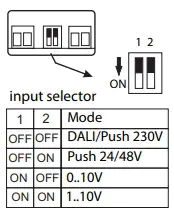
Factory setting: DALI input active.
Remove power to change Dip-Switch setting.
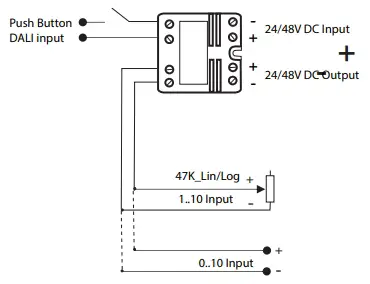
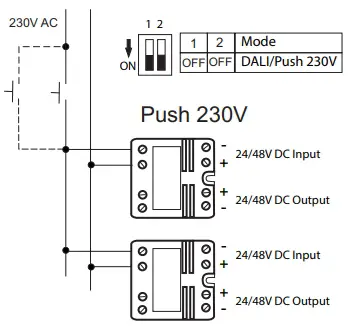
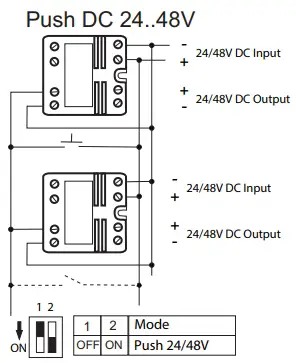
- Push-button setting: set the Dip-Switch configuration as in the table right here. Press the button once within 10 seconds from switch-on.
- DALI setting: set the Dip-Switch configuration as in the table right here. Within 10 seconds give a DALI command.
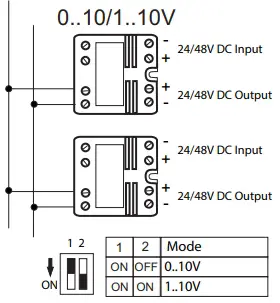
- 0-10V and 1-10V setting: set the Dip-Switch configuration as in the table right here.
All settings remain stored even when the device is Switched OFF.
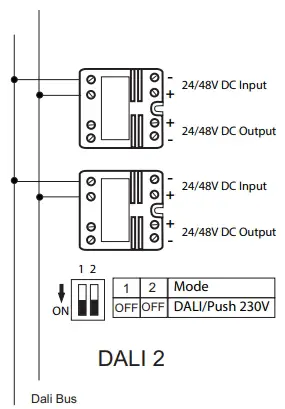
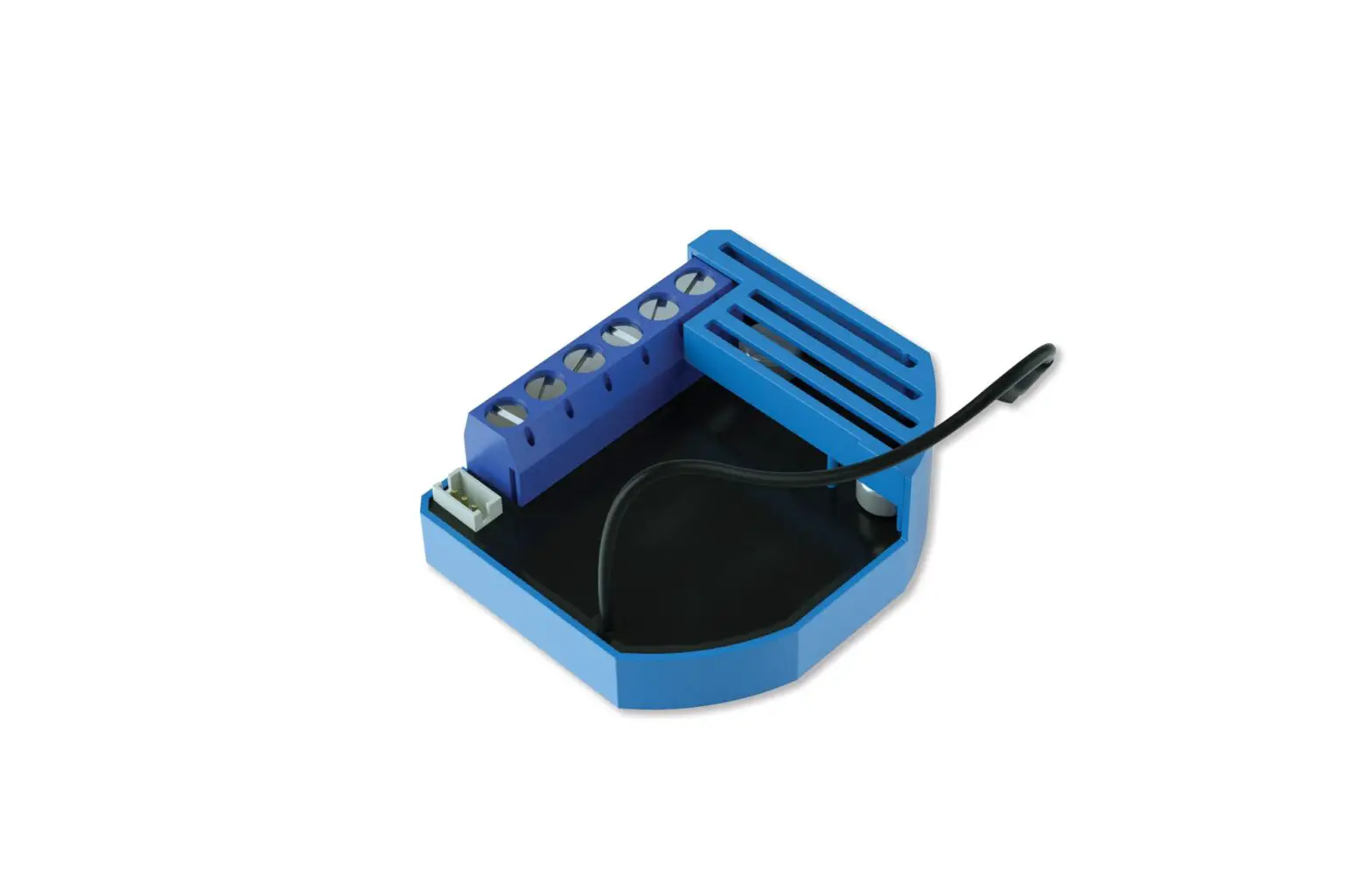
DALI CUBE
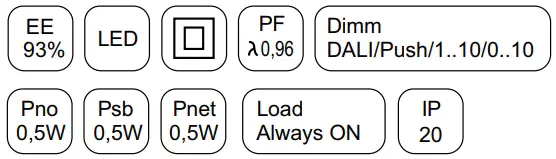
Input 24..48V
Output 24..48V PWM 250Hz
Load max 11A @24V (A40DACU24N)
Load max 7A @24/48V (A40DACU48N)
Control DALI 2 / Push 230V AC
Control Push 24..48V DC
Control 0_10V
Control 1_10V

 Qlt - Qualitron | Elettronica applicata all’illuminazione | Led