374-DREM easyDALi Remote Control
Product Information:
- Product Name: Elkay easyDALi Remote Control
- Model Number: 374-DREM
- Features:
- Consists of eight soft touch buttons
- Controls the Elkay easyDALi PIR (374-CMPIRDALI)
- Programs basic installation and commissioning
functionality - Has one hidden button to switch between user mode and installer
mode - Installer Mode details are provided below
Product Usage Instructions:
- Read the Elkay easyDALi Remote Control Instructions in
conjunction with Elkay easyDAli PIR 374-CMPIRDALI Instructions to
enable all features of the PIR. - Fitting and operation instructions for the Elkay easyDALi
PIR:- Press the override off button on the PIR. The LED will flash
white.
- Press the override off button on the PIR. The LED will flash
- To enter installer mode on the remote control:
- Remove the battery cover at the rear of the remote
control. - Locate the small hidden installer button inside the battery
compartment. - Insert a pin into the hidden installer button and press it
once. - Once the feedback LED on the remote control turns red, you have
successfully initiated the Installation Option.
- Remove the battery cover at the rear of the remote
- You will automatically be in the DEFAULT mode of Room Mode 6,
which provides 20 minutes ON with 10 minutes dimmed. - Table 1 shows the Timing Options selectable in Installer Mode
from the Remote Control:Timing Options Corridor Option Room Option ON DIM OFF Number of PIR Color Flashes Mode UP and DOWN 1 30min Yes 10% No 2 20min Yes 10% No 3 10min Yes 10% No 4 5min Yes 10% No 5 30min 15min Yes 6 20min 10min Yes 7 10min 5min Yes 8 5min 5min Yes - In Corridor Option, the lights will never go off. They will
only dim to the selected minimum arc power. - In Corridor Option, all end user remote control functions are
disabled except for override off. - In Corridor Option, the luminaires will be illuminated to full
brightness while presence is detected. They will be dimmed after a
preset time when presence is no longer detected. The luminaires
will remain dimmed until presence is detected again. - For facility managers, caretakers, and building maintenance
teams, there is a Corridor Shutdown Option:- Press the on/off button in Corridor Option to completely turn
off corridor mode. - The lights will be dimmed to 10% for 10 minutes and then turned
off. - This option may be useful during factory shutdowns or when
office space will be empty for a long period.
- Press the on/off button in Corridor Option to completely turn
Instruction Data | 374-DREM
Elkay easyDALi Remote Control
Installer Instructions
Features
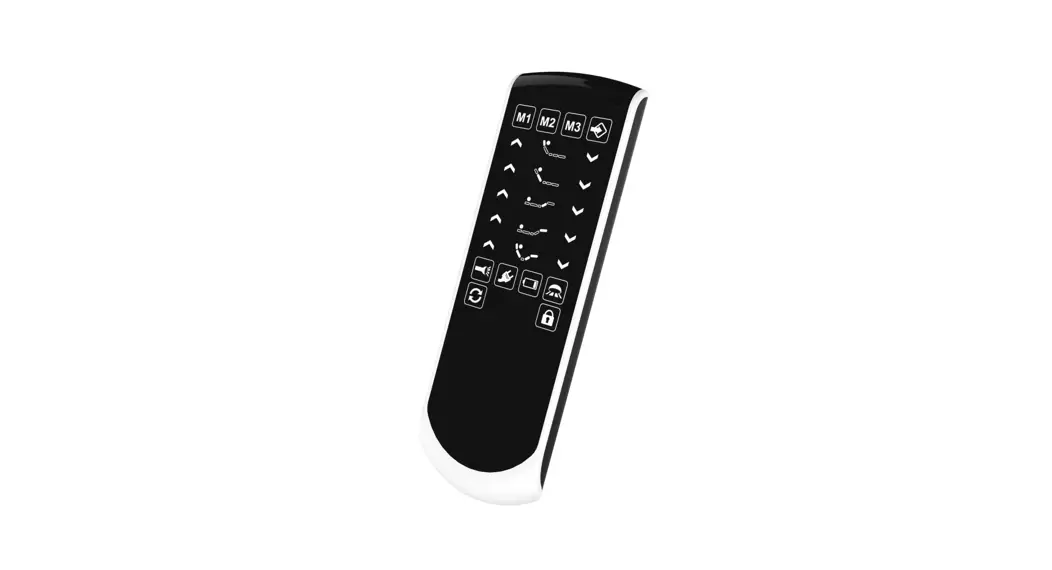
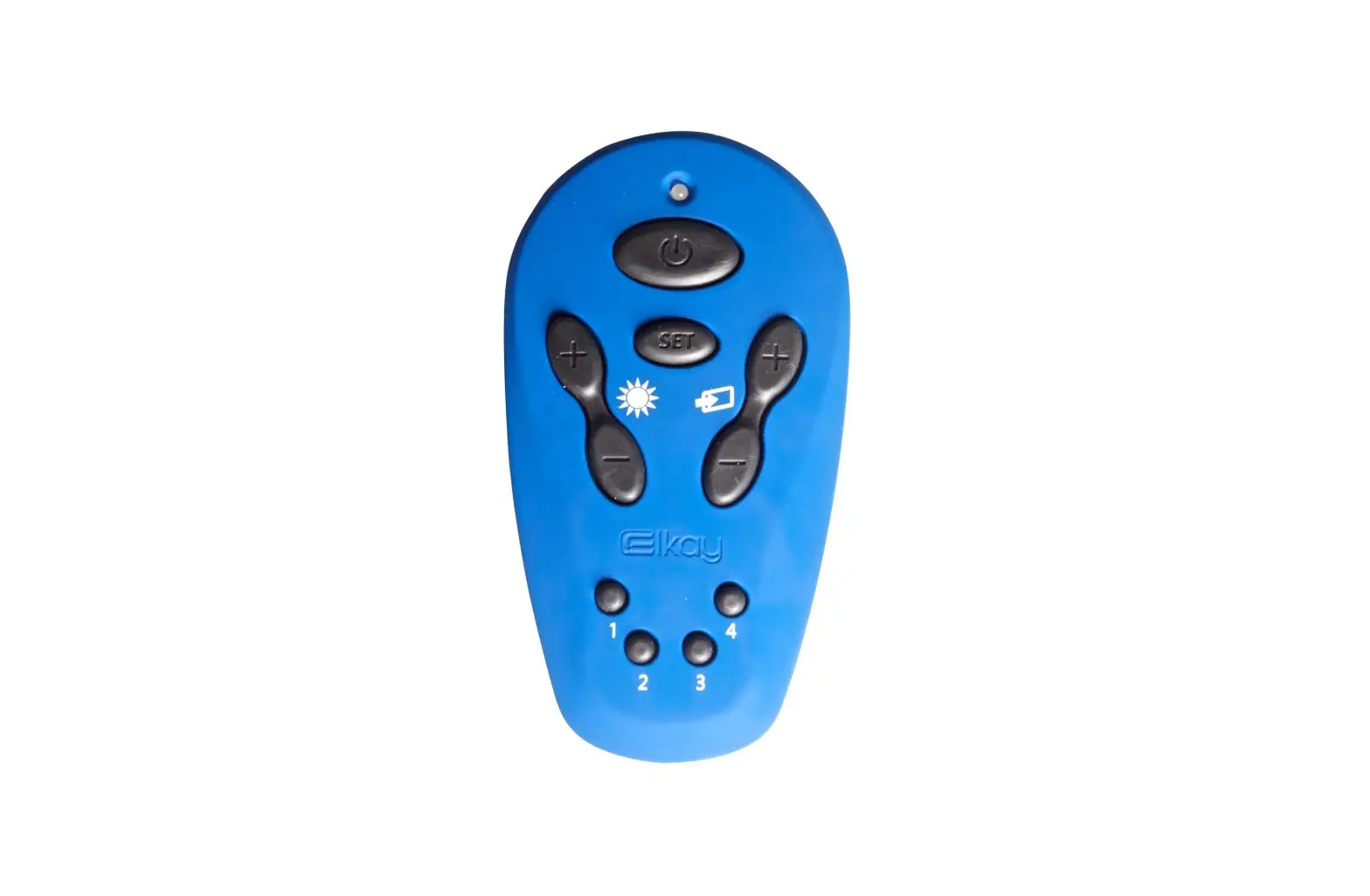
The easyDALI Remote Control consists of eight soft touch buttons to control the Elkay easyDALi PIR (374-CMPIRDALI) It can program basic installation and commissioning functionality and has one hidden button that changes the remote control from user mode to Installer Mode. Installer Mode is detailed below but for End User Modes see separate `End User instructions’.
Dual purpose DALI Remote Control For use with Elkay easyDALi system User mode for day to day control Installer mode for installation set up
Elkay easyDALi Remote Control Instructions must be read in conjunction with Elkay easyDAli PIR 374-CMPIRDALI Instructions in order to enable all features of the PIR.
Installer Modes- How to program your easyDALi system
Remote Control Rear View
In Installer mode it is possible to control the timing options and also select Room and Corridor Options Open battery cover at rear and remove paper tab from
battery area to enable the remote You must turn lights OFF with the remote first to operate
and program in this mode To begin installer mode, remove battery cover at rear and
place pin in hole and press once. Once feed back light goes RED you are in Installer Mode Installer Mode information should never be given to End users of the system
Small Hole (Hidden Installer Button)
Installer mode only E. Override ON/OFF Button
A. Feedback LED continuous RED in Installer Option
D. Minimum Arc Power Adjustment
Sets the minimum level the harvester will not go below
1. Add group to preaddressed luminaires
2. Find pre-addressed luminaires or address new
uncommitted luminaires
B. SET Button For Walk test
C. Mode Options Up and Mode Options DOWN Setting room timing options and Corridor timing options as per Table 1
4. Reset to Manual controls
3. Update all discovered luminaires of the current group with 16 pre-set levels as scenes. 16 Green flashes per ballast then a blue flash to indicate complete
Fitting and operation instructions
A. Feedback LED – Continuous RED light for 3 minutes (after last button push). It will then revert back to End User mode. B. Set Button – Initiates Walk Test only in Installer Mode. Walk test can be used to test and setup the Elkay easyDALi PIR sensitivity by moving in & out of the PIRs detection range. The signal LED on the PIR indicates presence by flashing blue and can be used as a basic walk test. During walk test detection the luminaires will be illuminated to full brightness then after a short delay with no presence detection the luminaires will dim but not go off. (See Walk Test). C. Mode Up and Mode Down Setting Timing Room Options and Timing Corridor Options
The product is pre-set to a factory default Room option 20 minutes on Dim to Min Level 10 minutes Off To set the Room, Corridor and Timing Options a) Open battery cover at rear and remove paper tab from battery area to enable the remote. b) You must turn lights OFF with the remote first to operate and program in this mode. To do this, point the remote control at
the Elkay easyDALi PIR & press the override off button. While in override off the Elkay easyDALi PIR LED flashes white. c) To begin installer mode, remove battery cover at rear and place pin in hole and press once. Once feed back light
goes RED you have initiated the Installation Option on the remote. d) You will automatically be in the DEFAULT mode of Room Mode 6, which gives 20 minutes ON with 10 minutes dimmed and
then switches off (if no presence detected) This is highlighted in Table 1. e) By pressing the MODE button + UP and DOWN you will scroll through the room and corridor modes.
When you push the button UP or DOWN you should press once only and observe and count the coloured flashes on the PIR. The number and colour of flashes corresponds to the Room Timing or the Corridor Timing Options shown in Table 1. Corridor Options flash RED on the PIR and Room Modes flash GREEN on the PIR. For example, press the mode + button once and the PIR will flash GREEN four times indicating it is now in Room Option 5. To go back to the DEFAULT setting press the mode – button once and the PIR will flash GREEN 3 times returning the PIR to the default setting. Scrolling up or down one press at a time moves you through the options in Table 1.
TABLE 1 Timing Options selectable in Installer Mode from the Remote Control
Corridor Option ON
DIM
OFF Number of PIR Colour Flashes Mode UP and DOWN
1
30min Yes 10% No
2
20min Yes 10% No
3
10min Yes 10% No
4
5min Yes 10% No
Room Option
ON
DIM
OFF Number of PIR Colour Flashes Mode UP and DOWN
5
30min 15min Yes
6
20min 10min Yes
PRE-SET FACTORY DEFAULT
7
10min 5min
Yes
8
5min 5min
Yes
Corridor Option When selecting Corridor Option lights never go off, they will just dim to the selected minimum arc power. In Corridor Option all end user remote control functions are disabled except override off. In corridor option the luminaires will be illuminated to full brightness while presence is detected. When presence is no longer detected the luminaires will be dimmed after a preset time. The luminaires will remain dimmed until presence is again detected.
Corridor Shutdown Option For Facility managers, caretakers and building maintenance teams, there is the ability to turn off corridor mode completely by pressing the on/off button in Corridor Option which will dim lights to 10% for 10 minutes and then OFF. This may be useful for factory shutdowns or when office space will be empty for a long period.
– Button 4 – reverts to manual lux control on the Elkay DALI PIR. The potentiometer marked is – the lux pot located underneath the bezel fascia. – Button 3 – starts the `Updates all discovered luminaires with Scenes` function. – Button 2 – starts the `Find pre-addressed luminaires or address new uncommitted luminaires` function. – Button 1 – starts the `Add group to pre-addressed luminaires` function. D. Minimum Arc Power Adjustment – the brightness up and down buttons set the minimum illumination level the Elkay DALI PIR will allow. When in Installer Option the first press of the up or down buttons turns the luminaires on at the currently set minimum brightness. Subsequent presses will increase or decrease the stored value. Some luminaires such as fluorescents cannot go below a fixed illumination point so setting the minimum below this will slow the response of the harvester at low illumination levels. This level should be set so it is just perceptible the illumination is starting to increase on all luminaires. E. Override off button – When pushed in Installer Mode the luminaires will stay off even after a power failure or until the override off button is pressed once more. While in override off the signal LED on the Elkay DALI PIR will flash white. Only Elkay DALI PIRs that have been turned to off or hibernate (signal LED flashing white) will accept installer commands.
WALK TEST Walk test can be used to test and setup the Elkay easyDALi PIR sensitivity by moving in & out of the PIRs detection range. The signal LED on the PIR indicates presence by flashing blue and can be used as a basic walk test. During walk test detection the luminaires will be illuminated to full brightness then after 10 seconds with no presence detected the luminaires will dim but not go off. To put the Elkay DALI PIR into luminaire walk test: 1. You must turn lights OFF using the remote first to operate and program in this mode. To do this, point the remote control at
the Elkay easyDALi PIR & press the override off button. While in override off the Elkay easyDALi PIR LED flashes white. 2. Set the remote control to installer mode by pressing the hidden installer button inside the battery compartment, the remote
control LED illuminates red. 3. Point the remote control at the Elkay DALI PIR & press the `Set` button, this will initiate luminaire walk test mode. 4. The LED on the Elkay DALI PIR will be illuminated blue while presence is detected and the luminaires will be set to full
brightness. The PIR w also flash red and green to indicate Walk test mode is initiated. 5. Leaving the Elkay DALi PIR detection zone for more than 10 seconds is indicated by the luminaires being dimmed & the
LED being extinguished. Walk test mode will be exited after 10 minutes or by pointing the remote at the Elkay DALI PIR and pressing any remote control button. When the walk test is completed point the remote at the Elkay DALI PIR & press the override off button to return to normal. The remote control will automatically exit install mode after approximately 2 minutes from the last button press or can be taken out of installer mode immediately by re-pressing the hidden installer button.
Elkay easyDALi Network Solution Overview
The Elkay easyDALi system has been designed to make installation and set-up of a DALI system quicker and easier for installers. With the increasing energy saving requirements to cut emissions and energy bills from consumers and businesses alike, Elkay’s easyDALi system is here to meet these demands. Elkay have achieved this by making the first range of sensors that can automatically configure DALI lighting ballasts, as well as the more commonly used broadcast mode. The system provides presence and absence detection and deliver daylight harvesting to ensure maximum energy efficiency. The Elkay easyDALi PIR is a presence, absence and daylight harvesting sensor all rolled into one. In a brand new `out of the box’ installation of new DALI luminaires and with a new Elkay easyDALI PIR, you can simply wire the lighting, the power supply and the PIR together with the multi-purpose box and simply accept the default settings of….. Broadcast mode Timing Daylight Harvesting …and the PIR with just a few pushes of the remote control will find and address all luminaires control gear on the network and the installation is complete. With just a few more button selections on the PIR and the remote controller, the product can easily set up groups and scenes as well as corridor modes, additional timing modes and the PIR will also automatically daylight harvest to maximise energy savings. Unlike some manufacturers systems Elkay’s easyDALi PIR sensors can be wired to control their own set of luminaires using in built DALI group functions to give control by group and not just by broadcast alone.
The complete Elkay easyDALi PIR is provided with just four elements.
Image
Elkay easyDALi PIR
Elkay easyDALi Dual Purpose Remote Control
Elkay easyDALi Power Supply
Elkay easyDALi multipurpose box
Part No. GID Codes Features
RPM-489
374-CMPIRDALI
374-DREM
374-PSU
374-DMBOX
7TCA299030R0032
7TCA299030R0034
7TCA299030R0035
7TCA299030R0033
– Presence and Absence VDetection – Automatic Daylight VHarvesting – Default Timing Modes – Broadcast and Group VFunctions – Room & Corridor Mode – Manual Lux Level and VSensitivity Control – Coloured Feedback LEDs – Walk Test
– Dual Purpose control Voptions for End user and VInstallers – Sets all non-default Vfunctions – Sets Timing Room Modes Vand Corridor Modes – Sets Min Arc Levels – 25%, 50% and 100% Vbrightness pre sets – Override Functions – Remote Lux Control – Remote Feedback LEDs – 3 x AAA Batteries VSupplied
– 18V d.c. 250mA – Connects to MultiVPurpose Box – Essential to supply power Vto DALI network
– 10A Max for Lighting Vloads – Connects Lighting (ALL VTYPES) and DALI network – Connects Power Supply
Brook House, Dunmurry Industrial Estate, City Business Park, Dunmurry, Belfast BT17 9HU, GB T: +44 (0)28 9061 6505 F: +44 (0)28 9061 6518 E: [email protected]
elkay.co.uk
Elkay (Europe), Milicka 51c, 55-100 Trzebnica, Poland
Instruction Data | 374-DREM
Elkay easyDALi Remote Control End User Handset Instructions
What is Daylight Harvesting?
Daylight harvesting simply means that the easyDALi PIR sensor takes account of how much natural light is available and increases or decreases the brightness of the lighting that you require in your room or zone. As a result, you use less power, save energy and reduce your lighting costs.
9. ON/OFF Button
8. LUX Level Control (Harvesting Level)
7. Reset to Automatic Daylight Harvesting
1. Feedback LED GREEN (when pressed)
2. SET Button (To SAVE changes)
3. DALI Scene Control Selects scenes 1-16 in pre-set levels of brightness stored in the DALI luminaires ballasts
4. 100% Instant Brightness
6. 25% Instant Brightness
5. 50% Instant Brightness
Fitting and operation instructions
1. Feedback LED – Green when button is pushed to indicate easyDALi remote buttons have been pushed.
2. Set Button – Saves changes made. a. The set button is used to store the harvesting illumination level when in room option. If the illumination has been changed temporarily for some reason the preset level will be restored the next time the luminaires are turned on or the harvester state is reset. Pressing the set button sets the current illumination level as the preset for the harvester.
3. DALI scene control – 16 levels of pre-set brightness to enable you to select precise level of required brightness from luminaire. The scene up and down buttons step through the stored scene information of the ballasts within the luminaires. If the luminaires have no scene information these buttons have no function but will halt the harvester. To return to harvesting press the `Reset to Automatic Daylight Harvesting’ button.
4. 100% Instant Brightness 5. 50% Instant Brightness
6. 25% Instant Brightness 7. Reset to Automatic Daylight Harvesting 8. Lux Level Control This enables you to set the
required lux level in the room. The amount of internal light combined with external daylight is measured by the easyDALi PIR to produce the required output of brightness at the luminaire in the room. The lux button on the Remote Control can be used to set the exact lux level that lights will operate at and set the daylight harvesting level. To avoid inconvenient flashing in this mode, there is a time delay around the light level set to avoid lights coming on and off when the light level is close to or equal to the lux level set. 9. ON/OFF Button- ON and OFF button and override off. The luminaires will be turned off for a pre-set period then harvesting mode will be restored. If presence is detected the luminaires will be turned on but otherwise stay off. While in override off the signal LED on the Elkay DALI PIR will flash white. Pressing override off again will restore the Elkay DALI PIR to harvesting.
Please detach these instructions and give to day to day end user of the system.
RPM-489 SUPPLEMENT
Brook House, Dunmurry Industrial Estate, City Business Park, Dunmurry, Belfast BT17 9HU, GB T: +44 (0)28 9061 6505 F: +44 (0)28 9061 6518 E: [email protected]
elkay.co.uk
Elkay (Europe), Milicka 51c, 55-100 Trzebnica, Poland
 Energy Saving Switches and Controls, Light Switch UK | Elkay