GO pod Wearable Bluetooth
Product Information
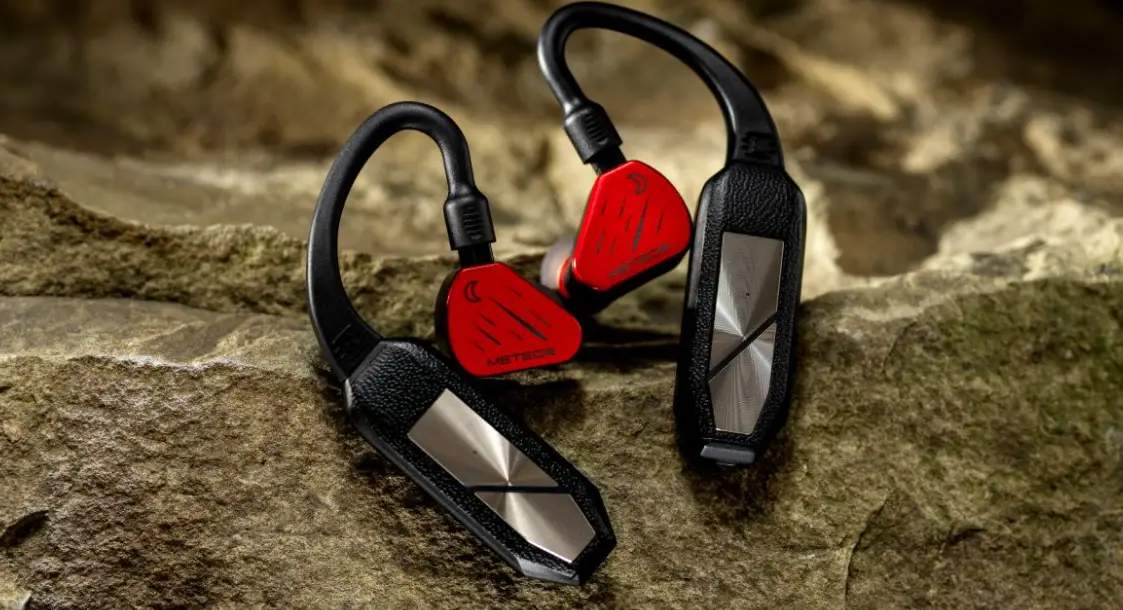
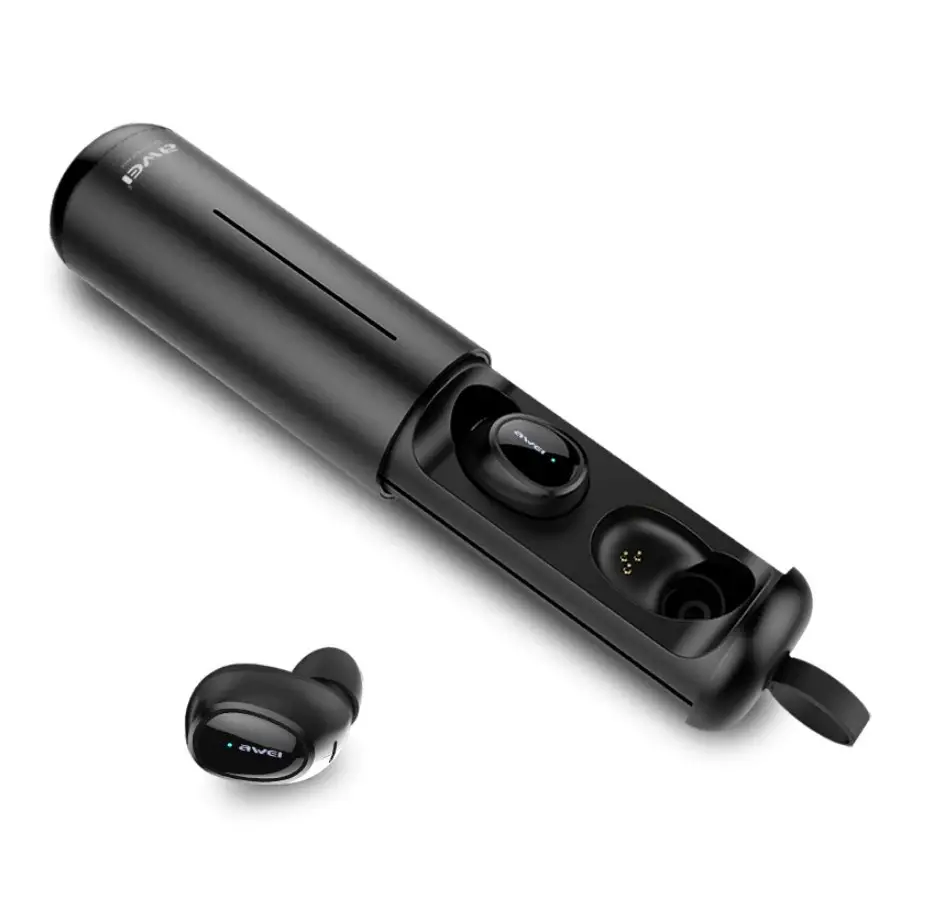
The GO series pod is a wearable HD Bluetooth DAC/headphone amp
that comes with a charging case. It has a built-in mic for
hands-free calls and is compatible with up to 8 paired Bluetooth
devices. The product also comes with three ear loop pairs of 0.78mm
2-pin and MMCX size.
GO Pod Status Indicator
The GO pod has an LED status indicator that shows different
statuses:
| LED | Status |
|---|---|
| Steady Red | Charging |
| Light off | Fully charged |
| Flashing Blue | Awaiting connection |
| Alternately flash Red and Blue | Ready to pair |
| Light off | Successfully paired |
| Steady Blue 3s. Alternately flash Red and Green (only operated within Gaia APP when in binaural working mode) | Factory Reset |
Charging Information
The GO pod can be charged via USB-C battery charge input or Qi
wireless charging battery charging input. The charging box LED
shows the battery status:
| LED | Status |
|---|---|
| 4/4 | > 75% |
| 3/4 | > 50% |
| 2/4 | > 25% |
| 1/4 | 25% |
Bluetooth Pairing and Connection
The GO pod automatically searches for a previously paired device
when removed from the charging case. If it cannot find a stored
device, it enters pairing mode with the LED blinking blue and red.
To enter pairing mode manually, press the left and right touch area
together for 2 seconds until the LED flashes red/blue.
To connect the GO pod to a Bluetooth device, turn on the phone’s
Bluetooth function and select GO pod in the Bluetooth list. The GO
pod auto-connects to each other when taken out of the charging case
and will flash blue lights to indicate that they are automatically
interconnecting. If the GO pod has not successfully connected to
Bluetooth for more than 5 minutes, they will automatically shut
down.
The Gaia app can be used to set up the Bluetooth connection and
control all functions and settings of the headset, such as digital
filters to adjust the sound and resetting of GO pod.
Product Usage Instructions
- To wake up your phone’s voice assistant, single tap then hold
left or right for 2 seconds on the touch control area (2). - Use a 5V/1A and above Type-C charger or a 5V/1.5A and above Qi
certified wireless charger to charge the GO pod. - Do not leave the left and right GO pod too far when you take
them out from the charging case for pairing. The recommended
distance is no more than 15 CM. - When the GO pod is placed back in the charging case, it
automatically switches off and goes into charging. The binaural
hanging steady red light is always on until it is fully charged and
then goes out. - Removing the right or left GO pod from the charging case will
automatically turn it on. Select GO pod (Left GO pod) or GO pod
(Right GO pod) in the Bluetooth list to connect.
1
1
2
2
Thank you for purchasing this GO series pod. The GO pod is an Wearable HD Bluetooth DAC/headphone amp.
1. GO pod status indicator
LED
Status
Charging:
Steady Red
Fully charged:
Light off
Awaiting connection: Flashing Blue
Ready to pair:
Alternately flash Red and Blue
Successfully paired: Light off
Factory Reset:
Steady Blue 3s. Alternately flash Red and Green (only operated within Gaia APP
when in binaural working mode)
2. Touch control area – Play/Pause/Answer the call (Single tap) – Reject/hang up (Double tap) – Skip forward (Double tap) – Skip back (Triple tap) – Volume Up (Hold right, used when in binaural working mode, not available in monaural working mode)) – Volume Down (Hold left, used when in binaural working mode, not available in monaural working mode)) – Wake up voice assistant (Single tap then hold) – Bluetooth Pairing (Hold left and right together for 2s) – Power Reset (Hold left or right for 12s, release when steady blue light is on*)
Tip: The reboot function can be used when the GO pod is abnormal or dead.
3
3
3. Microphone Built-in mic for hands-free calls when paired with your smartphone.
Tip: To wake up your phone’s voice assistant, Single tap then hold left or right for 2s the Touch control area (2).
4
4. 5V/1A USB-C battery charge input For charging only. 5V/1A and above Type-C charger.
5
5. 5V/1.5A Qi wireless charging battery charging input Use a 5V/1.5A and above Qi certified wireless charger.
6
6. Charging box LED for Battery Status
LED
Status
4/4
> 75%
3/4
> 50%
2/4
> 25%
1/4
25%
*Battery LED will flash when it is charging and will go out when it is fully charged.
Bluetooth Pairing When removed from the charging case, GO pod LED blinks blue as it automatically searches for a previously paired device. If a stored device is not found, it then automatically enters pairing mode with LED blinking blue and red.
To enter pairing mode manually, Press the left and right touch area together for 2s until LED flashes red / blue.
The GO pod is able to store up to 8 paired Bluetooth devices. Manual reconnection may still be necessary.
Connecting to Bluetooth device Turn on the phone’s Bluetooth function, and select ” GO pod” in your Bluetooth list.
GO pod Auto-connecting The GO pod switch on and connect to each other automatically when taken out of the charging case. And the GO pod will flash blue lights to indicate that the GO pod are automatically interconnection to each other. Once interconnection successfully, the GO pod L +R will alternately flash the red light and blue light.
Single-GO pod Mode Removing the right or left GO pod from the charging case, it will automatically turn on, and select “GO pod” (Left GO pod) or “GO pod” (Right GO pod) in the Bluetooth list to connect GO pod.
If the GO pod has not successfully connected to Bluetooth for more than 5 minutes, they will automatically shut down.
When the GO pod is placed back in the charging case it automatically switches off and goes into charging, the binaural hanging steady red light is always on until it is fully charged and then goes out.
Do not leave the left and right GO pod too far when you take out them from the charging case for pairing. The recommended distance is no more than 15 CM.
QR
“iFi-Gaia”
GAIA
Client
Scan the QR code to download the app
Set up your Bluetooth connection using our iFi-Gaia APP Please search for “GO pod” within the Gaia app.
The Gaia app helps you to use all functions and settings of the headset, such as digital filters to adjust the sound, Resetting of GO pod.
L
R
L
R
L
R
L
R
Ear loops connected to the GO pod touch control units Three ear loop pairs are supplied: 0.78mm 2-pin, MMCX.
L
R
Scan the QR code to view the official iFi audio GO pod video on YouTube.
Cautions 1. Avoid extreme heat, cold and humidity. 2. Avoid dropping or crushing the GO pod, stressing ear loop by rapid pulling or extreme force, or bending
ear loop at sharp angle 3. If you experience discomfort or pain, try lowering the volume or discontinuing use
temporarily. 4. If you experience regular discomfort while using this product, discontinue use and consult the
physician.
Warning: Dry the GO pod completely before placing them in the charging case to avoid damaging the case.
Specifications Bluetooth version Codecs
Bluetooth 5.2TM LDAC*, LHDC/HWA*, aptX Adaptive, aptX HD, aptX LL, aptX, AAC, SBC
Chipset:
Qualcomm QCC 5100 Series
Chipset:
10 m
Auto impedance detection: 16/32/64/300
SNR:
32 129dB (A) / 300 132dB (A)
THD + N:
0.002% (1kHz/32)
Frequency response:
10-20kHz(-3dB) LDAC
Battery:
Ear hood 180mAh + Charging box 1500mAh
Working hours:
Ear hood ~7h + Charging box ~30h
Charging time:
Ear hood ~1.5h + Charging box ~2h
Power System:
5V/1A or 5V/2A Qi certified charger
Dimensions:
Ear hood
43.5 x 16.4 x 9.5 mm (1.7″ x 0.6″ x 0.4″)
Charging box
116 x 76 x 38.5 mm (4.6″ x 3″ x 1.5″)
Net weight:
Ear hood
12g (0.42 oz)
Charging box
126g (4.44 oz)
Limited Warranty:
12 months**
*LDAC – 660k(stereo) 990k(mono), LHDC – 560(Stereo) 900k(mono)
**12 months typical or as permitted/required by local reseller laws.
***Specifications are subject to change without notice.