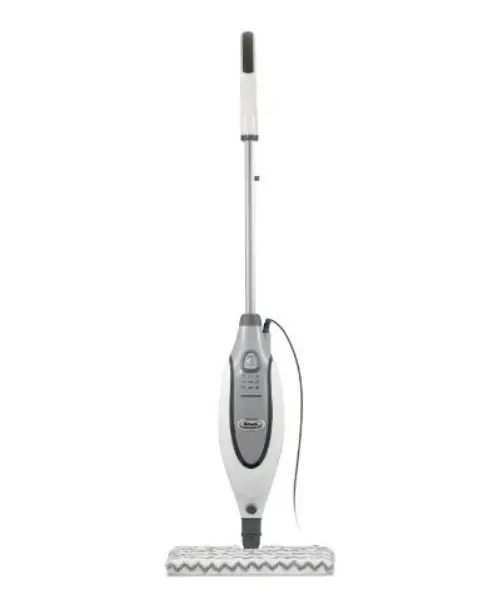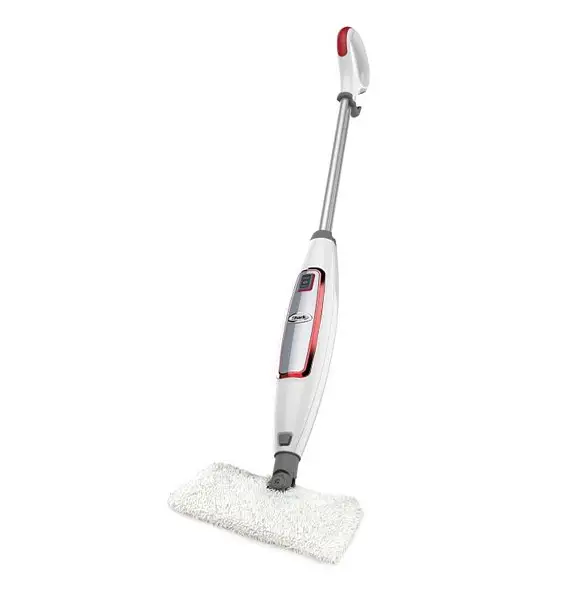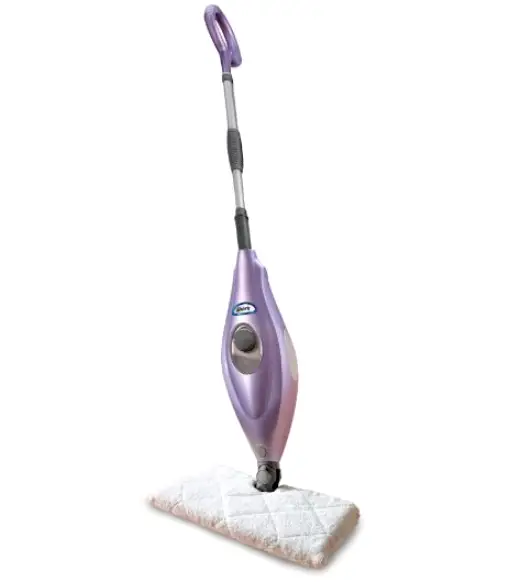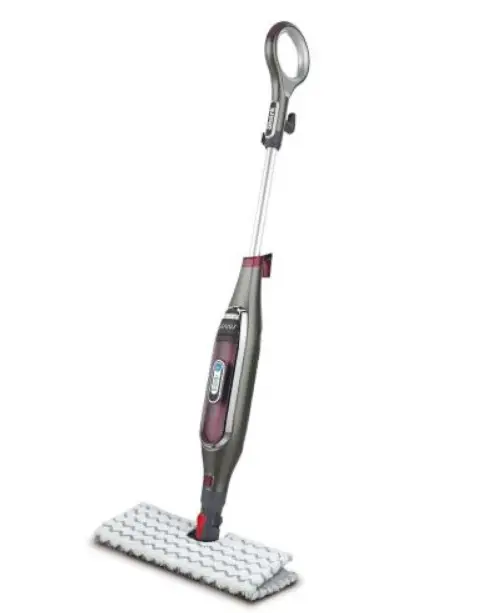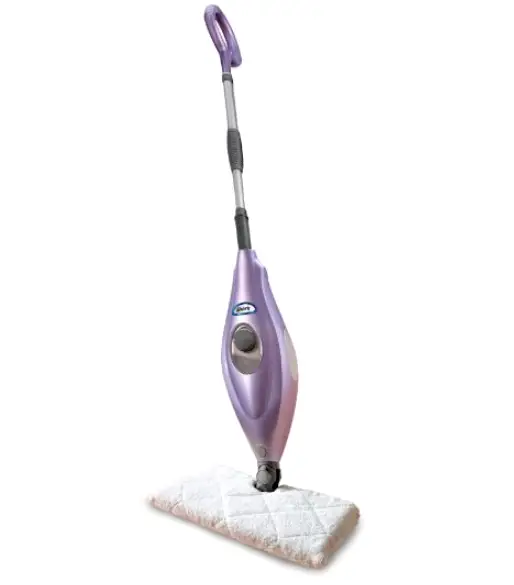

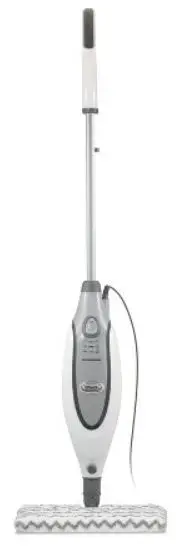
IMPORTANT SAFETY INSTRUCTIONS SAVE THESE INSTRUCTIONS
For Household Use Only
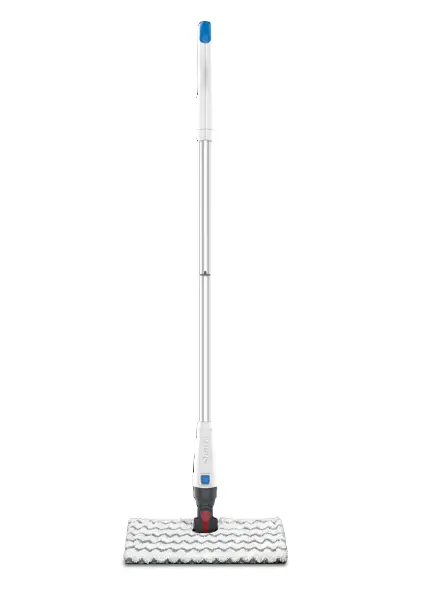
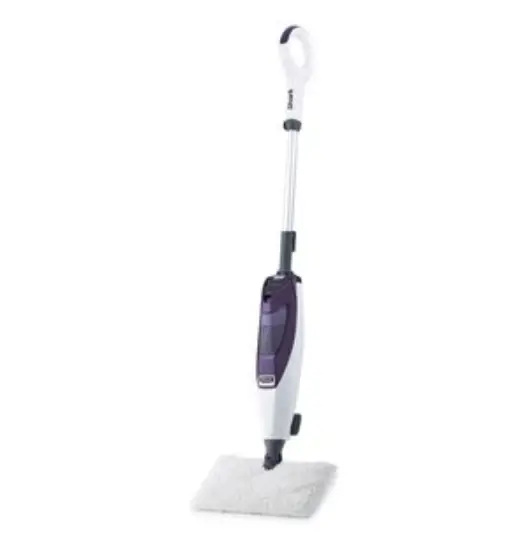
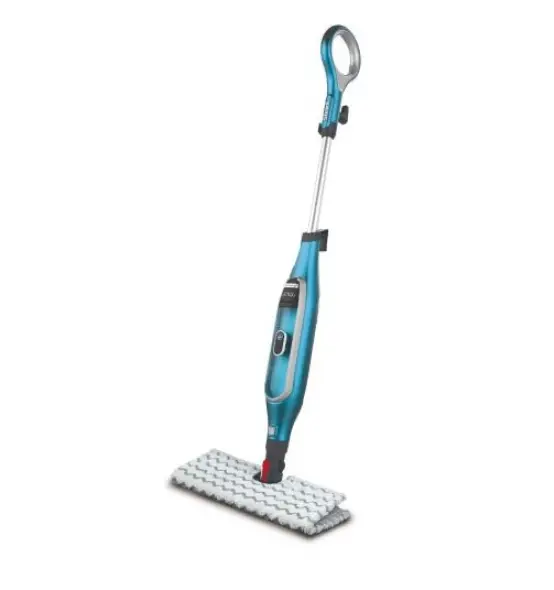
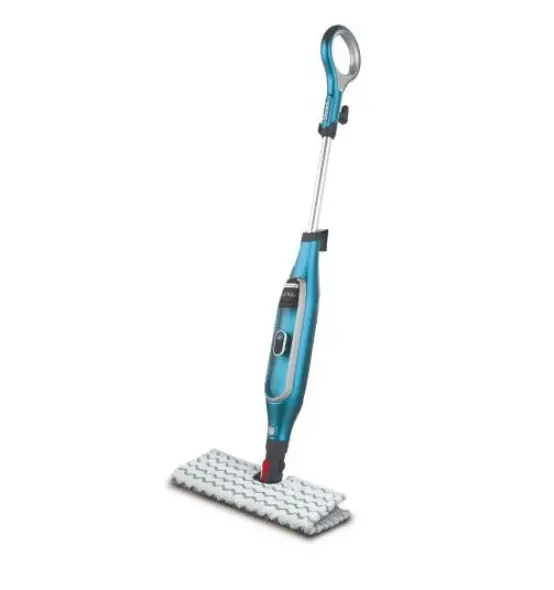
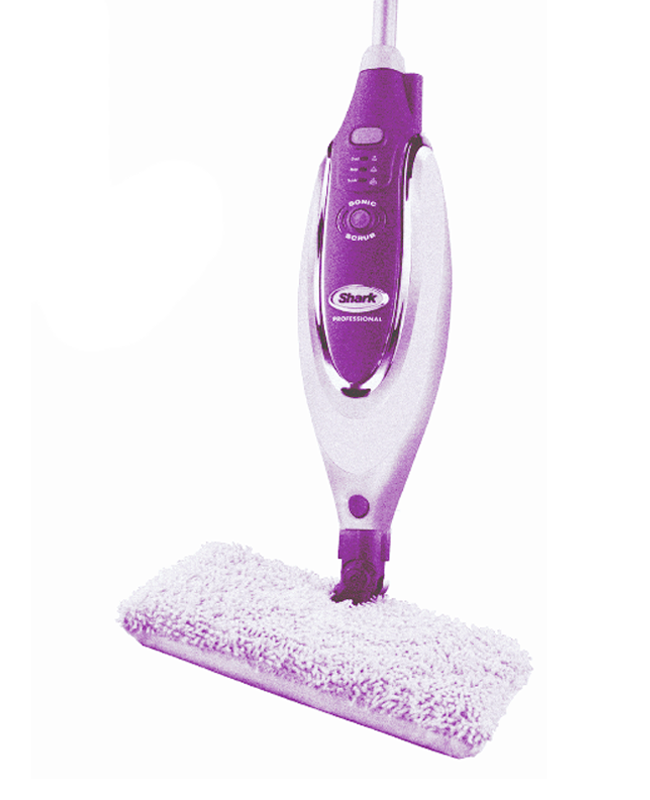
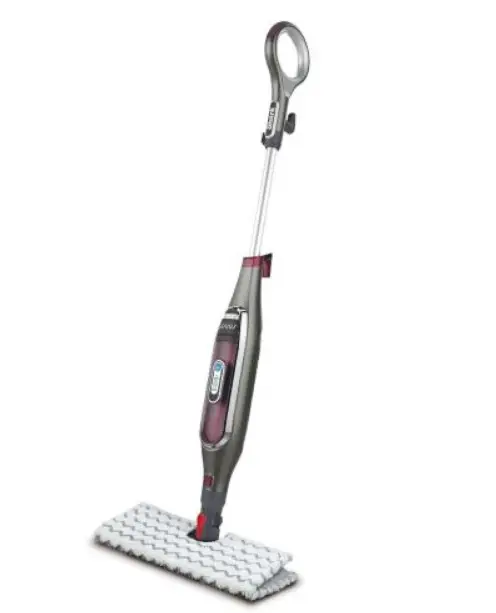
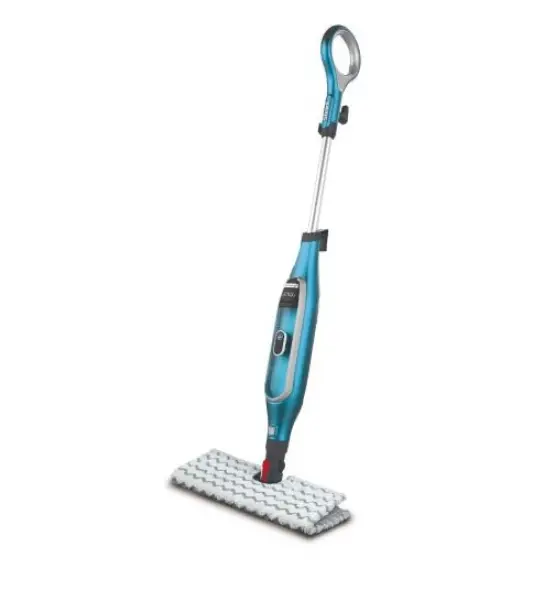
WHEN USING YOUR SHARK STEAM MOP, BASIC SAFETY PRECAUTIONS SHOULD ALWAYS BE FOLLOWED, INCLUDING THE FOLLOWING: READ ALL INSTRUCTIONS BEFORE USING YOUR STEAM MOP.
 DANGER OF SCALDING
Please use caution when using the steam mop. The steam emitted from the steam mop is very hot.
POLARIZED PLUG
This appliance has a polarized plug (one blade is wider than the other). As a safety feature, this plug will fit into a polarized outlet only one way. If the plug does not fit fully into the outlet, reverse the plug. If it still does not fit, contact a qualified electrician. Do not attempt to defeat this safety feature.
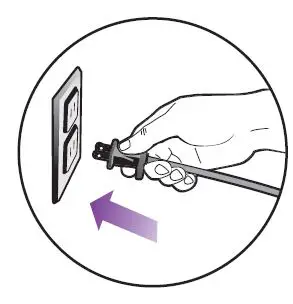
- Use the system only for its intended use.
- DO NOT use outdoors.
- DO NOT leave the appliance unattended when plugged in. Always unplug the power cord from the electrical outlet when not in use and before servicing.
- DO NOT allow the appliance to be used by children. Close attention is necessary when used by or near children, pets or plants.
- Use only as described in this manual.
- Use only the manufacturer’s recommended accessories.
- DO NOT operate the appliance with a damaged plug or cord, or if the unit has been dropped or damaged. To avoid the risk of electric shock, do not disassemble or attempt to repair the appliance on your own. Return the appliance to EURO-PRO Operating LLC for examination and repair. Incorrect re-assembly or repair can cause a risk of electrical shock or injury to persons when the appliance is used.
- To protect against the risk of electric shock, DO NOT immerse the steam mop in water or any other liquids.
- DO NOT handle the plug or steam mop with wet hands or operate appliance without shoes.
- DO NOT pull or carry by a power cord, use the power cord as a handle, close a door on the power cord, or pull the power cord around sharp edges or corners. Keep the power cord away from heated surfaces.
- DO NOT unplug by pulling on the power cord. To unplug, grasp the plug not the power cord. Do not use extension cords or outlets with inadequate current carrying capacity.
- DO NOT put any objects into openings. Do not use any opening that is blocked.
- DO NOT put your hands or feet under the steam mop. The unit gets very hot.
- Use ONLY on flat, horizontal surfaces. Do not use on walls, counters, or windows.
- DO NOT use on leather, wax-polished furniture or floors, synthetic fabrics, velvet, or other delicate, steam-sensitive materials.
- DO NOT add cleaning solutions, scented perfumes, oils, or any other chemicals to the water used in this appliance as this may damage the unit or make it unsafe for use. If you live in a hard water area, we recommend using distilled water in your steam mop.
- When in use, NEVER turn the appliance over or on its side. NEVER DIRECT STEAM TOWARD PEOPLE, ANIMALS OR PLANTS.
- NEVER LEAVE THE STEAM MOP IN ONE SPOT ON ANY SURFACE FOR ANY PERIOD OF TIME WHEN THE MICRO-FIBER PAD IS ATTACHED AS THIS WILL DAMAGE YOUR FLOORS.
- Carefully remove the micro-fiber cleaning pad immediately after you have unplugged it and allowed the steam mop to cool.
- When cleaning the steam mop, unplug the power cord from the electrical outlet and clean it with a dry or damp cloth. Do not pour water or use alcohol, benzene or paint thinner on the unit.
- Extreme caution should be exercised when using this appliance to clean stairs.
- Never use a steam mop without a micro-fiber cleaning pad attached.
- Keep your work area well-lit.
- Store the steam mop indoors in a cool, dry place.
- To avoid circuit overload, do not operate another appliance on the same socket (circuit) as the steam cleaner.
- If an extension cord is absolutely necessary, an extension cord rated a minimum of 15 amperes, 14 gage cord should be used. Cords rated for less amperage may overheat. Care should be taken to arrange the cord so that it cannot be pulled or tripped over.
- Always unplug and allow the steam mop to cool before removing or changing mop heads.
WARNING: Your steam mop is designed to clean hard floor surfaces that will withstand high heat. Do not use it on unsealed wood or unglazed ceramic floors. On surfaces that have been treated with wax or some no-wax floors, the sheen may be removed by heat and steam action. It is always recommended to test an isolated area of the surface to be cleaned before proceeding. We also recommend that you check the use and care instructions from the floor manufacturer.
Getting Started
When assembling your steam mop there may be a little water in or around the water tank. This is because we test all our steam mops 100% before you buy them, so you get a quality Shark® Pro Steam Pocket® Mop.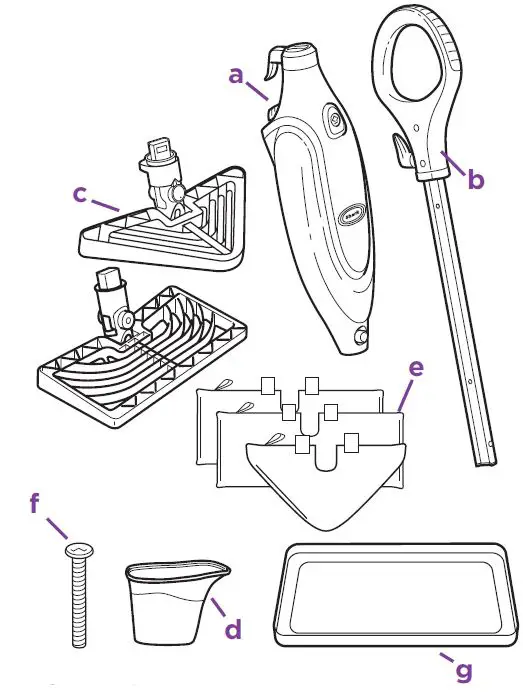
- Steam Mop Body
- Mop Handle
- All-Purpose Mop Head (1) and Triangle Mop Head (1)
- Filling Flask
- Two-Sided Micro-Fiber Cleaning Pads for the All-Purpose Mop Head (2) and Triangle Mop Head (1)
- (1) 6mm x 54mm Large Screw*
- Carpet Glider

- Quick Release Swivel Cord Wrap
- Cord Clips
- water Tank Cap
- Water Tank
- ON/Standby Switch
- Mop Head Release Button

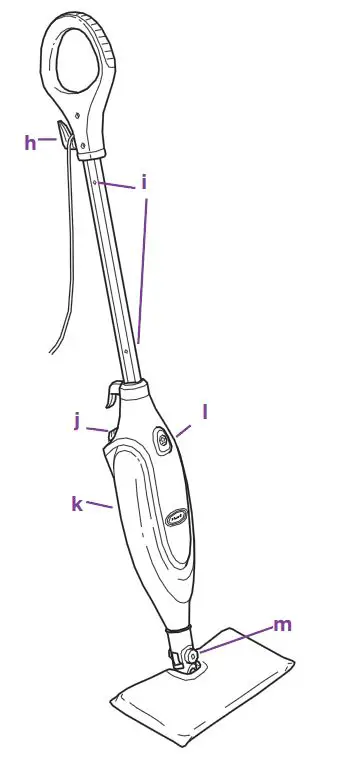
IMPORTANT: First things first, always make sure the mop is UNPLUGGED from the wall when not in use. Never fill the mop, attach the mop head, and change or remove the micro-fiber cleaning pad when the mop is plugged into the wall. To prolong the life of your Shark® Pro Steam Pocket® Mop, we recommend using distilled water. Make sure you only add water to the tank. Chemicals or cleaning solutions may damage the appliance and could be unsafe for you and your family.
ASSEMBLE
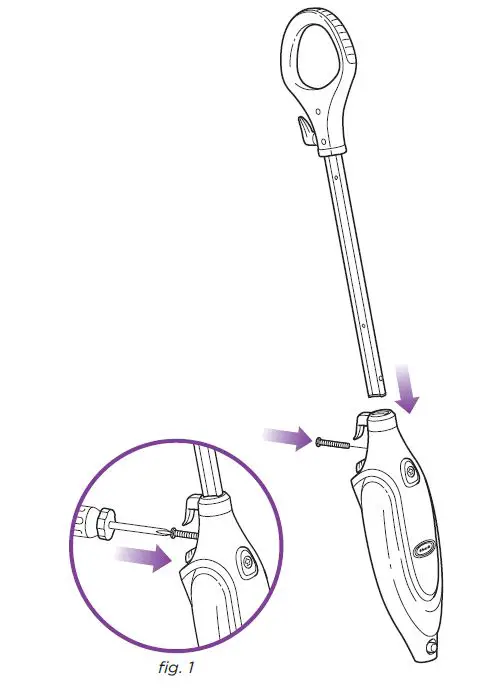
- Insert the Mop handle end labeled “Front” into the steam mop body. Make sure it is inserted past the line printed on the pole. Secure the assembled handle and pole by using the large screw and a Phillips or a flathead screwdriver (screwdriver not included). (fig. 1)

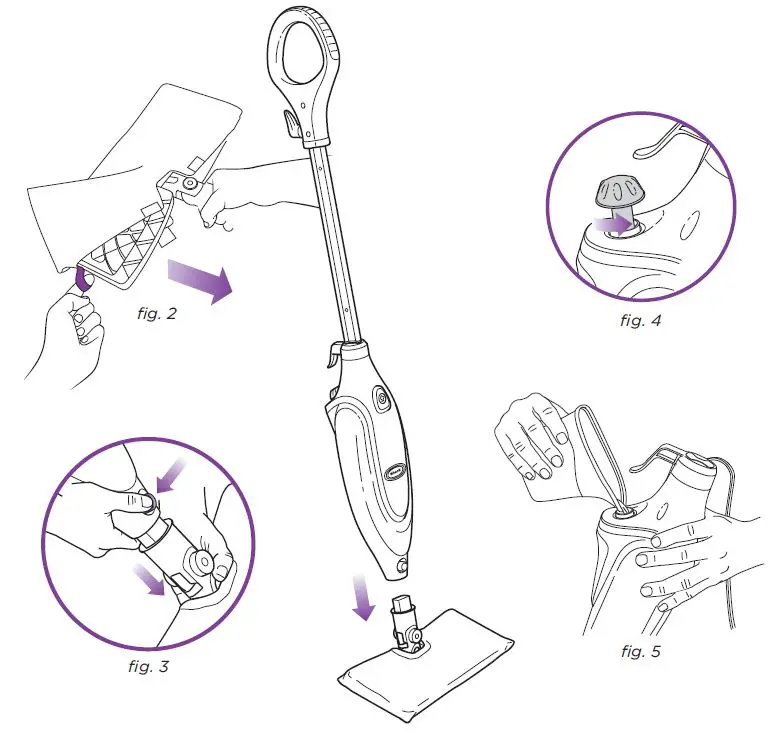
- Use the lavender loop on the side of the micro-fiber cleaning pad to slide the mop head into the pad pocket. Then secure the quick fasteners on the top
of the pocket to lock it in place. (fig. 2) - Snap the mop head into the base to secure it. (fig. 3)
- Turn the water tank cap counterclockwise and remove it from the tank. (fig. 4) Use the filling flask and pour water into the tank. Please don’t overfill.
Replace the cap on the water tank. (fig. 5)
IMPORTANT
Don’t use it on unsealed wood or unglazed ceramic floors. On surfaces that have been treated with wax or some no-wax floors, the sheen may be removed by heat and steam action. It is always recommended to test an isolated area of the surface to be cleaned before proceeding. We recommend that you check the use and care instructions from the floor manufacturer.
Using Your Steam Mop
IMPORTANT: Make sure you don’t use the mop without attaching a micro-fiber cleaning pad and adding water to the tank first. When you are using the mop for the first time, it might take longer than the normal 30 seconds to start steaming.
IMPORTANT: Your Steam Mop needs water to make steam! Never use your steam mop without water in the tank. Sweep or vacuum your floors prior to
cleaning with your Steam Mop. Visit www.sharkclean.com for other great quick cleaning products to complement your Steam Mop, such as the Shark® Navigator (model NV350).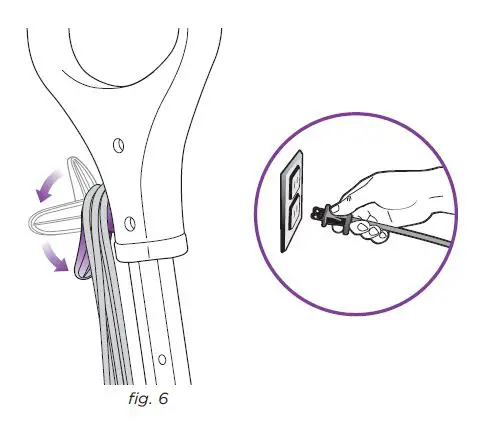
- Pull and twist the quick-release cord holder to unwrap the power cord completely. Plug into a 120-volt electrical outlet. (fig. 6)
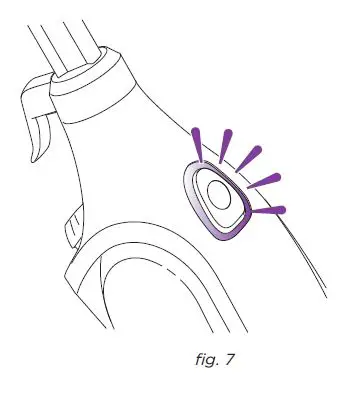
- The ON/STANDBY switch will flash blue. If the light does not turn on, reference the troubleshooting section on page 12. (fig. 7)

- Press the ON/STANDBY switch once for the dust setting (the DUST lighted setting indicator will illuminate). DUST setting is light steam for quick dusting and the best dry time. (fig. 8) The MOP setting is for normal, everyday steam cleaning. (fig. 9) SCRUB setting is for heavy cleaning and will leave floors damp. To better understand which steam setting to use for your cleaning task, turn to page 7.
- Clean your floors with a forward and backward motion. (fig. 10) Press the ON/STANDBY switch until the light flashes to stop the steam.

The Shark® Pro Steam Pocket® Mop has three unique steam settings so you can use the perfect amount of steam for the cleaning task at hand. See below for tips on when to use each setting.
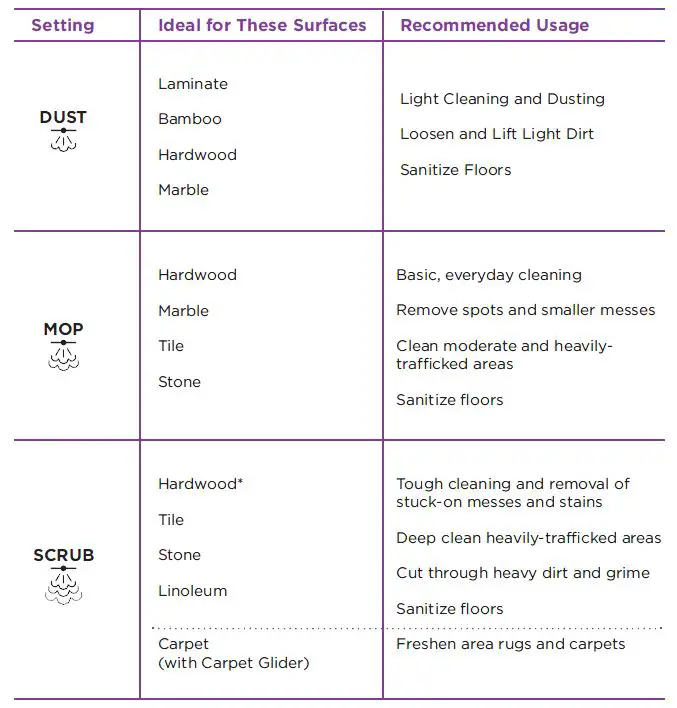
Scrub mode is not recommended for continuous cleaning on hardwood
Using Your Steam Mop – cont’d
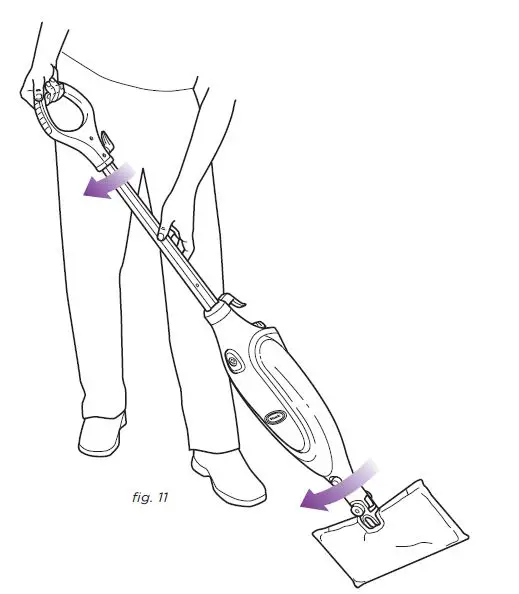
When one side of the micro-fiber cleaning pad gets dirty, just flip the mop head and you can quickly start using the other side. (fig. 11) When the water tank is empty, the steam mop will stop producing steam. You can refill the water tank at any time as long as the mop is unplugged from the outlet. Follow the instructions from page 4. This applies to switching the mop heads or micro-fiber cleaning pad as well
NOTE: Please wait 2-3 minutes for the Steam Mop to cool off before removing the mop head or the micro-fiber cleaning pad. Never leave the steam mop with a damp/wet micro-fiber cleaning pad on any floor.
Using Your Carpet Glider
The Steam Mop is great for grooming and freshening though it won’t clean your carpet or area rugs.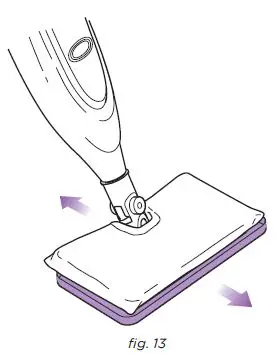
- THE CARPET GLIDER
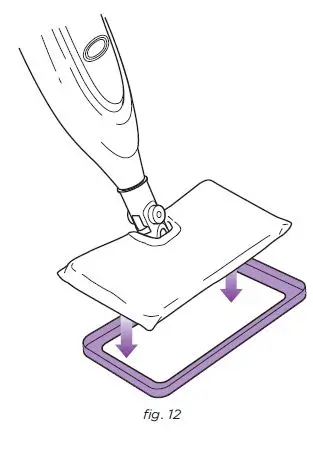
The Carpet Glider can be used with the all-purpose head to lightly steam your carpet and area rugs. Just place the mop head with a micro-fiber cleaning pad attached on top of the glider. The recommended steam setting is SCRUB when using the carpet glider. (fig. 12) - Move the steam mop back and forth across a section of the carpet. The steam mop won’t clean your carpeting or area rugs, but it’s great for grooming and freshening. (fig. 13)
Care of Your Steam Mop
- AFTER USE AND STORAGE
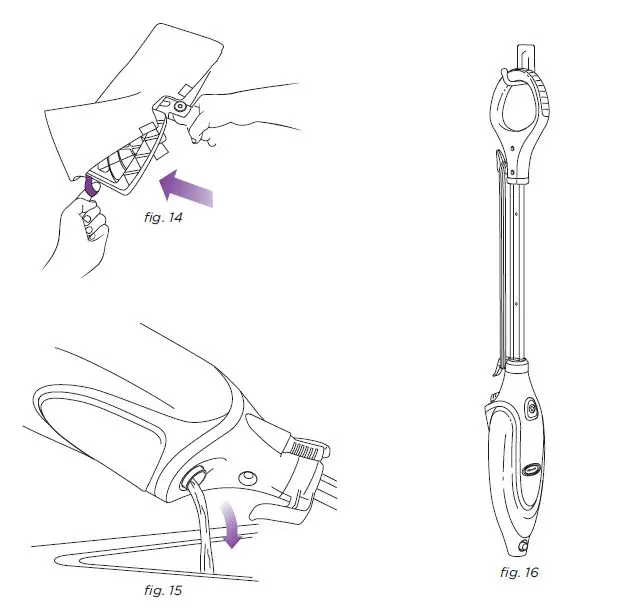
When you have finished using the steam mop, press the ON/STANDBY switch until the LED light turns flashing BLUE. This stops the unit from steaming. Unplug the cord from the outlet and place the mop into the upright position. Let the unit cool for 2-3 minutes. Remove the micro-fiber cleaning pad by releasing the quick fasteners and using the lavender loop on the side of the pocket, avoiding contact with the hot pad or dirt. (fig. 14) - Empty the water tank before storage. Remove the water tank cap and empty the tank over a sink. Replace the water cap. (fig. 15)
- To store the Shark® Pro Steam Pocket® Mop hanging up, first remove the head (after it has cooled and the steam has been released) then hang it on a large hook. (fig. 16)

To order additional parts and accessories, feel free to contact us at www.SharkClean.com or call 1-800-798-7398.
CARE OF YOUR MICRO-FIBER CLEANING PAD
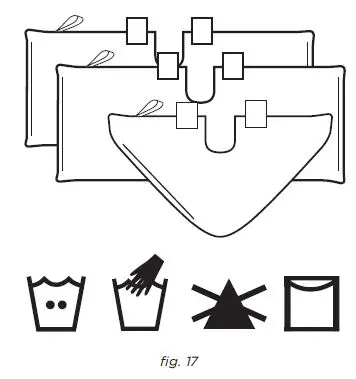
- We recommend washing your micro-fiber cleaning pad separately from other fabrics to avoid picking up lint. Only use liquid detergent (no powder detergent). Don’t use any fabric softeners or bleach. Line dry or dry on a low dryer setting. (fig. 17)
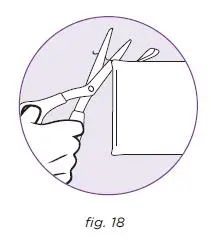
- If there are loose threads on the micro-fiber cleaning pad carefully cut the thread with scissors. Don’t pull on them or cut at the base. (fig. 18)

DECALCIFYING YOUR STEAM MOP
Calcium and mineral deposits can build up and impact the performance of your steam mop over time. To extend the life of your product we recommend that you use distilled water or Shark®’s Water Filtration Bottle. Visit www.SharkClean.com to order.
Troubleshooting Guide
| PROBLEM POSSIBLE REASONS & SOLUTIONS | |
| The Pro Steam Pocket® Mop will not turn-on. | Your steam mop should be securely plugged into a 120V AC electrical outlet only. Check your fuse or breaker. If your unit still does not work, call 1-800-798-7398. |
| The unit will not make steam. | Is there water in the water tank? If not, add water to your steam mop following instructions on page 4. If the unit still doesn’t make steam, follow the decalcification instructions on page 11. |
| The Pro Steam Pocket® Mop leaves water on the floor. | Check to see if your micro-fiber cleaning pad is soaked through. We recommend you unplug the steam mop and change the micro-fiber cleaning pad. Make sure the micro-fiber cleaning pad is attached correctly. |
| The Pro Steam Pocket® Mop left a white spot on the floor. | Do not leave your steam mop on the floor with a damp or wet cleaning pad. If you’re using tap water we recommend switching to distilled water. Make sure the cap is securely on the water tank. |
|
Floors are cloudy, streaky or spotty after steaming. | The pad might be dirty, change the pad. If you washed the cleaning pad with powder detergent, then it might be ruined. Replacement pads are available at sharkclean.com. You might have left the mop in the same spot for too long. Do you have hard water? If you do, you might want to switch to distilled water. This might be leftover from past cleaners used on the floor surface. Use the steam mop a few more times and see if the leftover cloudiness is removed. If this does not work, we suggest rinsing the floor with water, letting it dry, and then steam mopping again with a clean pad. One or more rinses generally removes the residue. A more stubborn case may require you to rinse the floor with a mix of one part vinegar and two parts water. |
| The Pro Steam Pocket® Mop is hard to push. | Make sure the micro-fiber cleaning pad is attached correctly. Check to see if the cleaning pad is excessively dirty. Replace if the cleaning pad is too dirty or wet. |
ONE (1) YEAR LIMITED WARRANTY
EURO-PRO Operating LLC warrants this product to be free from defects in material and workmanship for a period of one (1) year from the date of the original purchase, when utilized for normal household use, subject to the following conditions, exclusions, and exceptions. If your appliance fails to operate properly while in use under normal household conditions within the warranty period, return the complete appliance and accessories, freight prepaid. For Customer Service support, call 1 (800) 798-7398 or visit our website www.sharkclean.com. If the appliance is found to be defective in material or workmanship, EURO-PRO Operating LLC will repair or replace it free of charge. Proof of purchase date and $ 9.95 to cover the cost of return shipping and handling must be included. *
The liability of EURO-PRO Operating LLC is limited solely to the cost of the repair or replacement of the unit at our option. This warranty does not cover normal wear of parts and does not apply to any unit that has been tampered with or used for commercial purposes. This limited warranty does not cover damage caused by misuse, abuse, negligent handling or damage due to faulty packaging or mishandling in transit. This warranty does not cover damage or defects caused by or resulting from damages from shipping or repairs, service or alterations to the product or any of its parts, which have been performed by a repair person not authorized by EURO-PRO Operating LLC.
This warranty is extended to the original purchaser of the unit and excludes all other legal and/or conventional warranties. The responsibility of EURO-PRO Operating LLC warranty if any is limited to the specific obligations expressly assumed by it under the terms of the limited warranty. In no event is EURO-PRO Operating LLC liable for incidental or consequential damages of any nature whatsoever. Some states/provinces do not permit the exclusion or limitation of incidental or consequential damages, so the above may not apply to you.
This warranty gives you specific legal rights, and you may also have other rights which vary from state to state or province to province.
Important: Carefully pack items to avoid damage in shipping. Be sure to include proof of purchase date and to attach tag to the item before packing with your name, complete address, and phone number with a note giving purchase information, model number and what you believe is the problem with the item. We recommend you insure the package (as damage in shipping is not covered by your warranty). Mark the outside of your package “ATTENTION CUSTOMER SERVICE”. We are constantly striving to improve our products, therefore the specifications contained herein are subject to change without notice.
OWNERSHIP REGISTRATION CARD FOR CANADIAN CONSUMERS ONLY
Please complete and return within ten (10) days of purchase. The registration will enable us to contact you in the event a product defect is discovered. By returning this card you acknowledge to have read and understood the instructions for use, and warnings set forth in the accompanying instructions.
RETURN TO: EURO-PRO Operating LLC, 4400 Bois Franc, St. Laurent, Quebec H4S 1A7
U.S.: EURO-PRO Operating LLC
Newton, MA 02459
Canada: EURO-PRO Operating LLC 4400 Bois Franc
Ville St. Laurent, Québec H4S 1A7
1-800-798-7398 www.sharkclean.com
COPYRIGHT© EURO-PRO OPERATING LLC 2010 PRINTED IN CHINA S3601.E.101221 Illustrations may differ from actual product