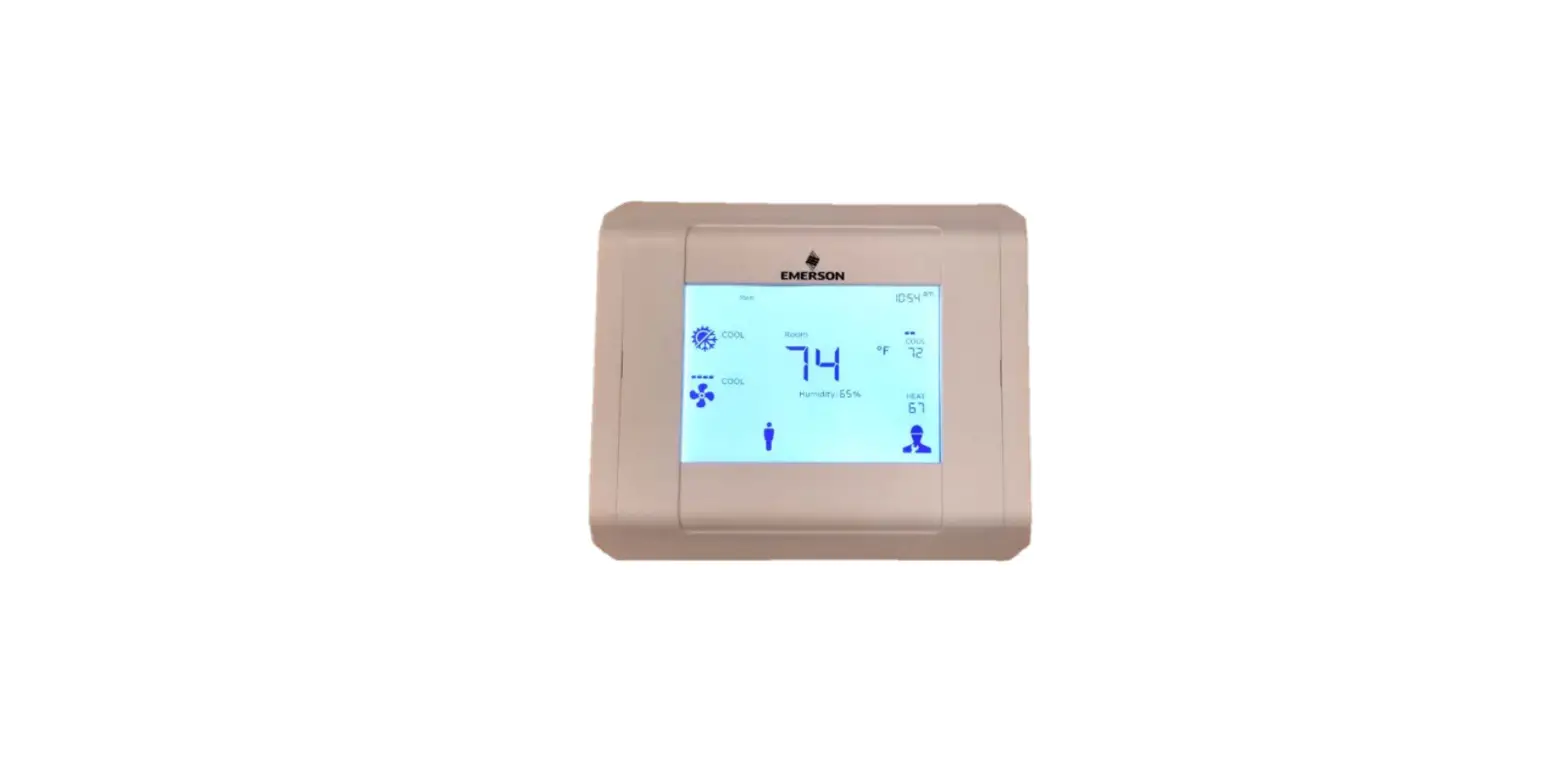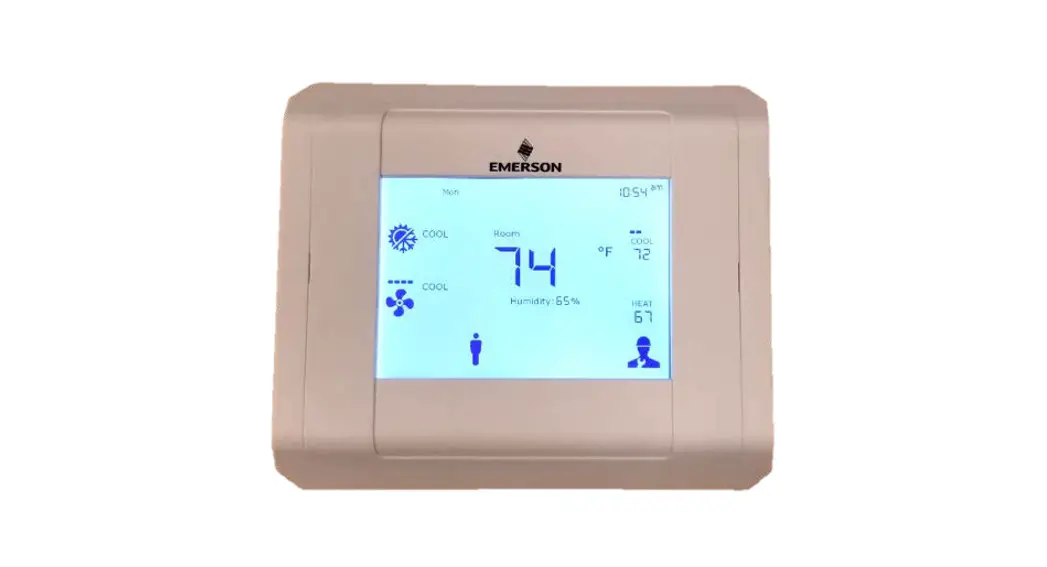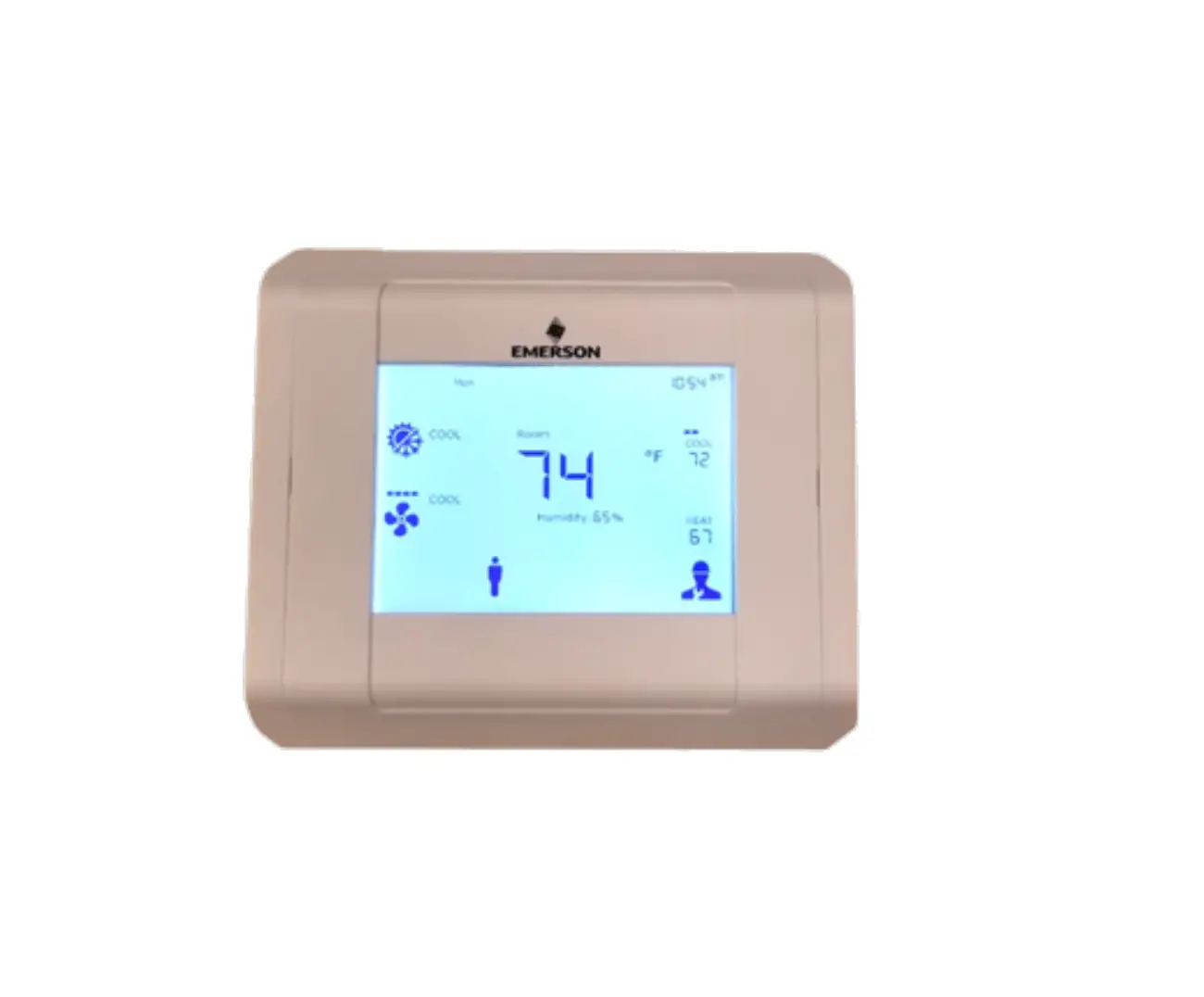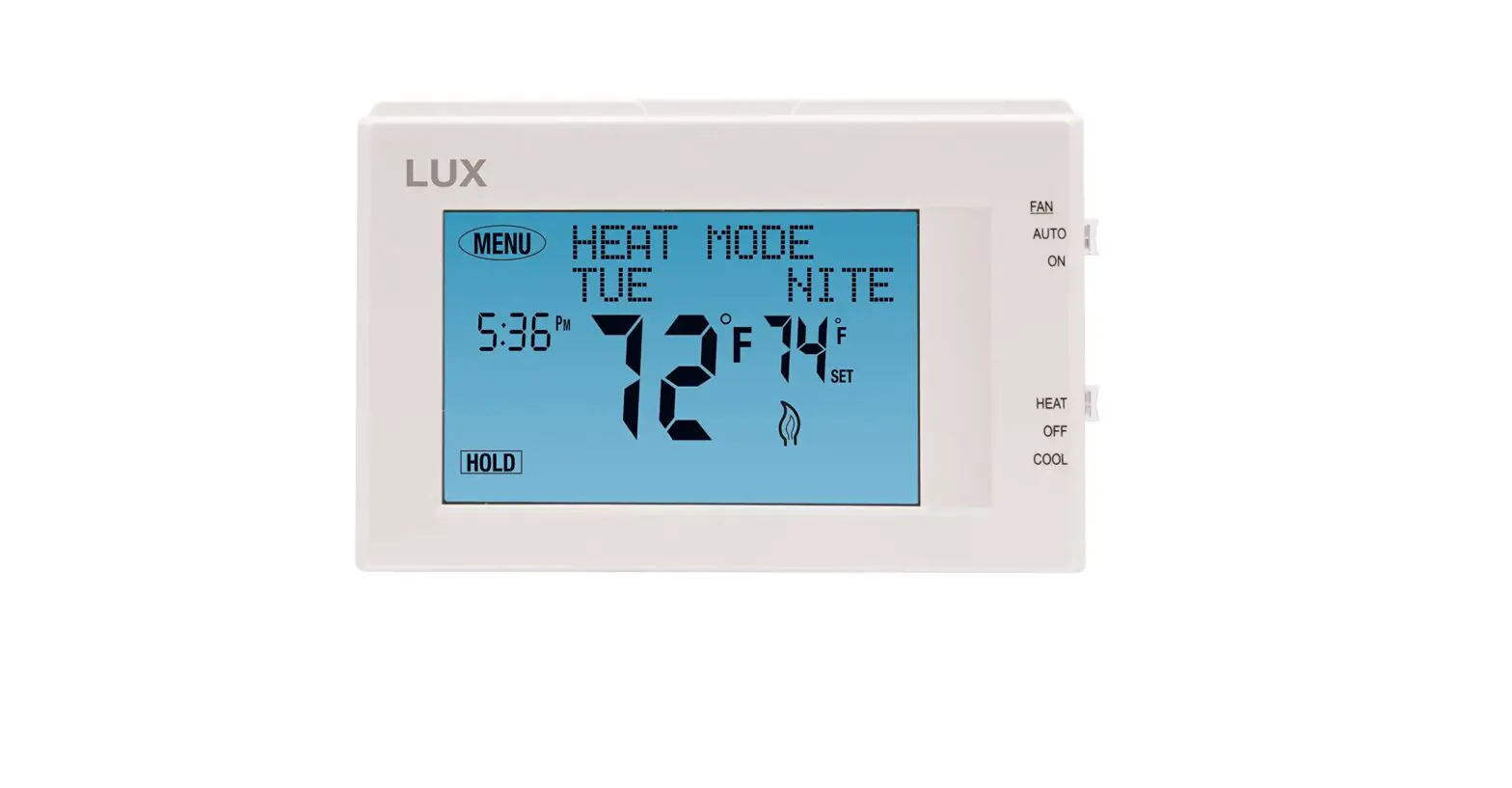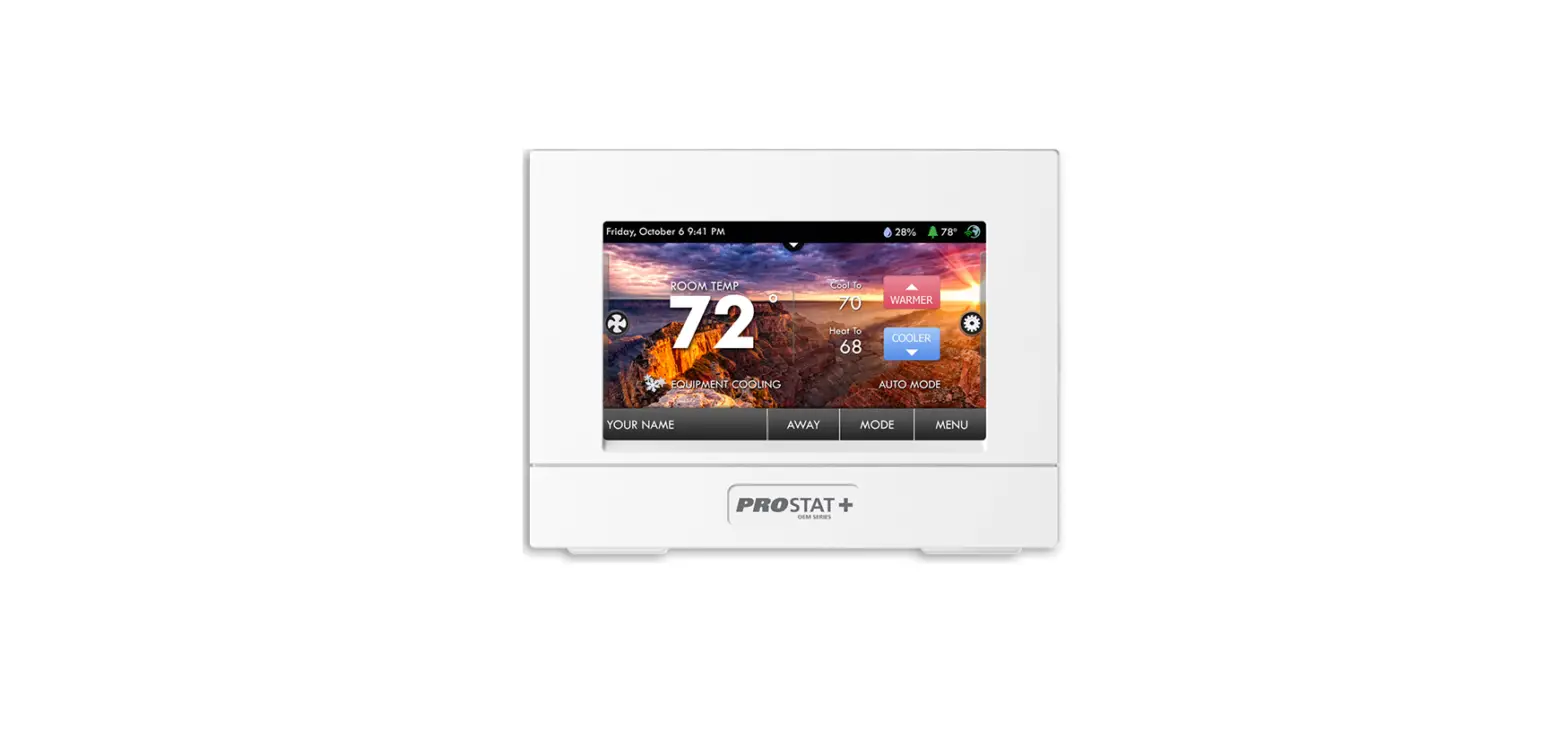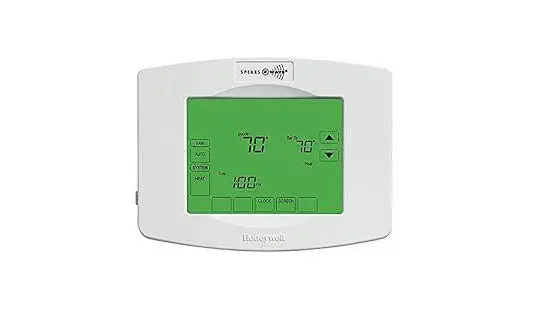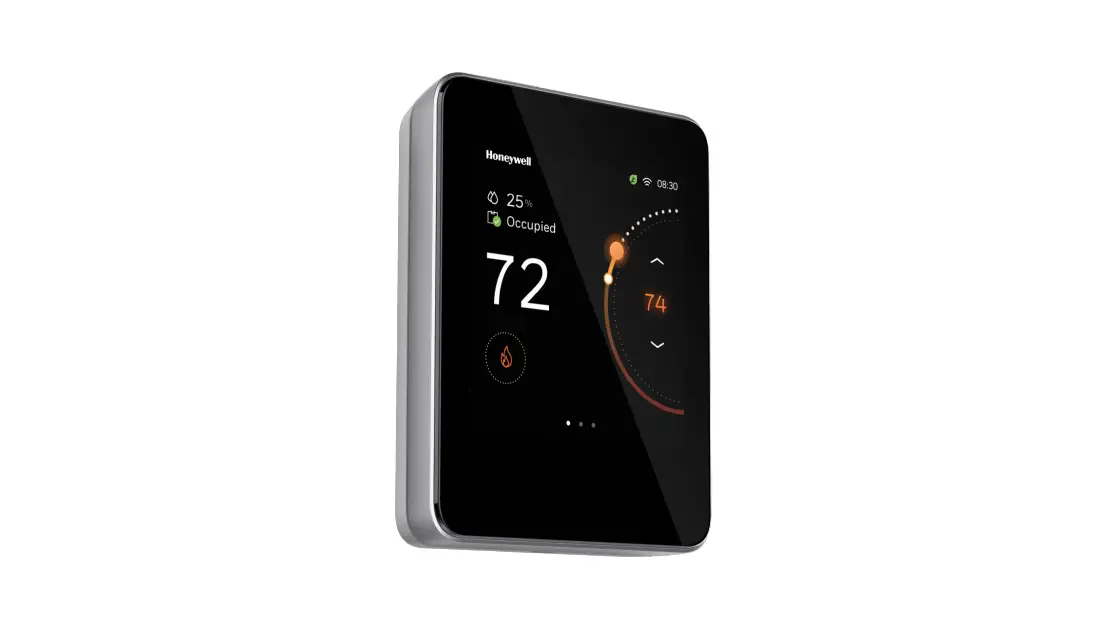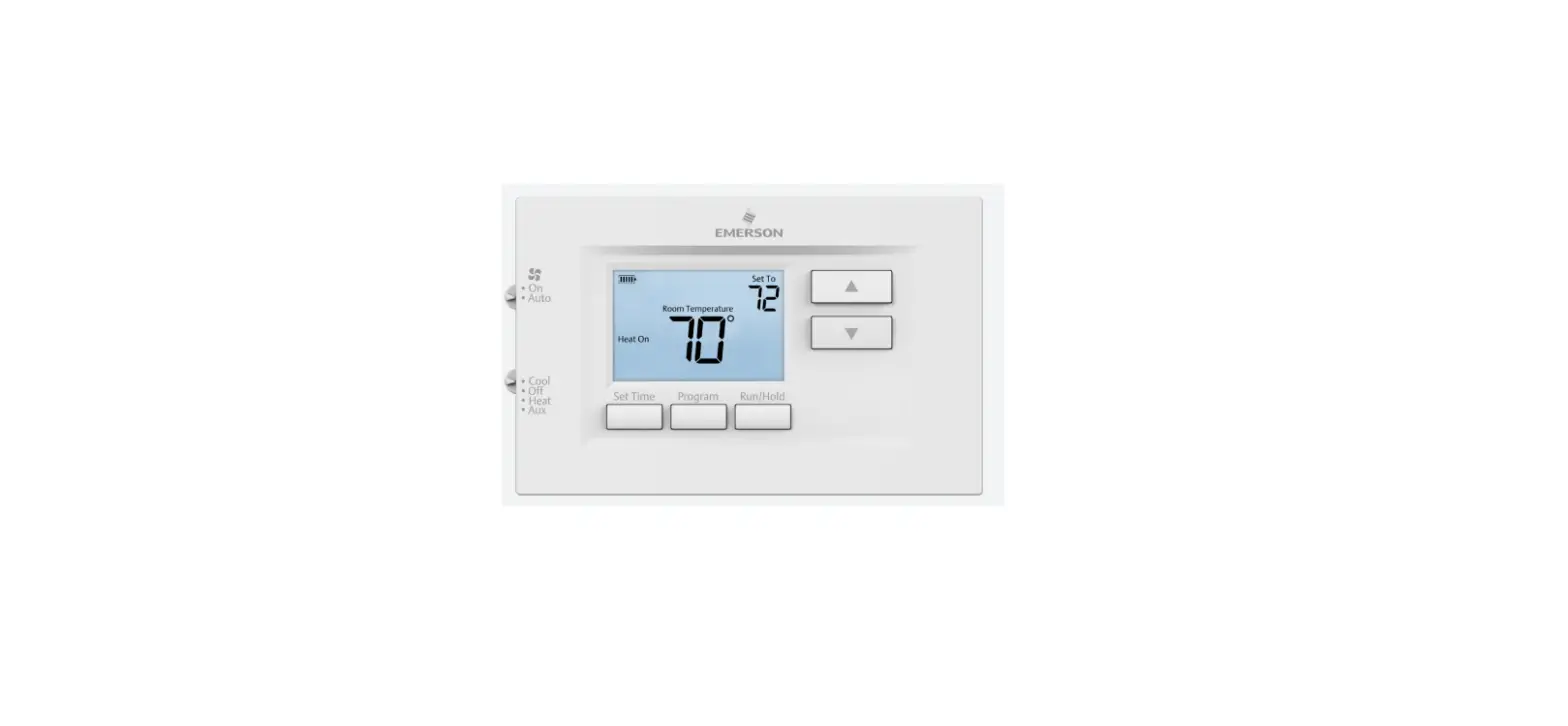

Emerson Thermostats 1F97-1277 Touchscreen 7-Day Programmable
Introduction
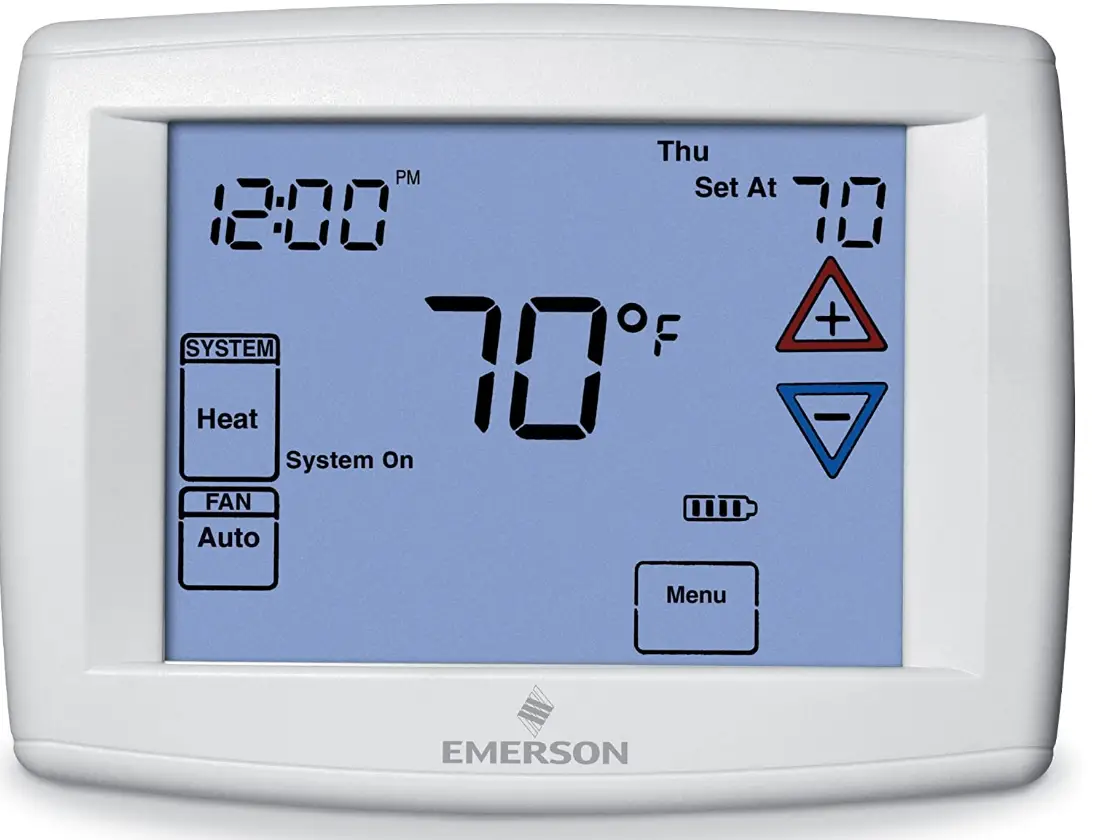
With the touchscreen Emerson Blue 1F97-1277 thermostat, you may program a different schedule for every day of the week. Only the touch keys you need to see are used to guide you through setup, programming, and operation on the huge 12-inch display. This thermostat gives you the option of maintaining your home’s temperatures within one degree of the settings you choose thanks to its precision temperature accuracy of 1 degree. It’s time to start holding your thermostat to higher standards. You no longer have to decide between conserving money and maintaining your comfort. Using this thermostat’s programmed heating and cooling schedules will help you save money on energy. Additionally, this thermostat has proprietary Cool Saving, which reduces energy consumption during periods of high air conditioning demand.
APPLICATIONS
THERMOSTAT APPLICATION GUIDE
| Thermostat Configuration Options | Thermostat Applications | Maximum Stages Heat/Cool |
|
Single Stage 1 No Heat Pump (SS1) | Gas, Oil, Electric, Heat Only, Cool Only or Heat/Cool Systems, 2 or 3 wire Hydronic Zone (Hot Water or Steam) Systems, 24 Volt or Millivolt | 1+1 |
| 1+1 | ||
| Heat Pump 1 Single Stage Compressor
Heat Pump (HP1) | Single Stage Compressor Heat Pump Systems with
Stages Aux./Emergency Heat | 1+1 |
| 1+1 |
SPECIFICATIONS
- ELECTRICAL RATING:
- BATTERY POWER: mV to 30 VAC, NEC Class II, 50/60 Hz or DC
- INPUT-HARDWIRE: 20 to 30 VAC
- TERMINAL LOAD: 1.5A per terminal, 2.5A maximum all terminals combined
- SETPOINT RANGE: 45 to 99°F (7 to 37°C)
- RATED DIFFERENTIALS:
- HEAT (SINGLE STAGE/MULTI-STAGE): 0.6°F, 1.5°F
- COOL (SINGLE-STAGE/MULTI-STAGE): 1.2°F, 1.7°F
- HEAT PUMP: 1.2°F, 1.7°F
- EMER HEAT: 0.6°F, 1.7°F
- OPERATING AMBIENT: 32°F to +105°F (0 to +41°C)
- OPERATING HUMIDITY: 90% non-condensing max.
- SHIPPING TEMPERATURE RANGE: -40 to +150°F (-40 to +65°C)
- DIMENSIONS THERMOSTAT: 4-9/16″H x 5-13/16″W x 1-3/16″D
CAUTION To prevent electrical shock and/or equipment damage, disconnect electric power to system at main fuse or circuit breaker box until installation is complete.
| Index | Page |
| Installation | 2 |
| Wiring Diagrams | 3 |
| Thermostat Quick Reference | 4 |
| Installer Configuration Menu | 5 |
| Operating Your Thermostat | 9 |
| Programming | 10 |
| Troubleshooting | 13 |
ATTENTION: MERCURY NOTICE
This product does not contain mercury. However, this product may replace a product that contains mercury.
Mercury and products containing mercury must not be discarded in household trash. Do not touch any spilled mercury. Wearing non-absorbent gloves, clean up any spilled mercury and place in a sealed container. For proper disposal of a product containing mercury or a sealed container of spilled mercury, place it in a suitable shipping container. Refer to www.thermostat-recycle.org for location to send the product containing mercury.
INSTALLATION
WARNING
Thermostat installation and all components of the control system shall conform to Class II circuits per the NEC code.
REMOVE OLD THERMOSTAT
Before removing wires from old thermostat, mark wires for terminal identification so the proper connections will be made to the new thermostat.
INSTALLING NEW THERMOSTAT
- Pull the thermostat body off the thermostat base. Forcing or prying on the thermostat will cause damage to the unit.
- Place base over hole in wall and mark mounting hole locations on wall using base as a template.
- Move base out of the way. Drill mounting holes. If you are using existing mounting holes and the holes drilled are too large and do not allow you to tighten base snugly, use plastic screw anchors to secure the base.
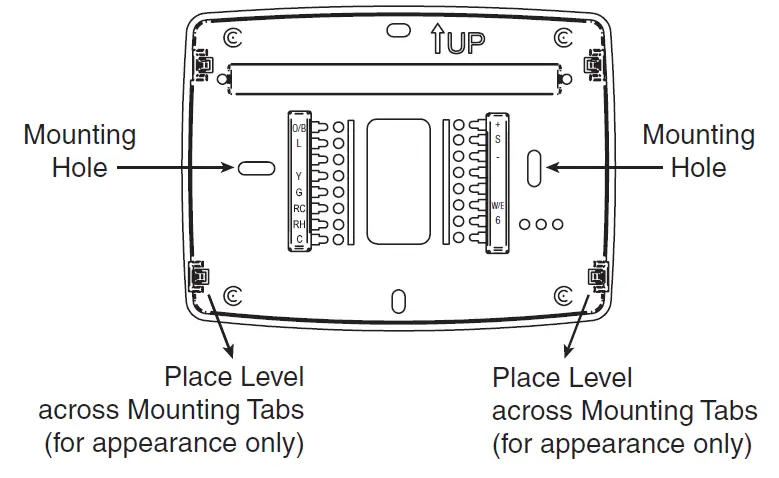
- Fasten base snugly to wall using mounting holes shown in Figure 1 and two mounting screws. Leveling is for appearance only and will not affect thermostat operation.
- Connect wires to terminal block on base using appropriate wiring schematic.
- Push excess wire into wall and plug hole with a fire resistant material (such as fiberglass insulation) to prevent drafts from affecting thermostat operation.
- Carefully line the thermostat up with the base and snap into place.
BATTERY LOCATION
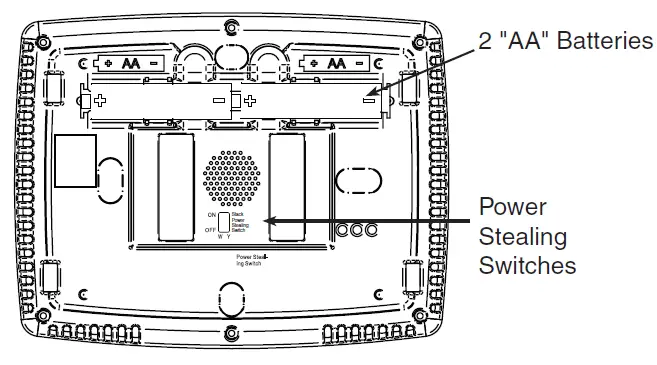
2 “AA” alkaline batteries are included in the thermostat at the factory with a battery tag to prevent power drainage. Remove the battery tag to engage the batteries. To replace batteries, set system to OFF, remove thermostat from wall and install the batteries in the rear along the top of the thermostat (see Figure 1). For best results, use a premium brand “AA” alkaline battery such as Duracell® or Energizer®. If the home is going to be unoccupied for an extended period (over 3 months) and is displayed, the batteries should be replaced before leaving.
POWER STEALING SWITCHES
The Power Stealing Switches (Fig. 1) should be left in the “On” position for most systems. The information in the following table details the thermostat power method and switch options.
| Thermostat Power Method | Switch Position/Description |
| Battery Powered, no 24 Volt system power available. | Switches “On”, thermostat runs on batteries. |
| Hardwired with Battery Back-up, for 24 Volt systems with common connection from transformer to “C” terminal
on thermostat. | Switches “On”, thermostat runs on power directly from transformer with battery back- up. |
| *Battery Powered with Power Stealing Assist, for 24 Volt systems with no common connection from
transformer to “C” terminal on thermostat. | Switches “On”, thermostat runs on batteries and supplemental power drawn through the heat or cool circuit. |
*Power Stealing Assist is very reliable to increase battery life, but on a small number of heating or cooling systems with high impedance electronic modules you may observe one of the following conditions:
- The furnace draft inducer motor may run with no call for heat.
- The furnace fan may turn on with no call for heat or may not turn off.
- The furnace may not turn off when the call for heat ends.
- The air conditioner may not turn off when the call for cool ends.
If the Power Stealing Assist method is not compatible with your system, place the Power Stealing Switches to “Off”. This cancels Power Stealing Assist, operates the thermostat on batteries and corrects the condition.
FIGURE 1 – THERMOSTAT BASE MULTI-STAGE 1F97-1277
REAR VIEW OF THERMOSTAT
WIRING DIAGRAMS
FIGURE 2 – SINGLE STAGE OR MULTI-STAGE SYSTEM (NO HEAT PUMP) WITH SINGLE TRANSFORMER
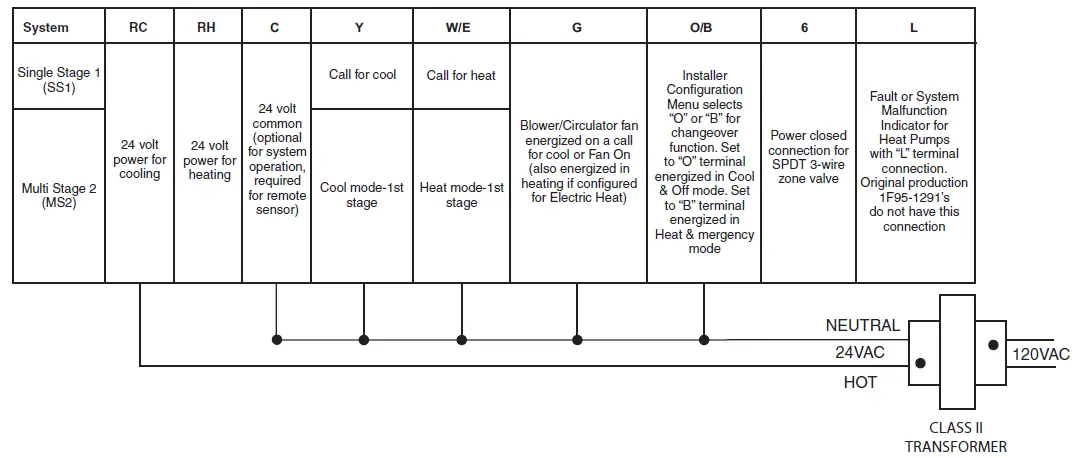
SINGLE STAGE CONNECTIONS
Refer to equipment manufacturers’ instructions for specific system wiring information.
This thermostat is designed to operate a single-transformer or two- transformer system.
You can configure the thermostat for use with the following fossil fuel systems:
SINGLE STAGE (SS 1) GAS, OIL OR ELECTRIC.
After wiring, see INSTALLER CONFIGURATION section for proper thermostat configuration.
FIGURE 3 – HEAT PUMP SYSTEMS
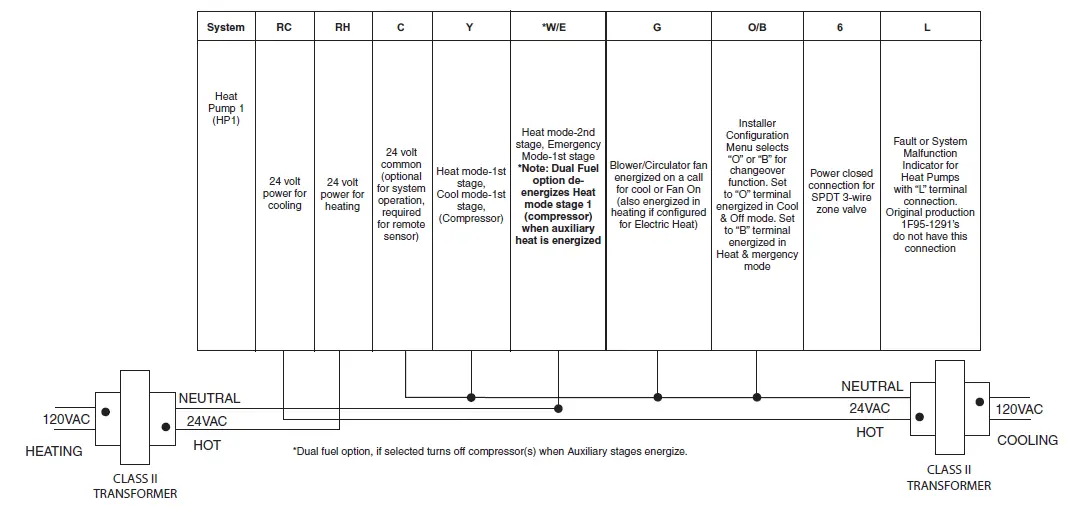
HEAT PUMP CONNECTIONS
If you do not have a heat pump system, refer to figures 2 & 4. Refer to equipment manufacturers’ instructions for specific system wiring information.
You can configure the thermostat for use with the following heat pump systems.
HEAT PUMP TYPE 1 (HP 1).
Single stage compressor system; gas or electric backup.
After wiring, see INSTALLER CONFIGURATION section for proper thermostat configuration.
FIGURE 4 – SENSORS
| + | S | – |
|
Supply voltage to remote temperature sensor |
Remote temperature sensor signal |
Supply voltage to remote temperature sensor |
THERMOSTAT QUICK REFERENCE
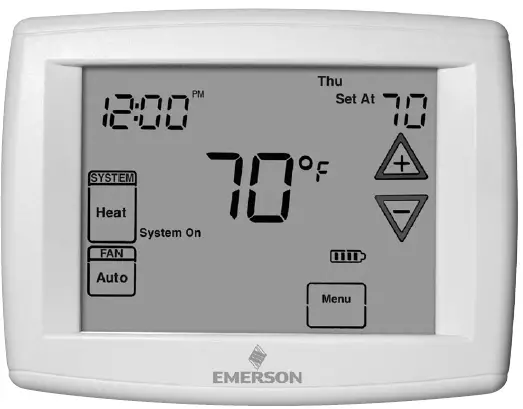
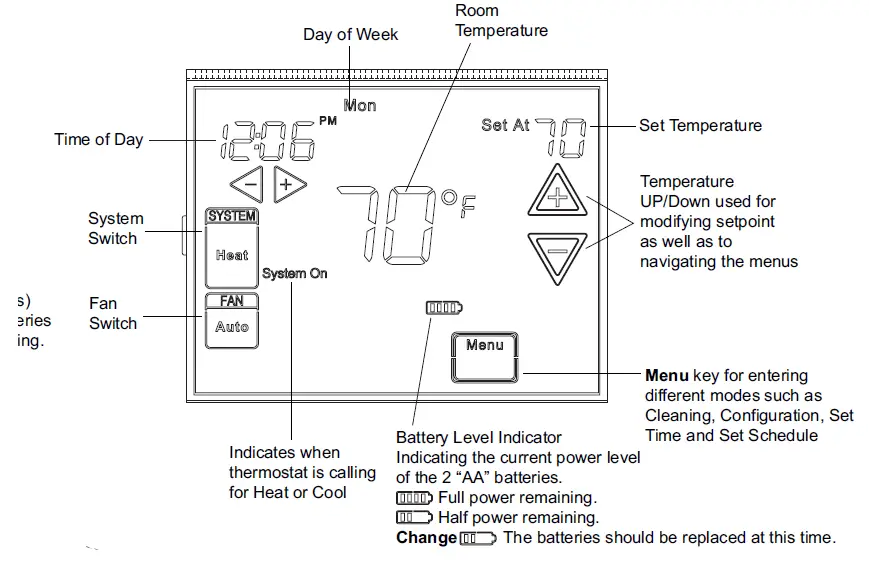
HOME SCREEN DESCRIPTION
Figure 8 – Home Screen Display
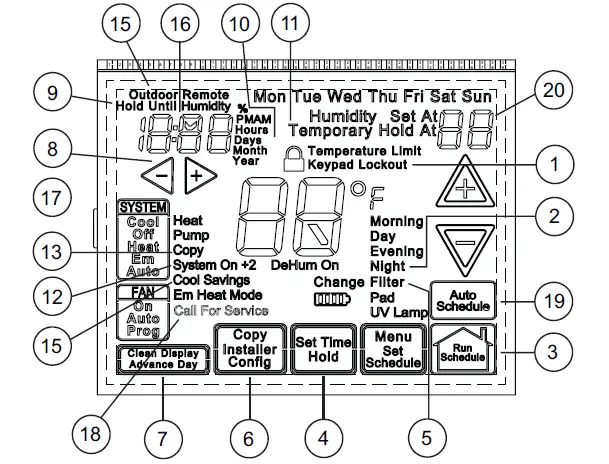
PROGRAMMING AND CONFIGURATION ITEMS
- Displays and “Keypad Lockout” when in keypad lockout mode.
- Displays and “Temperature Limit” and “Keypad Lockout” when limited range is activated and locked. Displays only “Temperature Limit” when limited range is activated.
- Indicates period of day being programmed. RUN SCHEDULE (run program) key.
- SET TIME key or HOLD temperature key.
- Displays “Change Filter”/”Change UV Lamp” when the system has run for the programmed filter/UV lamp time period as a reminder to change or clean your filter or to replace UV lamp.
- COPY key or INSTALLER CONFIG key.
- CLEAN DISPLAY key allows 30 seconds to wipe off the display or ADVANCE DAY key for programming
- Used in programming to set time and in configuration menu to change selections.
- “Hold Until” indicates the time when a temporary hold period will end.
- “Hours” and “Days” displays during steps in installer configuration.
- The words “Hold At” are displayed when the thermostat is in the HOLD mode. “Temporary Hold At” is displayed when the thermostat is in a temporary HOLD mode.
- “System On” indicates when heating or cooling stage is energized.
- “Copy” indicates the copy program feature is being used during programming.
- A steady “Cool Savings” display indicates the feature is enabled in the installer menu. A flashing “Cool Savings” display indicates the feature is active.
FIGURE 9 – PROGRAMMING & CONFIGURATION ITEMS
- “Remote” indicates that the indoor remote temperature sensor, is being accessed. “Outdoor Remote” indicates the outdoor remote temperature sensor is being accessed.
- Display time, remote temperature.
- “Heat Pump” displays when the system configuration is set in HP1.
- “Call for Service” indicates a fault in the heating/cooling systems. It does not indicate a fault in the thermostat.
- Auto Schedule key for Auto Schedule function
- In Configuration Menu, shows screen number. If blank, thermostat is earlier model and requires instruction sheet 37-7388A
To enter the menu: Press the Menu touch key. Press and hold for 5 seconds the Installer Config touch key. This displays screen reference #1 in the table below. Screen Reference numbers appear in top right corner of display. Press to advance to the next menu item or to return to a previous menu item. Press or to change a menu item option. Shaded items are not available if selected for Non-Programmable. Write the options selected in the “Option Selected” column of the menu.
Installer Note: To default the programming, clock and Configuration Menu to the Factory Default Settings, press the , and SYSTEM keys simultaneously. The thermostat display will go blank for a few seconds, and then all segments will display momentarily. For heat pump systems, Configuration Menu items 1 and 3 must be set to match the heat pump system.
| CONFIGURATION MENU | |||||||
| Screen Reference Number | SS1 MS2 | HP1 HP2 | Press
key | Displayed Factory (Default) | Press or to select from listed options |
Comments | Option Selected |
| 1 | l | l | SS1 | HP 1 | Selects Heat Pump 1 (HP1, 1 compressor), or Single Stage. | ||
| 2 | l | l | (GAS) | ELE | GAS setting: furnace controls blower. ELE setting: thermostat controls blower. | ||
| 3 | l | 0b (0) | b | Selects Reversing Valve (This item is only to appear if HP1 or HP2 is selected above.) | |||
| 4 | l | l | Days, (7) P | 5 or 0 | Programs per week. (7 days, 5+1+1 days or non-programmable) | ||
| 5 | l | l | (4) PS | 2 | Programs per day.
4 = Morning, Day, Evening, Night 2 = Day, Night Not available if 4 is 0 | ||
| 6 | l | Cool-Off- Heat-Auto | Cool-Off-Heat, Heat Off, Heat, Cool-Off, Auto Off | System switch configuration in non-heat pump mode. | |||
| l | Cool-Off-Heat- Em-Auto | Cool-Off-Heat-Em, Off-Em-Auto | System switch configuration, heat pump mode. | ||||
| 7 | l | l | (On) E | OFF | Selects Energy Management Recovery. Not available if 4 is 0 | ||
| 8 | l | l | (FA) Heat, Cr | SL | Selects Adjustable Anticipation, cycle rate, Heat | ||
| 9 | l | l | (FA) Cool, Cr | SL | Selects Adjustable Anticipation, cycle rate, Cool | ||
| 10 | l | (FA) Cr/AU, Em | SL | Selects Adjustable Anticipation, cycle rate auxiliary, (This item is only to appear if HP1 or HP2 is selected above). | |||
| 11 | l | l | (OFF) SC | On | Select stage cycle completion On or Off. | ||
| 12 | l | l | (OFF) CL | On | Selects Compressor Lockout. | ||
| 13 | l | l | (OFF) dL | On | Selects Continuous Display backlight. | ||
| 14 | l | l | 0
(Temperature) | 5, LO to 5, HI | Selects Adjustable Ambient Temperature Display [range -5 (LO) to
+5 (HI)]. | ||
| 15 | l | l | °F | °C | Selects °F/°C Display (temperature units in Fahrenheit or Celsius). | ||
| 16 | l | l | (On) b | OFF | Selects audible Beeper On/Off. | ||
| 17 | l | l | (On) dS | OFF | Selects Daylight Saving Time calculation. | ||
| 18 | l | l | (On) Heat, AS | OFF | Selects Automatic Schedule for comfort temperature Programming, heat mode. Not available if 4 is 0 | ||
| 19 | l | l | (On) Cool, AS | OFF | Selects Automatic Schedule for comfort temperature Programming, cool mode. Not available if 4 is 0 | ||
| 20 | l | l | (OFF) CS | On | Selects Cool Savings Feature On of Off. | ||
| 21 | l | l | CS Cool Savings (3) | 1-2-3-4-5-6 | Selects amount of Cool Savings adjustment. | ||
| 22 | l | l | (Off) CO | On | Select Compressor Optimization (not available on earlier models) | ||
| 23 | l | l | (OFF) CA | On | Selects Comfort Alert Feature On or Off. (not available on earlier models) | ||
| 24 | l | l | (99) Heat, HL | 62-98 | TEMPERATURE LIMIT, HEAT (max. heat set point). | ||
| 25 | l | l | (45) Cool, LL | 46-82 | TEMPERATURE LIMIT, COOL (min. cool set point). | ||
| 26 | l | l | OFF,
Keypad Lockout | L (total), P (partial), Temperature Limit (limited temperature range) | Selects Keypad Lockout. | ||
| 27 | l | l | 000 | 001-999 | Selects Keypad Lockout Combination (active only if keypad Lockout is selected). | ||
| 28 | l | l | Remote (OFF) | On | Remote temperature sensor, enable/disable. | ||
| 29 | l | l | Remote, In | Outdoor Remote | Remote temperature sensor (Indoor/Outdoor). | ||
| 30 | l | l | (On) LS | OFF | Local temp. Sensor enable/disable (only when Indoor Remote is selected On). | ||
| 31 | l | (OFF) dF | On | Selects Dual Fuel feature On or OFF (this item appears if HP1 or HP2 is selected above). | |||
| 32 | l | (35) dF | -5 – 50 | Selects Dual Fuel setpoint (°F), dF selected On with outdoor sen- sor available. | |||
| 33 | l | (05) dF | 0 – 09 | Selects Dual Fuel setpoint (°F), dF selected On with no outdoor sensor. | |||
INSTALLER/CONFIGURATION MENU
| CONFIGURATION MENU | |||||||
| Screen Reference Number | SS1 MS2 | HP1 HP2 | Press
key | Displayed Factory (Default) | Press or to select from listed options |
Comments | Option Selected |
| 34 | l | (60) Cd | 0-99 | Selects compressor off delay in seconds, dF selected On | |||
| 35 | l | (80) AO | -5 – 79 | Selects Auxiliary Heat cut out temperature. This item appears if HP1 or HP2 is selected and outdoor sensor is installed and enabled. | |||
| 36 | l | l | (OFF) Change UV Lamp | On | Selects Change UV Lamp feature. | ||
| 37 | l | l | 350 Days | 25-1975 | Change UV Lamp duration days. | ||
| 38 | l | l | OFF
Change Filter | On | Selects Change Filter feature. | ||
| 39 | l | l | 200 Hrs. | 25-1975 | Change Filter duration hours. | ||
- This control can be configured for:
- HP1 – Heat Pump with one stage of compressor (1 heat/1 cool)
- SS1 – Single Stage System (3 wire zone see wiring diagrams.
- GAS or Electric (ELE) fan operation. If the heating system requires the thermostat to energize the fan, select ELE. Select GAS if the heating system energizes the fan on a call for heat. Note: Resetting the thermostat switches the option to GAS.
- O/B Terminal selection – Selects the operation of the reversing valve (when item 1 is set to HP1 or HP2 only). When set to “O” the changeover valve will be energized in COOL to accommodate the majority of heat applications. If the heat pump requires the changeover valve to energize in HEAT, select “B”.
- Programs per week – This control can be configured for 7 independent day or 5+1+1 day programming or non- programmable modes. Default is 7-day mode. The display indicates “7 Days” as default. Other options “5 Days” or “0 Days” can be selected. If “0 Days” is selected for non- programmable mode, the step for EMR will be skipped, as this feature will not be available in this mode.
- Program Steps per day – Not available if configured for non-programmable. This control can be configured for 4 or 2 program steps per day. Default is “4 PS” and can be toggled between 4 PS and 2 PS.
- System Switch Configuration (MS2/SS1) – This thermostat is configured for Heat and Cool with Auto change- over default (Cool-Off-Heat-Auto). It can be configured as Heat & Cool (Cool-Off-Heat), or Heat Only (Off-Heat), or Cool Only (Cool-Off). When the control is in heat pump configuration (HP1/ HP2), the system switch configuration will have an additional mode, Em for Emergency.
- Energy Management Recovery (EMR) – (this step is skipped if configured as non-programmable). When set to “On” causes the thermostat to start heating or cooling early to make the building temperature reach the program set point at the time you specify.
EXAMPLE: The heating program is 65°F at night and 70° at 7 AM. If the building temperature is 65°F, the difference is 5°F. Allowing 5 minutes per °F rise, the thermostat set- point will change to 70° at 6:35 AM. Cooling allows more time per °F, because it takes longer to reach temperature. - 8, 9 & 10. Cycle Rate Selection: The factory default setting is fast cycle (FA Cr) in all modes (Heat, Cool, Em). To change to slow cycling (SL, Cr), press touch keys or toggle between FA & SL. The cycle rates are below:
| Mode | Med | Slow |
| Heat | 0.6°F | 1.5°F |
| Cool | 1.2°F | 1.7°F |
| Heat Pump | 1.2°F | 1.7°F |
| Emer Heat | 0.6°F | 1.7°F |
- Stage Cycle Completion (SC) – Selecting (SC ON) will cause the thermostat to complete heating and/or cooling cycles on the highest stage engaged during the cycle. Thermostat will not reduce heating or cooling stages be- fore the heating or cooling cycle is satisfied and all stages are turned off.
- Select Compressor Lockout (CL) – Selecting (CL On) will cause the thermostat to wait 5 minutes between cooling cycles. This is intended to help protect the compressor from short cycling. Some of the newer compressors have a time delay built in and do not require this feature to be activated in the thermostat. Your compressor manufacturer can tell you if this lockout feature is already present in their system. When the thermostat compressor time delay is activated, it will flash the set point for up to five minutes.
- Select Continuous Display Lighting (dL) – In low lighting conditions, display backlight improves the display contrast. (See Table 1)
- Select Temperature Display Adjustment 5 LO to 5 HI This allows you to adjust the room temperature display by -5°F to +5°F in 1° steps. Your thermostat was accurately calibrated at the factory, however you have the option to change the display temperature value to match the previous thermostat, if you so prefer.
- Select °F or °C Readout – Changes the display readout to Celsius or Fahrenheit as required.
- Select Audio Prompting (Beeper) On or Off – Factory default setting is b, On. If you wish to turn off the beeper select OFF.
- Select Daylight Saving Time Calculation – This feature will allow the thermostat to calculate the DST automatically and apply it to the Real Time Clock display. Default is On.
- 18 & 19. Select Automatic Schedule – Not available if configured for non-programmable. This feature allows programming a “Comfort Temperature” into all program periods with the Auto Schedule key. When Heat AS (for Heat mode) or Cool AS (for Cool mode) is selected On, the Auto Schedule feature is ready to be set. Off indicates that the feature is not ready to be used or a “Comfort Temperature” is already set. See Auto Schedule in Programming section.
- 20 & 21. Select Cool Savings™ – Cool Savings™ provides an energy saving temperature offset (from 1-6 degrees) under peak cooling load conditions (high outdoor temperatures).
INSTALLER/CONFIGURATION MENU
| Table 1 | Power Stealing Switches ON (Factory Default) | Power Stealing Switches ON (Factory Default) | ||
|
Power Method | Backlight Option OFF
(Factory Default) | Backlight Option
ON | Backlight Option OFF
(Factory Default) | Backlight Option
ON |
| Battery Only (before thermostat installation or mV heat systems) | No Backlight | Momentary Backlight | No Backlight | Momentary Backlight |
| Common Attached to “C” Terminal | Momentary Backlight | Continuous Backlight | Momentary Backlight | Continuous Backlight |
| Battery with Power Stealing on “W/E” and “Y” | Momentary Backlight* | Continuous Backlight* | No Backlight | Momentary Backlight |
| Battery with “W/E” and “Y” but system does not allow Power Stealing* | No Backlight* | Momentary Backlight* | No Backlight | Momentary Backlight |
* POWER STEALING BACKLIGHT NOTES:
- If the system is heat or cool only, or does not allow power stealing on the thermostat terminals W/E and Y the back- light may not operate continuously or drop out when heat or cool is running.
- If the power stealing switches (see page 2) on the back of the thermostat are set to off the backlight will not be continuous.
- The display light will increase in brightness when a button is pressed.
- On high impedance systems, the display light may dim slightly when the thermostat is calling for heat or cool.
- If selected on, Cool Savings™ becomes active when the air-conditioner runs for periods of longer than 20 minutes. When active, Cool Savings™ gradually offsets the indoor temperature display downward. The first 1° of adjustment will take one hour of continuous air conditioner run time with subsequent 1° adjustments occurring with each additional half hour of run time (ex for a 2° offset, the air conditioner would need to run continuously for 1 ½ hours). The offset is limited to the number of degrees you select from 1 up to 6. When an offset starts or is active, “Cool Savings” will flash on the display. The principle of this energy saving feature takes advantage of the long air conditioning run times lowering the indoor humidity allowing a slightly higher temperature to feel comfortable. As the peak load subsides, this feature also takes advantage of the air conditioner’s increased capacity under more efficient conditions to gradually reduce the off- set back to zero and return control to the selected set point temperature. If Cool Savings is selected off, no temperature offset will occur.
- Compressor Optimization – (Not available on earlier models) CO provides a delay in circulator fan operation after the compressor turns on or off. With CO selected ON, when the compressor turns on (for a call for heat in heat pump or a call for cool) the fan will be delayed for five seconds before turning on to allow the air to be heated or cooled. After the compressor turns off for call for cool, the fan will continue to run for 20 seconds to capture additional cooling from the system. If CO is set to OFF, there will be no delay in fan operation.
- Comfort Alert with Active Protection – (not available on earlier models) Turn this feature ON to enable active protection. This allows the thermostat to identify fault codes sent by the Comfort Alert module when compressor damage is possible and react to those codes by turning the compressor off. Fault codes from the Comfort Alert module will flash on the thermostat. (Refer to Com- fort Alert Codes in Troubleshooting section.) If a Comfort Alert module is not connected, or to disable active protection, turn this feature OFF. If a Comfort Alert module is connected and this feature is turned OFF, the thermostat will still receive and flash the fault codes from the Comfort Alert module, but the active protection will not be enabled to protect the compressor.
- Heat Temperature Limit Range – This feature adjusts the highest setpoint temperature for heat. The default set- ting is 99°F. It can be changed to a setting between 62°F and 98°F. The “temperature limit” icon will be displayed to the left of your setpoint temperature when using this feature. The “temperature limit” icon will flash if an attempt is made to adjust the temperature beyond the range selected.
- Cool Temperature Limit Range – This feature adjusts the lowest setpoint temperature for cool. The default setting is 45°F. It can be changed to a setting between 46°F and 82°F. The “temperature limit” icon will be dis- played to the left of your setpoint temperature when using this feature. The “temperature limit” icon will flash if an attempt is made to adjust the temperature beyond the range selected.
- 26 & 27. Keypad Lockout – This step allows you to select the type of lockout or limited range security required. If no lockout or limited range security is required, press + to advance the menu. Three security settings are available in this menu item. Use the + or – keys to select the lockout desired.
LOCKOUT SELECTIONS ARE:- “Keypad Lockout and L” = Total Lockout. Total Lockout locks all keys.
- “Keypad Lockout and P” = Partial Lockout. Partial Lock- out allows only the + or – keys to operate within your set temperature limits.
- “Temperature Limit/Keypad Lockout” prevents changing the temperature limits in the Configuration Menu.
- After the type of lockout is selected, press +.
- Keypad Lockout Combination Number Selection Display will read “000” “Keypad Lockout”.
- Skip this step and continue through the remainder of the configuration menu if you require an Air Filter Change out indicator or Humidifier Pad Change out indicator by pressing the + key to advance.
- Return to this point when you are ready to start your selected lock-out and continue by:
- Pressing + or – keys to select your keypad lockout combination number. Note: “000” is not a valid combination choice.
Record the number you select for future use. - Press + to exit the menu. The security feature you select will start in 10 seconds. The system key will remain active for 10 seconds to allow setting Heat, Off, Cool or Auto. To unlock the keypad, press Menu, then press Installer Config. Display will show “000” and keypad lock. Enter the code used to lock the keypad and press +.
- Select Remote Temperature Sensor Enabled – ON enables a remote sensor connected to thermostat and dis- plays the sensor temperature in the clock digits. OFF (de- fault) indicates no remote sensor connected or enabled.
- Select Remote Sensor as Indoor or Outdoor – If 30 is enabled, select the remote to be Remote In (Indoor, F145-1328) or Outdoor Remote (Outdoor, F145-1378). Default is Remote In.
- Select Local Sensor Disable – If 31 is selected Indoor, the thermostat Local Sensor can be disabled so the displayed temperature will be from the Remote Sensor. Default is On LS. To disable the Local Sensor, change selection to OFF LS.
- Select Dual Fuel Feature (dF) – This feature is applicable only in heat pump modes (HP1, HP2). Enables (On) or disables (Off) dual fuel feature of thermostat.
- Select Dual Fuel Temperature – With dF selected On and outdoor remote sensor available, select the outdoor temperature the thermostat will use to determine when to switch to gas heat and shut down the compressor. When the outdoor temperature falls below the selected temperature the gas heat will begin. Default is 35°, but can be set in the range of -5 to 50°. A lower setting will delay the start of gas heat allowing cooler temperature in the home.
- Select Dual Fuel Setting – With DF selected On and no outdoor sensor, select the dF setting from 01-09. Factory default is 05. The dF setting influences when second stage comes on. The factory default creates a separation of approximately 1°F between stages. Increasing the set- ting decreases the separation between stages. Decreasing the value increases stage separation. This adjustment allows a small change in the operation of your heat pump system versus your auxiliary system relative to the thermostat adjustment. The higher the number the sooner the auxiliary stage energizes for better comfort. The lower the number the longer period of time before auxiliary is energized for more economy. NOTE: This setting is not minutes or degrees. It is numeric set- ting that will influence the internal thermostat calculation for staging.
- Select Compressor Delay (Cd) – After the auxiliary heat is turned on, the compressor(s) shut down is delayed for the time selected (in seconds). This delay is factory set to 60, but can be set in the range of 0 to 99.
- Select Auxiliary Off (AO) – Applicable with HP1 or HP2 selected with outdoor sensor. Select the temperature that will inhibit the auxiliary heating stage. As long as the outdoor temperature is above the selected temperature, the auxiliary heat will not turn on. The default setting is 80°(disabled), but can be set in the range of -5 ° to 79°. Thermostat will not allow a setting at or below the (dF) dual fuel setting. If indoor temperature drops below 45° because of a possible heat pump malfunction, the thermostat will turn off the pump and switch to Auxiliary heat. “Call for Service” will display on screen.
There are two ways the thermostat will return to normal heat pump operation:- Press any key to retry the pump and erase the “call for service icon.
- When setpoint is achieved on Auxiliary, system will return to heat pump operation on next call for heat.
- 36 & 37. Change UV Lamp – This feature allows the thermo- stat to display the words “Change UV Lamp” (Call for Service of UV bulb) after a set time of UV bulb operation. This is a reminder to maintain your UV system at optimum level of operation. When enabled, the factory set interval for “Change UV Lamp” to be displayed is 350 days of UV bulb operation and can be adjusted in 25 day increments. This should be adjusted with respect to the bulb’s recommended maintenance schedule. When “Change UV Lamp” is displayed, you can clear it by pressing Clean Display.
- 38 & 39. Select Change Filter Run Time – This feature allows thermostat to display “Change Filter” after a set time of blower operation. This is a reminder to change or clean your air filter. This time can be set from 25 to 1975 hours in 25 hour increments. A selection of OFF will cancel this feature. When “Change Filter” is displayed, you can clear it by pressing Clean Display. In a typical application, 200 hours of run time is approximately 30 days.
OPERATING YOUR THERMOSTAT
CHECK THERMOSTAT OPERATION
NOTE
To prevent static discharge problems, touch side of thermostat to release static build-up before touching any keys.
If at any time during testing your system does not operate properly, contact a qualified service person.
FAN OPERATION
If your system does not have a G terminal connection, skip to
HEATING SYSTEM.
- Turn on power to system.
- Press FAN key to ON position. The blower should begin to operate.
- Press FAN key to AUTO position. The blower should stop immediately.
CAUTION
Do not allow the compressor to run unless the compressor oil heaters have been operational for 6 hours and the system has not been operational for at least 5 minutes.
HEATING
- Press SYSTEM key to select HEAT. If the auxiliary heating system has a standing pilot, be sure to light it.
- Press + to adjust thermostat setting to 1° above the room temperature. The heat pump system should begin to operate. The display should show “System On”. However, if the system configuration is set to HP1 and setpoint temperature display is flashing, the 5 minute compressor lockout feature is operating (see Configuration menu, item 11).
- Adjust temperature setting to 3° above room temperature. If your system configuration is set at HP1 the auxiliary heat system should begin to operate and the display will show “System On +2”.
- Press – to adjust the thermostat below room temperature. The heating system should stop operating.
EMERGENCY MODE
APPLIES ONLY TO HEAT PUMP SYSTEMS
Emergency Heat (System EM Position) bypasses the Heat Pump to use the heat source wired to terminal W/E on the thermostat. EM is typically used when compressor operation is not desired, or you prefer back-up heat only.
- Press SYSTEM key to select EM. “EM Heat Mode” will flash on the display.
- Press + to adjust thermostat setting above room temperature. The Emergency heating system will begin to operate. The display will show “System On + 2” flashing “EM Heat Mode” and “Heat” to indicate that the Emergency system is operating.
- Press – to adjust the thermostat below room temperature. The heating system should stop operating.
CAUTION
To prevent compressor and/or property damage, if the outdoor temperature is below 50°F, DO NOT operate the cooling system.
COOLING
- Press SYSTEM to select “Cool”.
- Press – to adjust the thermostat setting below room temperature. The blower should come on immediately on high speed, followed by cold air circulation. The display should show “System On”. If the setpoint temperature display is flashing, the compressor lockout feature is operating (see Configuration menu, item 11).
- Press + to adjust the temperature setting above room temperature. The cooling system should stop operating.
CHOOSE THE FAN SETTING (AUTO OR ON OR PROG)
There are two fan features on the 1F95-1277
- FAN AUTO/ON – TRADITIONAL FAN SETTINGS Press Fan to select Auto or On. The most commonly used setting is Auto. Fan Auto runs the fan only when the heating or cooling system is operating. Selecting Fan On runs the fan continuously for increased air circulation or to allow additional air cleaning if the system is equipped with an Electronic Air Cleaner.
- FAN PROG – COMFORT CIRCULATING FAN FEATURE Pressing Fan until FAN Prog appears activates the Comfort Circulating Fan Option. This causes the thermostats to cycle the fan on for 10 minutes and off for 20 minutes if the thermostat has not called for heat or cool during the past 60 minutes. This assures moderate air circulation even when the heating and cooling equipment is not cycling.
CHOOSE THE SYSTEM SETTING (COOL, OFF, HEAT, EM, AUTO)
Press the SYSTEM key to select:
- COOL: Thermostat controls only the cooling system.
- OFF: Heating and Cooling systems are off.
- HEAT: Thermostat controls only the heating system.
- EM: Setting is available only when the thermostat is configured in HP1 mode.
- AUTO: Auto Changeover is used in areas where both heating and cooling may be required on the same day. AUTO allows the thermostat to automatically select heating or cooling depending on the indoor temperature and the selected heat and cool temperatures. When using AUTO, be sure to set the Cooling temperatures more than 1° Fahrenheit higher than the heating temperature.
MANUAL OPERATION FOR NON-PROGRAMMABLE MODE
Press the SYSTEM key to select “Heat” or “Cool” and use the keys to adjust the temperature to your desired setting.
After selecting your desired settings you can also press the SYSTEM key to select AUTO to allow the thermostat to automatically change between “Heat” and “Cool”.
MANUAL OPERATION (BYPASSING THE PROGRAM) PROGRAMMABLE MODE
Manual operation will bypass the program and allow you to adjust the temperature as you desire. The temperature you set in Hold will be maintained indefinitely. Press + or – to adjust the temperature. The HOLD key will appear. Press the HOLD key. “Hold At” will appear next to the setpoint temperature and the thermostat will maintain the new setpoint temperature until Run Schedule is pressed to resume program operation.
PROGRAM OVERRIDE (TEMPORARY OVERRIDE)
Press + or – keys to adjust the temperature. This will override the temperature setting for a (default) four hour override period. The override period can be shortened by pressing or lengthened by pressing -. Program Override period can range from 15 minutes to 7 days.
EXAMPLE: If you turn up the heat during the morning program, it will be automatically lowered later, when the temporary hold period ends. To cancel the temporary setting at any time and return to the program, press Run Schedule.
If the SYSTEM key is pressed to select AUTO the thermostat will change to “Heat” or “Cool”, whichever ran last. If it switches to “Heat”, but you want “Cool”, or it changes to “Cool”, but you want “Heat”, press both keys simultaneously to change to the other mode.
PROGRAMMING
SET CURRENT TIME AND DAY
- Press Menu key to enter installer menu. Then press Set Time once to indicate hour & AM or PM designation in clock display.
- Press and hold either the + or – touch key until you reach the correct hour and AM or PM designation.
- Press Set Time again to display minutes only in clock display.
- Press and hold either the + or – touch keys until you reach the correct minutes.
- Press Set Time once again to display year.
- Press either the + or – touch key until you reach the correct year.
- Press Set Time once again to display month.
- Press either the + or – touch key until you reach the correct month.
- Press Set Time once again to display date of the month along with day of the week at top row (which is automatic).
- Press and hold either the + or – touch key until you reach the correct day of the month and day of the week displayed at the top row.
- Press Run Schedule once or twice to remove the key. Now the display will show the correct time and room temperature.
AUTOMATIC DAYLIGHT SAVING CALCULATION
The Real Time Clock will adjust automatically for daylight savings time, in the following manner:
Increment one hour at 2 AM on the second Sunday of March and decrement one hour at 2 AM on the first Sunday of November.
The daylight saving feature can be enabled or disabled in installer configuration menu. Default is DS ON (enabled). After entering installer configuration mode, momentarily press touch key until the display indicates dS (in actual temperature digits) and on (default – in clock digits). + and – keys will toggle display and operation from on to OFF.
PROGRAMMING TIP: COPY PROGRAM
When programming your thermostat, you may copy the program from one day to another day or group of days using the Copy key. In 7 day programming mode, a day can be copied to another day or all six other days. In 5+1+1 day programming mode the weekday (Mon – Fri) program can be copied into Sat and Sun or either Sat or Sun.
To copy a program from one day to another:
- In Set Schedule mode, enter the program for the day or select the day you wish to copy by pressing Advance Day.
- Press Copy. The display will show “Copy” next to the SYSTEM key and the day of the week that will be copied.
- Press Advance Day. The day being copied will be indicated and the other days will be flashing.
- If you wish to copy to all days skip to next step or press Advance Day until the day you wish to copy to is flashing.
- Press Copy. “Copy” will disappear, the day you copied from will disappear and the day(s) you copied to will be on.
- If you wish to copy this same program into other days, press Copy and repeat steps 3, 4 and 5.
- Press Run Schedule to return to normal operation. Fill in the blank schedule on the next page then:
ENTER THE HEATING PROGRAM
- Press the Menu key and then press Set Schedule. Press SYSTEM key to select “Heat” in the system switch area indicating the active mode being programmed. You can switch to the other mode by pressing the system switch at any time.
- The top of the display will show the day(s) being programmed. The time and set at temperature are also displayed. “Morning” will also be displayed to indicate the period.
- Press + or – key to change the temperature to your selected temperature for the 1st heating period (Morning).
- Press + or – key to adjust the start time for period. The time will change in 15 minute increments.
- Press FAN to select Auto or Prog.
- After you have set the time and the temperature for the period to begin, press Set Schedule to advance to the next program period.
- Repeat steps 2 through 6 until all of the program times and temperatures are set for all program periods on that day.
- Press “Advance Day” to change to the next day and repeat steps 2 through 8.
- When programming is complete and all of the times and temperatures match your desired heating schedule, press Run Schedule. The thermostat will now run your program.
ENTER THE COOLING PROGRAM
- Press the SYSTEM key until the “Cool” icon appears.
- Follow Enter Heating Program instructions for entering cooling times and temperatures.
AUTOMATIC SCHEDULE
Auto Schedule Heat is a fast way to program all the heating temperatures during the day to a comfortable temperature and then lower the temperature 6° at night. Auto-Schedule Cool will program all of the cooling time periods to the same temperature.
NOTE: Auto Schedule is available only when the thermostat is first powered on, after the thermostat has been reset, or anytime you turn AS on in the Configuration Menu (item 17 AS Heat or 18 AS Cool).
HEATING EXAMPLE:
- In Heat mode, press Auto Schedule once.
- Press + or – to select a comfortable day time temperature (example 72°).
- Press Auto Schedule again. Your thermostat is now programmed for 72° from 6:30 AM until 10:30 PM at 72°. At 10:30 PM, your thermostat will set back 6° to 66°.
Your heating program for each day of the week will look like this:
- 6:30 72°
- 8:00 72°
- 5:00 72°10:30 66°
COOLING EXAMPLE:
- In cool, press Auto Schedule once.
- Press + or – to select a comfortable cooling temperature (example 75°).
- Press Auto Schedule again. Your thermostat is now programmed for 75° for all cooling time periods.
Your cooling program for each day of the week will look like this:
- 6:30 75°
- 8:00 75°
- 5:00 75°
- 10:30 75°
PROGRAMMABLE FAN OPTION
In the Set Schedule mode, the Fan key is used to select the fan operation during a program period. The default state of the Fan key is FAN Auto (fan runs during a call for cool but not on a call for heat). It can be changed to FAN Prog (fan runs during a program period). Each press of the FAN key will change the mode of the fan between Auto and Prog.
In the Run mode, when a program period that has FAN Prog begins, the fan will turn on and stay on during the complete period. The display will show FAN On Prog. Pressing the FAN key will change FAN On Prog to On (fan running continuous- ly) or Auto. To return to FAN On Prog, press Run Schedule.
ENERGY-SAVING FACTORY PRE-PROGRAM
The 1F95-1291 thermostats are programmed with the energy saving settings shown in the table below for all days of the week. If this program suits your needs, simply set the thermostat clock and press the RUN key.
The table below shows the factory set heating and cooling schedule for all days of the week.
| * Wake Up (Morning) | Leave For Work (Day) | * Return Home (Evening) | Go To Bed (Night) | |||||
| Heating Program | 6:00 AM | 70°F | 8:00 AM | 62°F | 5:00 PM | 70°F | 10:00 PM | 62°F |
| Cooling Program | 6:00 AM | 75°F | 8:00 AM | 83°F | 5:00 PM | 75°F | 10:00 PM | 78°F |
- You can eliminate these two program periods in the configuration menu (reference #5) if the building is occupied all day. Day period will change to 6:00 AM and 70° and can be programmed as required.
PLANNING YOUR PROGRAM – IMPORTANT
The Heating and Cooling Program schedules below allow you to pencil in your own program times and temperatures.
The 1F97-1277 comes configured for 7 day programming and can also be configured for 5+1+1 programming (see configuration section).
Factory settings are listed on Monday, Saturday and Sunday. If you are re-programming a 5+1+1 day schedule, pencil in your own times and temperatures directly below the factory times and temperatures.
If you are re-programming a 7 day schedule, fill in all lines with the times and temperatures you want. Keep the following guidelines in mind when planning your program.
- In Heating, lower temperatures will save energy.
- In Cooling, higher temperatures will save energy.
- If you plan on using Auto Changeover, do not program the heating temperature higher than the cooling temperature.
WORKSHEET FOR RE-PROGRAMMING 5+1+1 AND 7 DAY PROGRAM
| Heating Program | Wake Up (Morning) |
Fan | Leave For Work (Day) |
Fan | Return Home (Evening) |
Fan | Go To Bed (Night) |
Fan | ||||
|
MON | 6:00 AM | 70°F | Auto | 8:00 AM | 62°F | Auto | 5:00 PM | 70°F | Auto | 10:00 PM | 62°F | Auto |
| TUE | ||||||||||||
| WED | ||||||||||||
| THU | ||||||||||||
| FRI | ||||||||||||
|
SAT | 6:00 AM | 70°F | Auto | 8:00 AM | 62°F | Auto | 5:00 PM | 70°F | Auto | 10:00 PM | 62°F | Auto |
|
SUN | 6:00 AM | 70°F | Auto | 8:00 AM | 62°F | Auto | 5:00 PM | 70°F | Auto | 10:00 PM | 62°F | Auto |
| Cooling Program | Wake Up (Morning) |
Fan | Leave For Work (Day) |
Fan | Return Home (Evening) |
Fan | Go To Bed (Night) |
Fan | ||||
|
MON | 6:00 AM | 75°F | Auto | 8:00 AM | 83°F | Auto | 5:00 PM | 75°F | Auto | 10:00 PM | 78°F | Auto |
| TUE | ||||||||||||
| WED | ||||||||||||
| THU | ||||||||||||
| FRI | ||||||||||||
|
SAT | 6:00 AM | 75°F | Auto | 8:00 AM | 83°F | Auto | 5:00 PM | 75°F | Auto | 10:00 PM | 78°F | Auto |
|
SUN | 6:00 AM | 75°F | Auto | 8:00 AM | 83°F | Auto | 5:00 PM | 75°F | Auto | 10:00 PM | 78°F | Auto |
WIRED REMOTE TEMPERATURE SENSING
One remote temperature sensor can be installed indoor or outdoor and connected to the thermostat by a maximum cable length of 100 meters (300 feet). Terminals +, S and – on the terminal block allow connection of the remote sensor.
The thermostat must have 24 VAC Common connection to terminal C for the remote sensor to operate. The remote sensor can be enabled or disabled in the Installer/ Configuration menu, item 28.
When remote sensor, Remote, is selected Off (factory default), no remote sensor is enabled. When remote sensor is selected On, the next step is to select the remote as indoor, Remote In, or outdoor, Outdoor Remote. If the remote is selected as Remote In, an additional step will be to select if the temperature shown on the display will be from the thermostat, LS On, or the remote sensor LS Off.
In normal operation, when a remote sensor is enabled the time digits of the display will alternate between the time and the remote temperature for three seconds each. Above the remote temperature will be Remote, for indoor sensor or Outdoor Remote, for outdoor sensor. If the remote sensor is an indoor sensor and the local display has been disabled, the temperature displayed as the room temperature will be the remote sensor temperature.
SENSING RANGE:
Outdoor temperature range is -40oF to 140oF Indoor temperature range is 32oF to 99 0F
AVERAGING OR WEIGHTING REMOTE SENSORS
The thermostat will weight or average the temperature of the indoor remote sensor with the local sensor in the thermostat for each program period. The averaging will be active only when the local sensor and the indoor remote sensor are both functional and enabled in the Installer/Configuration menu.
When the thermostat is in the Set Schedule mode, the weight of the indoor sensor will be shown in the current temperature digits of the display. The weight will show as A2 (average and default), H4 (high) or L1 (low). Pressing the and keys at the same time will change the weight for the program period. The weight of the thermostat sensor is fixed.
In normal operation of the thermostat, the current temperature displayed will be the weighted average of the local sensor and the remote sensor using the formula (local sensor weight x local sensor temperature) + (remote sensor weight x remote sensor temperature) / (local sensor weight + remote sensor weight).
EXAMPLE: Local sensor temperature is 80° and the remote sensor is 70°.
If weight is selected H4, the average temperature of 72° will be displayed.
(1 x 80) + (4 x 70) / 5 = 72°
If weight is selected A2, the average temperature of 73° will be displayed.
(1 x 80) + (2 x 70) / 3 = 73.3°
If weight is selected L1, the average temperature of 75° will be displayed.
(1 x 80) + (1 x 70) / 2 = 75°
The example shows that the weight selected would prioritize the overall averaged temperature between the two sensors. The high weight selection caused the remote sensor to have a higher influence in the calculated temperature average than the local sensor and the low weight selection caused the remote sensor to have less influence.
DUAL FUEL TEMPERATURE SETPOINT
When the thermostat is configured for Heat Pump mode and the Dual Fuel feature is selected on, the thermostat can monitor the outside temperature using remote sensor F145-1378 or use software logic to determine when to switch to gas heat and shut down the compressor. This eliminates the need for a fossil fuel kit.
The user selectable temperature is called the dual fuel temperature setpoint, dF and is set in the Installer/ Configuration menu, items 31 – 34. With outdoor remote sensor installed and enabled, the dual fuel temperature setpoint (menu item 33) can be set to a temperature of -5° through 50°. When outdoor remote sensor is not installed, a software logic based dual fuel number (menu item 34) from 01 to 09 can be selected. A higher temperature or dual fuel setting will provide a smaller stage separation between the heat pump and Aux to give more comfort. A lower temperature or number will provide a larger stage separation for more economy.
After the dual fuel temperature setpoint is set and is pressed, a delay, Cd, can be set for compressor shutdown after the auxiliary stage is energized. This delay can be set from 0 seconds to 99 seconds to minimize the time that the system may blow cooler air until the alternate source of heat comes on. Default setting for delay is 60. When setting the delay, if the or keys are held depressed, the setpoint will increase or decrease at the rate of one degree every half second for the first three seconds and double the speed after three seconds.
BLOWER BALANCE POINT FOR HEATING
Requires DHM connection from thermostat to heat pump system. Air to air heat pumps use a fast fan speed to circulate warm air for first stage heating. As outdoor temperatures drop, the heat pump produces less heat and a high fan speed makes the air from the ducts feel cooler. Blower Balance Point allows you to select an outdoor temperature to slow the fan speed so the air from the duct feels warmer. Select an outdoor temperature where the air from the ducts starts to feel cool (Installer Configuration Menu item 37). When the outdoor temperature drops to the selected temperature, the thermostat will slow the fan speed so the outlet air feels warmer.
TROUBLESHOOTING
COMFORT ALERT CODES
The Comfort Alert diagnostics product monitors the air conditioning outdoor systems with single phase Copeland Scroll compressors. Abnormal system and electrical conditions are indicated by flashing ALERT codes on the yellow LED on the Comfort Alert module. The flash codes are transmitted to the thermostat by the Comfort Alert Thermostat interface module. The Comfort Alert compatible thermostat displays “Call For Service” that flashes at the same rate as the yellow LED on the Comfort Alert module.
| Comfort Alert Codes | |
| 1 Flash | Long run time |
| 2 Flashs | System pressure trip |
| 3 Flashs | Short cycling |
| 4 Flashs | Locked rotor |
| 5 Flashs | Open circuit |
| 6 Flashs | Open start circuit |
| 7 Flashs | Open run circuit |
| 8 Flashs | Welded Contactor |
| 9 Flashs | Low voltage |
NOTE: If a voltage spike or static discharge blanks out the display or causes erratic thermostat operation, you can reset the thermostat by removing the thermostat from the wall plate and removing batteries for 2 minutes. After two minutes, replace the batteries and replace thermostat on wall plate. If the thermostat has been reset and still does not function correctly contact your heating/cooling service person or place of purchase.
| Symptom | Possible Cause | Corrective Action |
| No Heat/No Cool/No Fan (common problems) | 1. Blown fuse or tripped circuit breaker.
2. Furnace power switch to OFF. 3. Furnace blower compartment door or panel loose or not properly installed. 4. Loose connection to thermostat or system. | Replace fuse or reset breaker. Turn switch to ON.
Replace door panel in proper position to engage safety interlock or door switch. Tighten connections. |
| No Heat | 1. Pilot light not lit.
2. Furnace Lock-Out Condition. Heat may also be intermittent.
3. Heating system requires service or thermostat requires replacement. | Re-light pilot.
Many furnaces have safety devices that shut down when a lock-out condition occurs. If the heat works intermittently contact the furnace manufacturer or local HVAC service person for assistance. Diagnostic: Set SYSTEM Switch to HEAT and raise the setpoint above room temperature. Within a few seconds the thermostat should make a soft click sound. This sound usually indicates the thermostat is operating properly. If the thermostat does not click, try the reset operation listed above. If the thermostat does not click after being reset contact your heating and cooling service person or place of purchase for a replacement. If the thermostat clicks, contact the furnace manufacturer or a HVAC service person to verify the heating is operating correctly. |
| No Cool | 1. Cooling system requires service or thermostat requires replacement. | Same as diagnostic for No Heat condition except set the thermostat to COOL and lower the setpoint below the room temperature. There may be up to a five minute delay before the thermostat clicks in Cooling. |
| Heat, Cool or Fan Runs Constantly | 1. Possible short in wiring.
2. Possible short in thermostat. 3. Possible short in heat/cool/fan system. 4. FAN Switch set to Fan ON. | Check each wire connection to verify they are not shorted or touching together. No bare wire should stick out from under terminal block. Try resetting the thermostat as de- scribed above. If the condition persists the manufacturer of your system or service person can instruct you on how to test the Heat/Cool system for correct operation. If the system operates correctly, replace the thermostat. |
| Thermostat Setting & Thermostat Thermometer Disagree | 1. Thermostat thermometer setting requires adjustment. | The thermometer can be adjusted +/- 4 degrees. See Temperature Display Adjustment in the Configuration Menu section. |
| Furnace (Air Conditioner) Cycles Too Fast or Too Slow (narrow or wide temperature swing) | 1. The location of the thermostat and/or the size of the Heating System may be influencing the cycle rate. | Digital thermostats provide precise control and cycle faster than older mechanical models. The system turns on and off more frequently but runs for a shorter time so there is no increase in energy use. If you would like an increased cycle time, choose SL for slow cycle in the Configuration menu, step 7 (heat) or 8 (cool). If an
acceptable cycle rate is not achieved, contact a local HVAC service person for additional suggestions. |
| Forgot Keypad Lockout Code | Press the menu key (key will disappear) and hold in for 20 seconds. This unlocks the thermostat. | |
| Blank display any or keypad not responding | 1. Voltage Spike or static discharge | Use the Reset Operation shown above. |
| Thermostat does not have Menu Screen Numbers | 1. Earlier version of thermostat | To access the earlier version instruction sheet (37-7388A) go to www.white-rodgers.com, enter 1F95-1291 in Model Number Search |
Frequently Asked Questions
Your thermostat’s “Hold” button can be useful in this situation. By pressing “Hold,” your thermostat will hold the current setting until you make another adjustment. Just click “Run” when you’re ready to restart your regular schedule to get back to your regular programming.
Alkaline “AA” batteries are used in two Emerson thermostats. For improved performance, use high-quality batteries.
You would need to remove the gadget from the wall plate and remove the batteries for two minutes in order to reset it. Reinstall the batteries and the thermostat on the wall plate after that.
When the SYSTEM switch is set to the COOL position, the snowflake icon() is shown (non-flashing). To stop the compressor from cycling too quickly while the thermostat is in lockout mode, snowflake and flame icons will be shown (flashing).
A comprehensive, 8-page handbook for Emerson’s thermostat is available. It states that your furnace or air conditioner has been placed in lockout mode to prevent your compressor from operating too quickly if your thermostat displays a blinking/flashing snowflake or flame. The lockout mode will last for five minutes.
(Users of Android) Select the three-dot menu button in the top right corner of the screen to access Settings. the System settings option. Keypad lockout can be enabled and disabled using the “On/Off” switch.
The name of the display light is dL. You should turn the setting to off. The thermostat must be set to heat or air conditioning if you want to access the Configuration Menu.
You should set the thermostat to “Auto” if you want to reduce your energy costs. However, it’s advisable to turn the thermostat to “On” if you like a more even dispersion of heat throughout the house.
Automatic is abbreviated as AUTO. Only when cooling or heating is needed does the fan come on. Use the AUTO setting if you are typically as at ease in one part of your house as the next. When necessary, the AC fan activates and turns off when the task is complete.
The greatest way to save money in the winter, according to experts, is to set your thermostat to 68 degrees Fahrenheit during the day. It’s best to mute it when you’re away from home. This has been found to be the best situation for winter savings.
The thermostat is outdated or just broken, which is the most likely explanation. A digital wall thermostat’s temperature settings have no bearing on battery life; for example, dialing down the air conditioning in the summer will only reduce your energy costs, not the battery life.
All system types for the Sensi Wi-Fi Touch Thermostat need a common wire (c-wire). The backup power can last for months and is powered by two AA batteries (included).
The following are a few causes for your thermostat to frequently return to 85 degrees: The temperature on the thermostat is set to 85 degrees. The batteries need to be changed. A fuse in the thermostat has blown.
Yes, Sensi thermostats are built to maintain temperature management even if your Wi-Fi connection is lost. Sensi will keep executing the current schedule if you are running one when your internet connection drops.