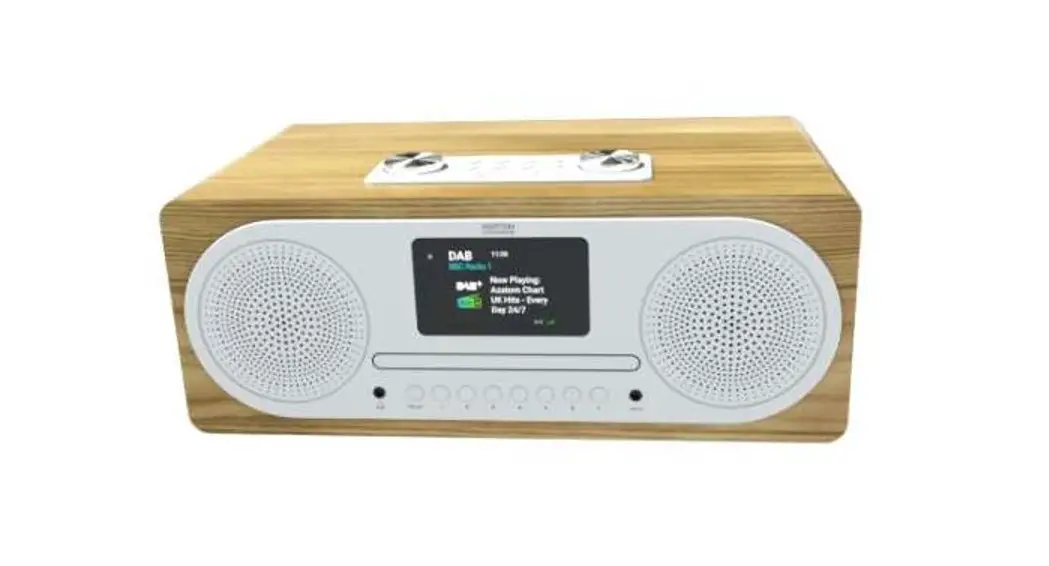
MPU130BT MKII CD-USB-SD-BT Player and Tuner with Remote Control
Product Information
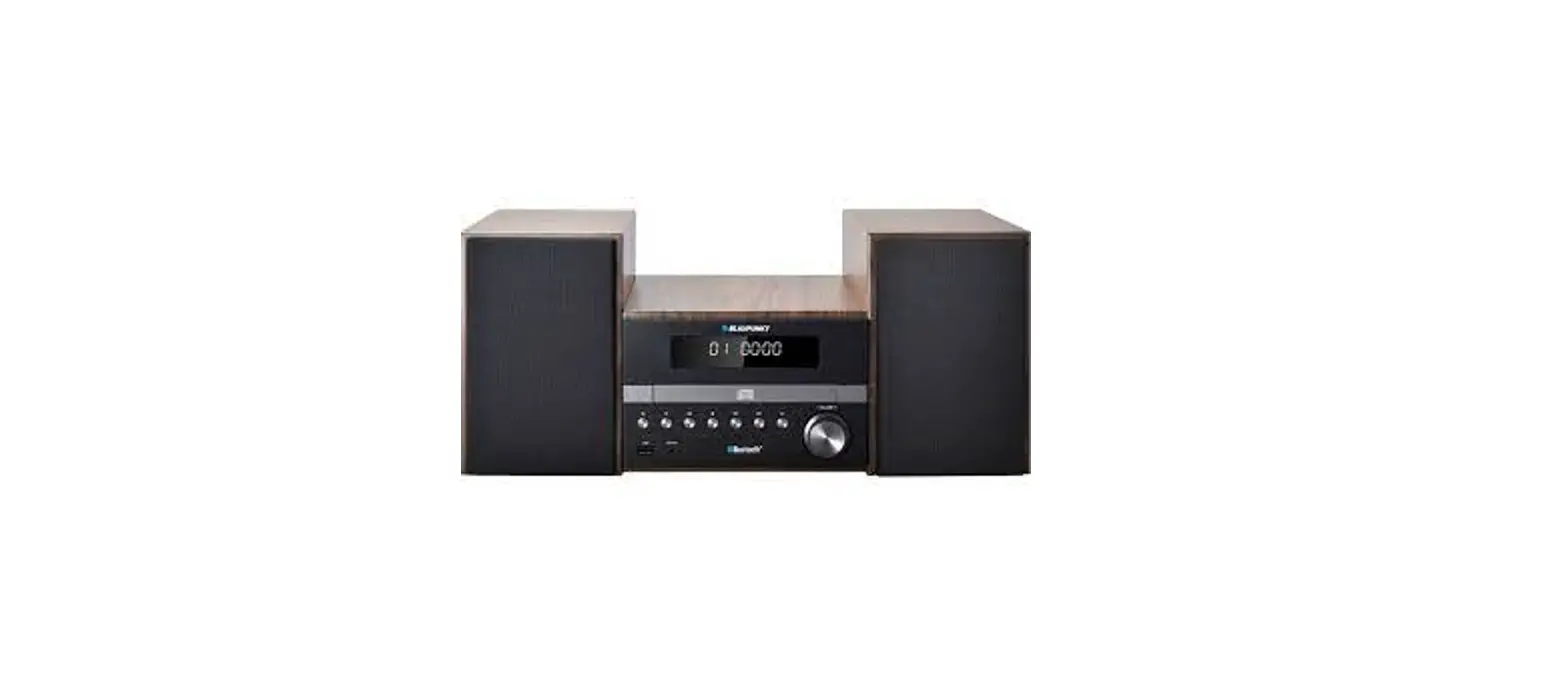
The MPU MKII is a CD/USB/SD/BT player and Tuner with remote
control. It is designed to provide audio playback and tuning
capabilities, allowing users to enjoy their favorite music and
radio stations.
This product comes with important safety features and
precautions to ensure user protection and product longevity. It is
equipped with safety symbols that indicate potential risks and
necessary precautions.
Safety Information
- The WARNING symbol indicates a risk to the user’s physical
integrity and potential product damage. - The CAUTION symbol indicates a risk of product
deterioration. - This unit contains no user-serviceable parts. Do not attempt to
open the housing or perform any maintenance by yourself. Contact
your nearest dealer for service needs. - Avoid using multi-sockets, power cord extensions, or connecting
systems that are not perfectly isolated or have defects to prevent
electrical malfunctions. - Sound pressure levels (SPL) produced by the audio solutions can
be harmful to human health when exposed for long periods. Avoid
staying in close proximity to operating speakers.
Recycling
When disposing of this device, please follow proper recycling
procedures according to your local regulations. Ensure responsible
disposal to minimize environmental impact.
Instructions and Recommendations
- Please read and understand the safety instructions before
operating this unit. - Keep this manual with the unit for future reference.
- Operate the product carefully and adhere to all safety
instructions. - Follow each safety instruction to avoid physical harm or
property damage. - Avoid using the product in wet locations or near water
sources. - For installation, use a fixation system or support recommended
by the manufacturer or supplied with the product. Follow the
installation instructions and use appropriate tools. Ensure the
unit is firmly fixed to prevent vibration and slipping during
operation. - Contact your local dealer for assistance with ceiling or wall
installation. - Ensure proper ventilation by not obstructing or covering the
cooling vents. Overheating can result in physical injury or product
damage. Do not operate the unit in a closed non-ventilated area
unless cooling vents are provided. - Avoid sustained contact or proximity with warm surfaces to
prevent overheating and product damage. Keep the product away from
heat sources like heaters, amplifiers, and hot plates. - Operate the product only with the specified voltage indicated
on the label located at the rear of the product. - Route power-supply cords in a way that prevents them from being
walked on or pinched by items. Pay attention to cords at lugs,
convenience receptacles, and exit points from fixtures.
Product Usage Instructions
To use the MPU MKII CD/USB/SD/BT player and Tuner, follow these
steps:
- Ensure the product is connected to a suitable power supply
according to the specified voltage indicated on the label at the
rear of the product. - To play audio from a CD, insert a compatible CD into the player
and use the remote control or control buttons on the unit to
navigate through tracks and adjust volume. - To play audio from a USB or SD card, insert a compatible USB
drive or SD card into the corresponding slot on the unit. Use the
remote control or control buttons to select and play audio
files. - For Bluetooth playback, activate the Bluetooth function on your
device and pair it with the MPU MKII. Follow the pairing
instructions provided in the product’s Bluetooth section. - To listen to radio stations, use the tuner function. Press the
tuner button on the unit or remote control to access the tuner
mode. Use the tuning buttons to search for and select desired radio
stations. - Adjust the volume level using the volume control buttons on the
unit or remote control. - Follow the safety recommendations mentioned in the user manual
to ensure proper usage and avoid any potential risks.
For further assistance or troubleshooting, refer to the user
manual or contact your nearest dealer.
MPU
MKII
USER GUIDE H11320 – Version 1 / 02-2022
ENGLISH
CD/USB/SD/BT player and Tuner with remote control
1 – Safety information
Important safety information
This unit is intended for indoor use only. Do not use it in a wet, or extremely cold/hot locations. Failure to follow these safety instructions could result in fire, electric shock, injury, or damage to this product or other property. Any maintenance procedure must be performed by a CONTEST authorised technical service. Basic cleaning operations must thoroughly follow our safety instructions. This product contains non-isolated electrical components. Do not undertake any maintenance operation when it is switched on as it may result in electric shock.
Symbols used
This symbol signals an important safety precaution.
The WARNING symbol signals a risk to the user’s physical integrity. The product may also be damaged.
The CAUTION symbol signals a risk of product deterioration.
WARNING : This unit contains no user-serviceable parts. Do not open the housing or attempt
any maintenance by yourself. In the unlikely even your unit may require service, please contact your nearest dealer. In order to avoid any electrical malfunction, please do not use any multi-socket, power cord extension or connecting system without making sure they are perfectly isolated and present no defect.
Sound levels
Our audio solutions deliver important sound pressure levels (SPL) that can be harmful to human health when exposed during long periods. Please do not stay in close proximity of operating speakers.
Recycling your device
· As HITMUSIC is really involved in the environmental cause, we only commercialise clean, ROHS compliant products. · When this product reaches its end of life, take it to a collection point designated by local authorities. The separate collection and recycling of your product at the time of disposal will help conserve natural resources and ensure that it is recycled in a manner that protects human health and the environment.
Instructions and recommendations
1 – Please read carefully : We strongly recommend to read carefully and understand the safety instructions before attempting to operate this unit.
2 – Please keep this manual : We strongly recommend to keep this manual with the unit for future reference.
3 – Operate carefully this product : We strongly recommend to take into consideration every safety instruction.
4 – Follow the instructions: Please carefully follow each safety instruction to avoid any physical harm or property damage.
5 – Avoid water and wet locations : Do not use this product in rain, or near washbasins or other wet locations.
6 – Installation : We strongly encourage you to only use a fixation system or support recommended by the manufacturer or supplied with this product. Carefully follow the installation instructions and use the adequate tools. Always ensure this unit is firmly fixed to avoid vibration and slipping while operating as it may result in physical injury.
7 – Ceiling or wall installation : Please contact your local dealer before attempting any ceiling or wall installation.
8 – Ventilation : The cooling vents ensure a safe use of this product, and avoid any overheating risk. Do not obstruct or cover these vents as it may result in overheating and potential physical injury or product damage. This product should never been operated in a closed non-ventilated area such as a flight case or a rack, unless cooling vents are provided for the purpose .
9 – Heat exposure : Sustained contact or proximity with warm surfaces may cause overheating and product damages. Please keep this product away from any heat source such as a heaters, amplifiers, hot plates, etc…
10 – Electric power supply : This product can only be operated according to a very specific voltage. These information are specified on the label located at the rear of the product.
11 – Power cords protection: Power-supply cords should be routed so that they are not likely to be walked on or pinched by items placed upon or against them, paying particular attention to cords at lugs, convenience receptacles and the point where they exit from the fixture.
12 – Cleaning precautions : Unplug the product before attempting any cleaning operation. This product should be cleaned only with accessories recommended by the manufacturer. Use a damp cloth to clean the surface. Do not wash this product.
13 – Long periods of non use : Disconnect the unit’s main power during long periods of non use.
14 – Liquids or objects penetration : Do not let any object penetrate this product as it may result in electric shock or fire. Never spill any liquid on this product as it may infiltrate the electronic components and result in electric shock or fire.
15 – This product should be serviced when : Please contact the qualified service personnel if :
– The power cord or the plug has been damaged. – Objects have fallen or liquid has been spilled into the appliance. – The appliance has been exposed to rain or water. – The product does not appear to operate normally. – The product has been damaged.
16 – Inspection/maintenance : Please do not attempt any inspection or maintenance by yourself. Refer all servicing to qualified personnel.
17 – Operating environment : Ambient temperature and humidity: +5 – +35°C, relative humidity must be less than 85% (when cooling vents are not obstructed). Do not operate this product in a non-ventilated, very humid or warm place.
Page 2
AUDIOPHONY PUBLIC ADDRESS
ENGLISH
2 – Our advices
2.1 – Compact disks
a – Handling precautions Please protect the disks in order for dust, fatty deposits and fingerprints not to damage them. However, if one of your disks is dirty please rub it gently with a dry cloth. Do not use alcohol, any solvent, antiseptic liquids or silicone-coated clothes. Handle your disk with precaution and protect its surface, especially while getting it out of its case. Do not bend the disk. Do not heat it. Do not enlarge the hole at the center of the disk. Do not write on the screenprinted part of the CD. In the event of the appearance of condensation due to important temperature changes, please let your CD dry without using any heat source.
b – Storage precautions Always eject the disk when you are not using it. Store your disks in the case provided for the purpose, protected from dust and shocks. Do not store your CDs in places: – Exposed to sunlight. – Subject to the accumulation of dust and humid. – Near heat sources (radiator…).
3 – Main characteristics
· CD/Mp3 player with anti-shock memory (AVM System)
· USB player with USB Mass Storage plug (FAT32, 16 Go max.)
· SD and SDHC player (16Go max) · Output level adjustment · AM and FM tuner with autoscan and 10 recordable
stations · Browse through menus and tracks · Supplied with an infrared remote control · Customisable or random playlist
4 – Technical specifications
· Power supply: 230 V AC – 50 Hz ou DC 13,2V · Power consumption: 26W
· RCA Unbalanced output(-10dB) · Remote control functions: · Source selection (CD, USB, SD, BT or Tuner) · Play, Pause, Skip, Search · Program, Random and Repeat functions · Folder and track selection · Customisable and recordable stations · Mute · CD Eject
· Player dimensions: 482 x 44 x 275 mm (19″ – 1 unit) · Weight: 3.4 kg
Page 3
ENGLISH
CD/USB/SD/BT player and Tuner with remote control
5 – Preparation and installation
5.1 – Checking the contents
The package must contain the following articles: – The MPU130BTMKII – An infrared remote control – The user guide – A double RCA cable – An antenna set (AM and FM) – 1 power cord.
5.2 – Installing the unit
a – Set up the MPU130BTMKIIMKII over a flat surface or within racks. b – Please make sure the unit is installed in a properly ventilated place, unexposed to sunlight rays, excessive temperatures or humidity.
5.3 – Connecting the unit a – Turn the unit off (unplug it). b – Connect the RCA cable to one of the inputs of your mixing desk.
CAUTION: Please use the cables supplied. Using other types of cables might cause severe damages to the unit. Please make sure the device is OFF before connecting any sources in order to prevent severe damages.
CAUTION: This device can be safely operated when placed on a flat surface not exceeding a 15° slope. Using this player on excessively steep surfaces might result in the ejection, deterioration or impossibility to read your disks. The LCD display was designed to be read easily when you are in front of the player. Please set up the unit in order for the display to be clearly visible.
6 – Compatible medias
6-1 – Compact disks
The MPU130BTMKII is able to read several media formats: – MP3 – WMA – CDA
When using the CDA format, please note that the CD containing the CDA files cannot use any other kind of files as CDA files cannot be mixed up with MP3 or WMA files on the same support. The MP3-Pro, MP4, Wave (etc.) formats are not supported by this system. Please only use MP3, WMA or CDA files on your disks as other formats might damage your device. We strongly recommend to use high-quality medias, recorded at low speed.
Notes: · Some CD-R/CD-RW recorded via CD writer might not be readable for many reasons such as the disk characteristics, scratches, stains, condensation etc. · Some disks might also be impossible to read if recorded via CD writer due to the parameters of the operating systems. Please make sure to format your disks correctly before rewriting. For more details, please read the user guide supplied with your CD
Page 4
writer. · This device cannot read partially recorded or not finalised CD-R or CD-RW. · For more information about handlig CD-R/CD-RW, please consult the safety precautions supplied with each disk.
About CD-R/RW Due to the very particular structure of CD-R/CD-RW disks, they should not be let in Pause mode at a precise point, as it may result in difficulties to resume the playing. As a result, we strongly recommend you to use archive desks to save your most important files.
About DualDisc This product was designed to comply with the music CD regulations. However, performances and flawless reading are not guaranteed if you are using non-compliant CDs.
AUDIOPHONY PUBLIC ADDRESS
ENGLISH
6-2 – USB supports and SD cards
The MPU130BTMKII is able to read files stored on USB supports such as USB keys , USB hard disks, or any other type of devices compatible with the USB Mass Storage norm.
Your device can read the following formats stored on USB support: – MP3 (VBR or CBR) up to 320kbits/s – WMA (same characteristics)
Your disks must be FAT-formatted to be compatible with the MPU130BT. The Mpu130 is unable to read contents via supports with different formats (NTFS, …).
Please note that some FAT devices might present compatibility issues due to specific commands or functions they might offer. That is why we strongly recommend to test the compatibility of a device with the MPU130BTMKII before acquiring it.
The MPU130BTMKII powers up USB keys and HDD USB-connected. However, some disks or keys might require a power supply unit delivering more power than the MPU130BT. We strongly recommend to use these devices with their external power supply unit in order to prevent any kind of problems or damages.
The USB port of the MPU130BTMKII is a USB Mass Storage port. It cannot be used to read audio fluxes such as the USB Audio codec under any circumstances. The MPU130BT is therefore not compatible with the devices uses such fluxes such as computers, portable players, USB microphones, etc.
The SD card slot has the same file properties and restrictions as the USB port. SD HC can be used with the MPU130BT, subject to not exceed a maximum size of 16 Gb.
6-3 – Playing MP3/WMA files
MP3 files may have two formats: Constant bitrate (CBR) and Variable bitrate (VBR). The MPU130BTMKII the reading and DJ reading of both CBR and VBR MP3 files. However, you might notice that the super-fast search speeds are slower for VBR files, in comparison with CBR files. As a result, if speed is an important factor to you, we recommend to use MP3 files in the CBR format. The MP3 files must meet the following criterias indicated below:
MPEG-1
Compatible with the Audio Layer-3 sampling rate from 32 kHz, 44,1 kHz, 48 kHz; Bit rate: 32 Kbps at 320 Kbps.
MP3 Format
MPEG-2 ID3 Label
Compatible with the Audio Layer-3 sampling rate from 16 kHz, 22,05 kHz, 24 kHz, Bit rate: 16 Kbps (stereo) a 160 Kbps.
Compatible with the ID3 Versions 1.0/1.1/2.2/2.3/2.4. Indicates the title, album, artist, and genre. Alphanumeric characters and some symbols only can be displayed.
WMA Format
File extension File extension
.mp3, .MP3, .mP3, .Mp3 .wma, .WMA
Page 5
ENGLISH
CD/USB/SD/BT player and Tuner with remote control
7 – Description of the front and rear panels
7.1 – Front panel
1
2
3
4
5
7
14 15 16 17 18
6
8
9 10 11 12 13
[1] POWER switch Turns the unit ON/OFF.[2] SD Port This SD port allows you to insert your SD or SDHC card. Please only use FAT32-formatted, compatible devices.
[3] 1 to 10 memory buttons Allows you to directly access one of the CD player (or current folder) track. In Tuner mode, allows you to quickly access the preset frequencies. To save one of these frequencies, press and hold the corresponding button until the button number appears at the top right of the screen.
[4] CD / CARD MEMORY Button Allows you to create playlists. Press the PROG button of your player or remote control. The display will indicate “PROG”. Select the files you want to insert wit hthe FOLDER and SKIP buttons. Once the files have been chosen, press CD/CARD MEMORY. Repeat these steps for each file you want to add to your playlist. Press PLAY to launch a playlist.
[5] CD Slot Allows you to insert/eject your CD. [6] LCD Screen Displays information about tracks or the current status of the player.
[7] Infrared sensor Allows you to receive informations sent via the remote control.
[8] USB Port This USB port allows you to insert a Mass Storage device (key or HDD). Please only use FAT32formatted, compatible devices.
[9] PROG MEMORY Button In SD/USB/CD mode: This button allows you to create your playback programs. To create your playlist, press the PROG button on your player or remote control. PROG will appear on the screen. Select your files to play with the FOLDER and SKIP buttons. Once you’ve selected a file, press the ENTER button. Repeat for each file you want to add to the list. Press PLAY to begin program playback.
In RADIO mode: This button is used to store radio stations. Select a station using the TUNNING buttons, then press the MEMORY button and then press one of the memory buttons M1 to M10.
Page 6
AUDIOPHONY PUBLIC ADDRESS
ENGLISH
[10] REP/RAN Button This key is used to switch between the different repeat playback modes. These modes are shown on the display: – REPEAT ONE: The current song is repeated infinitely – REPEAT ALL : The current media content is repeated infinitely – RANDOM ON : The content of the current folder is played randomly – RANDOM OFF : Playback returns to normal mode[11] PREV/NEXT/ MEMORY keys
In SD/USB/CD mode: These keys allow you to move from one song to another. With an audio CD, by holding these keys to fast forward/backward through the current song. [16] BAND / PLAY/PAUSE Button In SD/USB/CD mode: Use this button to play or pause the unit.
In RADIO mode: Use this button to switch between AM and FM bands.
[17] AB Buttons This key is used to create loops. A first press defines the start of the loop, the next press gives the end of the loop.
[17] SKIP Buttons Allow you to select a file within a folder, or select a track on an Audio CD.
[18] Volume control knob Allows you to increase/decrease the volume of your device.
In RADIO mode: These keys allow you to move from one stored station to another.
[12] STOP/EJECT Button Allows you to stop the current track and eject the CD from the player. When using a USB key or SD card, please always press this button before removing the media from its slot.
Press this button several times to switch from a source to another.
To connect a Bluetooth source, switch to Bluetooth mode and search your Bluetooth device for a device named BLUE. Then connect this device. Playback controls are performed from your Bluetooth source device.
[14] INFO / SINGLE Button In SD/USB/CD mode: Allows you to limit playback to a single song.
In RADIO mode: Allows you to view information about the operation of the radio.
[15] TUNNING / FOLDER Button In SD/USB/CD mode: Allows you to move from one directory to another.In RADIO mode: Use these keys in TUNING (radio) mode to change the reception frequency. Press and hold for fast scrolling and automatic stop at the next reception.
Page 7
ENGLISH
7.2 – Rear panel
CD/USB/SD/BT player and Tuner with remote control
21
ON AUTO PLAY
OFF MADE IN TAIWAN Distributed by HITMUSIC S.A.S Zone Cahors Sud 46230 FONTANES – FRANCE
19
OUTPUT
20
BT ANT
RADIO
POWER SUPPLY
DC 13.2V
22 23 24
AC 230V – 50Hz 45W
FUSE : T1A – 250V 5 x 20 mm
25
[19] AUTO PLAY switch When it is set to ON, it automatically starts the playback when the power is turned on.[20] Unbalanced outputs These RCA send an analogue, unbalanced signal (-10 dB) to your sound system.
[21] Bluetooth antenna
[22] FM Antenna connector Connect your FM antenna cable here. [23] AM Antenna connector Connect your AM loop antenna here.
[24] 13.2 V DC power supply The MPU130BT can use a 12 V DC power supply unit connected to this socket.
[25] 220 V AC power supply Connect here the supplied 220V power cord. Note: this connector contains a fuse. If need to replace the fuse, please only replace it by a new one with the exact same characteristics.
7.3 – Remote control
1
2 3 4
5 6 7
8
9
10
11
12
13 14
15 16
17 18
19
20
[2] FOLDER Buttons Allow you to move from a folder to another. Folders are numbered by alphabetical order. When using an Audio CD, these buttons allow you to search a specific time within the current track.
[3] AB Buttons This key is used to create loops. A first press defines the start of the loop, the next press gives the end of the loop.
[4] Source selection Allows you to switch from a source to another: – USB – SD – CD – Bluetooth – Tuner
[5] MEMORY Button Allows you to add a frequency to the customisable frequencies of your device (M1-M10). Press the MEMORY button then the corresponding M button to save the current frequency.
Page 8
AUDIOPHONY PUBLIC ADDRESS
ENGLISH
6] POWER Button Turns the MPU130BT MKII on and off.
[6] EJECT Button Press here to eject the CD.
[7] MEM buttons In SD/USB/CD mode: This button allows you to create your playback programs. To create your playlist, press the PROG button on your player or remote control. PROG will appear on the screen. Select your files to play with the FOLDER and SKIP buttons. Once you’ve selected a file, press the ENTER button. Repeat for each file you want to add to the list. Press PLAY to start program playback.
In RADIO mode: This button is used to store radio stations. Select a station using the TUNNING buttons, then press the MEMORY button and then press one of the memory buttons M1 to M10.
[8] BAND Button Use this button to switch between AM and FM bands.
[9] EJECT Button Use this button to eject the CD from the player.
[10] PROG Button Allows you to create playlists. Press the PROG button of your player or remote control. The display will indicate “PROG”. Select the files you want to insert wit hthe FOLDER and SKIP buttons. Once the files have been chosen, press ENTER. Repeat these steps for each file you want to add to your playlist. Press PLAY to launch a playlist.
[11] SINGLE Button Allows you to limit playback to a single song.
[12] REPEAT / RANDOM button This key is used to switch between the different repeat playback modes. These modes are shown on the display: – REPEAT ONE: The current song is repeated infinitely – REPEAT ALL : The current media content is repeated infinitely – RANDOM ON : The content of the current folder is played randomly – RANDOM OFF : Playback returns to normal mode
[13] PLAY/PAUSE Button Allows you to play/pause the current track.
[14] STOP Button Allows you to stop the current track and eject the CD from the player. When using a USB key or SD card, please always press this button before removing the media from its slot.
[15] SKIP Buttons Allow you to select a file within a folder, or select a track on an Audio CD.
[17] ENTER Button Allows you to confirm your choice.
[18] INFO Buttons In radio mode, this key displays information on the operation of the radio.
[19] TUNING Buttons In Tuning mode (radio), use these buttons to modify the receiving frequency. Hold this button to automatically jump to the next available station.
[20] VOLUME Buttons These keys are used to increase or decrease the output volume.
Page 9
Because AUDIOPHONY® takes the utmost care in its products to make sure you only get the best possible quality, our products are subjects to modifications without prior notice. That is why technical specifications and the products physical configuration might differ from the illustrations. Make sure you get the latest news and updates about the AUDIOPHONY® products on www.audiophony-pa.com AUDIOPHONY® is a trademark of HITMUSIC S.A.S – Zone Cahors sud – 46230 FONTANES – FRANCE
 Audiophony Public Address - Public-Address


![Philips Micro Music System [btb8000] User Manual](https://static-data1.manualsee.com/1/img/369/18086/2020/12/Philips-Micro-Music-System-BTB8000-1200x823.jpg "Philips Micro Music System [btb8000] User Manual")