
User’s Manual
Bluetooth MP3 player
MP1824BT
*ANY PROBLEM OR QUESTIONS, CALL SUPPORT DESK 0900-3437623 (NL) (€ 0,15/min. + regular costs)
Imported by: Inter Sales A/S, Omega 5A, Soeften, DK-8382 Hinnerup, Denmark
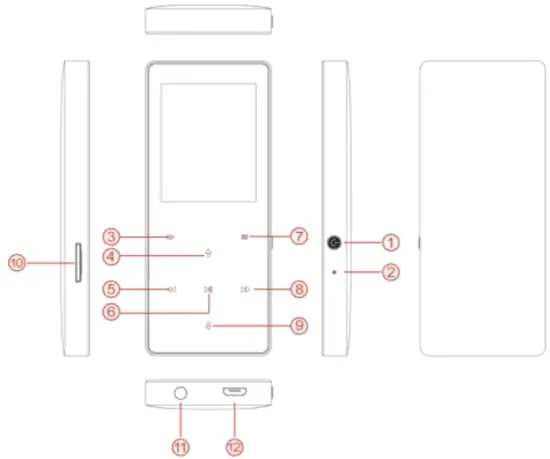
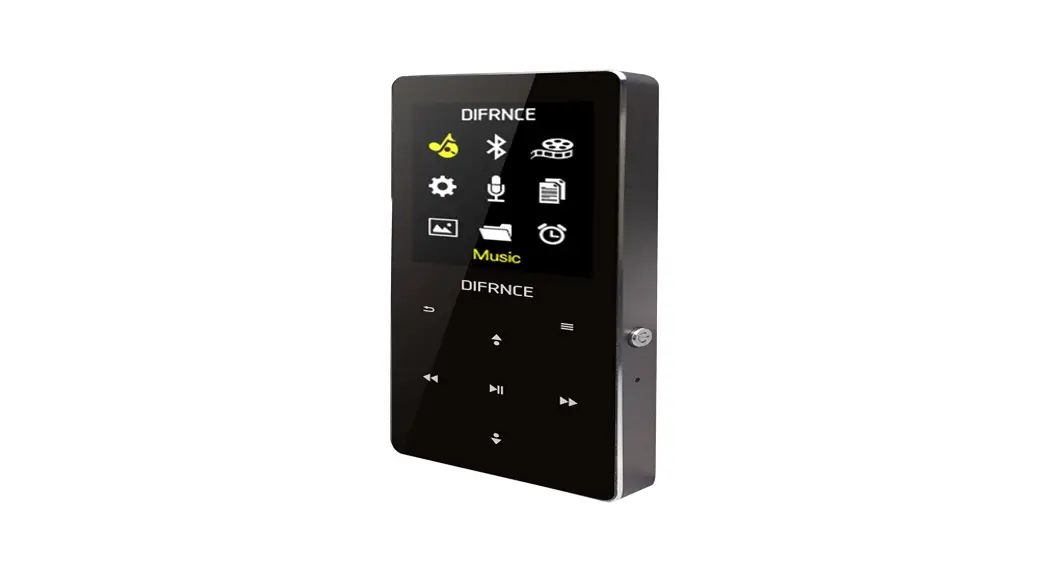
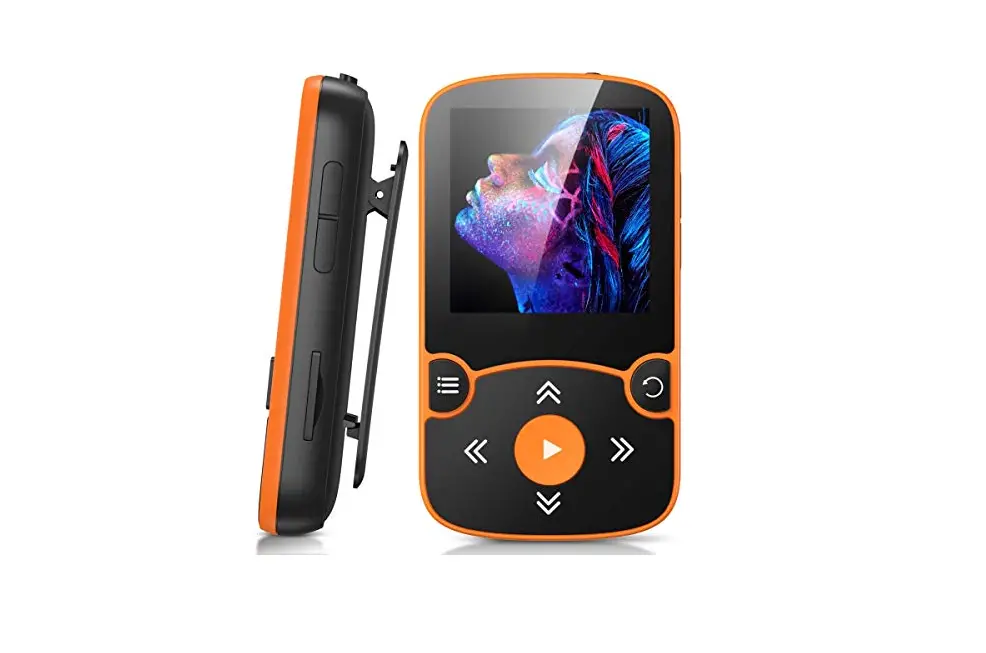
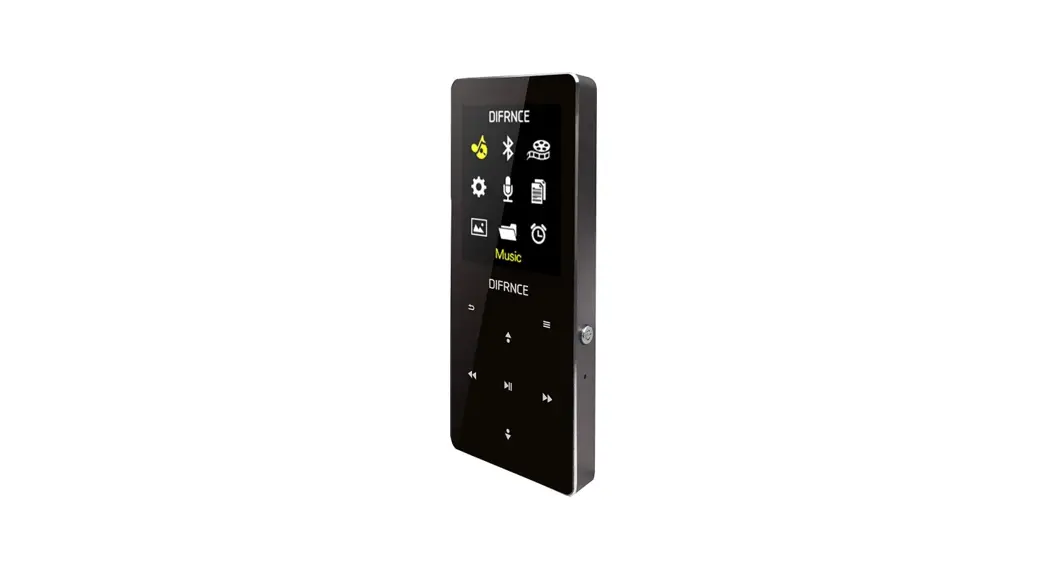
Controls at a glance:
 : Short press for screen protection or screen wakening and long press for power on/off.
- Reset: To reset the Player.
 : Go back to the last menu. Long press back to the main menu directly.
 : Select up / Volume+.
 : Short press for previous track / long press to rewind.
 : Play and Pause function.
 : Press to open the functional submenu. Long press to lock/unlock.
 : Short press for next track / long press to fast forward.
 : Select down / Volume-.
- Micro SD card slot: support up to 64GB.
- Earphone Socket: 3.5mm earphone socket
- Micro USB port: To connect a micro USB cable
Connect to the PC & Download audio files from the PC
Connect the player to a computer for downloading the files or charging the player.
- Make sure that your computer is powered on before you plug the player onto your computer.
- Connect the player to your computer via the enclosed USB cable, it will indicate on display as “Charge & transfer” or “Charge & play”.
- As soon as your computer recognizes the player, it shows as a removable disk on your computer.
- Then drag and drop files from your computer onto the player.
Important notice:
- The Player has Bluetooth transmitting function only, not receiving; it is designed to work with Bluetooth Headset or Bluetooth Speaker; it cannot be paired with a Mobile phone nor Computer via Bluetooth.
- The battery indicator shows charging when the player connects to the computer.
- Please do not disconnect the USB cable during data transfer, it may damage the player.
Basic Operation
| Function | Description |
| Power On/Off | • Press and hold the Power button  for 5 seconds and the Player will power on/off. for 5 seconds and the Player will power on/off.• When there is no operation on the Player, it will power off automatically after a certain idle time. |
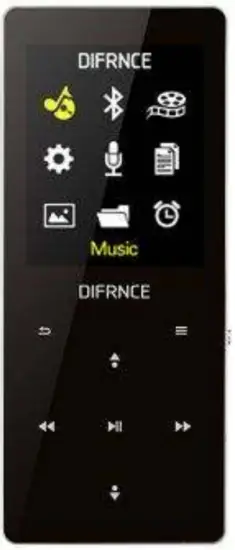
| Main menu | • Each time you press  / / / / / / , it will move you to one of the icons: Music, Bluetooth, Movie, Settings, Recorder, E-Book, Photo, Folder View, and Tools. / only work in the main menu. , it will move you to one of the icons: Music, Bluetooth, Movie, Settings, Recorder, E-Book, Photo, Folder View, and Tools. / only work in the main menu. |
| Listening to music | Select icon Music and press, a new list will appear showing the following: Last Played, All Songs, Artists, Albums, Genres, Folder, Playlists, and Update Media Library. • Press the center button on ‘All songs’ and select one song then the player will start playing. • Press /to go to previous/next track.• Press and hold /to rewind/fast forward.• Press to play/pause the track. |
| Bluetooth | Select icon Bluetooth and press  , a list will appear showing the following: Bluetooth Control, Search Device, Device List, All Songs, and BT Now Playing. , a list will appear showing the following: Bluetooth Control, Search Device, Device List, All Songs, and BT Now Playing.• Press on ‘Bluetooth Control’ and select ‘Enable Bluetooth’ then the Bluetooth function will be activated.• Press on ‘Search Device’ to start detecting Bluetooth devices available nearby, then choose ‘Pair’ and press again to connect the Bluetooth device.• Select music from ‘All Songs’ and press to start playing music through the Bluetooth device pairing.• To delete paired Bluetooth device: disconnect with paired Bluetooth device firstly, enter ‘Device list’ and select a device name, then press and select ‘Unpair’ to delete. |
| Movie | Select icon Movie on the main menu and press , a list will appear showing the video list, Format supported: AVI/AMV (resolution no higher than 120*160). • Select a video from the list and press to start playing,• Press /to go to previous/next movie.• Press and hold /to rewind/fast forward.• Press to play/pause the movie.• Press to select ‘Repeat’, ‘Delete video’ during video playing, and press to confirm. |
| Settings | Select icon Settings on the main menu and press , a list of settings will appear as below: • Language: Press / to select a language, then press to confirm.• Volume limit: Press / to select a volume level, then press to set it.Notice: long time listening at a high volume may hurt your hearings. • Backlight Timer: 10s, the 20s, 30s, Always on. The display of Player will get dark after a certain set time, the Player is still on, just the display is dark. • Date and Time: Set Date, Set Time, Press / to set the date and time, then press to confirm.• Power Saving: Select from ‘Off/1min/2min’ and press to confirm, if the Player is idle, then it will be compulsively shut down after this set time.• Sleep timer: Select from ‘10/15/30/60/120min’ and press to confirm, the Player will be compulsively shut down after the set time, regardless the Player is working or idle;Select ‘OFF’ to disable this function. Notice: This function works only once, it will default as ‘OFF’ again next time power on. • About: Press / to select ‘Player Information’ and ‘Disk Space’, press to review the details.• Restore Settings: Restore factory settings, select ‘Yes’ and press to confirm restoring;• Exit Settings: Press on it to return to the main menu. |
| Voice Recordings | Select icon Recordings on the main menu, and press , a list will appear: Start Voice Recording, Recordings Library, Saved to…, Record Format, and Record Settings. • Select ‘Start voice recording’ and press on it, the Player will show ‘please wait and then the recording starts.• When the Player is under-recording, press to pause and resume the recording, press  and the Player indicates ‘Save recording?’, select yes, and press to save it. and the Player indicates ‘Save recording?’, select yes, and press to save it.• Press on ‘Recording Library’, and the Player shows ‘Delete All’, and a list of recorded files; select a recorded file from the list and press to start listening to the recordings files.• Press on ‘Record Format’, and the Player shows two formats for option: MP3 Rec, WAV Rec. |
| E-Book | Select icon E-Book on the main menu and press , a list will appear showing all the E-Book files available. Format supported of E-Book: TXT • Press / to select the file you want to view, and press to start viewing.• When on the E-Book screen, the press  will display a new list: Play Setting, Delete EBook, and so on. will display a new list: Play Setting, Delete EBook, and so on.• Select the Play setting to set the Auto playtime per page: from 2 seconds to 30 seconds. • When on the EBook screen, press to start Auto-playing (a play icon will show on the top of the display).• Press to go back to the main menu. |
| Photo | Select icon Photo on the main menu and press , the player will display a list of images available. • Press / to select the image you want to view, then press to confirm playing the image.• When the Player is on the picture screen, press and it shows ‘Slideshow Settings’, ‘Delete Picture’ and ‘Update Media Library’.• Press on ‘Slideshow Settings’ to set the ‘Time per Slide’, ‘Repeat’, ‘Shuffle’, ‘Thumbnail’• Press to go back to the main menu. |
| Folder View | Select icon Folder View on the main menu and press , the Player will show ‘RECORD’, and a list of files inside, including Songs, Movies, Photos, and EBook files. • Select ‘RECORD’ and press to enter, it will show all MIC recording files;• Press / to select any file you want to view, and press to start playing.• Press to go back to the main menu. |
| Tools | Select icon Tools on the main menu and press , the Player will show ‘Stopwatch’. • Select ‘Stopwatch’ and press to enter, it will show 5 stopwatch items;• Press / to select a stopwatch, press to start timing;• When the Player is on the timing screen, press to Pause/Resume, and press to restore the timings.• Press to go back to the main menu. |
ALL RIGHTS RESERVED, COPYRIGHT DIFRNCE

Electric and electronic equipment and included batteries contain materials, components, and substances that can be hazardous to your health and the environment if the waste material (discarded electric and electronic equipment and batteries) is not handled correctly.
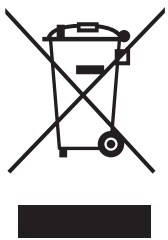
Electric and electronic equipment and batteries are marked with the crossed-out trash can symbol, seen below. This symbol signifies that electric and electronic equipment and batteries should not be disposed of with other household waste, but should be disposed of separately.
As the end-user, it is important that you submit your used batteries to the appropriate and designated facility. In this manner, you make sure that the batteries are recycled in accordance with the legislature and will not harm the environment.
All cities have established collection points, where electric and electronic equipment and batteries can either be submitted free of charge at recycling stations and other collection sites or be collected from households.
Additional information is available at the technical department of your city.
Hereby, Inter Sales A/S declares that the radio equipment type MP1824BT is in compliance with Directive 2014/53/EU. The full text of the EU declaration of conformity is available at the following internet address: https://denver-electronics.com/red-directives/difrnce-mp1824bt/
Operating Frequency Range: 2402-2480GHz
Max Output Power: -7.13dBm
Imported by:
Inter Sales A/S
Omega 5A, Soeften
DK-8382 Hinnerup
Denmark