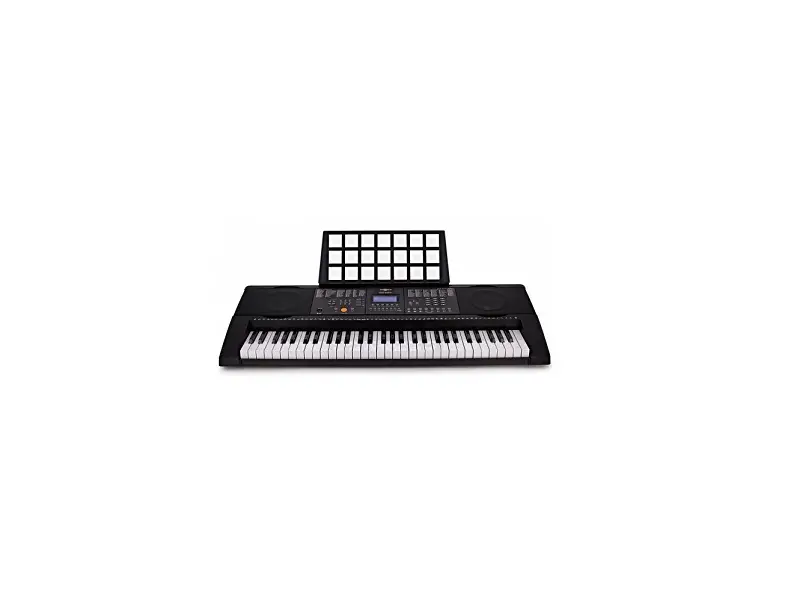
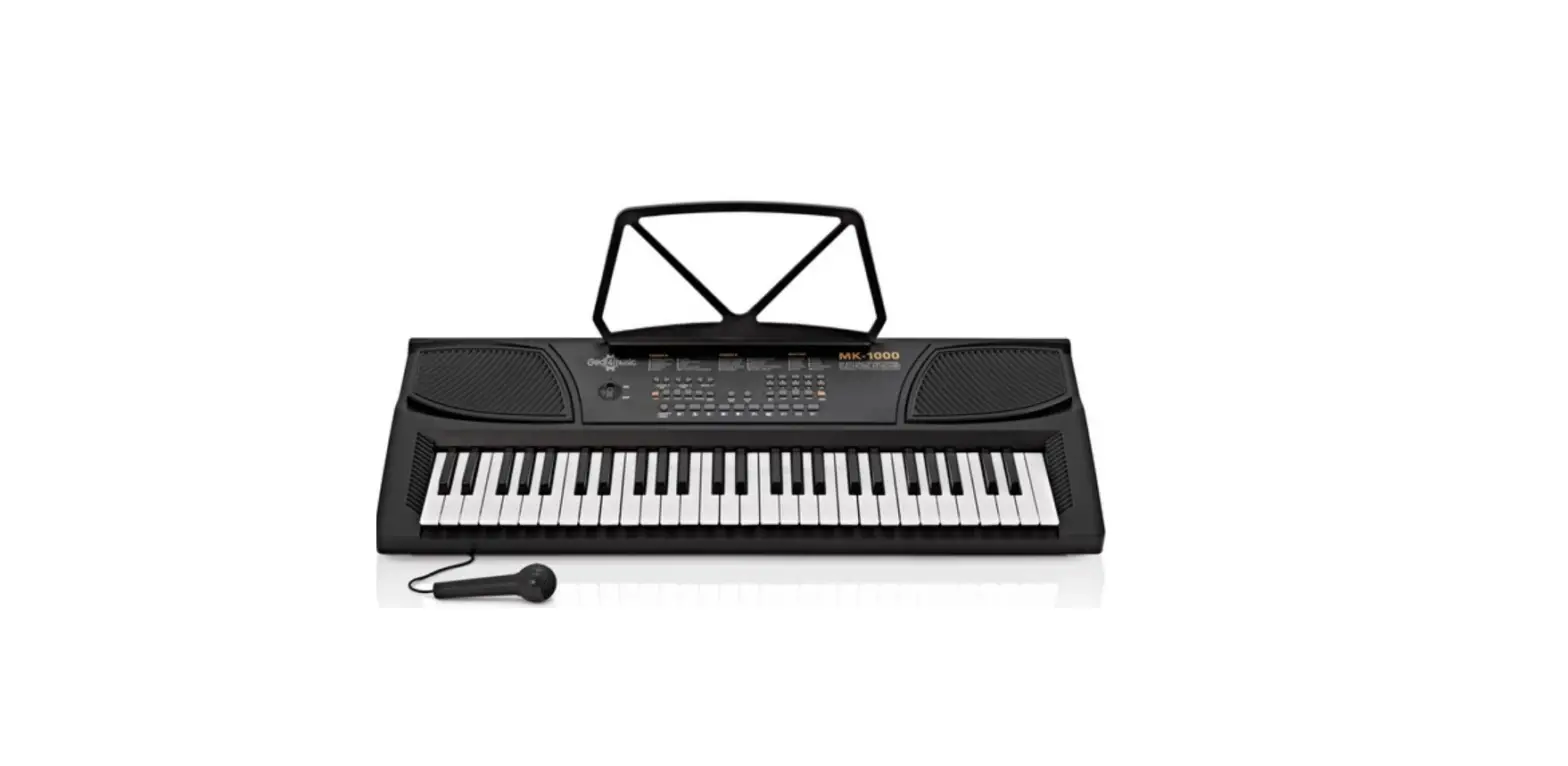
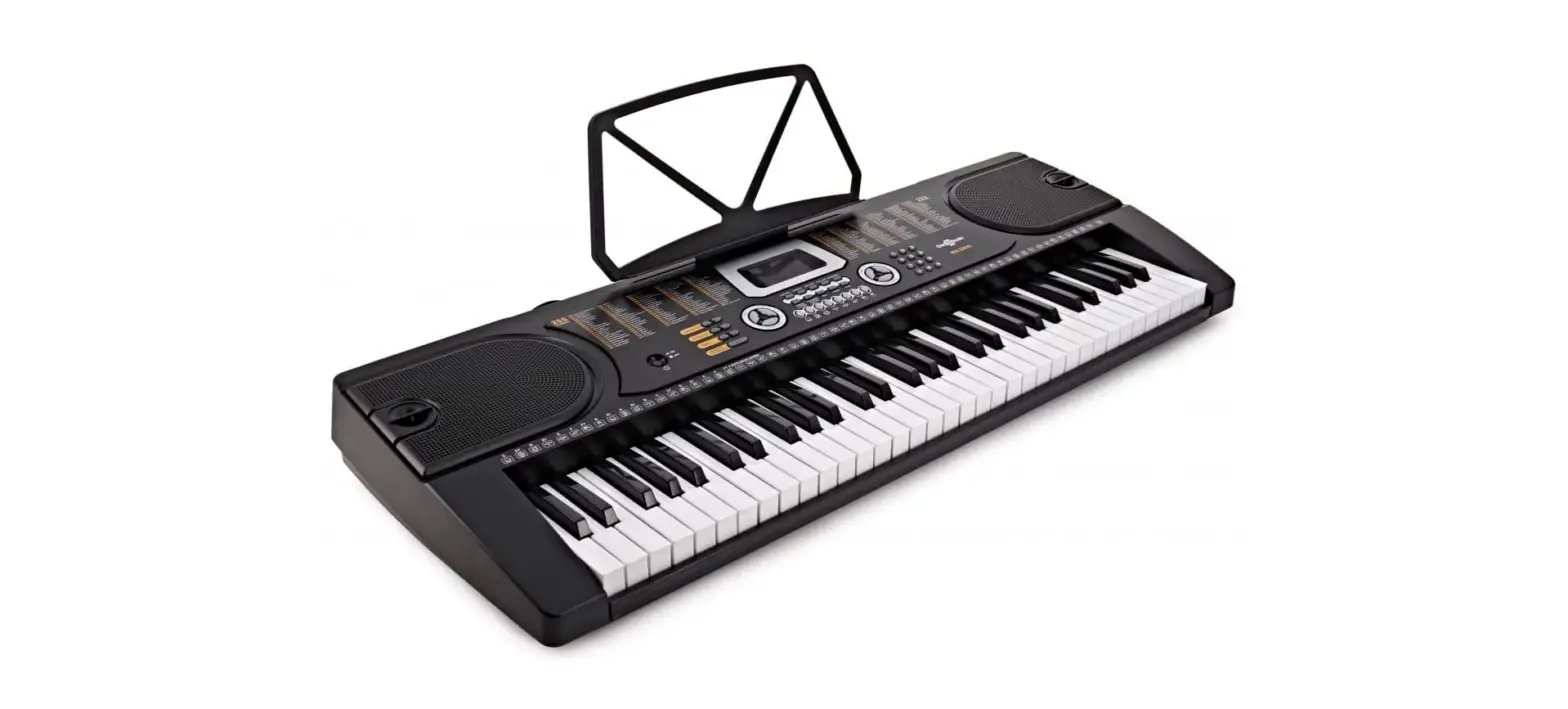
Gear4music MK-6000 Keyboard with USB Midi User Manual

WARNING! EN
Do not open cover. No user-serviceable parts inside. Refer servicing to qualified service personnel
Do not place the product in a location near a heat source such as a radiator, or in an area subject to direct sunlight, excessive dust, mechanical vibration or shock
The product must not be exposed to dripping or splashing and no objects filled with liquids, such as vases, shall be placed on the product
No naked flame sources, such as lighted candles, should be placed on the product
Allow adequate air circulation and avoid obstructing vents (if present) to prevent internal heat build-up.
The ventillation must not be impeded by covering the appliance with items such as newspapers, tablecloths, curtains etc.
The mains plug is used to disconnect the appliance from the mains supply. Ensure that the mains outlet is easily-accessible and remove the plug from the mains outlet if you notice any abnormality with the appliance.
INTRODUCTION
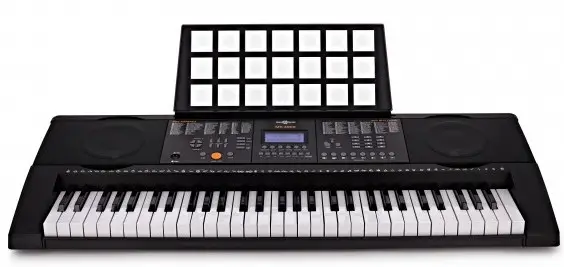
Thank you for purchasing the MK-6000. To get the most out of your product, please read this manual carefully.
BOX CONTENTS
- 1 x MK-6000 Keyboard with USB MIDI by Gear4music
- 1 x Power supply unit (PSU)
- 1 x Music rest
- 1 x User manual
FEATURES
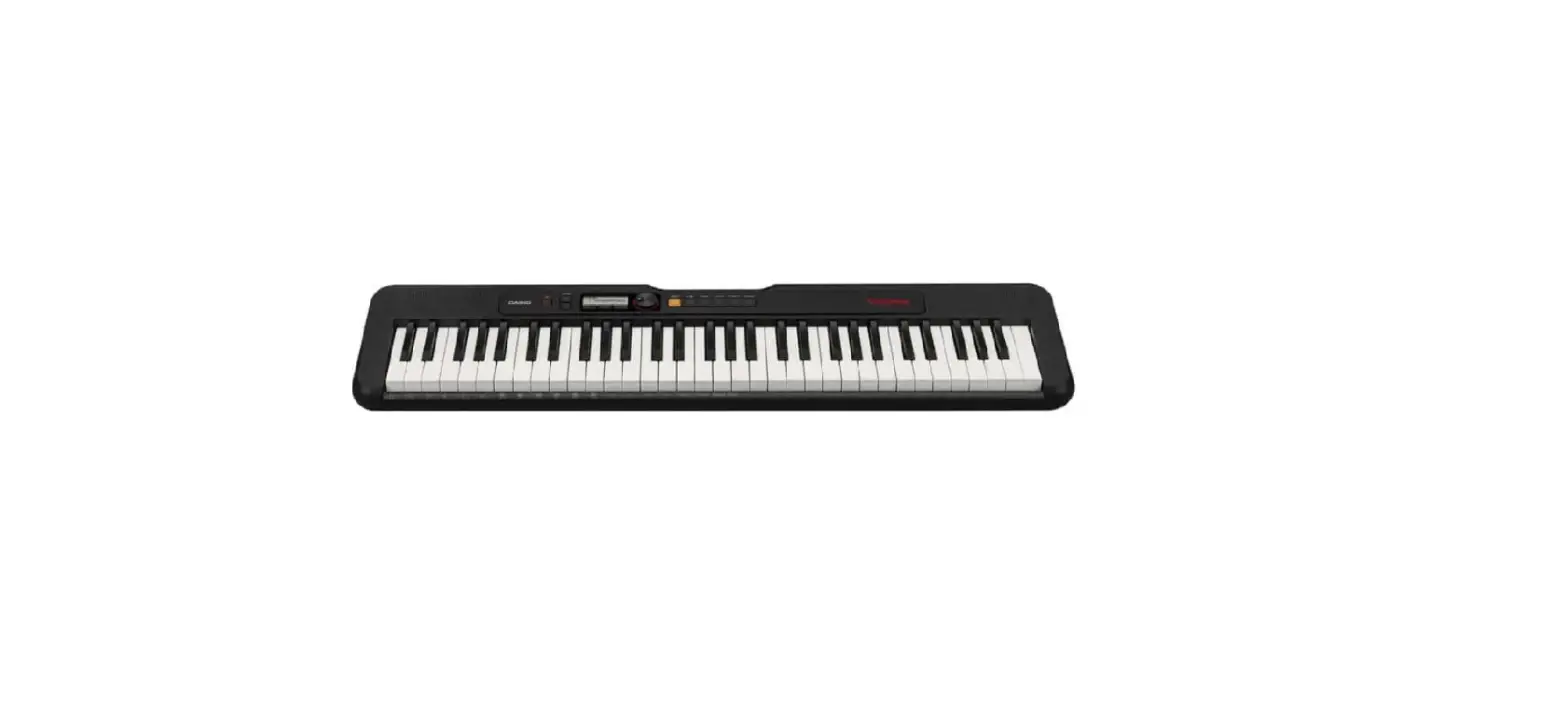
- 61-key keyboard with USB MIDI connectivity.
- Includes 300 voices, 300 rhythms and 56 demo songs.
- Versatile playback options with stereo 3.5mm output and 3.5mm headphones output.
- Capture fleeting moments of inspiration with record and playback functionality.
- Includes power supply and music rest.
FUNCTIONS
FRONT PANEL
- POWER
- MASTER VOLUME
- ACCOMPANIMENT VOLUME
- TEMPO
- TRANSPOSE
- TUNE
- SINGLE
- FINGERED
- BASS
- CHORD CLOSE
- METRONOME
- ONE KEY
- FOLLOW
- ENSEMBLE
- DEMO ONE
- DEMO ALL
- TIMBRE
- SONG
- RHYTHM
- NUMBERS
- SYNC
- START/STOP
- FILL IN
- RECORD
- PROGRAM
- PLAY
- TOUCH
- SUSTAIN
- VIBRATO
- SPLIT
- KEYBOARD PERCUSSION
- PERCUSSION BUTTONS
FUNCTIONS
LCD DISPLAY
- TEMPO DISPLAY
This indicates the current tempo.
B.NUMERIC DISPLAY
This indicates the current preset active.
C. RC-VOLUME
This indicates when the accompaniment volume is being adjusted.
D. VOLUME
This indicates when the master volume is being adjusted.
E. METRONOME
This indicates when the metronome is engaged.
F. BEAT INDICATOR
This indicates when the beat is being adjusted.
G.KEYBOARD DISPLAY
This indicates the note(s) being played.
H. VIBRATO
This indicates when the vibrato effect is enabled.
I. SUSTAIN
This indicates when the sustain effect is enabled.
J. RECORD
This indicates when the recording mode is active.
K. PROGRAM
This indicates when rhythm programming is active
L. PLAY
This indicates the recorded melody or programmed rhythm playback.
M. TONE
This indicates the numeric keypad is set to timbre selection.
N. SONG
This indicates the numeric keypad is set to song selection.
O.RHYTHM
This indicates the numeric keypad is set to rhythm selection.
P. SPLIT
This indicates when the keyboard is split into two timbres.
Q. LEARN
This indicates that teaching mode is active.
R. SINGLE
This indicates that single fingered chord mode is active.
S. FINGERED
This indicates that fingered chord mode is active.
T. TOUCH
This indicates when touch response is enabled.
FUNCTIONS
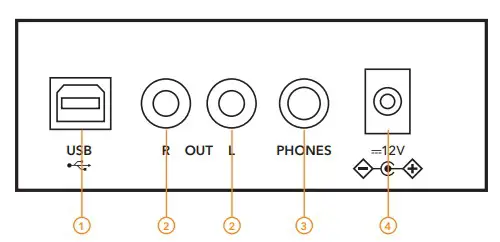
REAR PANEL
- USB MIDI
Connect your keyboard to your computer here. - OUTPUTS LEFT/RIGHT
Connect your keyboard to mixers and interfaces here. - HEADPHONES OUTPUT
Connect a pair of 3.5mm headphones here. Please note when headphones are inserted the speakers automatically mute. - DC 12V POWER INPUT
Connect the keyboard to a power source here.
WARNING!
To prevent damage to your hearing, speakers, and other audio equipment, reduce the volume and have the power off before connecting to any other equipment.
GETTING STARTED
POWER
Press the power [ON/OFF] button to turn the keyboard on or off. The LCD display will illuminate when powered on.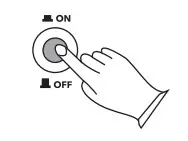
MASTER VOLUME
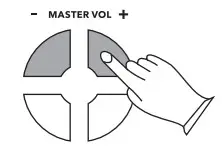
Control the master volume by pressing the [MASTER VOL +/-] controls. The “VOLUME” indicator will light up and the current volume level
(01-16) will be shown on the display. Press the [MASTER VOL +/-] buttons simultaneously to reset the default level (11).
ACCOMPANIMENT VOLUME
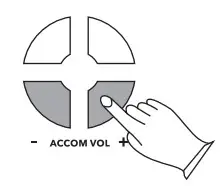
Control the accompaniment volume by pressing the [ACCOM VOL +/-] controls. The “RC VOLUME” indicator will light up and the current volume level
(01-16) will be shown on the display. Press the [ACCOM VOL +/-] buttons simultaneously to reset to the default level (11).
DEMO SONGS
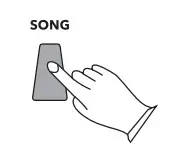
The MK-6000 has 56 in-built demo songs, from 000 to 055, accessed by pressing the [SONG] button.
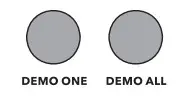
The “SONG” indicator will light up and the current demo song number will be shown on the display. Press the [+/-] buttons on the keypad to select different demo songs, and the [START/STOP] button to control playback. Whilst a demo song is playing, press the [DEMO ONE] button to play the selected song on a loop, or press the [DEMO ALL] button to play all 56 songs in sequence.
TIMBRE SELECTION
Select from 300 different timbres, from 000 to 299.
When the instrument is switched on, the timbre selection function will automatically be enabled.
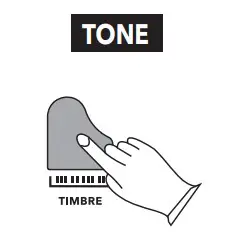
The “TONE” indicator will be lit and the current timbre number will be shown on the display.
The default tone will be “000 Acoustic Piano” and can be adjusted by pressing the corresponding number buttons or pressing the [+/-] controls on the number keypad.
When using other functions, press the [TIMBRE] button to return to/enable to the timbre select function.
RHYTHM SELECTION
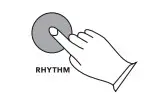
Select from 300 different rhythms, from 000 to 299. Press the [RHYTHM] button to enable/return to this function.
The “RHYM” indicator will light up and the current rhythm number will be shown on the display.
The default rhythm will be “000 8 Beat Pop” and can be adjusted by pressing the corresponding number buttons or pressing the [+/-] controls on the number keypad.
When using other functions, press the [RHYTHM] button to return to/enable rhythm select.
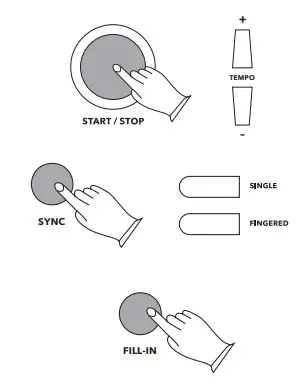
Press [START/STOP] to control playback of the selected rhythm. Press [TEMPO +/-] to increase or decrease the rhythm speed.
The MK-6000 can be set to begin playing the selected rhythm at the same time as the accompaniment by pressing the [SYNC] button after selecting the desired rhythm. The four beat indicators on the display will start to flash. Next, press the [SINGLE] or [FINGERED] chord buttons if required, and begin playback of both the rhythm and accompaniment by playing the desired keyboard keys.
Pressing the [FILL-IN] button will momentarily change the rhythm patters, to add variety to your performances. Fills can be added at any time during rhythm or auto-accompaniment playback.
PERCUSSION
The MK-6000 has a wide range of percussion sounds.
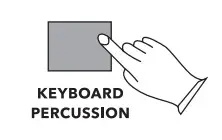
As well as the MK-6000’s eight dedicated percussion buttons, pressing the [KEYBOARD PERCUSSION] button allows you to play percussion sounds on the keyboard keys, as indicated by the symbols above the keys. Press the [KEYBOARD PERCUSSION] button again to return to normal keyboard operation.
METRONOME
The MK-6000 has an in-built metronome feature that can be started and stopped by pressing the [METRONOME] button. Press the [METRONOME] button repeatedly to select between the four different time signatures (1/4, 2/4, 3/4 and 4/4). The metronome symbol on the display will indicate the selected time signature.
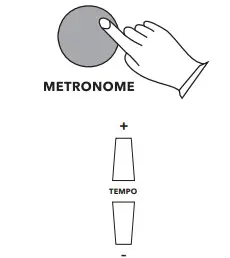
Use the [TEMPO +/-] buttons to adjust the tempo of the metronome as required, ranging from 30-240 beats per minute (bpm). Hold down either the +/- buttons to rapidly change the tempo. Press both [TEMPO +/-] buttons simultaneously to return to the default speed (120bpm).
TOUCH
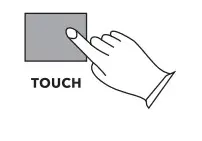
The MK-6000 has touch sensitive keys, allowing louder notes to be heard when the keys are pressed harder and quieter notes when the keys are pressed more softly. The default setting for this is “on” (as shown by the “TOUCH” indicator on the display).
Press the [TOUCH] button to disable/enable this feature. The “TOUCH” indicator will go off/on accordingly.
SUSTAIN
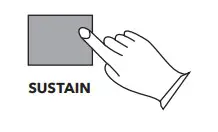
Press the [SUSTAIN] button to add sustain to the notes being played. The “SUS” indicator will light up on the display when this effect is turned on. Press the [SUSTAIN] button again to disable the effect.
VIBRATO
Press the [VIBRATO] button to add a vibrato effect to the notes being played. The “VIB” indicator will light up on the display when this effect is turned on. Press the [VIBRATO] button again to disable the effect.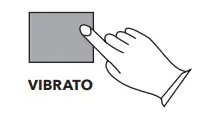
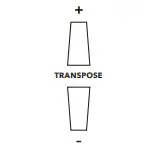
TRANSPOSE
This function allows you to shift the overall key of the keyboard in steps of one semitone. The range is +/- 6 semitones. Press the [TRANSPOSE
+/-] buttons to increase or decrease by one semi- tone as required. Holding both [TRANSPOSE +/-] buttons down simultaneously will return to normal pitch.
TUNE
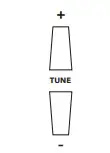
This function allows you to fine tune the pitch of the keyboard using the [TUNE +/-] buttons.
The numeric range is from -99 to +99 and corresponds to +/- 1 semitone. Holding both [TUNE +/-] buttons down simultaneously will restore the tuning to 0.
SPLIT
This feature allows the keyboard to effectively be split (after 24 left-hand keys) and the same octaves (starting at note C3) to be played on both the left and right-hand side of the keyboard. This function is ideal for tuition purposes allowing both the teacher and player to play the same melodies simultaneously.
To enable this mode, press the [SPLIT] button. The “SPLIT” indicator will be shown on the display.
When in SPLIT mode, a different timbre can be selected for the right-hand section, using the normal timbre select method.
Pressing [SPLIT] again will disable the effect and return to the default mode.
Please note, SPLIT mode is automatically disabled when using SINGLE or FINGERED chord modes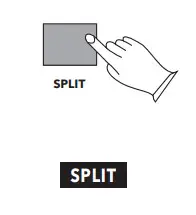
BASS
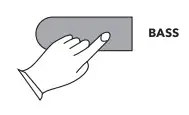
Press the [BASS] button to add extra bass to the selected timbre. Press the [BASS] button again to turn off this effect and revert to the original sound.
SINGLE KEY AUTO BASS CHORD
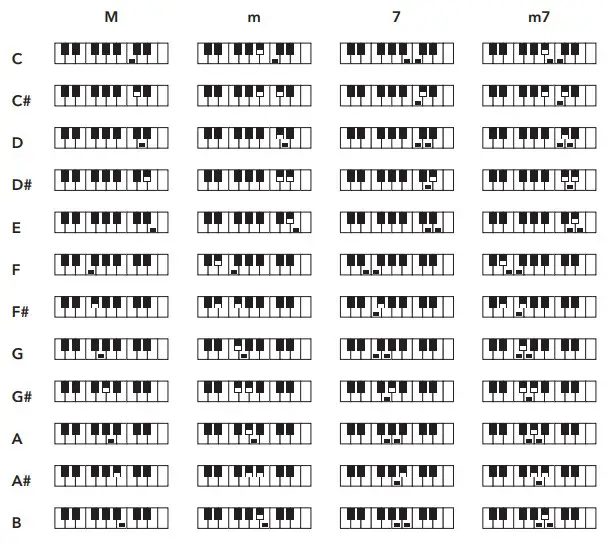
When the rhythm function is enabled, pressing [SINGLE CHORD] allows you to play a single key chord in the “chord zone” of the keyboard (left- hand 19 keys) as displayed in the table below. The “SIN” indicator will be shown on the display.
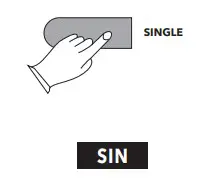
The major chords are marked above the keys. Minor chords can be played by pressing the major key and any black key to its left. Seventh chords can be played by pressing the major key and any white key to its left. Minor seventh chords can be played by pressing the major key and both any white key and any black key to its left. Please see the example fingering in the diagram below
FINGERED CHORD BASS CHORD
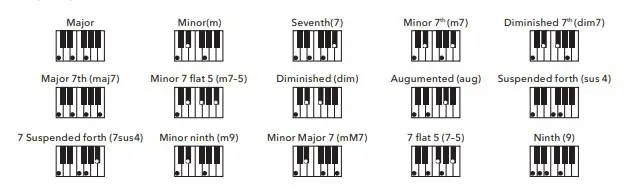
When the rhythm function is enabled, pressing [FINGERED CHORD] will allow you to play a fingered chord in the “chord zone” of the keyboard (left-hand 19 keys) as displayed in the table below.
The “FIN” indicator will be shown on the display. The fingering for C-root chords is shown below.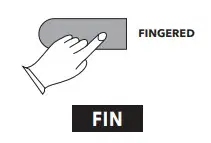
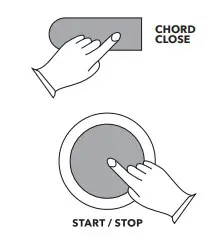
Press [CHORD CLOSE] button to disable the single key and fingered chord functions and allow the rhythm to continue. Alternatively, press the [START/
STOP] button to end the chord mode and stop the rhythm.
Please note, SPLIT mode is automatically disabled when using SINGLE or FINGERED chord modes.
RECORDING
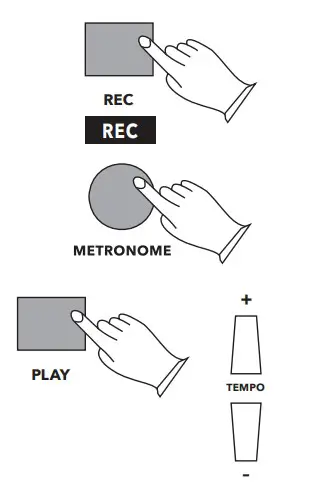
To record your playing press the [REC] button to enable the recording function. The “REC” indicator will be shown on the display. The metronome will play to assist with timing and, if not required, can be turned off by pressing the [METRONOME] button. Begin playing to record your performance and press the [REC] button again to stop recording. erformances of up to 180 notes can be recorded. Recording stops automatically if the memory becomes full.
Press the [PLAY] button to playback the recorded notes. The “PLAY” indicator will be shown on the display and the [TEMPO +/-] buttons can be used to speed up or slow down the performance as required. When playback is finished, press the [PLAY] button to listen to the recording again or press the [REC] button twice to clear the recording from the keyboard’s memory.
RHYTHM PROGRAMMING
The MK-6000 allows you to create custom rhythms by programming percussion sounds.
Press the [PROG] button to enable the rhythm programming function. The “PRG” indicator will be shown on the display. The metronome will play to assist with timing and, if not required, can be turned off by pressing the [METRONOME] button.
Along with the drum sounds from the percussion buttons, percussion sounds from the keyboard keys can also be included by pressing the [KEYBOARD PERCUSSION] button before you start.
Press any sequence of up to 128 percussion sounds to program your custom rhythm and press the [PROG] button again to stop programming. The “PRG” indicator will go off. Programming will stop automatically if 128 beats are played.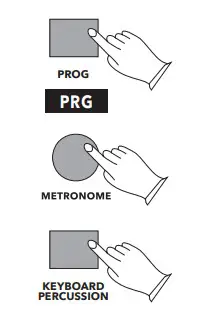
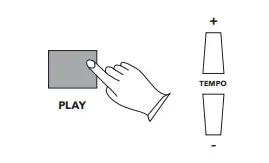
The timing between the last percussion sound and the end of the recording is also recorded, so it is advised to press the [PROG] button to end recording on a beat.
Press [PLAY] to playback the programmed rhythm in a loop. The “PLAY” indicator will be shown on the display and the [TEMPO +/-] buttons can be used to speed up or slow down the performance as required. When playback is finished, press the [PLAY] button to listen to the recording again or press the [PROG] button twice to clear the recording from the keyboard’s memory.
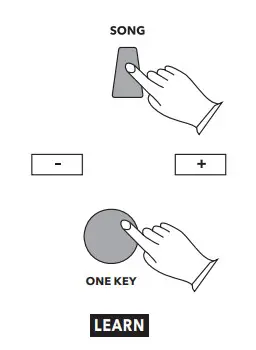
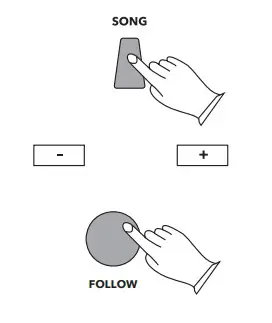
The “LEARN” indicator will be shown on the display.
The keyboard plays the song’s introduction and waits for you to press the correct key on the keyboard. The keyboard on the display will indicate the correct keys to play.
In this training mode, the song will continue when you press the correct key. If you press the incorrect key, the keyboard will wait for you to play the right note before continuing. Play each note correctly until the song is complete. The keyboard then moves on to the next song. Press the [FOLLOW] button again to exit this mode. The “LEARN” indicator will go off.
Training 3: Ensemble
This mode allows you to play the melody that you have learned, whilst the keyboard plays the accompaniment.
First, select a song to practice by pressing the [SONG] button followed by the +/- buttons on the numeric keypad as required. The “SONG” indicator and current song number will be shown on the display. You can change to a different song at any time during the lesson using the same method. Press the [ENSEMBLE] button to enable the Ensemble training function.
The “LEARN” indicator will be shown on the display.
The keyboard begins to play the melody and accompaniment automatically. The keyboard on the display will indicate the correct keys to play. In this training mode, pressing any key will stop the keyboard from playing the melody so you can play it yourself. The accompaniment will continue. If there is no key pressed within 5 seconds, the system will continue playing the melody itself until a key is pressed again.
Play each note correctly until the song is complete. The keyboard then moves on to the next song.
Press the [ENSEMBLE] button again to exit this mode. The “LEARN” indicator will go off.
TIMBRE LIST
| NUMBER | TIMBRE |
| 000 | Acoustic Grand Piano |
| 001 | Bright Acoustic Piano |
| 002 | Electric Grand Piano |
| 003 | Honky-Tonk Piano |
| 004 | Rhodes Piano |
| 005 | Chorused Piano |
| 006 | Harpsichord |
| 007 | Clavichord |
| 008 | Celesta |
| 009 | Glockenspiel |
| 010 | Music box |
| 011 | Vibraphone |
| 012 | Marimba |
| 013 | Xylophone |
| 014 | Tubular Bell |
| 015 | Dulcimer |
| 016 | Drawbar Organ |
| 017 | Percussive Organ |
| 018 | Rock Organ |
| 019 | Church Organ |
| 020 | Reed Organ |
| 021 | Accordion |
| 022 | Harmonica |
| 023 | Tango Accordion |
| 024 | Acoustic Guitar (Nylon) |
| 025 | Acoustic Guitar (Steel) |
| 026 | Electric Guitar (Jazz) |
| 027 | Electric Guitar (Clean) |
| 028 | Electric Guitar (Muted) |
| 029 | Overdriven Guitar |
| 030 | Distortion Guitar |
| 031 | Guitar Harmonics |
| 032 | Acoustic Bass |
| 033 | Electric Bass(Finger) |
| 034 | Electric Bass (Pick) |
| 035 | Fretless Bass |
| 036 | Slap Bass 1 |
| 037 | Slap Bass 2 |
| 038 | Synth Bass 1 |
| 039 | Synth Bass 2 |
| 040 | Violin |
| 041 | Viola |
| 042 | Cello |
| 043 | Contrabass |
| 044 | Tremolo Strings |
| 045 | Pizzicato Strings |
| 046 | Orchestral Harp |
| 047 | Timpani |
| 048 | String Ensemble 1 |
| 049 | String Ensemble 2 |
| 050 | Synth Strings 1 |
| 051 | Synth Strings 2 |
| 052 | Choir Aahs |
| 053 | Voice Oohs |
| 054 | Synth Voice |
| 055 | Orchestra Hit |
| 056 | Trumpet |
| 057 | Trombone |
| 058 | Tuba |
| 059 | Muted Trumpet |
| 060 | French Horn |
| 061 | Brass Section |
| 062 | Synth Brass 1 |
| 063 | Synth Brass 2 |
| 064 | Soprano Sax |
| 065 | Alto Sax |
| 066 | Tenor Sax |
| 067 | Baritone Sax |
| 068 | Oboe |
| 069 | English Horn |
| 070 | Bassoon |
| 071 | Clarinet |
| 072 | Piccolo |
| 073 | Flute |
| 074 | Recorder |
| 075 | Pan Flute |
| 076 | Bottle Blow |
| 077 | Shakuhachi |
| 078 | Whistle |
| 079 | Ocarina |
| 080 | Lead 1 (Square) |
| 081 | Lead 2 (Sawtooth) |
| 082 | Lead 3 (Calliope Lead) |
| 083 | Lead 4 (Flute Lead) |
| 084 | Lead 5 (Charango) |
| 085 | Lead 6 (Voice) |
| 086 | Lead 7 (Fifths) |
| 087 | Lead 8 (Bass + Lead) |
| 088 | Pad 1 (New Age) |
| 089 | Pad 2 (Warm) |
| 090 | Pad 3 (Poly Synth) |
| 091 | Pad 4 (Choir) |
| 092 | Pad 5 (Bowed) |
| 093 | Pad 6 (Metallic) |
| 094 | Pad 7 (Halo) |
| 095 | Pad 8 (Sweep) |
| 096 | FX 1 (Rain) |
| 097 | FX 2 (Soundtrack) |
| 098 | FX 3 (Crystal) |
| 099 | FX 4 (Atmosphere) |
| 100 | FX 5 (Brightness) |
| 101 | FX 6 (Goblins) |
| 102 | FX 7 (Echoes) |
| 103 | FX 8 (Sci-Fi) |
| 104 | Sitar |
| 105 | Banjo |
| 106 | Shamisen |
| 107 | Koto |
| 108 | Kalimba |
| 109 | Bagpipe |
| 110 | Fiddle |
| 111 | Shehnai |
| 112 | Tinkle Bell |
| 113 | Agogo |
| 114 | Steel Drums |
| 115 | Woodblock |
| 116 | Taiko Drum |
| 117 | Melodic Tom |
| 118 | Synth Drum |
| 119 | Reverse Cymbal |
| 120 | Guitar Fret Noise |
| 121 | Breath Noise |
| 122 | Seashore |
| 123 | Bird Tweet |
| 124 | Telephone Ring |
| 125 | Helicopter |
| 126 | Applause |
| 127 | Gunshot |
| 128 | Electric Guitar (Jazz) 1 |
| 129 | Orchestra Hit 1 |
| 130 | Acoustic Guitar (Nylon) 1 |
| 131 | Slap Bass 3 |
| 132 | Lead 17 (Voice) |
| 133 | Acoustic Guitar (Steel) 1 |
| 134 | Tango Accordion 1 |
| 135 | Trombone 1 |
| 136 | Acoustic Guitar (Nylon) 2 |
| 137 | Ocarina 1 |
| 138 | FX 17 (Goblins) |
| 139 | Viola 1 |
| 140 | Violin 1 |
| 141 | Pad 16 (Halo) |
| 142 | Vibraphone 1 |
| 143 | Rock Organ 1 |
| 144 | Shamisen 1 |
| 145 | Chorused Piano 1 |
| 146 | Synth Strings 3 |
| 147 | Tuba 1 |
| 148 | Timpani 1 |
| 149 | Lead 18 (Fifths) |
| 150 | Harpsichord 1 |
| 151 | Distortion Guitar 1 |
| 152 | Rhodes Piano 1 |
| 153 | Church Organ 1 |
| 154 | Dulcimer 1 |
| 155 | Electric Bass (Pick) 1 |
| 156 | Honky-Tonk Piano 1 |
| 157 | Percussive Organ 1 |
| 158 | Synth Bass 3 |
| 159 | Lead 15 (Charango) |
| 160 | Bright Acoustic Piano 1 |
| 161 | Recorder 1 |
| 162 | Contrabass 1 |
| 163 | Lead 10 (Sawtooth) |
| 164 | Electric Bass (Finger) 1 |
| 165 | Synth Pad |
| 166 | Choir Aahs 1 |
| 167 | Pad 11 (Warm) |
| 168 | String Ensemble 3 |
| 169 | Contrabass 2 |
| 170 | Accordion 1 |
| 171 | Trombone 2 |
| 172 | String Ensemble 5 |
| 173 | Accordion 2 |
| 174 | Kalimba 1 |
| 175 | FX 18 (Goblins) |
| 176 | Kalimba 1 |
| 177 | Reed Organ 1 |
| 178 | Lead 16 (Charango) |
| 179 | FX 15 (Brightness) |
| 180 | Voice Oohs 1 |
| 181 | Electric Guitar (Clean) 1 |
| 182 | Xylophone 1 |
| 183 | Electric Bass (Pick) 2 |
| 184 | Piccolo 1 |
| 185 | Tuba 2 |
| 186 | Acoustic Guitar (Steel) 2 |
| 187 | FX 12 (Crystal) |
| 188 | Honky-Tonk Piano 2 |
| 189 | Rhodes Piano 2 |
| 190 | Celesta 1 |
| 191 | Harpsichord 2 |
| 192 | French Horn 1 |
| 193 | Electric Organ 1 |
| 194 | Electric Guitar (Muted) 1 |
| 195 | Vibraphone 2 |
| 196 | Orchestral Harp 1 |
| 197 | FX 19 (Echoes) |
| 198 | Ocarina 1 |
| 199 | Pad 9 (New Age) |
| 200 | Soprano Sax 1 |
| 201 | Tango Accordion 2 |
| 202 | Brass Section 1 |
| 203 | Tubular Bell 1 |
| 204 | Electric Guitar (Jazz) 2 |
| 205 | Alto Sax 1 |
| 206 | Synth Bass 4 |
| 207 | Flute 1 |
| 208 | Banjo 1 |
| 209 | Muted Trumpet 1 |
| 210 | Voice Oohs 2 |
| 211 | Synth Voice 1 |
| 212 | Tinkle Bell 1 |
| 213 | Rock Organ 2 |
| 214 | Oboe 1 |
| 215 | Koto 1 |
| 216 | English Horn 1 |
| 217 | Timpani 1 |
| 218 | Tremolo Strings 1 |
| 219 | Lead 9 (Square) |
| 220 | Church Organ 2 |
| 221 | Pad 10 (New Age) |
| 222 | Bagpipe 1 |
| 223 | FX 11 (Soundtrack) |
| 224 | Marimba 1 |
| 225 | Electric Guitar (Clean) 2 |
| 226 | Chorused Piano 2 |
| 227 | Muted Trumpet 2 |
| 228 | Pad 14 (Bowed) |
| 229 | Lead 12 (Calliope lead) |
| 230 | Pad 15 (Metallic) |
| 231 | Acoustic Bass 1 |
| 232 | Shakuhachi 1 |
| 233 | Electric Organ 2 |
| 234 | Orchestral Harp 2 |
| 235 | Cello 1 |
| 236 | Overdriven Guitar 1 |
| 237 | Slap Bass 4 |
| 238 | Dulcimer 2 |
| 239 | Pad 17 (Halo) |
| 240 | Banjo 1 |
| 241 | Clarinet 1 |
| 242 | Marimba 2 |
| 243 | Drawbar Organ 1 |
| 244 | FX 13 (Atmosphere) |
| 245 | French Horn 2 |
| 246 | String Ensemble 4 |
| 247 | Electric Bass (Finger) 2 |
| 248 | Pad 18 (Sweep) |
| 249 | Organ |
| 250 | Bassoon 1 |
| 251 | Fretless Bass 1 |
| 252 | Harmonica 1 |
| 253 | Xylophone 2 |
| 254 | Clavichord 1 |
| 255 | FX 14 (Atmosphere) |
| 256 | Overdriven Guitar 2 |
| 257 | FX 9 (Rain) |
| 258 | Fiddle 1 |
| 259 | Electric Guitar (Muted) 2 |
| 260 | Reed Organ 2 |
| 261 | Drawbar Organ 2 |
| 262 | Harpsichord 3 |
| 263 | Brass Section 2 |
| 264 | Distortion Guitar 2 |
| 265 | Synth Pad 1 |
| 266 | Lead 11 (Sawtooth) |
| 267 | FX 10 (Rain) |
| 268 | Vibraphone 3 |
| 269 | Synth Brass 3 |
| 270 | Tubular Bell 2 |
| 271 | Lead 19 (Bass + Lead) |
| 272 | FX 16 (Brightness) |
| 273 | Pad 12 (Poly Synth) |
| 274 | Celesta 2 |
| 275 | Baritone Sax 1 |
| 276 | Glockenspiel 1 |
| 277 | Pan Flute 1 |
| 278 | Percussive Organ 2 |
| 279 | Lead 14 (Flute Lead) |
| 280 | Lead 13 (Calliope Lead) |
| 281 | Shamisen 2 |
| 282 | Synth Brass 4 |
| 283 | Shehnai 1 |
| 284 | Sitar 1 |
| 285 | Music Box 1 |
| 286 | Bottle Blow 1 |
| 287 | Glockenspiel 2 |
| 288 | Bright Acoustic Piano 2 |
| 289 | Pad 13 (Choir) |
| 290 | Pizzicato Strings 1 |
| 291 | Harmonica 2 |
| 292 | Chorused Piano 3 |
| 293 | String Ensemble 6 |
| 294 | Synth Strings 4 |
| 295 | FX 20 (Sci-Fi) |
| 296 | Trumpet 1 |
| 297 | Clavichord 2 |
| 298 | Acoustic Bass 2 |
| 299 | Tenor Sax 1 |
RHYTHM LIST
| 000 | 8-Beat Pop |
| 001 | 8-Beat Soul |
| 002 | 8-Beat Rock |
| 003 | Pop Rock |
| 004 | 60’s Soul |
| 005 | 70’s Soul |
| 006 | Funk |
| 007 | Twist |
| 008 | British Pop |
| 009 | Hard Rock |
| 010 | Fusion |
| 011 | Fusion Shuffle |
| 012 | Vintage Guitar Pop |
| 013 | Schlager Italia |
| 014 | Straight Rock |
| 015 | Jazz Rock |
| 016 | Fast Gospel |
| 017 | Folk Rock |
| 018 | Rock Boogie |
| 019 | Rock Classical |
| 020 | Rock Shuffle |
| 021 | Rock & Pop |
| 022 | Skiffle |
| 023 | Funk Pop Rock |
| 024 | Acoustic Rock |
| 025 | Cha Cha Cha |
| 026 | Rumba |
| 027 | Jive |
| 028 | Pasodoble |
| 029 | Samba 1 |
| 030 | Samba 2 |
| 031 | Schlager Rock 1 |
| 032 | Schlager Rock 2 |
| 033 | Foxtrot |
| 034 | Viennese Waltz |
| 035 | Tango 1 |
| 036 | Tango 2 |
| 037 | Carnival |
| 038 | Organ Samba |
| 039 | Reel |
| 040 | Gay Gordons |
| 041 | Scandi Waltz |
| 042 | Bossa Nova |
| 043 | Mambo 1 |
| 044 | Mambo 2 |
| 045 | Bolero |
| 046 | Cumbia |
| 047 | Latin Rock |
| 048 | Tijuana |
| 049 | Reggae |
| 050 | Salsa |
| 051 | Reggae 12-Beat |
| 052 | Slow Rock 1 |
| 053 | Slow Rock 2 |
| 054 | Slow Soul |
| 055 | 8-Beat Adria |
| 056 | Unplugged |
| 057 | New Age Pop |
| 058 | 8-Beat Modern |
| 059 | Country Ballad |
| 060 | Love Song |
| 061 | Modern Country Pop |
| 062 | Electro Pop |
| 063 | R&B Ballad |
| 064 | Rock Ballad |
| 065 | Slow & Easy |
| 066 | Analogue Ballad |
| 067 | Electric Ballad |
| 068 | 80’s Boy Band |
| 069 | Techno |
| 070 | Funky Disco |
| 071 | Saturday Night |
| 072 | Club Latin |
| 073 | Disco Chocolate |
| 074 | Disco Funk |
| 075 | Disco Hands |
| 076 | Disco Party |
| 077 | Disco Samba |
| 078 | UK Pop |
| 079 | Club Dance |
| 080 | Hip Shuffle |
| 081 | Charleston |
| 082 | Disco Pop |
| 083 | 70’s Disco Funk |
| 084 | Disco Philly |
| 085 | Disco House |
| 086 | 80’s Disco |
| 087 | Country 1 |
| 088 | Country 2 |
| 089 | Finger Pickin’ |
| 090 | Country Brothers |
| 091 | New Country |
| 092 | Easy Country |
| 093 | 70’s Chart Country |
| 094 | Hoedown |
| 095 | Country Shuffle |
| 096 | Big Band Shuffle 1 |
| 097 | Big Band Shuffle 2 |
| 098 | Big Band Shuffle 3 |
| 099 | Fast Band 1 |
| 100 | Fast Band 2 |
| 101 | Cat Groove |
| 102 | Dixie Jazz |
| 103 | Medium Jazz |
| 104 | Jazz Big Band |
| 105 | Jazz Club |
| 106 | Ragtime |
| 107 | Frankly Soul |
| 108 | Classic Big Band |
| 109 | French Jazz |
| 110 | Jump Jive |
| 111 | Ober Polka |
| 112 | Polka Pop |
| 113 | Blue Grass 1 |
| 114 | Blue Grass 2 |
| 115 | Blue Grass 3 |
| 116 | Pop Waltz |
| 117 | USA March |
| 118 | Hully Gully |
| 119 | Tarantella |
| 120 | Limbo Rock |
| 121 | Swing Waltz |
| 122 | Pub Piano |
| 123 | Jazz Waltz 1 |
| 124 | Jazz Waltz 2 |
| 125 | Show Tune |
| 126 | Polka |
| 127 | Party Polka |
| 128 | Big Band Shuffle 4 |
| 129 | Big Band Shuffle 5 |
| 130 | Big Band Shuffle 6 |
| 131 | Fast Band 3 |
| 132 | Fast Band 4 |
| 133 | Frankly Soul 2 |
| 134 | Jazz Funk |
| 135 | Classic Big Band 2 |
| 136 | French Jazz 2 |
| 137 | Blue Grass 4 |
| 138 | Blue Grass 5 |
| 139 | Blue Grass 6 |
| 140 | Pop Waltz 2 |
| 141 | USA March 2 |
| 142 | Hully Gully 2 |
| 143 | Tarantella 2 |
| 144 | Limbo Rock 2 |
| 145 | Swing Waltz 2 |
| 146 | Pub Piano 2 |
| 147 | Jazz Waltz 3 |
| 148 | Jazz Waltz 4 |
| 149 | Tango 3 |
| 150 | Tango 4 |
| 151 | German Waltz |
| 152 | Carnival 2 |
| 153 | Organ Samba 2 |
| 154 | Reel 2 |
| 155 | Gay Gordons 2 |
| 156 | Scandi Waltz 2 |
| 157 | Pop Classics |
| 158 | Live 8-Beat |
| 159 | Power Rock |
| 160 | Acoustic Rock |
| 161 | Cool 8-Beat |
| 162 | Up-tempo 8-Beat |
| 163 | 90’s Rock Ballad |
| 164 | Chart Rock Shuffle |
| 165 | Brit Pop |
| 166 | Brazilian Samba |
| 167 | Brit Pop Swing |
| 168 | 60’s 8-Beat |
| 169 | Fast Bossa Nova |
| 170 | 60’s Guitar Pop |
| 171 | 70’s 8-Beat |
| 172 | 90’s Guitar Pop |
| 173 | Soft Rock |
| 174 | Chart Guitar Pop |
| 175 | Guajira |
| 176 | 70’s Disco Funk 2 |
| 177 | Disco Philly 2 |
| 178 | Disco House 2 |
| 179 | 80’s Disco 2 |
| 180 | Swing Fox 2 |
| 181 | Slow Fox 2 |
| 182 | Organ Cha Cha 2 |
| 183 | Organ Quick Step 2 |
| 184 | Cat Groove 2 |
| 185 | Dixie Jazz 2 |
| 186 | Medium Jazz 2 |
| 187 | Jazz Big Band 2 |
| 188 | Jazz Club 2 |
| 189 | Ragtime 2 |
| 190 | Jazz Guitar Club |
| 191 | Modern Jazz |
| 192 | Acoustic Jazz |
| 193 | Cool Jazz Ballad |
| 194 | Modern Jazz Ballad |
| 195 | Easy Listening |
| 196 | Bebop |
| 197 | Jump Jive 2 |
| 198 | Country Ballad 2 |
| 199 | Country Two Step 2 |
| 200 | Country 3 |
| 201 | Country 4 |
| 202 | Finger Pickin’ 2 |
| 203 | Country Brothers 2 |
| 204 | New Country 2 |
| 205 | Easy Country 2 |
| 206 | 70’s Chart Country 2 |
| 207 | Hoedown 2 |
| 208 | Show Tune 2 |
| 209 | Polka 2 |
| 210 | Ober Polka 2 |
| 211 | Party Polka 2 |
| 212 | Waltz 2 |
| 213 | Cha Cha 2 |
| 214 | Rumba 2 |
| 215 | Jive 2 |
| 216 | Pasodoble 2 |
| 217 | Samba 3 |
| 218 | Samba 4 |
| 219 | Schlager Polka 2 |
| 220 | Polka Pop2 |
| 221 | Euro Trance |
| 222 | 6-8 Trance |
| 223 | Latin DJ’s |
| 224 | Bomba |
| 225 | Chillout Cafe |
| 226 | 70’s Glam Piano |
| 227 | French House |
| 228 | English Waltz |
| 229 | 8 Beat Ballad 1 |
| 230 | Club House |
| 231 | House |
| 232 | Country Shuffle 2 |
| 233 | Schlager Rock 3 |
| 234 | Schlager Rock 4 |
| 235 | Fox Trot 2 |
| 236 | Viennese Waltz 2 |
| 237 | Orchestra Big Band 1 |
| 238 | Big Band Fast1 |
| 239 | Orchestra Swing 1 |
| 240 | Orchestra Swing 2 |
| 241 | Rock Cha Cha 2 |
| 242 | Organ Swing |
| 243 | Secret Service |
| 244 | Animation Ballad |
| 245 | Christmas Waltz |
| 246 | Modern Pop Ballad |
| 247 | Soul R&B |
| 248 | R&B Soul Ballad |
| 249 | Euro Hip Hop |
| 250 | Trip Hop |
| 251 | Ibiza 2004 |
| 252 | Modern Big Band Shuffle |
| 253 | Modern Big Band |
| 254 | Pop Guitar Ballad |
| 255 | Ibiza 2002 |
| 256 | New R&B Ballad |
| 257 | Guitar Serenade |
| 258 | Organ Ballad |
| 259 | Joropo |
| 260 | Reggaeton |
| 261 | 8 Beat Ballad 2 |
| 262 | Chillout |
| 263 | 16 Beat Ballad 1 |
| 264 | Forro |
| 265 | J-Pop Hit |
| 266 | 16 Beat Ballad 2 |
| 267 | 70’s Pop Ballad |
| 268 | Epic Ballad |
| 269 | Easy Ballad |
| 270 | Son Cubano |
| 271 | West Coast Pop |
| 272 | Classic 16 Beat |
| 273 | Jazz Pop |
| 274 | Movie Swing |
| 275 | Movie Ballad |
| 276 | Rumba Flamenco |
| 277 | Trance Pop |
| 278 | Orchestral Big Band 2 |
| 279 | Big Band Fast 2 |
| 280 | Cool Shuffle |
| 281 | Bachata |
| 282 | Bubblegum Pop |
| 283 | Rock Shuffle |
| 284 | Jig |
| 285 | Hawaiian |
| 286 | Electronica |
| 287 | Funky House |
| 288 | Club Beat |
| 289 | Retro Club |
| 290 | Modern Chart Pop |
| 291 | MOR Swing |
| 292 | 12-8 Ballad |
| 293 | Norteno |
| 294 | French Waltz |
| 295 | Merengue |
| 296 | Retro Pop |
| 297 | EP Ballad |
| 298 | Power Ballad |
| 299 | Guitar Ballad |
DEMO SONG LIST
| 000 | Santa Claus Is Coming To Town |
| 001 | Boogie Rock |
| 002 | Little Brown Jug |
| 003 | Skip To My Lou |
| 004 | She Wore A Yellow Ribbon |
| 005 | March from “The Nutcracker” |
| 006 | Are You Sleeping |
| 007 | Small Bees |
| 008 | Twinkle Twinkle Little Star |
| 009 | Marry Had A Little Lamb |
| 010 | Old McDonald Had A Farm |
| 011 | Jingle Bells |
| 012 | London Bridge |
| 013 | Turkey In The Straw |
| 014 | Long Long Ago |
| 015 | Oh! Susanna |
| 016 | Sweet Family |
| 017 | If You Are Happy |
| 018 | Yankee Doodle Dandy |
| 019 | Spring |
| 020 | Arabesque No.1 |
| 021 | Les Premiers Sourires De Vanessa |
| 022 | Turkish March |
| 023 | Symphony No.40 |
| 024 | “Carmen” Overture |
| 025 | Texas Yellow Rose |
| 026 | Menuet from the “L’Arlesienne Suite” |
| 027 | Humoresque |
| 028 | Cuckoo Waltz |
| 029 | Sur Le Pont d’Avignon |
| 030 | My Bonnie |
| 031 | Red River Valley |
| 032 | Red Nosed Reindeer |
| 033 | Edelweiss |
| 034 | Fur Elise |
| 035 | Green Sleeves |
| 036 | Hungarian Dances No.5 |
| 037 | Happy Birthday |
| 038 | We Wish You A Merry Christmas |
| 039 | Chopin Nocturnes |
| 040 | Overture “William Tell” |
| 041 | Greetings Of Love |
| 042 | Beethoven’s Sonata |
| 043 | Swan Lake |
| 044 | Ave Maria |
| 045 | Johann Sebastian Bach |
| 046 | Jesus Joy of Man’s Desire |
| 047 | “Orpheus In The Underworld” Overture |
| 048 | Canon |
| 049 | Donna Donna |
| 050 | Ten Little Indians |
| 051 | Autumn Leaves |
| 052 | Joy To The World |
| 053 | AR Demo |
| 054 | Layla |
| 055 | Yaheluy |
SPECIFICATIONS
Keys……………………… 61 Touch Sensitive
Voices…………………….. 300
Rhythms………………….. 300
Power………………………. V DC via 100-240V
PSU (included)
Dimensions: Height…………… mm x
Width: 965mm x Depth: 368mm
Weight……………………. 4kg
Inputs…………………….. None
Outputs…………………… USB MIDI, L+R 3.5mm
Jacks, Headphones 3.5mm Jack
KETTLESTRING LANE | YORK | YO30 4XF | UNITED KINGDOM METALLVÄGEN 45A | 195 72 ROSERSBERG | STOCKHOLM | SVERIGE LAHNSTRAßE 27 | 45478 MÜLHEIM AN DER RUHR | DEUTSCHLAND
If you have any more questions about this product, please do not hesitate to contact the Gear4music Customer Service Team on: +44 (0) 330 365 4444 or [email protected]

![Midiplus X Pro Mini Series Midi Keyboard User Manual [x4 Pro Mini, X6 Pro Mini]](https://static-data1.manualsee.com/1/img/304/59766/2021/02/Midiplus-X-pro-mini-Series-MIDI-Keyboard-User-Manual-X4-pro-mini-X6-pro-mini.jpg "Midiplus X Pro Mini Series Midi Keyboard User Manual [x4 Pro Mini, X6 Pro Mini]")