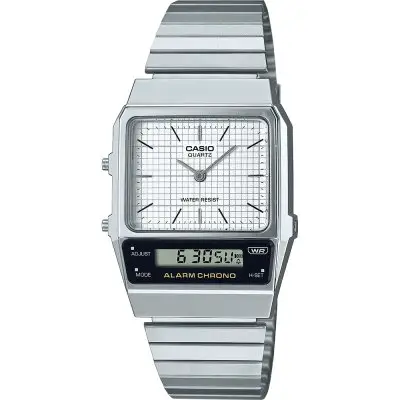
CASIO 5696 Classic Watch User Guide
You can also find information about operational procedures at the CASIO website.
https://support.casio.com/global/en/wat/model/5696/

About This Manual
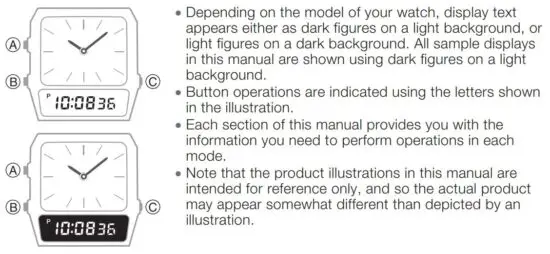
Watch Features
◆ Dual Time
Dual Time lets you keep track of the current time in another time zone in addition to your current location’s time.
◆ Alarm
◆ Stopwatch
You can also find information about operational procedures at the CASIO website.

https://support.casio.com/global/en/wat/model/5696/
Configuring Time and Date Settings
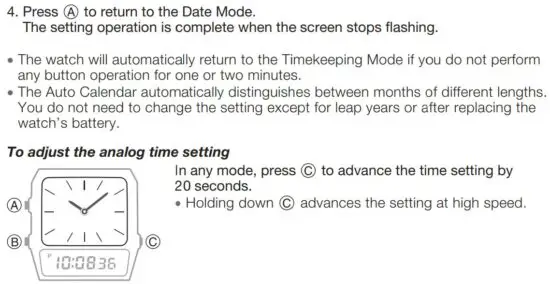
To configure the digital time settings
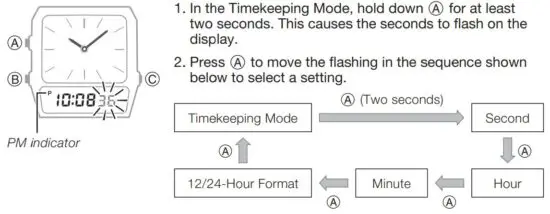
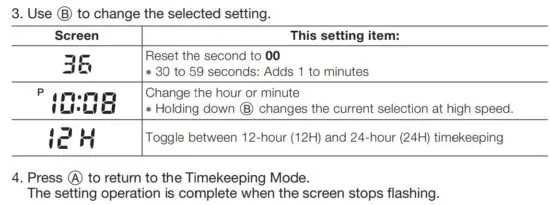
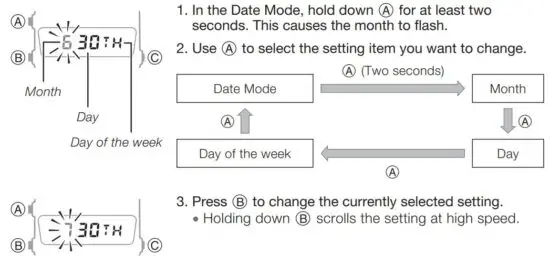
To configure date settings
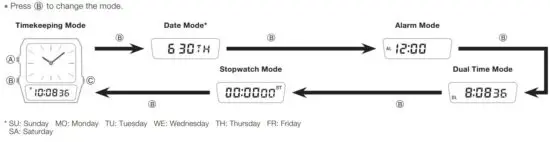
Selecting a Mode
You can also find information about operational procedures at the CASIO website.

https://support.casio.com/global/en/wat/model/5696/
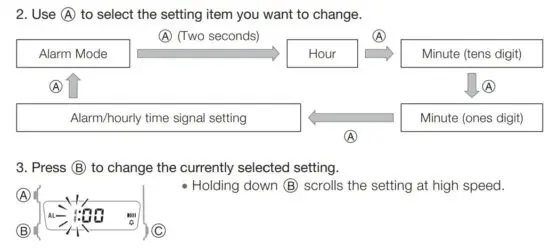
Alarm
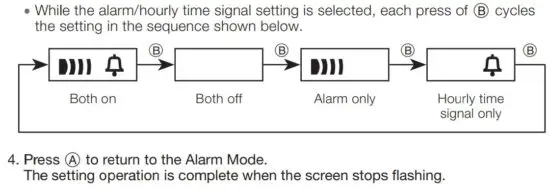
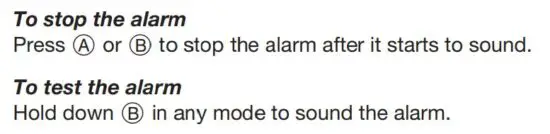
When the Daily Alarm is turned on, the alarm sounds for 20 seconds at the preset time each day. When the Hourly Time Signal is turned on, the watch beeps every hour on the hour.
- Note that the Daily Alarm and the Hourly Time Signal operate based on the digital time setting.
- The watch returns to the Timekeeping Mode automatically if you do not perform any button operation for one or two minutes in the Alarm Mode.

Dual Time
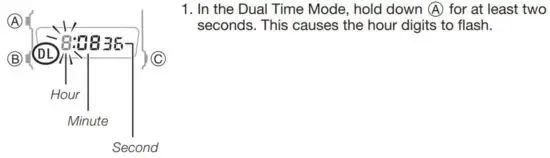
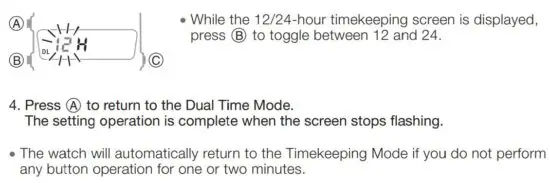
Dual Time lets you set the current time in another time zone different from the time in your current time zone.
- This means that your watch can be set up to display three times: digital time, analog time, and Dual Time.
- The seconds count of the Dual Time is synced with the digital time seconds.
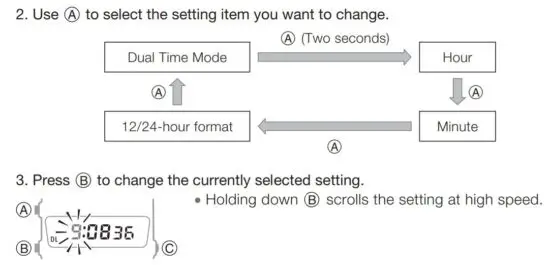
To configure Dual Time settings
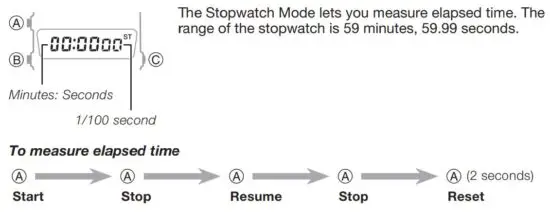
Stopwatch
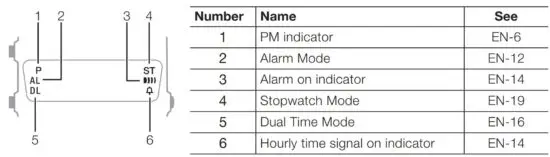
Main Indicators
Specifications
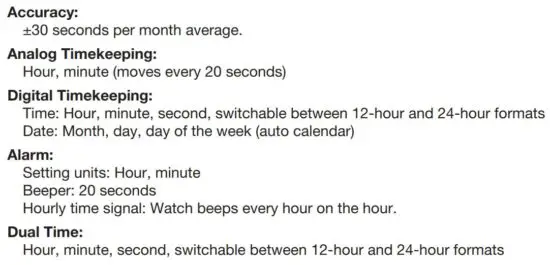
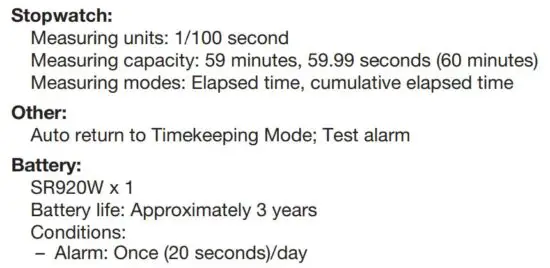
Specifications are subject to change without notice.
Read More About This Manual & Download PDF:
 Support | Home | CASIO