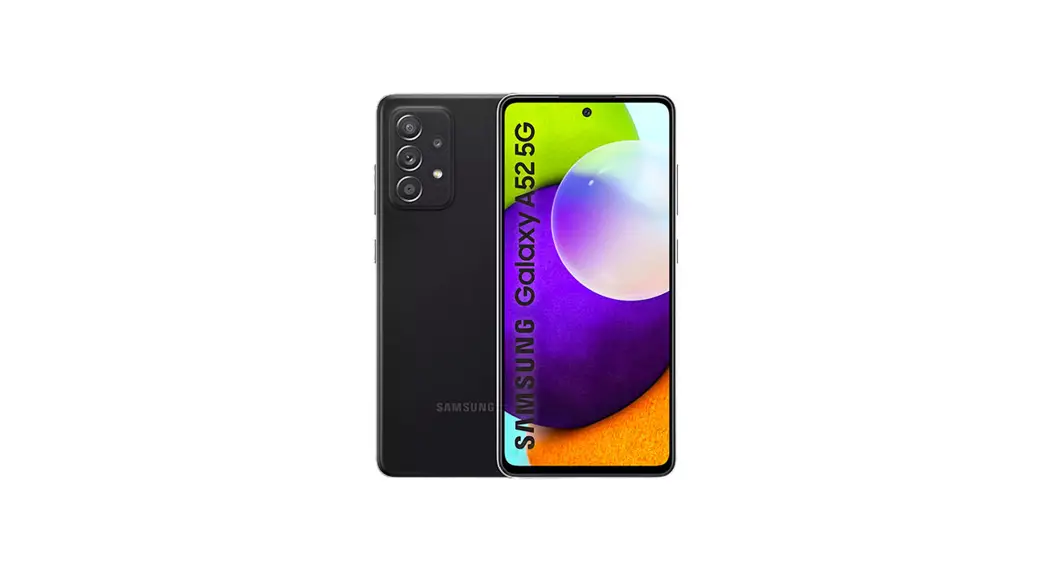
F310 Smart Mobile
F310 Introduction
Product Information
The Feitian F310 is a smart mobile POS device that has been
certified by PCI. It has a sleek and modern design and can be
connected to a smartphone or tablet via Bluetooth for quick and
easy payment processing. The device operates on the Android 10
operating system and comes with both Android and secure systems.
Both systems can be remotely upgraded or upgraded via a TF card or
OTG+U disk, lowering the cost of development and maintenance. The
F310 supports magnetic stripe, contact, and contactless cards, as
well as WiFi and Bluetooth connectivity. It is CE, PCI, EMV
L1&L2, EMV CL L1, Amex, payWave, Paypass, Discover, JCB, Pure,
qUICS, TQM(TBD) certified. Firmware can be remotely upgraded,
reducing the cost of development and maintenance.
Product Usage Instructions
1. To use the F310, connect it to your smartphone or tablet via
Bluetooth.
2. Insert the magnetic stripe card into the reader with the
magnetic stripe facing backward. Swipe the card at a speed between
10mm/s and 100mm/s.
3. To use a contact card, insert the card into the contact IC
card reader with the chip side facing the screen.
4. To use a contactless card, hold the card near the contactless
IC card reader. The working frequency is 13.56MHz.
5. To charge the device, connect it to a host device (such as a
PC) via the Type-C USB port.
6. The F310 can be connected to a 2.4G network via WiFi and to a
smartphone or Bluetooth headset via Bluetooth 4.2.
7. The device supports GPS, as well as GLONASSBeidou.
8. The F310 comes with a front camera (2MFF) and rear camera
(8MFF) for taking pictures.
9. The device can play audio through the speaker and record
audio through the mic. It also has a buzzer for notifying the user
when needed.
10. The F310 comes with a removable polymer lithium battery
(3.8V/3000mAh) with charge protection and RTC battery.
F310 Introduction
V1.0
Feitian Technologies Co., Ltd. www.FTsafe.com
F310
© www.FTsafe.com
F310
Content
Chapter 1. F310 Product Introduction ………………………………………………………………………………………………………… i 1.1 Product Introduction …………………………………………………………………………………………………………………………… i 1.2 Product Appearance……………………………………………………………………………………………………………………………. i 1.3 Specifications ……………………………………………………………………………………………………………………………………….ii
1.3.1 Dimensions………………………………………………………………………………………………………………………………………………………….. ii 1.3.2 Screen………………………………………………………………………………………………………………………………………………………………….. ii 1.3.3 Communication Interface ……………………………………………………………………………………………………………………………………. ii 1.3.4 Battery and Power Source ………………………………………………………………………………………………………………………………….. iii 1.3.5 Audio ………………………………………………………………………………………………………………………………………………………………….. iii 1.3.6 Camera……………………………………………………………………………………………………………………………………………………………….. iii 1.3.7 SIM card ……………………………………………………………………………………………………………………………………………………………… iii 1.3.8 PSAM card …………………………………………………………………………………………………………………………………………………………..iv 1.3.9 TF-card………………………………………………………………………………………………………………………………………………………………..iv 1.3.10 Contact IC card Reader ……………………………………………………………………………………………………………………………………..iv 1.3.11 Contactless IC Card Reader ……………………………………………………………………………………………………………………………….v 1.3.12 Magnetic Stripe Card Reader ……………………………………………………………………………………………………………………………vi 1.3.13 Features …………………………………………………………………………………………………………………………………………………………….vi
1.4 Certifications ………………………………………………………………………………………………………………………………………vii 1.5 Installation ………………………………………………………………………………………………………………………………………….vii 1.6 FCC Statement……………………………………………………………………………………………………………………………………..x
© www.FTsafe.com
Chapter 1. F310 Product Introduction
F310
1.1 Product Introduction
Feitian F310 is a s mart mo b i l e POS product with PCI certification. It has a stylish and smart design. Connect with smart phone or tablet via Bluetooth interface, you can easily and quickly complete the payment process. It can achieve payment progress anytime anywhere which provides end users with a new experience of payment.
This product is developed based on Android 10 operating system, software including android system and secure system, the function is simple and easy to use.
Both android system and secure system can be upgraded remotely or upgraded by TF card/OTG+U disk, lower the following cost of development and maintenance.
The features of this product: Portable The appearance is portable, suitable for mobile use. Powerful Support magnetic stripe card, contact card and contactless card. Support WiFi and Bluetooth. Support 1* type C Port, support USB2.0 and OTG. Certified CE, PCI, EMV L1&L2, EMV CL L1, Amex, payWave, Paypass, Discover, JCB, Pure, qUICS, TQM(TBD) certified. Remote upgrading Firmware can be upgraded remotely, reducing the cost of late development and maintenance.
1.2 Product Appearance
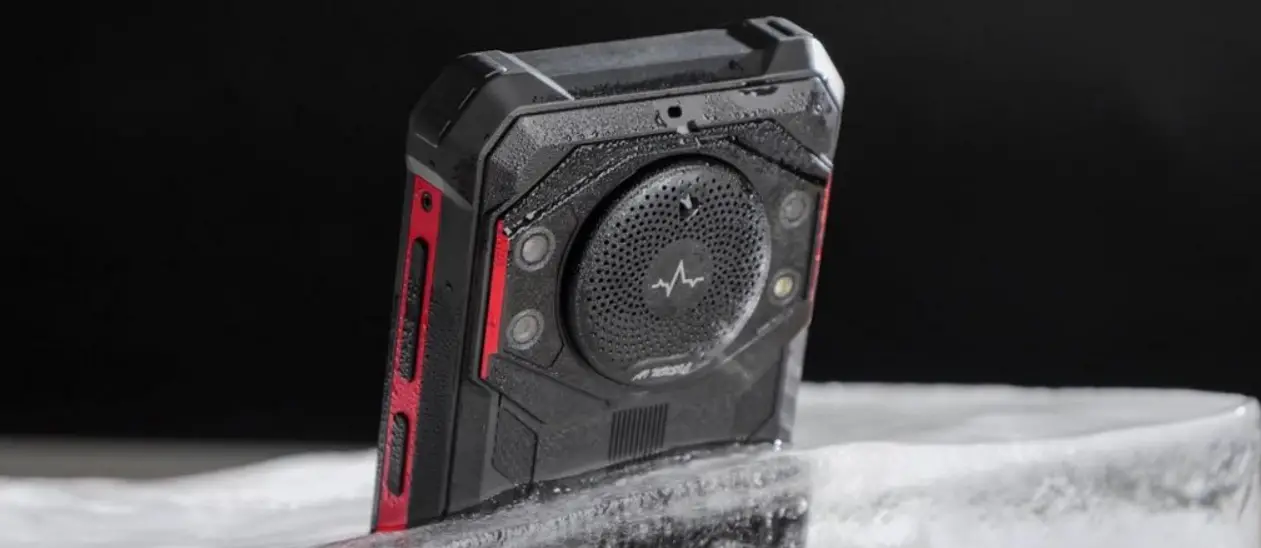
The F310 product appearance is shown as follows:
© www.FTsafe.com
F310
Figure 1 F310 appearance figure
1.3 Specifications
1.3.1 Dimensions
Size:155.2 x 76.7 x 16.5(mm)
1.3.2 Screen
Use a 5.5-inch screen with a resolution of 720*1440 and multi Touch Panel.
1.3.3 Communication Interface
RF Band 4GFDD-LTE:B1/2/3/4/5/7/12/17/19/25/26/28/66
TDD-LTE:B38/41
© www.FTsafe.com
F310
3GWCDMA B1/2/4/5/8 2GGSM B2/3/5/8 Type-C USB port
When the device is connected to the host (for example, PC) through this interface, this interface provides functions such as charging. WiFi
This device can be connected to 2.4G network, support 802.11 b/g/n. Bluetooth 4.2
This device can be connected to smart phone or bluetooth headset through this interface. GPS
This device supports GPS, as well as GLONASSBeidou. NFC
NFC is a POS function, which supports 13.56MHzISO/IEC 14443ISO18092 Type A&BFelica Mifare card.
1.3.4 Battery and Power Source
Removable polymer lithium battery, 3.8V/3000mAh, with charge protection and RTC battery.
1.3.5 Audio
Speaker This device can play audio through this interface. Mic This device can record through this interface. Buzzer Notify the user by beeping when needed.
1.3.6 Camera
Front Camera A front camera: 2MFF Rear Camera A Rear camera: 8MFF
1.3.7 SIM card
This device can insert into two sim card.
© www.FTsafe.com
F310
1.3.8 PSAM card
This device can insert into PSAM card.
1.3.9 TF-card
Support 1*TF, max support 32 GB TF-card.
1.3.10 Contact IC card Reader
Support contact IC card (ISO/IEC 7816-1/2/3/4 Chip Card), Type A/B/C. When inserting the IC card, please let the chip side toward the side of the screen.
© www.FTsafe.com
F310
1.3.11 Contactless IC Card Reader
Support contactless IC card (ISO/IEC 14443 Type A, ISO/IEC 14443 Type B, working frequency 13.56MHz)
© www.FTsafe.com
F310
1.3.12 Magnetic Stripe Card Reader
The magnetic stripe card must be compliant with ISO7812 standard. The magnetic strip card reader can read data from magnetic track 1, 2, 3 at the same time, support bi-directional swipe, swipe speed ranges from 10mm/s to 100mm/s. The life cycle is over 300,000 times. The magnetic stripe must be backward when swiping card.
1.3.13 Features
Tamper-proof and anti-power-down protection
Support DUKPT key systems
RSAAES3DESSHA-1SHA-256Support RSA, AES, 3DES, SHA-1, SHA-256
Support SM2, SM3, SM4
Physical tamper-proof has self-destruction function
Support redevelopment
© www.FTsafe.com
F310
1.4 Certifications
PCI PTS 5.1 certified
EMV L1/L2
EMV Contactless L1
PBOC3.0 L1/L2
MasterCard PayPass
Visa PayWave
CE
DSM
UN38.3
UL RoHS
Telec&JATE
Amex
Discover
PURE
1.5 Installation
Step 1. Charging the device · Insert the USB charging cable into the Type-C port on the down side of the device. · Connect the other end of the USB charging cable into a powered USB socket. · A charging symbol will appear over the battery symbol in the top right corner of the device during charging. · Charging of the battery will typically take between 1 and 3 hours, whilst not in use. · Battery condition is indicated in the display when the device is switched on. · The terminal is fitted with an internal rechargeable battery which can be removed or replaced. This battery should be charged for at least 1 hours when using the terminal for the first time. It is recommended that the battery is charged to at least 40% of its capacity every 4 months.
Step 2. Turning on the device
© www.FTsafe.com
· Hold down the power button 2 seconds, the system will start. · If required, remove the protective film from the display.
F310
Step 3. Mobile payment application
Please follow the instructions provided by your bank or service provider to download the mobile application onto this device.
Step 4. Performing a chip card sale transaction with PIN · When prompted, insert the customer’s chip card into the slot at the right hand side of the device with the chip facing upwards. · Follow the instructions provided by your bank or service provider to complete the transaction.
Step 5. Performing a magnetic stripe transaction · During device operation you may be prompted to read a presented card by means of the magnetic stripe. · The magnetic stripe reader is a slot positioned on the top of the device. Swipe the card in a single smooth motion from left to right. · Follow the instructions provided by your bank or service provider to complete the transaction.
Step 6. Performing a contactless transaction · Transactions may be completed using a contactless card or enabled product. The contactless symbol is printed on the back of the device. · To read a contactless card it must be positioned in close proximity to the device over the contactless symbol. · Follow the instructions provided by your bank or service provider to complete the transaction.
Troubleshooting
In the unlikely event you experience issues with this product, please follow the guidelines below. If this does not resolve the issue, please contact your solution provider for further assistance.
© www.FTsafe.com
No display · Charge the device with the supplied USB cable. · Ensure the USB socket being used is powered.
F310
Poor battery life · Ensure the power is being supplied during charging. · Check battery charge indicator is at maximum · Charge for 3 hours to ensure a full charge whilst not in use.
Cannot read Cards · Ensure the magnetic stripe card has been swiped in the correct orientation. · Ensure the chip card has been inserted in the correct orientation. · Ensure the contactless card has been placed at a distance of 0 to 4 cm from the device. · Test with another card of the same type.
Caution and Safety Instructions · Do not attempt to disassemble, modify, service or repair any part. · Do not use if damaged or with signs of tampering. · Only use the device with supplied or manufacturer-certified accessories. · To avoid the potential hazard of electrical shock do not use in wet environments or during an electrical storm. · Do not use in proximity of potentially flammable gases or substances. · Ensure cables used do not cause a trip hazard or risk the device being dropped on to a hard surface. · Do not expose to excessive heat or cold. Only operate between -10 °C and 50 °C. · Before cleaning, disconnect from the electrical outlet. Use only a dry or dampened soft cloth. · Do not immerse, use liquids, sprays or aerosol cleaners. Clean all spillages quickly. · This device is intended for handheld use only or in an approved cradle/stand.
© www.FTsafe.com
F310
· Dispose any part in an environmentally sound manner and in accordance with local laws. · F310 product will not be held liable for any damage resulting from user operation that does not comply with the above-stated guidance. · If the device will be stored/unused for extended periods of time, then it is imperative that the battery be recharged every six months or sooner to at least 3040% of maximum charge while the terminal is in `OFF’ position.
Frequency bands and power · Maximum radio frequency power transmitted in the frequency bands in which this equipment operates is below the limit values specified in the corresponding Harmonized Standards. · The frequency bands and power limits applicable to this equipment are: Bluetooth: 2.4 GHz – 2.4835 GHz, BT3.0/BLE4.2; NFC: 13.56 MHz, Type-A/BFelica.
1.6 FCC Statement
Any Changes or modifications not expressly approved by the party responsible for compliance could void the user’s authority to operate the equipment. This device complies with part 15 of the FCC Rules. Operation is subject to the following two condition s: (1) This device may not cause harmful interference (2) This device must accept any interference received, including interference that may cause undesired operation. (3) The highest SAR value for this model device when tested is 1.42 W/Kg when used at 10 mm away from the body
1.7 CE Statement
This product was tested and recorded the maximum SAR value was 1.69 W / kg for the body . The device complies with RF specifications when the device used at a distance of 5mm from your body .
© www.FTsafe.com
1.8 Warning
If replace the battery pack with an incorrect model, it may cause explosion.
F310
© www.FTsafe.com
 FEITIAN Technologies Co., Ltd.